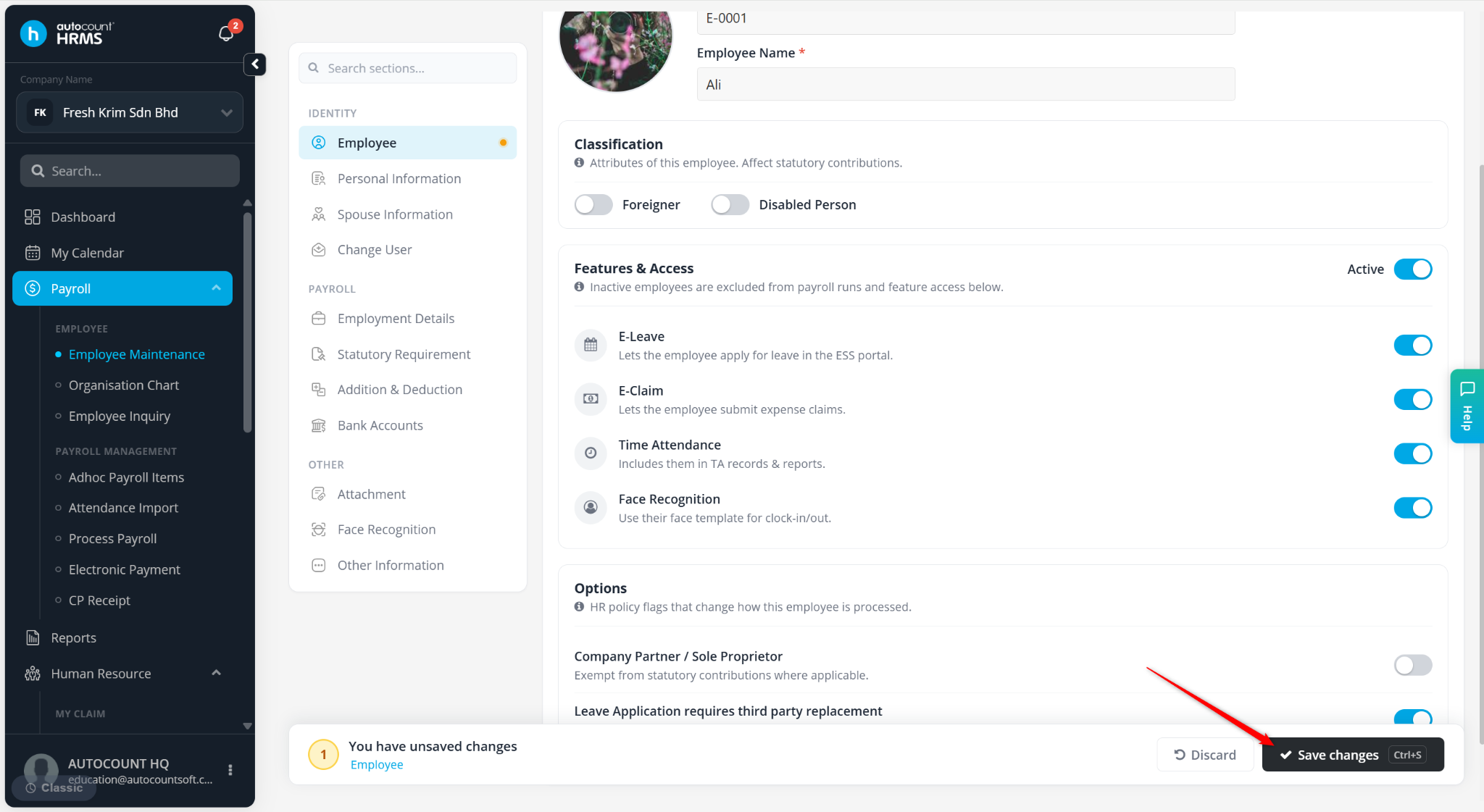
Users are required to enable the e-Claim module to allow employees to use e-Claim features in the system.
Steps to Enable the e-Claim Module:
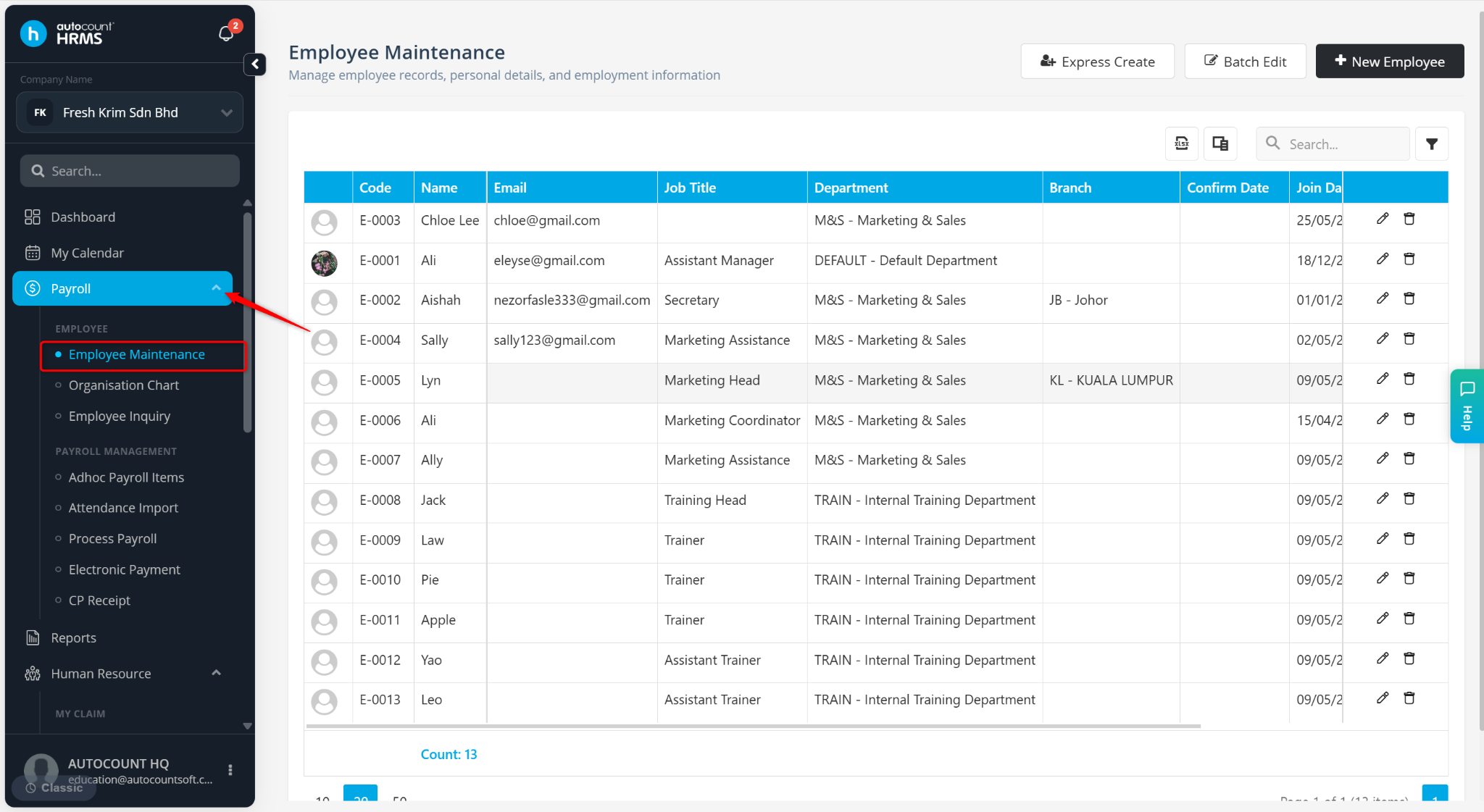
Go to Payroll > Employee Maintenance.
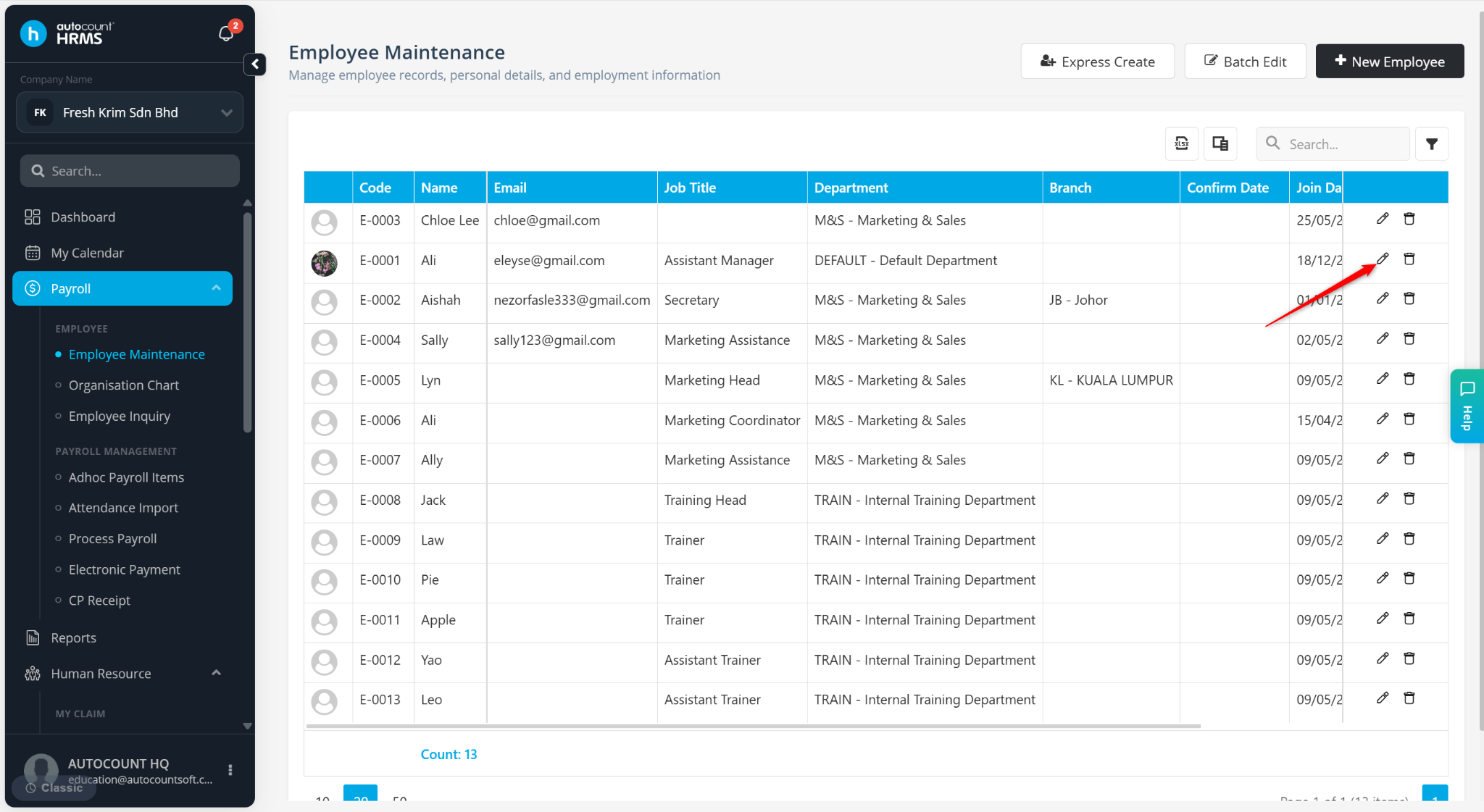
Locate the employee and click the pencil icon.
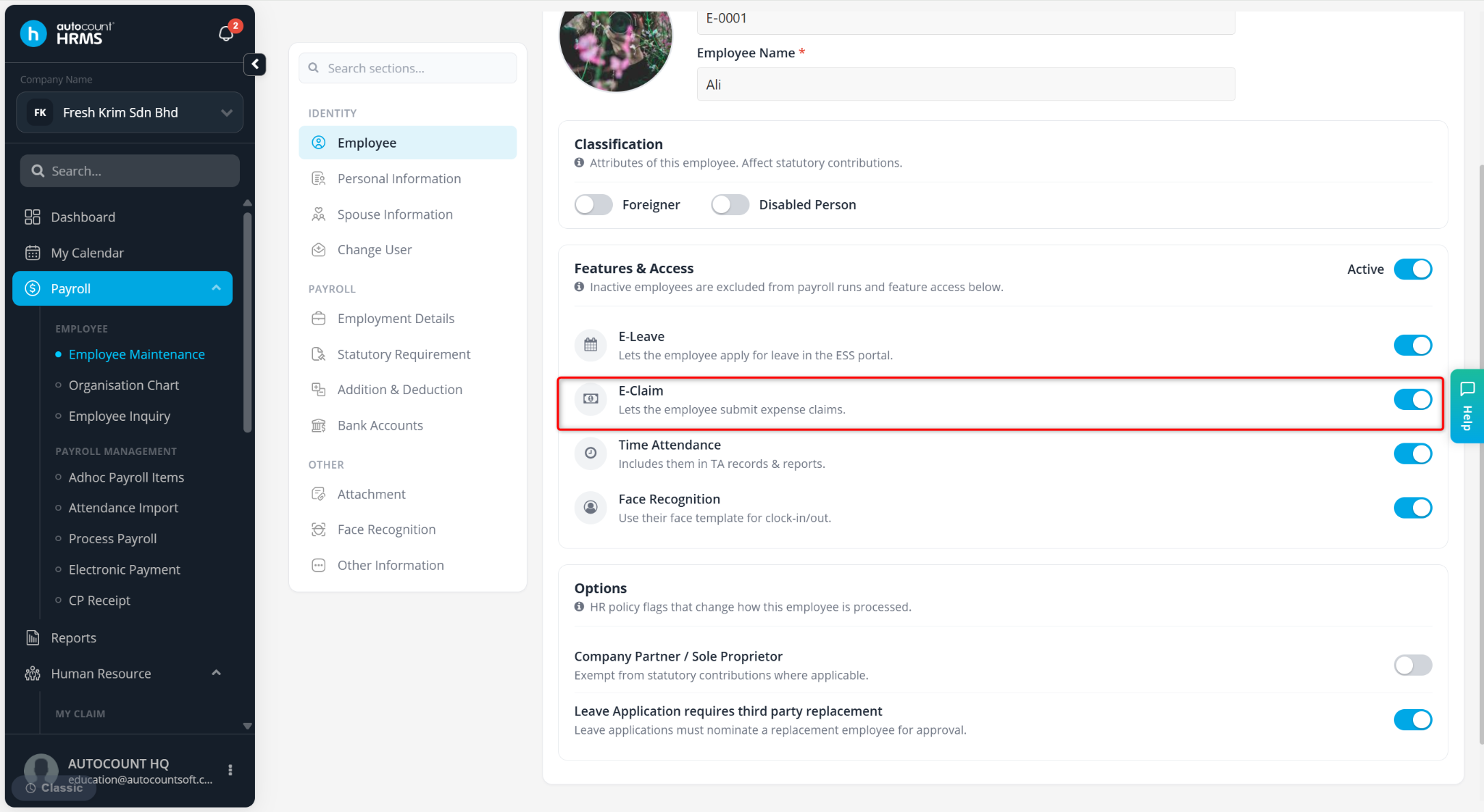
Ensure E-Claim is enabled.
Click Save changes.