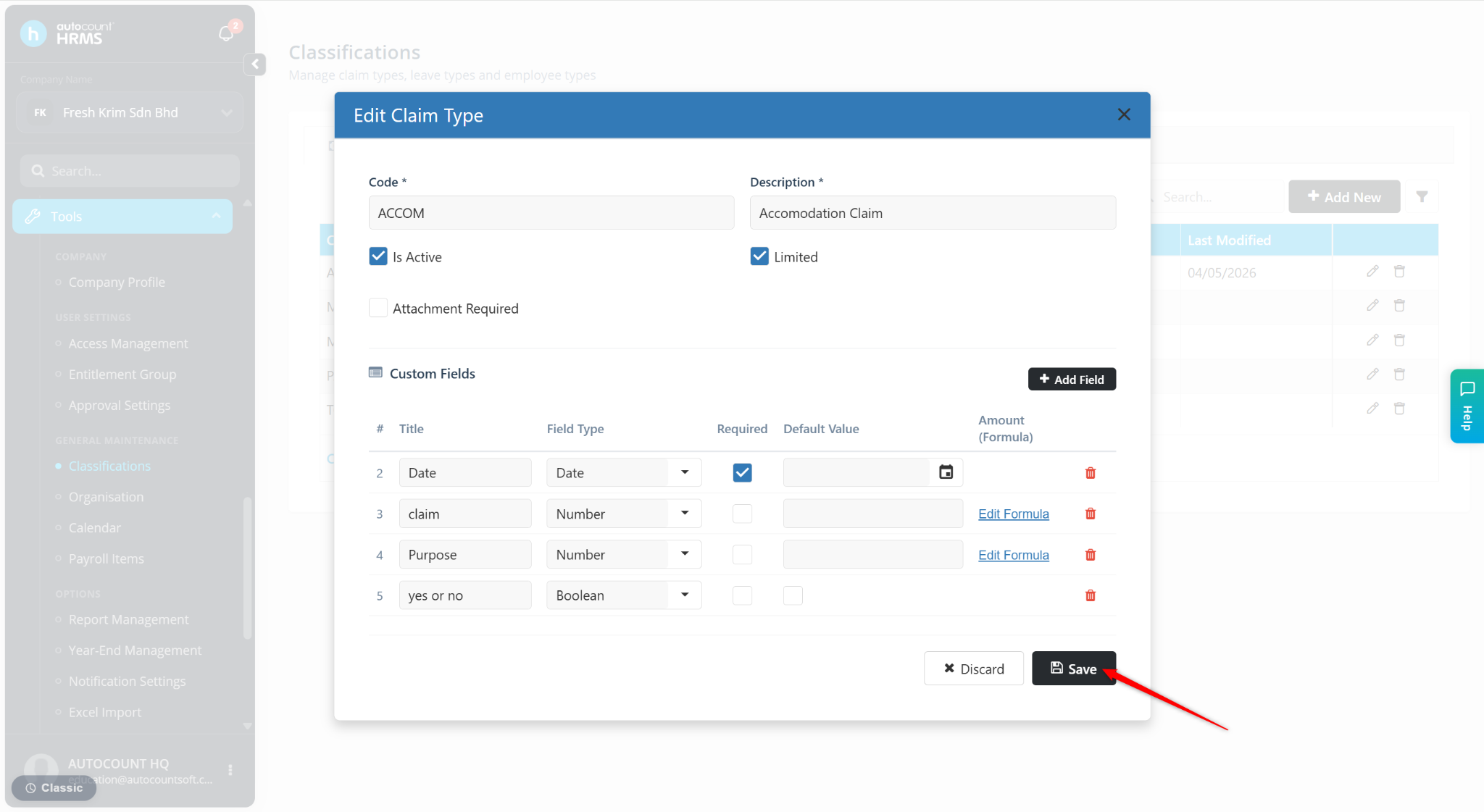
Users may set up a formula directly in the Claim Type setup.
Steps to Set Up Formula for a Claim Type:
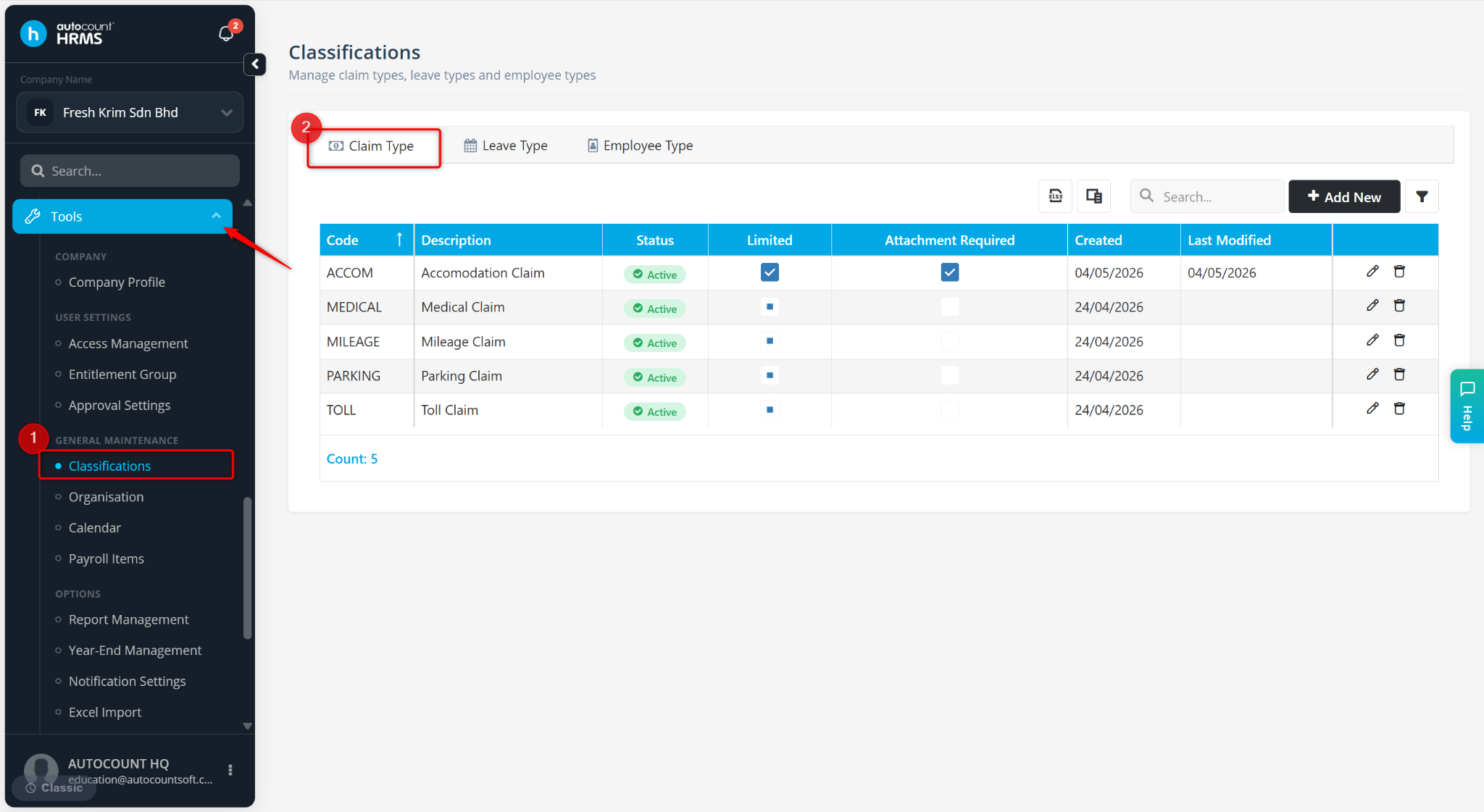
Go to Tools > Classification.
Go to Claim Type.
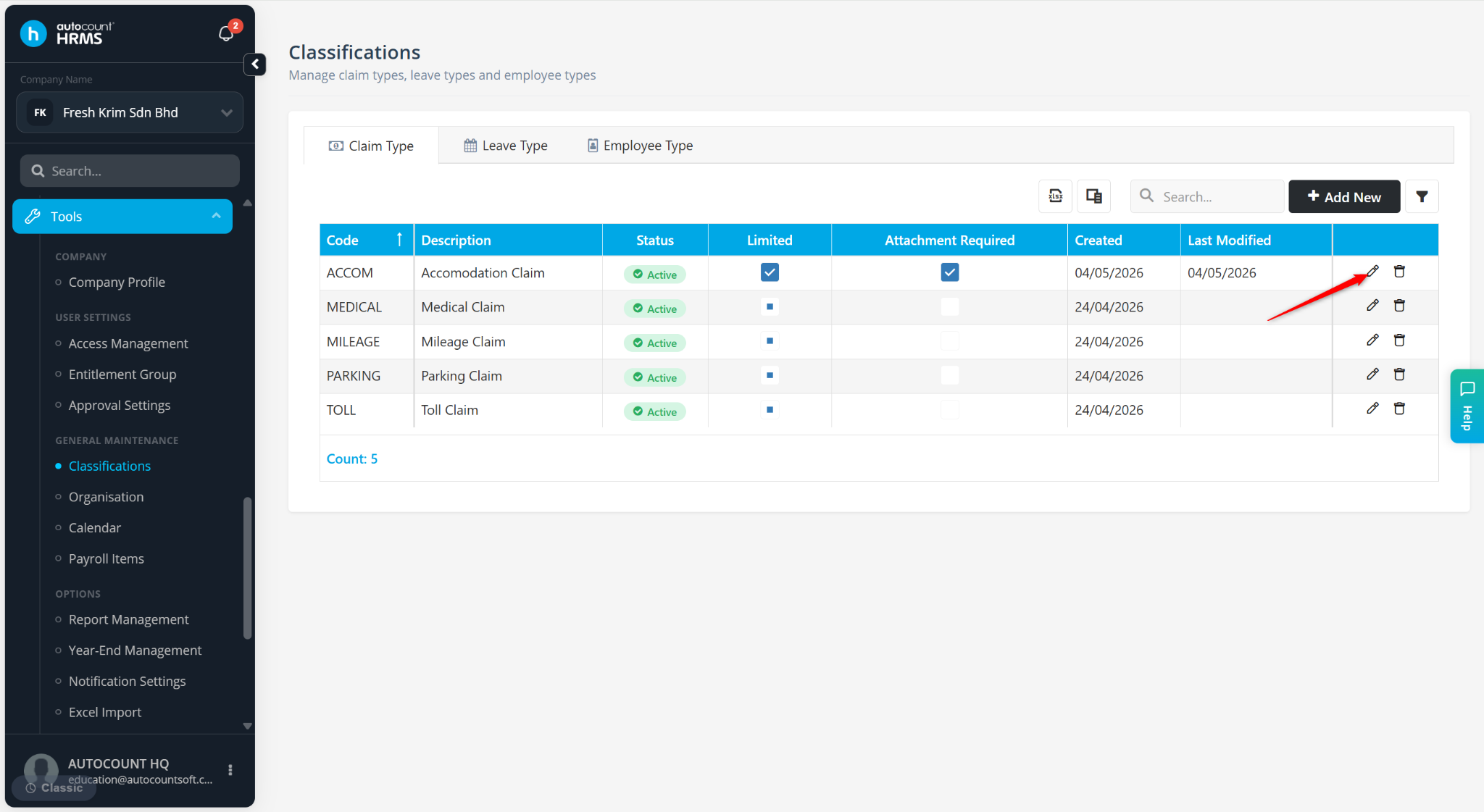
Locate the Claim Type and click the pencil icon.
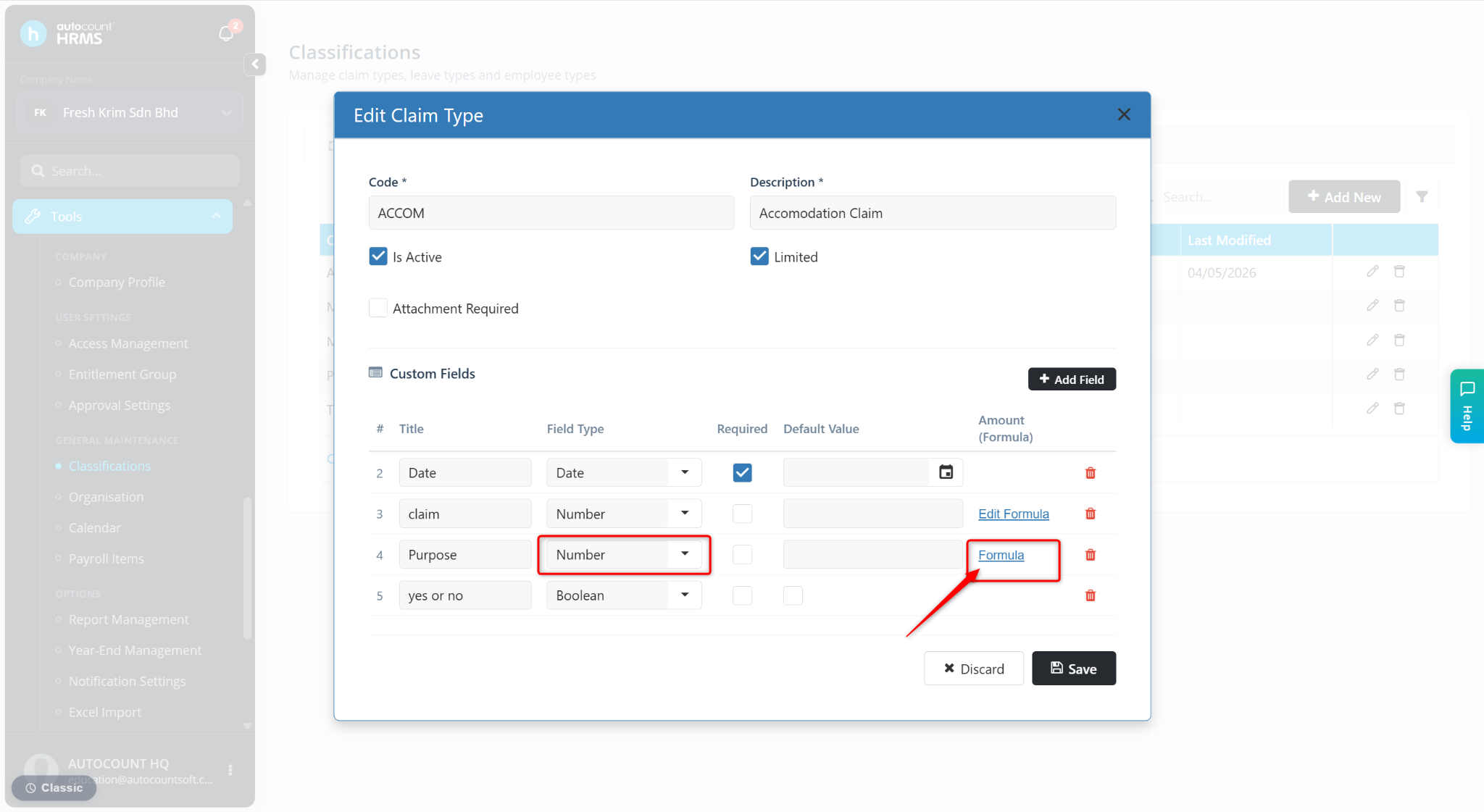
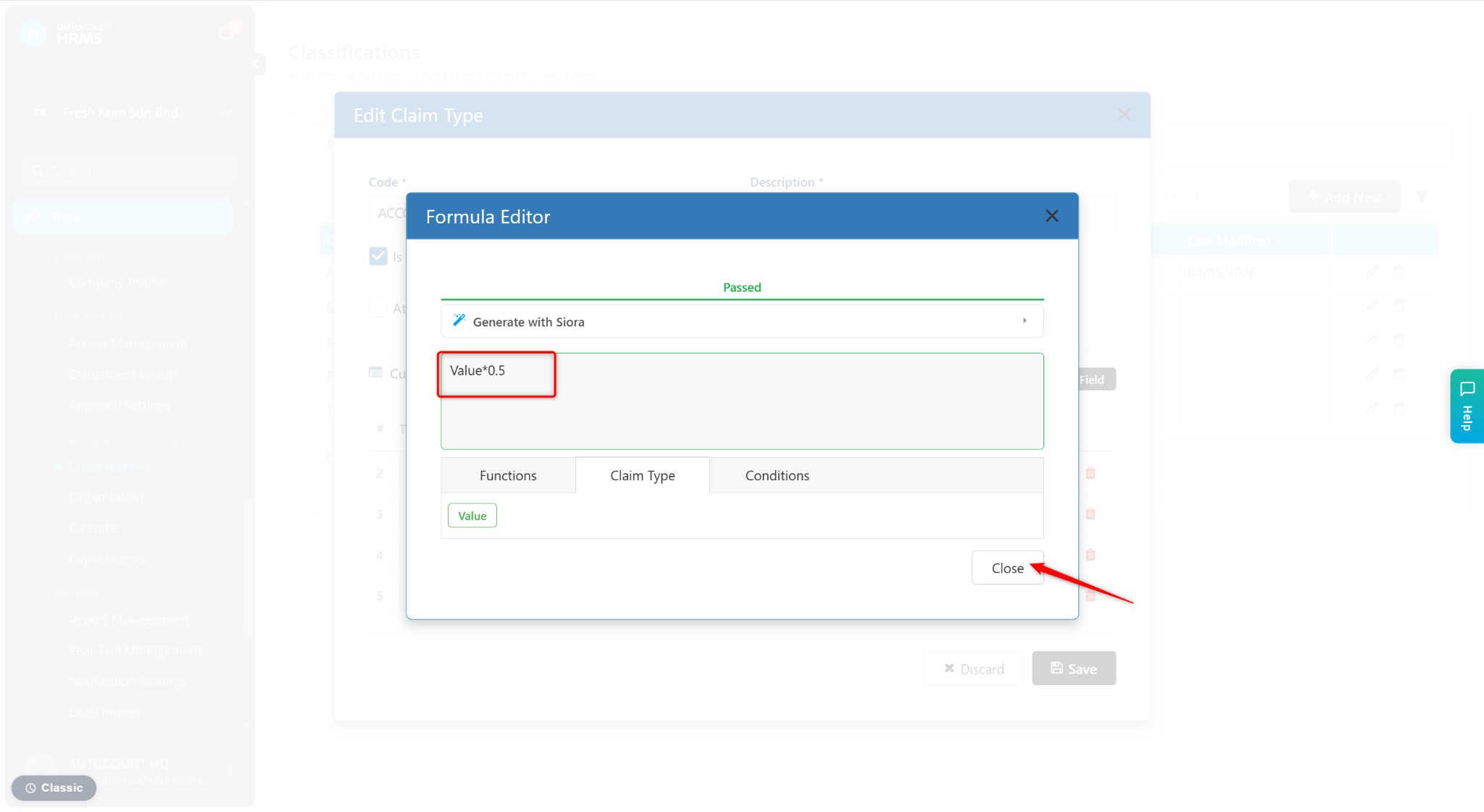
At the Fields with Number selected as the Field Type, click Formula.
Enter the required formula (e.g., VALUE * 0.5).
Click Close.
Click Save to apply the changes.