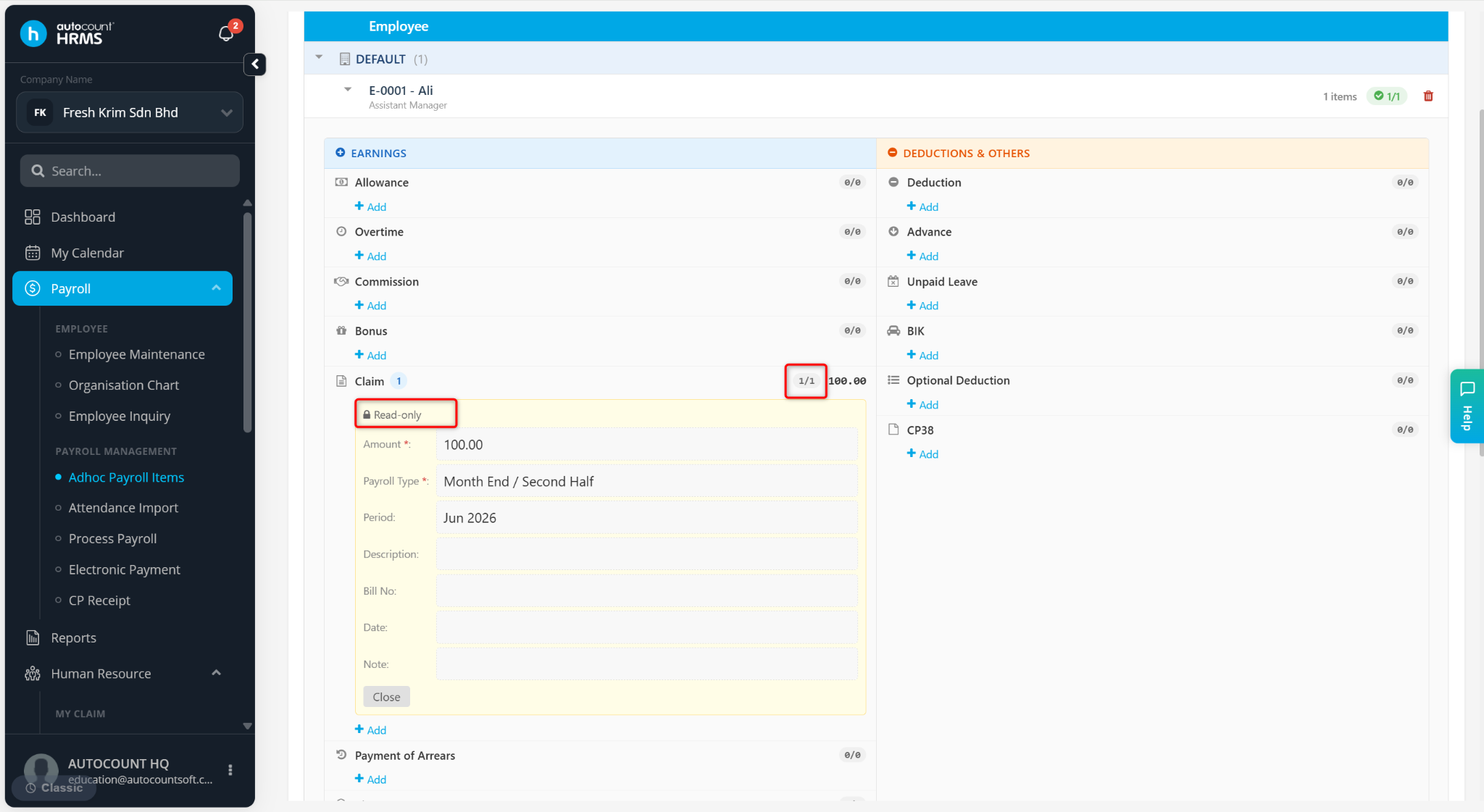
Users can adjust the payroll type for a claim without affecting the system’s default settings by using the Ad-hoc Payroll Items function.
Steps to Change Claim Payroll Type:
Go to Payroll > Ad-hoc Payroll Items.
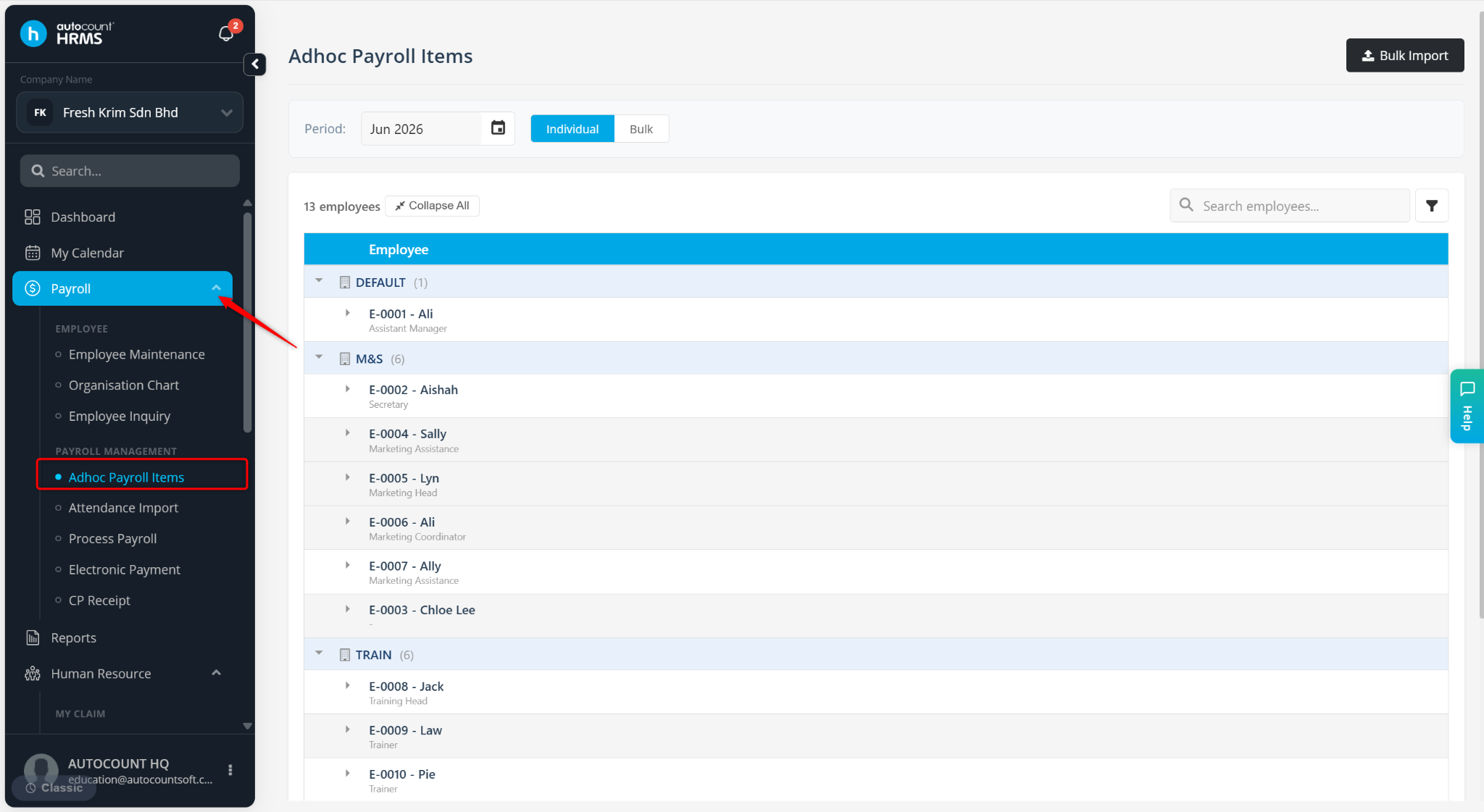
Define the Period of the Adhoc Item.
Locate the employee and click the > icon to expand the details.
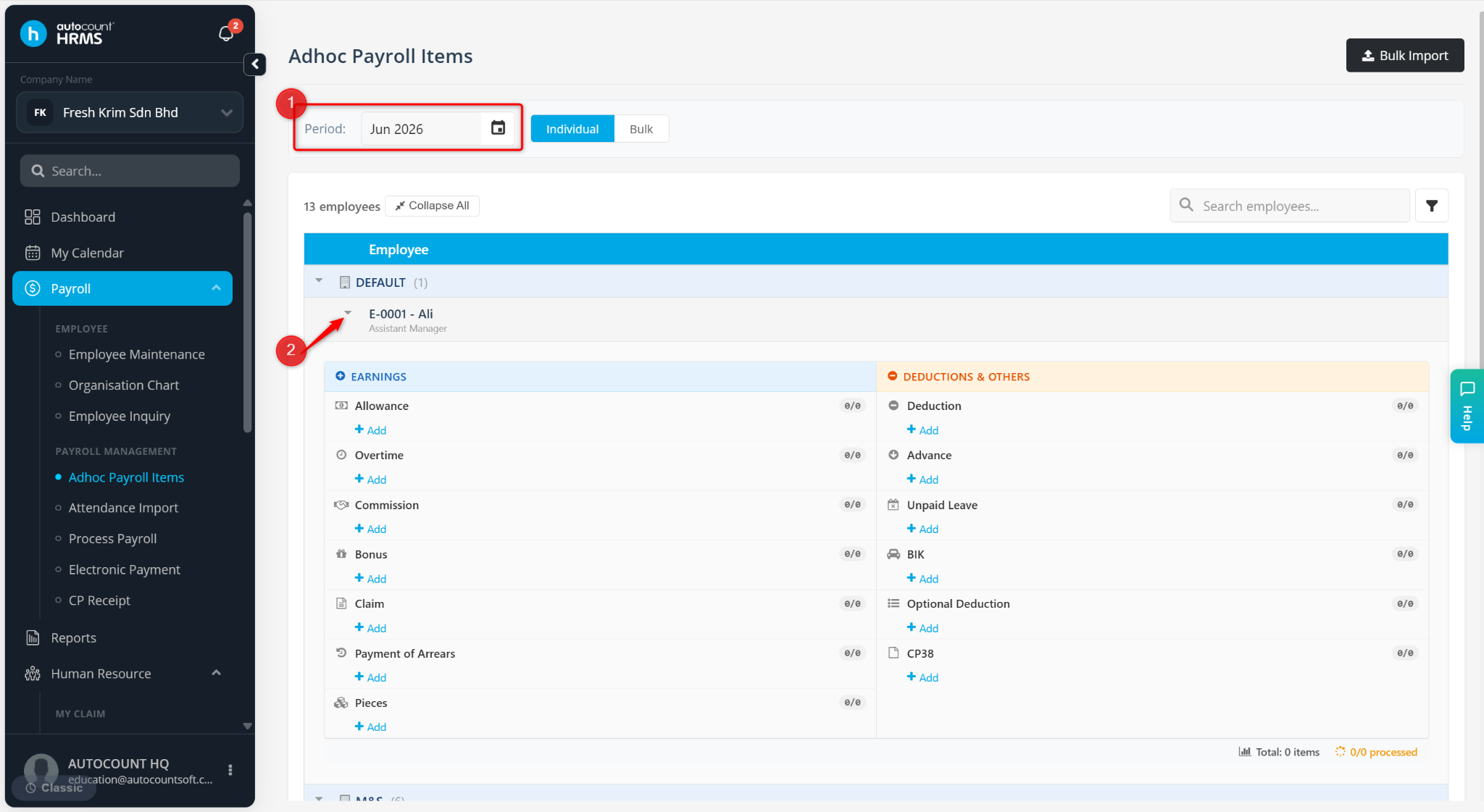
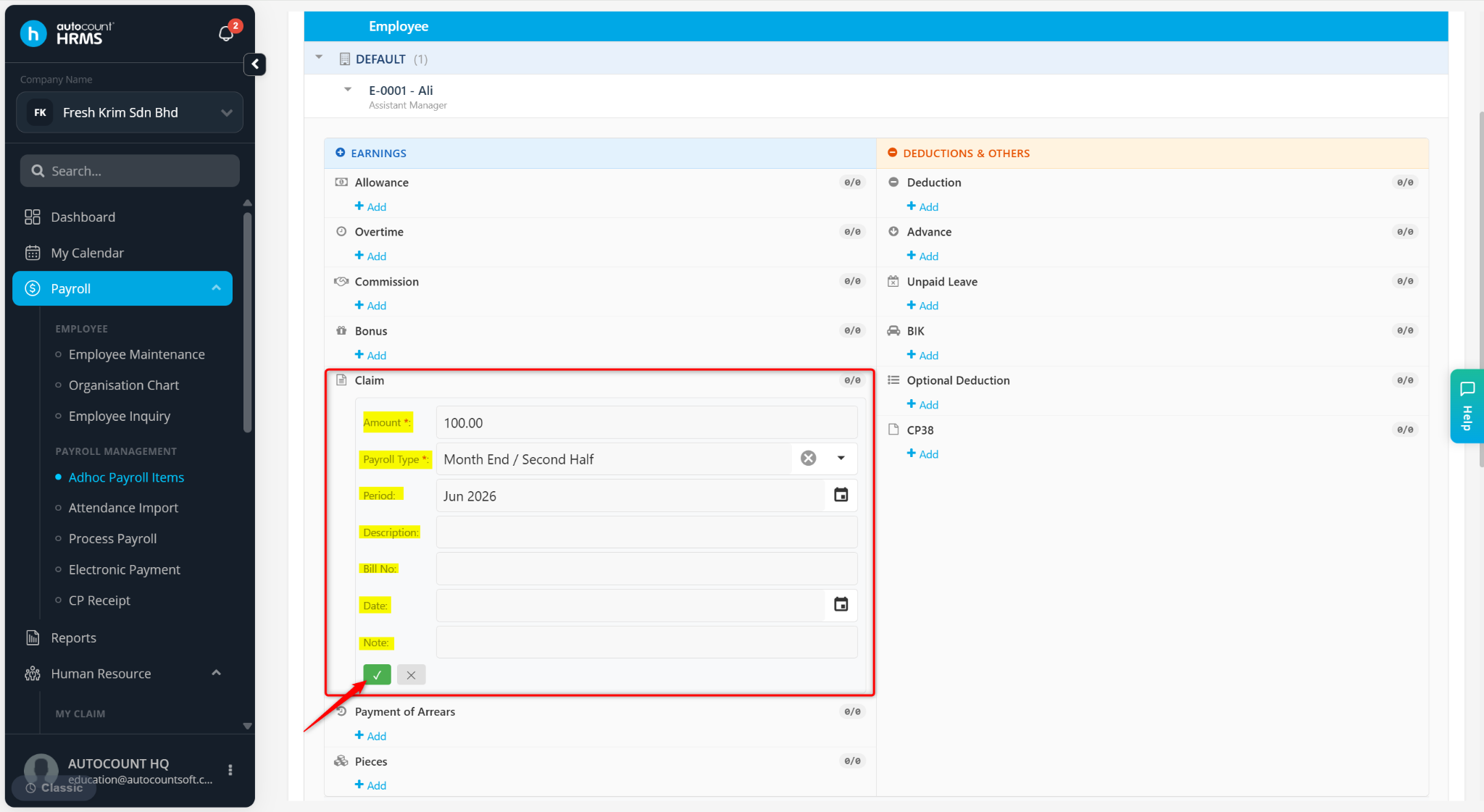
Under Claim, click + Add.
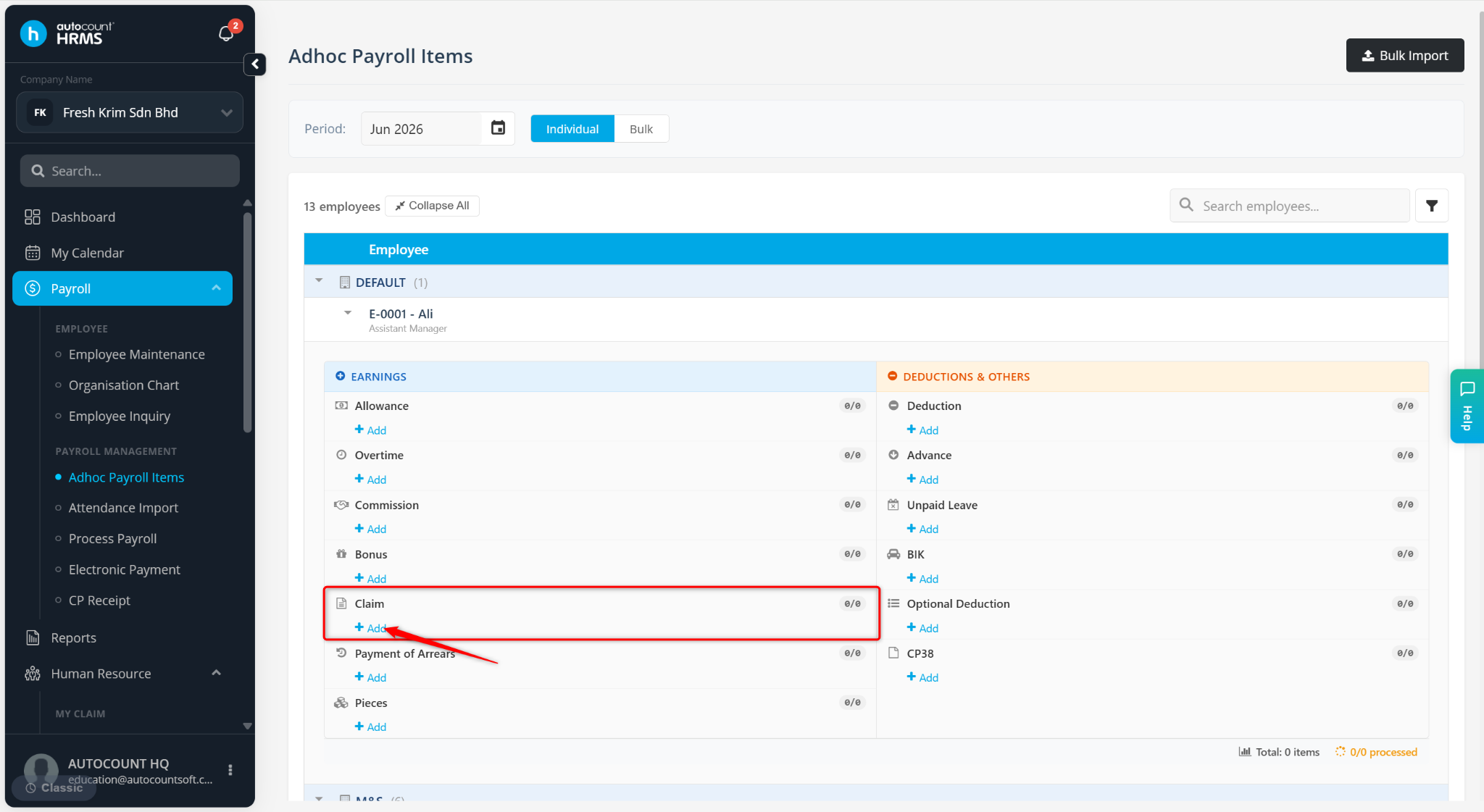
Enter the Amount of the claim and click the Payroll Type field and update the required payroll type.
Click the tick icon to save.
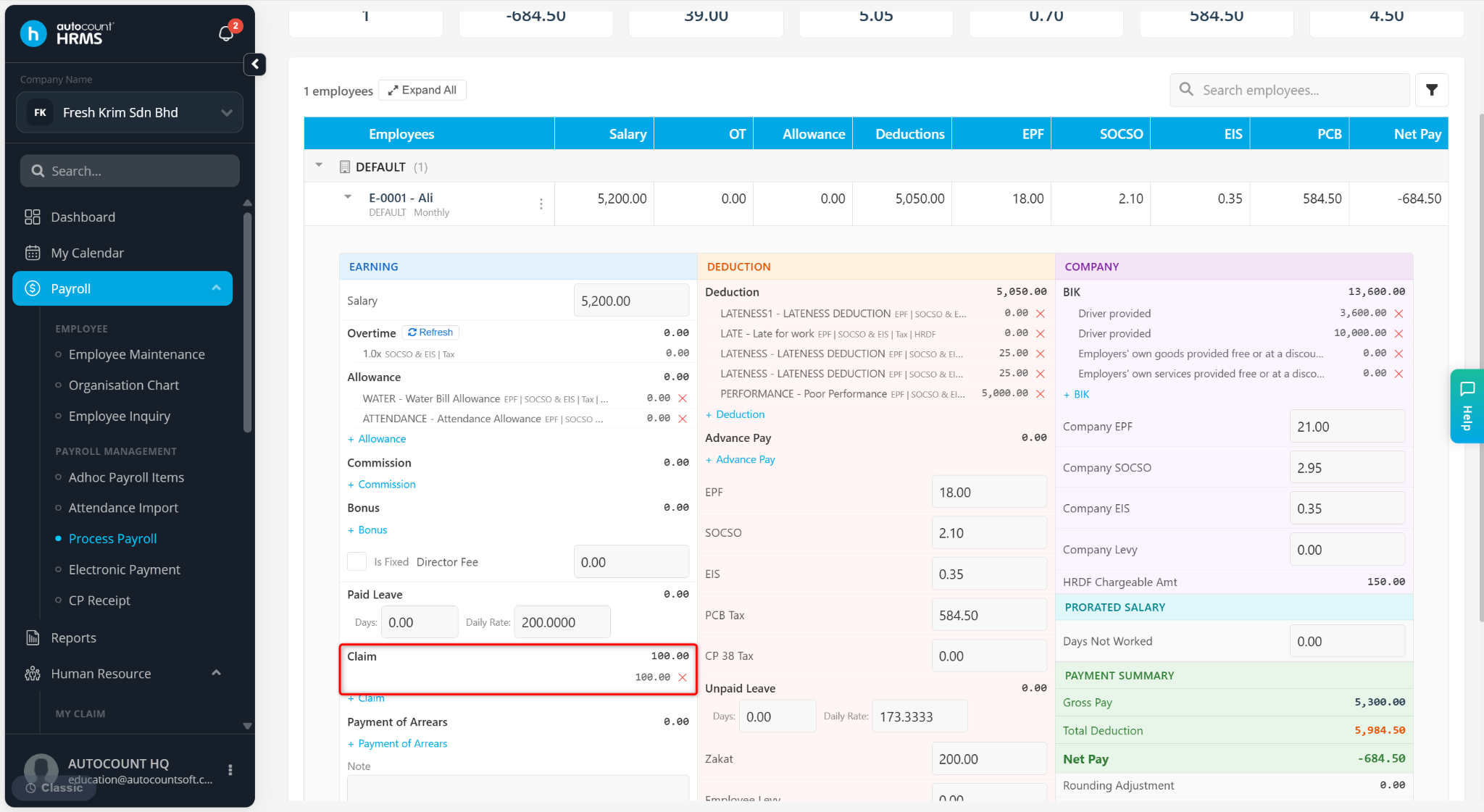
The claim transaction will be updated and reflected under the selected payroll type during payroll processing.
ℹ️ Note:
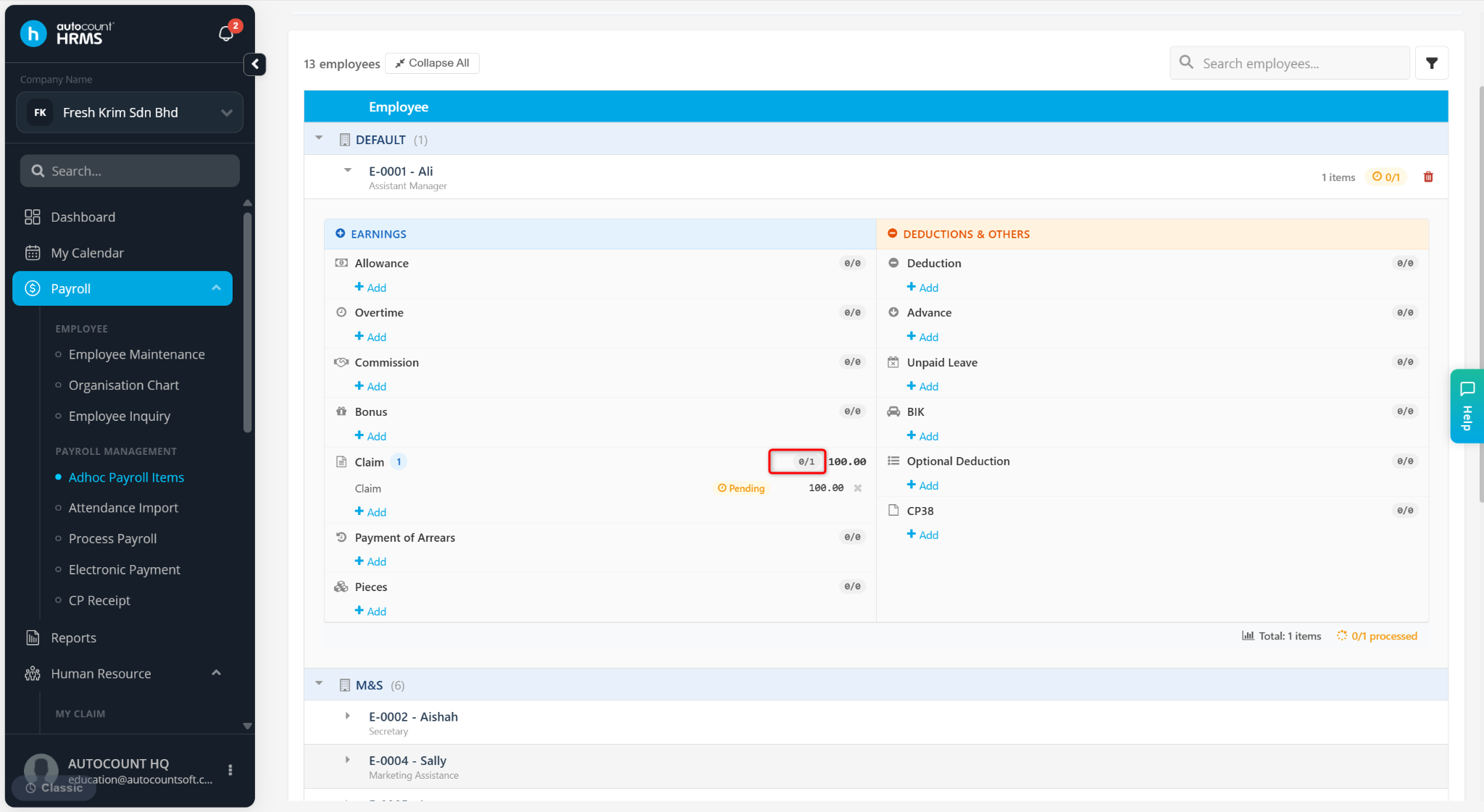
(0/1) – Claim has not been processed, payroll type can still be changed.
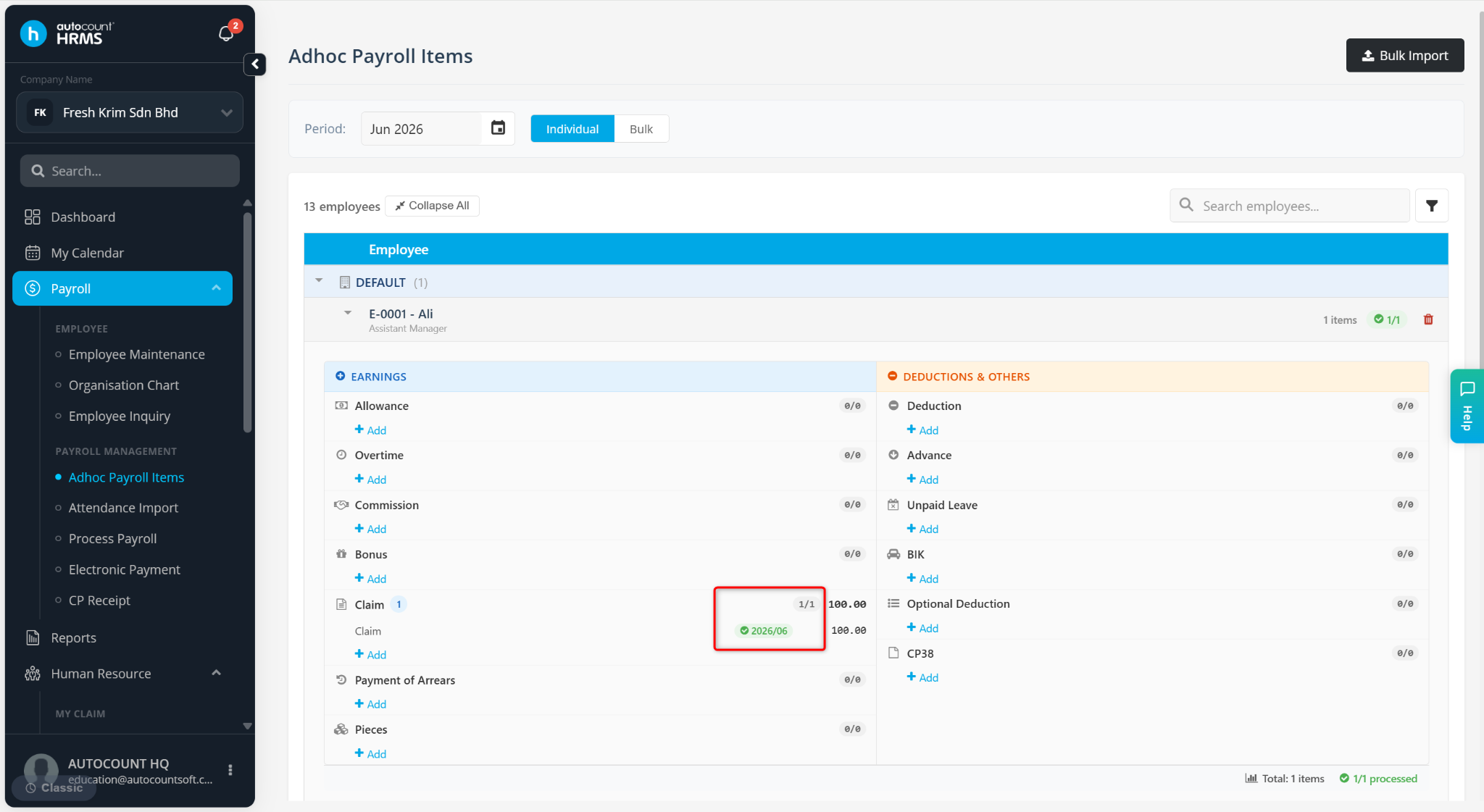
(1/1) – Claim has been processed, payroll type cannot be changed.