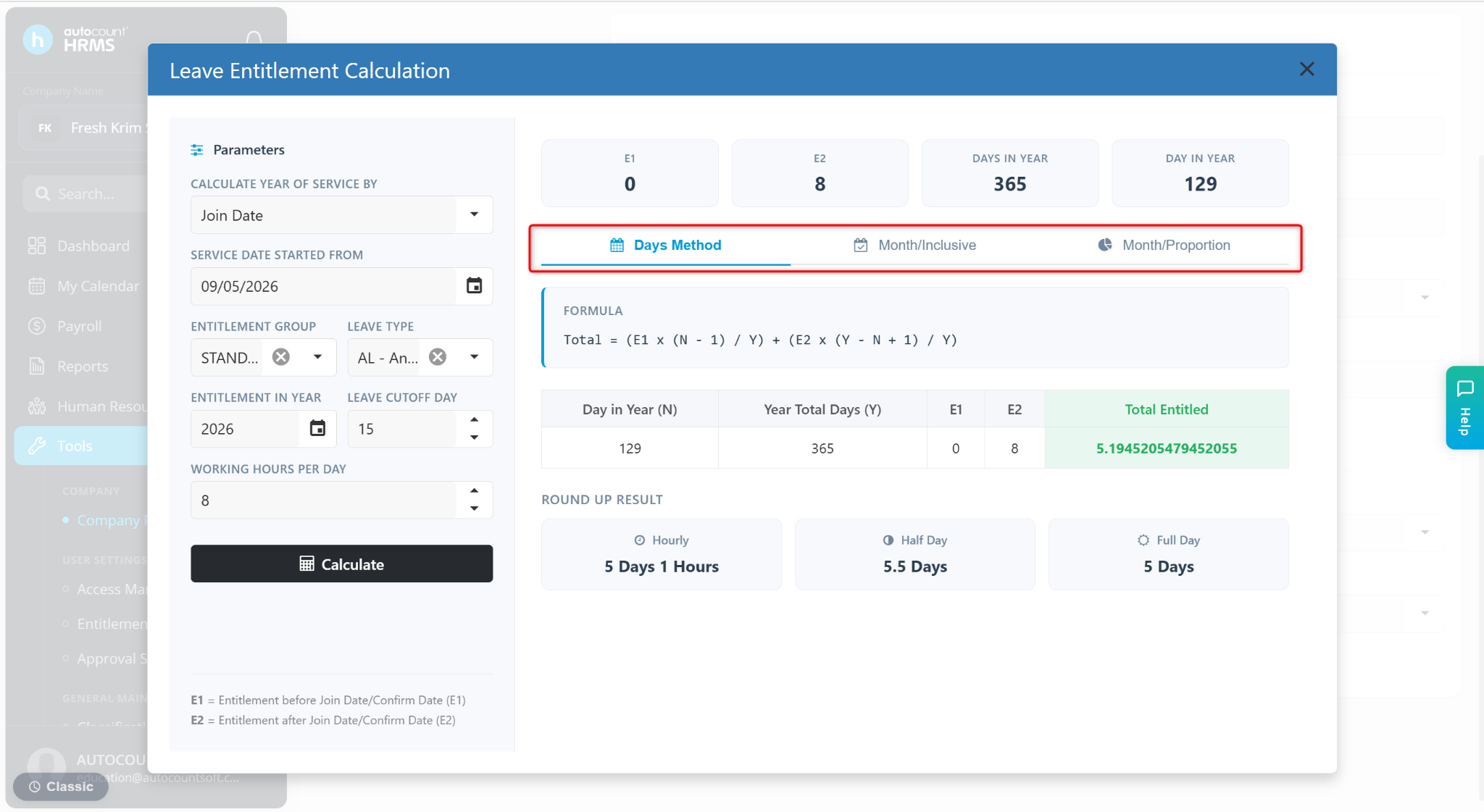
The Basic Information page is used to maintain key company settings, including company contact details, payroll preferences, and leave calculation rules. These settings affect payroll processing, claim handling, and employee leave entitlement calculations.
Steps to Maintain Company’s Basic Information:
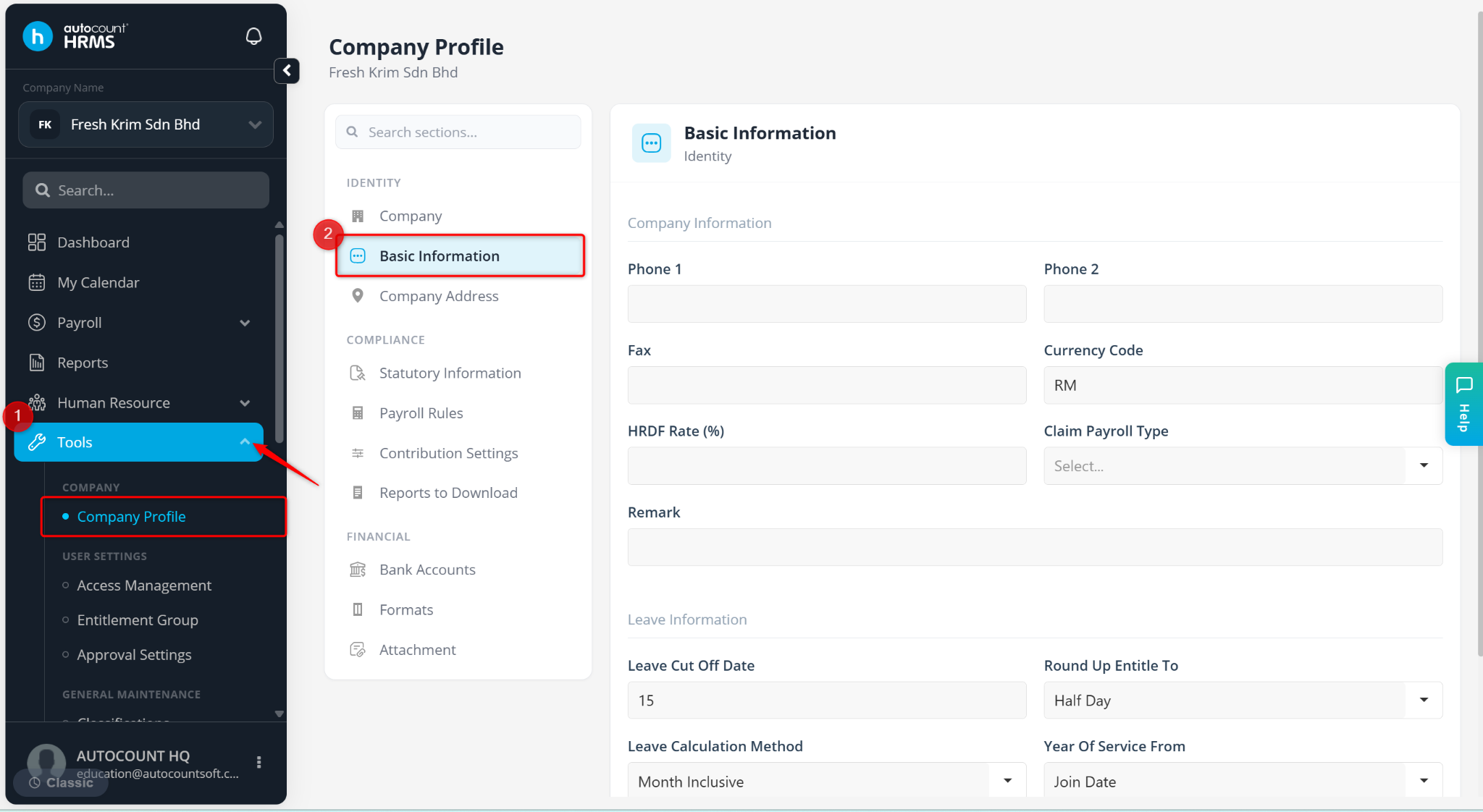
Go to Tools > Company Profile.
Under Company Profile, go to Basic Information.
The Basic Information page consists of two sections:
Company Information
Leave Information
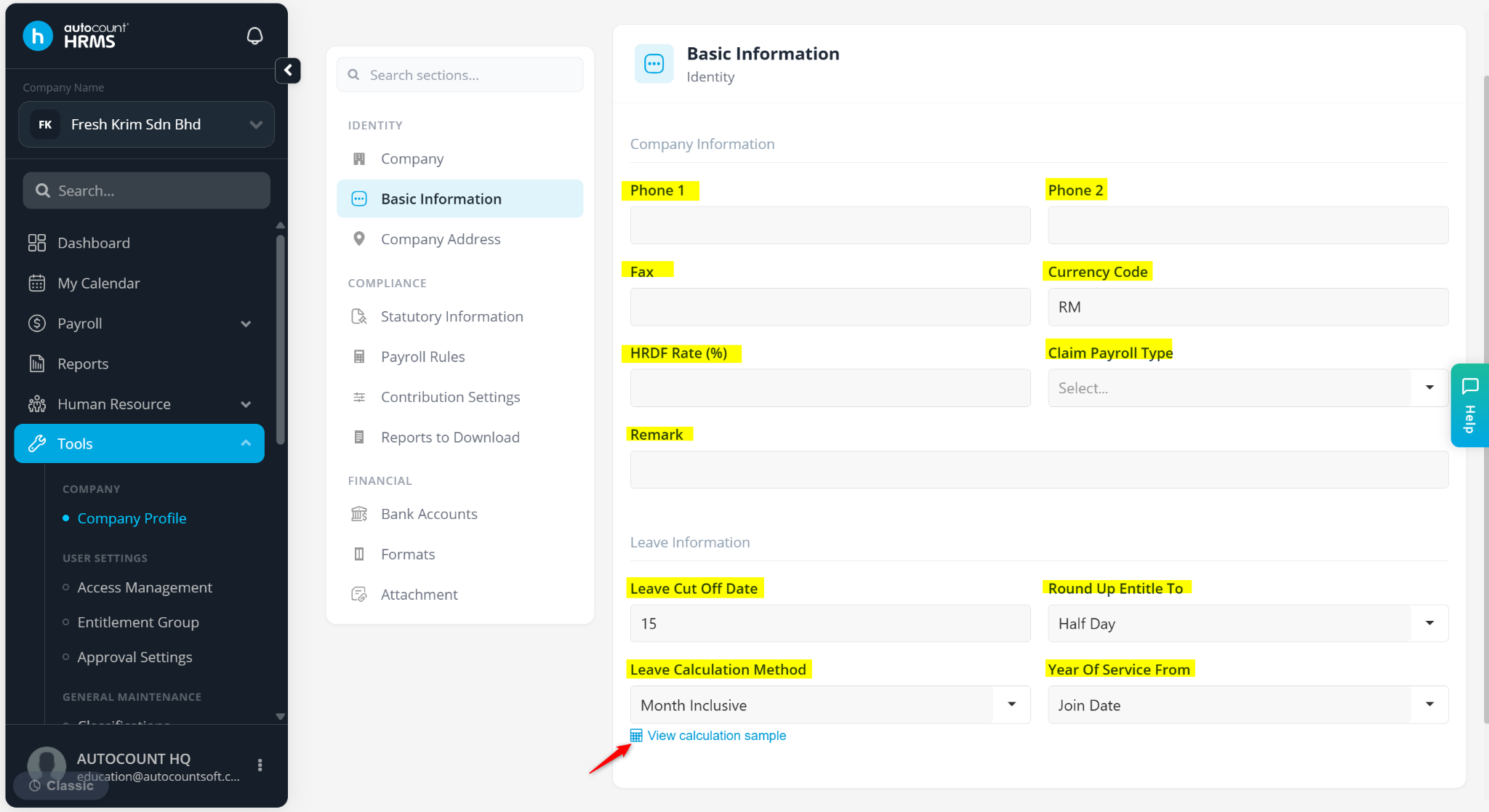
A) Company Information
This section stores general company and payroll-related settings.
Phone 1 / Phone 2 – Company contact numbers.
Fax – Company fax number.
Currency Code – Default currency used for payroll and reporting.
HRDF Rate (%) – Company HRDF contribution rate.
Claim Payroll Type – Determines how employee claims are processed:
First Half – Claims are processed together with the first-half salary.
Month End – Claims are processed together with the monthly salary.
Claim – Claims are processed separately from payroll.
Remark – Additional notes or company information.
B) Leave Information
This section controls how employee leave entitlements are calculated and rounded.
Leave Cut-Off Date – Enter a value between 0 and 31. This determines whether the joining month is counted as a full month for entitlement calculation. Applicable only when the Leave Calculation Method is set to Month Inclusive.
Example: Cut-off = 15,
Join on or before the 15th – Counted as one full month.
Join after the 15th – Not counted.
Round Up Entitle To – Defines how leave entitlement decimals are rounded.
Hourly – Converts the decimals into hours:
Example: 8.41235 days = 8 Days and 3 Hours (based on 8-hour per workday: 0.41235 × 8 = 3.2988 hours)
Half Day – Rounds to 0.5 or full days.
8.10000 ~ 8.59999 → 8.5 Days
8.60000 ~ 9.09999 → 9.0 Days
Full Day – Rounds to the nearest full day.
8.50001 ~ 9.50000 → 9.0 Days
Leave Calculation Method – Determines entitlement calculation method:
Day – Based on the exact days worked.
Month Inclusive – Based on completed months only.
Month Proportion – Based on proportional monthly calculation.
Year Of Service From – Defines whether leave entitlement is calculated from Join Date or Confirm Date should be used to determine the length of service. Only applicable for Employee’s Join/Confirm Date entitlement groups.
Steps to View Leave Entitlement Calculation:
Users may preview entitlement calculations based on system settings:
Click View calculation sample under the Leave Calculation Method field.
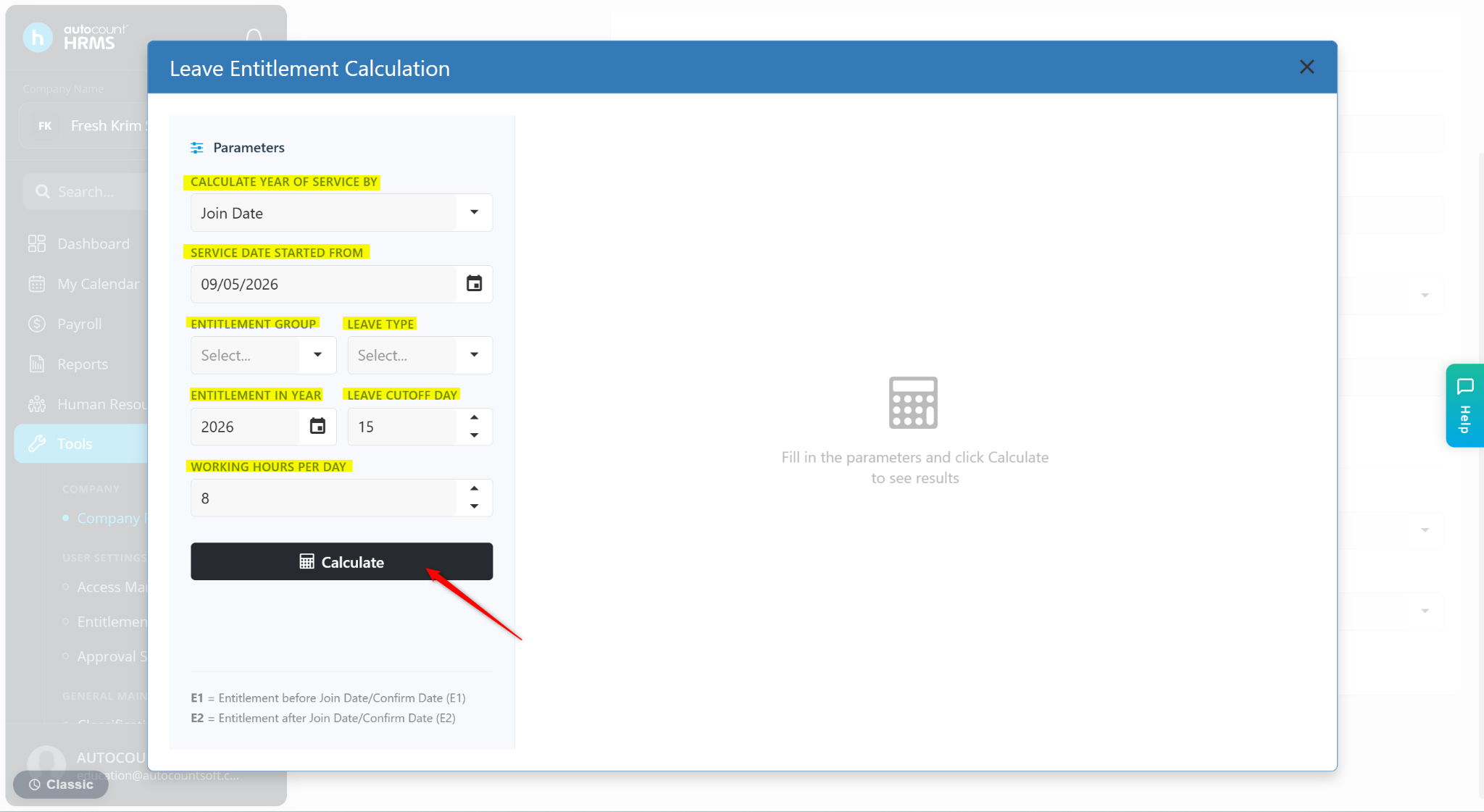
Enter the requirements:
CALCULATE YEAR OF SERVICE BY – Select Join Date or Confirm Date.
SERVICE DATE STARTED FROM – Select the date. This will be auto-filled according to the system date.
ENTITLEMENT GROUP – Select the leave entitlement group.
LEAVE TYPE – Select the leave type to be calculated.
ENTITLEMENT IN YEAR – Select the year.
LEAVE CUTOFF DAY – Will be auto-filled according to the Leave Cut-Off Date setting.
WORKING HOURS PER DAY – Enter the number of working hours per day.
Click Calculate.
The system will display calculated leave entitlement on Days Method, Month/Inclusive and Month/Proportion.