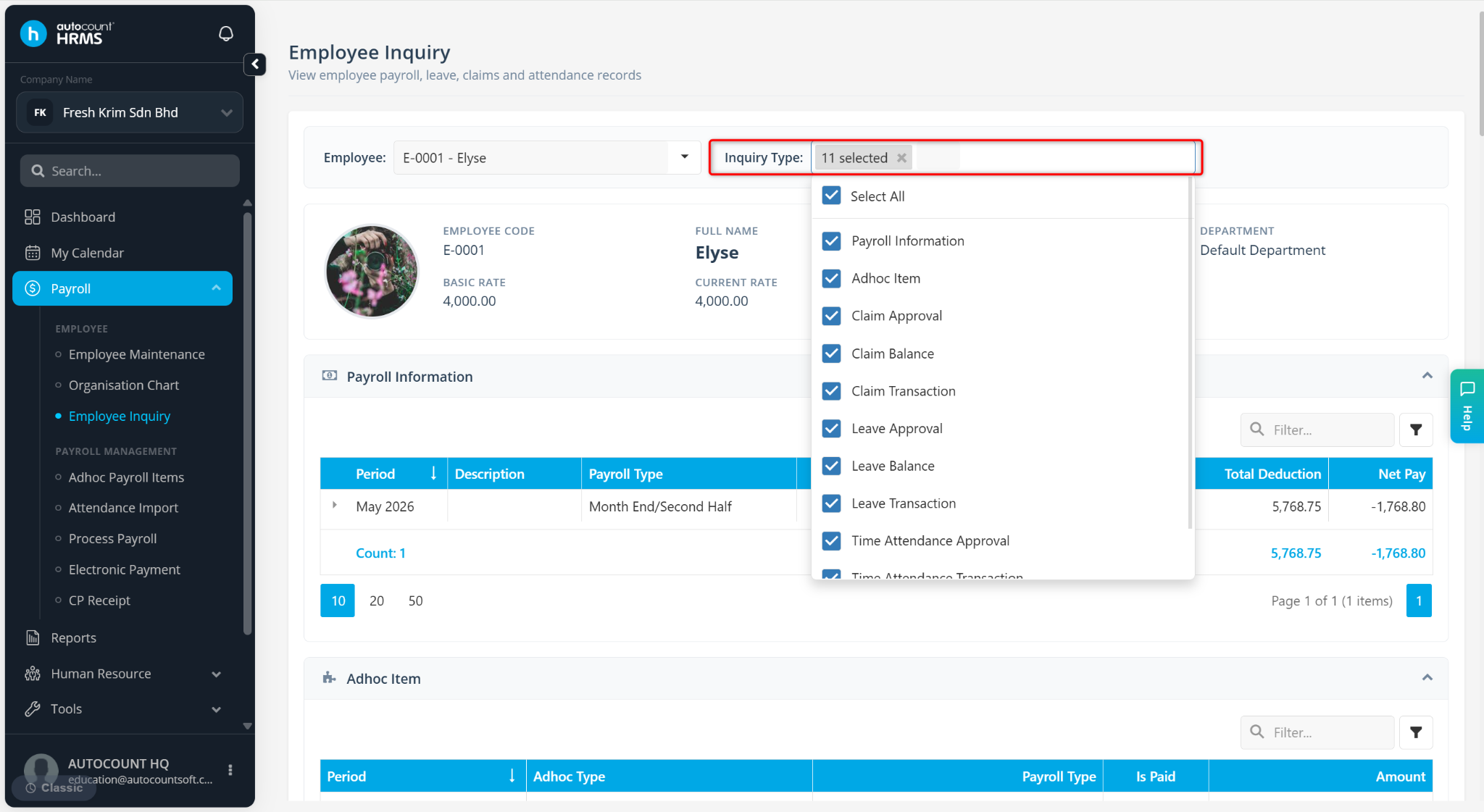
The Employee Inquiry feature provides a quick and convenient way to view an employee's records in a single location. It allows users to review payroll, leave, claims, attendance, and loan information without navigating through multiple modules.
This feature is useful for answering employee enquiries, reviewing historical records, and verifying employee-related transactions.
Steps to Inquire an Employee:
Go to Payroll > Employee Inquiry.
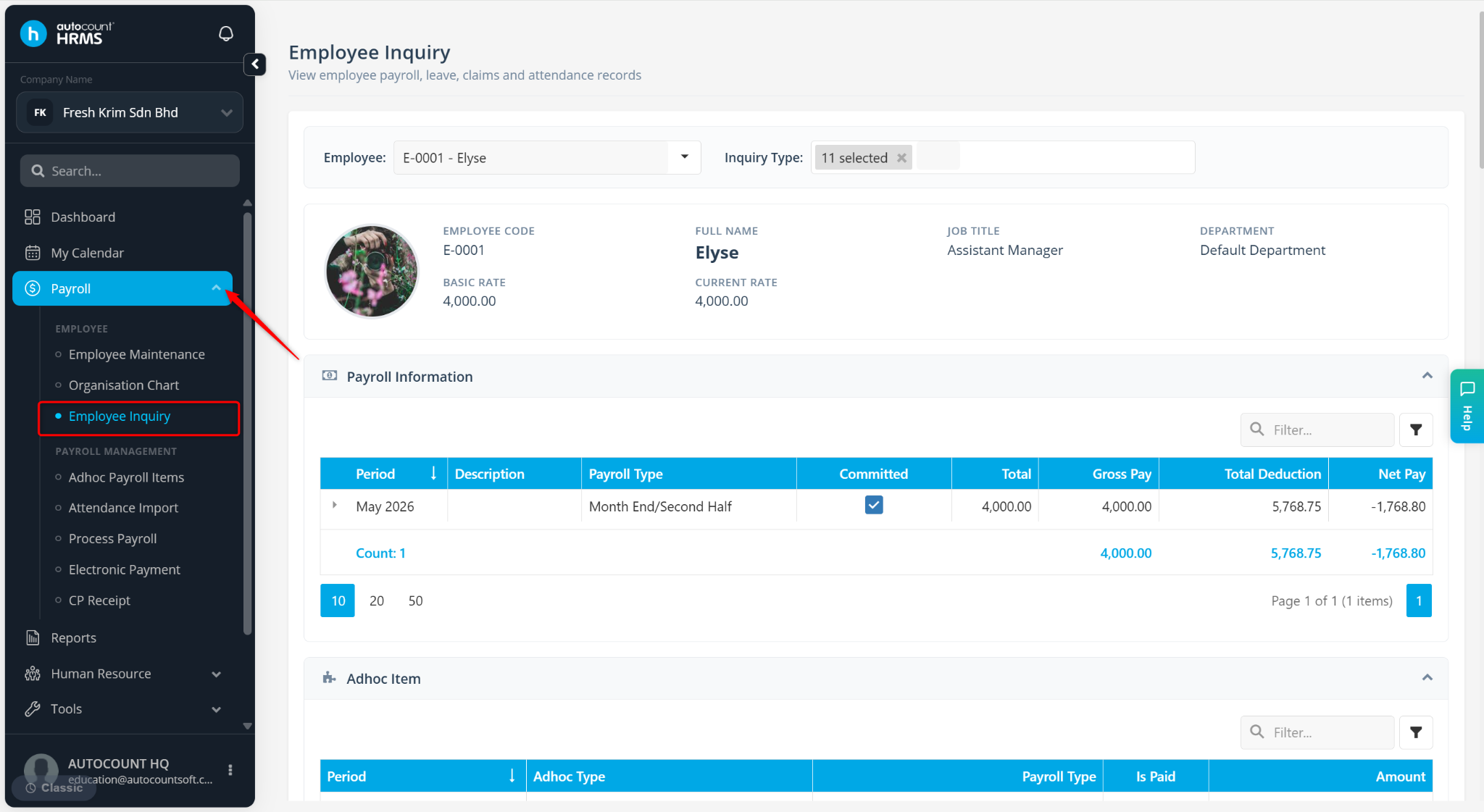
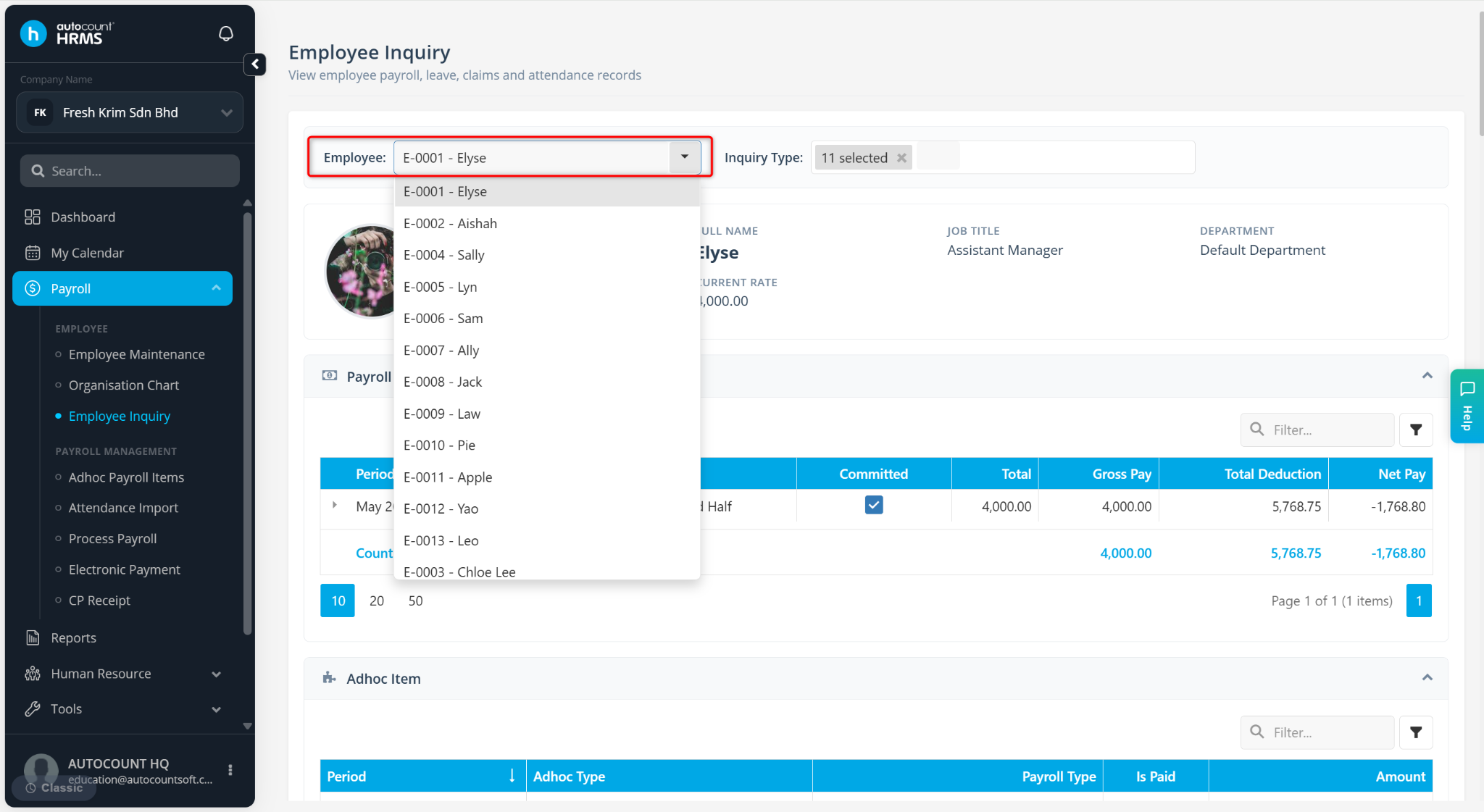
Select the employee you wish to preview.
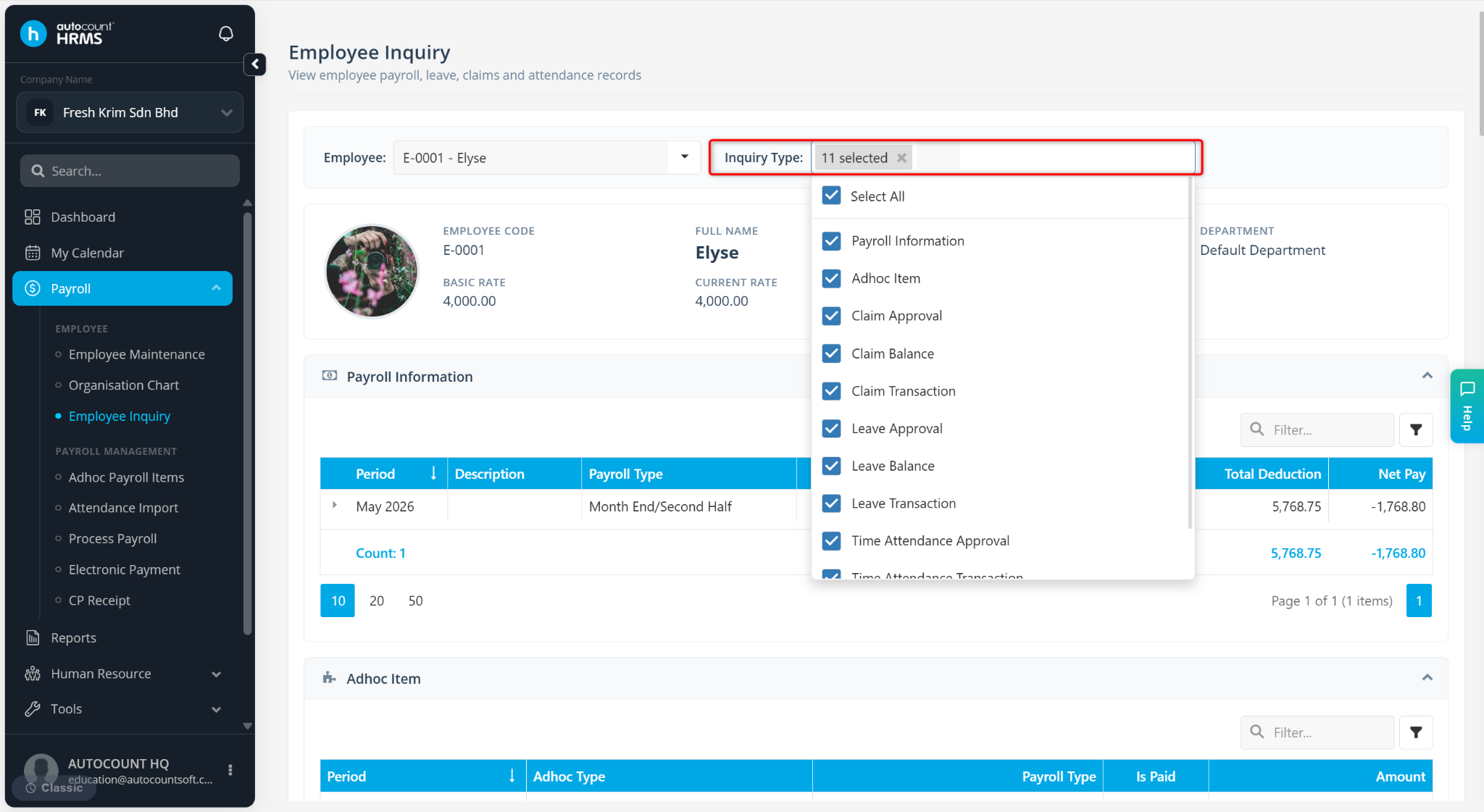
Select the Inquiry Type:
Payroll Information
Adhoc Item
Claim Approval, Claim Balance, Claim Transaction
Leave Approvals, Leave Balance, Leave Transaction
Time Attendance Approval, Time Attendance Transaction
Loan
Scroll down to preview the information.