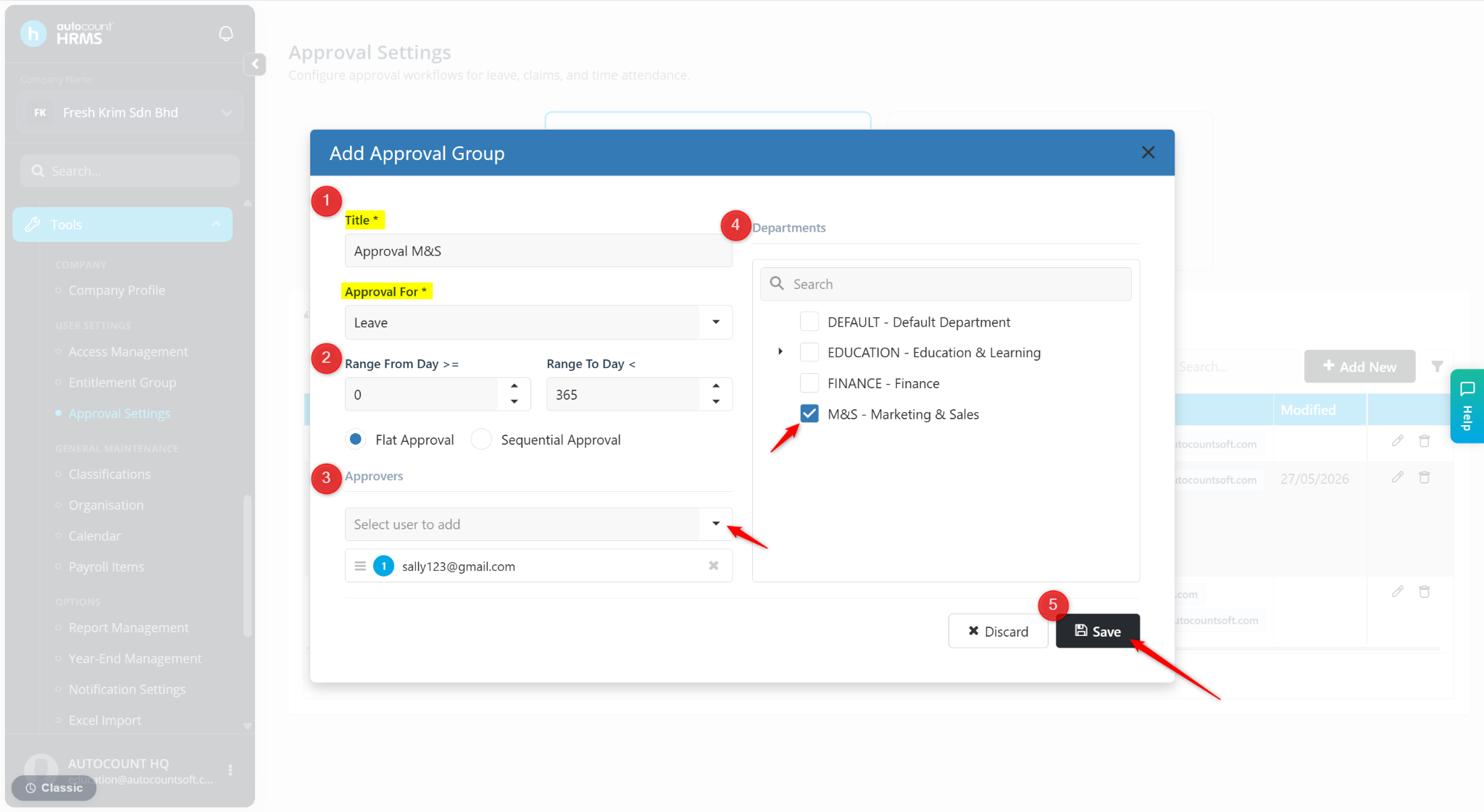
Approval by Department routes leave, claim, or attendance requests to designated approvers based on the employee's assigned department. This allows different departments to have their own approval workflow and approvers.
Steps to Set Approval By Department:
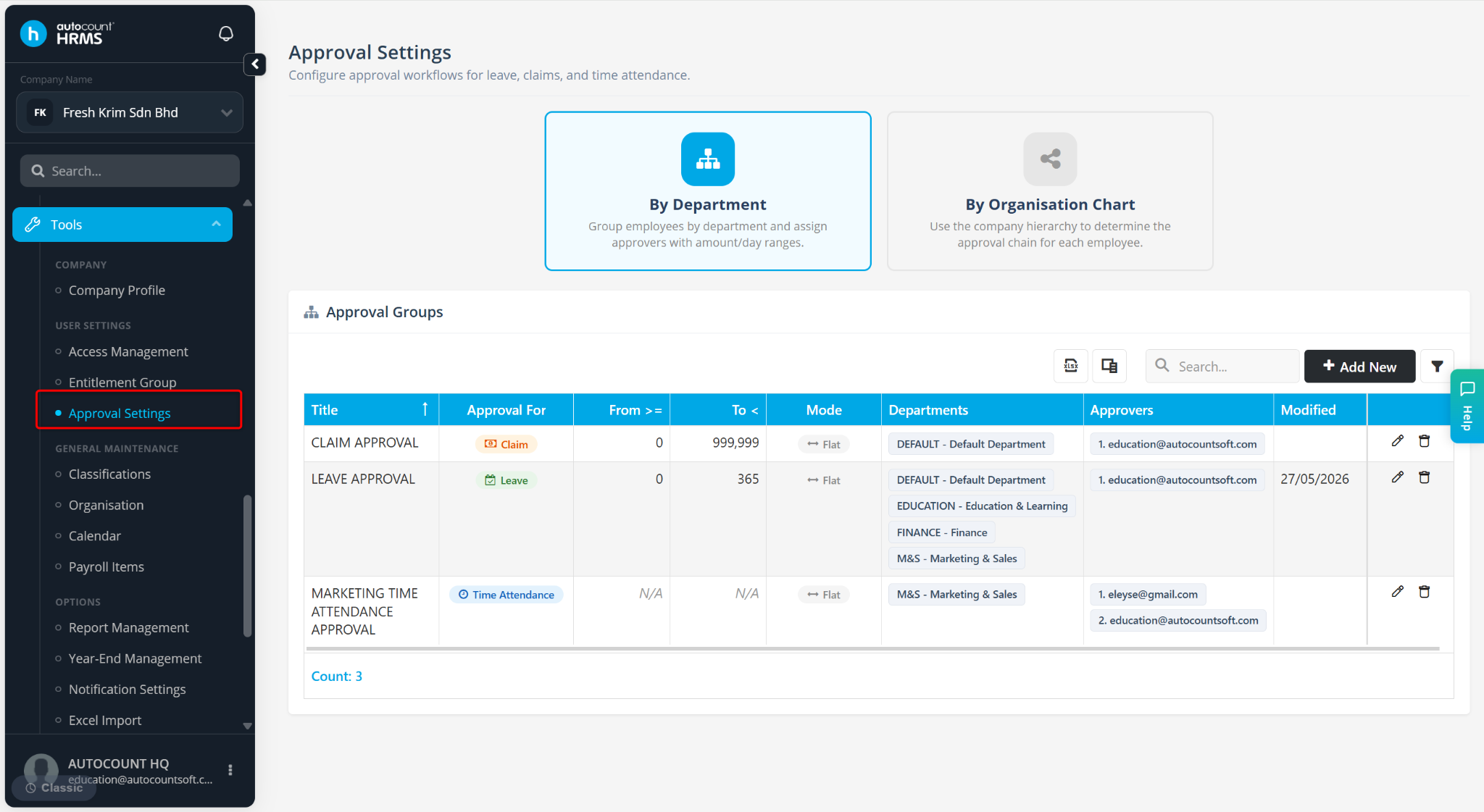
Go to Tools > Approval Settings.
Click By Department.
Click + Add New.
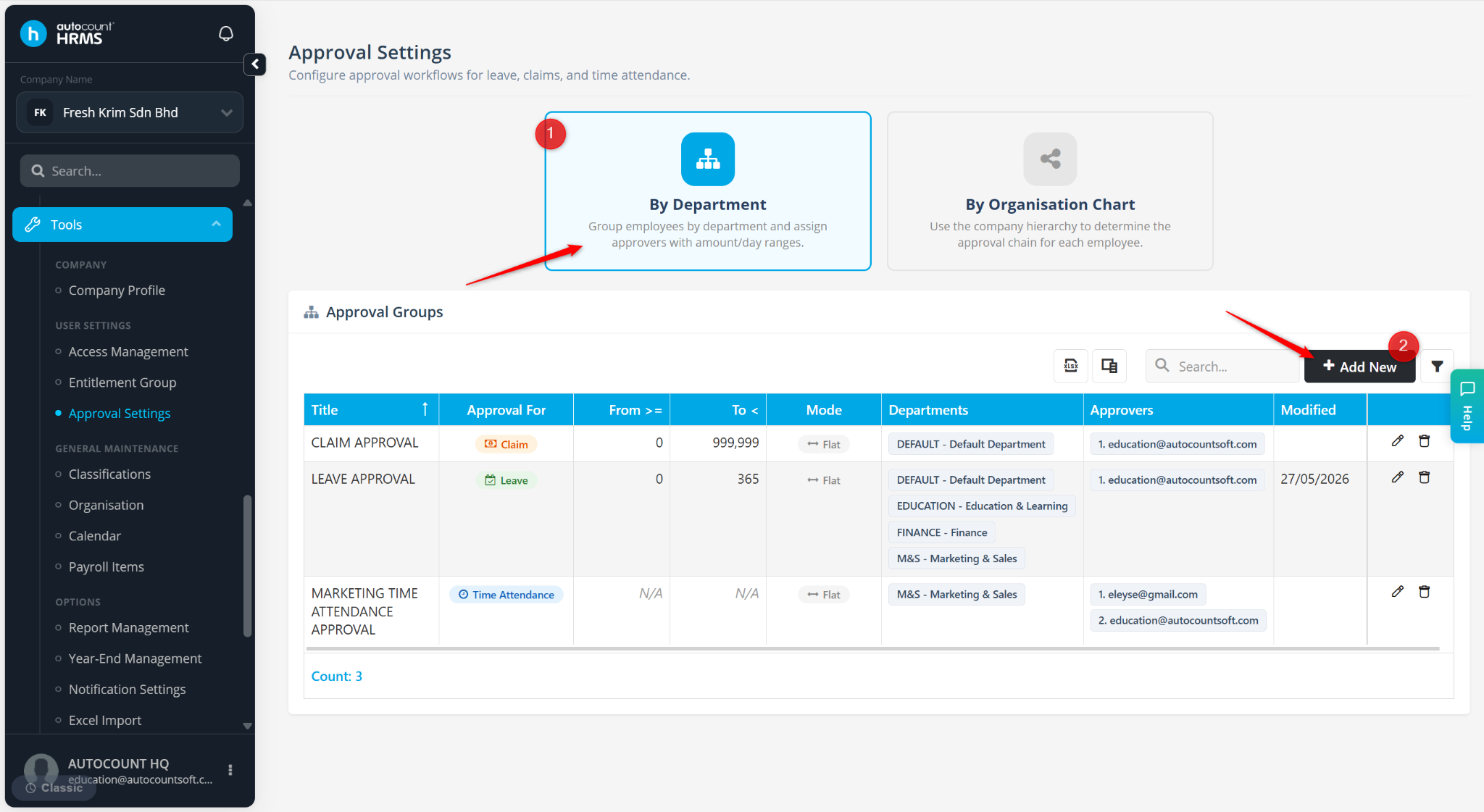
Enter the details:
Title – Enter a name for the approval group.
Approval For – Select Leave, Claim, or Attendance.
Approvers – Select the user(s) responsible for approving requests.
Departments – Select the department(s) to be included in the approval group.
Click Save.