
Approval requirements can vary based on an employee’s position within the organization. For example:
Staff – Requires approval from Manager and Head of Department (HoD).
Manager – Requires approval from HoD only.
Head of Department – May require approval from the Director.
Example hierarchy:
Director (Level 0) → HoD (Level 1) → Manager (Level 2) → Staff (Level 3)
With a requirement of 2 approvers, a Staff member at Level 3 will require approval from both the Manager (Level 2) and HoD (Level 1). However, if an employee has only one immediate supervisor, the approval settings can be adjusted individually in the Approval Chart.
Steps to Configure Approval Routing:
Go to Tools > Approval Settings.
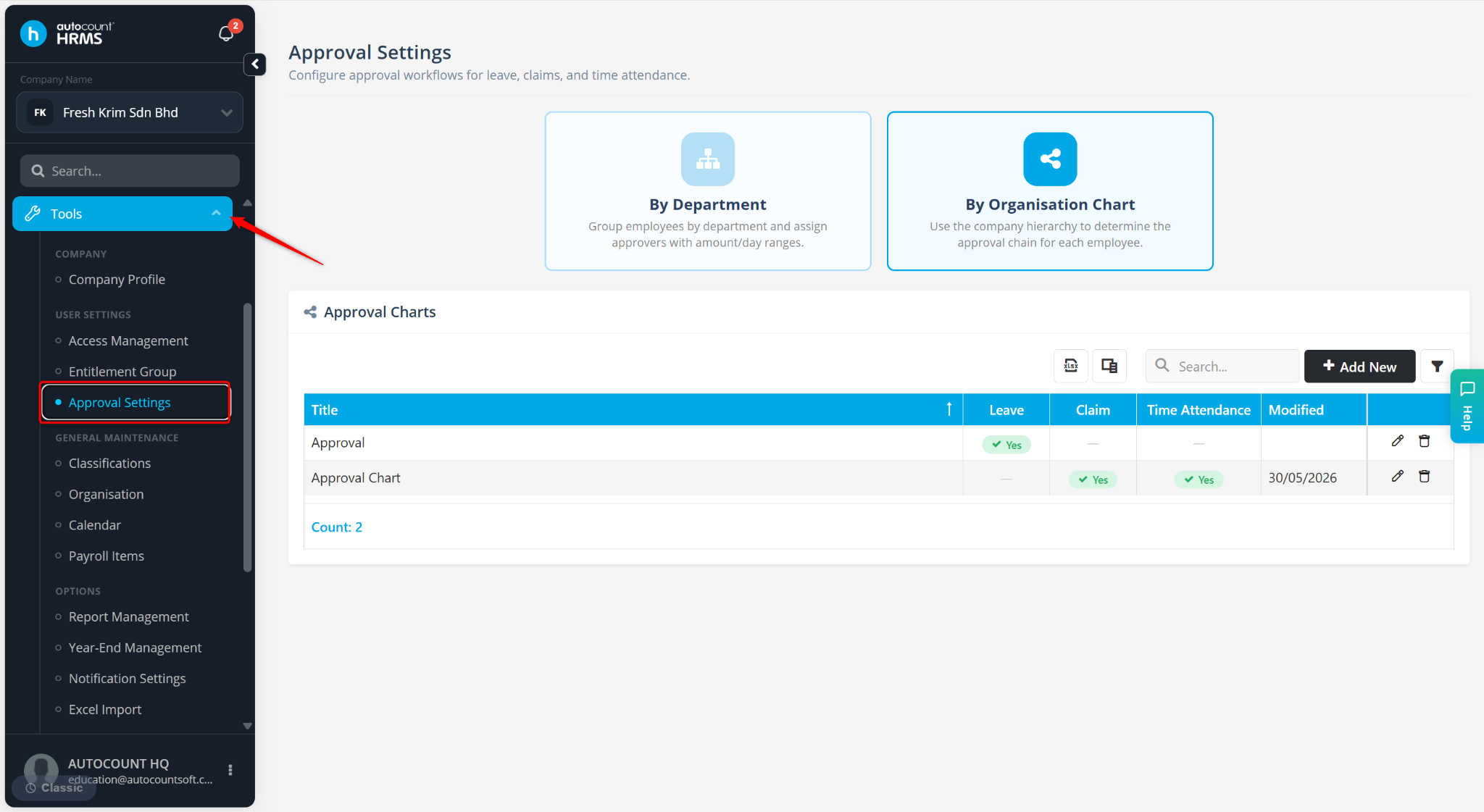
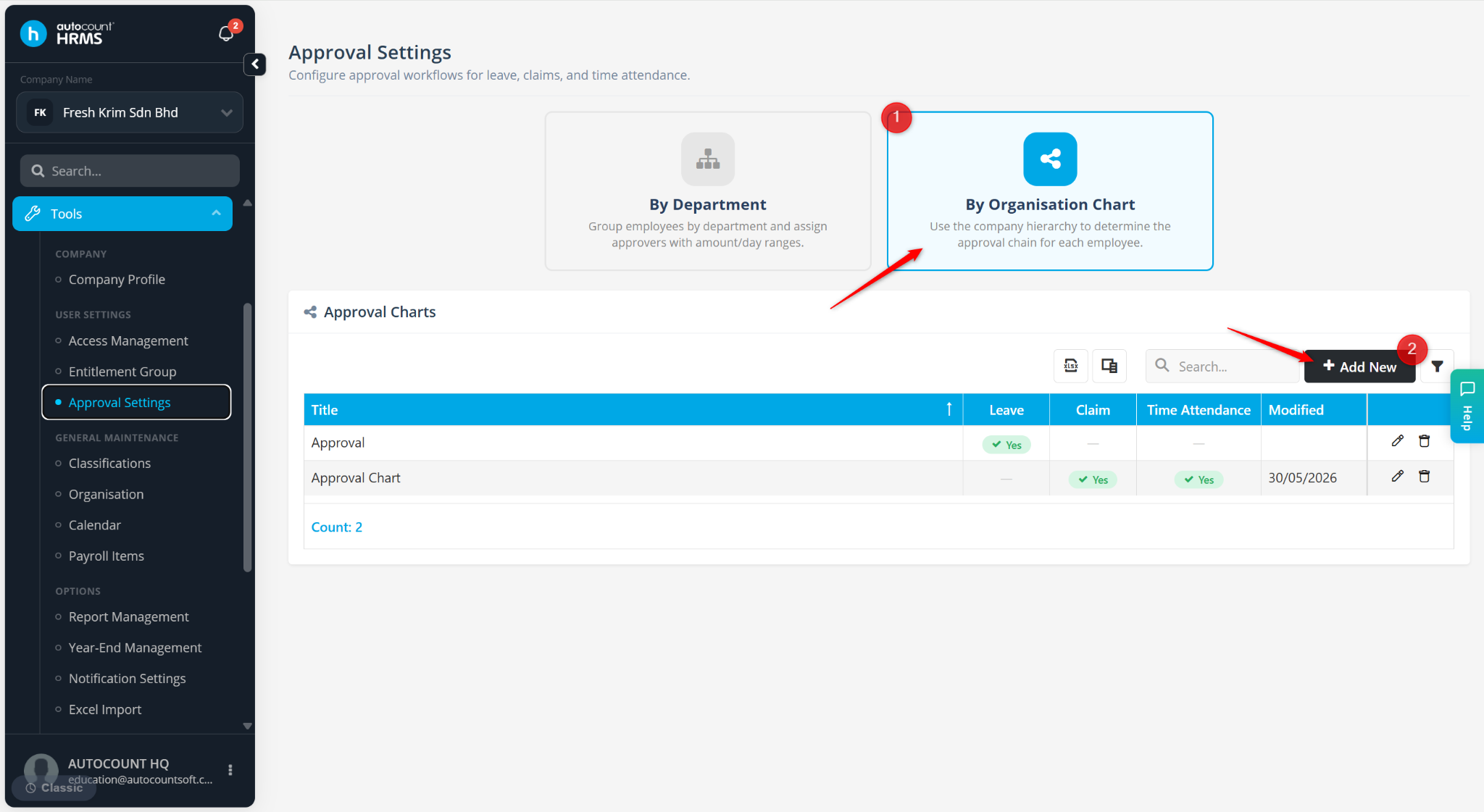
Select By Organisation Chart, and click + Add New.
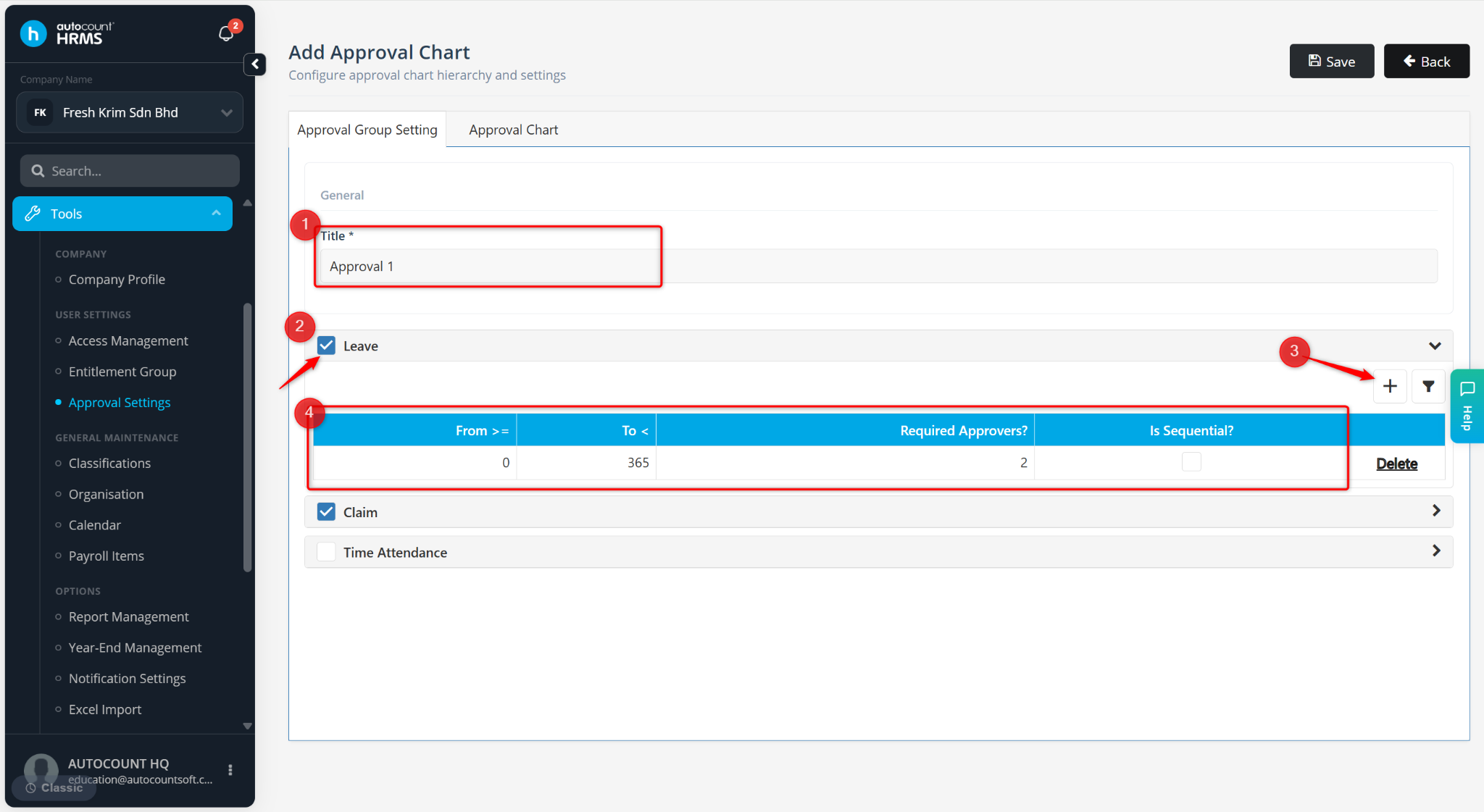
Enter the Title. Select the applicable module(s).
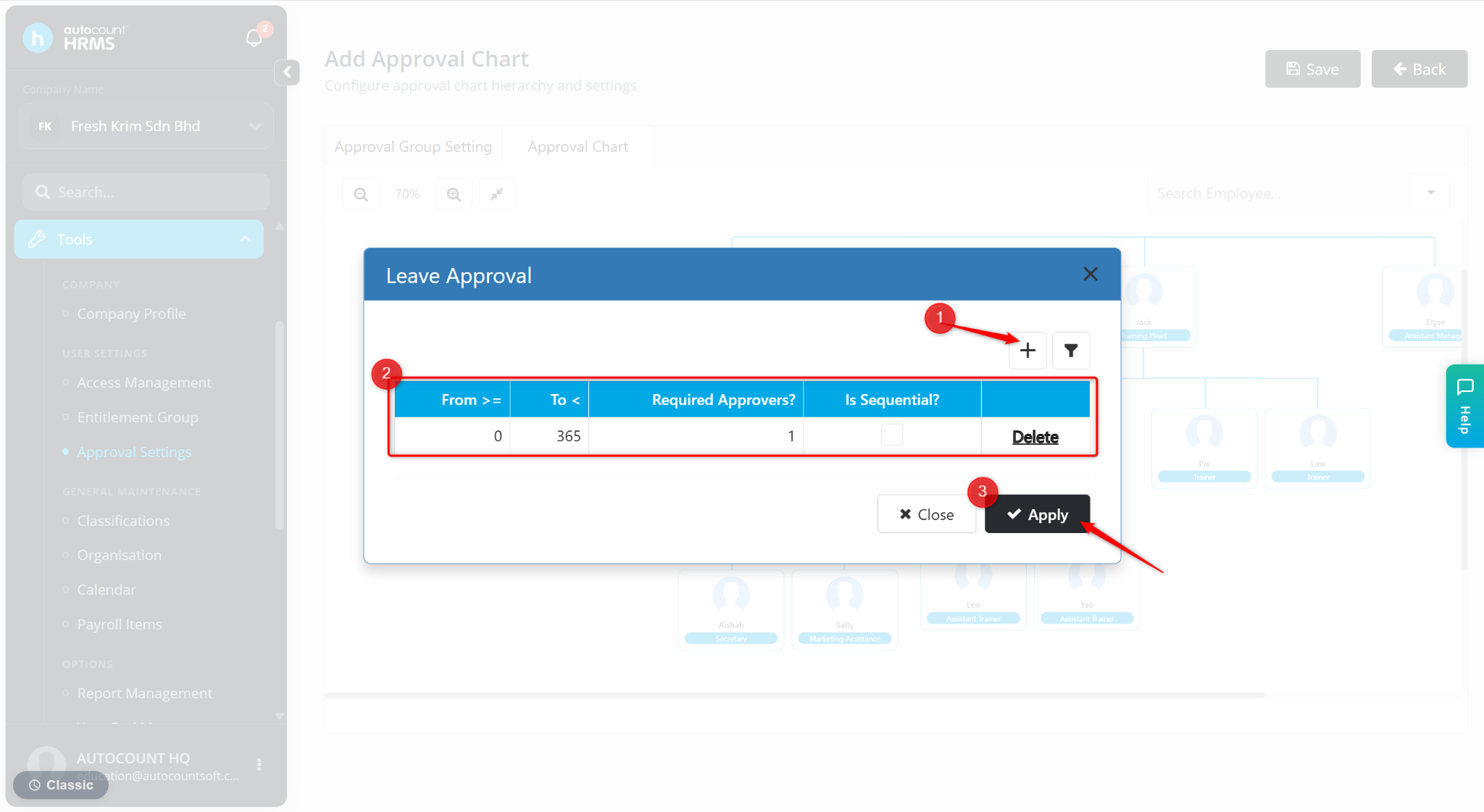
Click the + icon and configure the approval rule:
From ≥ – Set the minimum number of leave days.
To < – Set the maximum number of leave days.
Required Approvers – Enter the number of approvers required.
Is Sequential? – Enable if approvals must be obtained in sequence.
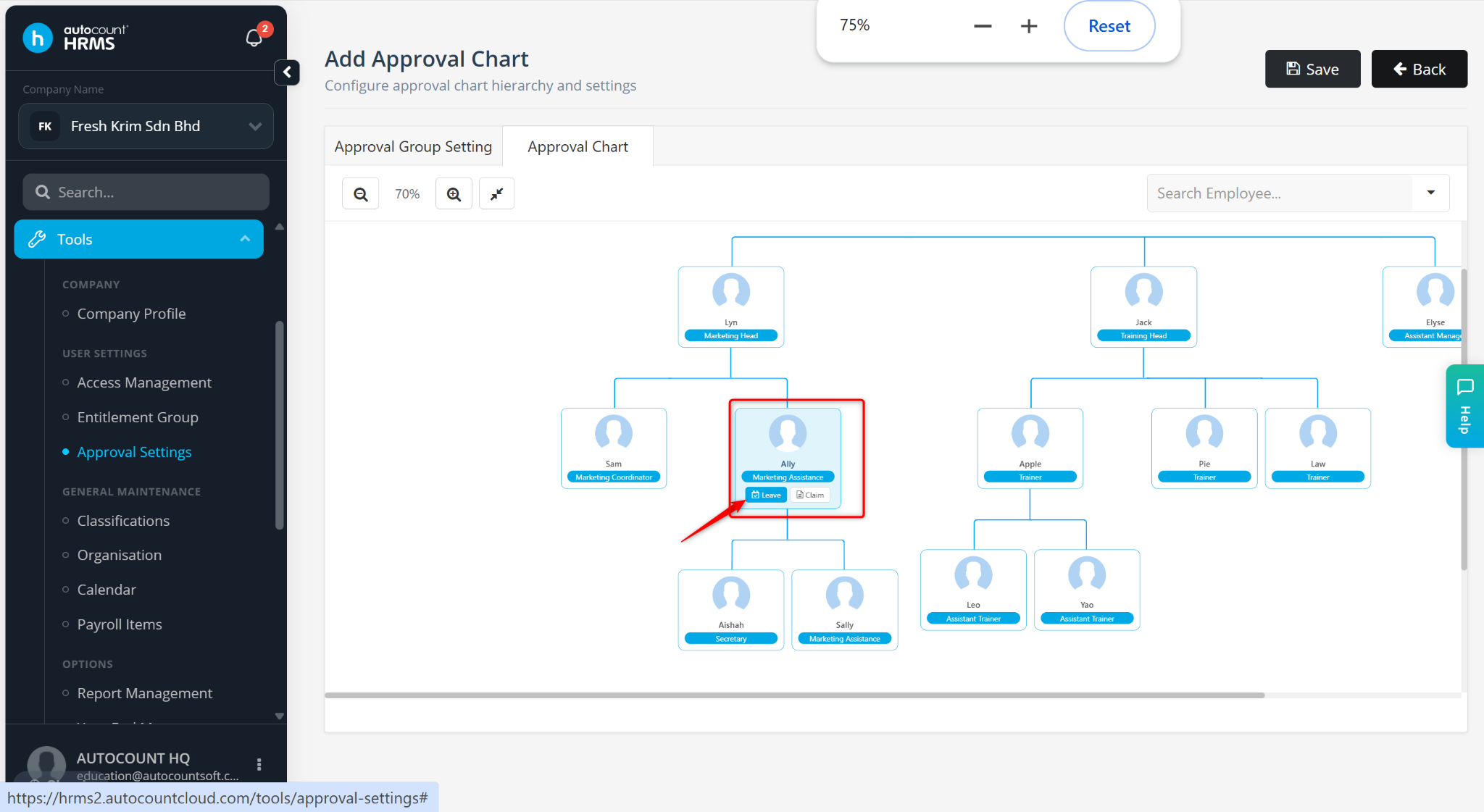
Go to the Approval Chart tab.
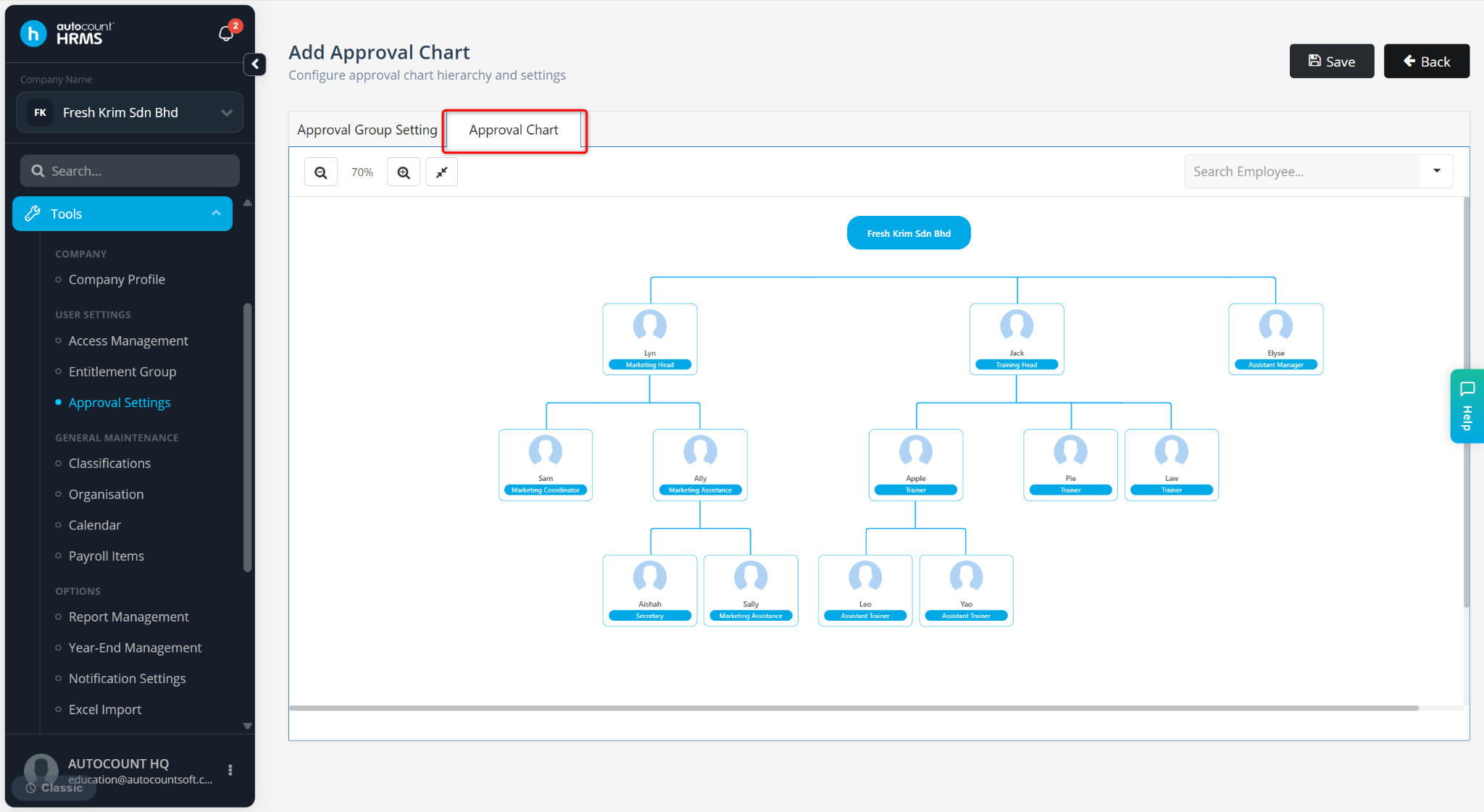
To create an exception for a specific employee:
Click the employee's name.
Select Leave or Claim.
Click +.
Enter the required approval configuration.
Click Apply.
Repeat the process for other employees or managers who require different approval levels.
Click Save once all configurations are complete.