Approval by Organisation Chart routes leave, claim, and attendance requests based on the company's reporting hierarchy. Approvers are determined according to the employee's superior-subordinate relationship, ensuring requests follow the organisational chain of command.
Steps to Set Approval By Organisation Chart:
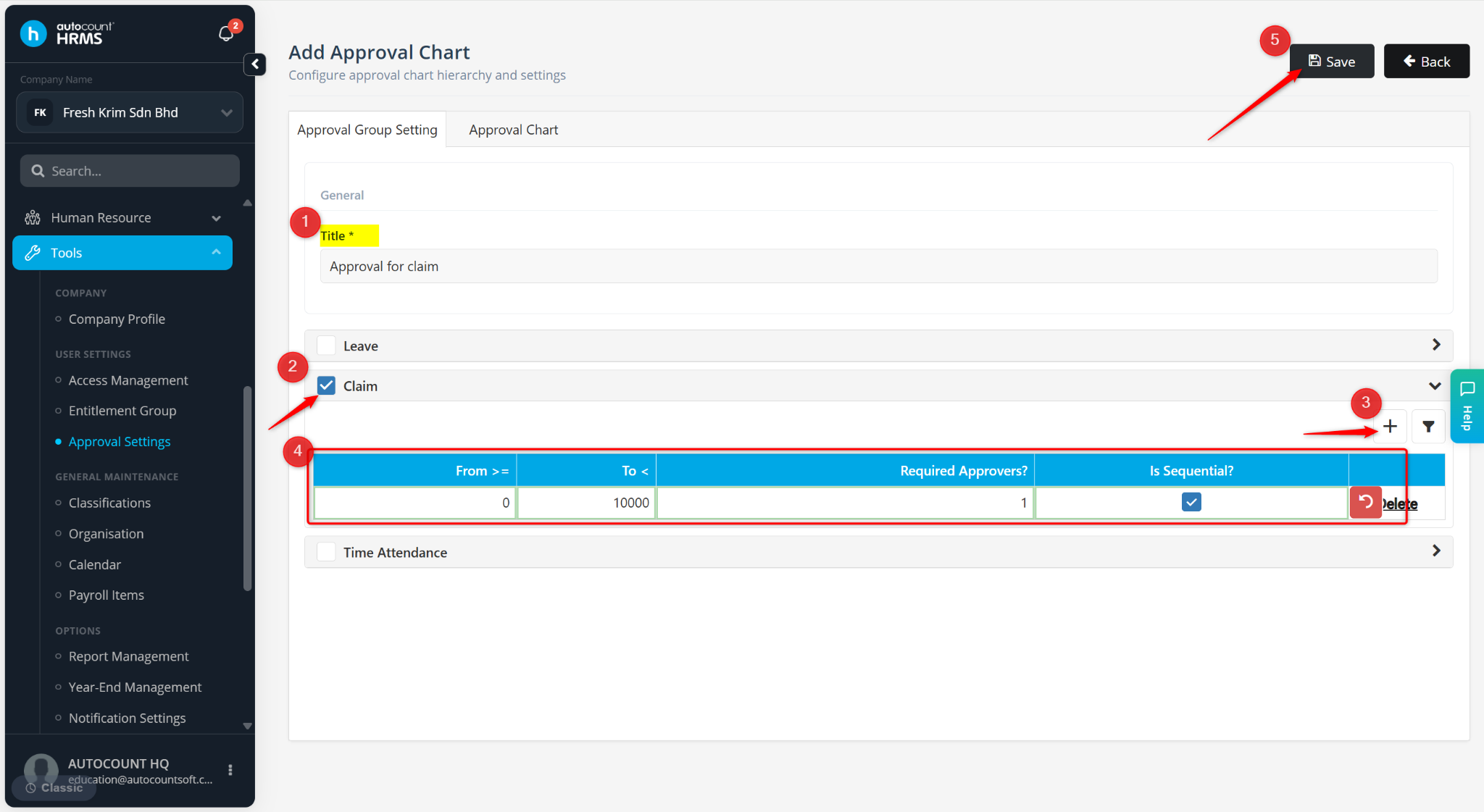
Go to Tools > Approval Settings.
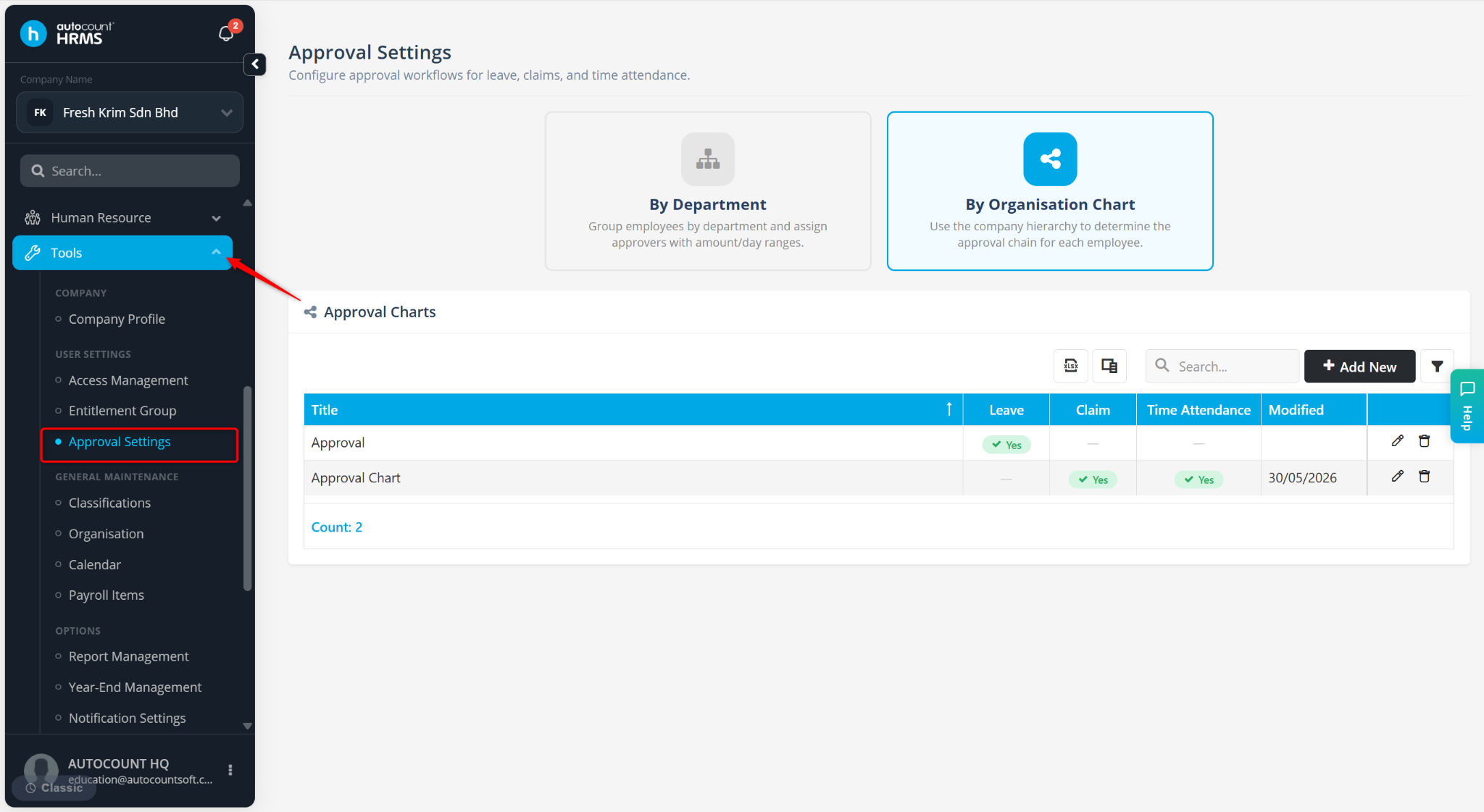
Select By Organisation Chart.
Click + Add New.
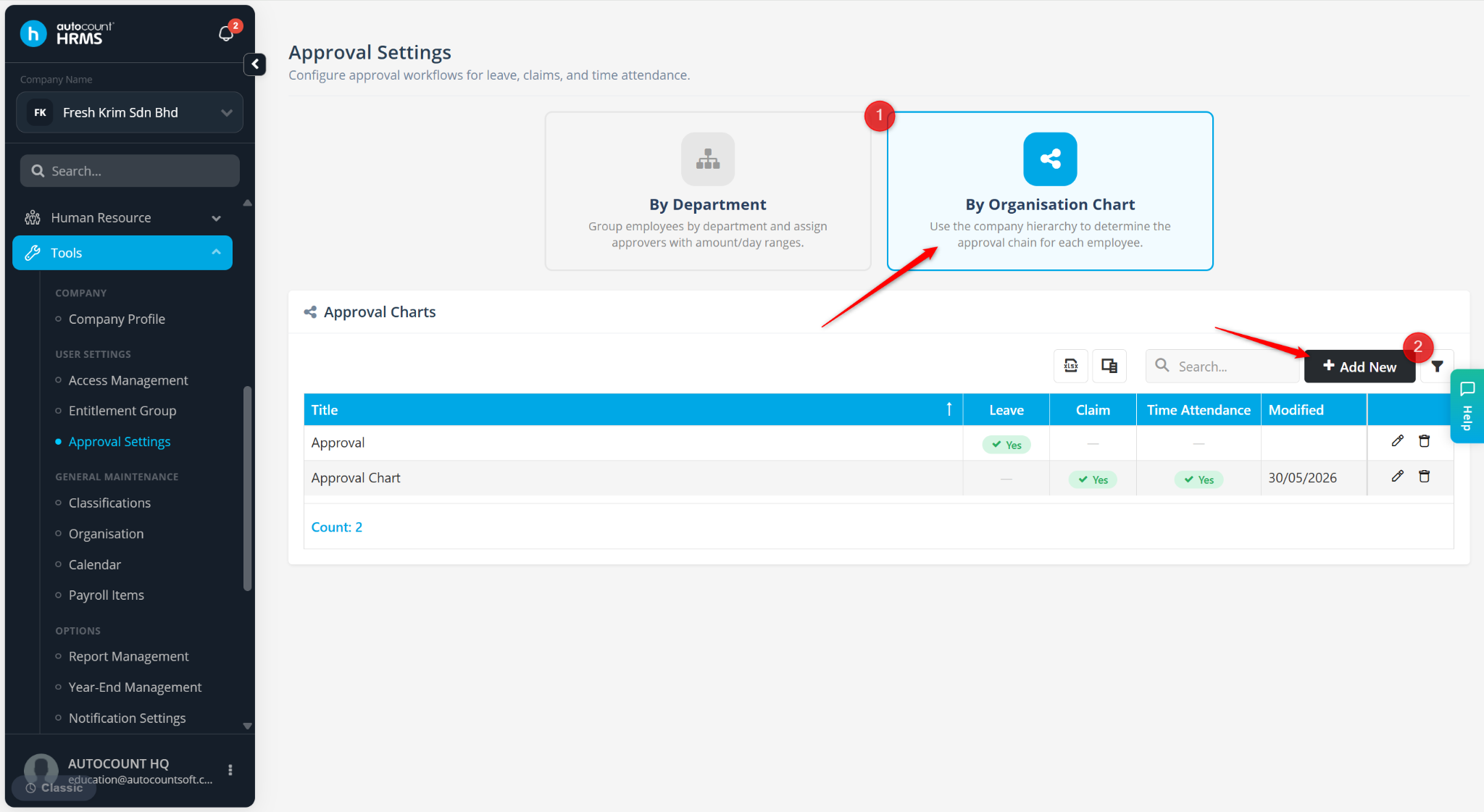
Enter the Title.
Tick the applicable approval type(s):
Leave
Claim
Time Attendance
Click the + icon to add an approval level.
Enter the approval details:
From ≥ – Enter the minimum amount or number of days that require approval.
To < – Enter the maximum amount or number of days that can be approved within this level.
Required Approvers? – Specify the number of approvers required.
Is Sequential? – Enable this option if approvals must follow a specific sequence according to the reporting hierarchy.
Click Save.