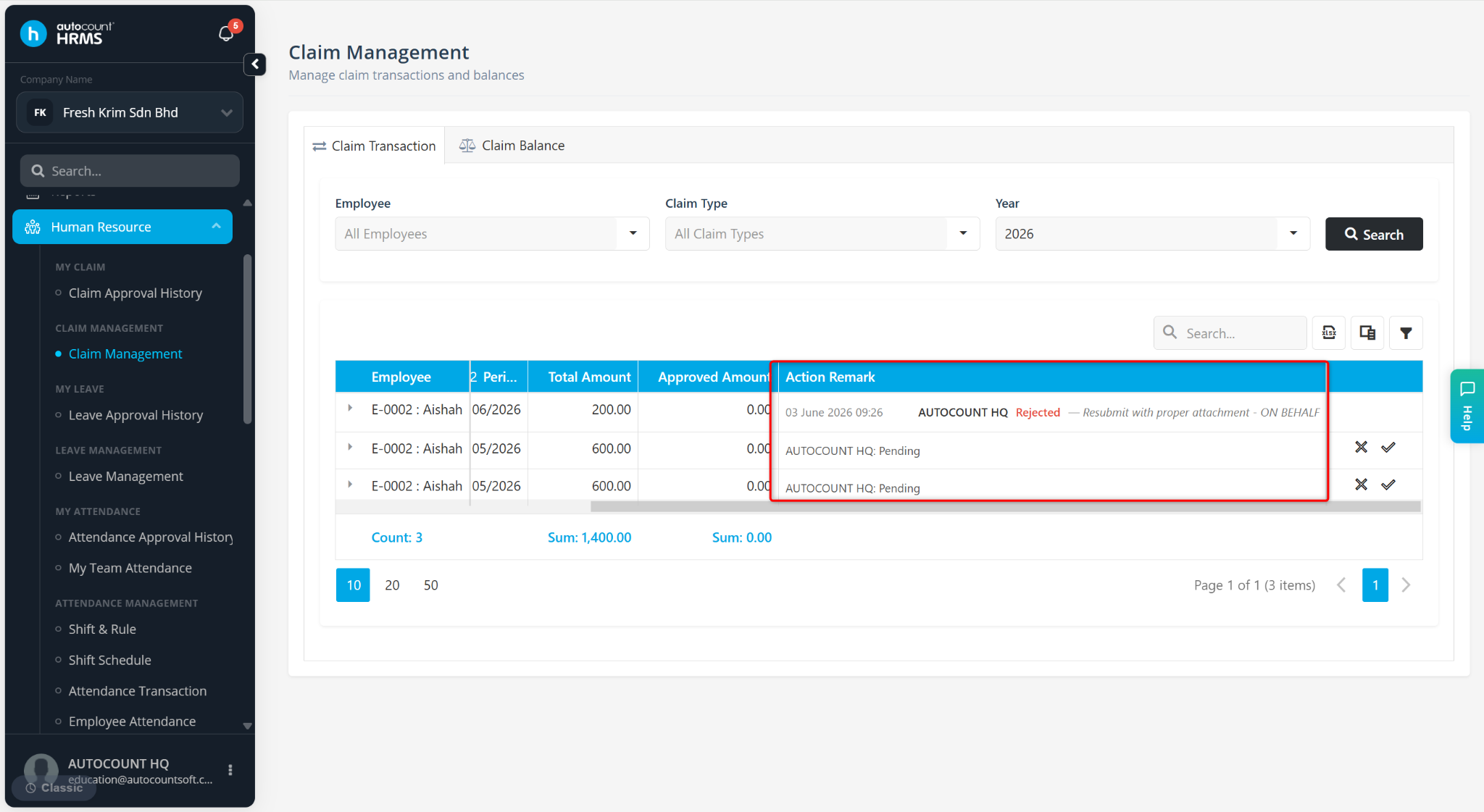
The Claim Transaction page allows users to review the status of claim applications, including approval outcomes and action remarks entered by approvers. This helps users verify the claim approval history and ensure claims have been processed correctly.
Steps to View Claim Approval Status:
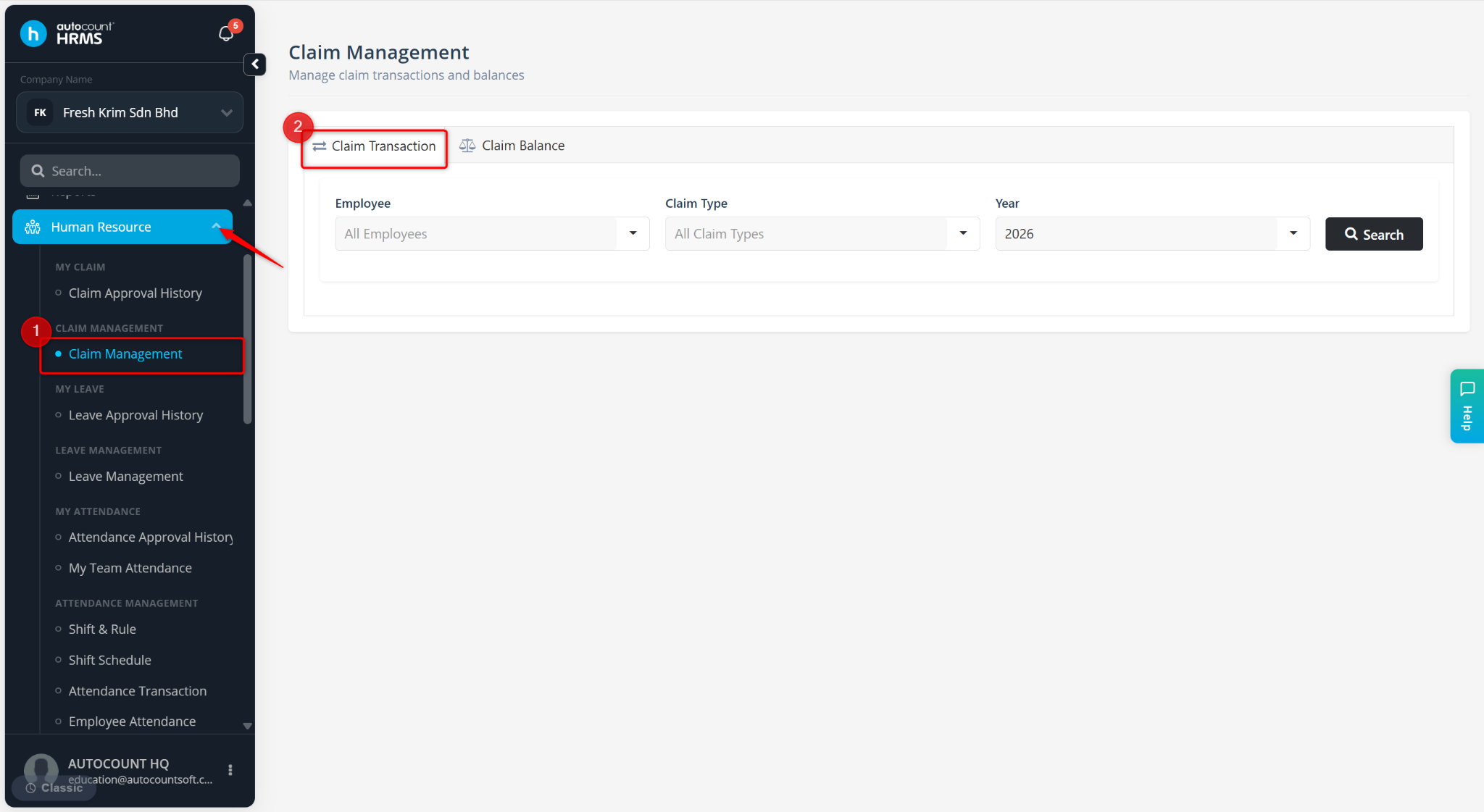
Go to Human Resource > Claim Management.
Go to Claim Transaction.
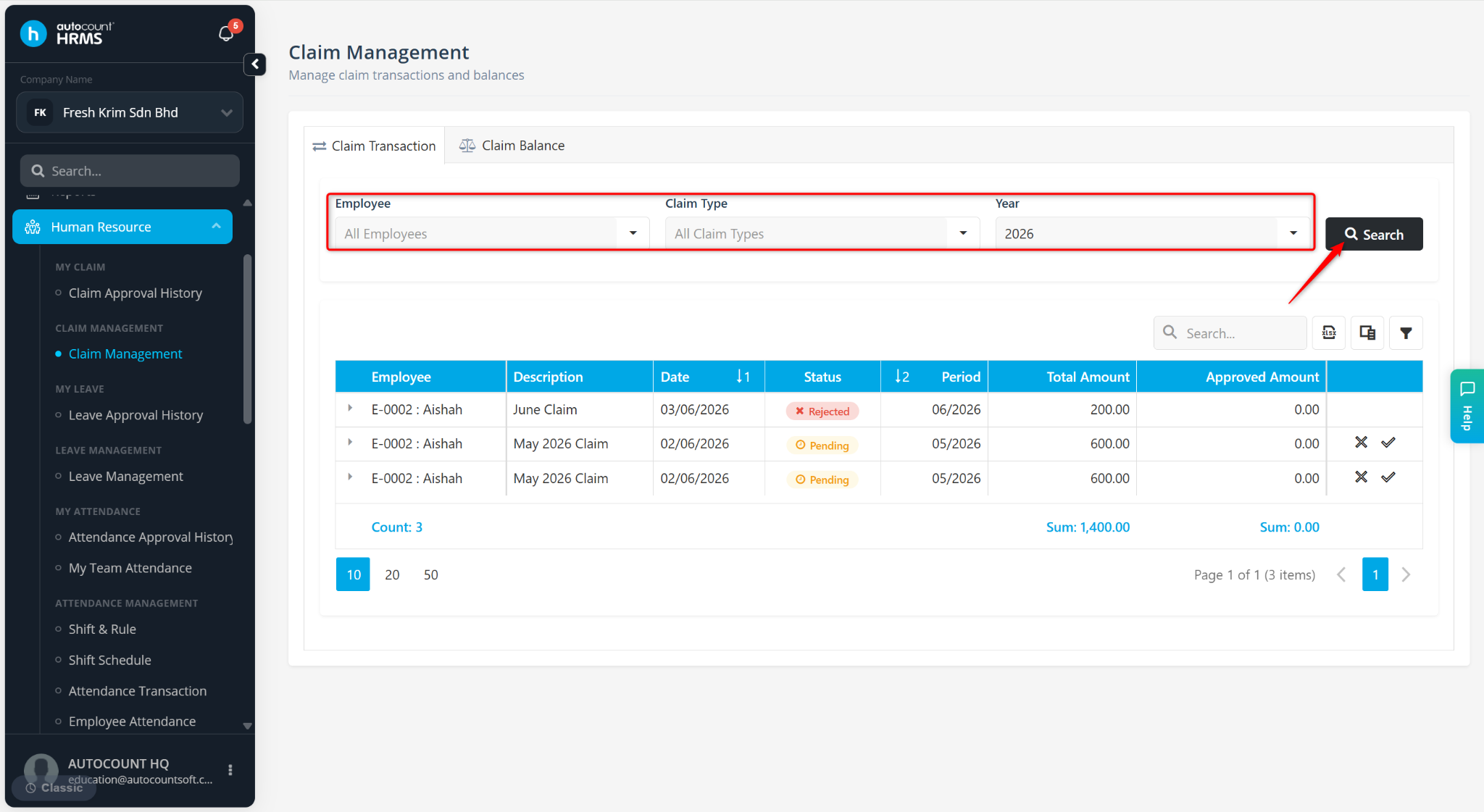
Filter by Employee, Claim Type and Year, then click Search.
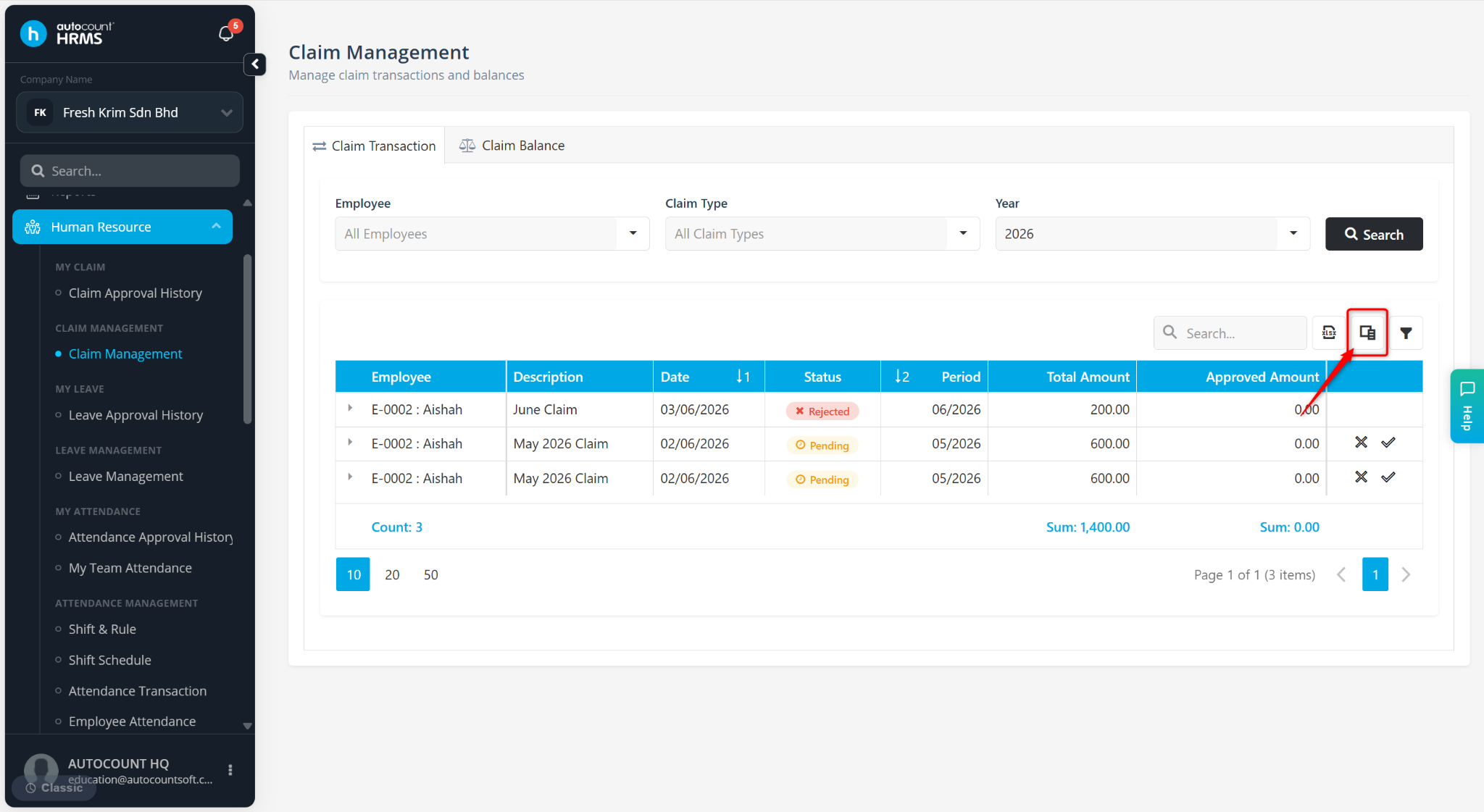
Click the column chooser icon next to the search bar.
Enable Action Remark.
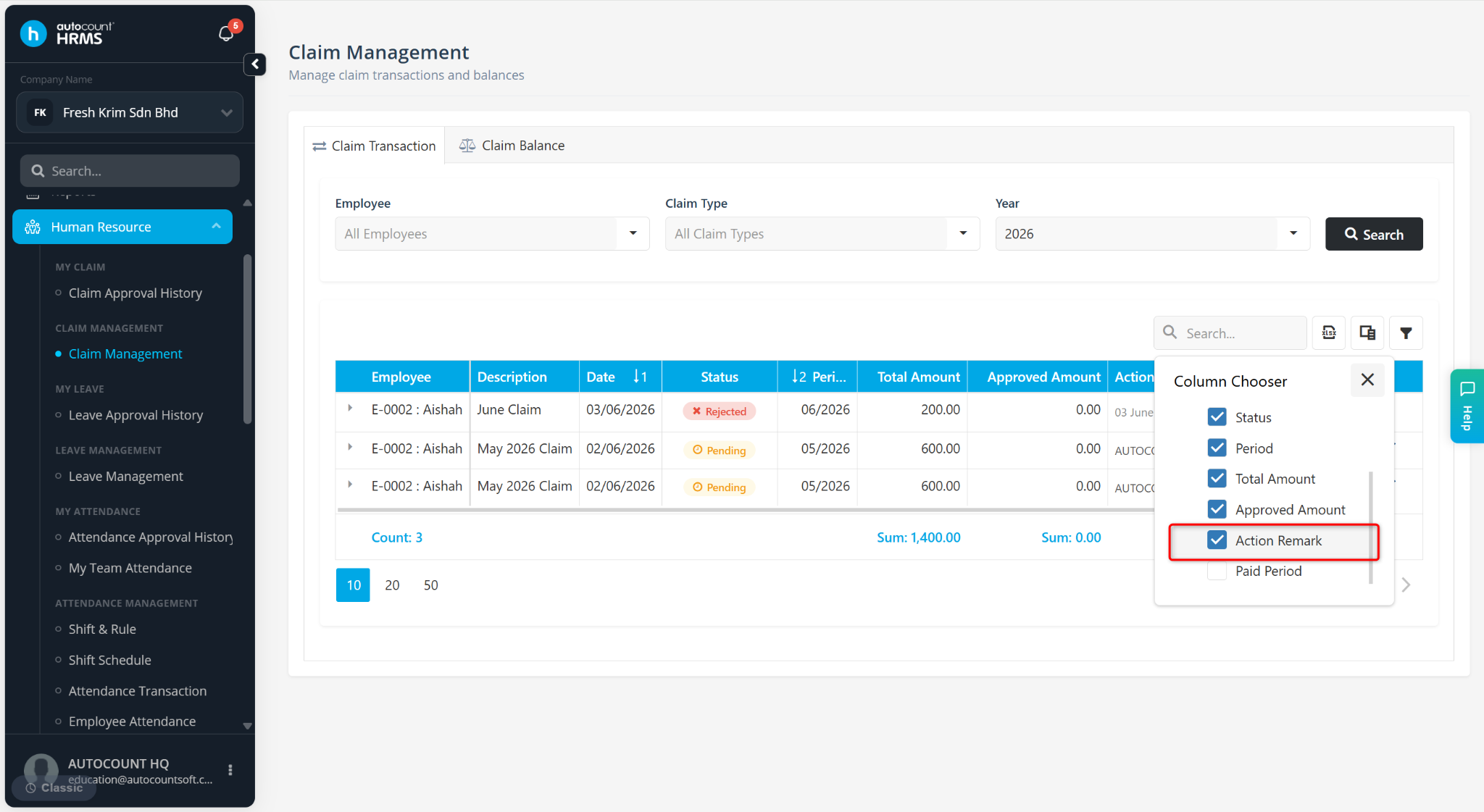
The Action Remark column will be displayed in the claim list.