
A Claim Entitlement Group allows employers to assign claim types and claim limits to employees based on company policy and eligibility criteria. This ensures employees can only submit claims that they are entitled to and within the defined limits.
Steps to Create a New Claim Entitlement:
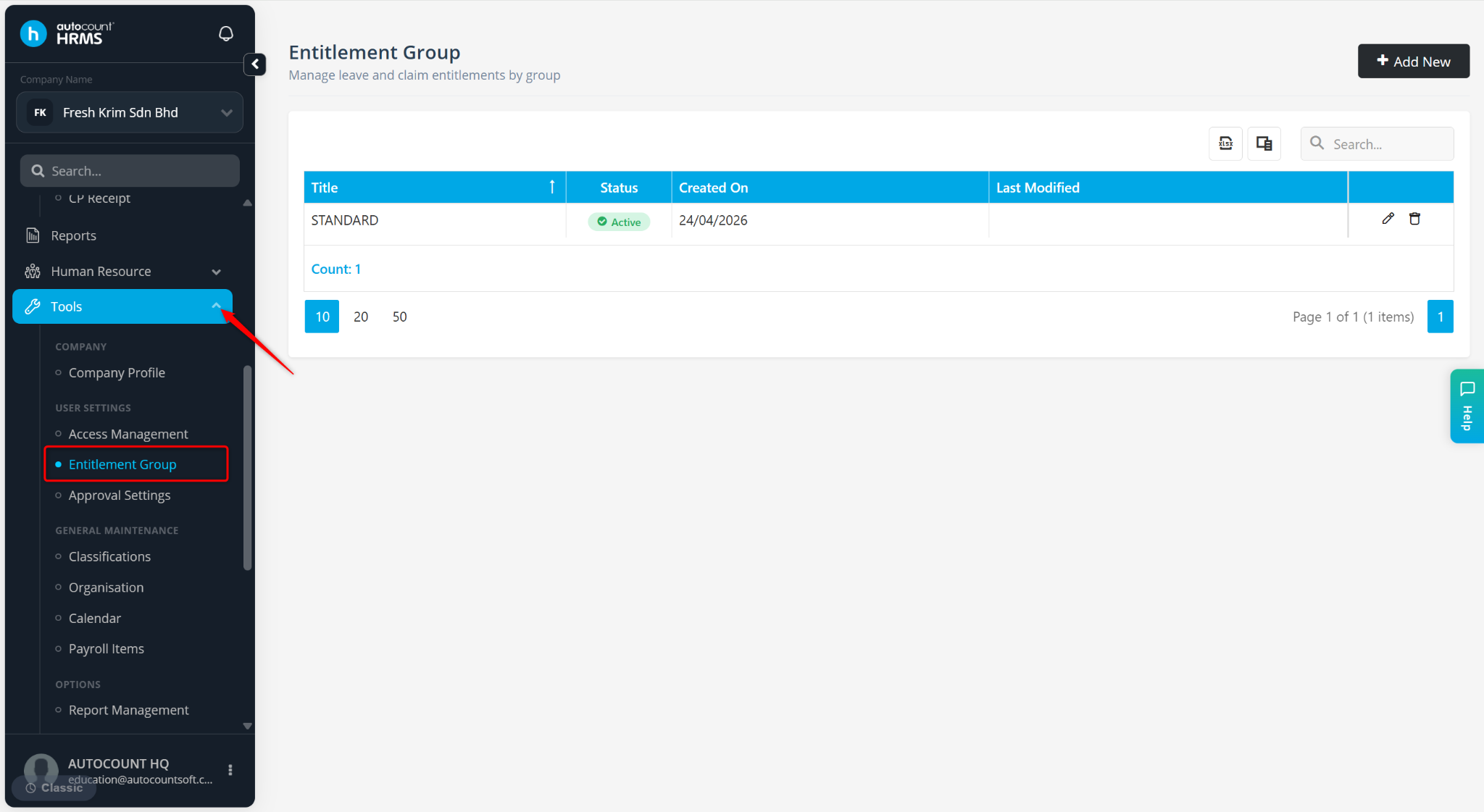
Go to Tools > Entitlement Group.
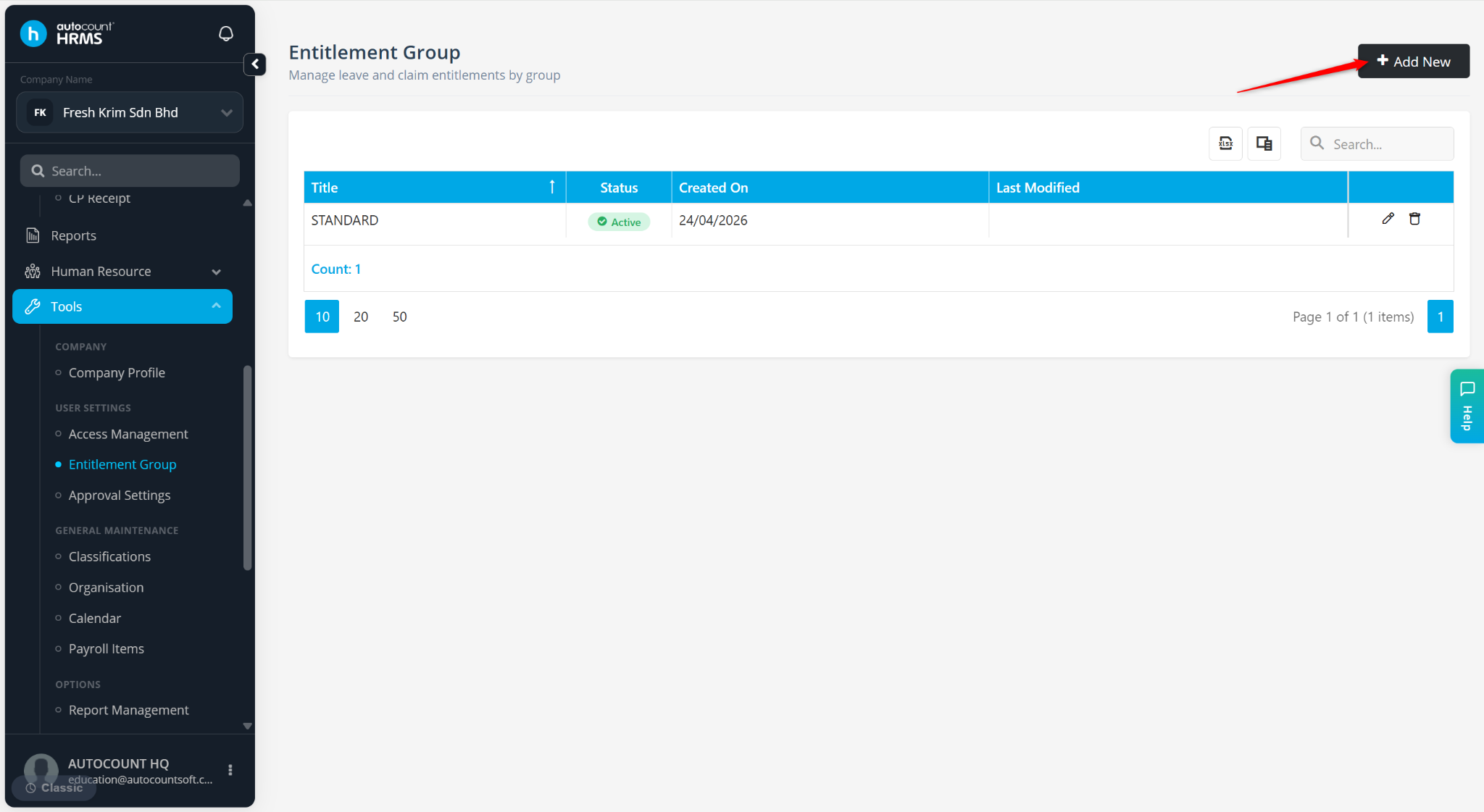
Click Add New.
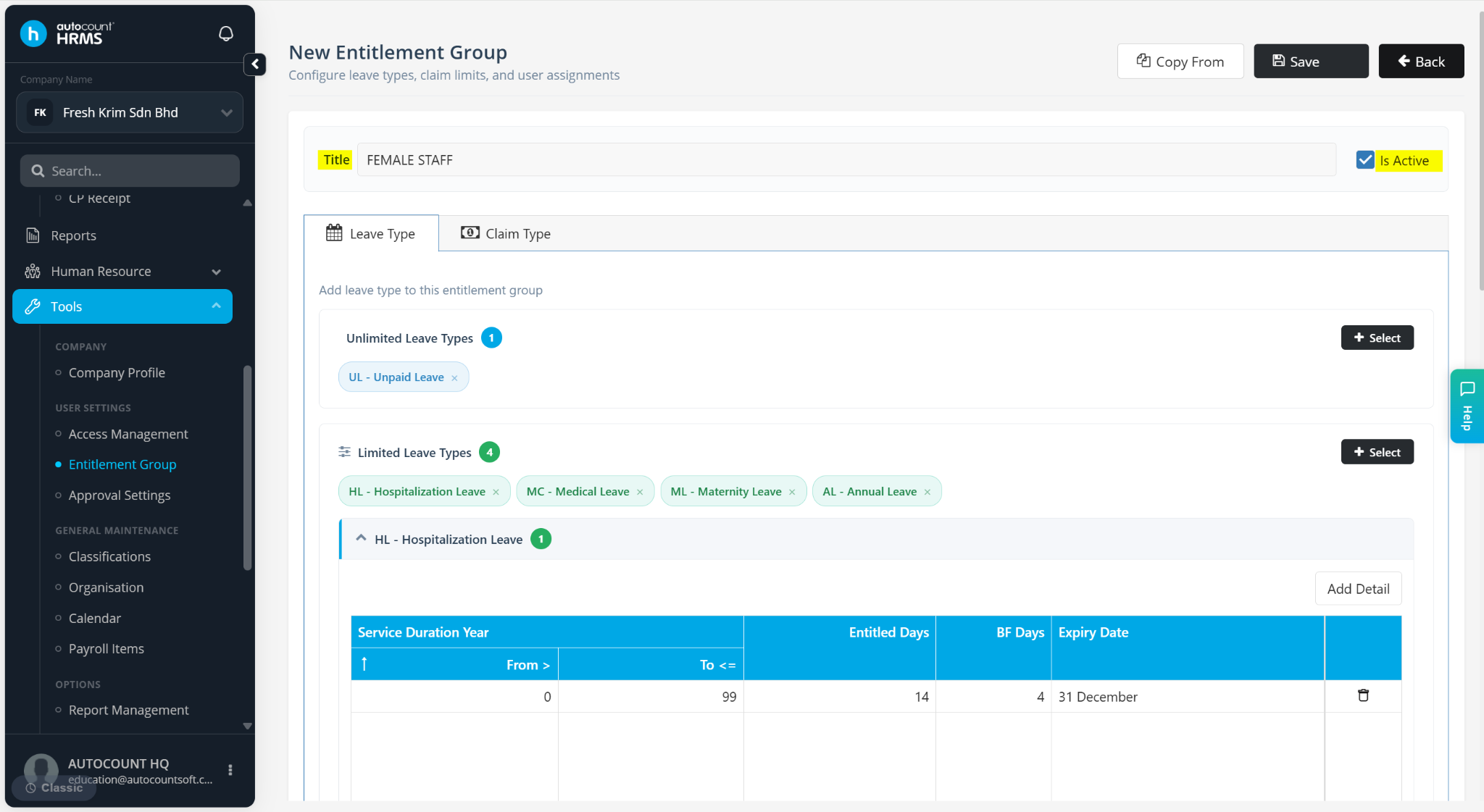
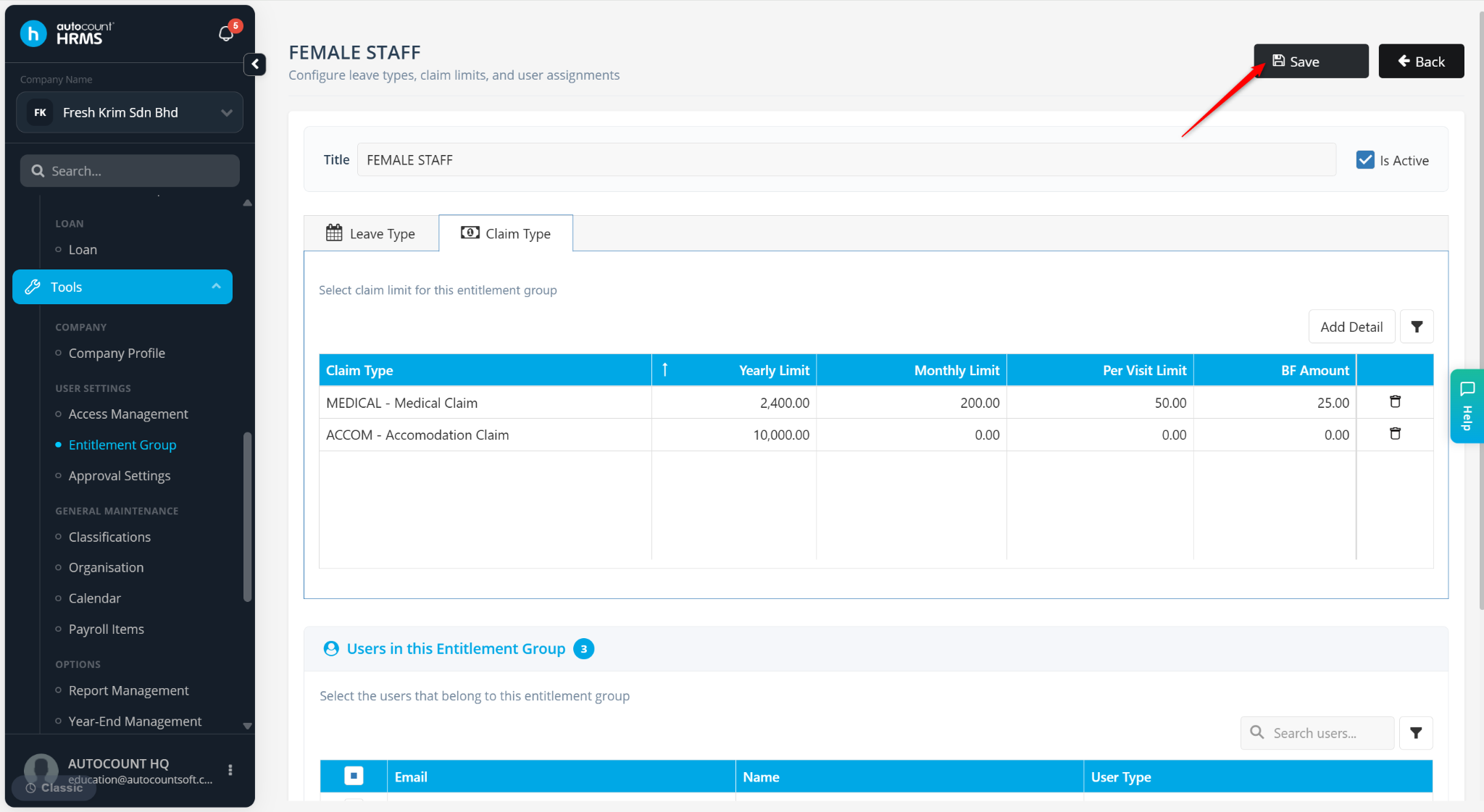
Enter the Title of the entitlement group and ensure the Is Active option is enabled.
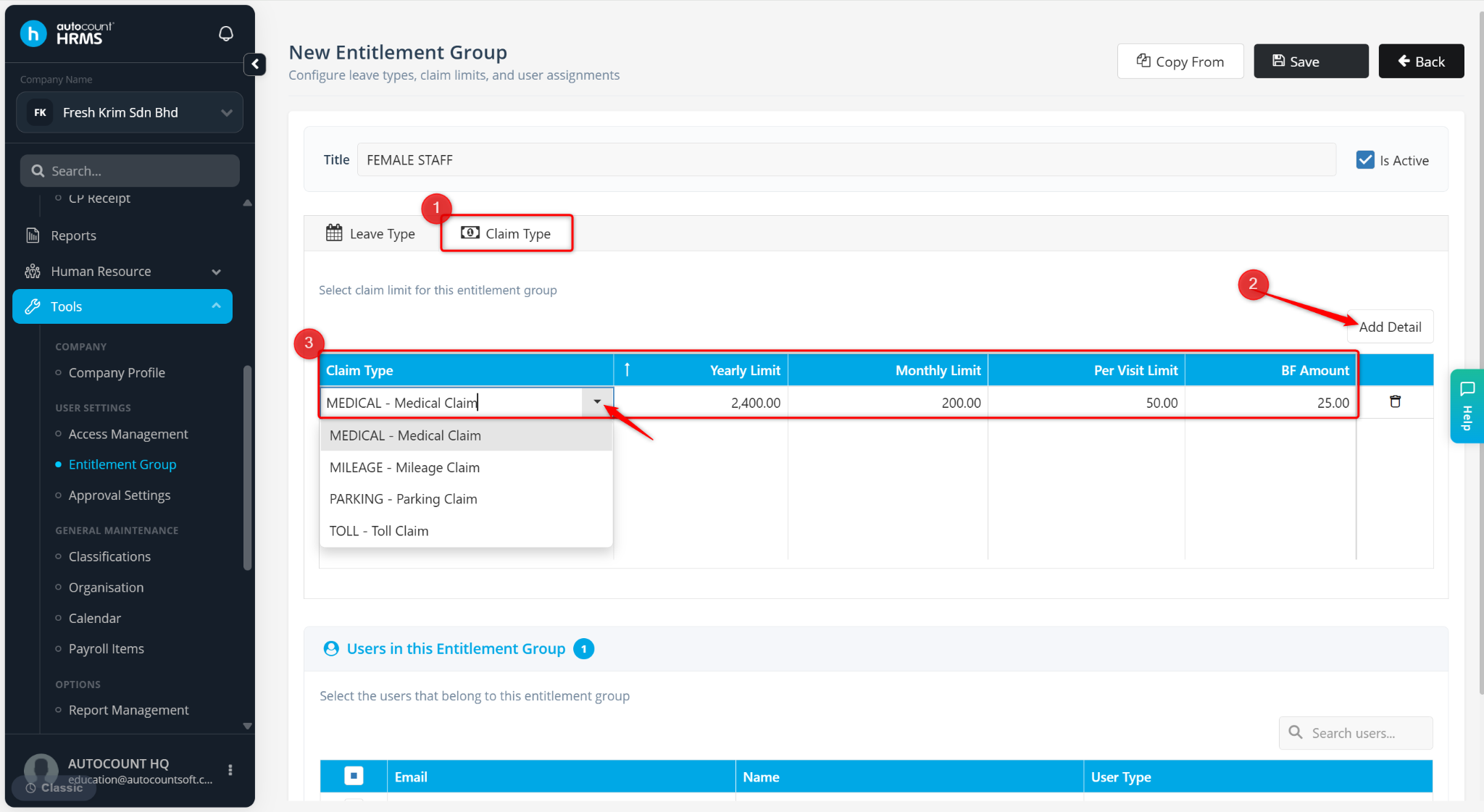
Go to the Claim Type tab.
Click Add Detail.
Enter the details:
Claim Type – Select the claim type (e.g., Medical Claim).
Yearly Limit – Enter the maximum claim amount per year.
Monthly Limit – Enter the maximum claim amount per month.
Per Visit Limit – Enter the maximum claim amount per submission.
BF Amount – Enter the carry forward claim balance (if applicable)
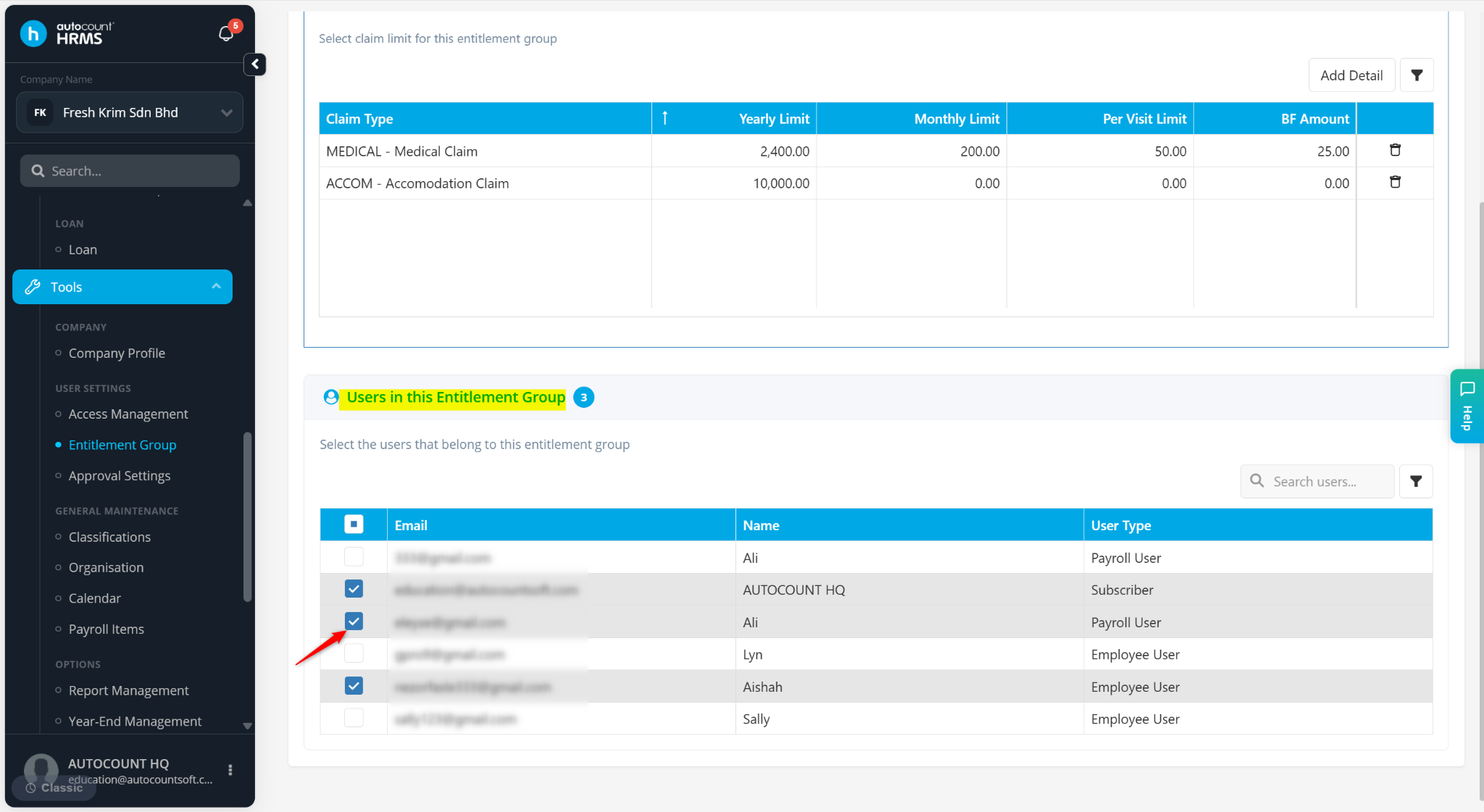
Scroll down to Users in this Entitlement Group field. Tick the users entitled to the group.
Click Save.
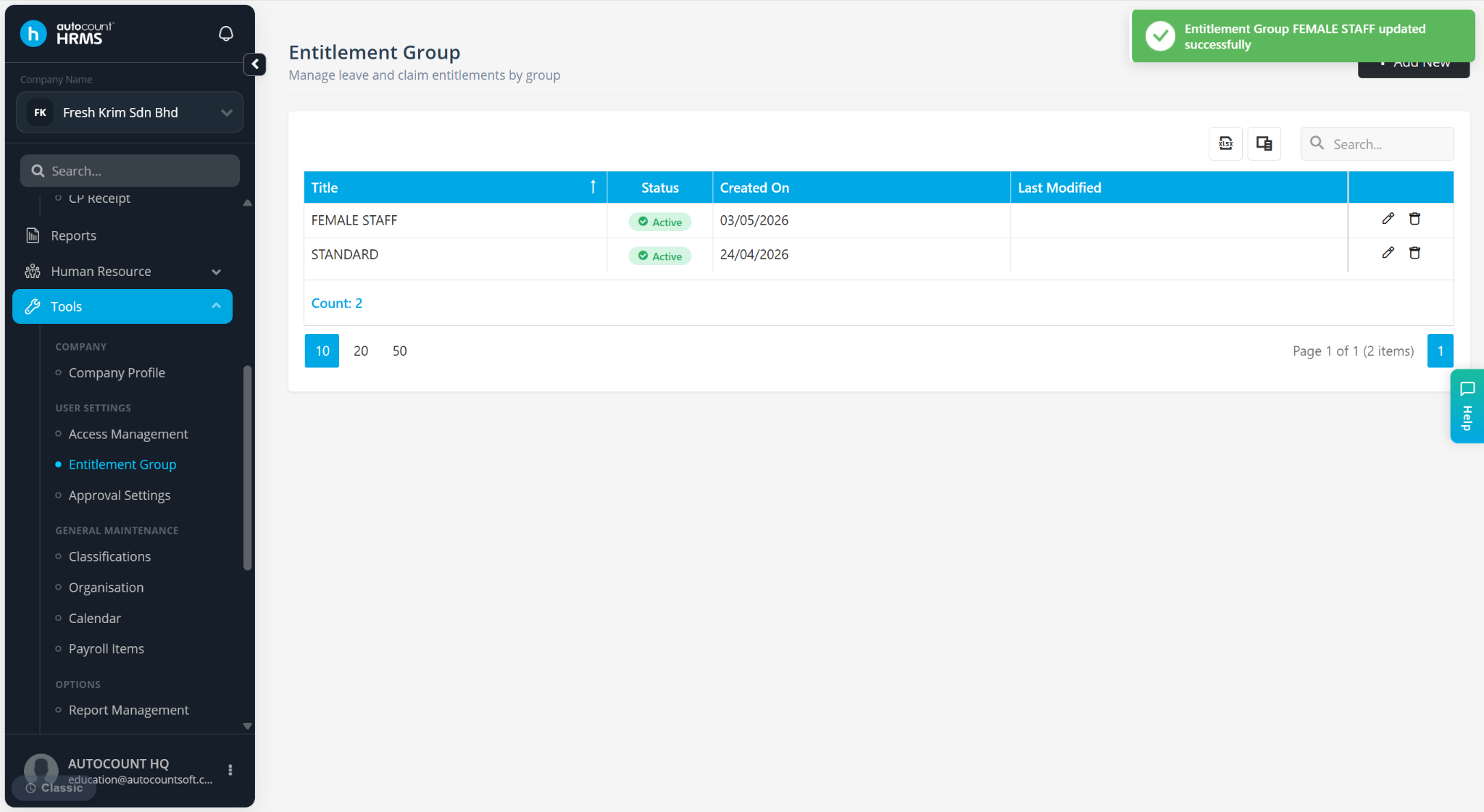
The entitlement group is created.
ℹ️ Note: Refer to Leave Entitlement for leave-related entitlements and Create Entitlement Group via Copy From if you wish to duplicate an existing entitlement group instead of creating a new one from scratch.