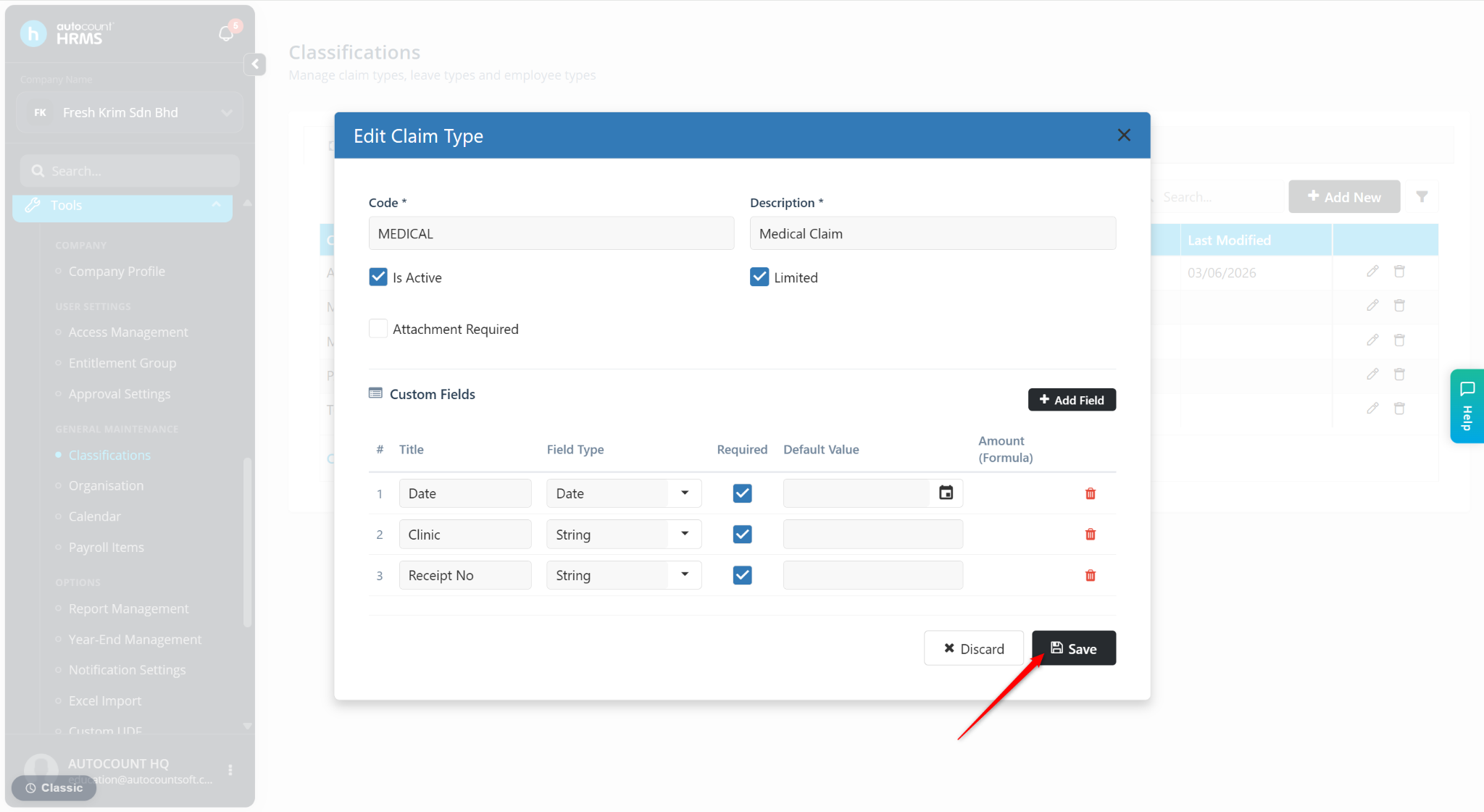
Before configuring claim entitlements, you must first enable Limited for the relevant claim type. This allows the system to enforce entitlement limits such as yearly, monthly, per-visit, and carry-forward claim limits defined in the entitlement group.
Steps to Limit Claim:
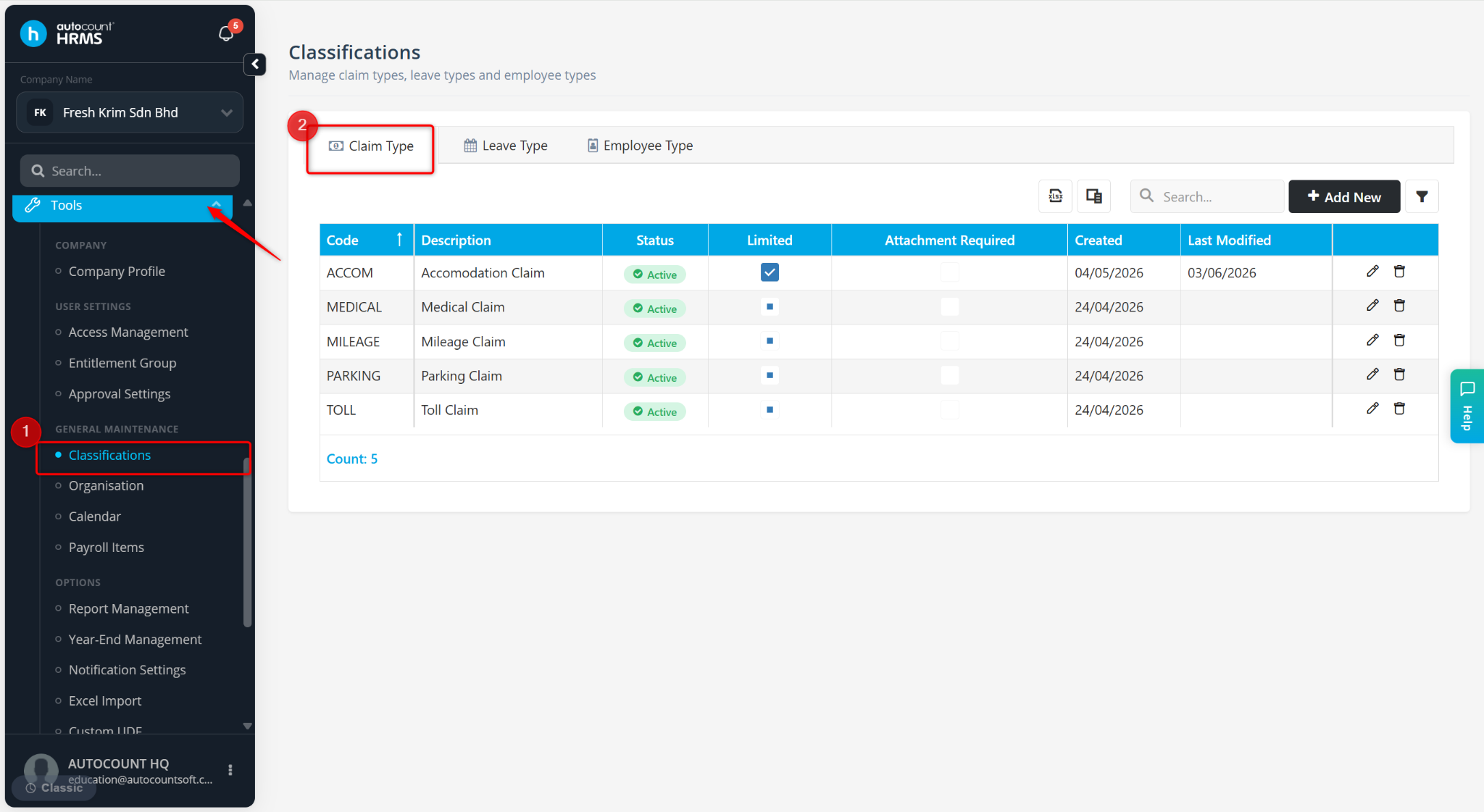
Go to Tools > Classifications.
Go to Claim Type.
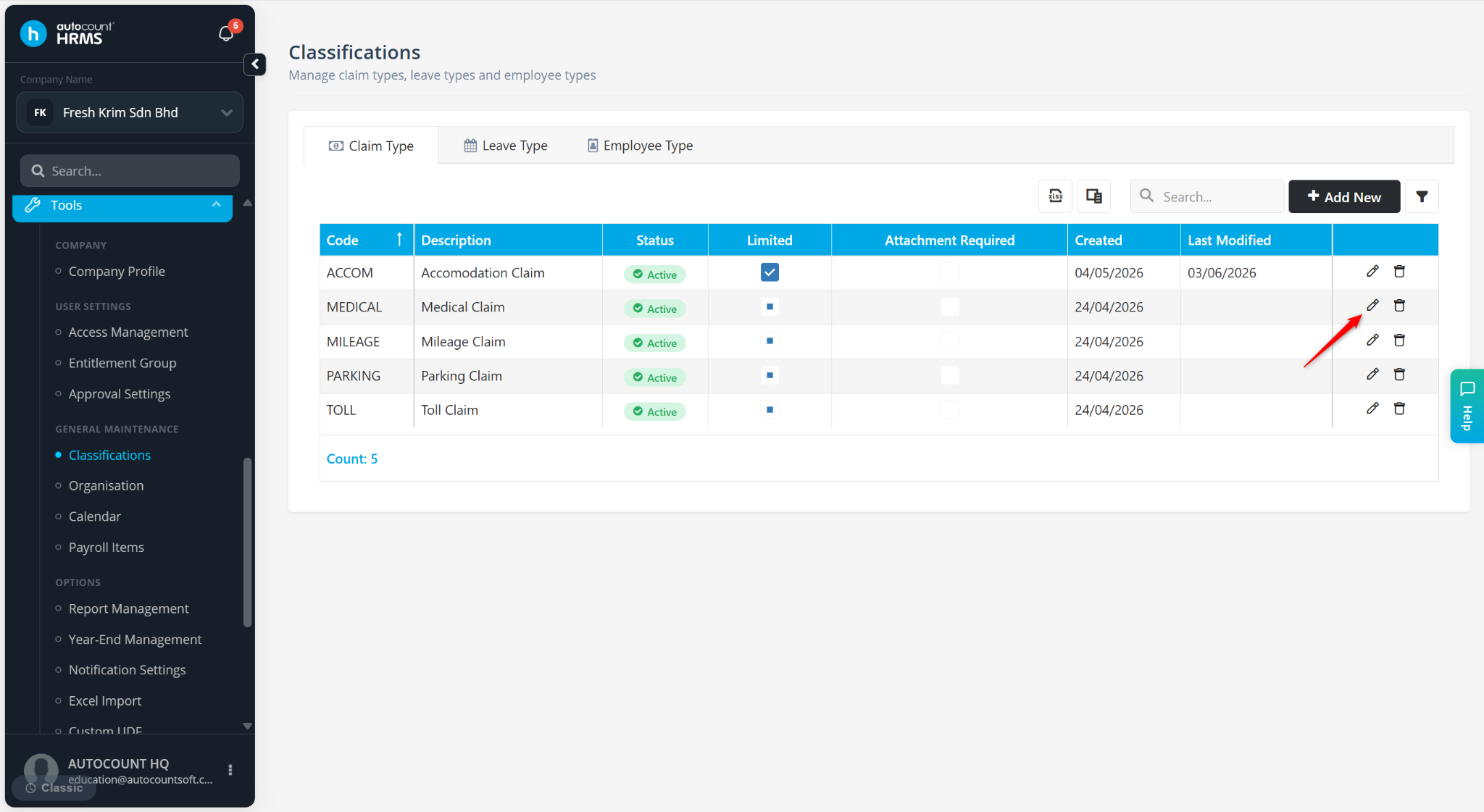
Locate the Claim Type and click the pencil icon.
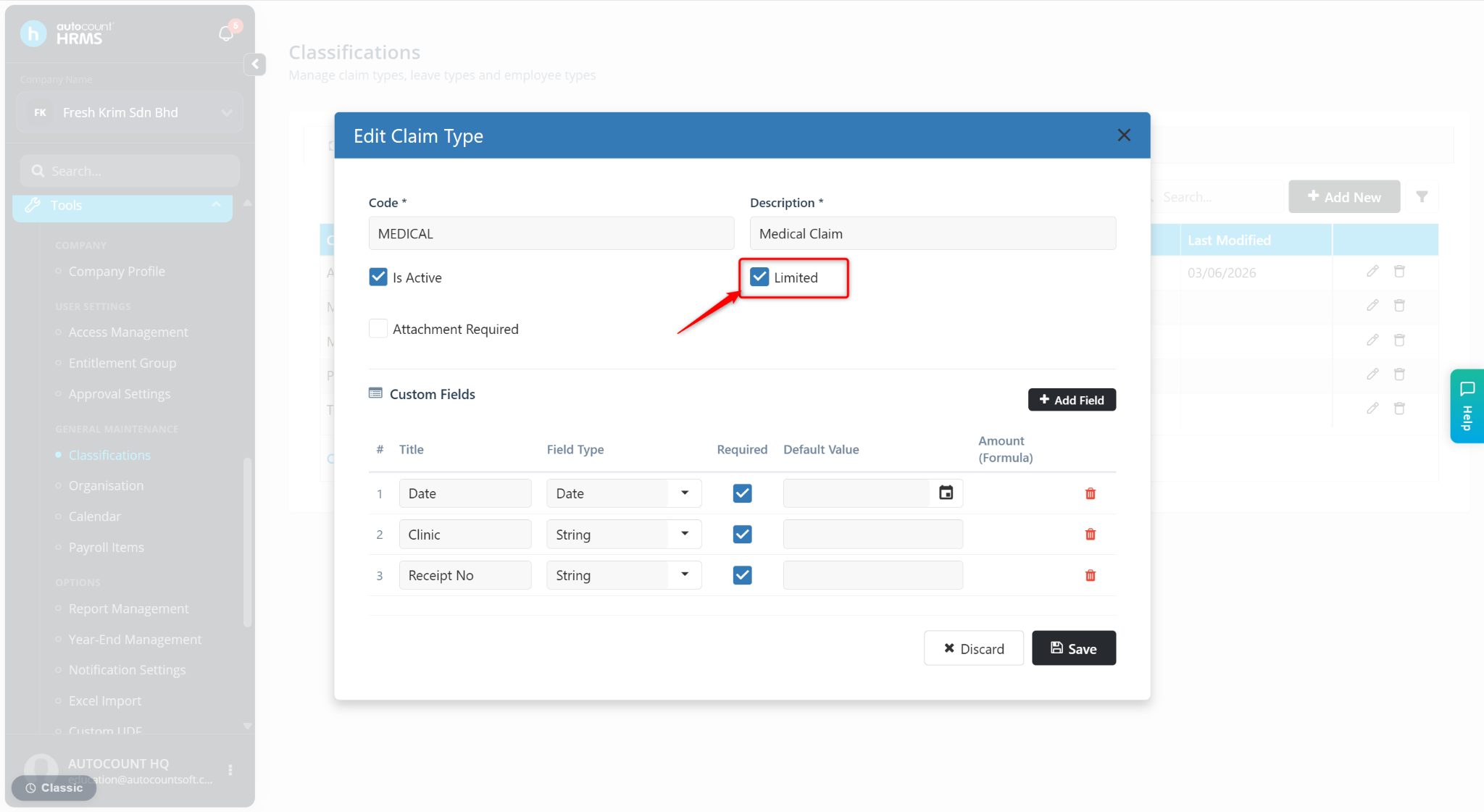
Enable the Limited option.
Click Save.