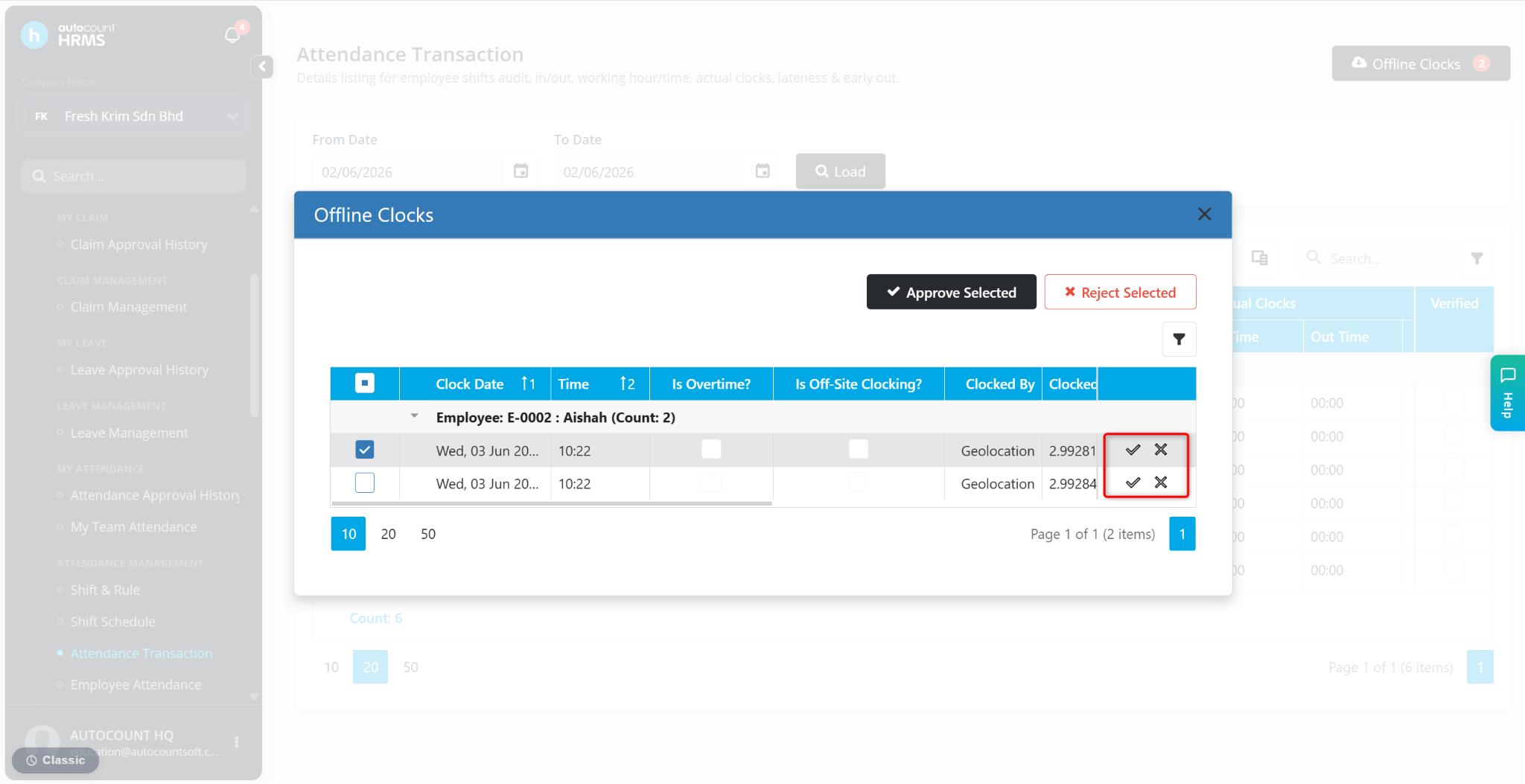
Employees may clock in or out using Offline Mode when an internet connection is unavailable. These offline clocking records require review to ensure attendance data is accurate and to prevent invalid or suspicious attendance entries.
Steps to Approve Offline Clocks:
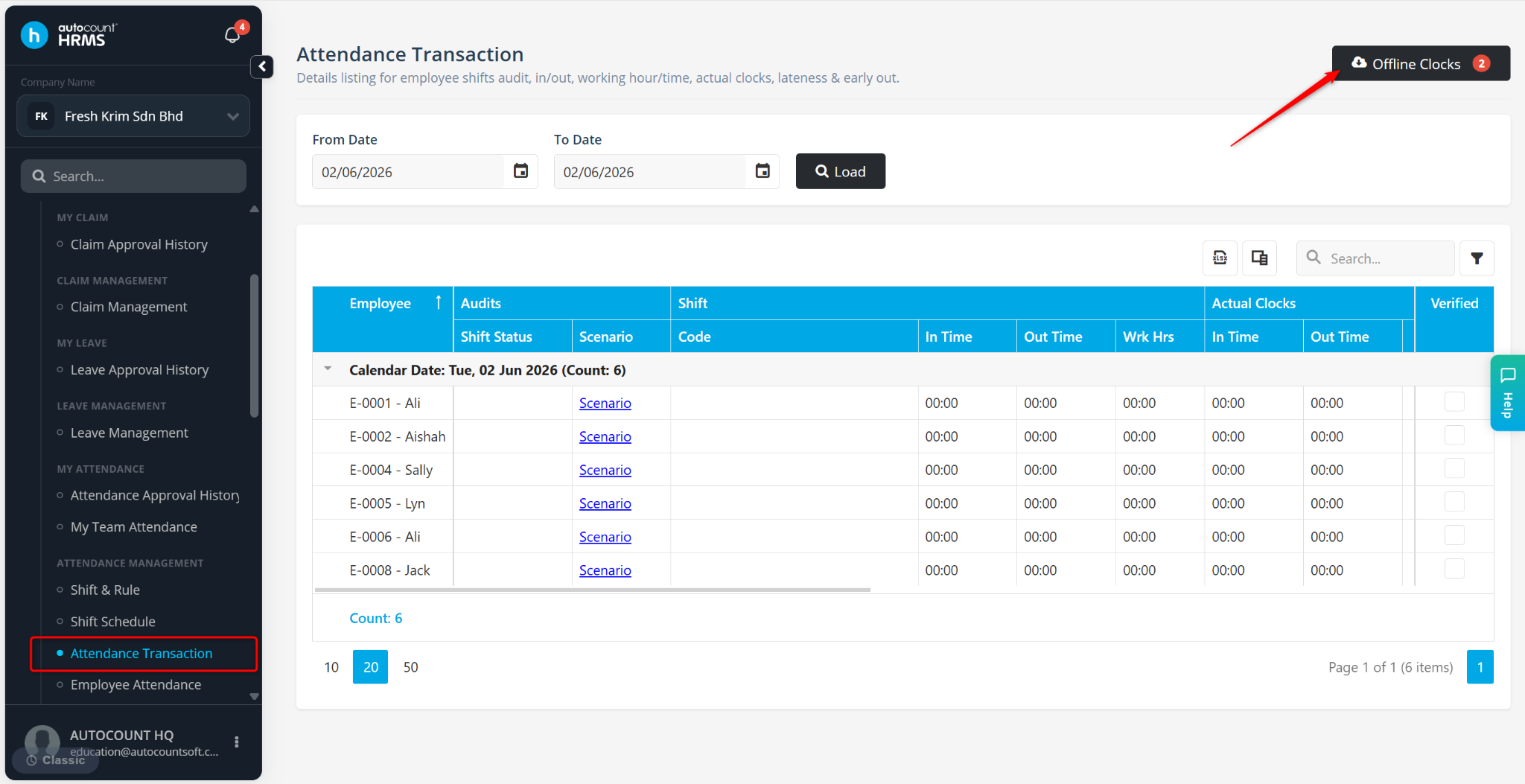
Go to Tools > Attendance Transaction.
Approve or reject the Offline Clocks:
Click the tick icon to approve
Click the cross icon to reject.