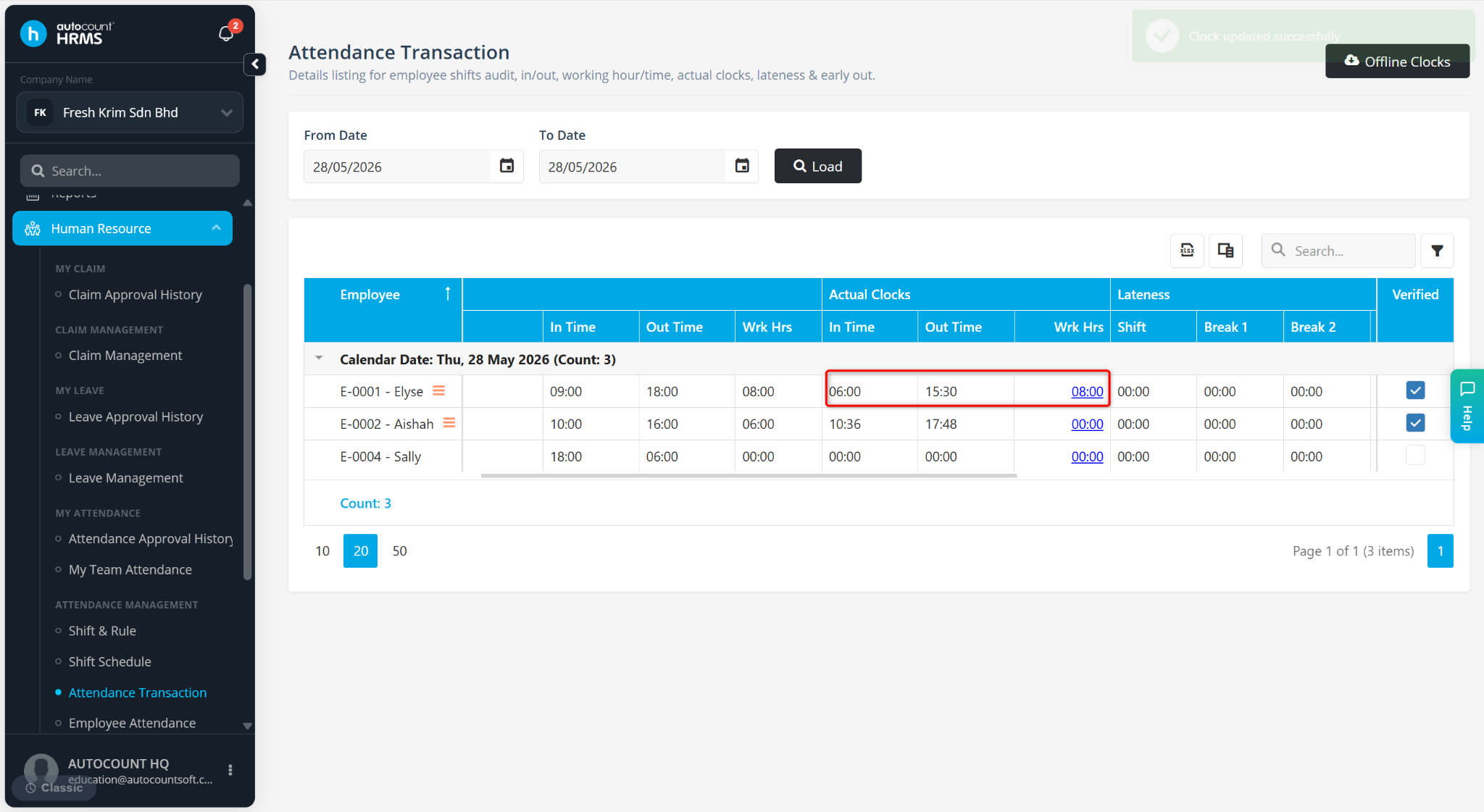
The Attendance Transaction feature allows users to amend an employee's attendance records by updating the clock-in time, clock-out time, and working hours. This is useful when attendance records are incorrect due to missed clockings, device issues, or administrative adjustments.
Steps to Amend Clock Transaction:
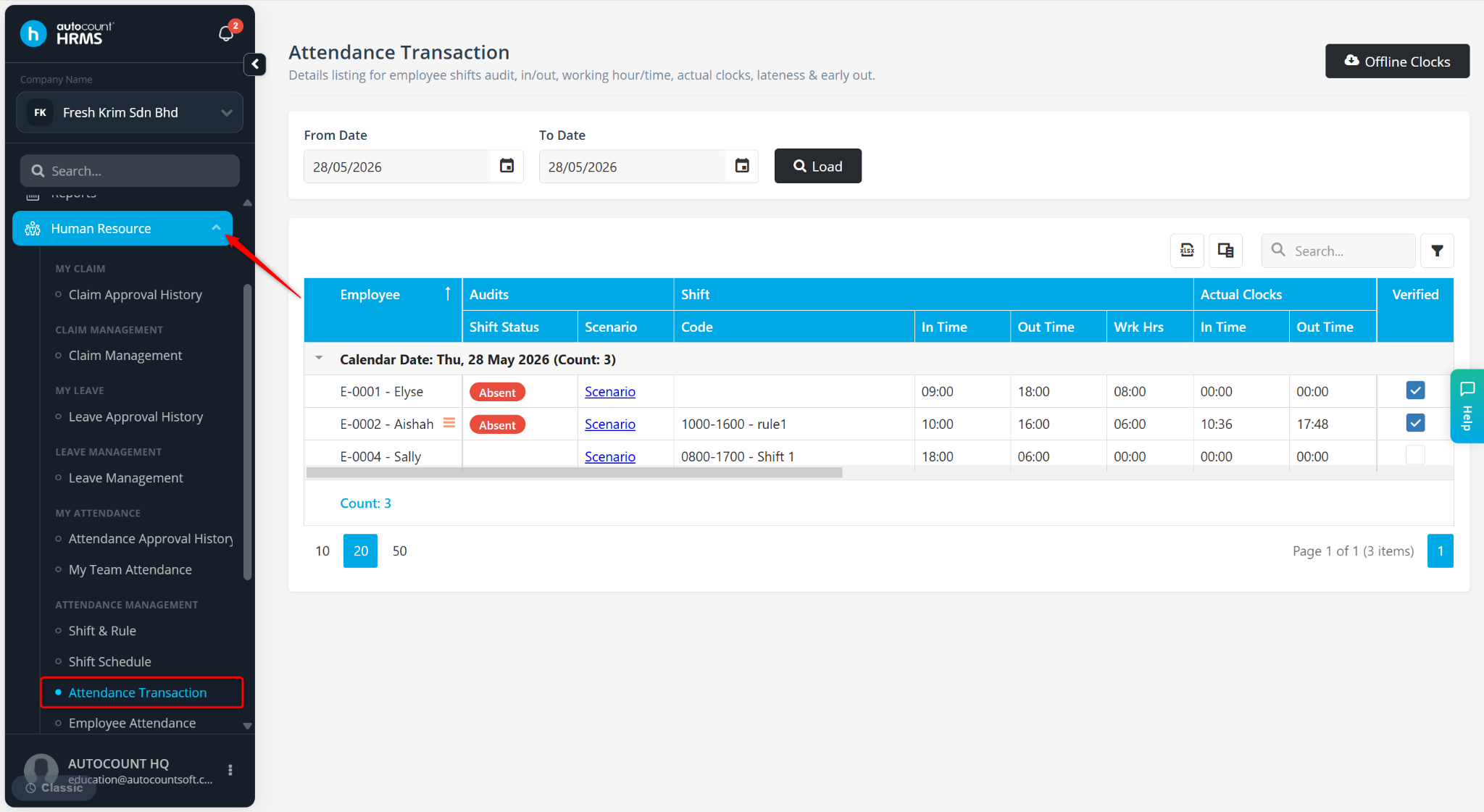
Go to Human Resources > Attendance Transaction.
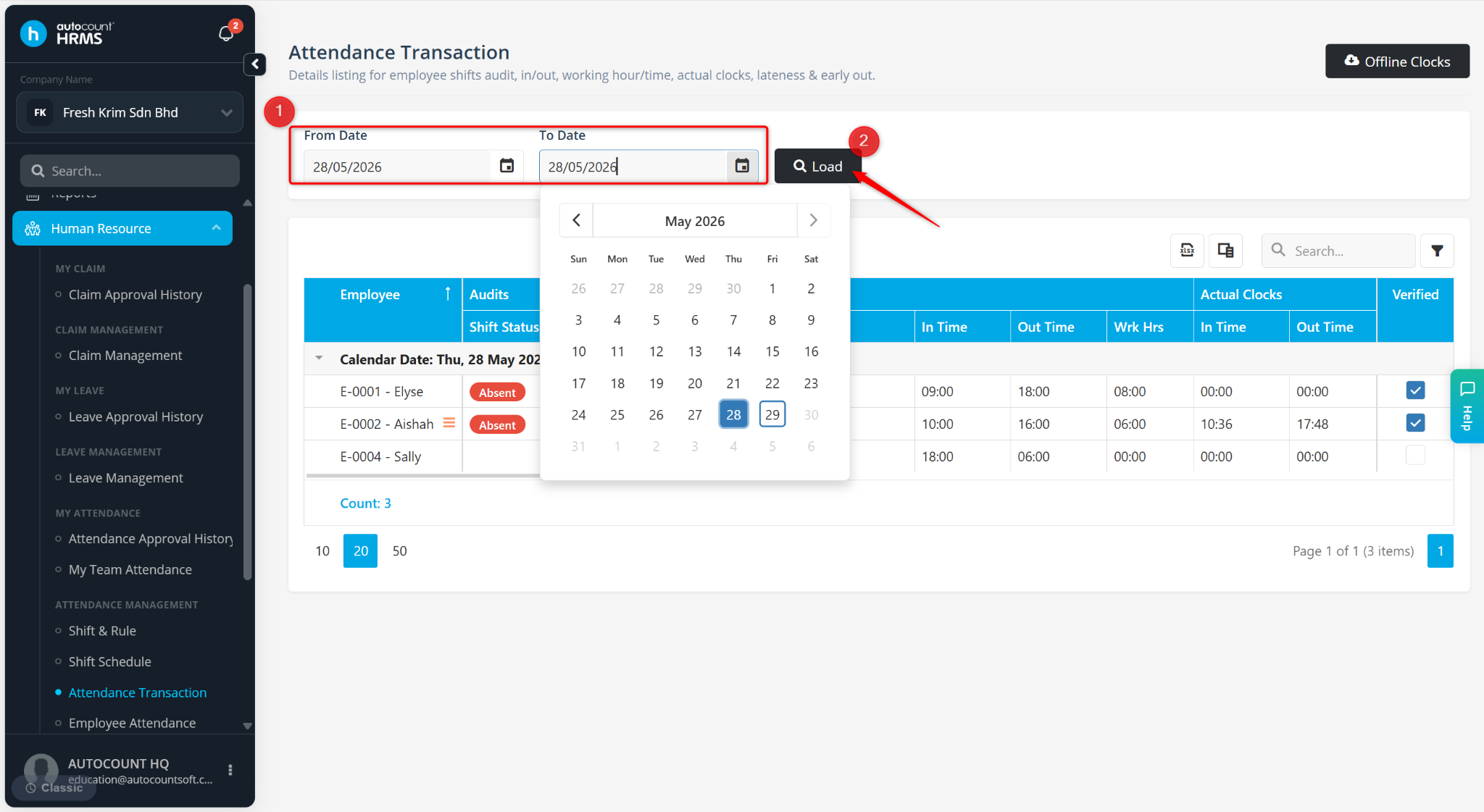
Filter and select the From and To date and click Load.
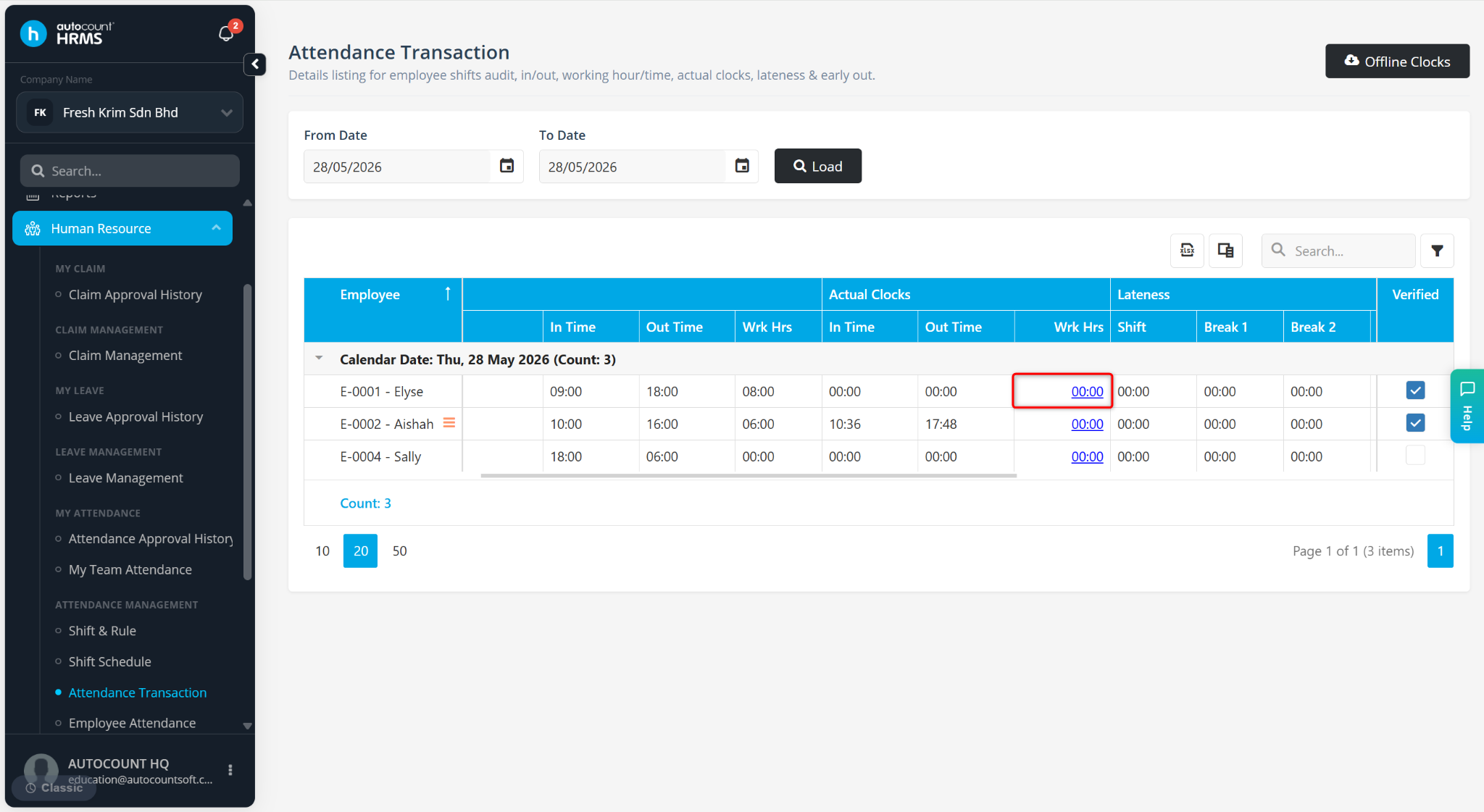
Locate the employee and click the 00:00 value under Work Hrs.
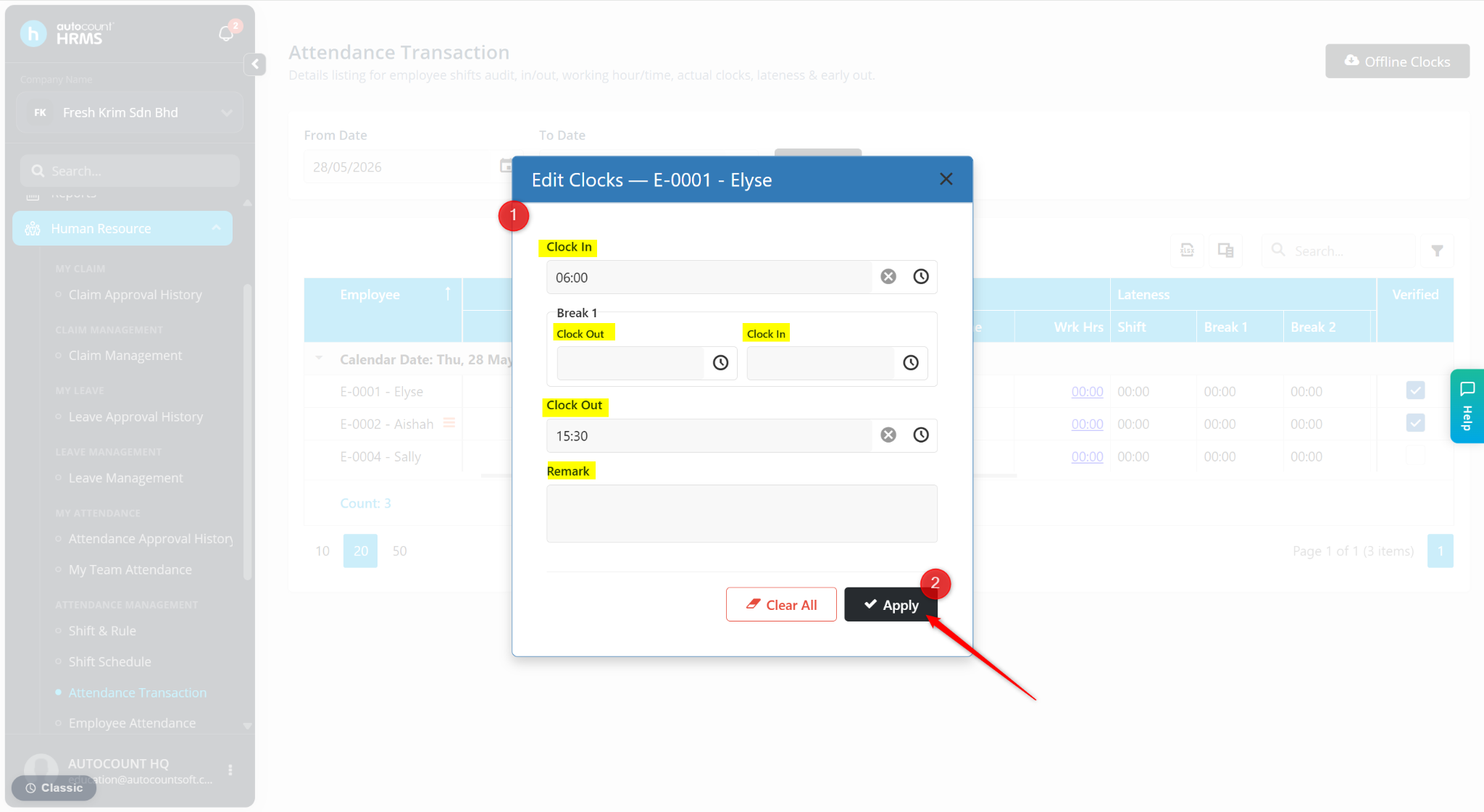
Enter the corrected time in the Shift Clock In and Shift Clock Out fields.
Click Apply.
The updated records will be reflected in the Actual Clocks column.