
The HRMS Mobile Offline Clocking feature is designed to support users during internet interruptions when employees are recording attendance.
A) Mobile App – AC Payroll
Update to version 3.0.6 to use this feature.
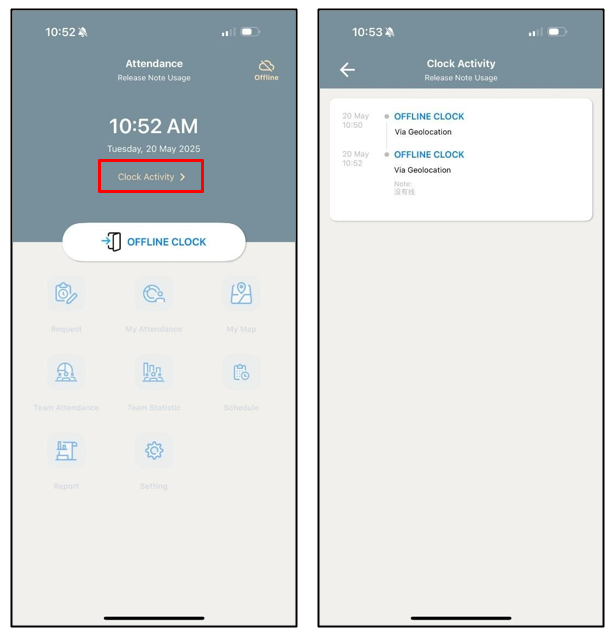
When there is a network interruption and the app is launched, users will be redirected to Attendance – Offline Clock. Click the offline icon to view the note.
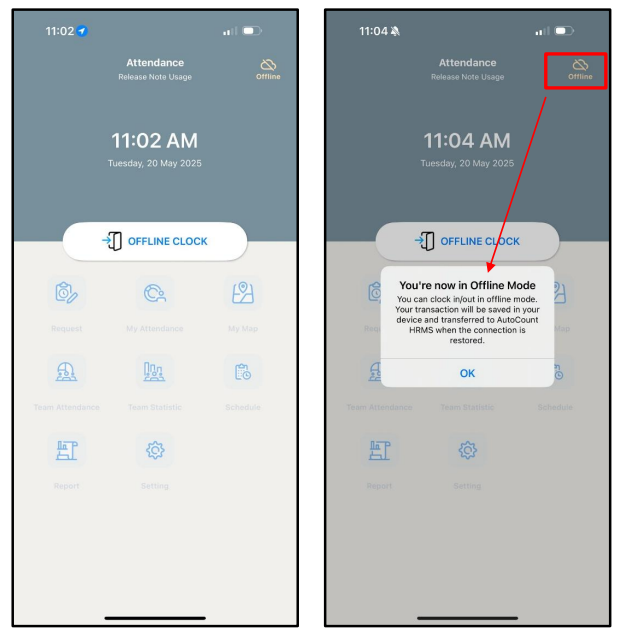
In Offline Mode, users can only access the Attendance screen. All other functional tabs will be greyed out and users can only clock in and out.
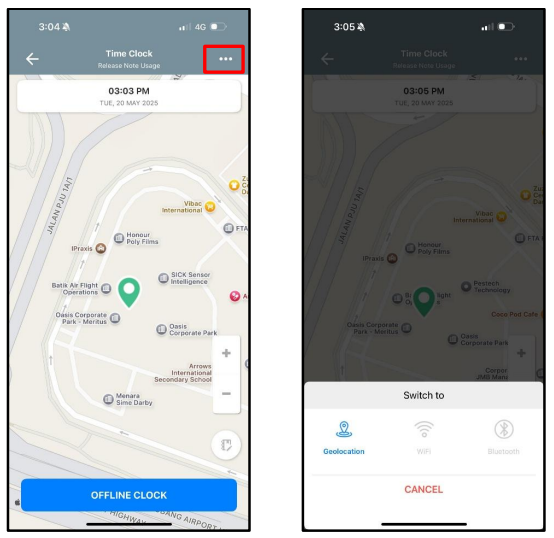
Users may switch clock-in methods (Bluetooth, Wi-Fi, or GPS) via the … menu at the top right corner.
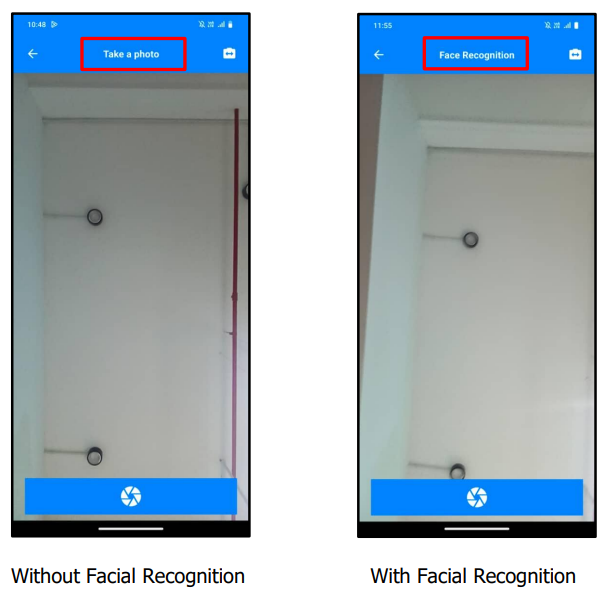
For users without facial recognition, the app will prompt for a photo. This photo can be reviewed by HR once the internet connection is restored.
For users with facial recognition enabled, employees are still required to take a selfie for validation.
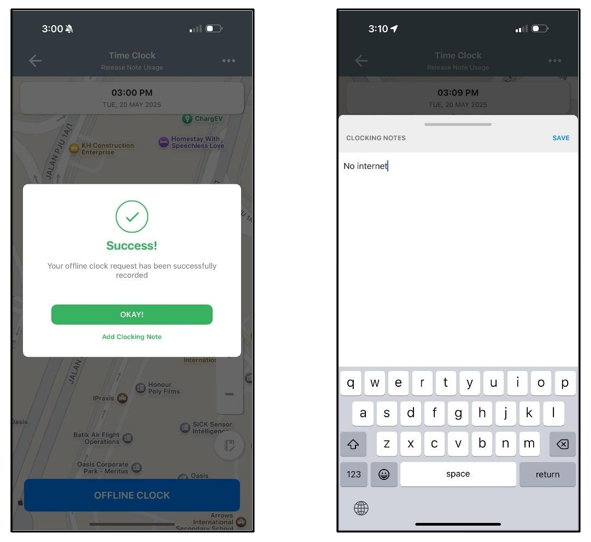
Users may add remarks after completing the attendance transaction.
A new Clock Activity option is available. All offline attendance logs will be stored here.
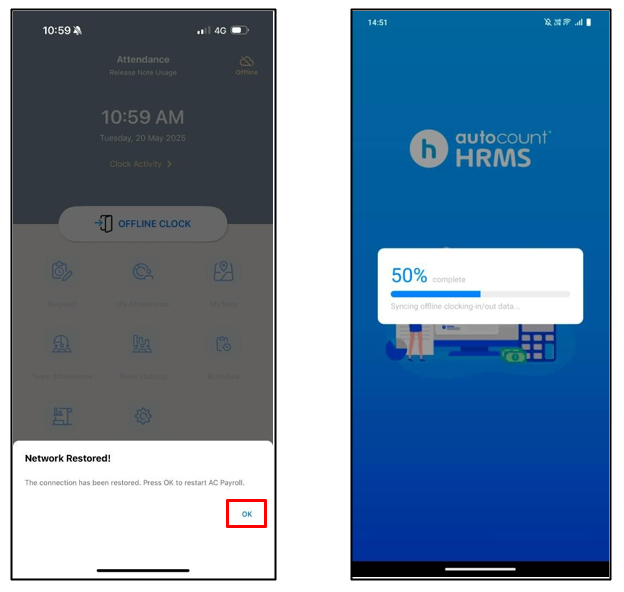
Once the internet is restored, click OK to relaunch the app. Offline attendance transactions will be automatically uploaded to AutoCount HRMS.
B) HRMS Web
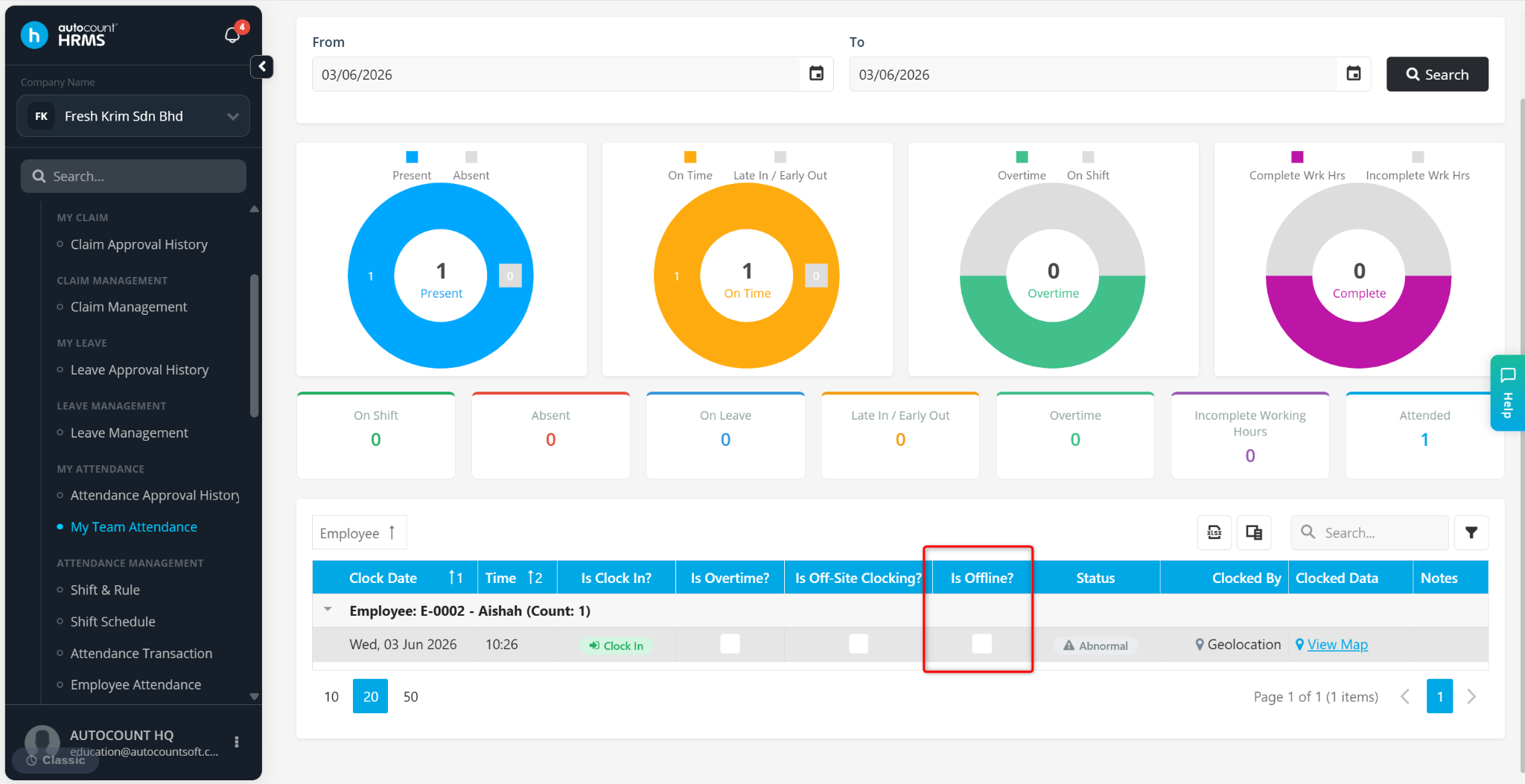
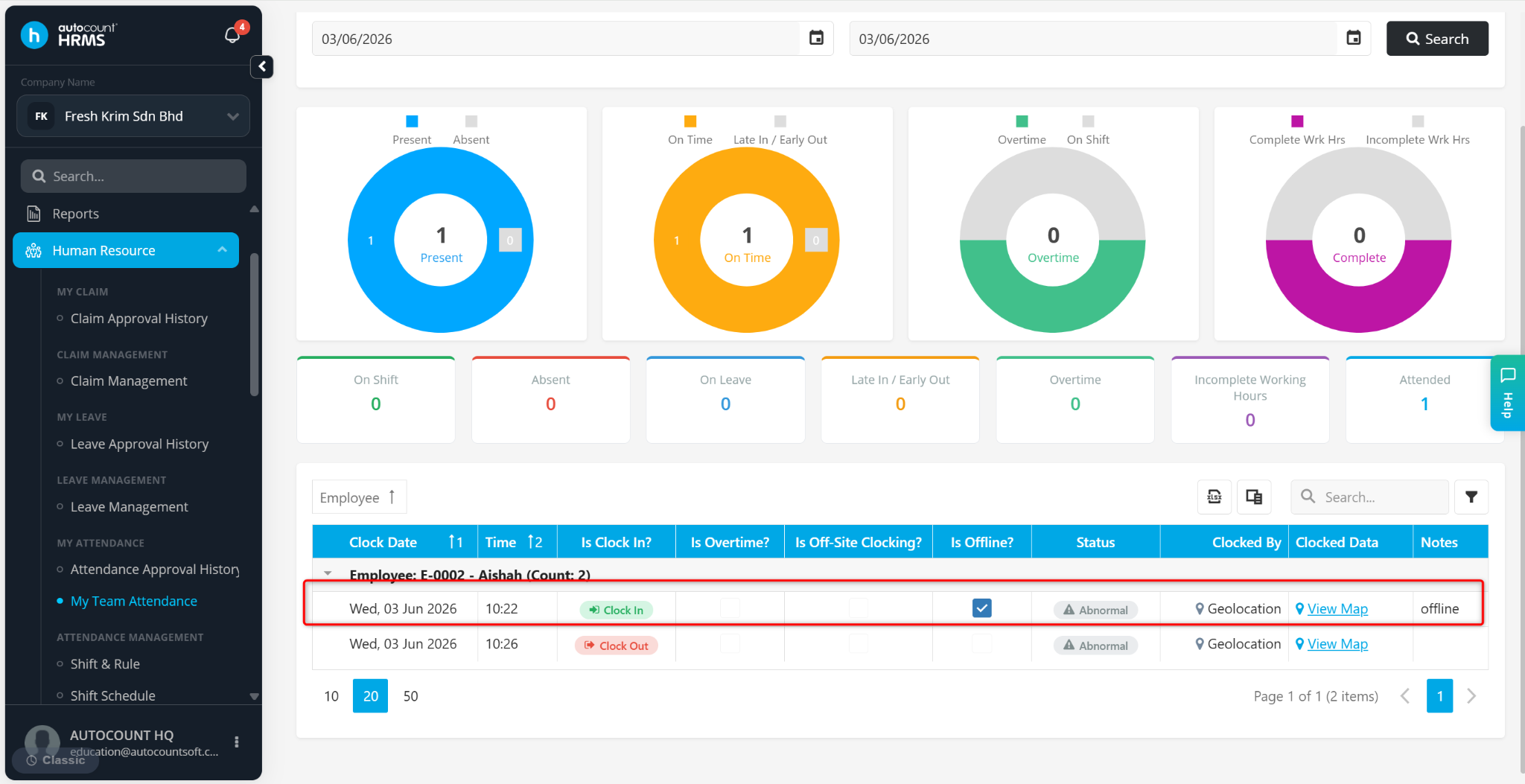
A new indicator Is Offline? Is available in My Team Attendance to identify attendance transactions made in Offline Mode.
A new feature in Attendance Transaction: Offline Clock In/Out Request, used to validate suspicious offline transactions.
Examples of transactions requiring approval:
Face Recognition failed to match
Clock in validation failed (GPS/Wi-Fi/Bluetooth)
The clock-in location is out of allowed range
Device time and server time mismatch
The reason for validation will be shown in the Remark column.
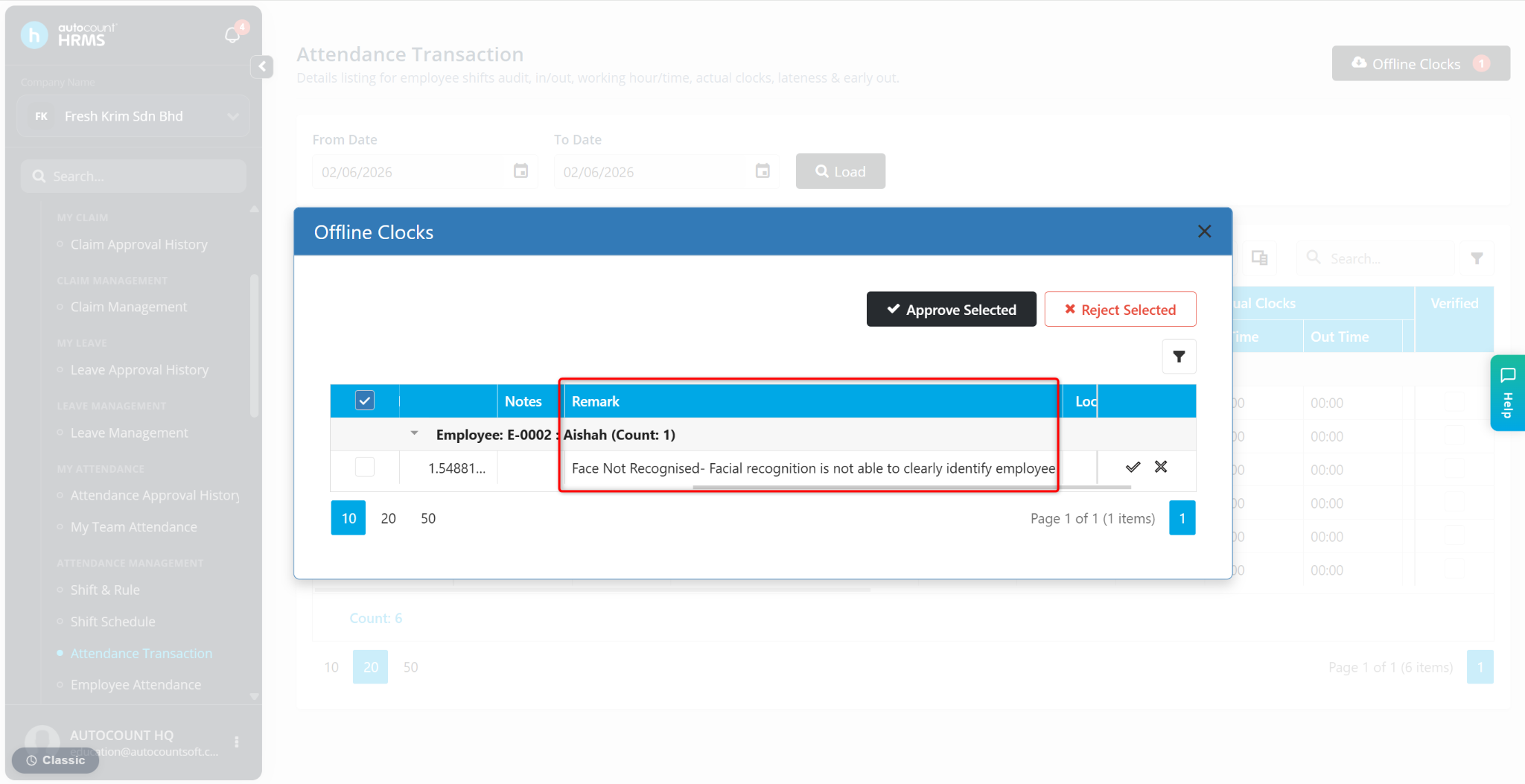
HR is required to approve flagged offline transactions.
For multiple flagged records HR can select multiple entries using the checkboxes, click Approve Selected or Reject Selected.
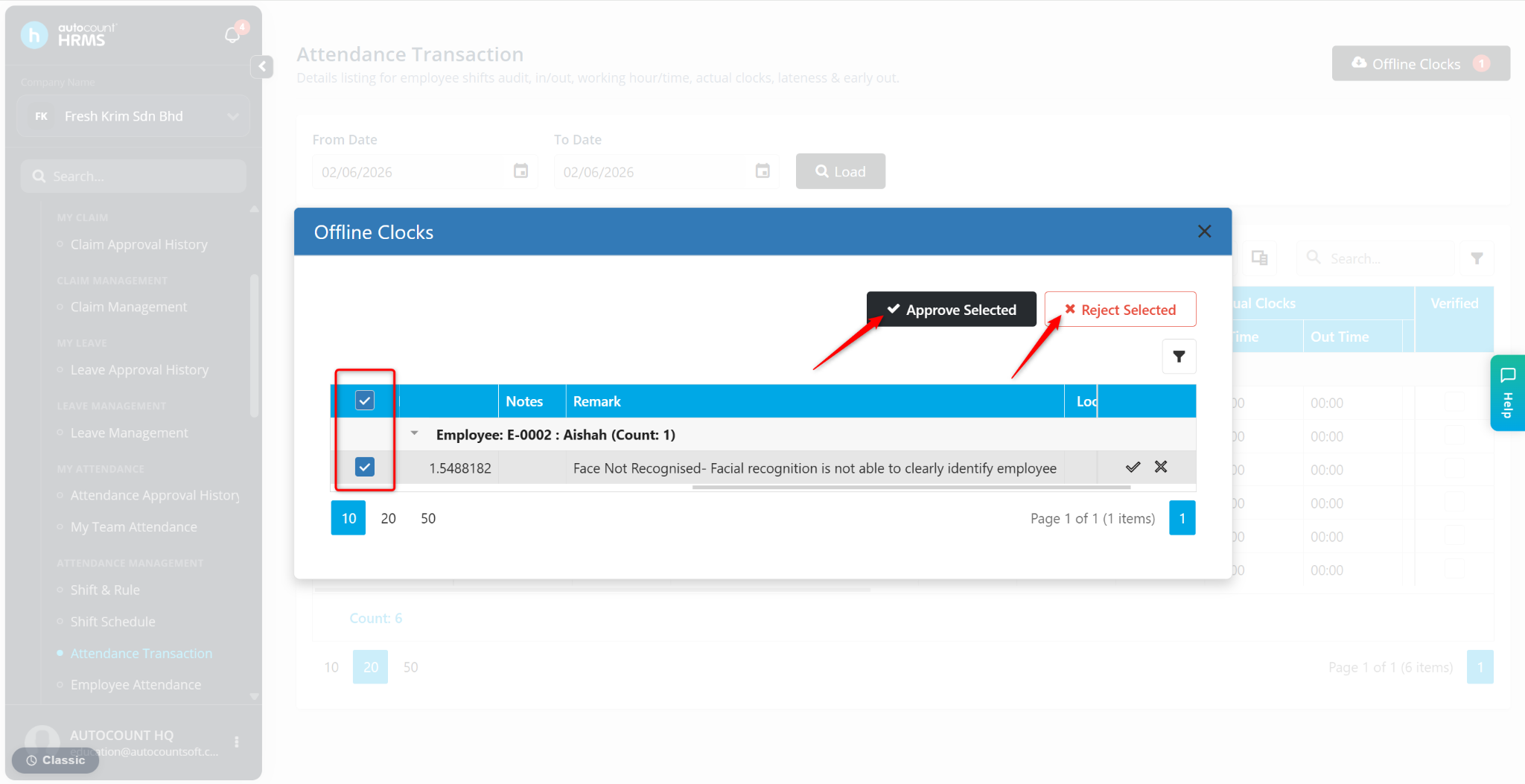
Flagged attendance transactions will only appear in My Team Attendance after HR approval.
A new Is Offline indicator Is also shown in My Team Attendance to identify offline recorded attendance.
Written by: Chen Ong (20250601)
Reviewed by: Azirah (20250613)