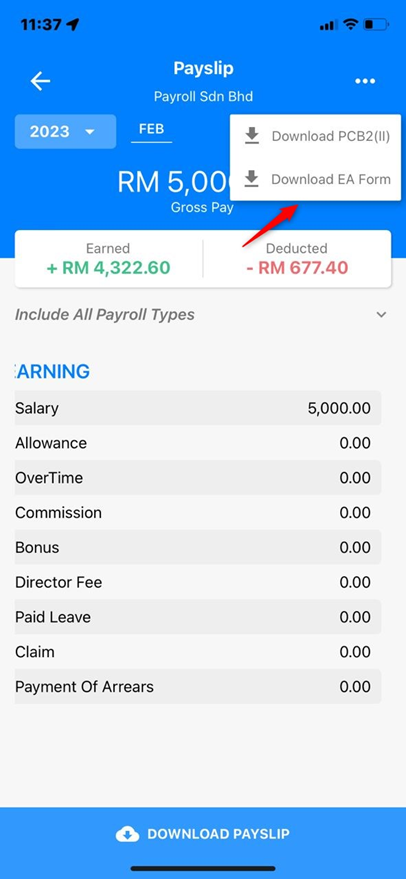
Employees can download their own EA Form through the Employee Self Service (ESS) portal or the mobile application.
Note: Before employees can download their EA Form, ensure that:
Payslips have been committed and released to employees.
Payroll Closing has been performed and committed for the year.
Steps to Download an EA Form via ESS:
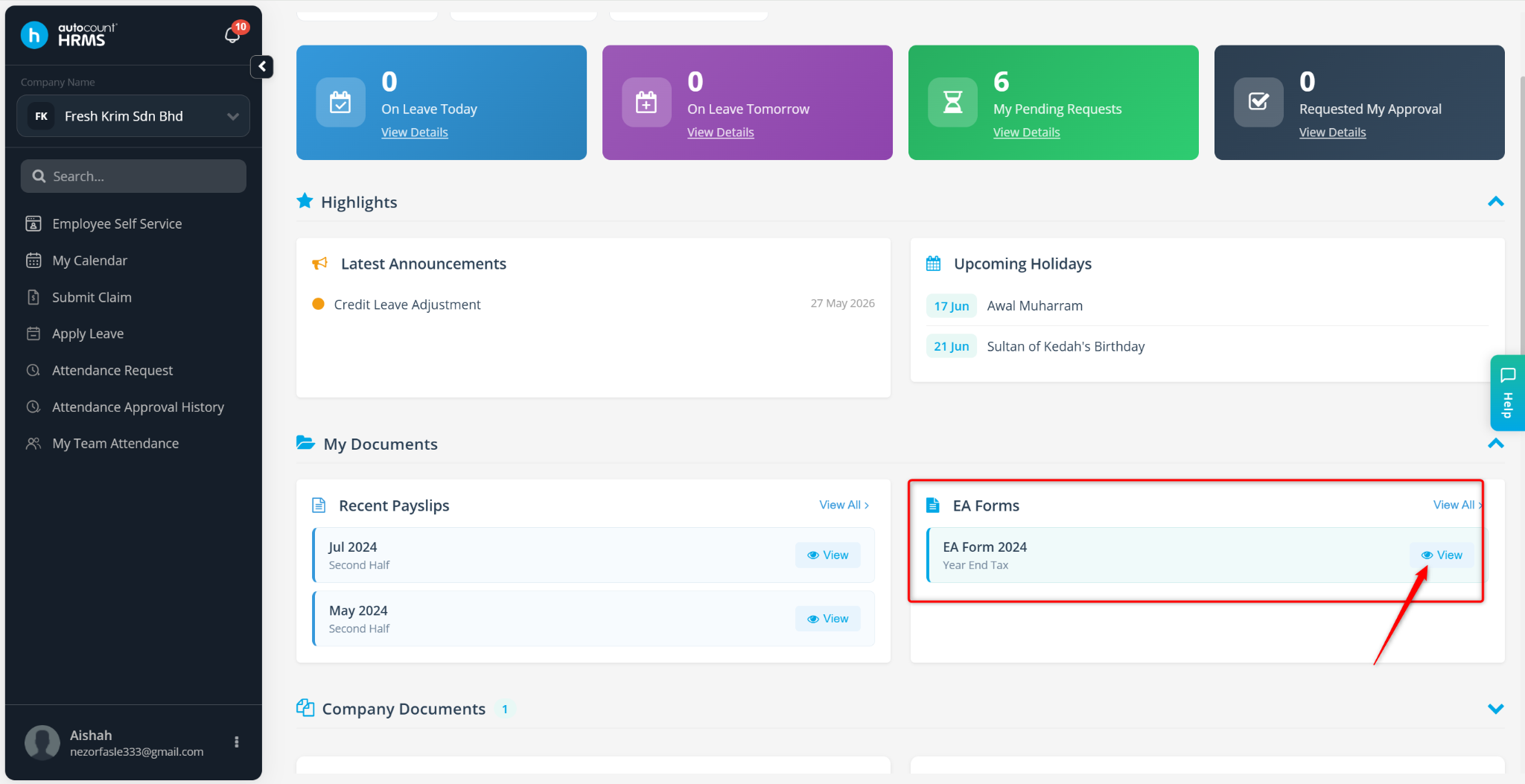
Go to Dashboard.
Scroll down to My Documents.
Locate the required EA Form and click View.
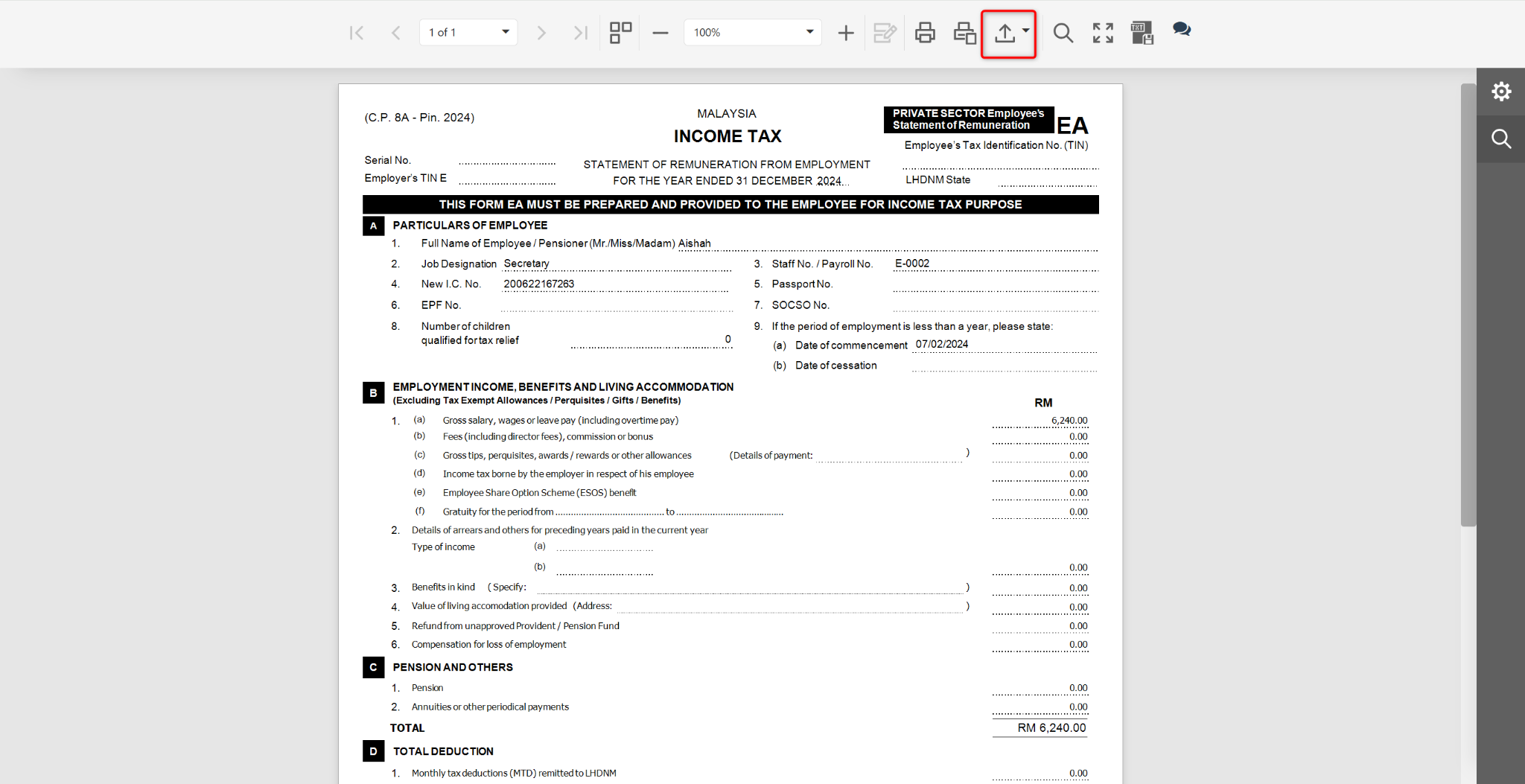
In the EA Form preview page, click the Download icon.
Steps to Download an EA Form via the Mobile App
Open the AutoCount HRMS mobile application.
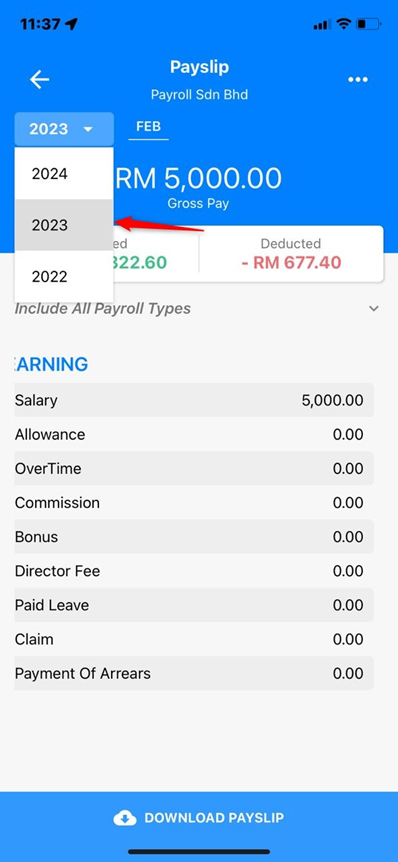
Go to Payslip.
Select the required year.
Tap the three-dot (...) icon at the top-right corner.
Select Download EA.
The EA Form will be downloaded and saved to your device.