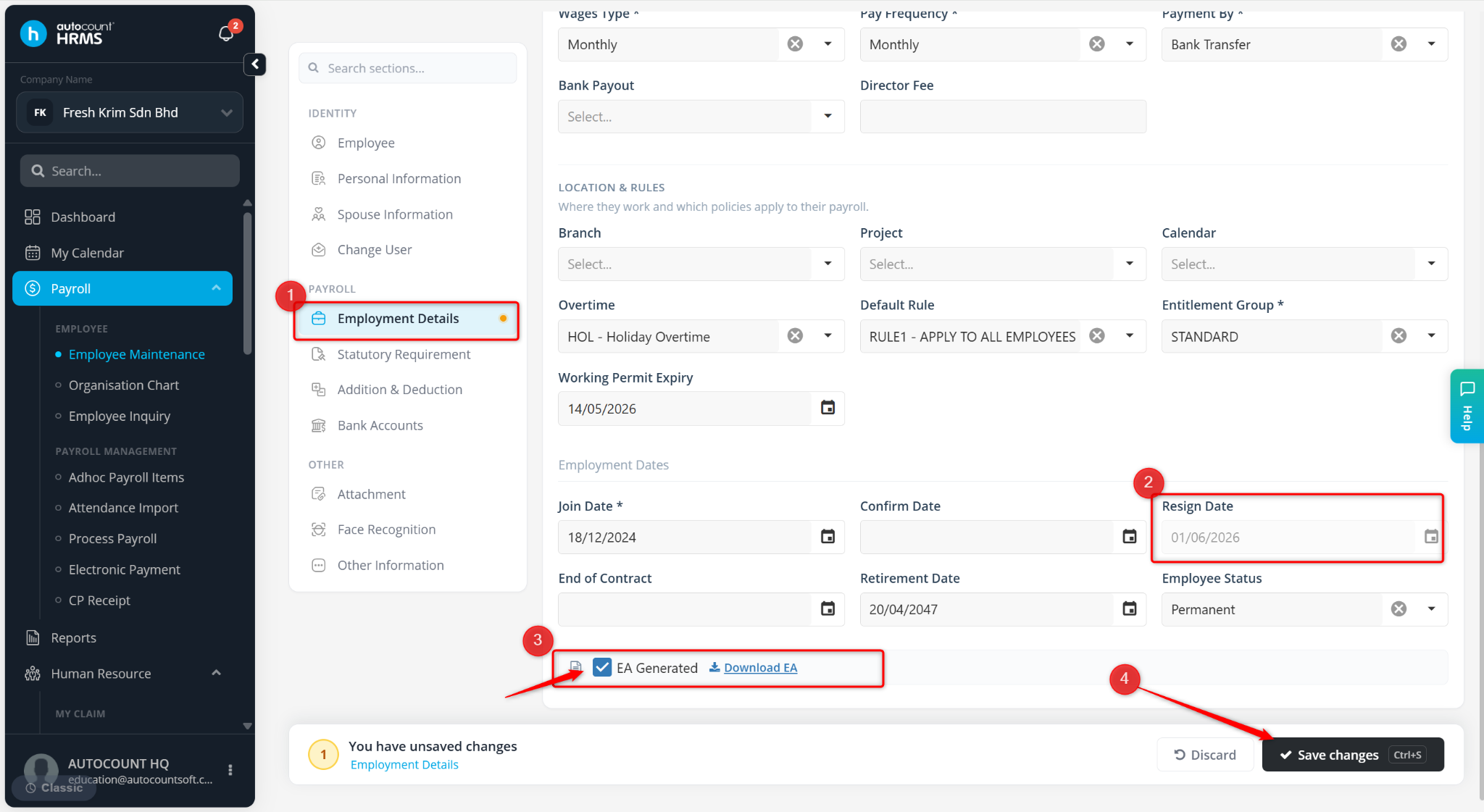
Users can generate EA Forms for resigned employees by updating the employee’s resignation details and enabling instant EA generation in Employee Maintenance.
Steps to Generate EA Form for Resigned Employees:
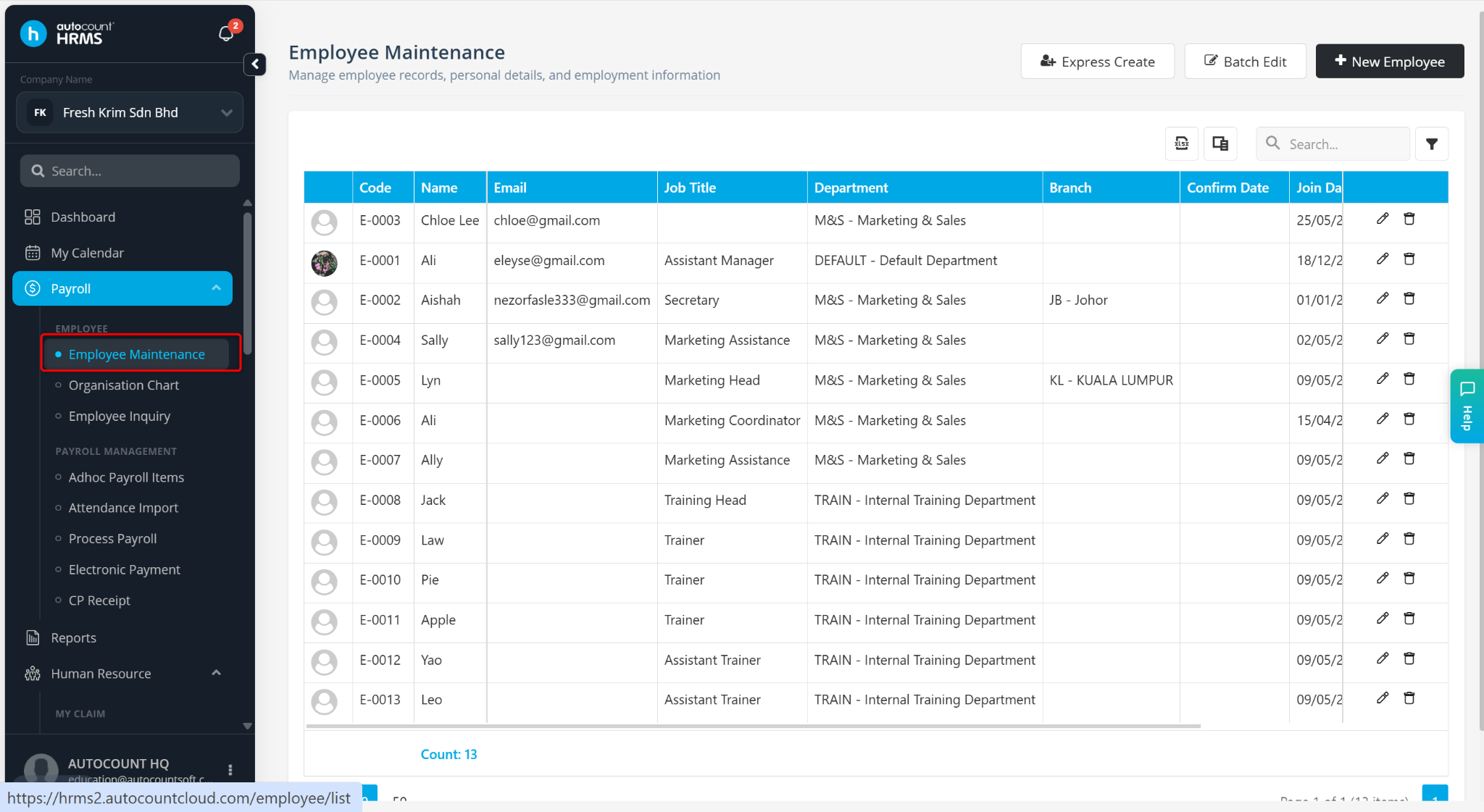
Go to Payroll > Employee Maintenance.
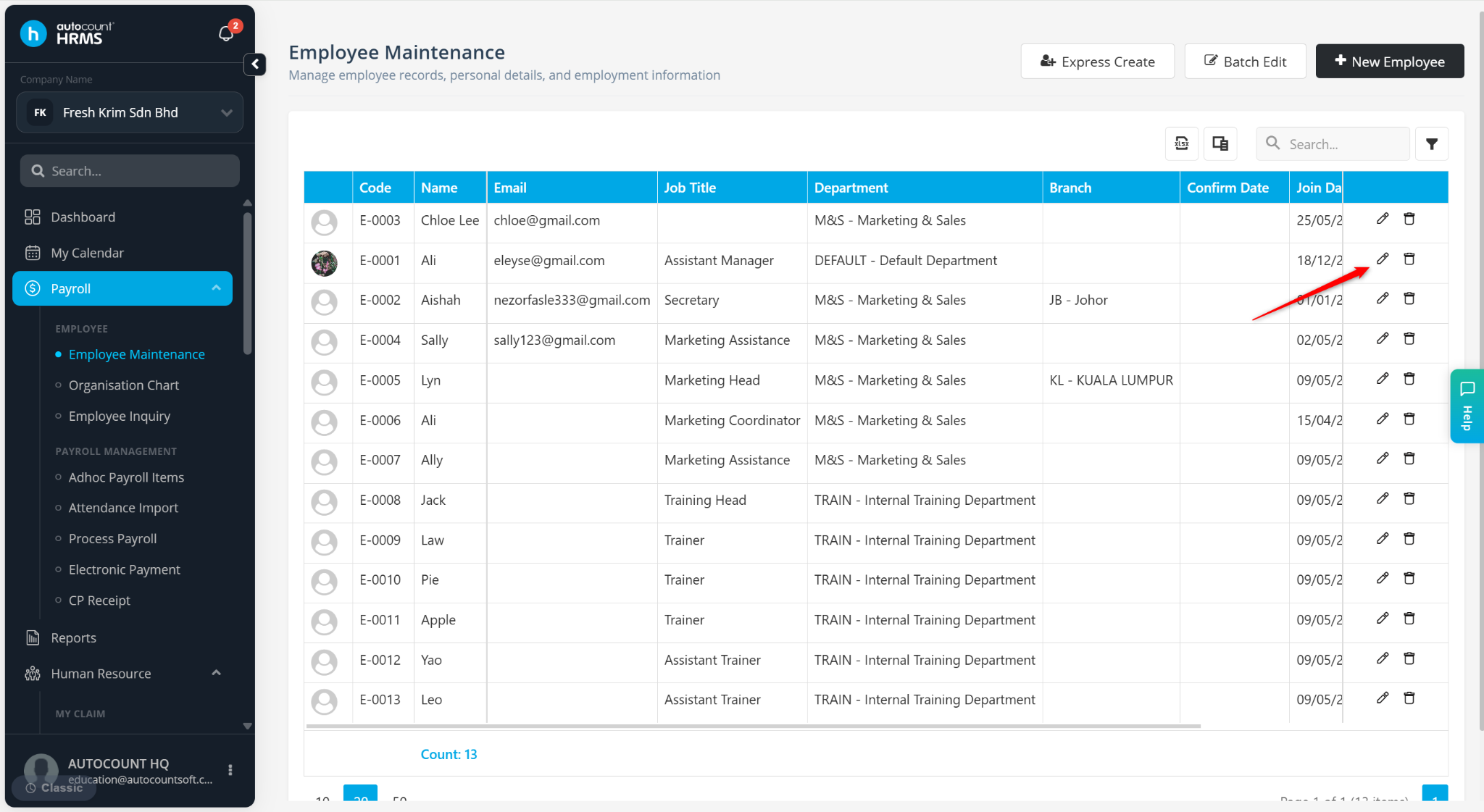
Locate the resigned employee and click the pencil icon.
Go to Employment Details and enter the Resign Date. Enable the option Generate Instant EA.
Click Save Changes.
Click Download EA next to EA Generated. The EA Form for the resigned employee will be downloaded.