
The officer’s name in the EA Form is maintained under the company profile and will reflect in the EA report once updated.
Steps to Change the Officer Name in EA Form:
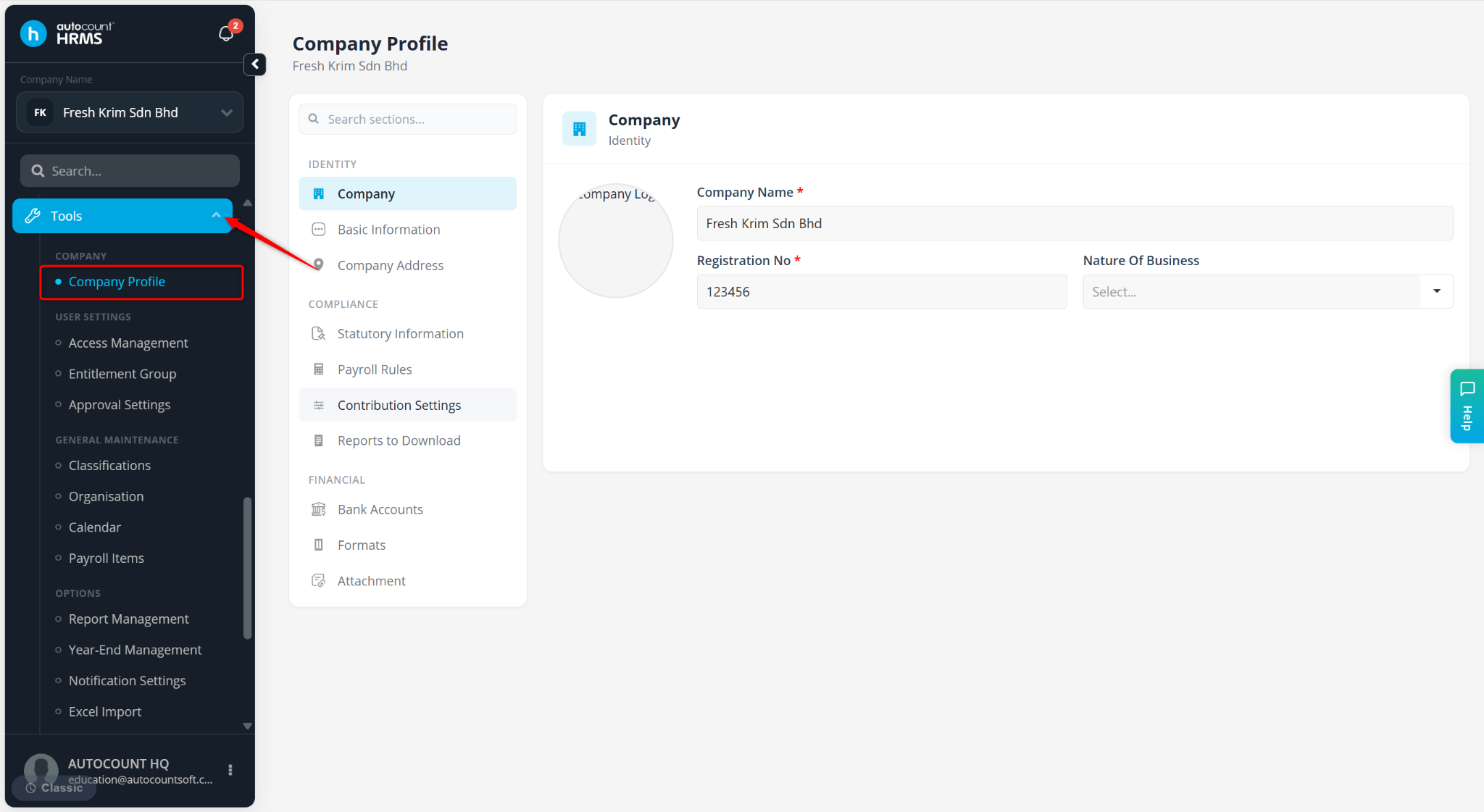
Go to Tools > Company Profile.
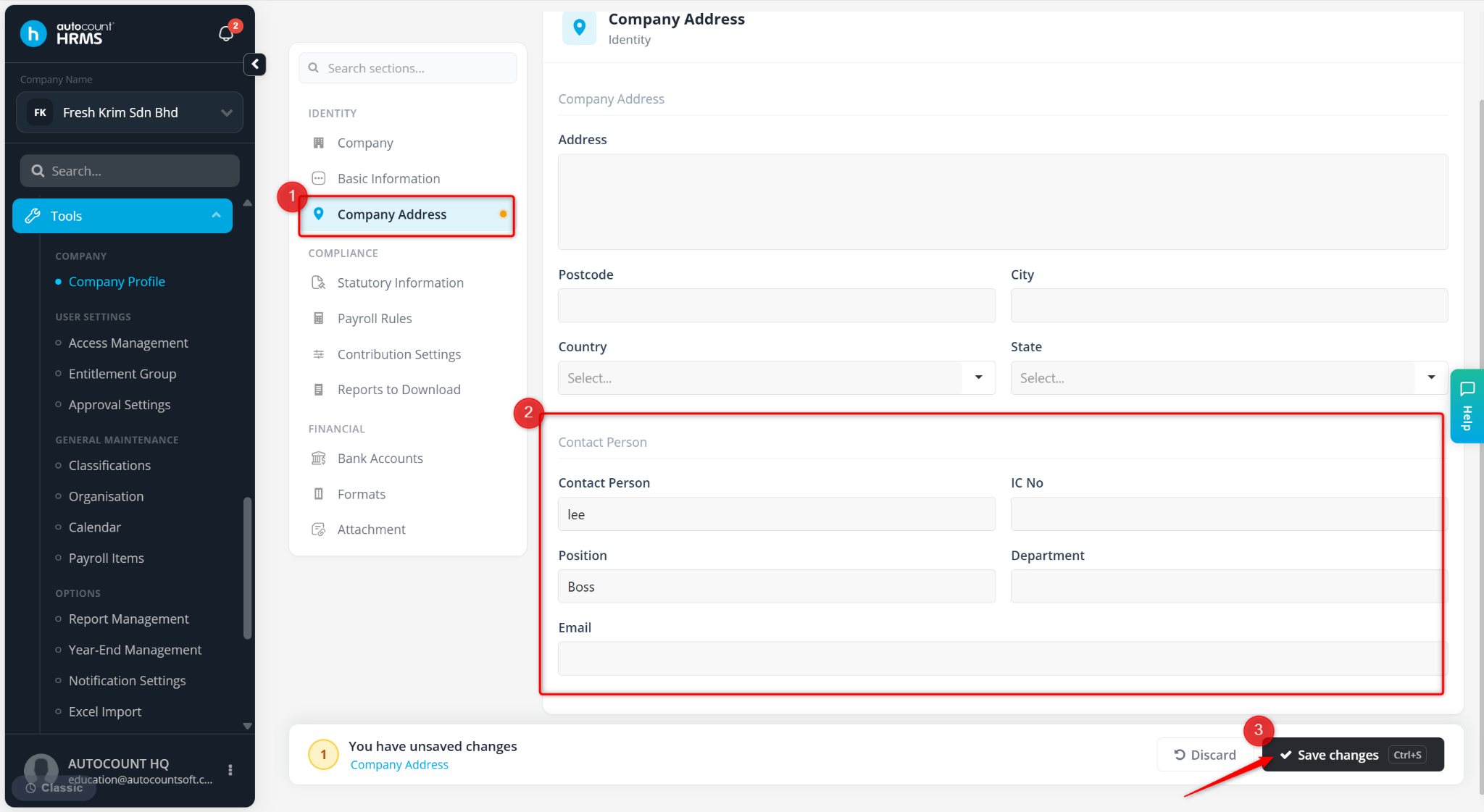
Navigate to Company Address.
Update the details under Contact Person.
Click Save Changes.
Go to Reports. Expand Government Reports > LHDN > EA Form and click Preview.
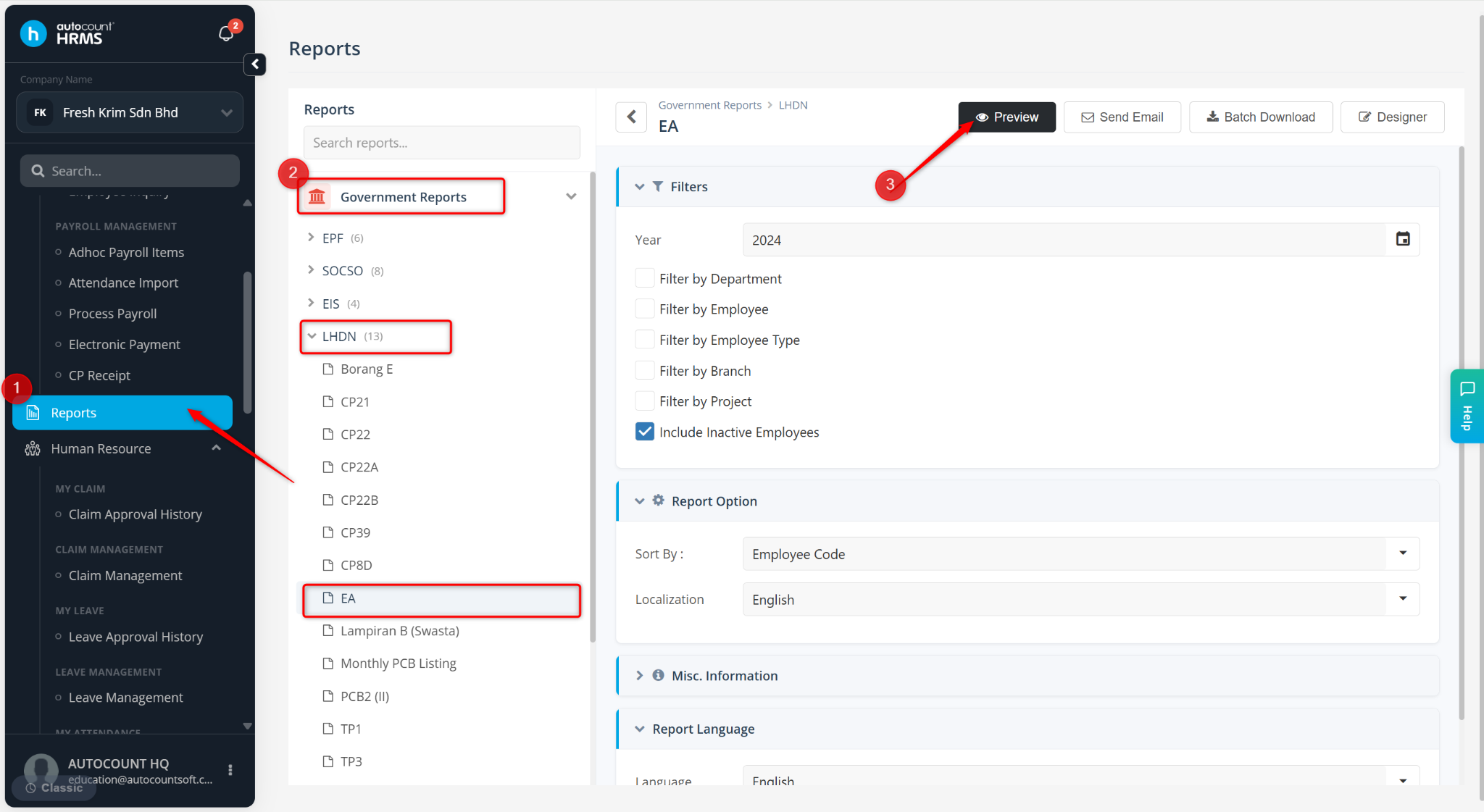
The updated officer name will be reflected in the EA Form after saving the changes in the company profile.