
The Statutory Requirement tab is used to maintain employee statutory information required for payroll processing and regulatory compliance. These settings determine how statutory contributions and deductions such as EPF, SOCSO, EIS, PCB (Income Tax), HRDF, and other voluntary deductions are calculated.
Steps to Maintain Statutory Requirement:
Go to Payroll > Employee Maintenance.
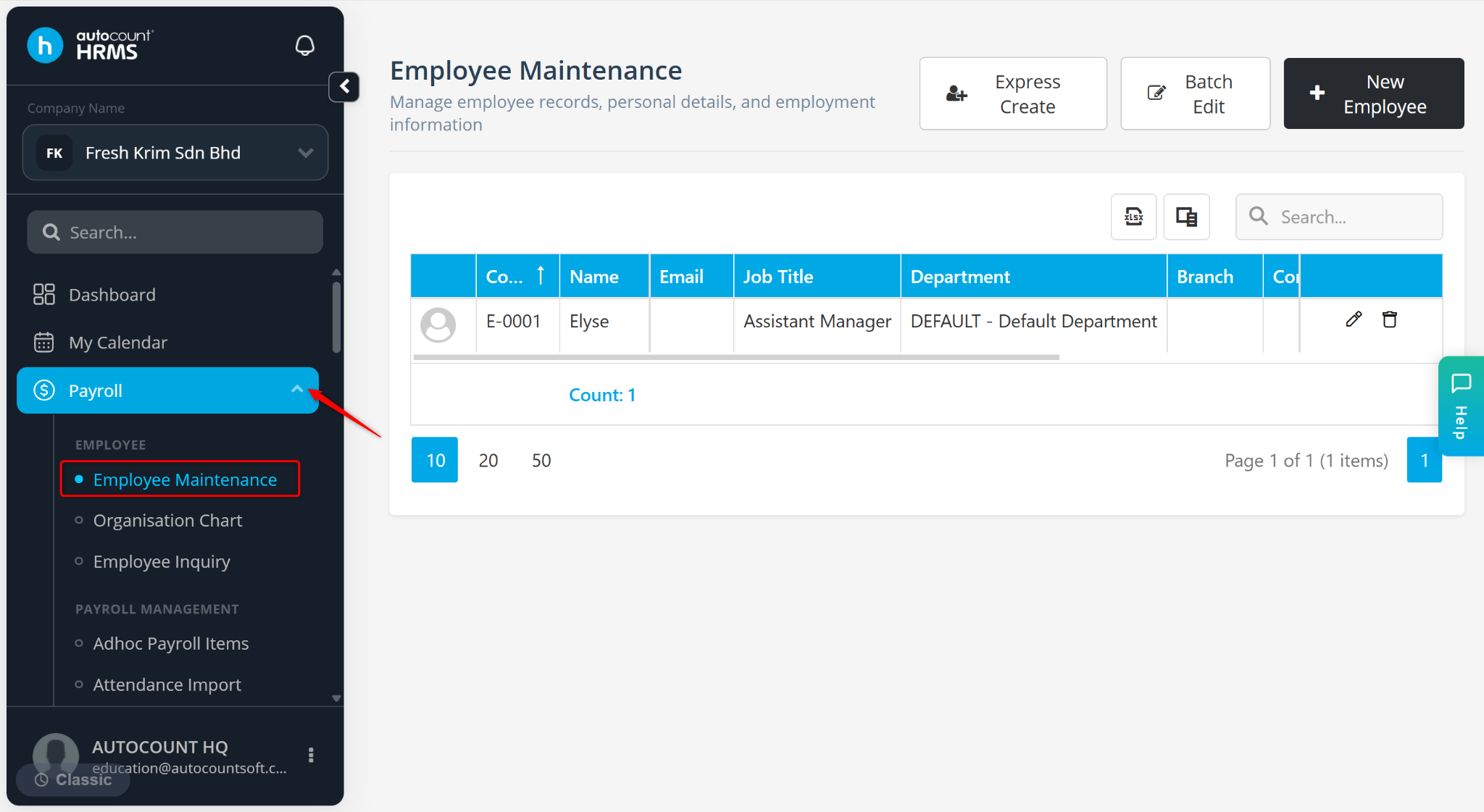
Click the pencil icon next to the employee’s name.
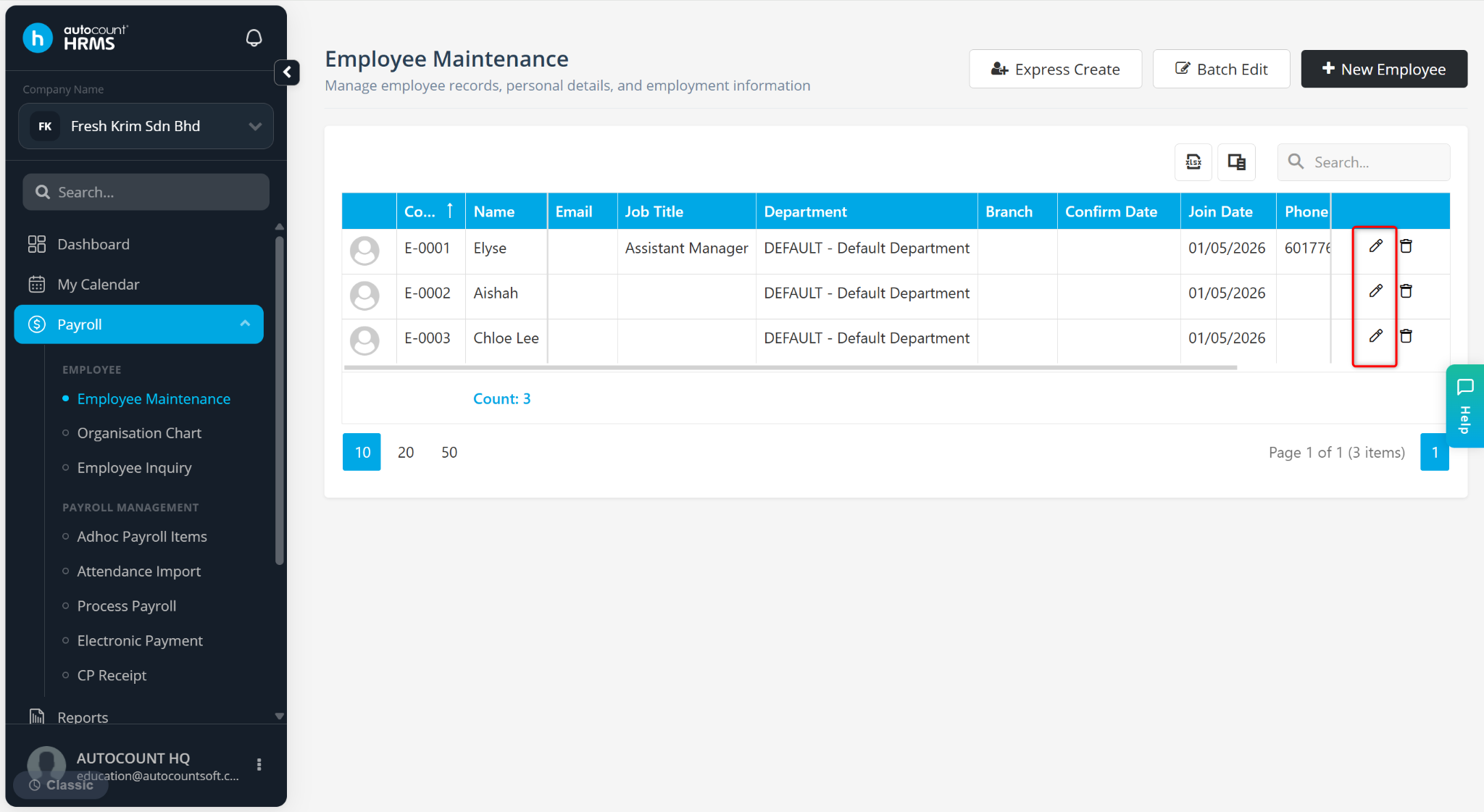
Go to the Statutory Requirement tab.
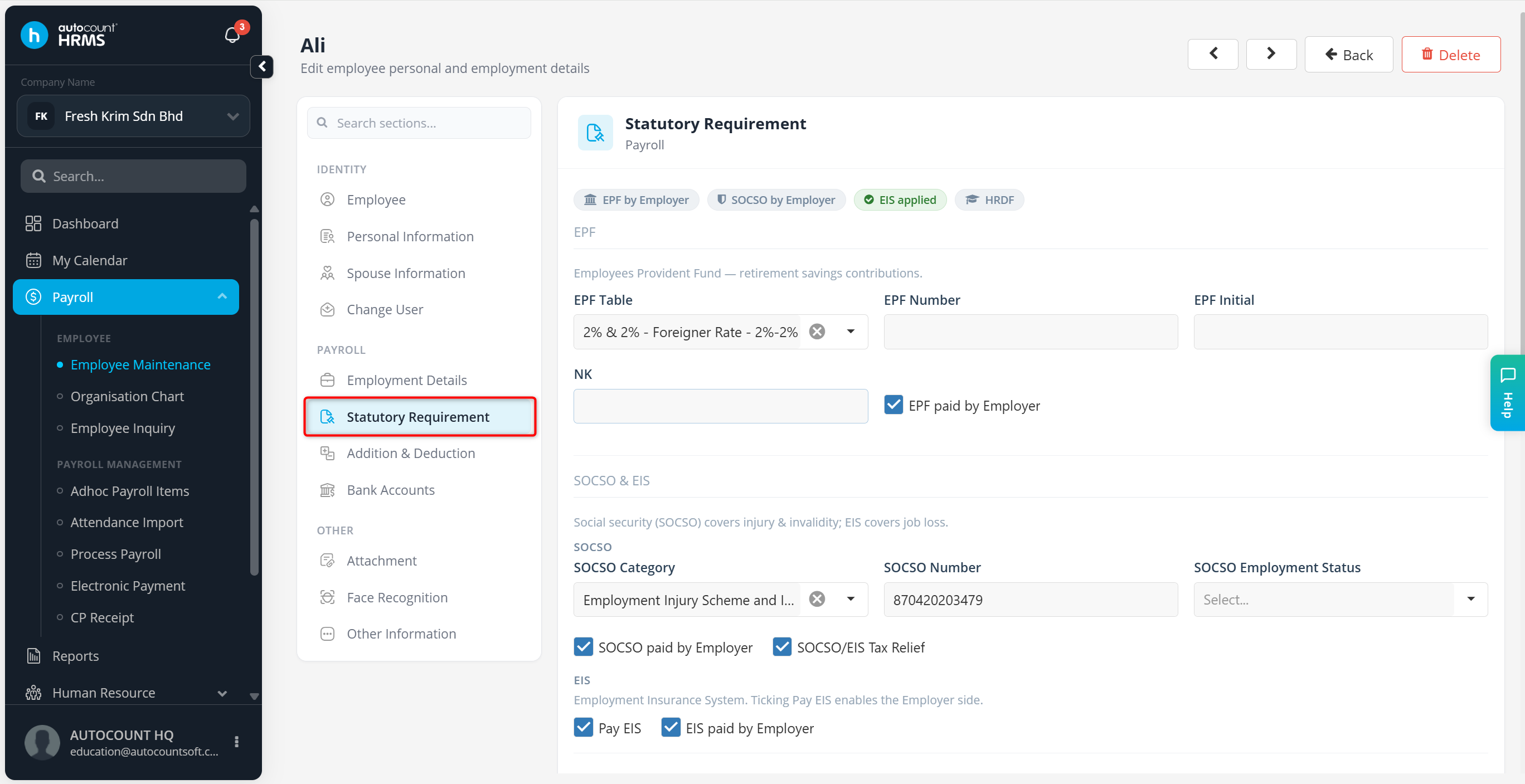
The Statutory Requirement tab consists of the following sections:
EPF
SOCSO & EIS
Income Tax
HRDF & Levy
Voluntary Deduction
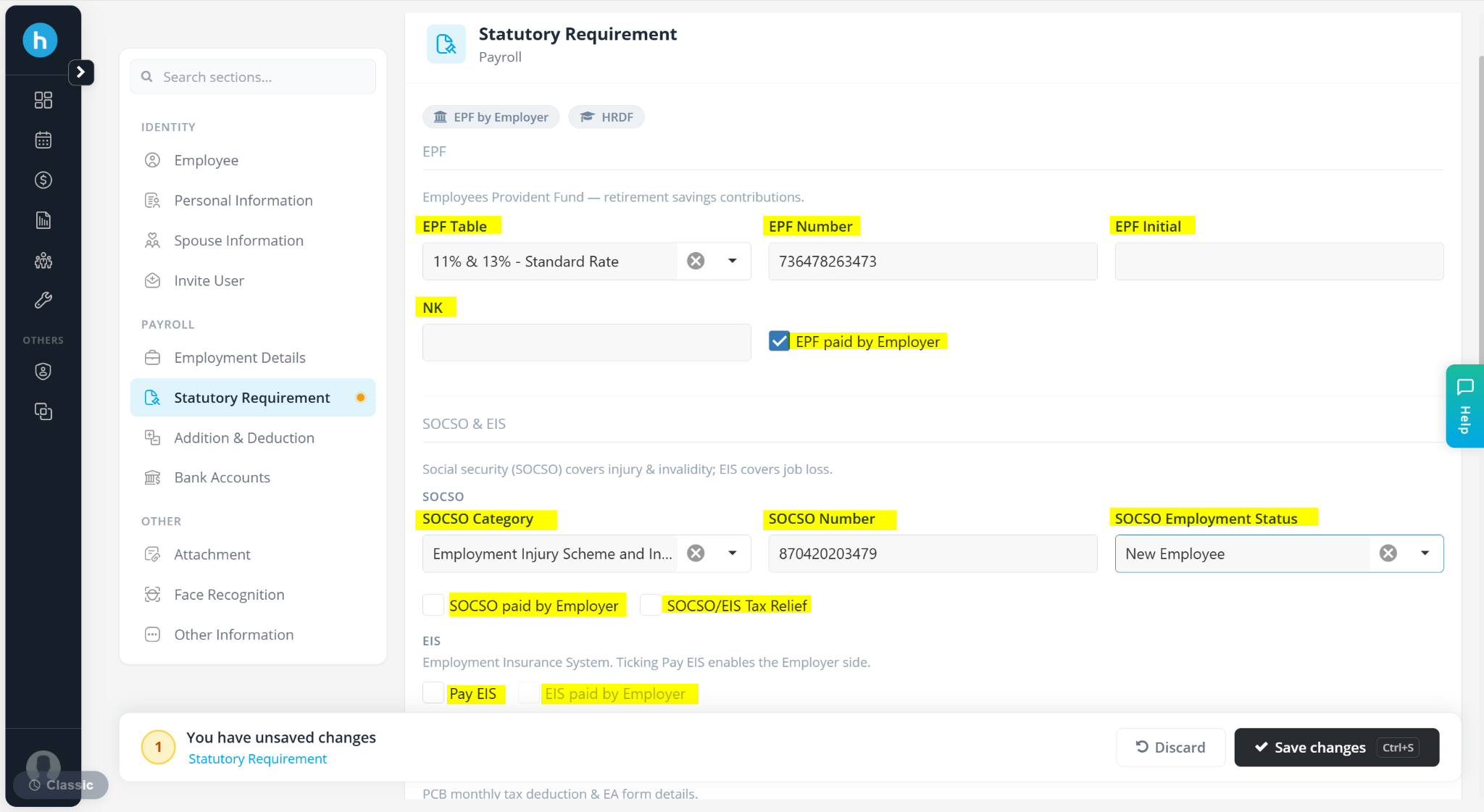
A) EPF
This section manages the employee's Employee Provident Fund (EPF) contribution settings.
EPF Table – Select the applicable EPF contribution rate.
EPF Number – Enter employee’s EPF account number.
EPF Initial – Enter the first three letters of the employee’s name.
NK – Enter EPF number code (if applicable).
EPF Paid by Employer – Tick if employer bears the employee’s EPF portion.
B) SOCSO & EIS
This section manages SOCSO and Employment Insurance System (EIS) contributions.
SOCSO Category – Select Employment Injury Scheme and Invalidity (Category 1) or Employment Injury Scheme (Category 2)
SOCSO Number – Enter employee’s SOCSO ID.
SOCSO Employment Status – Select New Employee, Resigned, Pass Away, On SOCSO Medical Leave or On No-paid Leave.
SOCSO Paid by Employer – Tick if employer covers SOCSO contribution.
SOCSO/EIS Tax Relief – Tick if eligible for tax relief.
Pay EIS – Enable if employee is subject to EIS.
EIS Paid by Employer – Tick if employer covers EIS contribution.
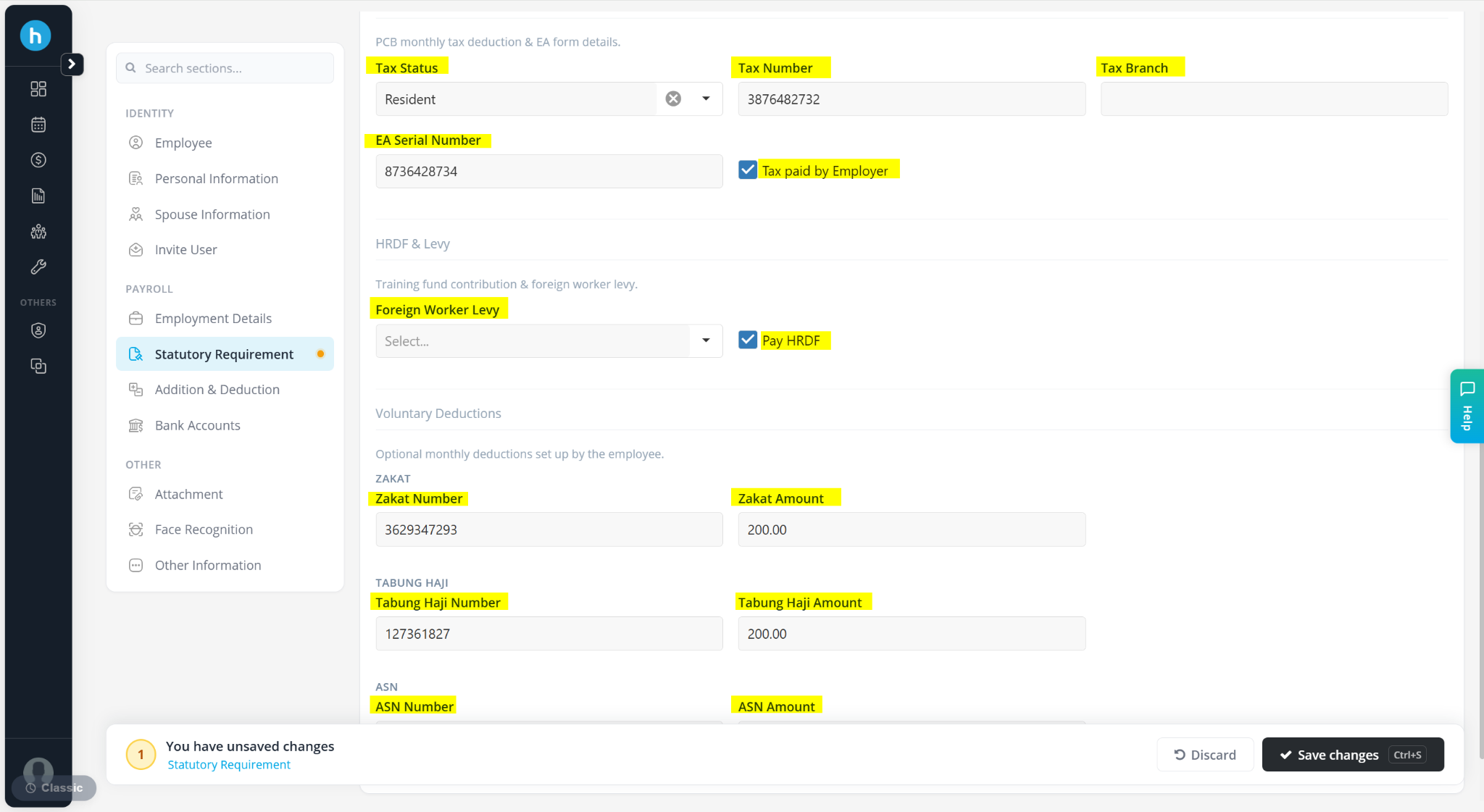
C) Income Tax
This section is used for PCB (Monthly Tax Deduction) calculations and tax reporting.
Tax Status – Select Resident, Non-Resident, Return Expert Program, Knowledge Worker (Iskandar) or Position of C Suite.
Tax Number – Enter the employee’s tax number.
Tax Branch – Enter the employee’s tax office/branch.
EA Serial Number – Enter the serial number for EA form reporting.
Tax Paid by Employer – Tick if employer bears employee’s tax
D) HRDF & Levy
This section manages training levies and foreign worker levies.
Foreign Worker Levy – Select applicable levy for foreign employees.
Pay HRDF – Tick if employee is subject to HRDF contribution.
E) Voluntary Deductions
This section is used to maintain employee-authorised voluntary deductions.
Zakat – Enter the account number and deduction amount.
Tabung Haji – Enter the account number and deduction amount.
ASN – Enter the account number and deduction amount.