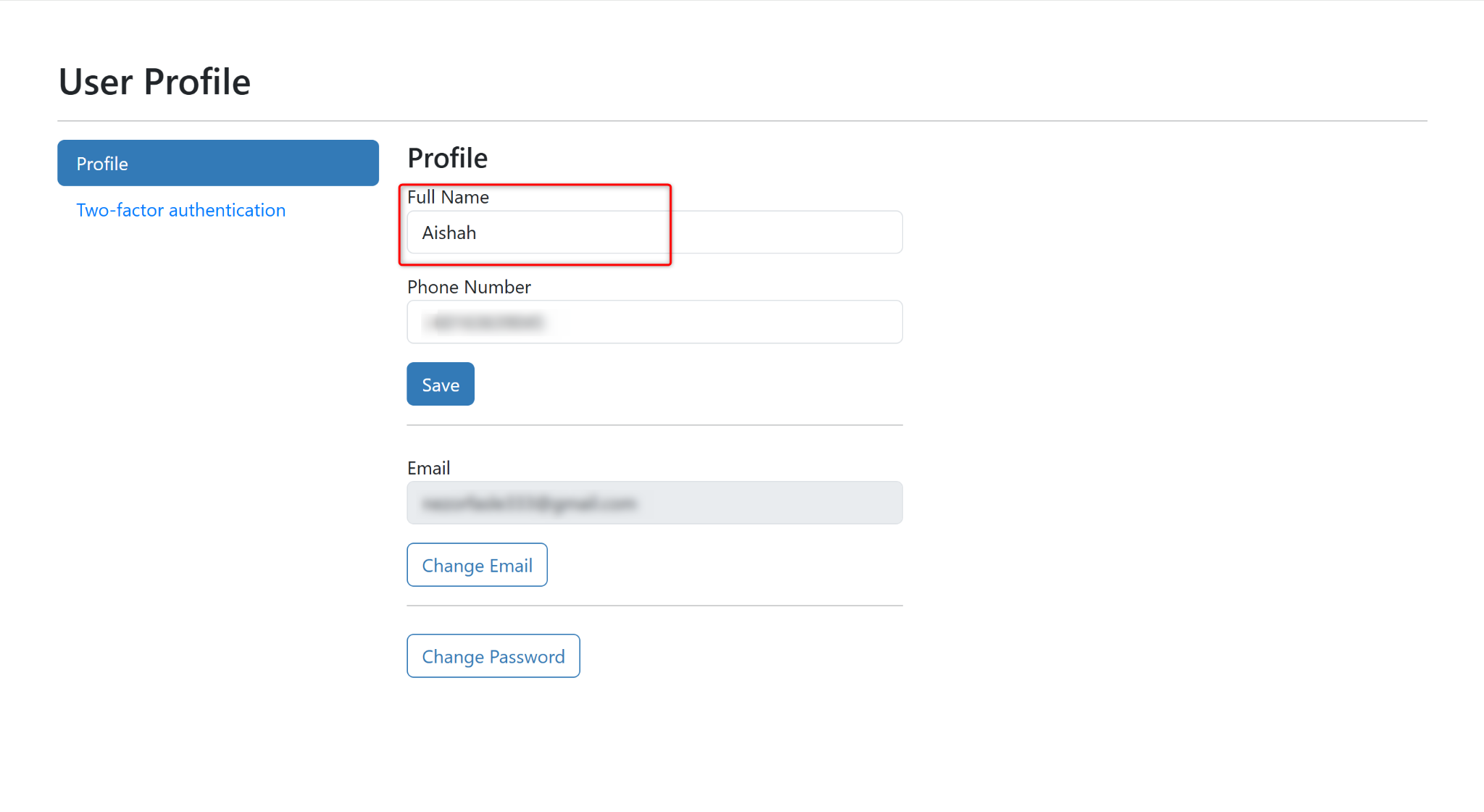
Users can update their display name through the Profile page. The updated name will be reflected throughout the system where the user's profile information is displayed.
Steps to Change Profile Username:
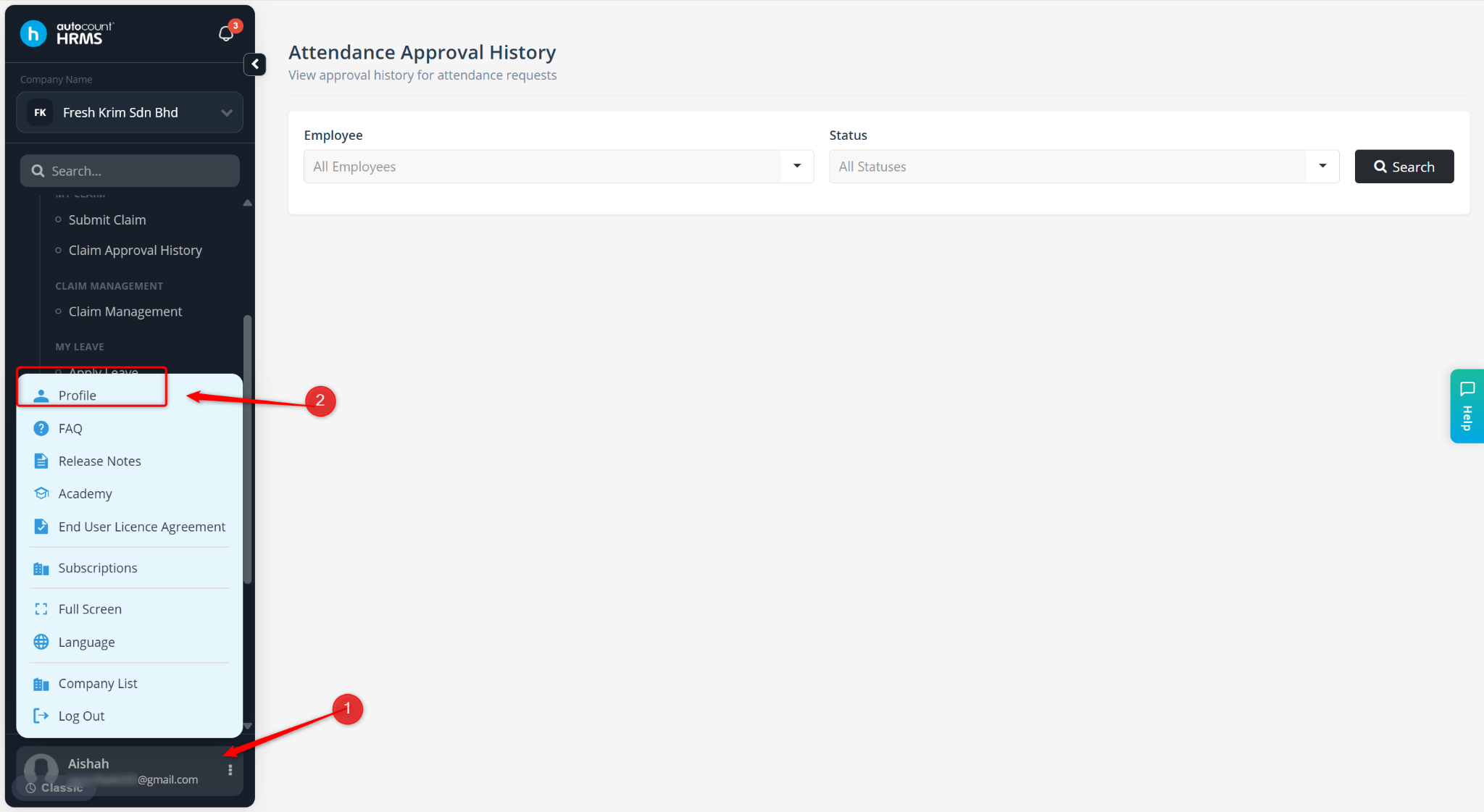
Click your Profile at the bottom-left corner of the screen.
Select Profile.
You will be redirected to the User Profile page.
Enter the new name in the Full Name field.