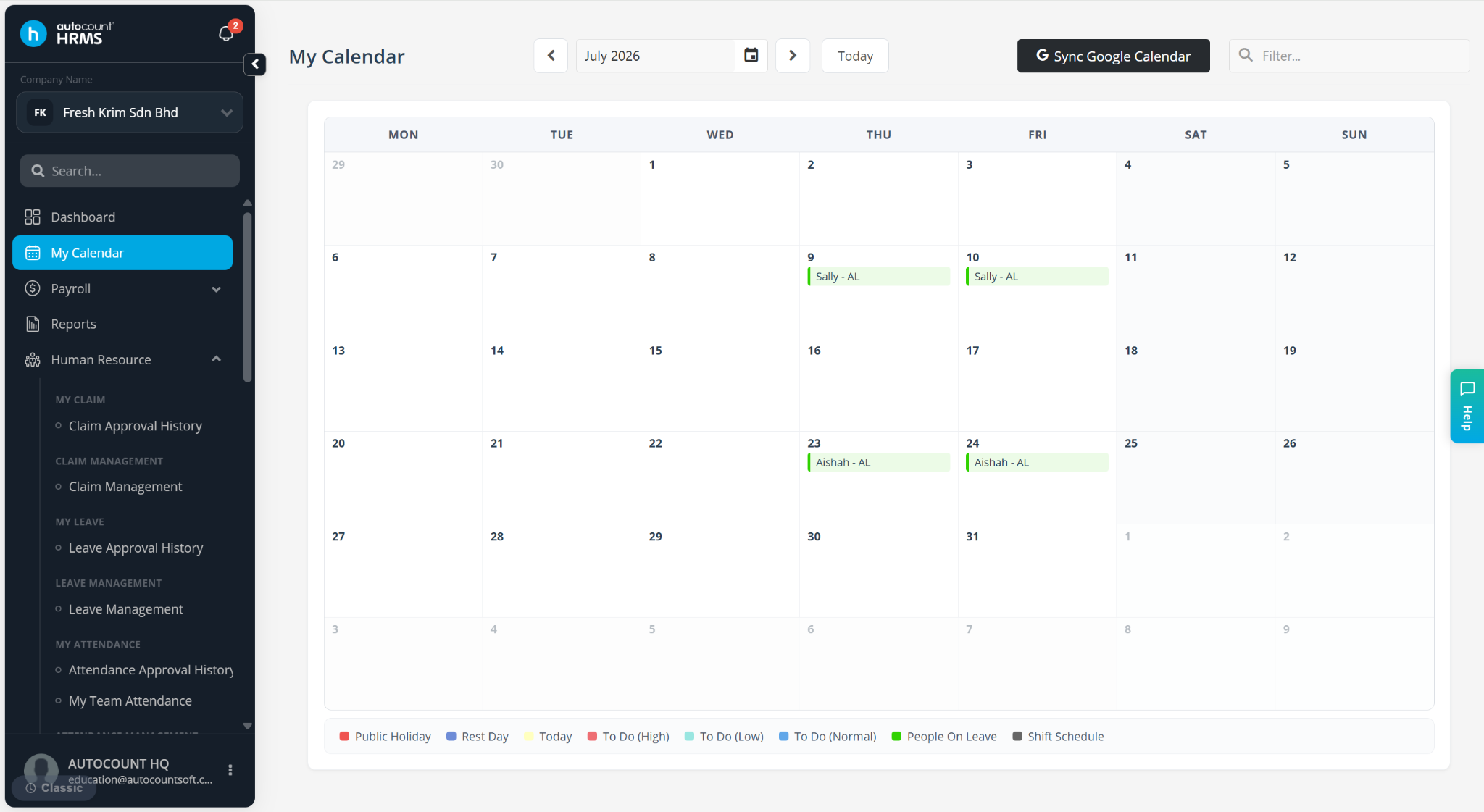
To view other employees in My Calendar, your user account must have the correct user authorisation settings. Only then will you be able to see other employees’ schedules.
Steps to View Other Employees on My Calendar:
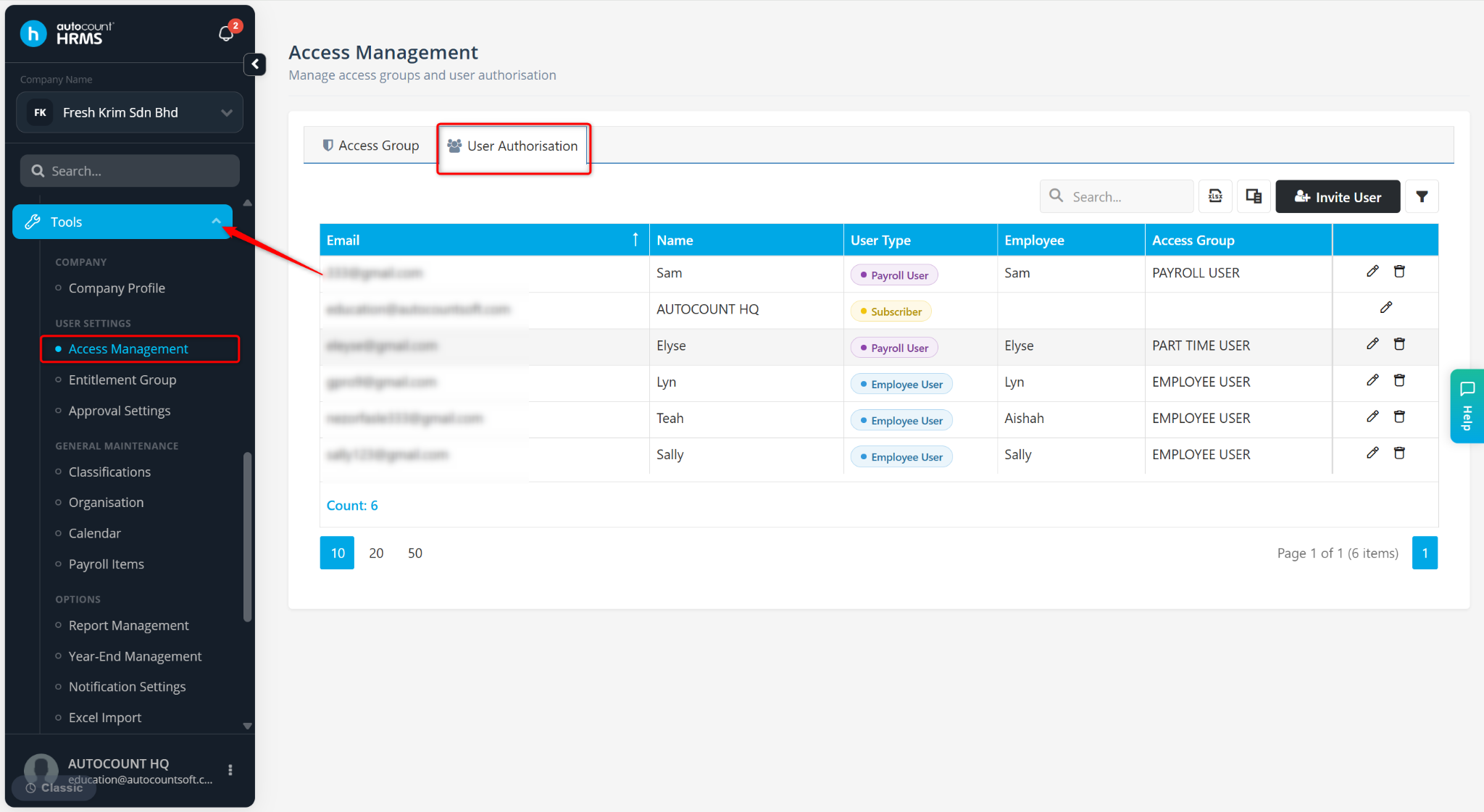
Log in to the admin account and go to Tools > Access Management.
Go to User Authorisation.
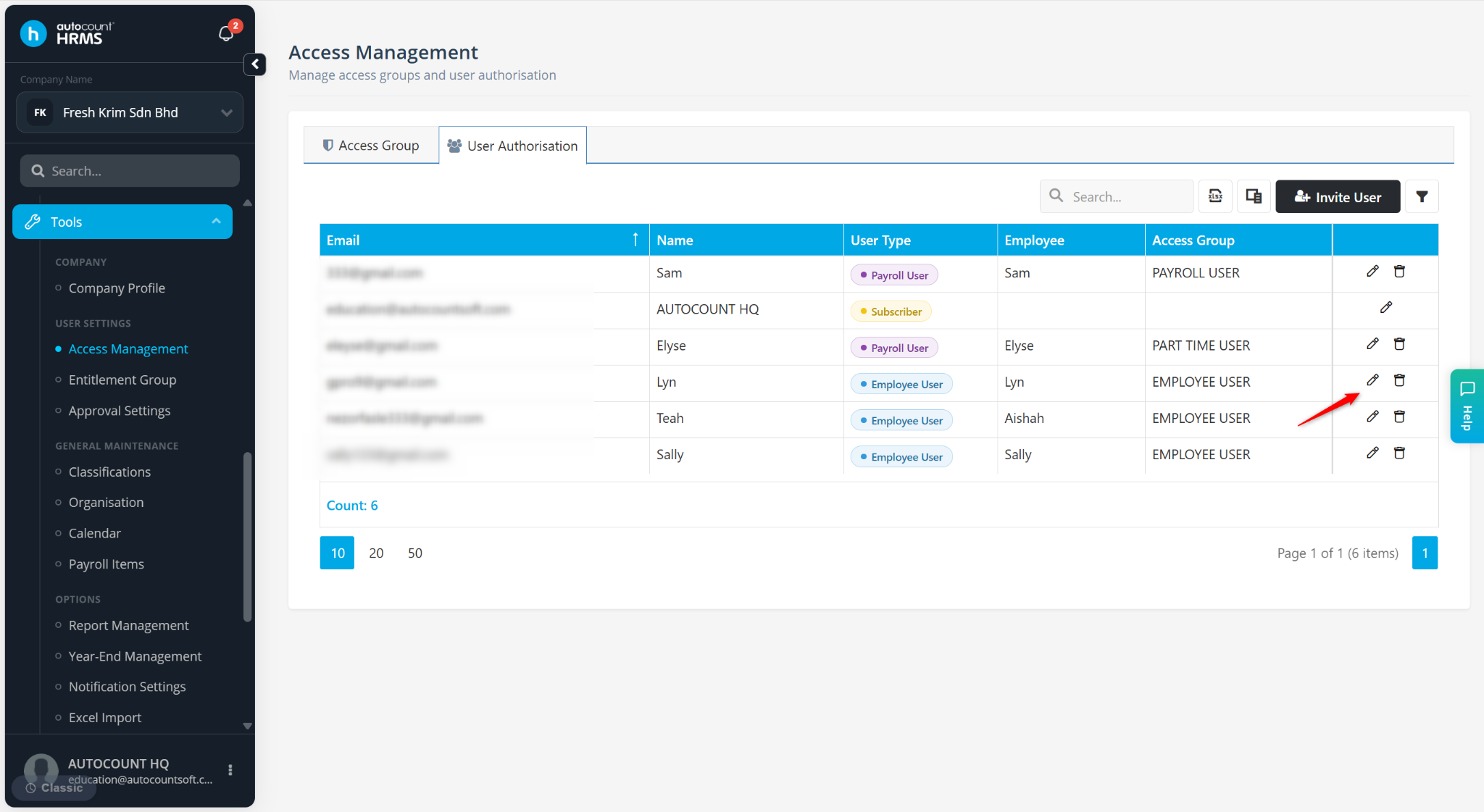
Locate the user and click the pencil icon.
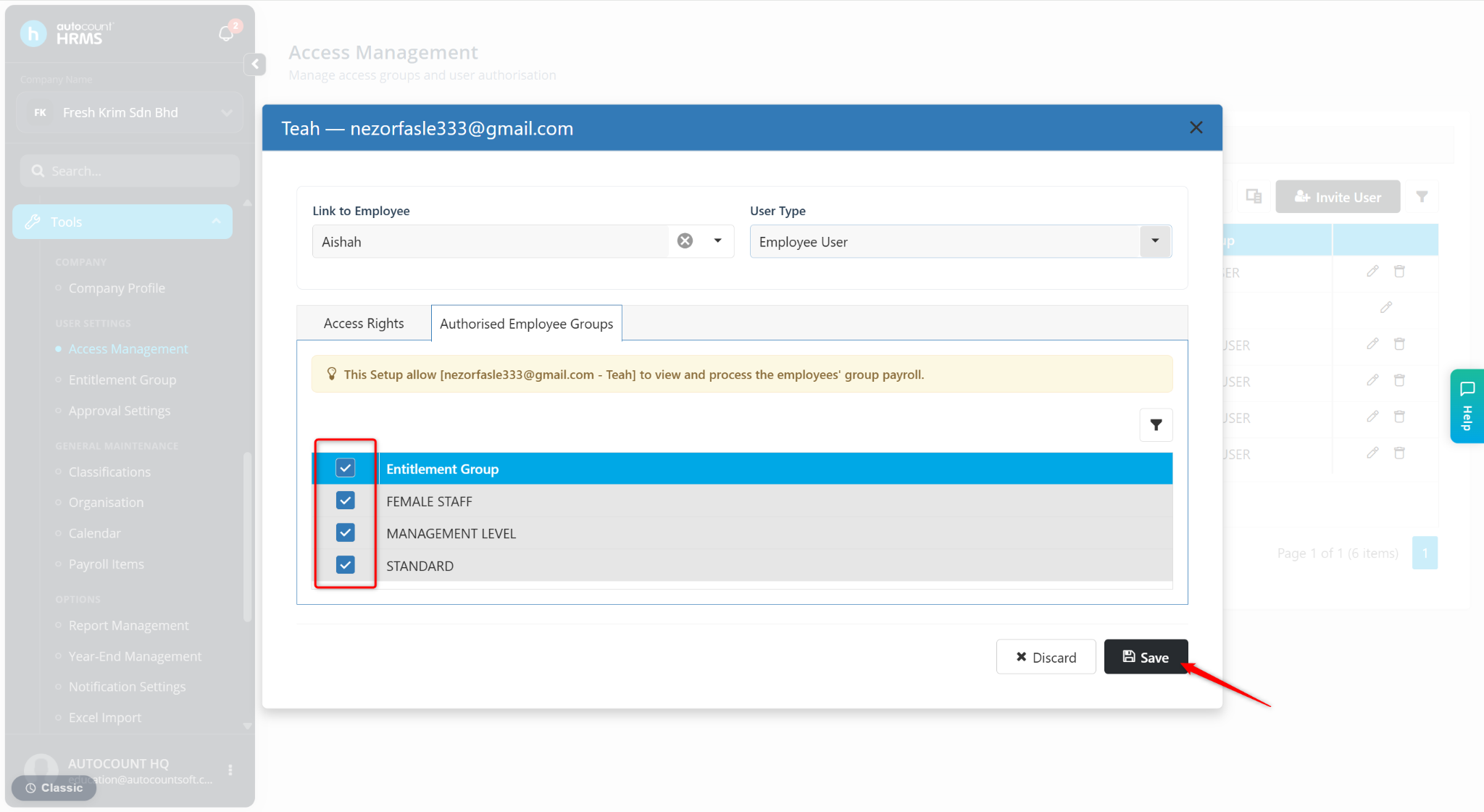
Under Authorised Employee Groups, ensure all relevant Entitlement Groups are ticked.
Click Save.
Once the settings are applied, the user will be able to view other employees’ information and schedules in My Calendar.