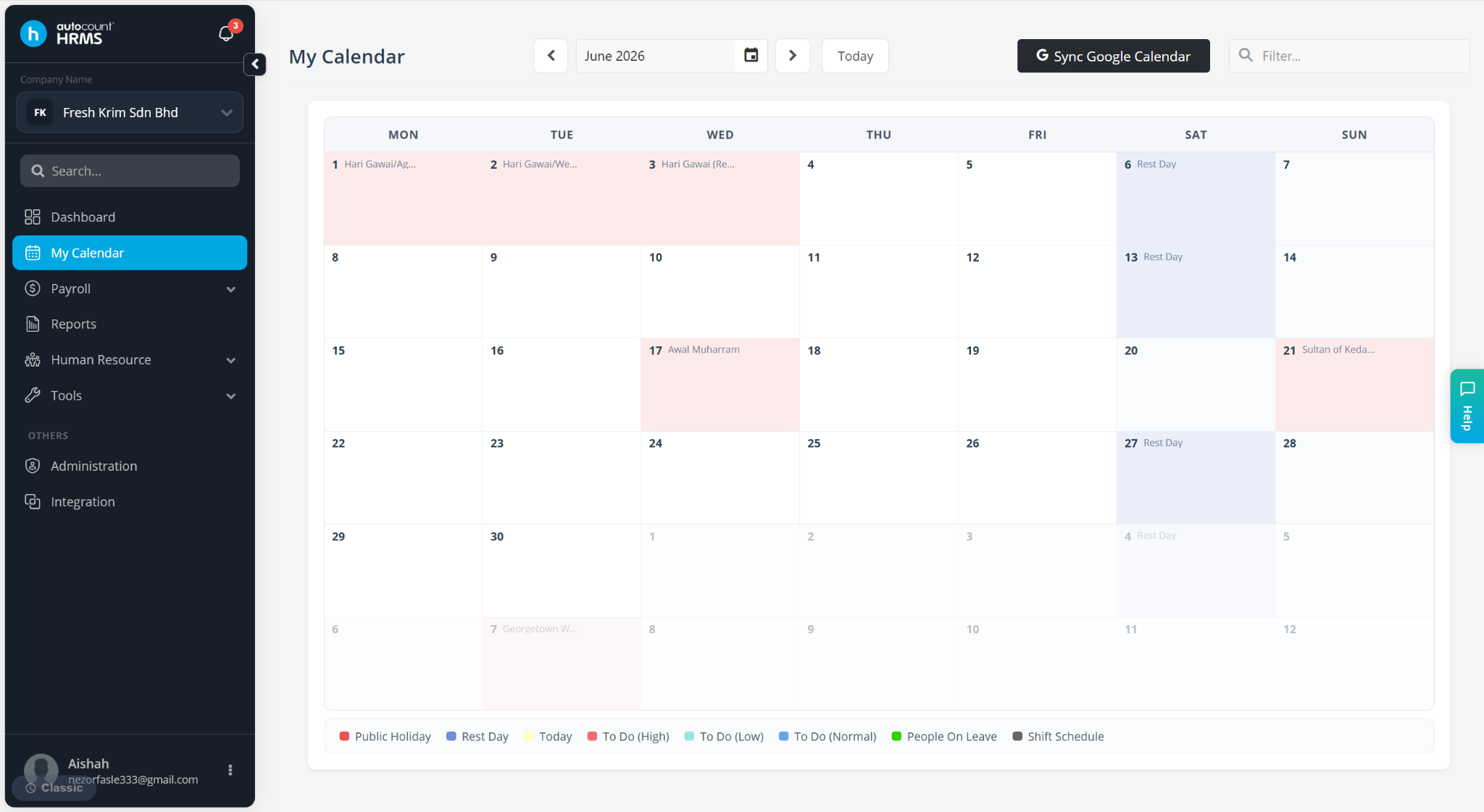
My Calendar displays company holidays, leave schedules, and reminders. Only users whose accounts are linked to an employee profile can access this feature.
If you are unable to view My Calendar, it is likely that your user account has not been linked to an employee record.
Steps to View Company Holidays in My Calendar:
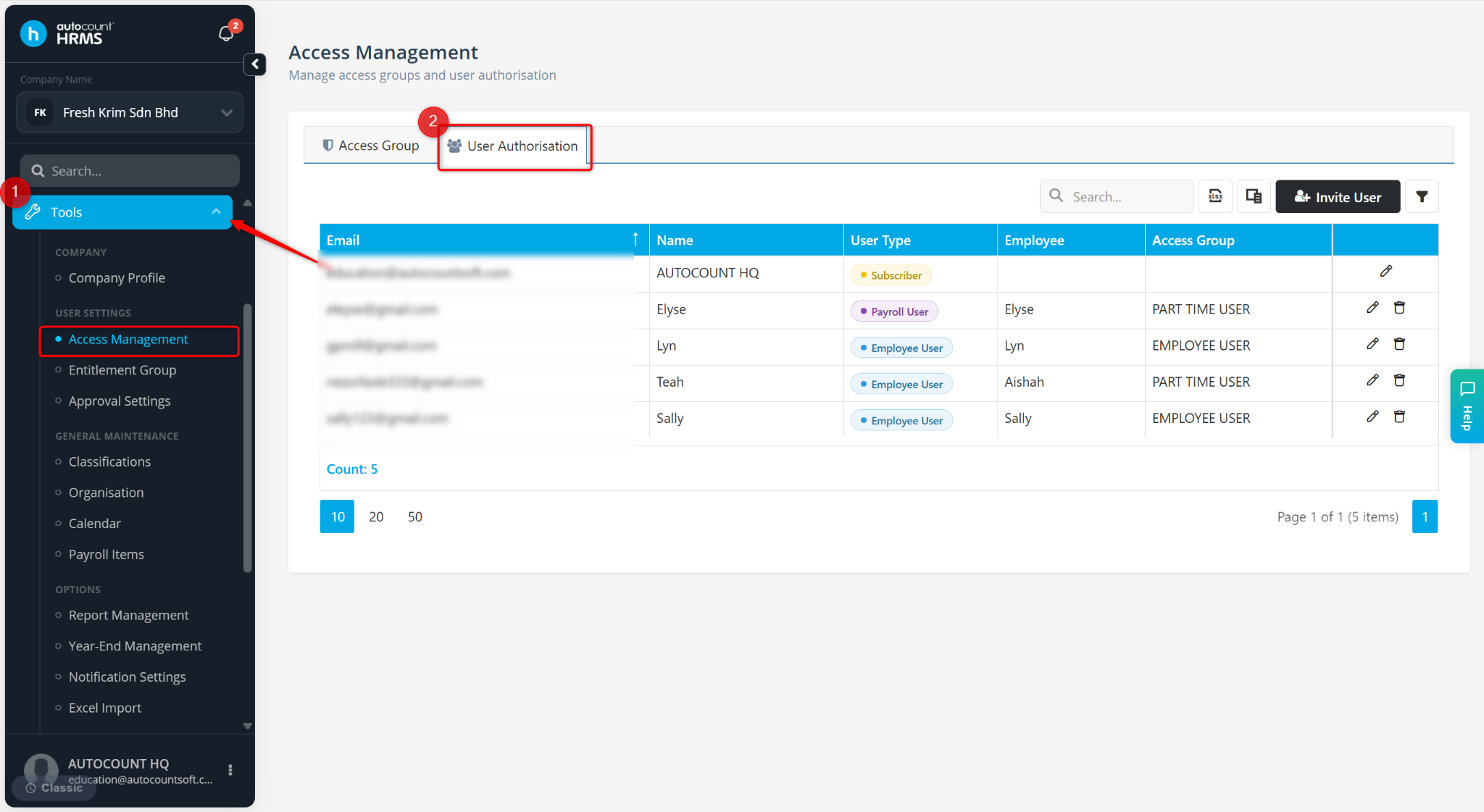
Go to Tools > Access Management.
Go to User Authorisation.
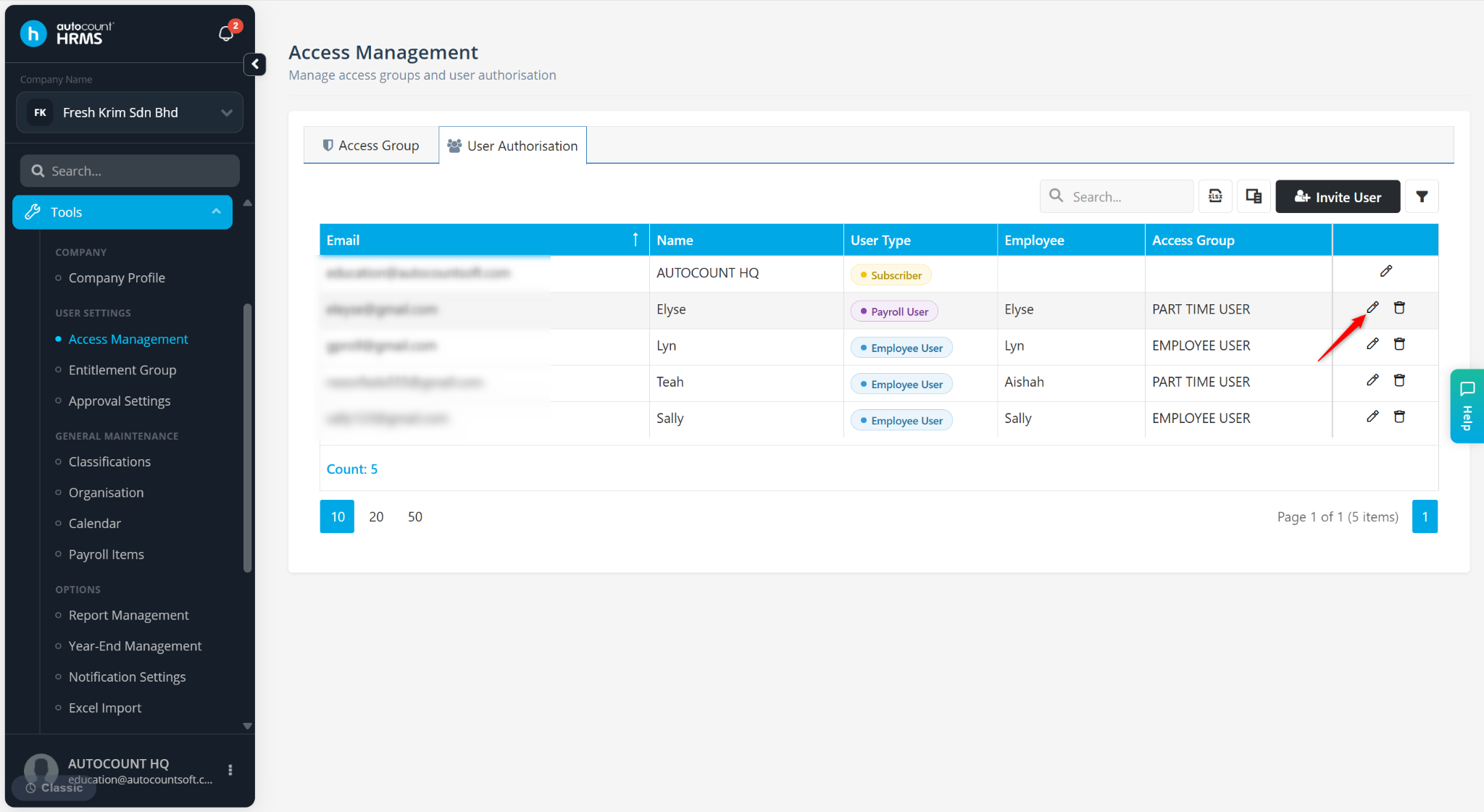
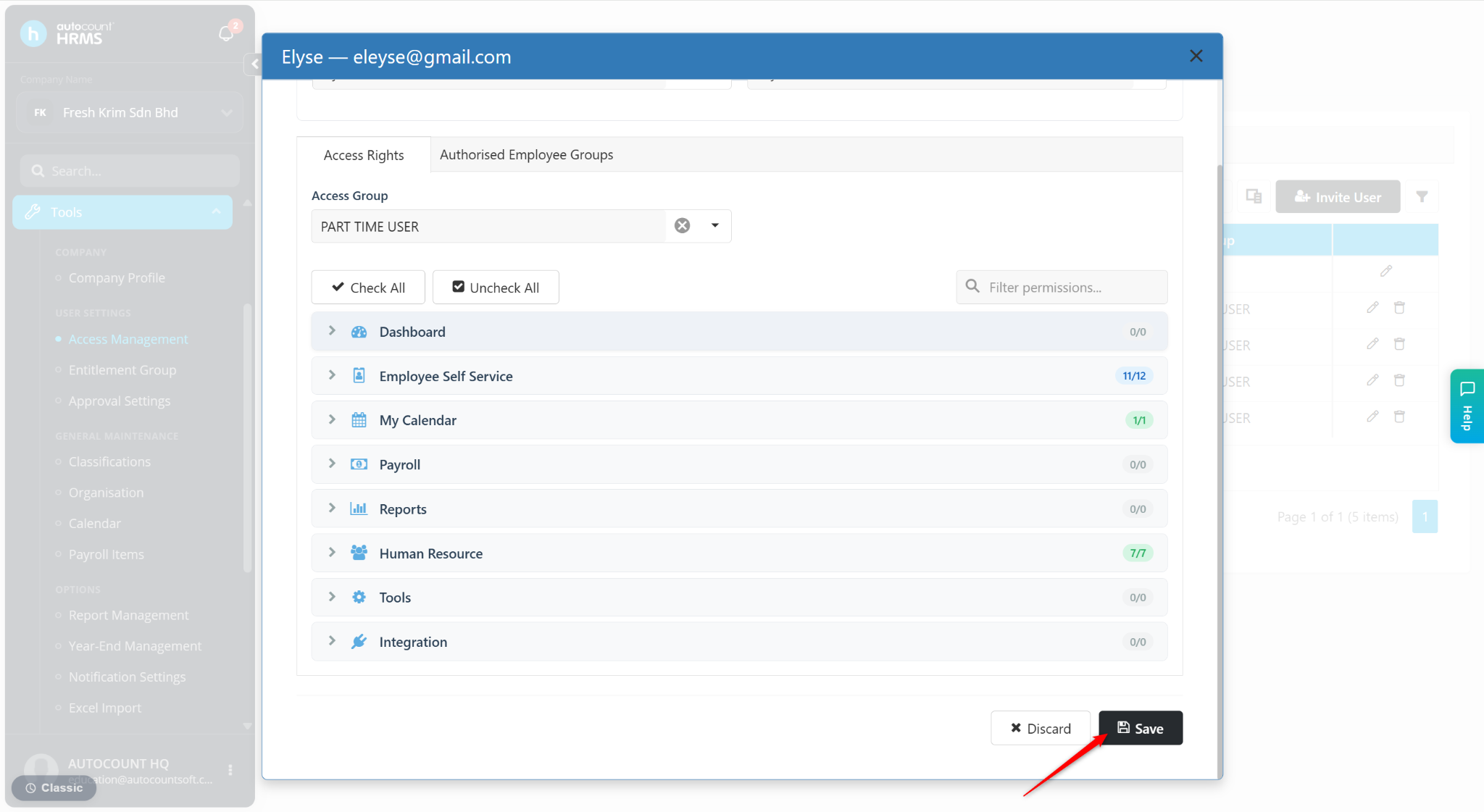
Locate the user you wish to grant access to My Calendar and click the pencil icon.
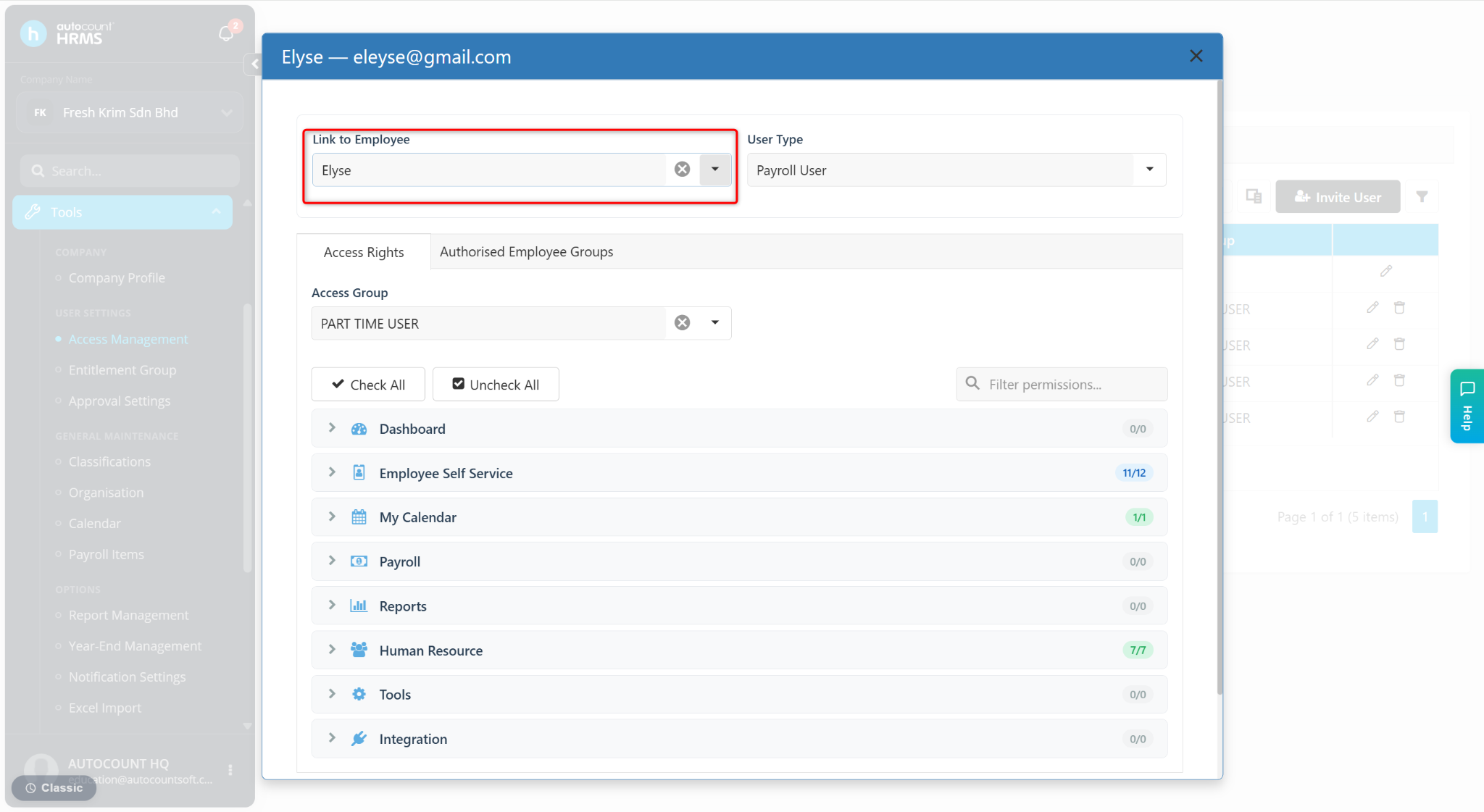
At the Link to Employee field, select the corresponding employee profile.
Click Save.
The employee will be able to view company holidays in My Calendar, where holidays are displayed in red.