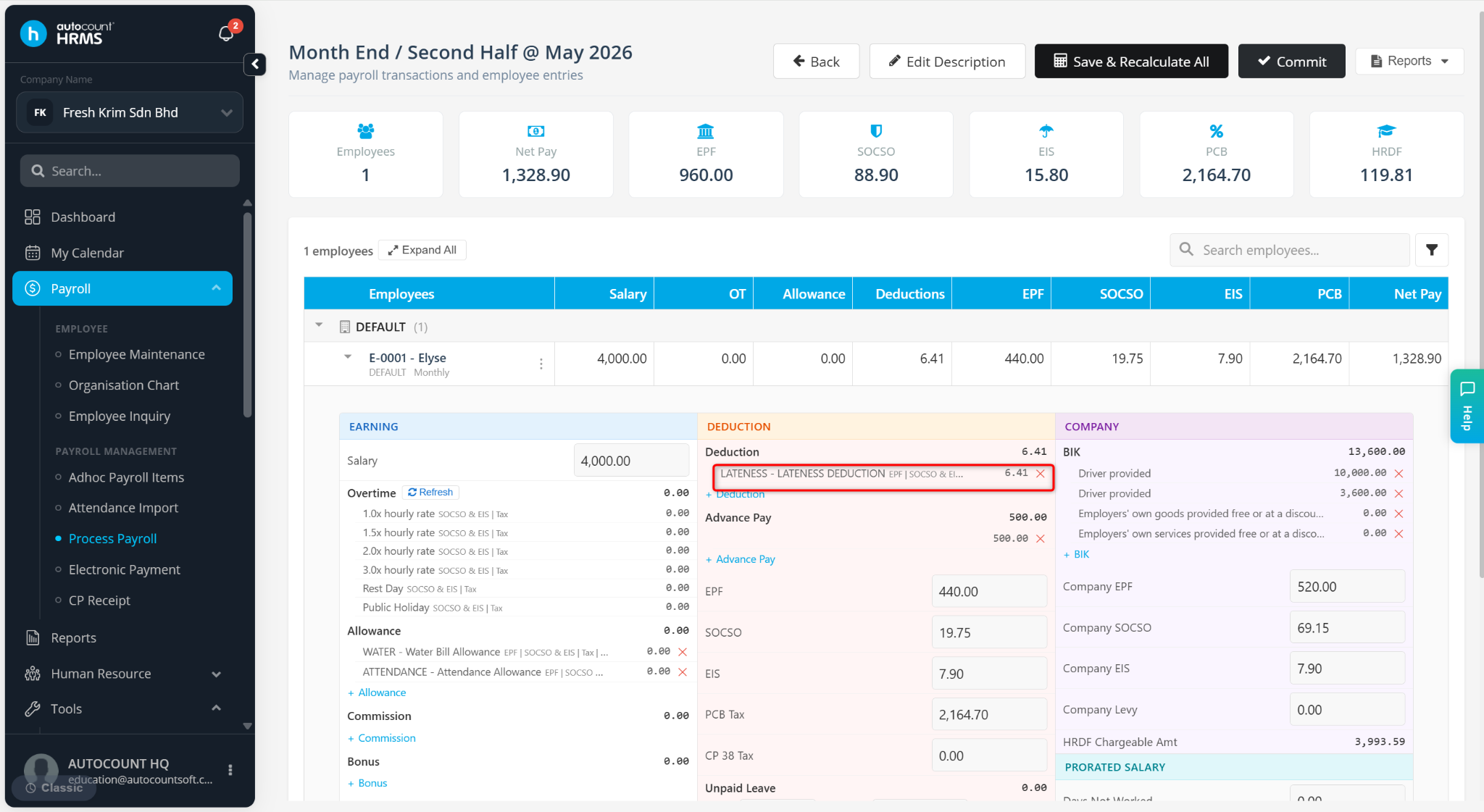
This setup is used to calculate salary deduction based on employee lateness, where deductions are only applied after a minimum lateness threshold, and the deduction is calculated based on the employee’s hourly or per-minute rate.
Steps to Set Lateness Formula in Deduction:
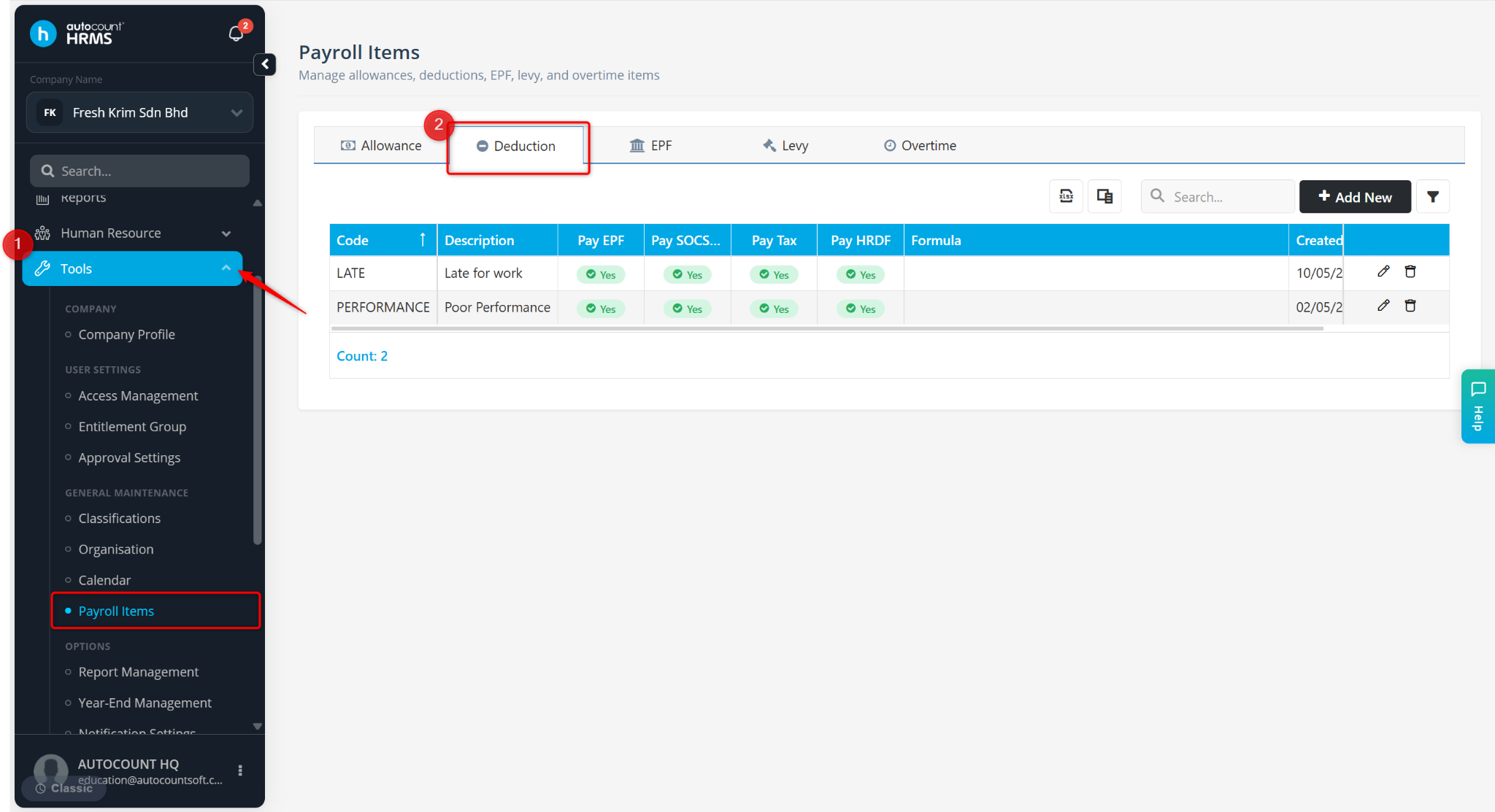
Go to Tools > Payroll Items.
Go to Deduction.
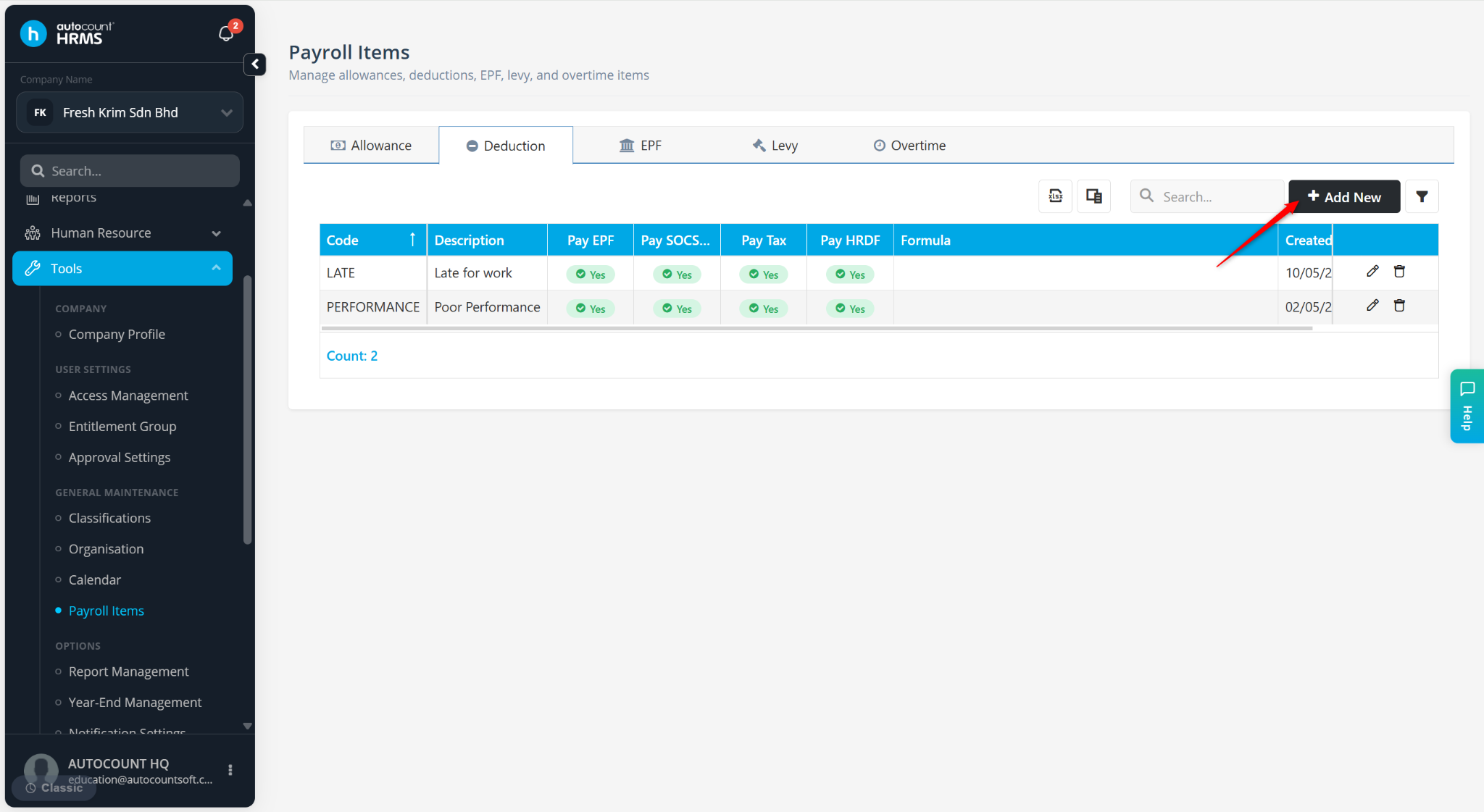
Click + Add New.
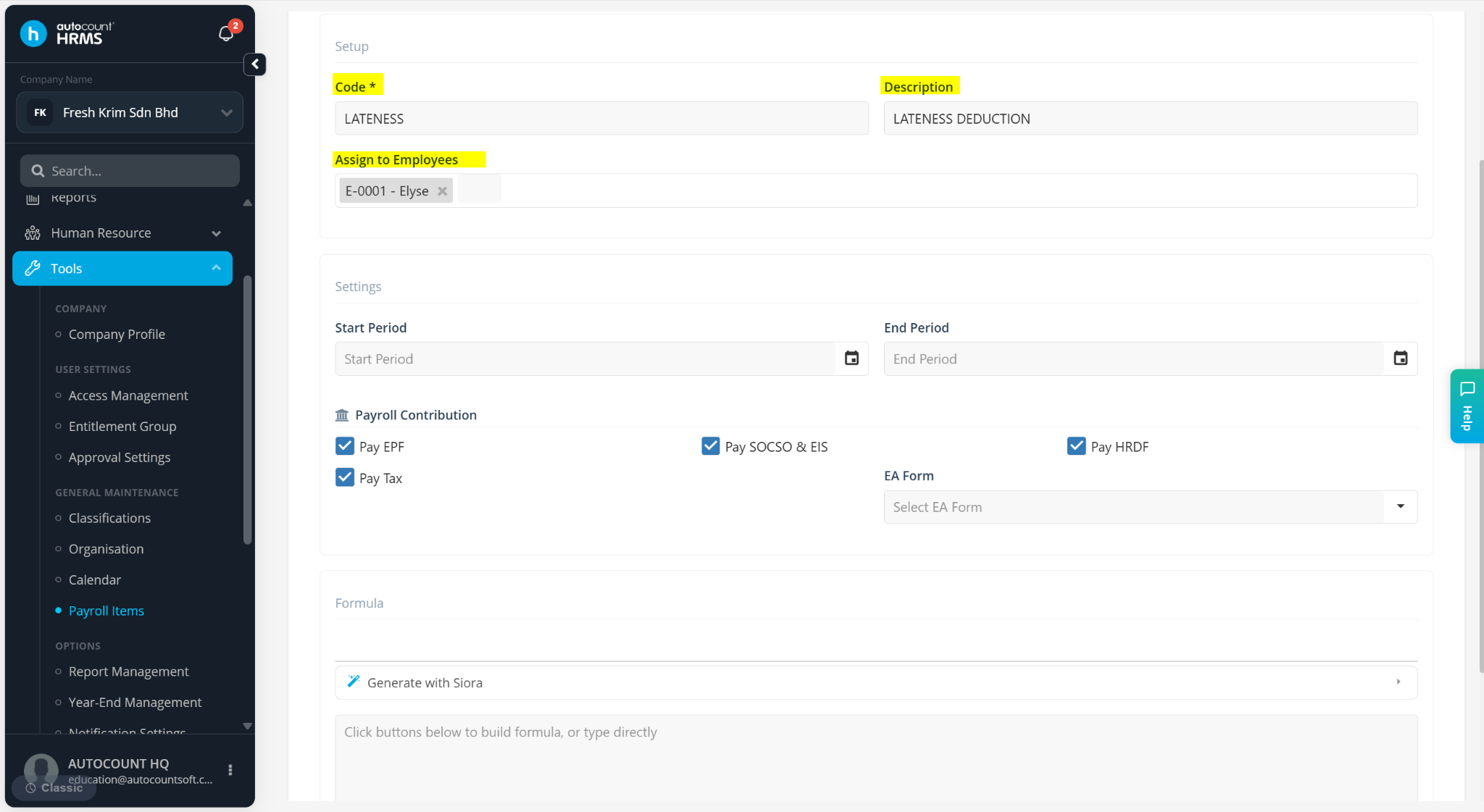
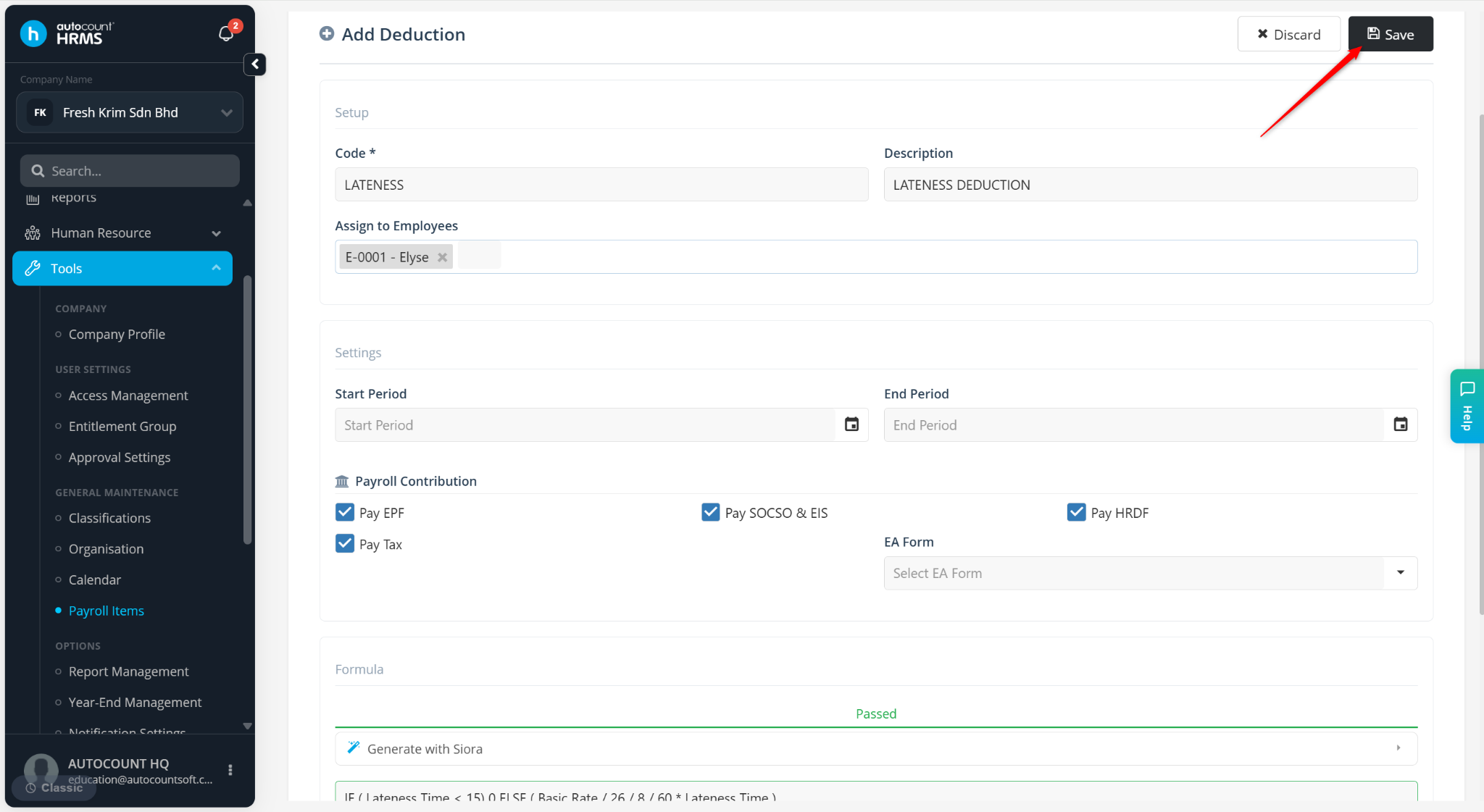
Enter the Code, Description and select the Employees to be assigned.
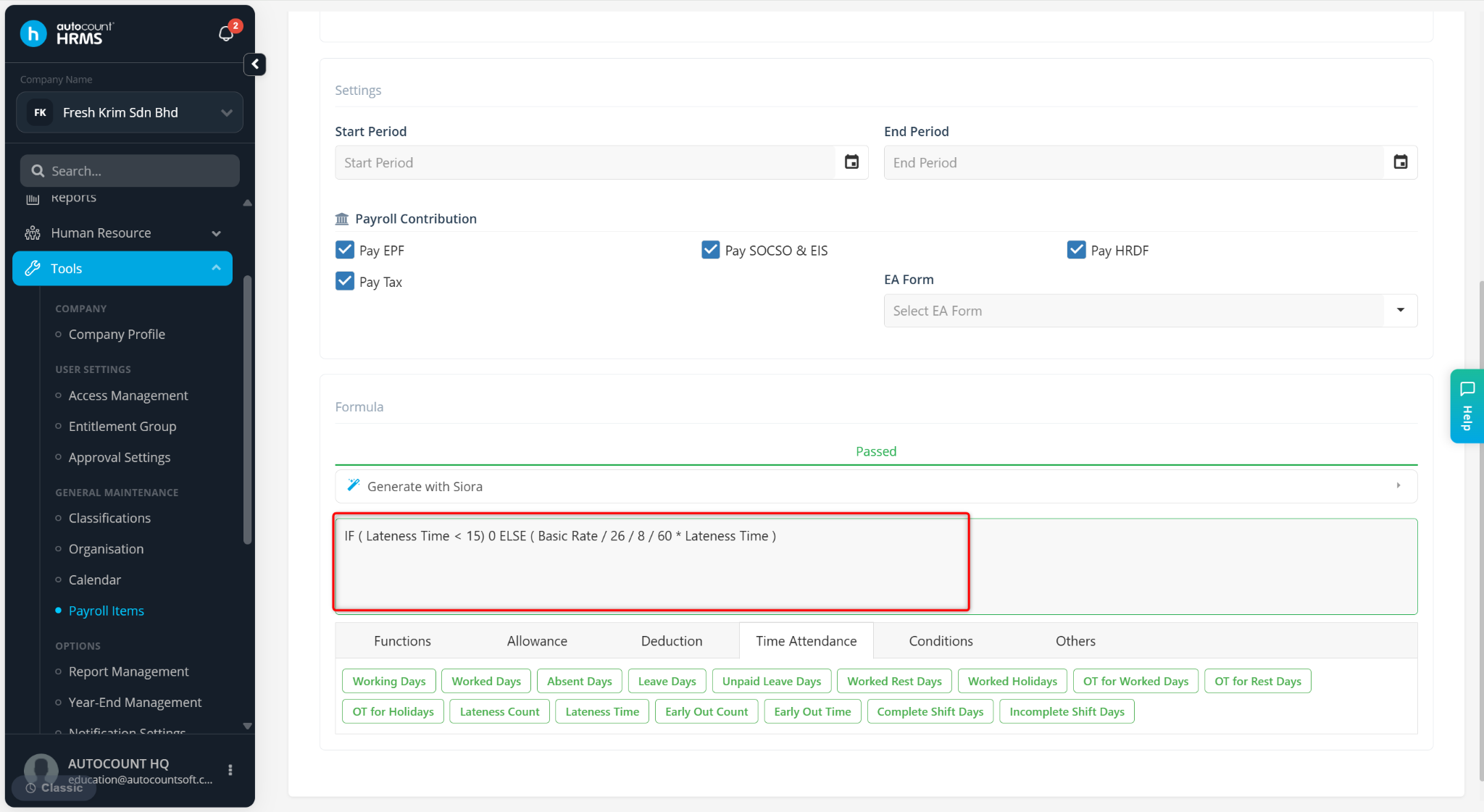
Enter the formula as desired.
Example: IF (LATENESS TIME < 15) 0 ELSE (BASIC RATE / 26 / 8 / 60 x LATENESS TIME)
If lateness is less than 15 minutes, no deduction will be applied.
If lateness is 15 minutes or more, deduction will be calculated based on the employee’s salary per minute rate.
Click Save.
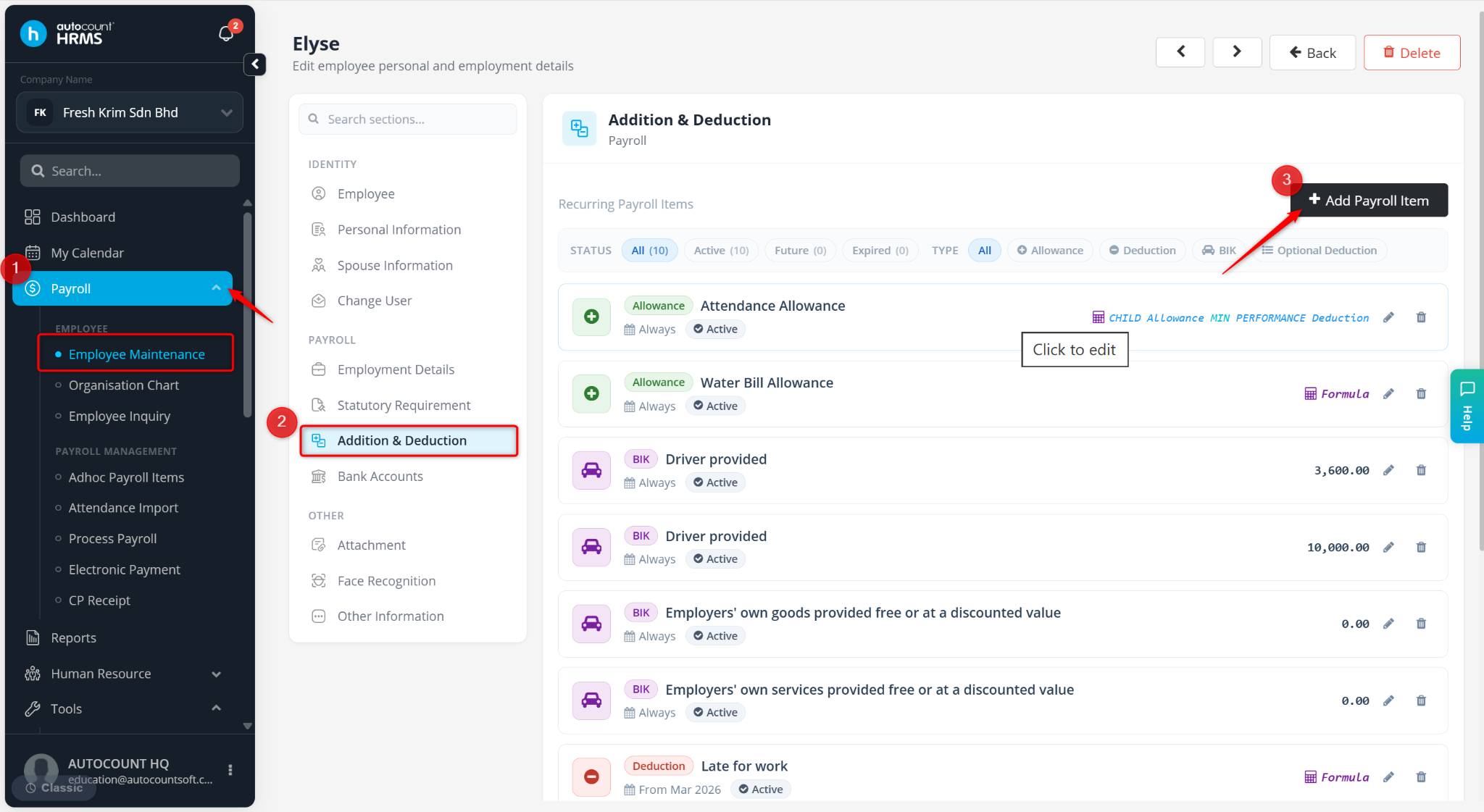
Go to Payroll > Employee Maintenance.
Locate the employee and click the pencil icon.
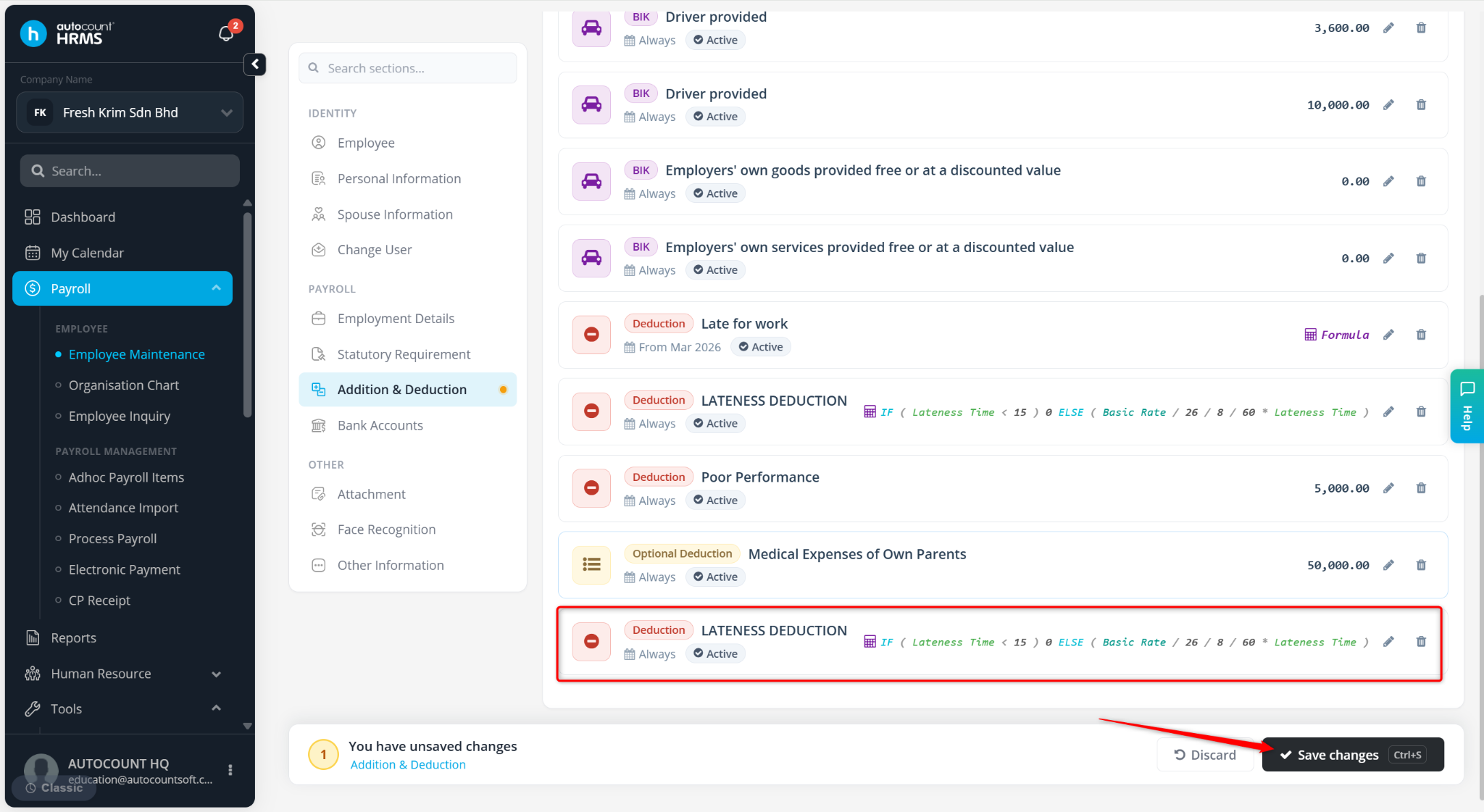
Go to Addition & Deduction and click + Add Payroll Item.
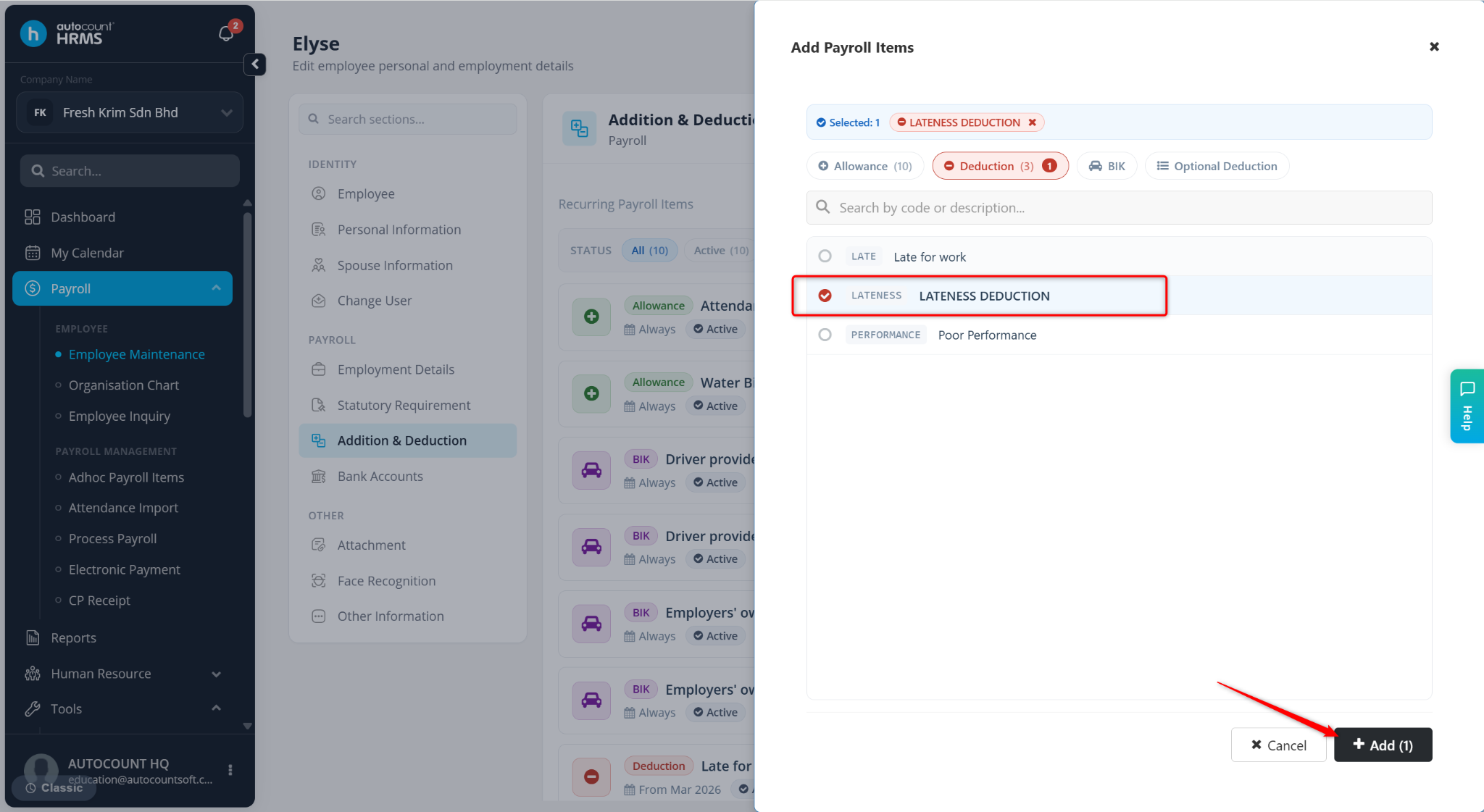
Select the newly created Deduction item and click Add.
Click Save changes.
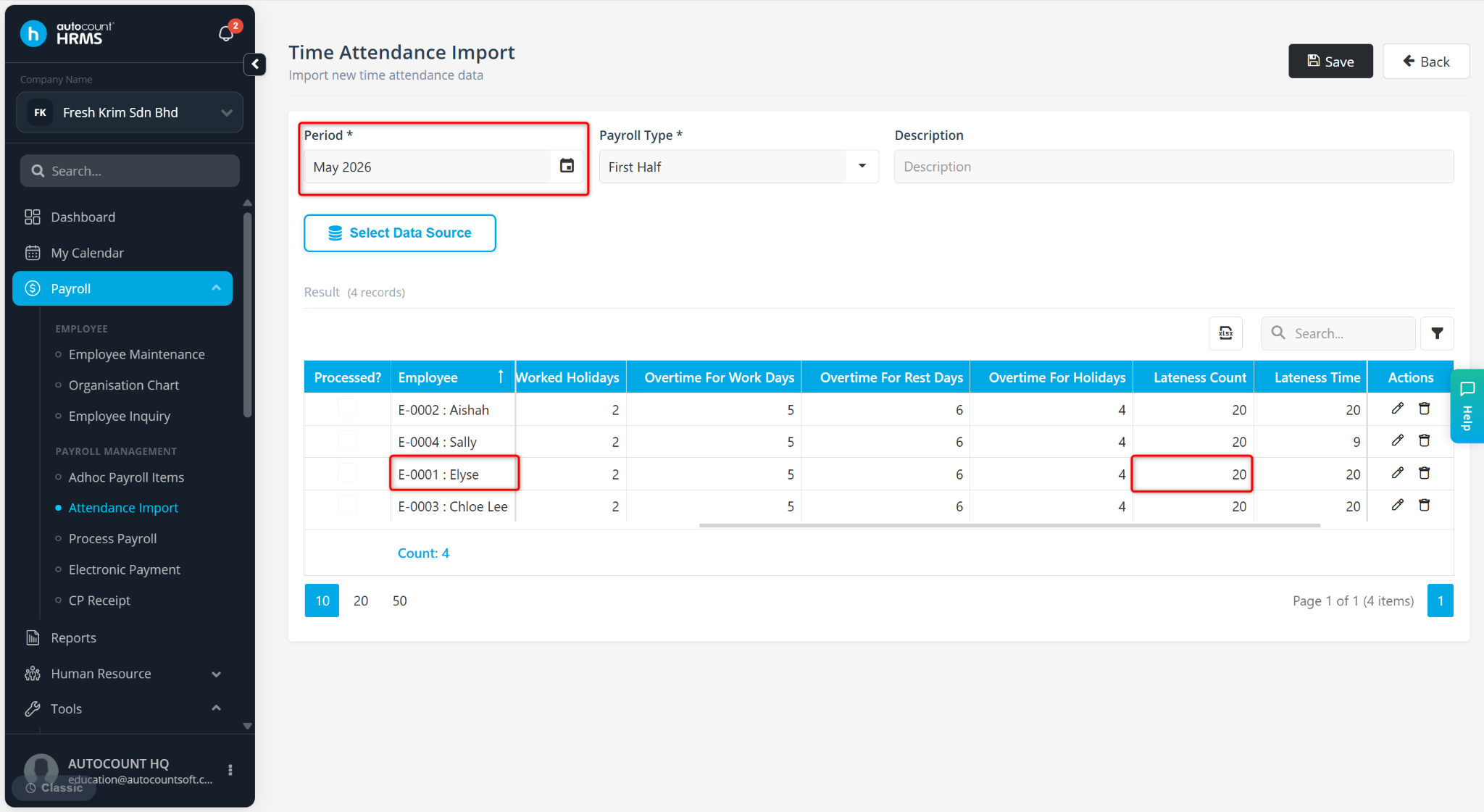
Ensure Time Attendance data has been imported into the system.
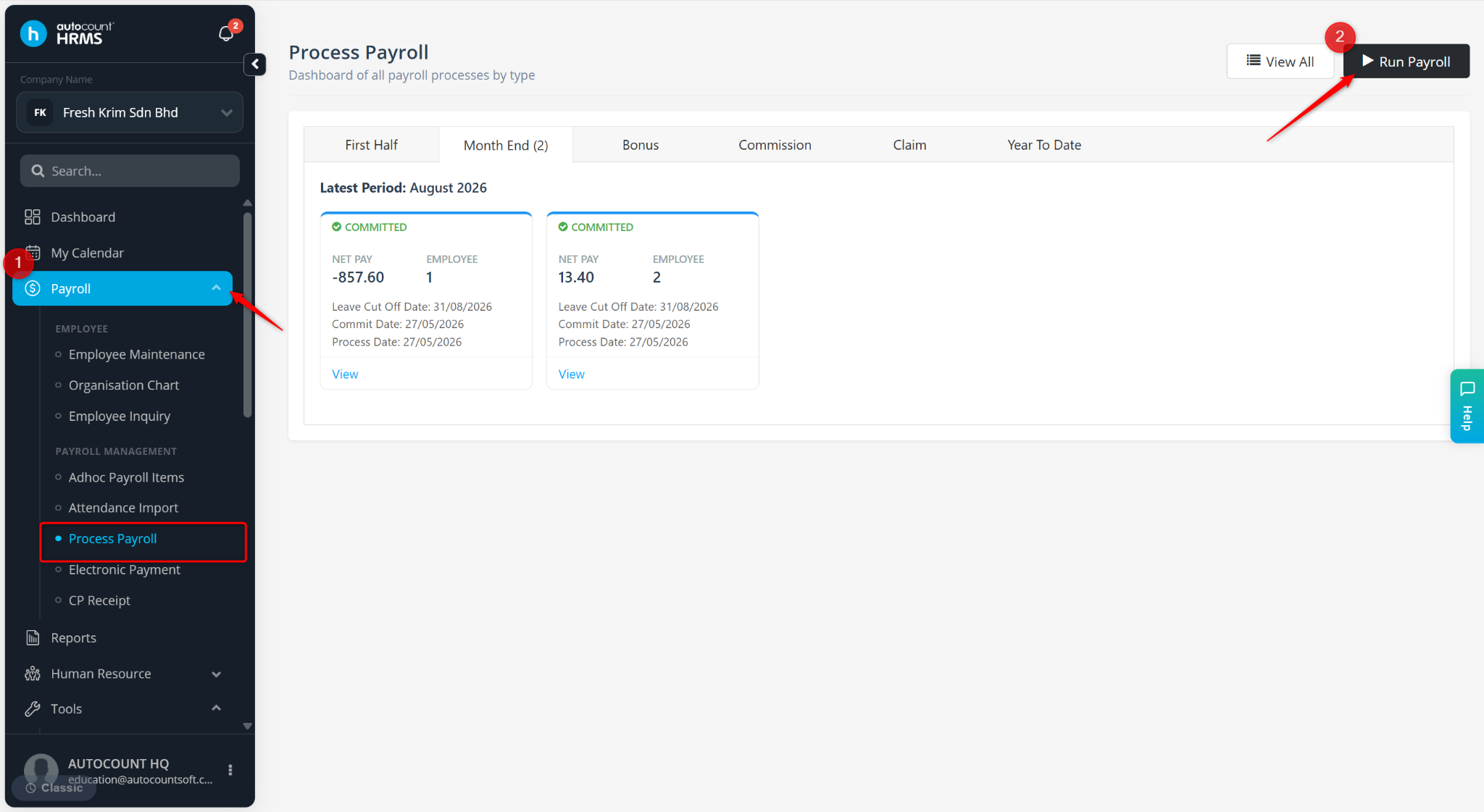
Go to Payroll > Process Payroll.
Click Run Payroll.
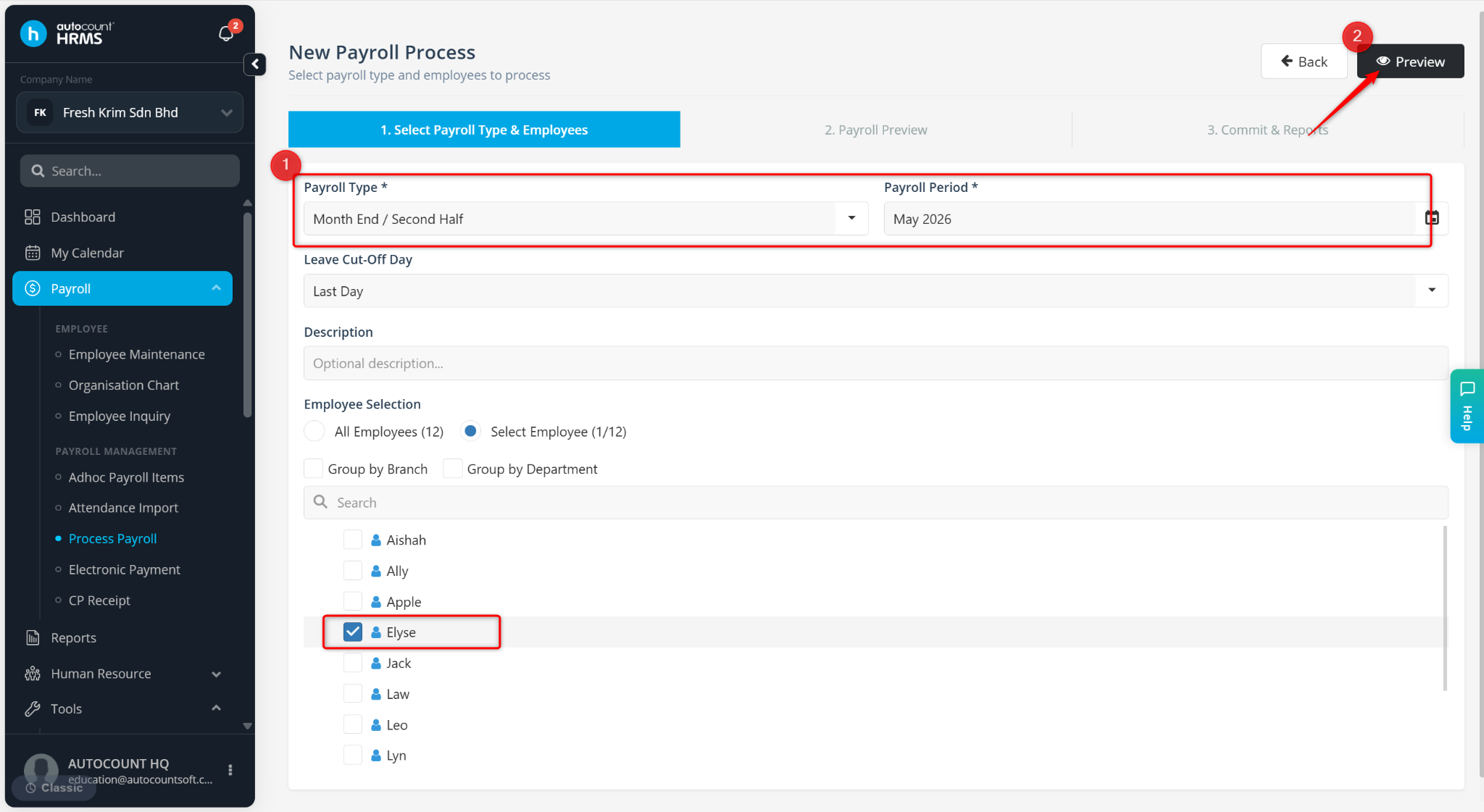
Select the Payroll Type, Payroll Period, and Employee then click Preview.
The deduction will be applied accordingly.