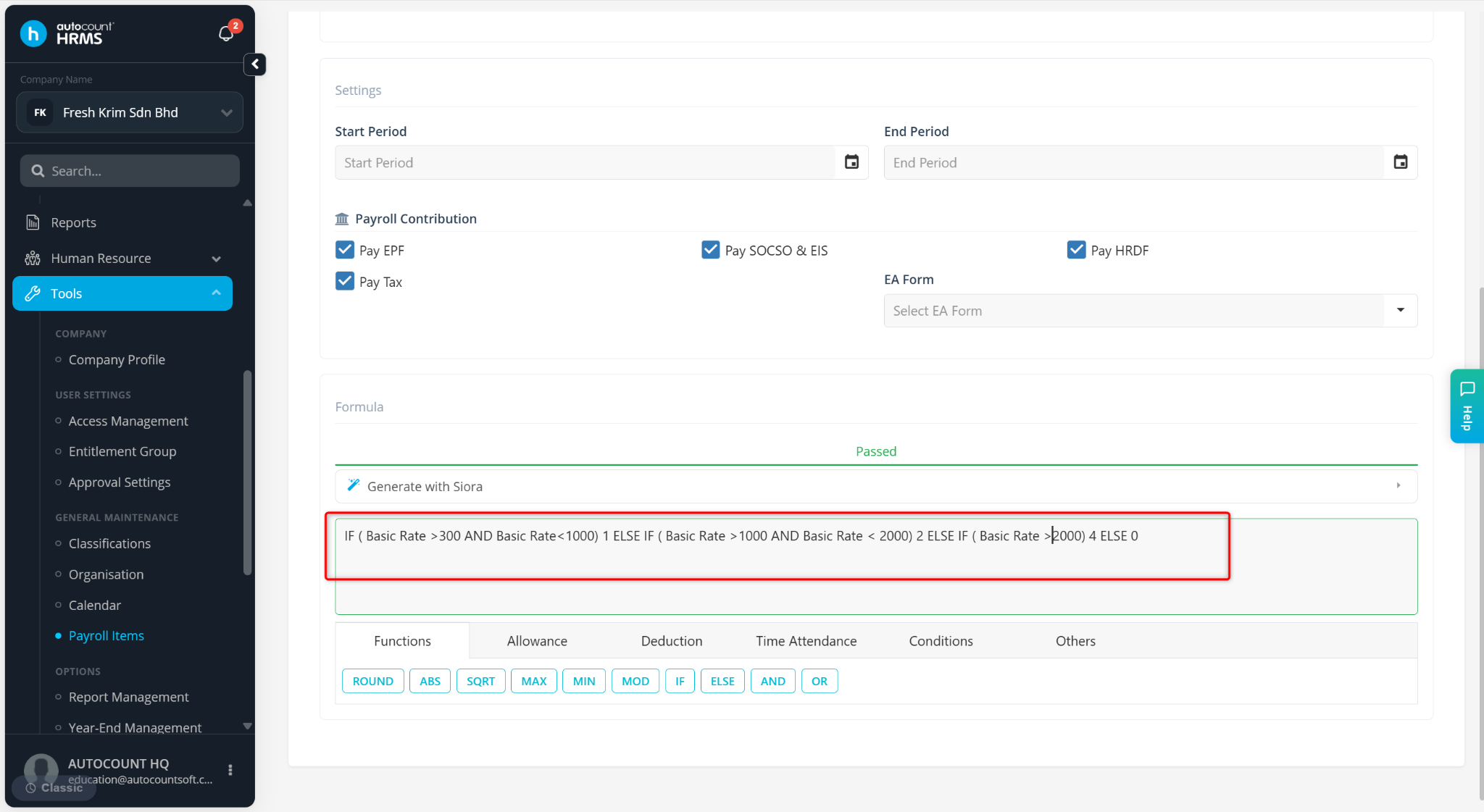
This setup is used to calculate Baitulmal deduction based on employee basic salary range, where different fixed deduction amounts are applied according to predefined salary brackets.

Steps to Set up Baitulmal Deduction Formula:
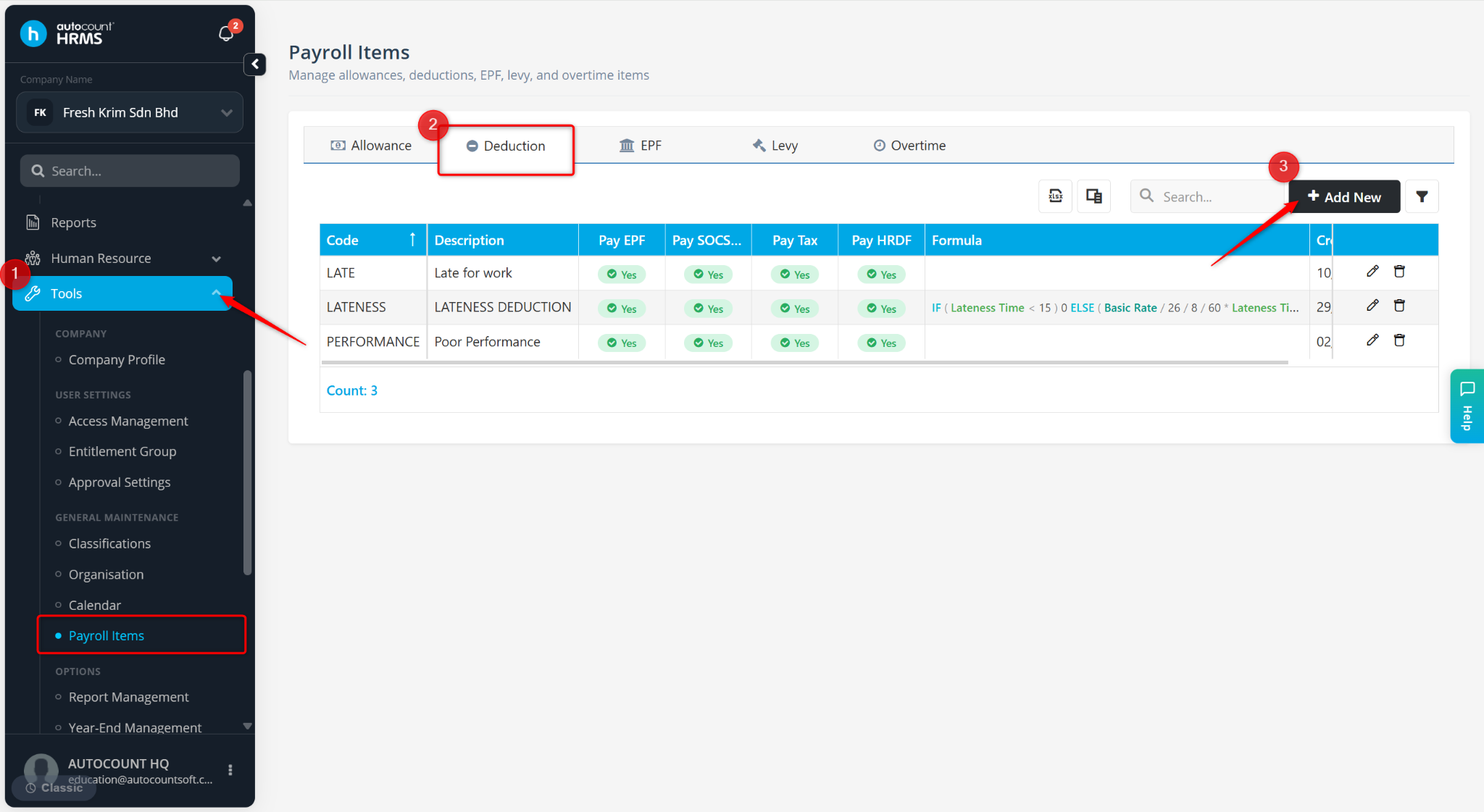
Go to Tools > Payroll Items.
Go to Deduction and click + Add New.
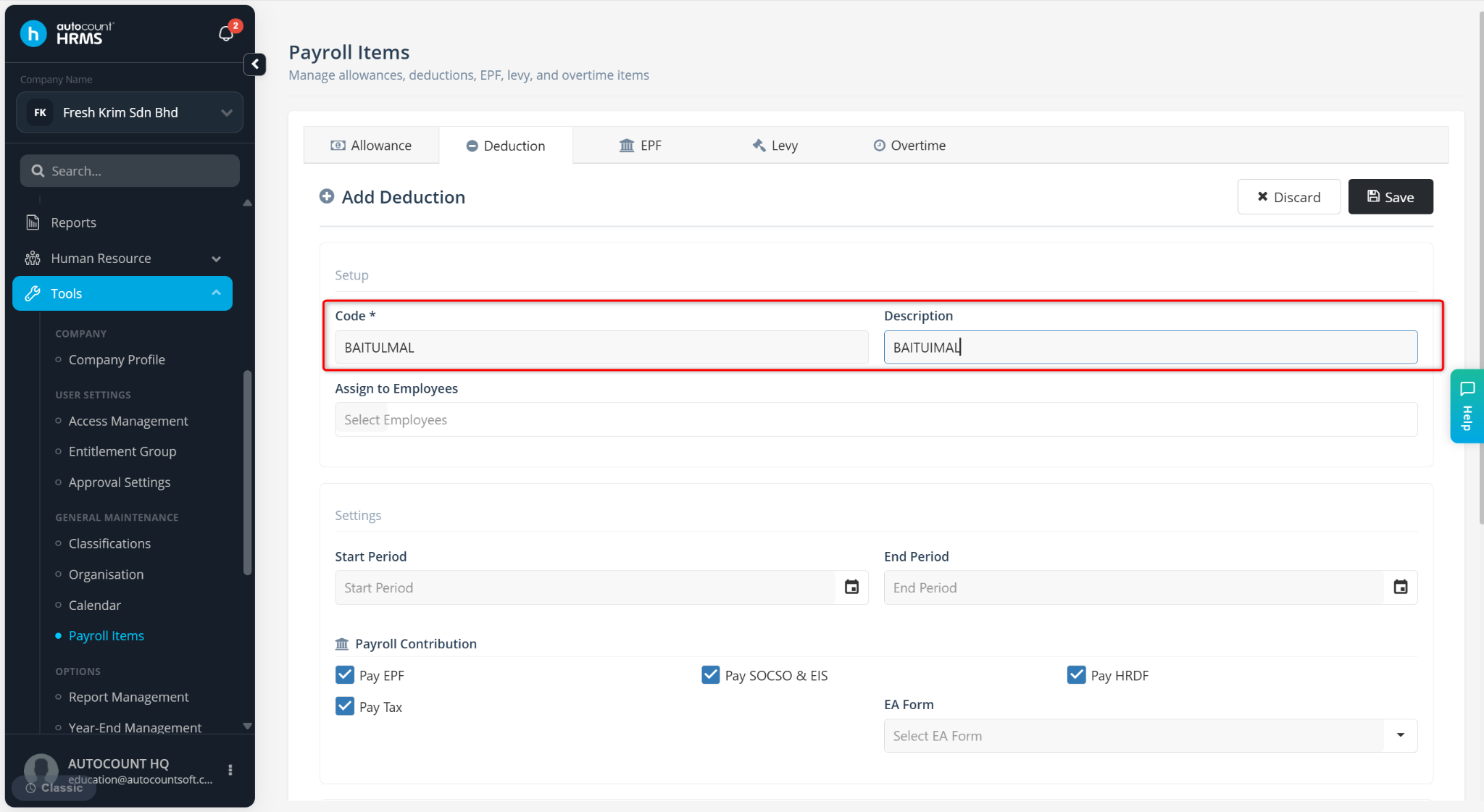
Enter the Code and Description.
Enter the formula as below.
IF(Basic Rate >= 300 AND Basic Rate < 1000) 1 ELSE IF (Basic Rate >= 1000 AND Basic Rate < 2000) 2 ELSE IF (Basic Rate >= 2000) 4 ELSE 0