
The Allowance feature in Payroll Items is used to define allowance types and their calculation rules for payroll processing. Users can create new allowance items or modify existing ones according to company requirements.
The system default allowance types include: Attendance, Child Care, Education, Housing, Meal, Parking, Travel/Petrol, BroadBand/Telephone/Mobile Plans and Shift.
Steps to Create a New Allowance Item:
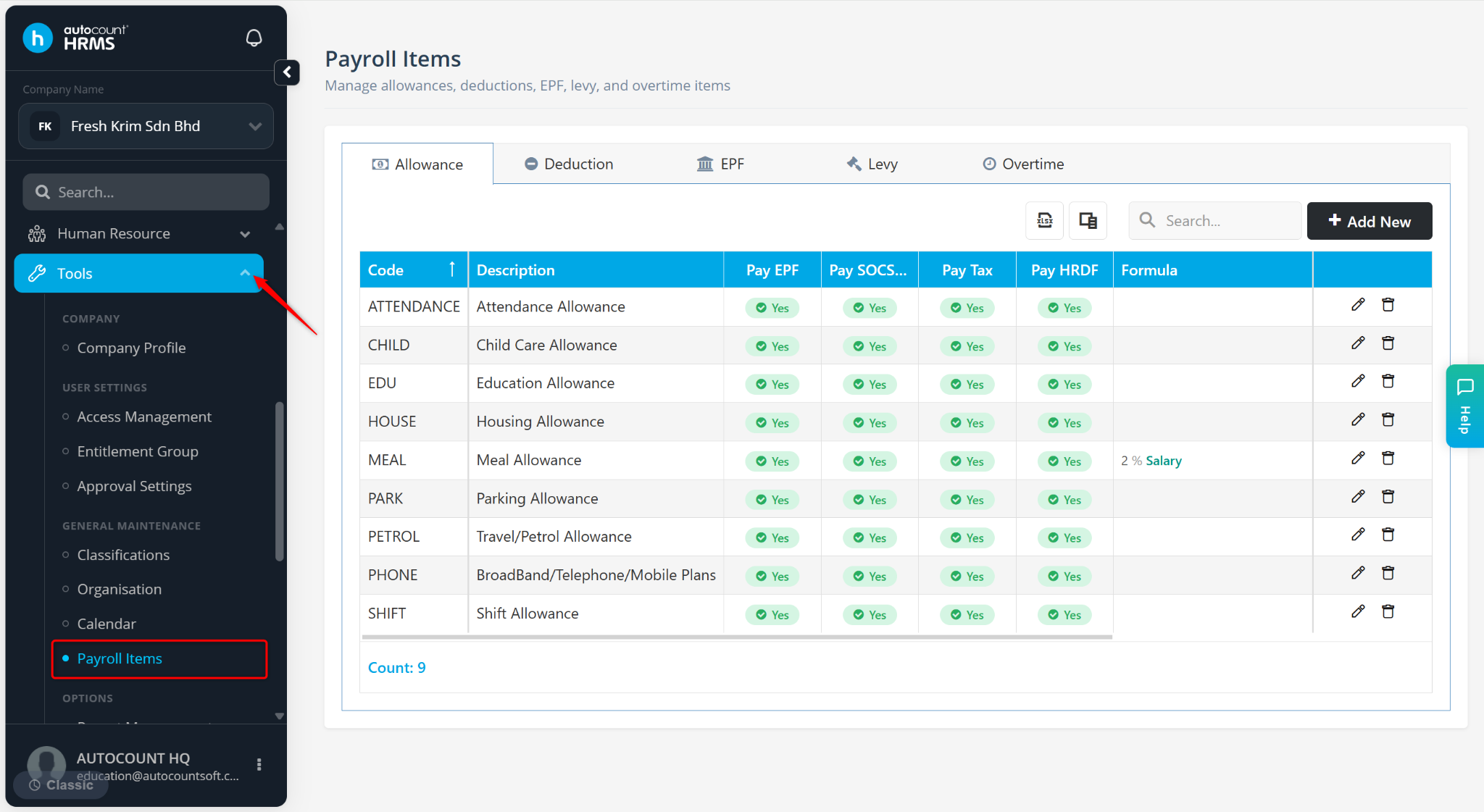
Go to Tools > Payroll Items.
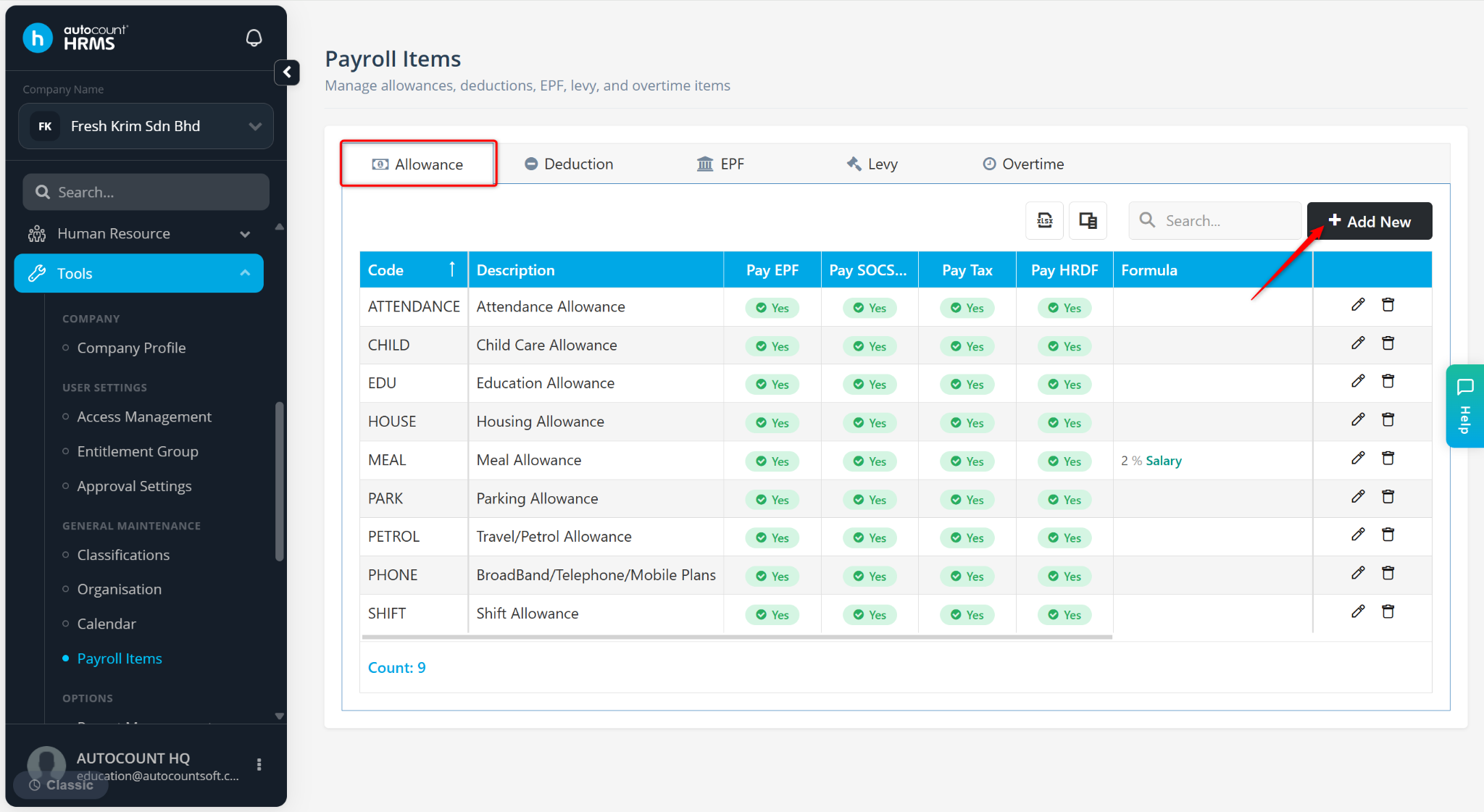
Go to the Allowance tab.
Click Add New.
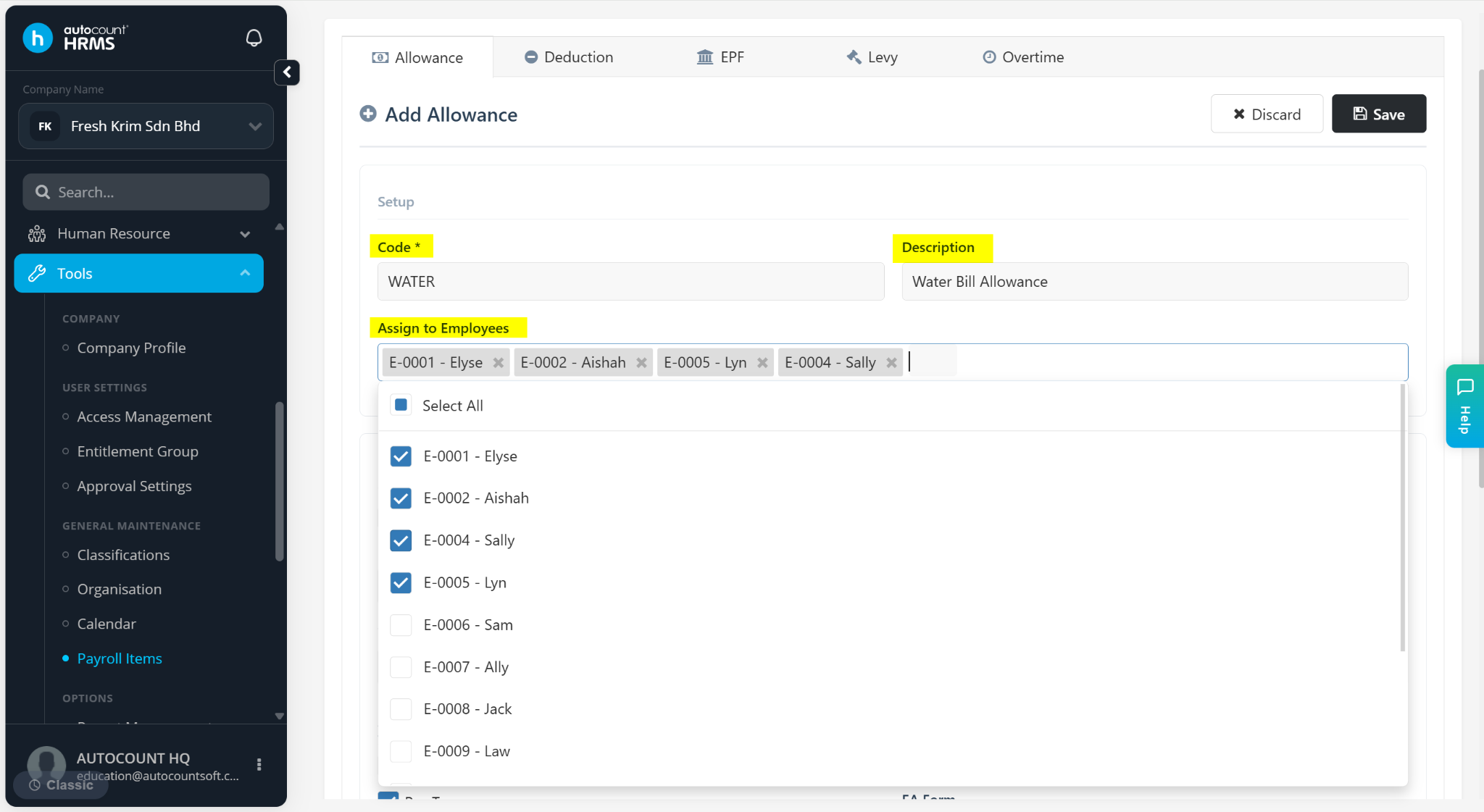
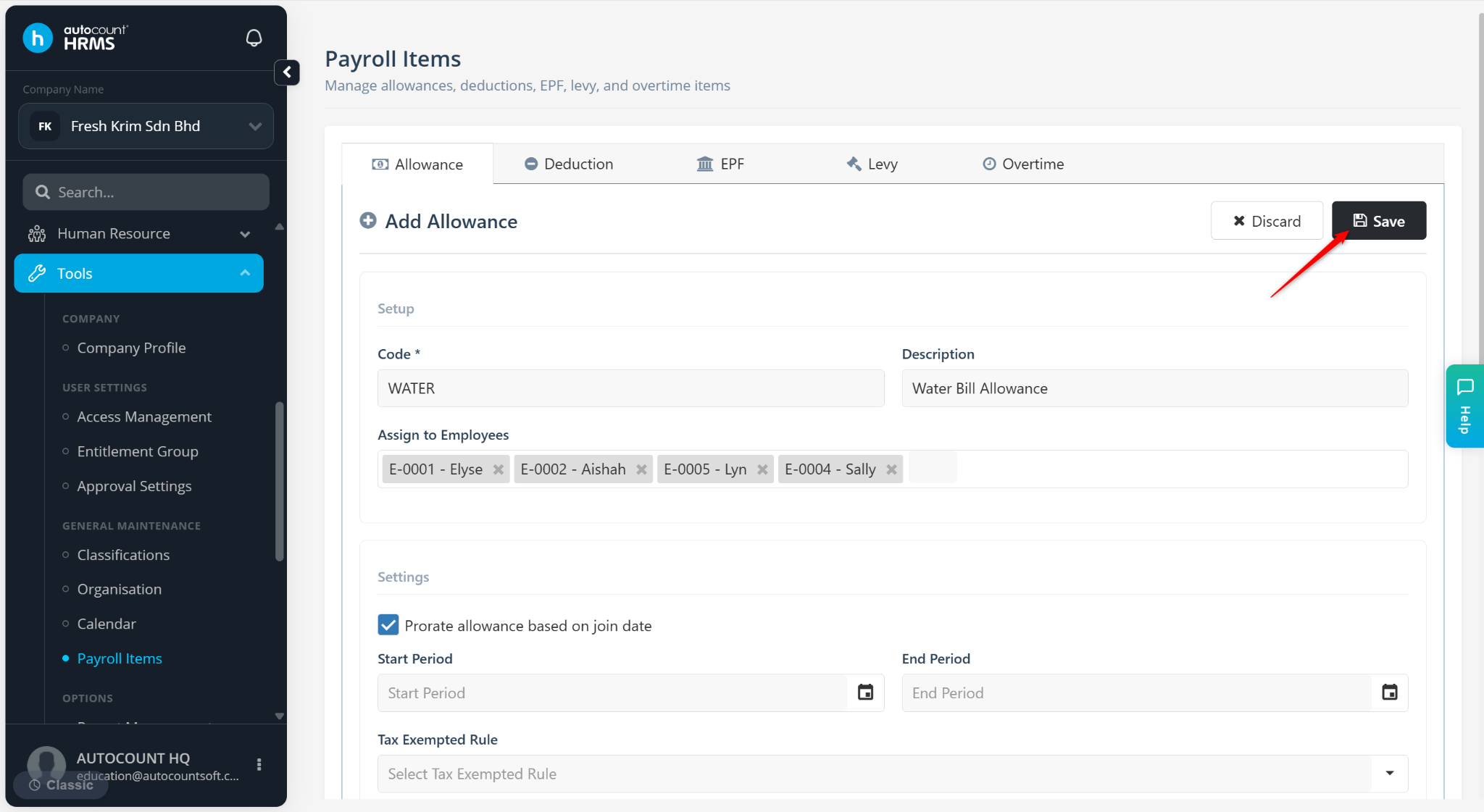
Under the Setup section, enter the Code and Description. Then, assign employees to add the allowance as a fixed allowance in the employee’s profile for payroll processing.
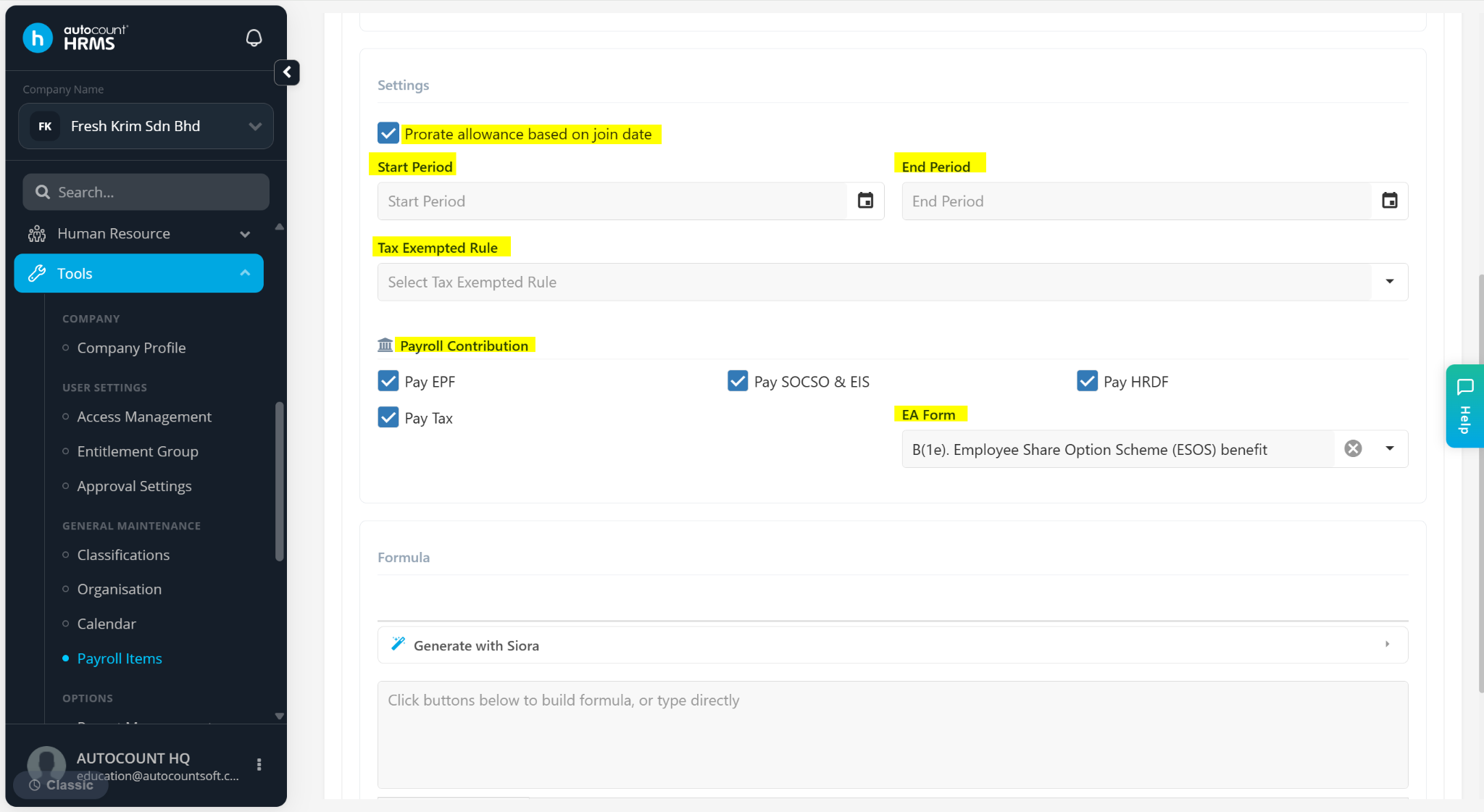
Under Settings section, configure the allowance settings if applicable:
Prorate Allowance Based on Join Date – Enable this option to prorate allowance.
Start / End Period – Set the start and end period accordingly if the deduction is period based.
Tax Exempted Rule – Select applicable tax exemption (ensure Pay Tax is ticked if taxable).
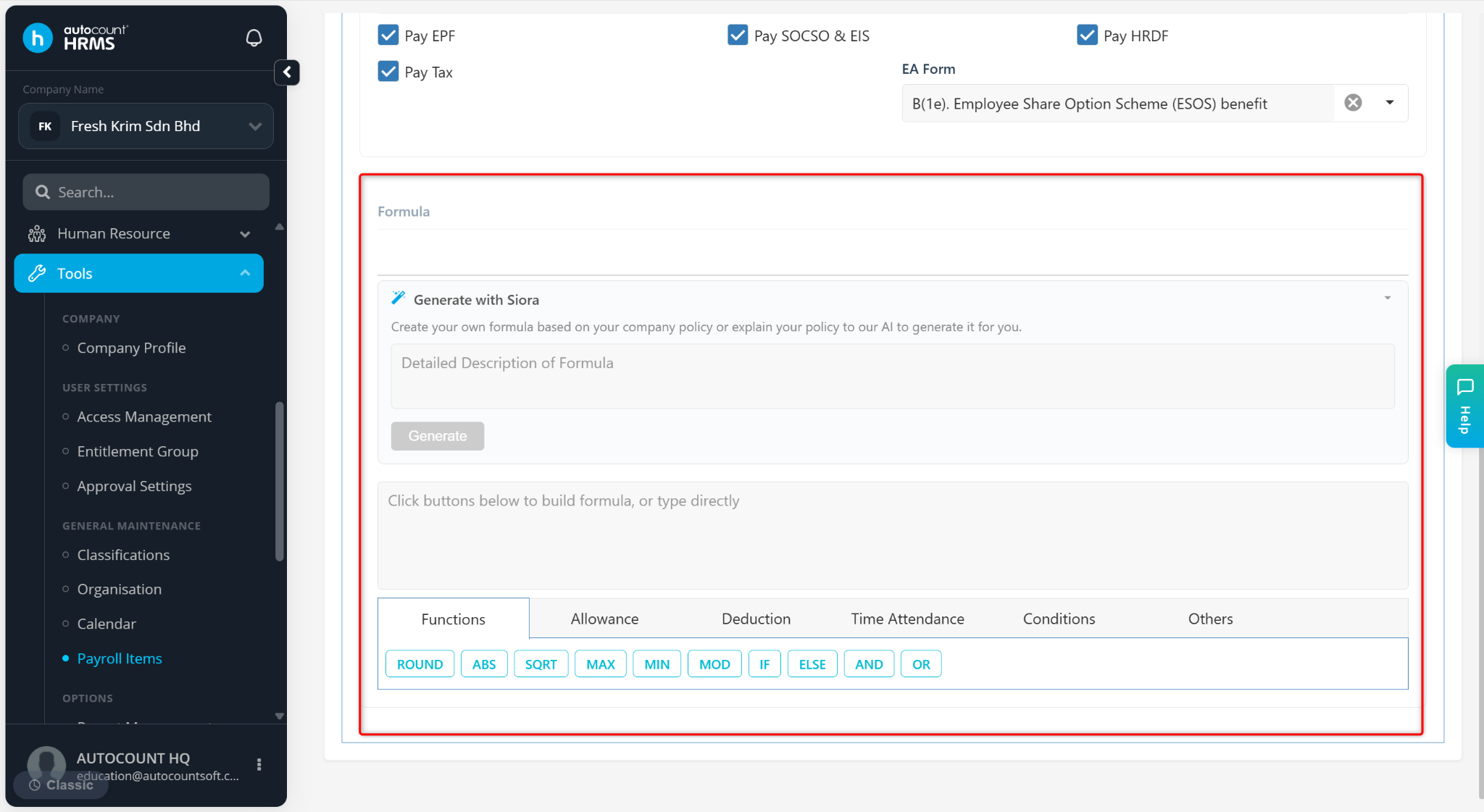
Payroll Contribution – Tick the relevant contribution checkboxes (EPF, SOCSO & EIS, HRDF, Tax).
EA Form – Select the corresponding EA form field where the deduction should appear (require Pay Tax to be checked).
Under the Formula section, enter manually or generate using Siora based on company policy.
Click Save.
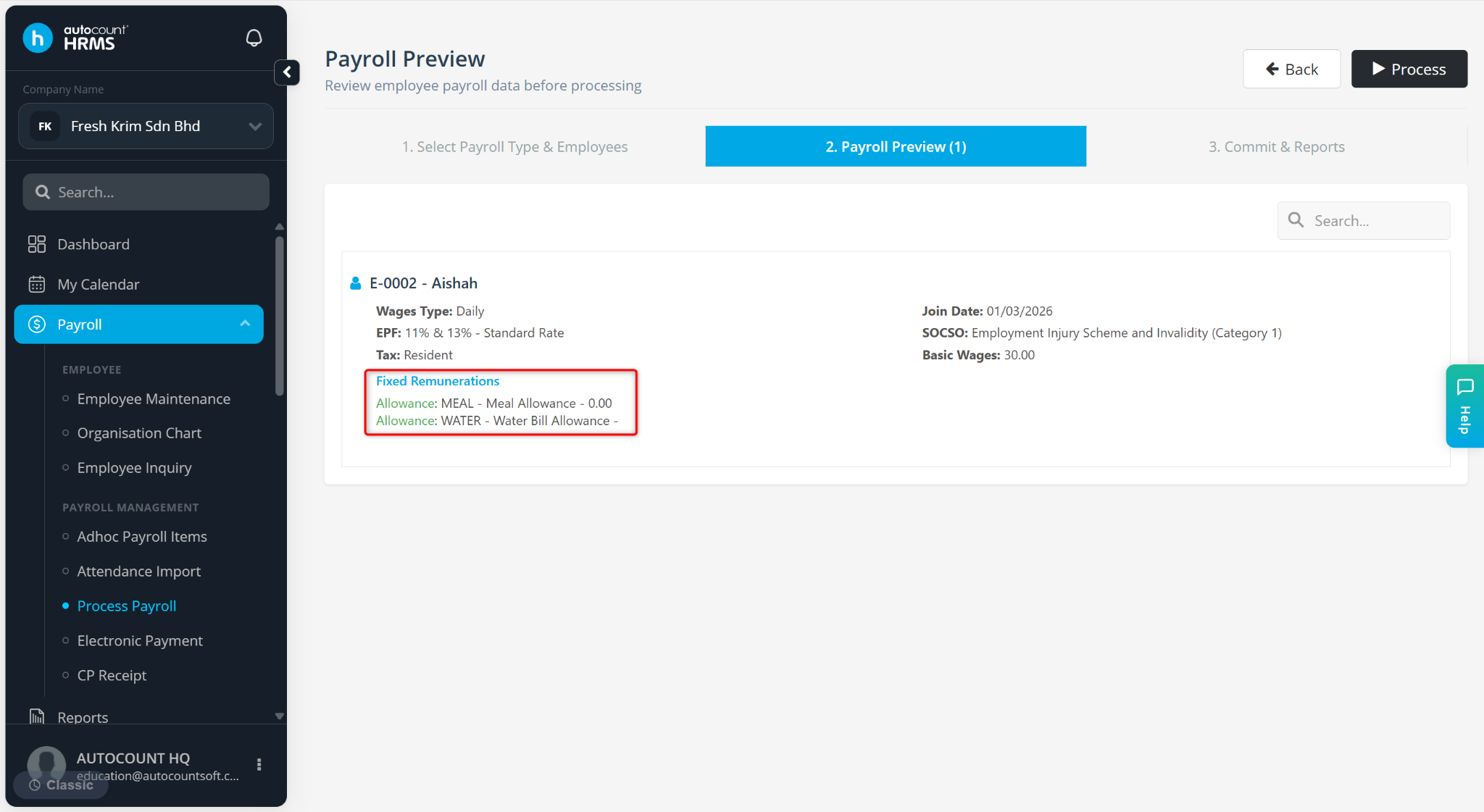
The allowance will be reflected in the payroll process.
ℹ️ Tip:
Click the pencil icon to edit the allowance item.
Click the trash bin icon to delete the allowance item.