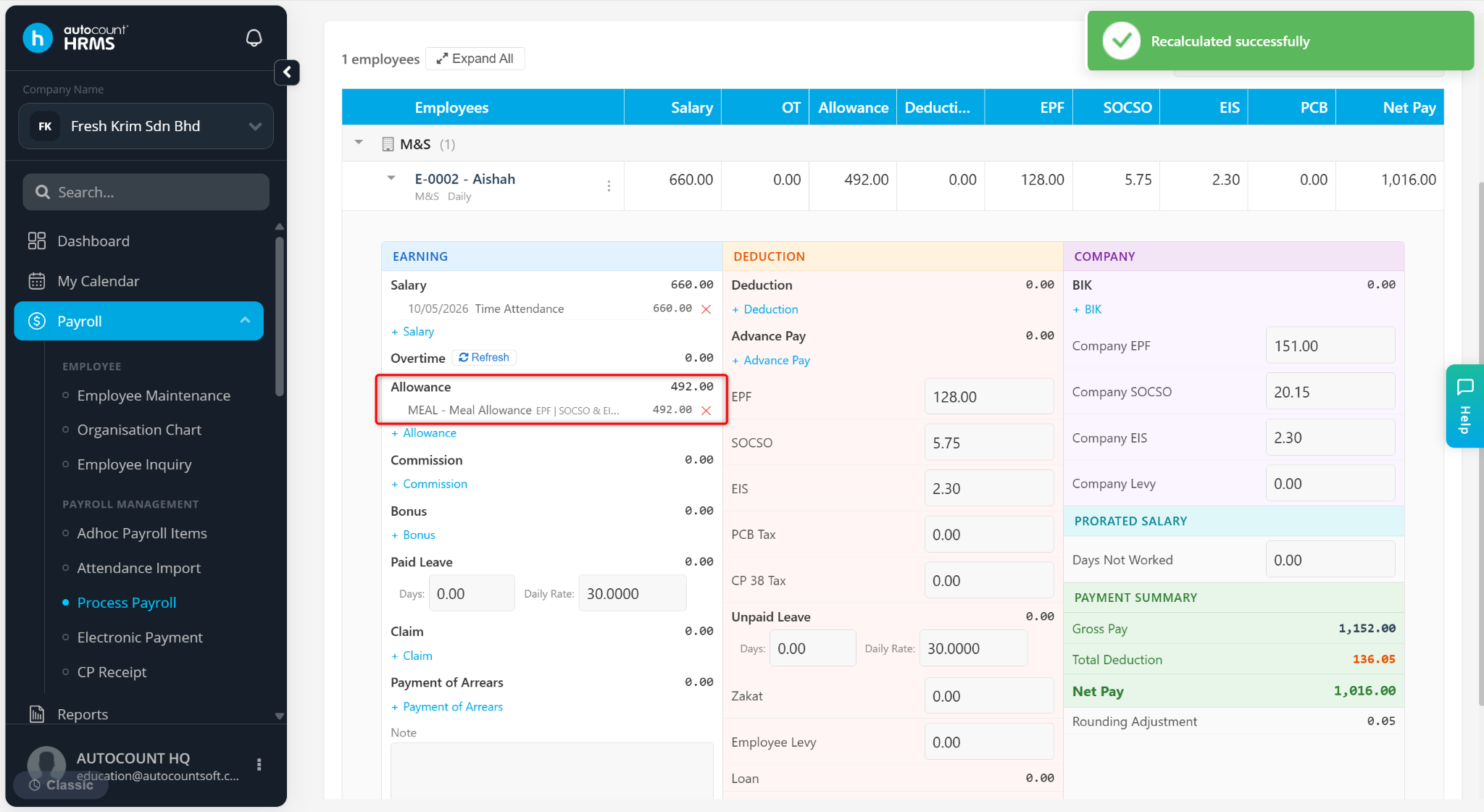
This feature allows employers to automatically pro-rate allowance amounts based on an employee's Join Date. It ensures that employees who join partway through a month receive allowances proportionate to the number of eligible working days.
Pro-Rate Allowance Formula: Allowance ÷ Total Days × Eligible Working Days
Steps to Enable Pro-Rate Allowance:
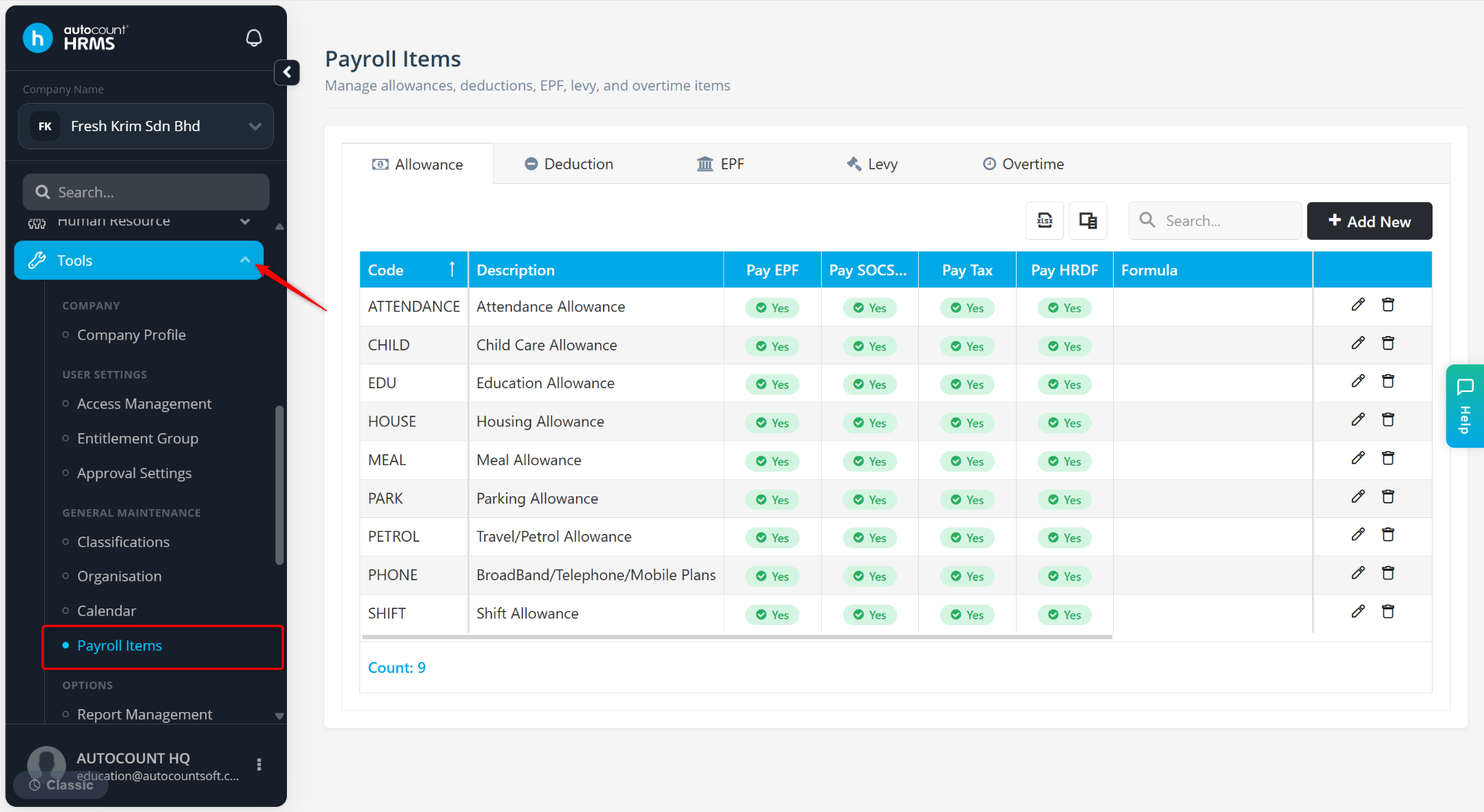
Go to Tools > Payroll Items.
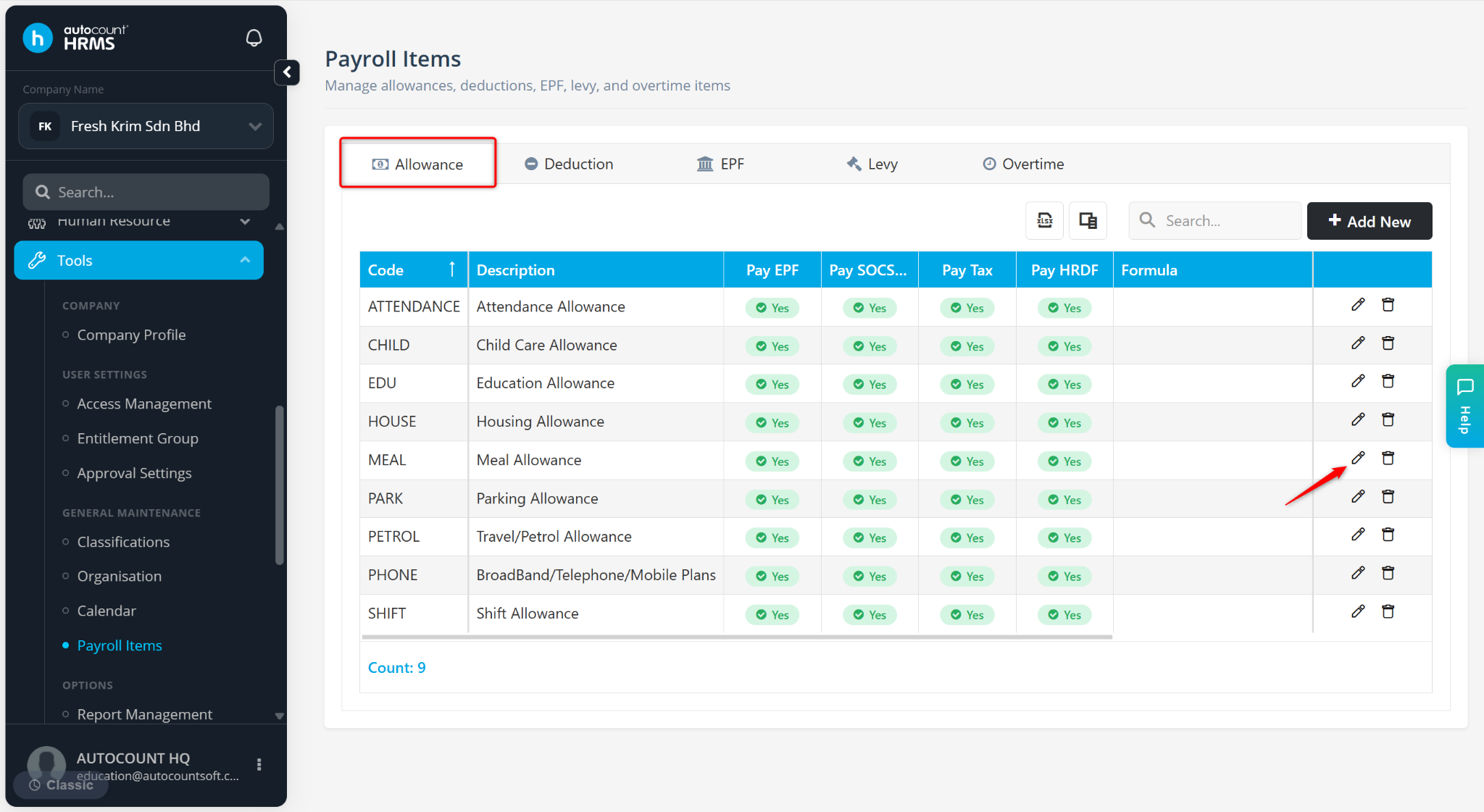
Go to the Allowance tab.
Locate the allowance and click the pencil icon.
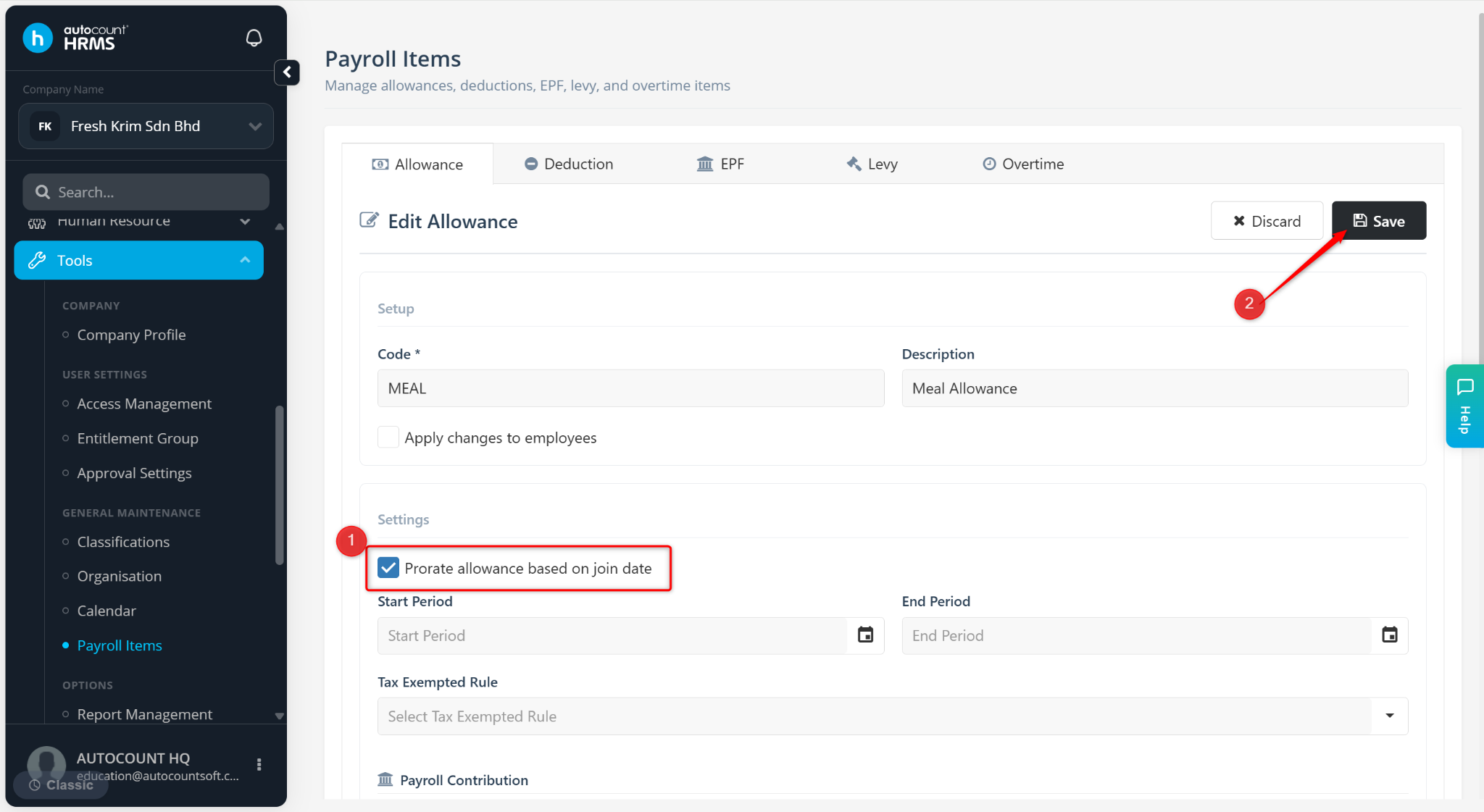
Enable Prorate allowance based on join date.
Click Save.
Ensure the allowance is assigned to the employee at Payroll > Employee Maintenance. Maintain the following details:
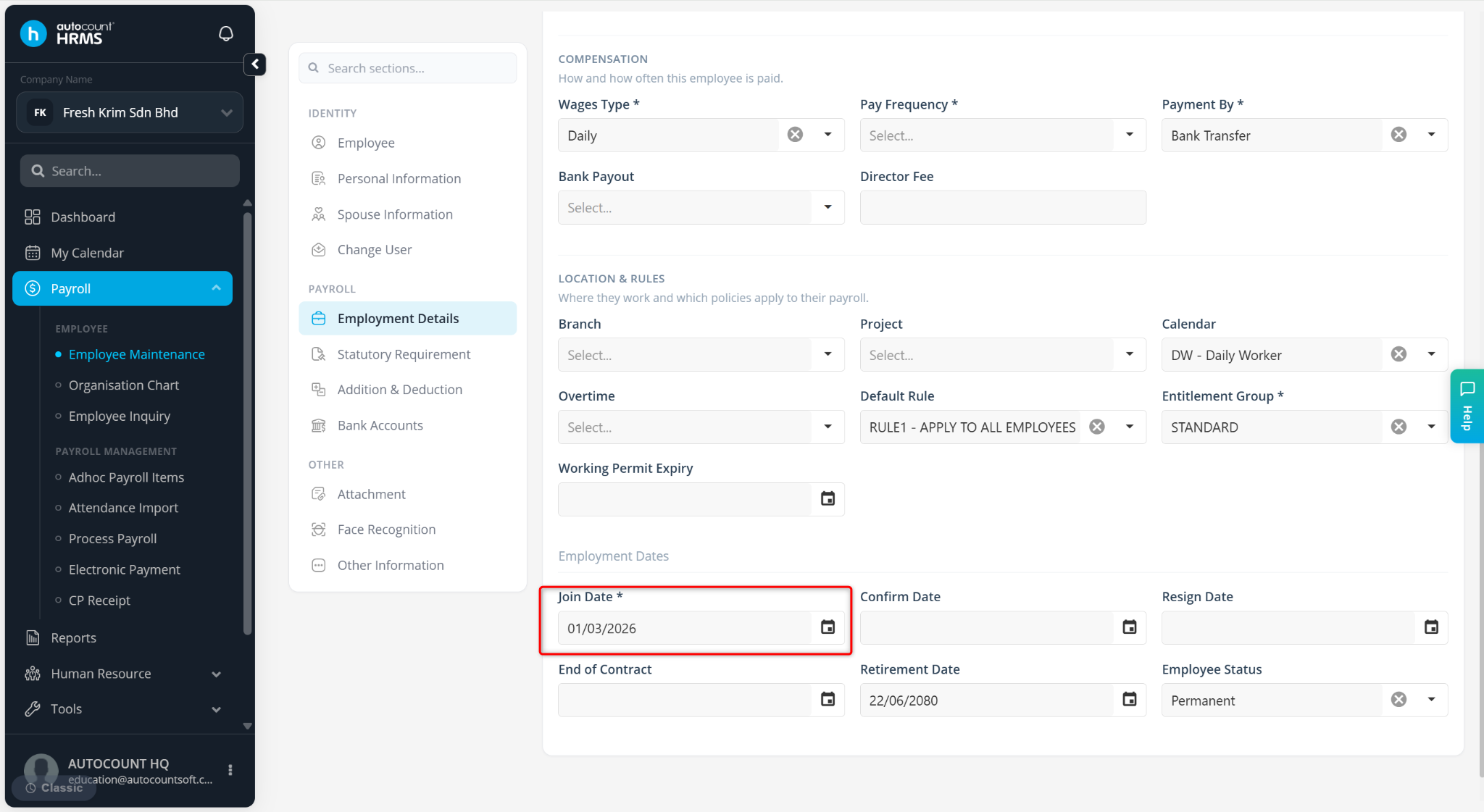
Employment Details – Ensure the employee’s Join Date is correctly entered. This feature only applies to employees who join mid-month.
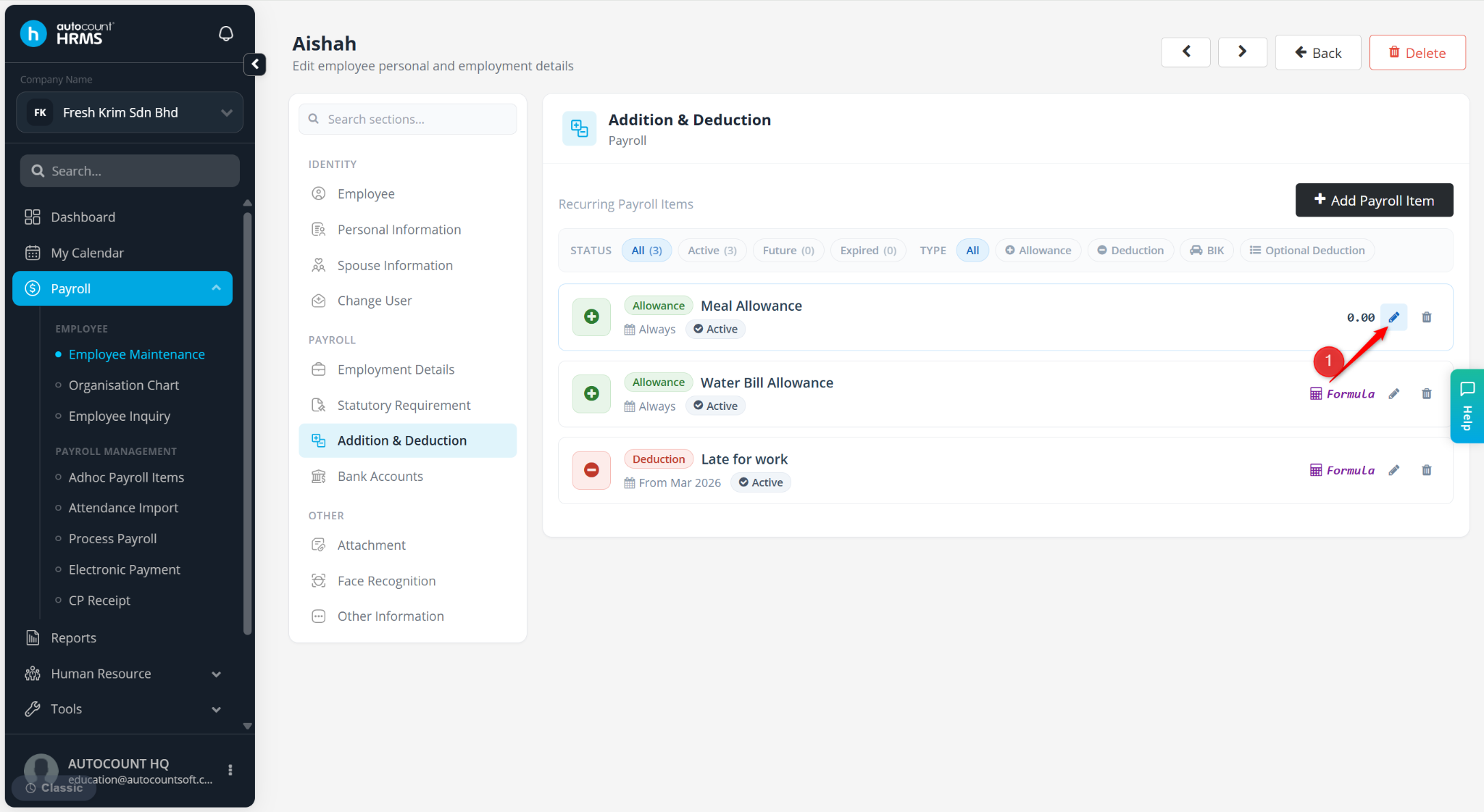
Addition & Deduction – Locate the allowance item and click the pencil icon. Ensure the Amount is entered correctly.
Process payroll and verify that the allowance is pro-rated correctly.