
Scenario:
Allowance was keyed once in Adhoc Payroll Item.
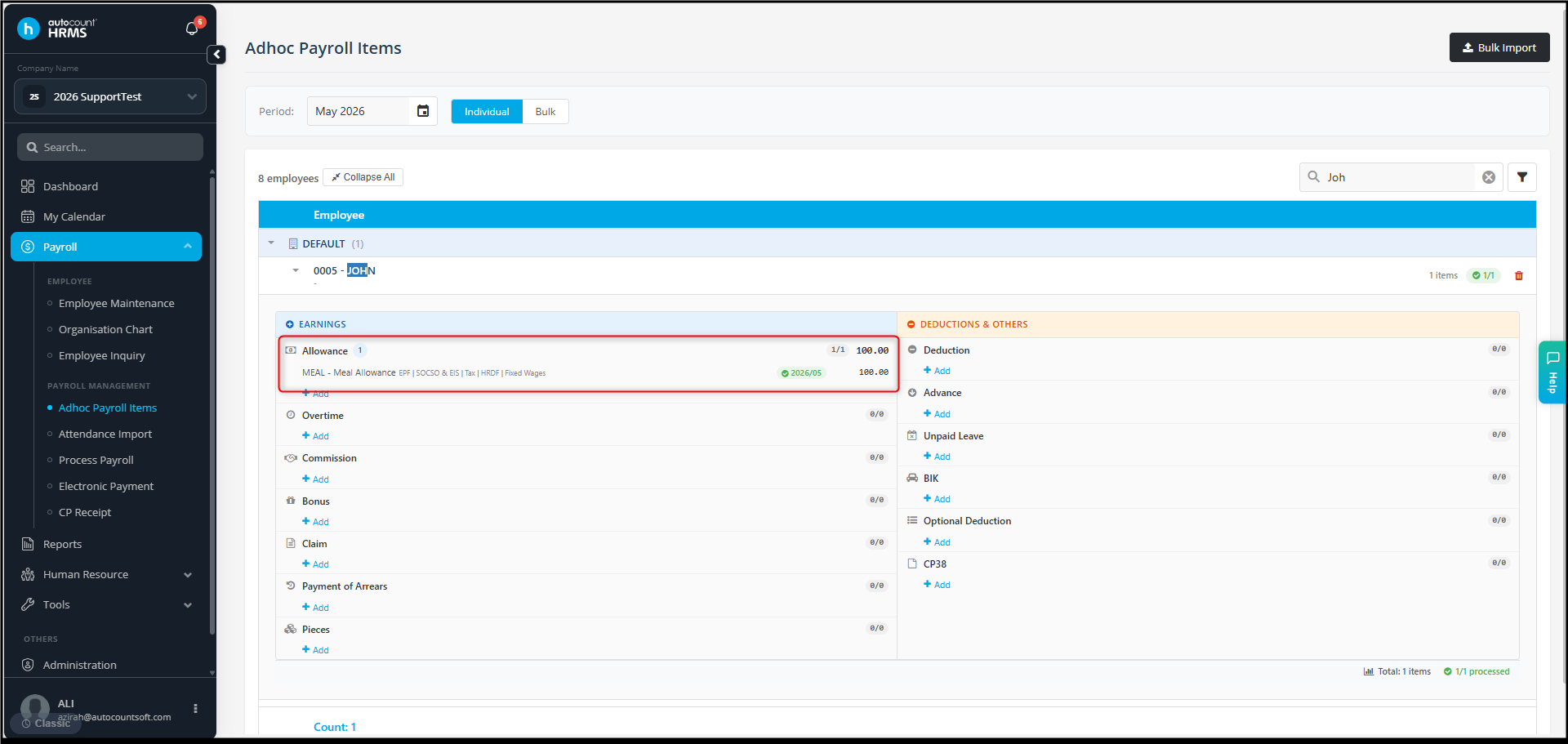
However, during Payroll Process, the allowance appears twice.
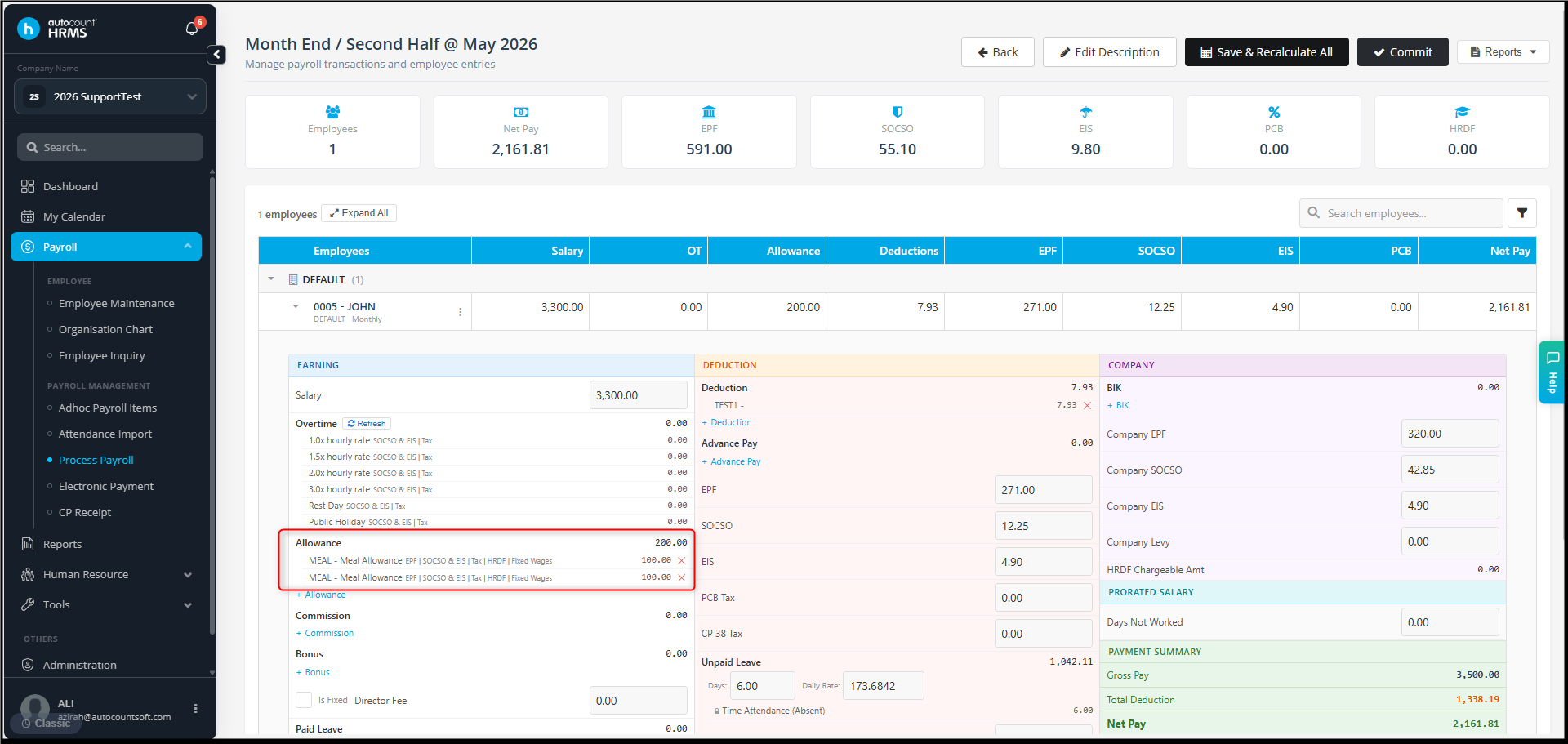
Possible reason:
The same allowance has already been set under the employee’s Addition & Deduction in Employee Maintenance.
When payroll is processed, the system includes:
- The allowance from Employee Maintenance, and
- The allowance entered in Adhoc Payroll Item.
This causes the allowance to appear twice.
Answer:
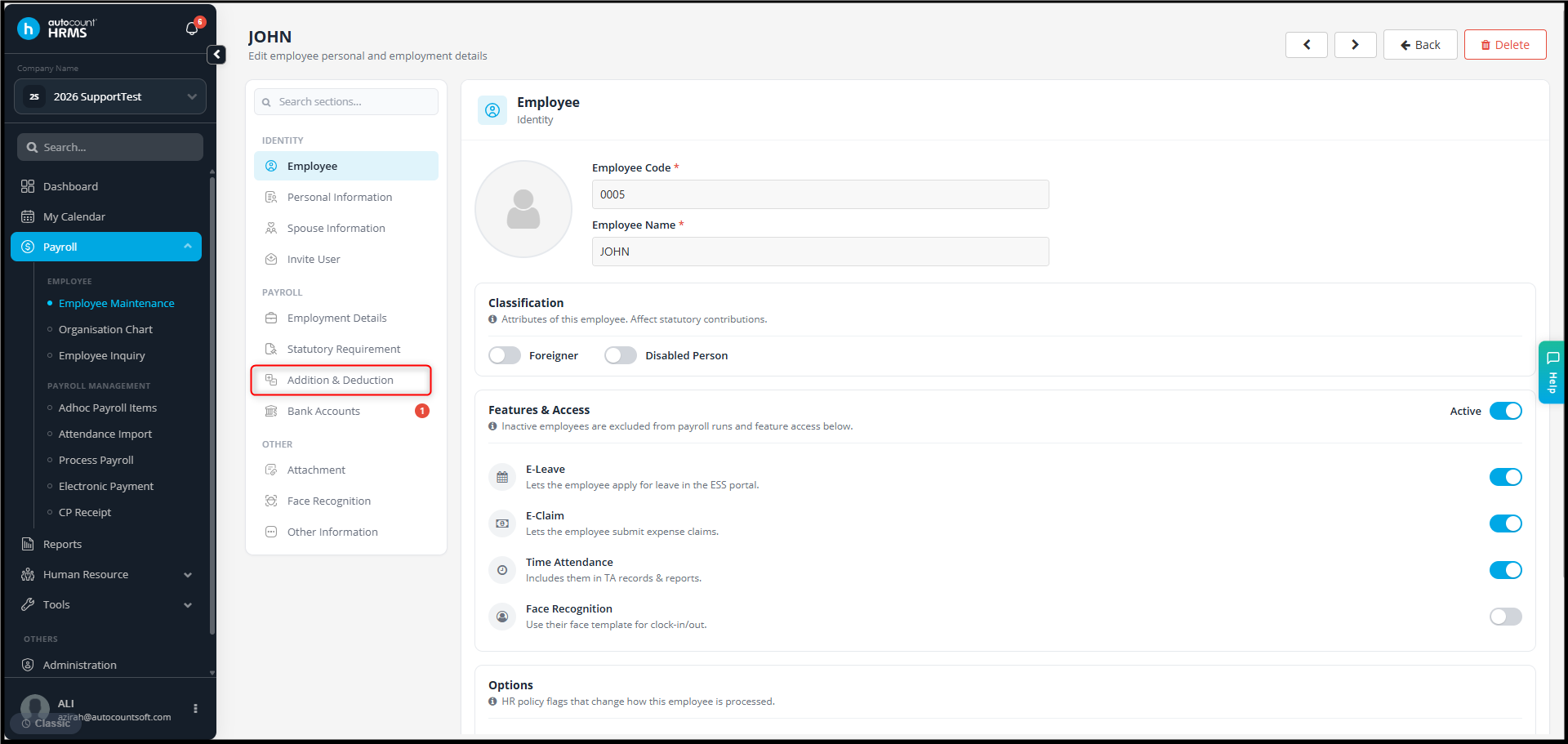
1. Go to Payroll > Employee Maintenance.
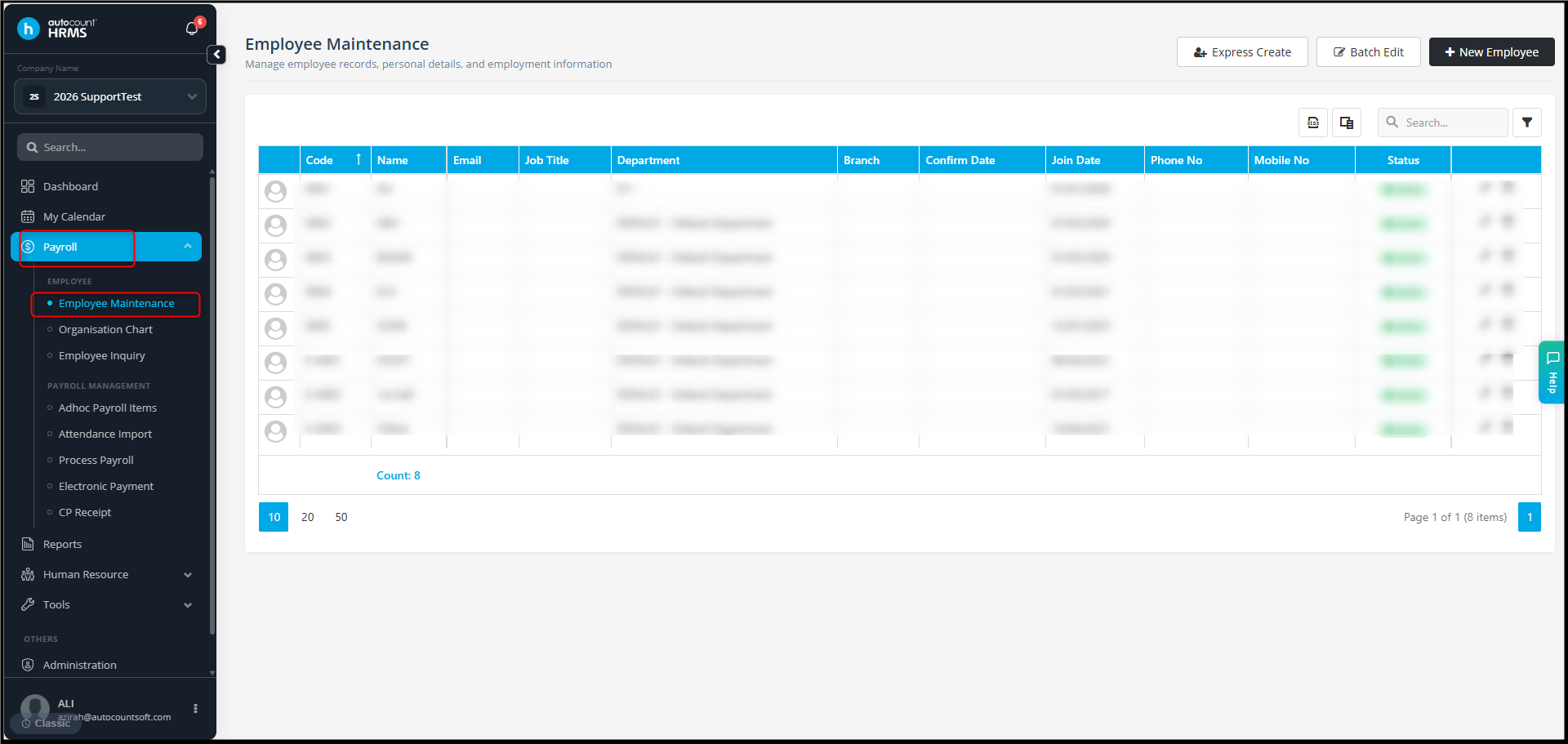
2. Select and edit the respective employee.
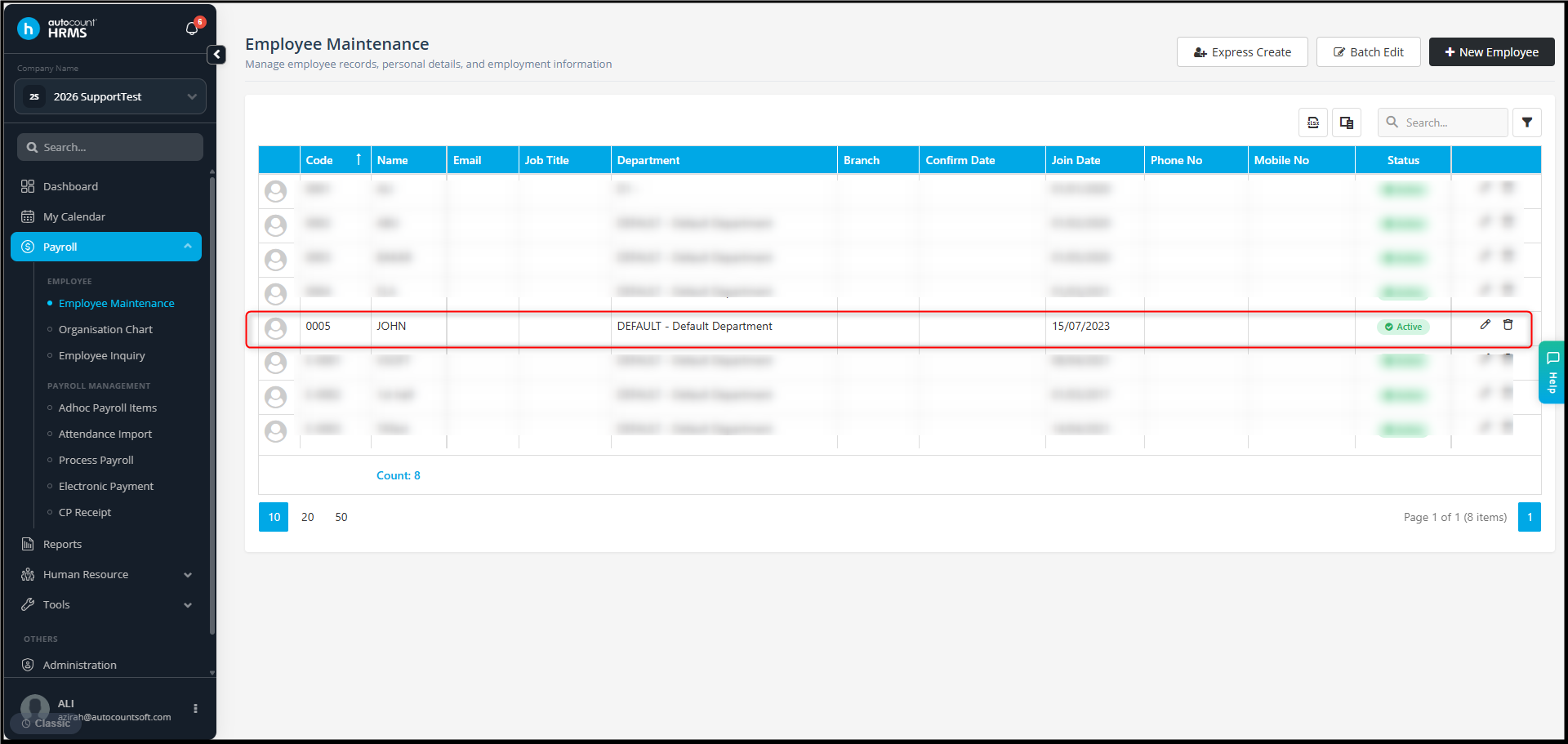
3. Click on Addition & Deduction.
4. Check whether the same allowance exists.
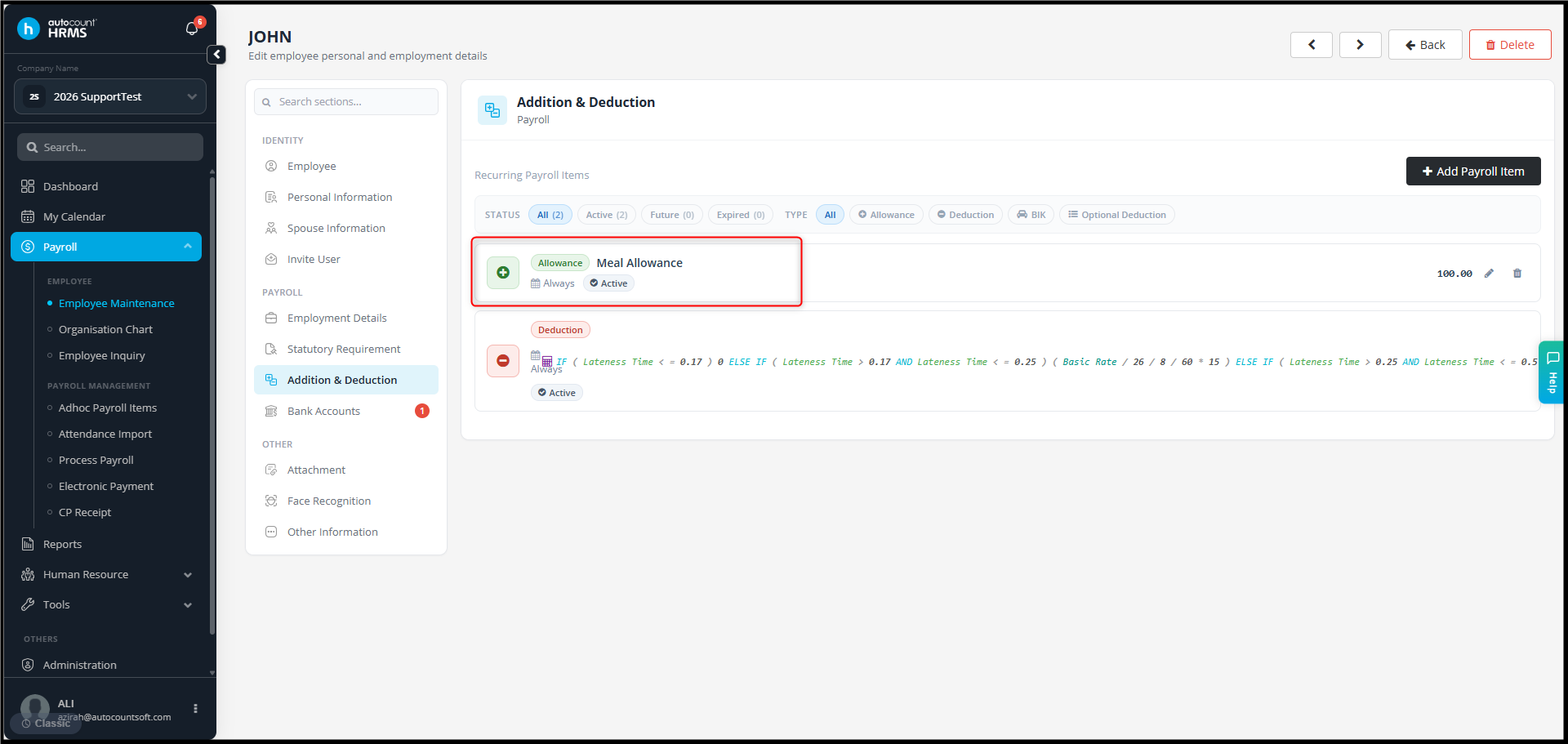
5. If the allowance is already configured there, this is the reason it appears double during Payroll Process.
6. To correct the current payroll:
- Remove one of the duplicate allowance entries from the Payroll Process.
7. For future payroll periods:
- No need to create the same allowance again in Adhoc Payroll Item if it is already maintained in Employee Maintenance.
By Azirah 260525