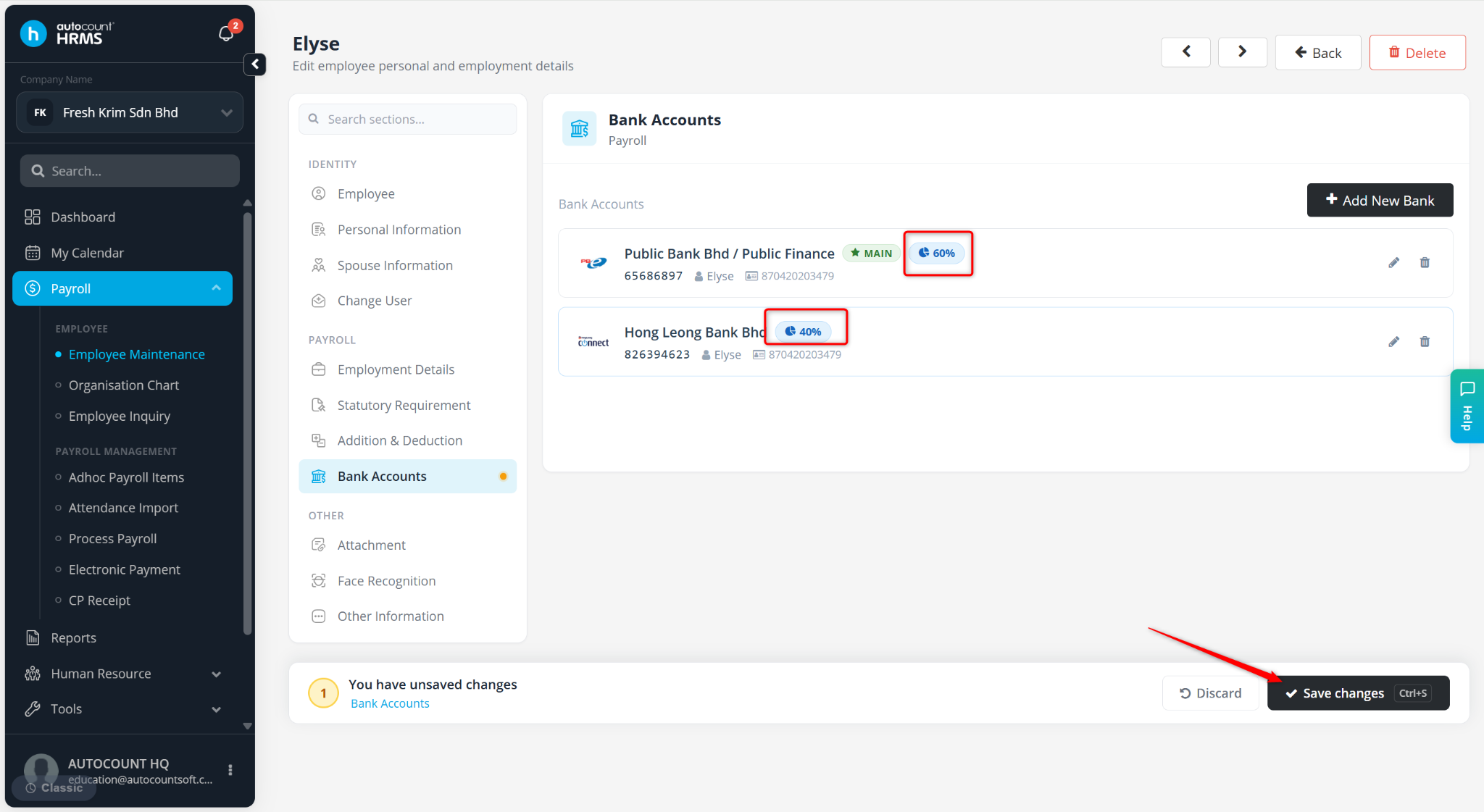
Yes, the company can pay salary into multiple bank accounts for a single employee. However, the payroll user must maintain the employee’s bank account details in Employee Maintenance, including allocation of salary percentage for each account.
Steps to Pay Salary to Multiple Bank Accounts of an Employee:
Go to Payroll > Employee Maintenance.
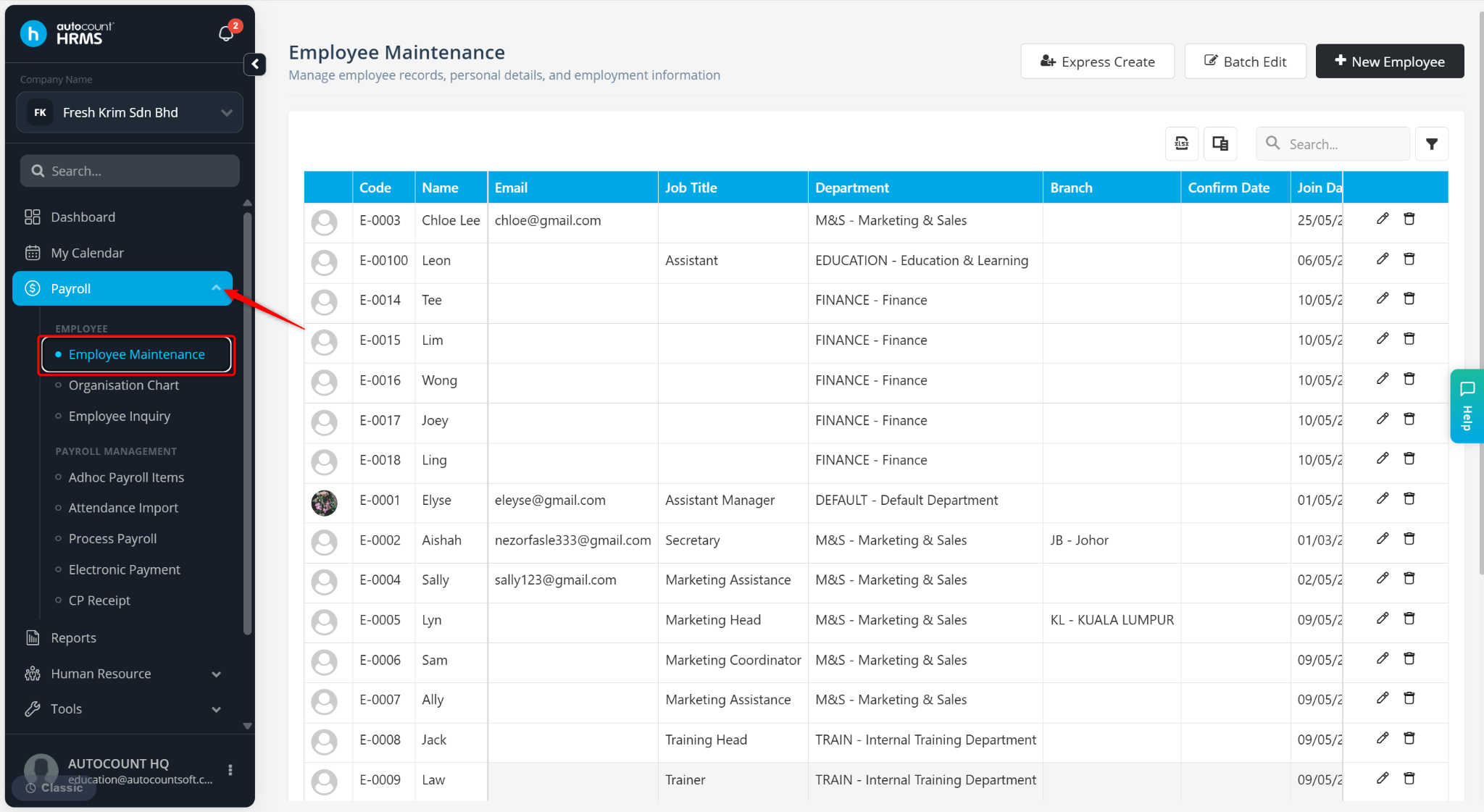
Locate the staff and click the pencil icon.
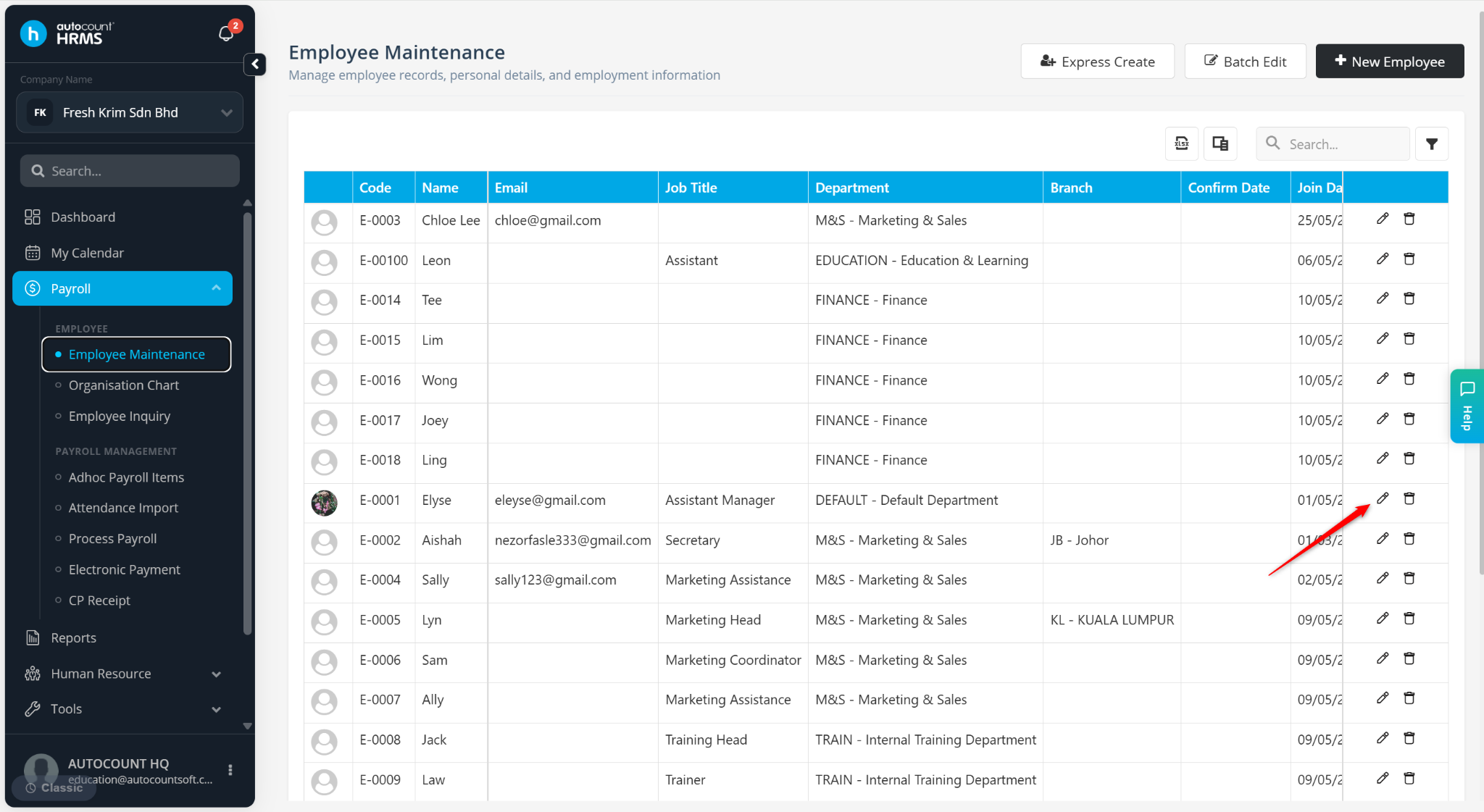
Go to the Bank Account.
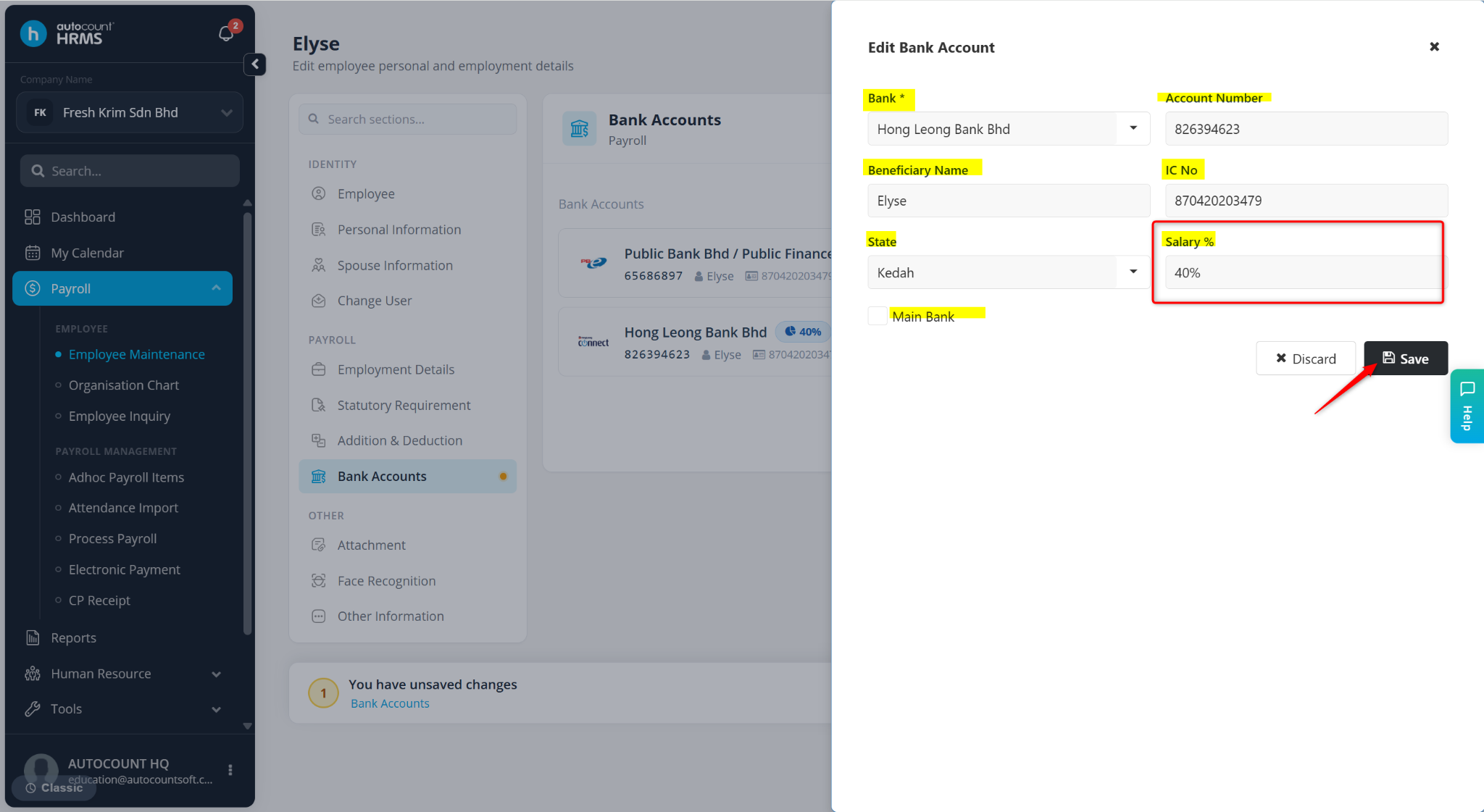
Click + New Bank.
Enter the details:
Bank – Select the bank name
Bank Account Number – Enter account number.
Beneficiary Name – Auto-filled with employee name.
IC No – Auto-filled based on the employee's IC number.
Branch – Select bank branch.
Salary Percent – Enter the percentage of salary to be credited to this account. Ensure the total percentage of all bank accounts equals 100%.
Click Save.
Click Save changes.