
Scenario:
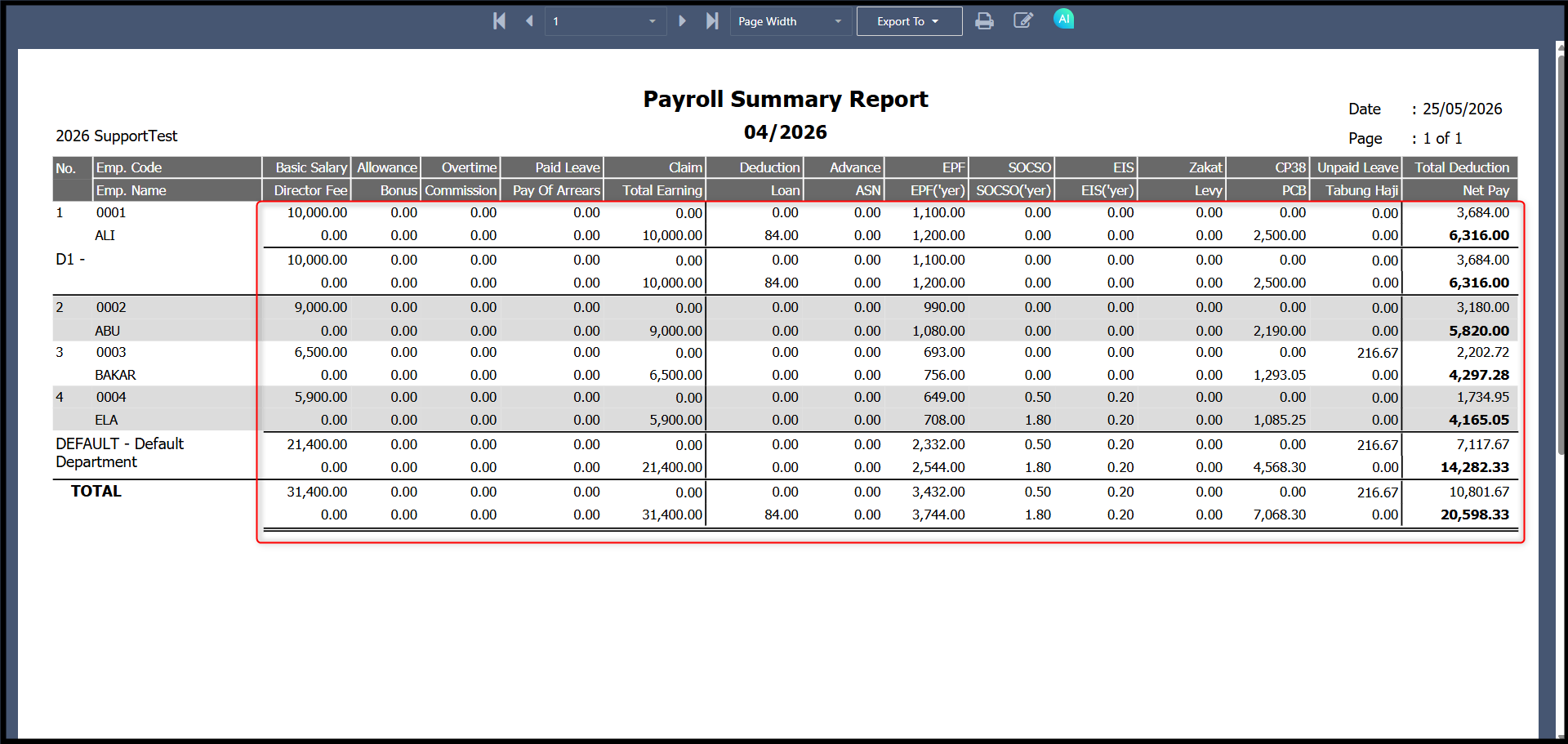
Payroll summary report when preview from Payroll Process > Summary Files > Payroll Report > Payroll Summary Report:
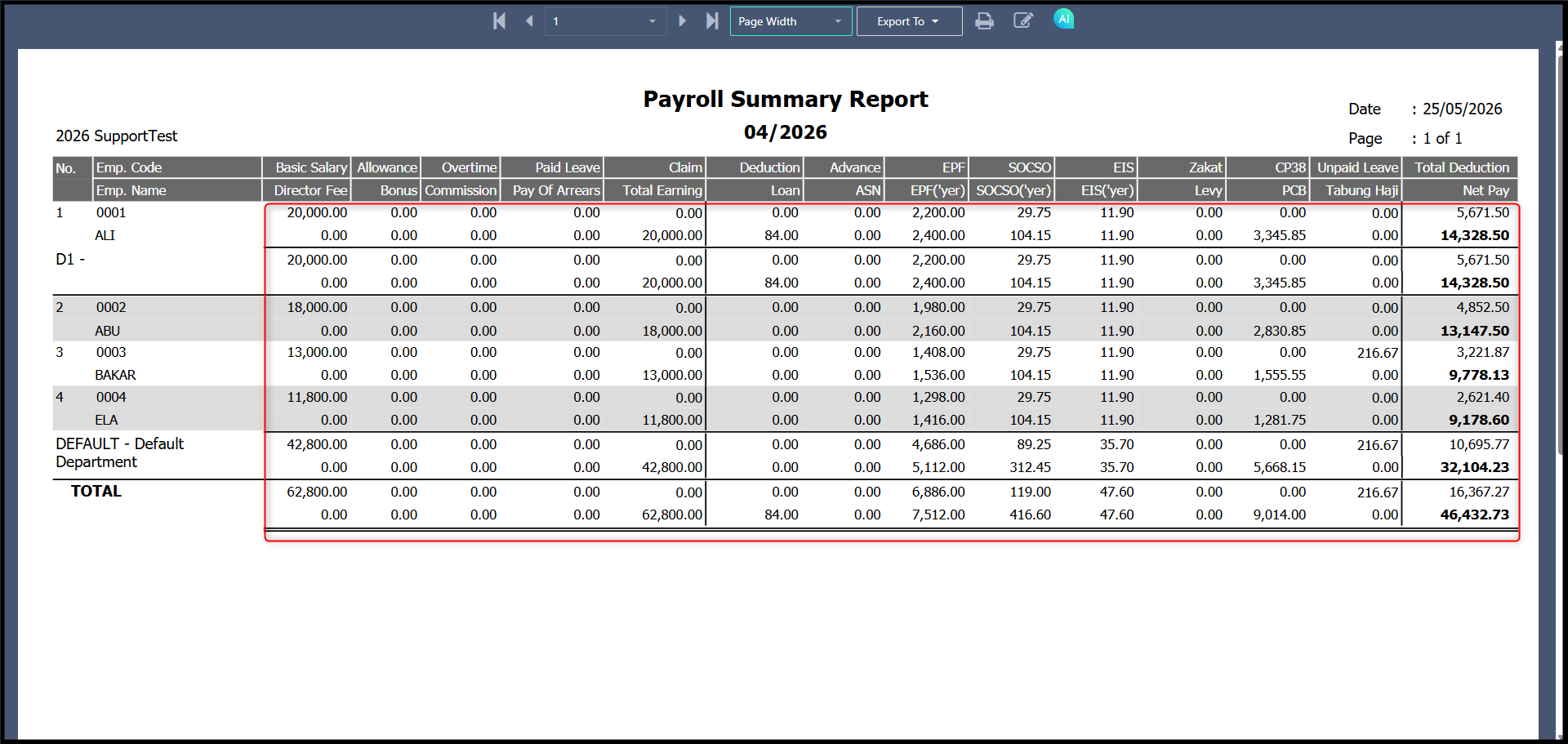
Payroll summary report when preview from Reports > Payroll Summary Report preview:
Possible reason:
The report shows doubled values because there are duplicate payroll entries for the same period, typically caused by both Month End payroll and Year To Date (YTD) import payroll being processed together. Since both contain similar or identical data, the system counts them twice.
Answer:
1. Go to Payroll > Process Payroll.
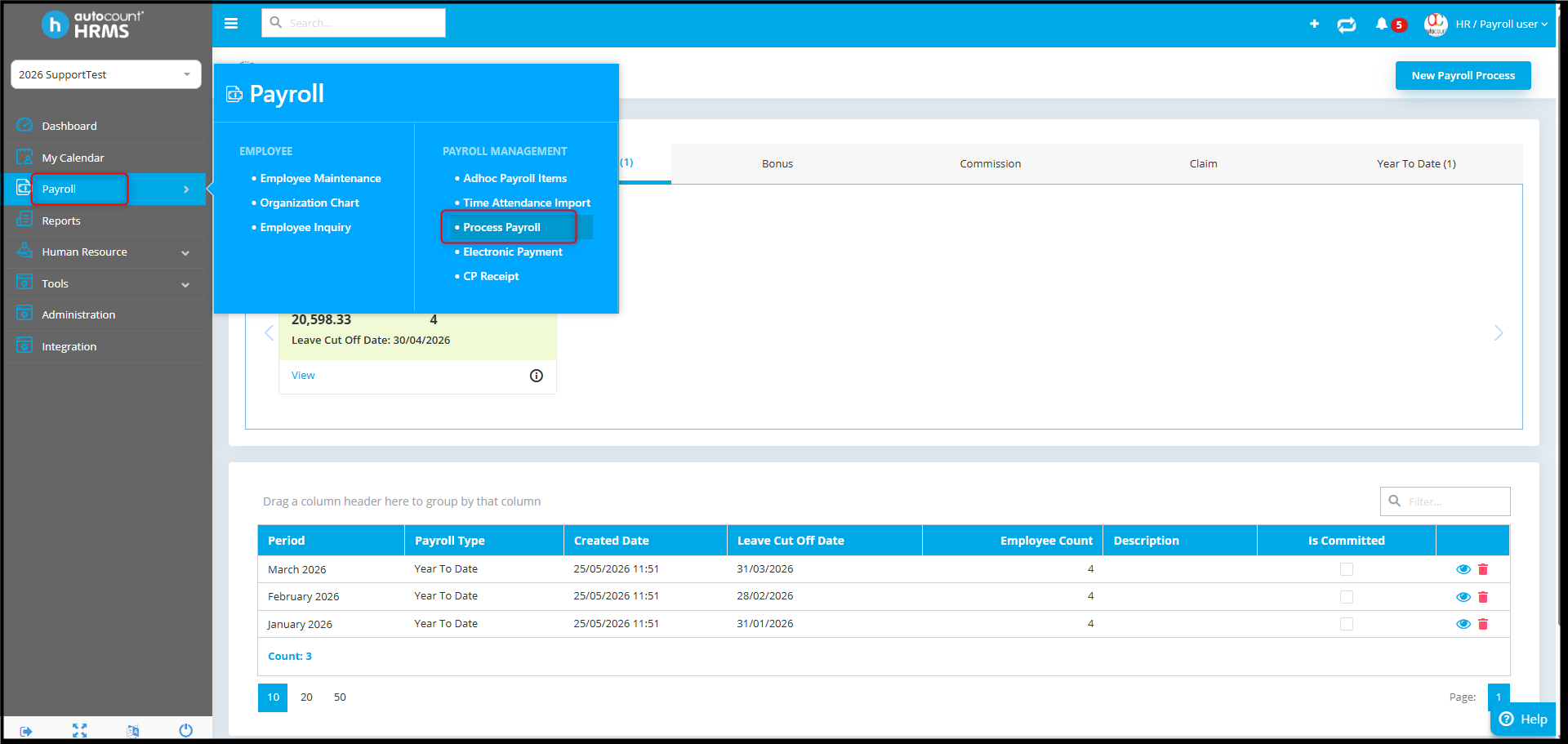
2. Check if multiple payroll types exist for the same period (e.g., Month End and Year To Date)
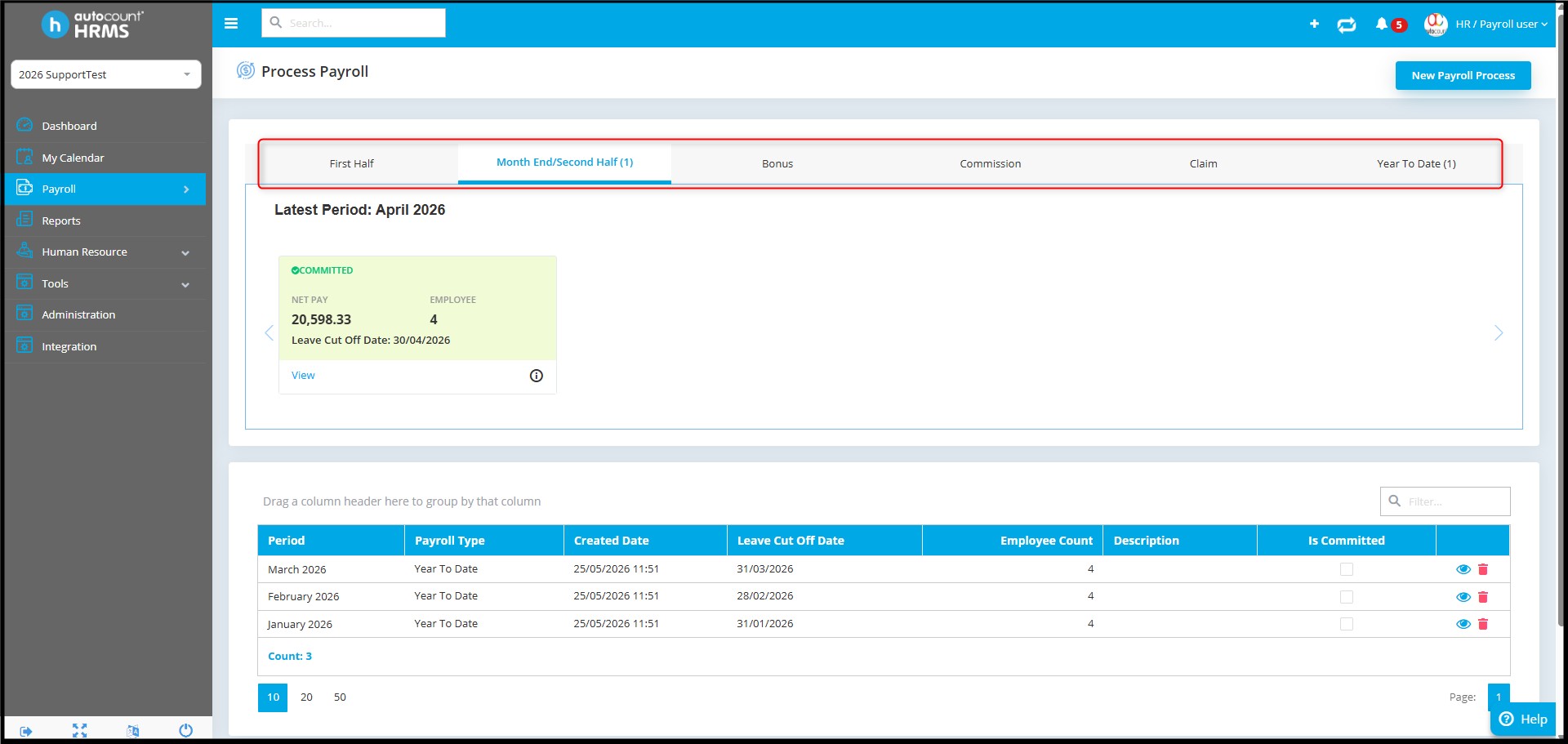
3. Open each payroll run using View to review the details
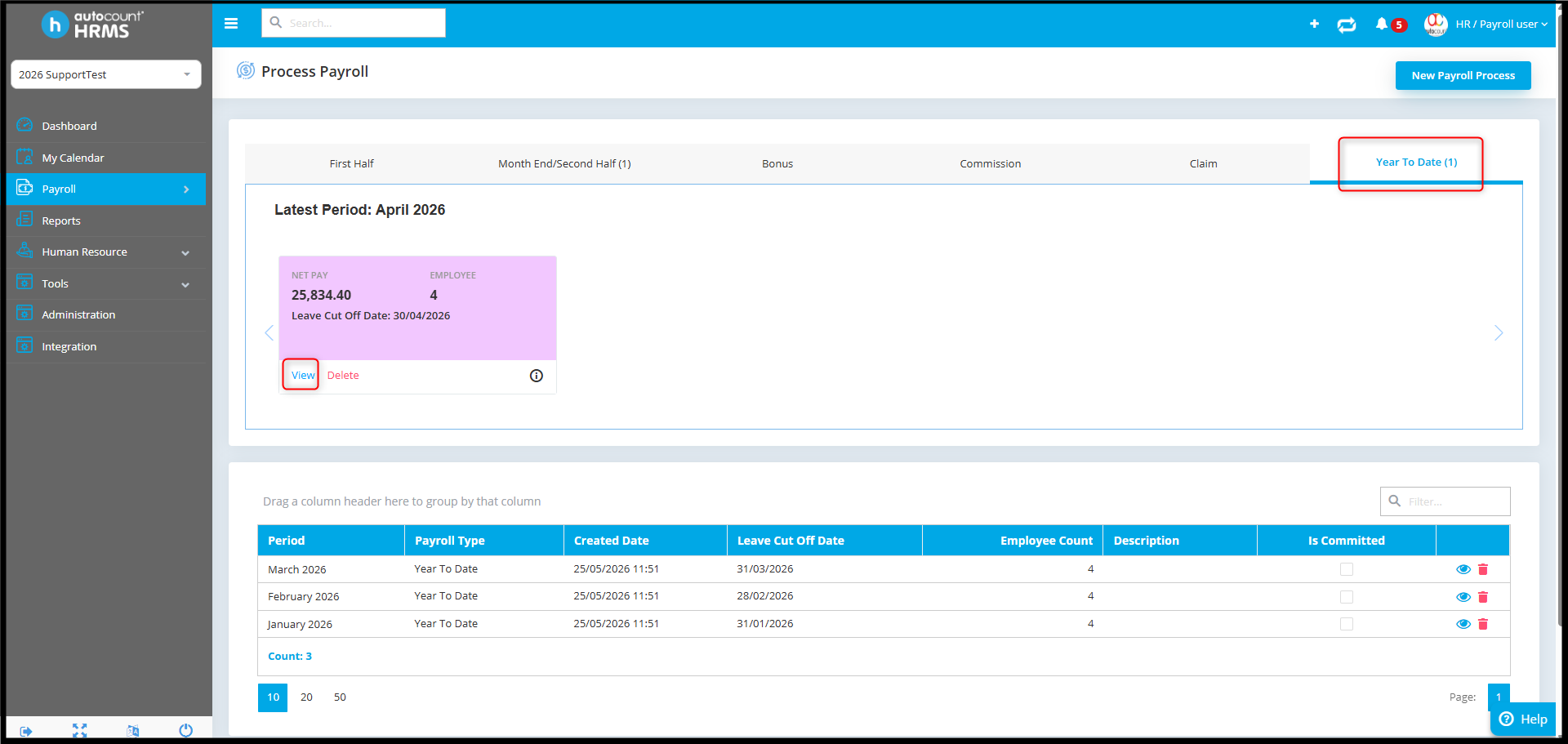
4. Confirm whether the data in both runs is identical or overlapping.
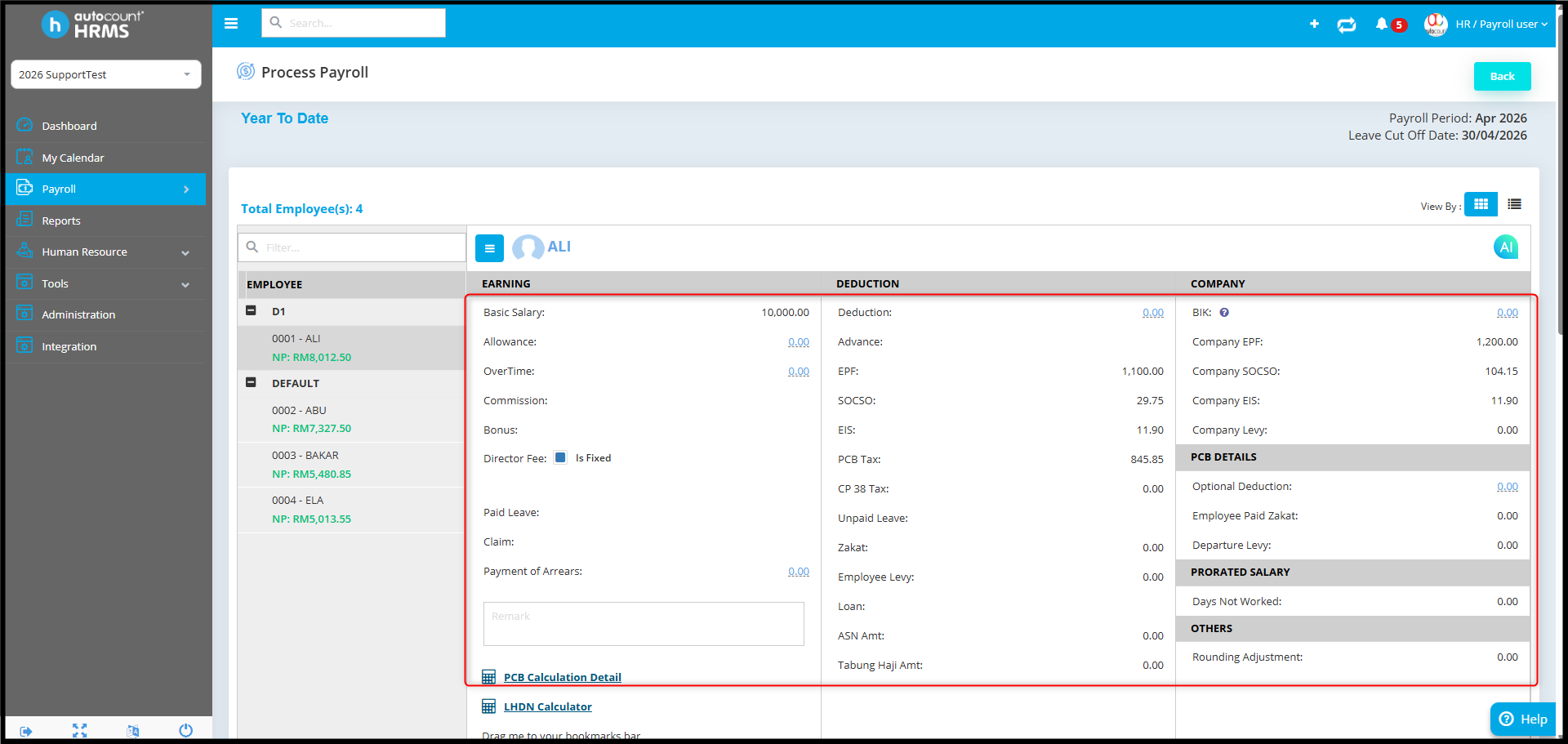
5. If both payroll types contain the same information, decide which one should be retained:
• If keeping Year To Date, delete the Month End payroll
• If keeping Month End payroll, delete both Month End and Year To Date, then reprocess correctly
6. Ensure only one valid payroll run exists per period to avoid duplication.
7. After cleanup, re-run the Payroll Summary Report to confirm correct values
Once corrected, the report will display accurate figures without duplication across both preview methods.
By Azirah 260522