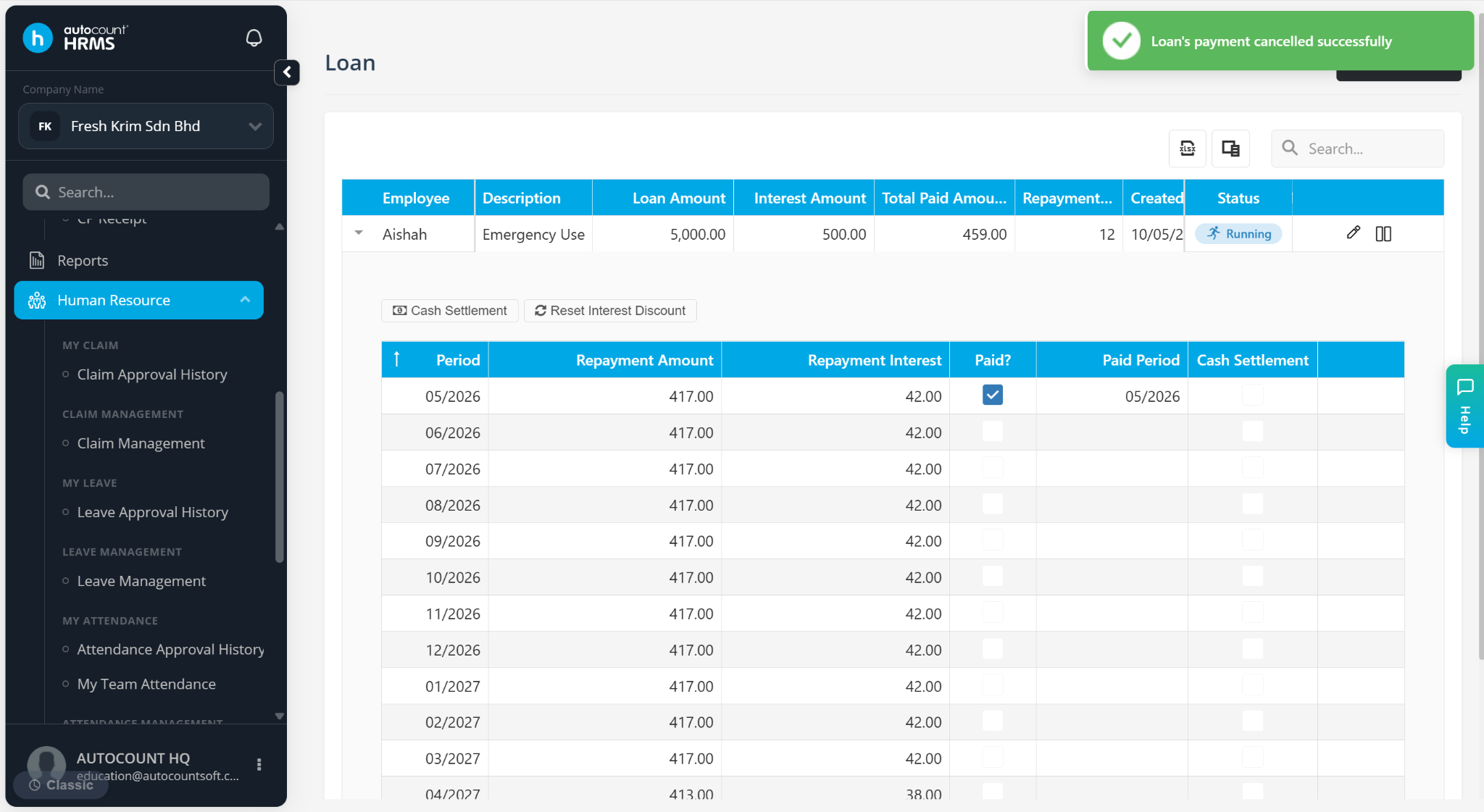
When employees repay their loan in cash, employers can record the repayment in the system. This feature also allows HR or payroll users to correct loan repayments, including deleting or cancelling incorrect or excess settlements.
Steps to Record Cash Settlement of Loan:
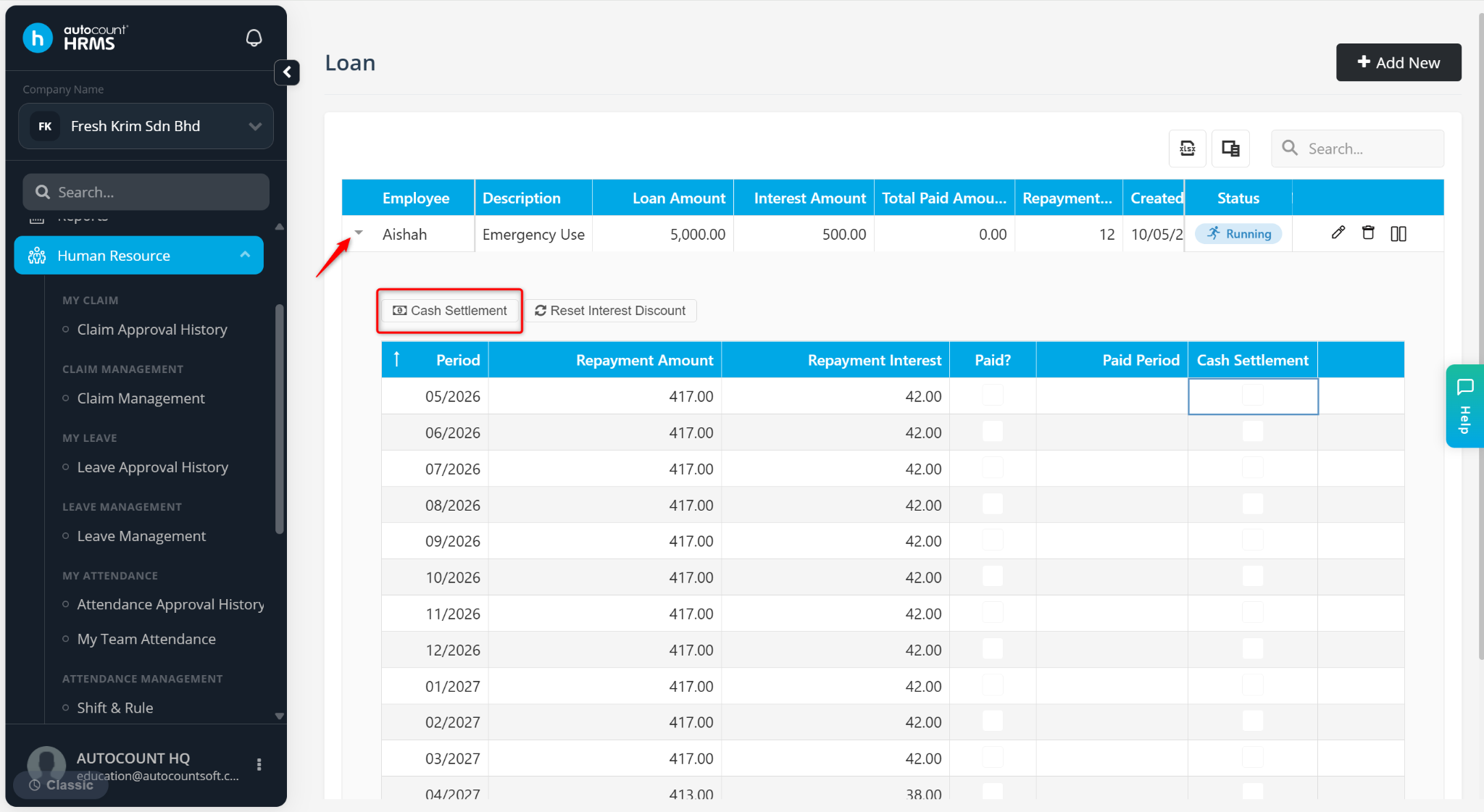
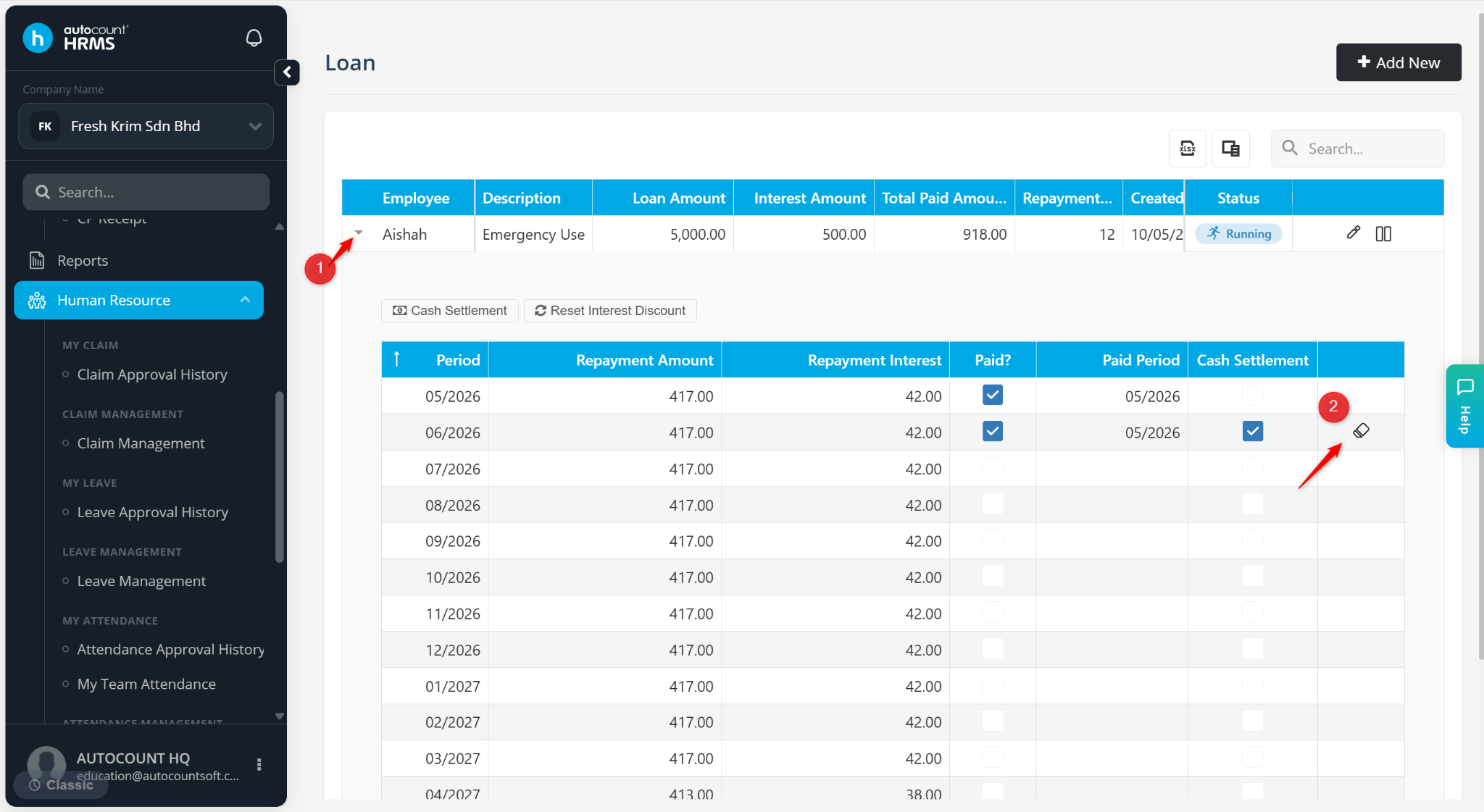
At the Loan page, click the > icon to expand the loan details.
Click Cash Settlement to knock off the loan repayment from employees.
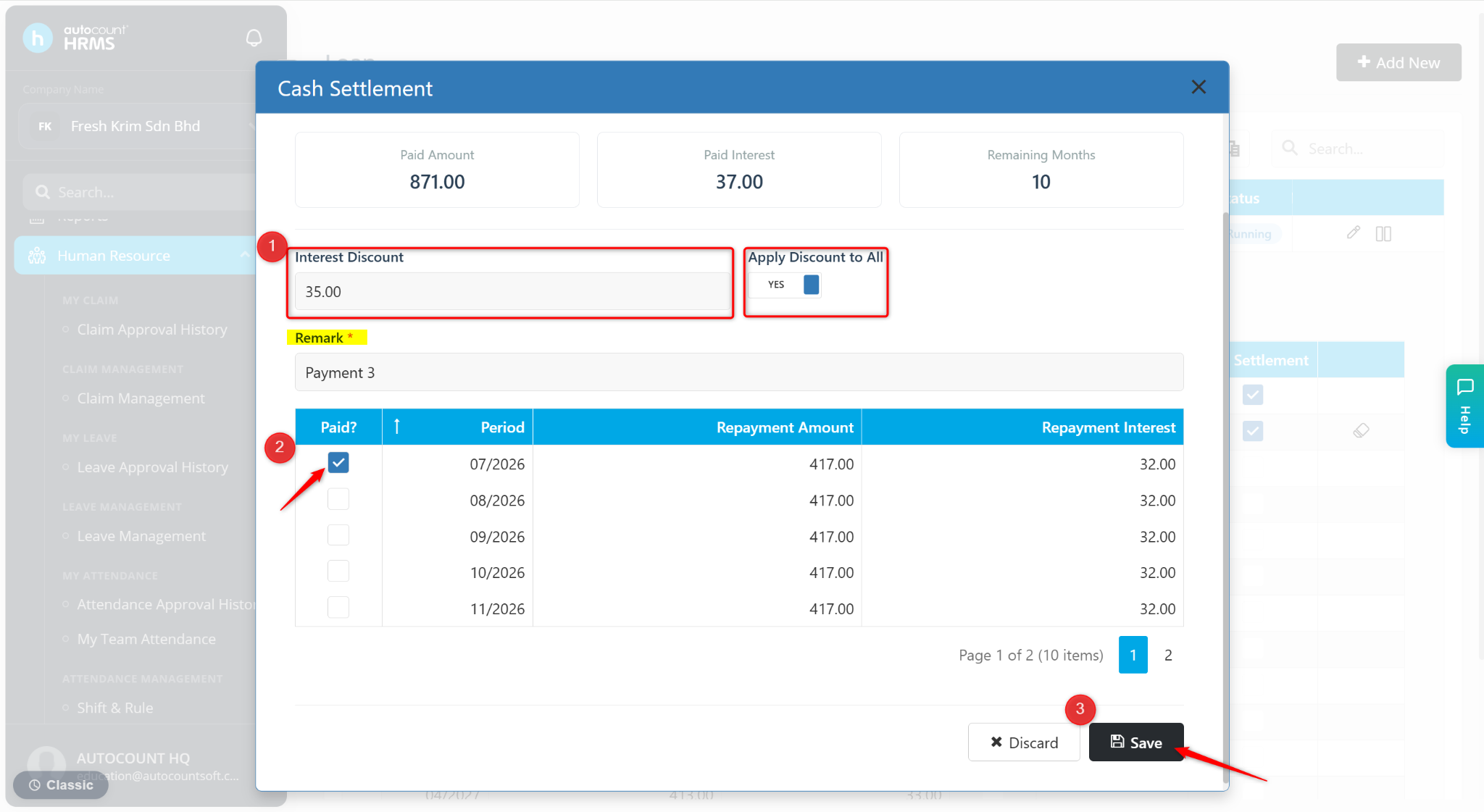
Enter a Remark of the repayment.
Enter the amount of Interest Discount if any. Toggle Apply Discount to All to YES if the discount is applicable to all repayment months.
Tick the repayment period(s) that have been paid.
Click Save.
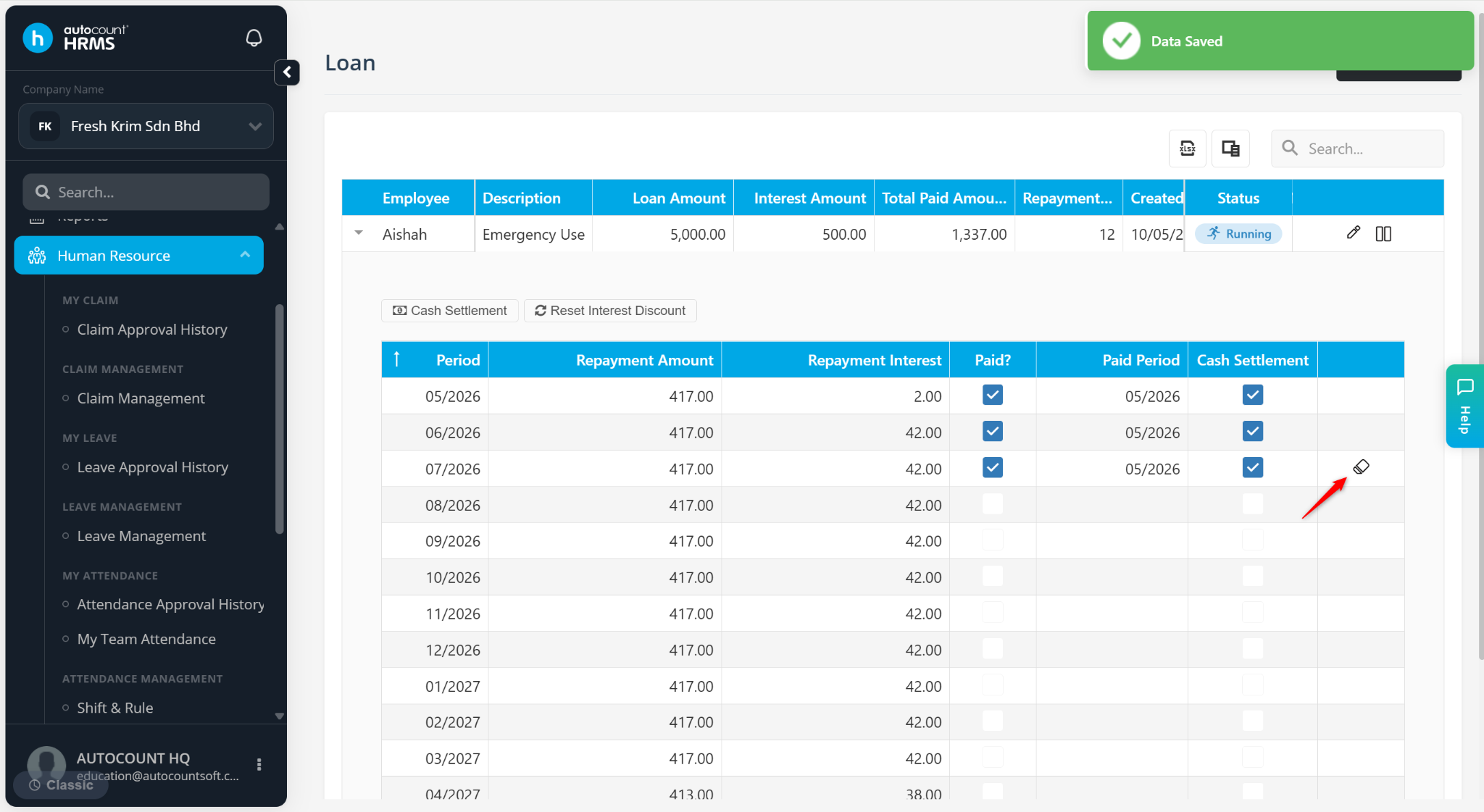
The Paid? and Cash Settlement columns will be updated. Use the eraser icon to cancel a settlement if needed.
Steps to Reset Loan Interest Discount:
You may reset interest discounts for a loan that has not yet been paid, if the Apply Discount to All option was previously set to YES during earlier repayment setup.
At the Loan page, expand the loan record.
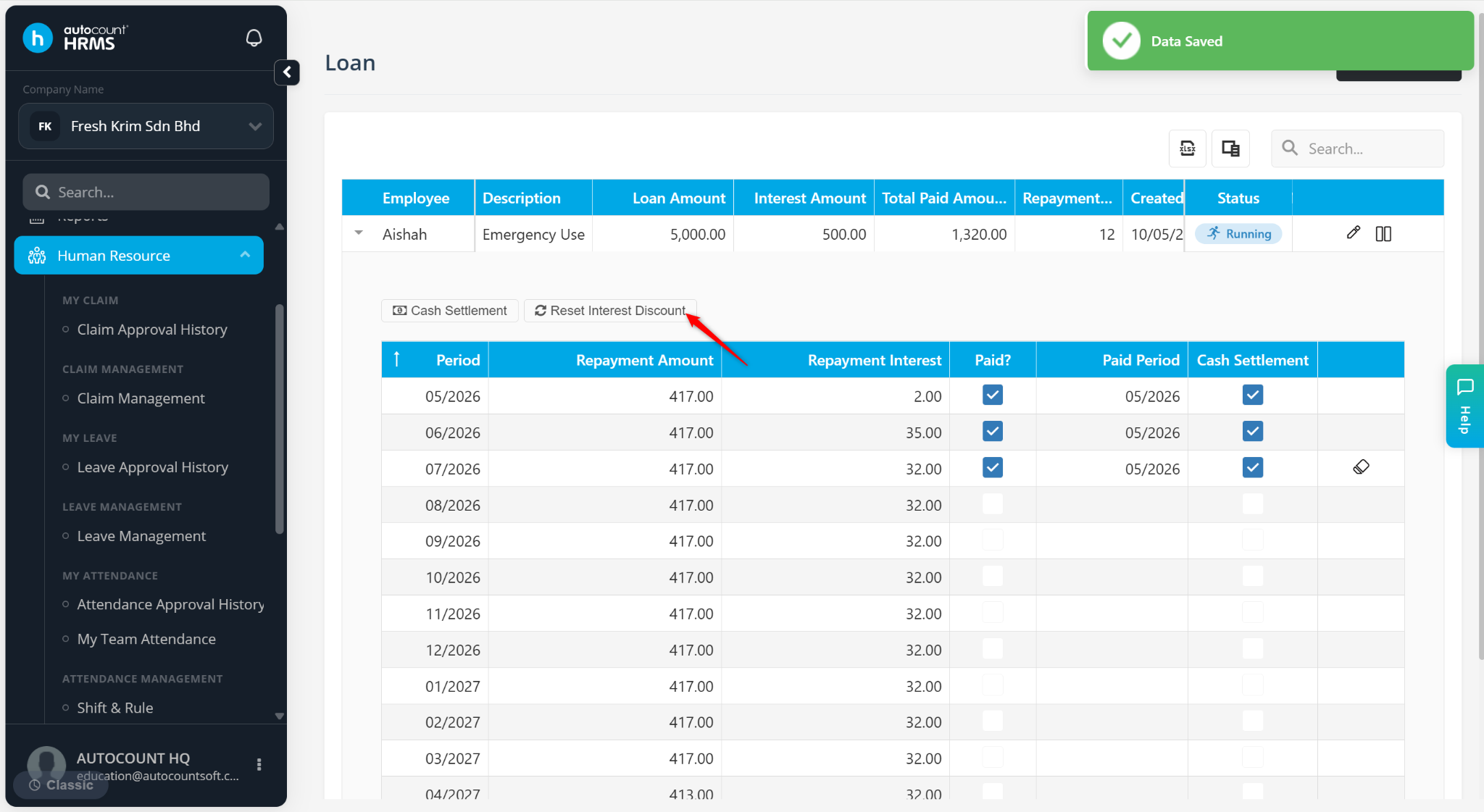
Click Reset Interest Discount.
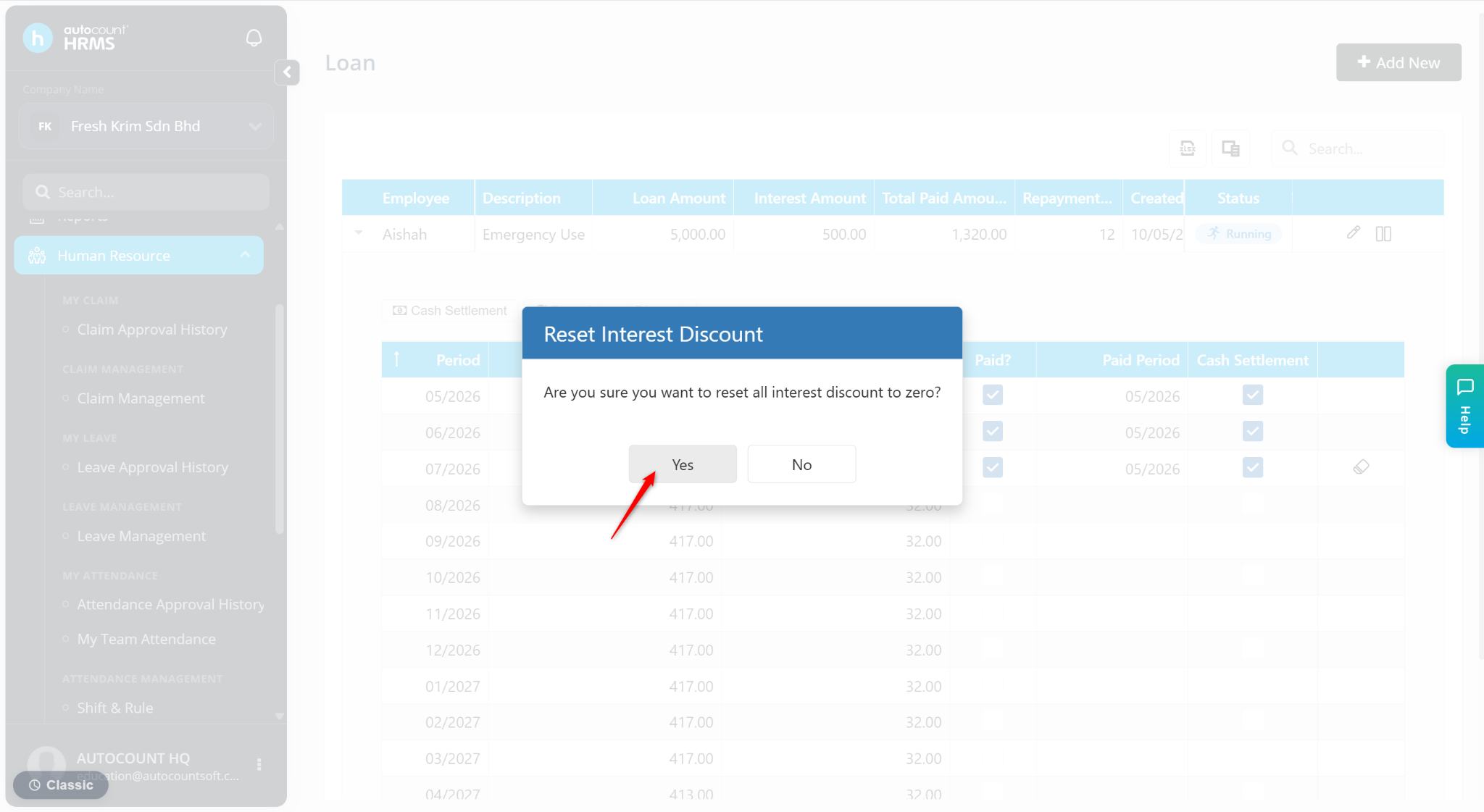
Click Yes to proceed.
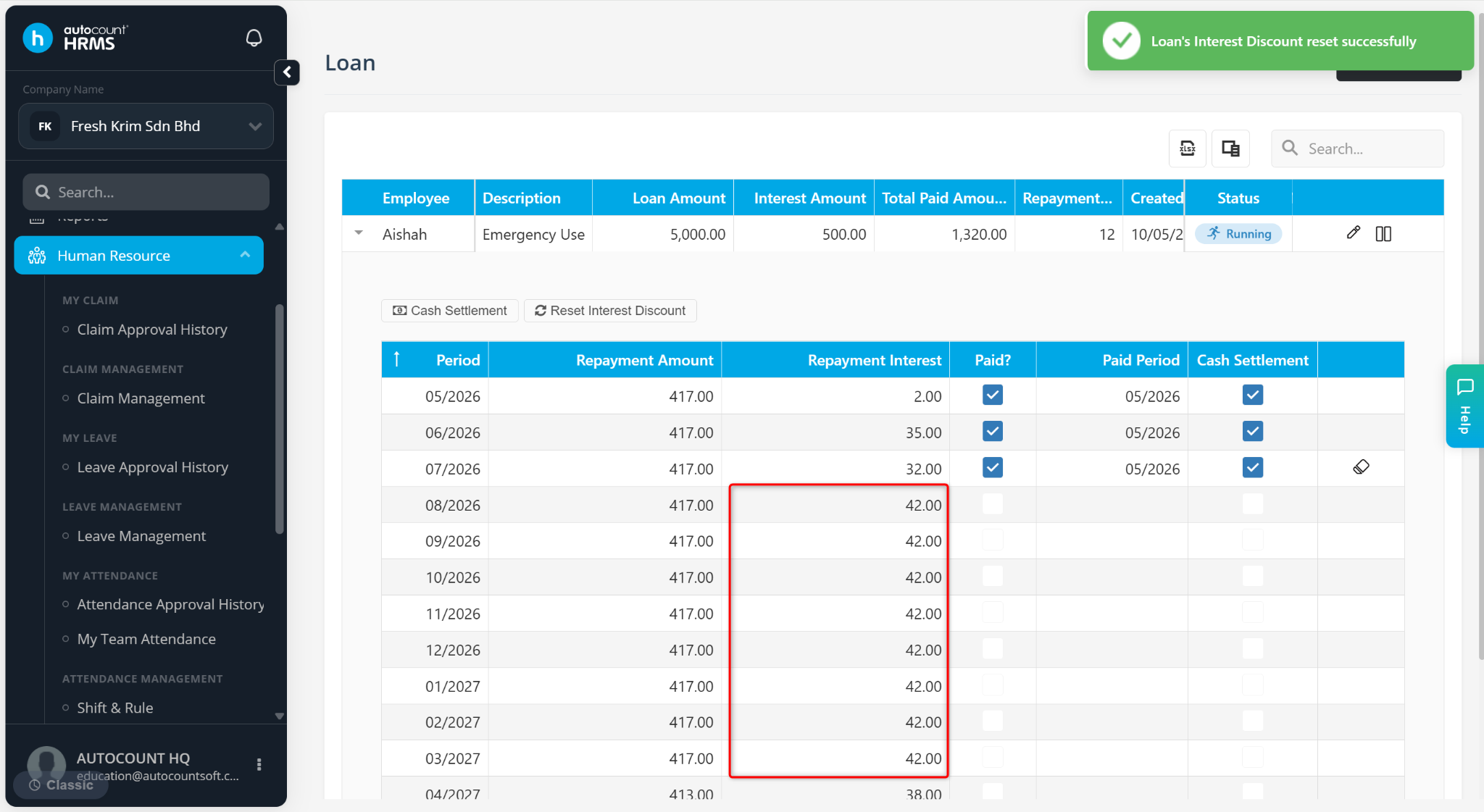
The interest discount will be removed for the affected repayment periods.
Steps to Delete or Cancel a Loan Settlement:
Go to Human Resource > Loan.
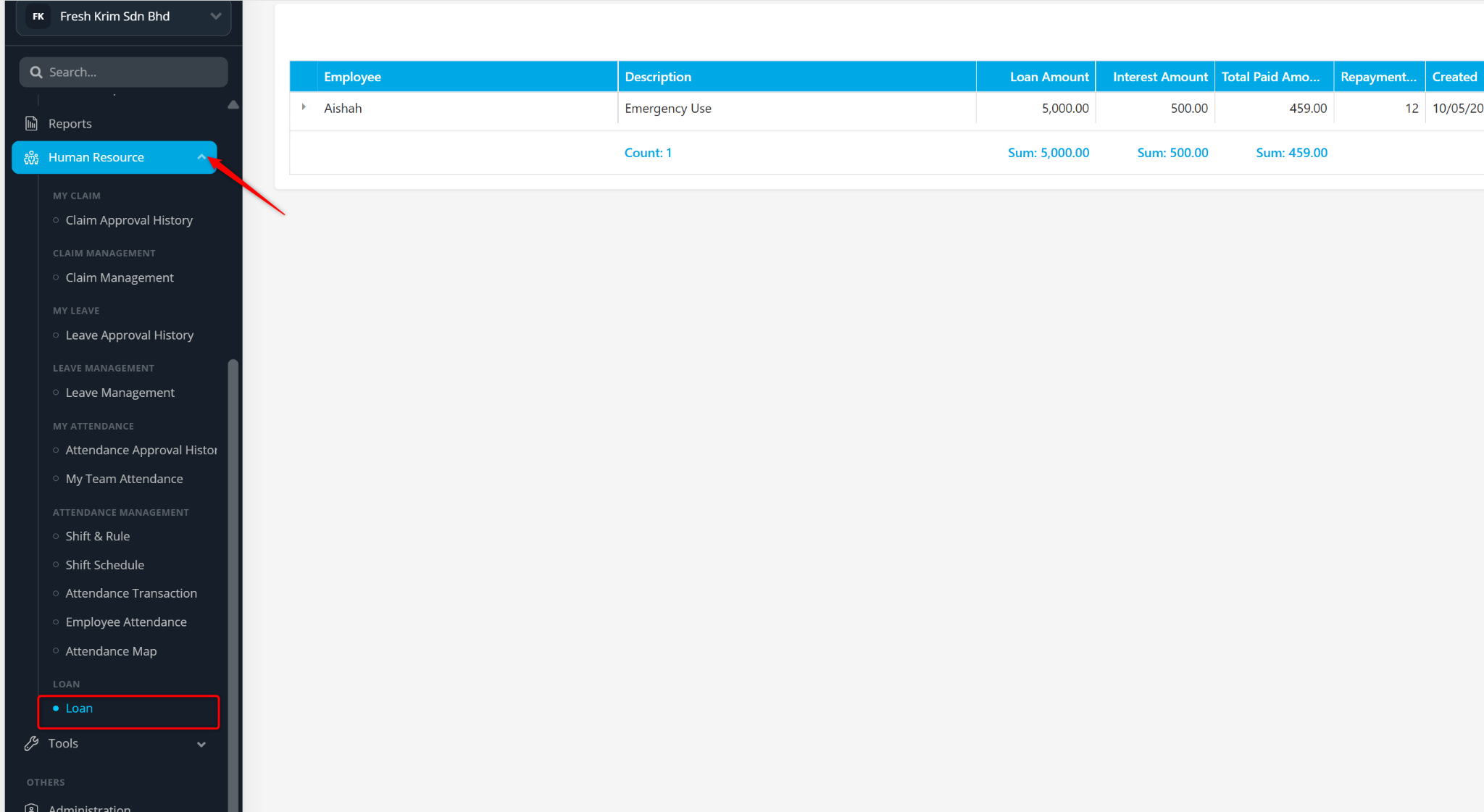
Locate the loan record and click the > icon to expand the details.
Click the eraser icon to delete the loan settlement.
Click Yes to confirm.
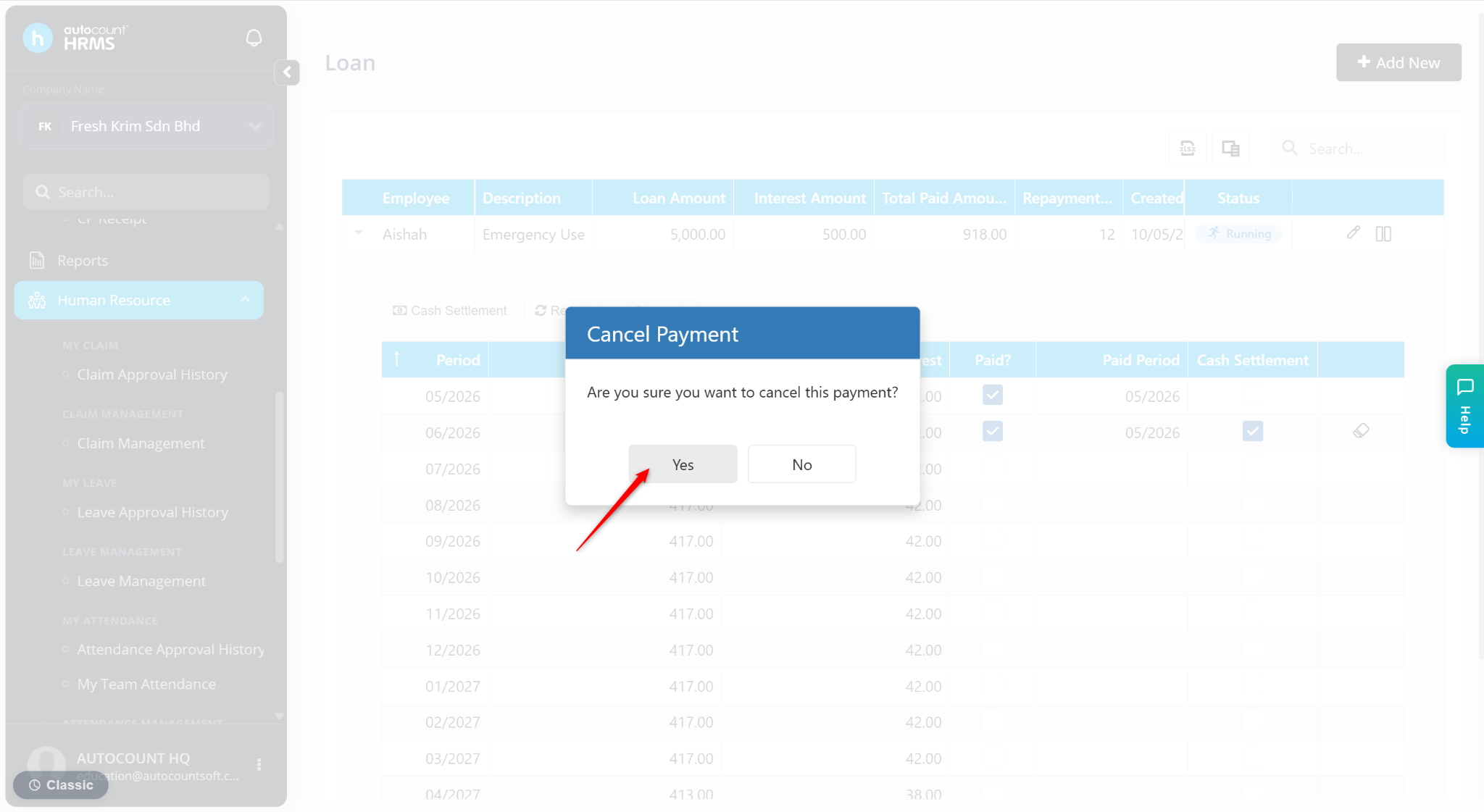
The payment will be deleted.