
This guide explains how to import a report into the system.
Answer:
- Go to Tools > Report Management.
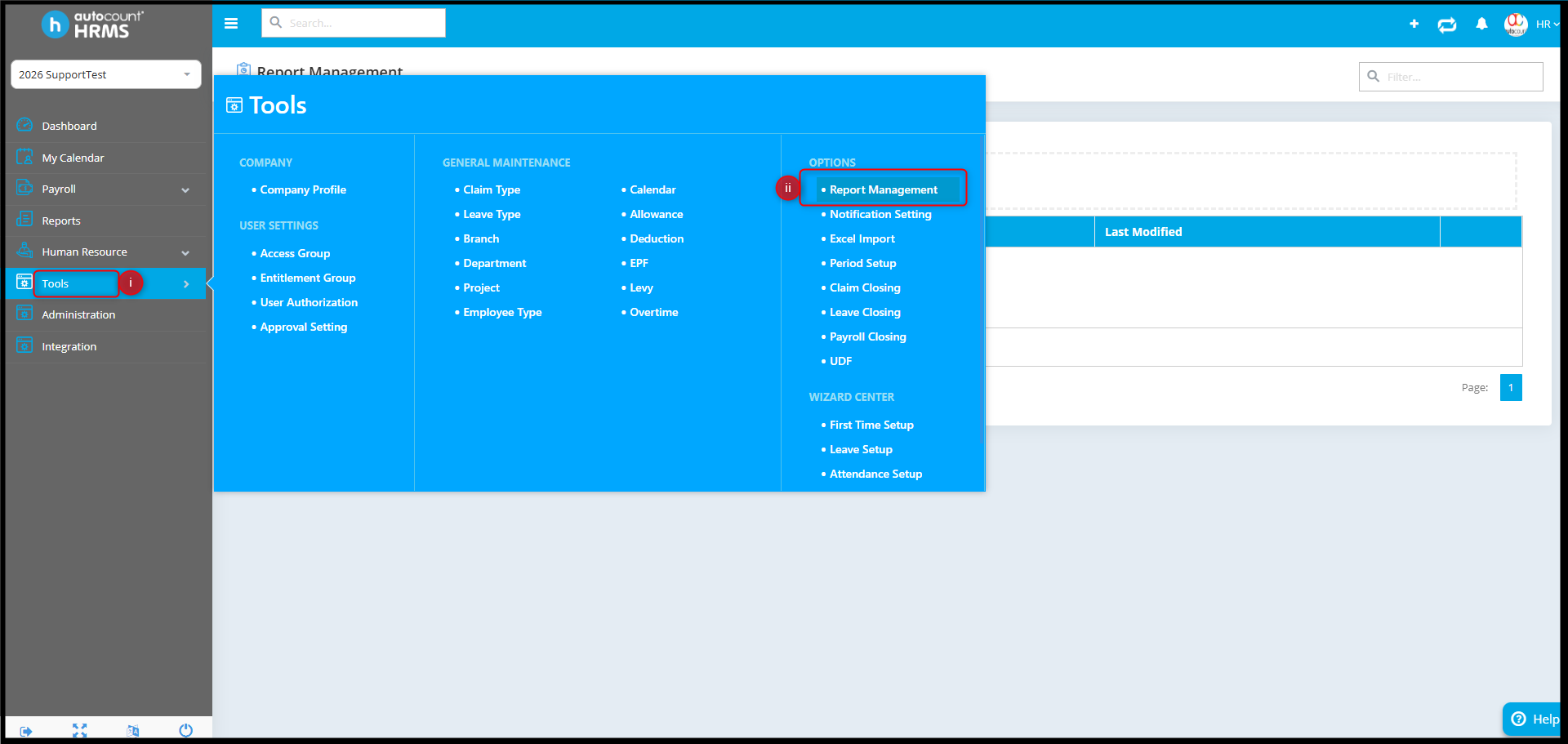
- Click on Select a file.
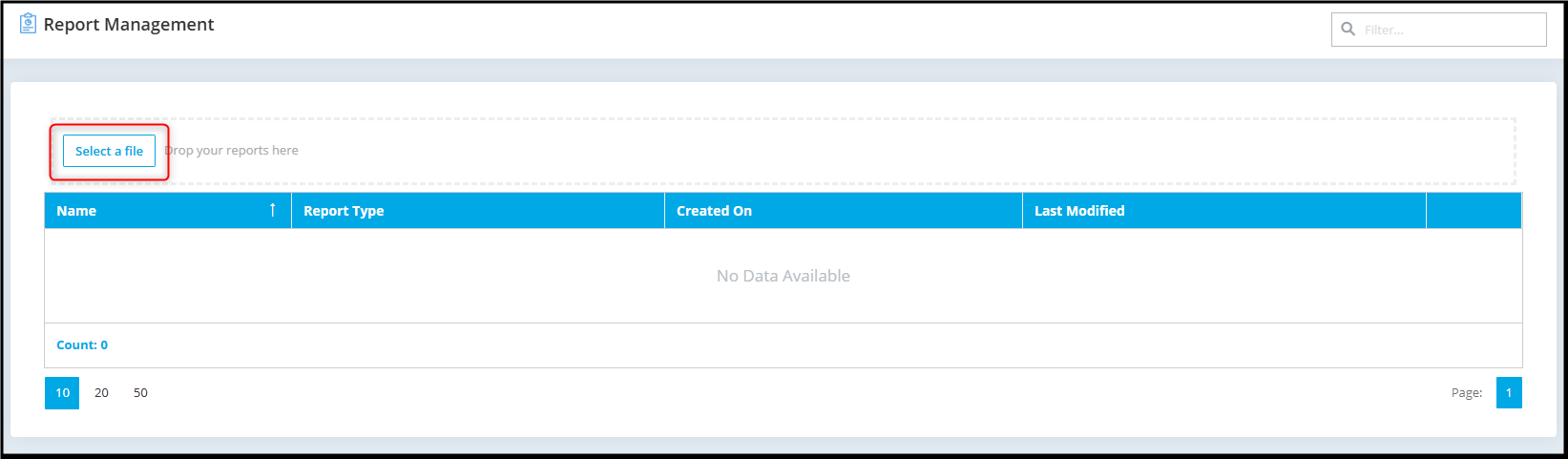
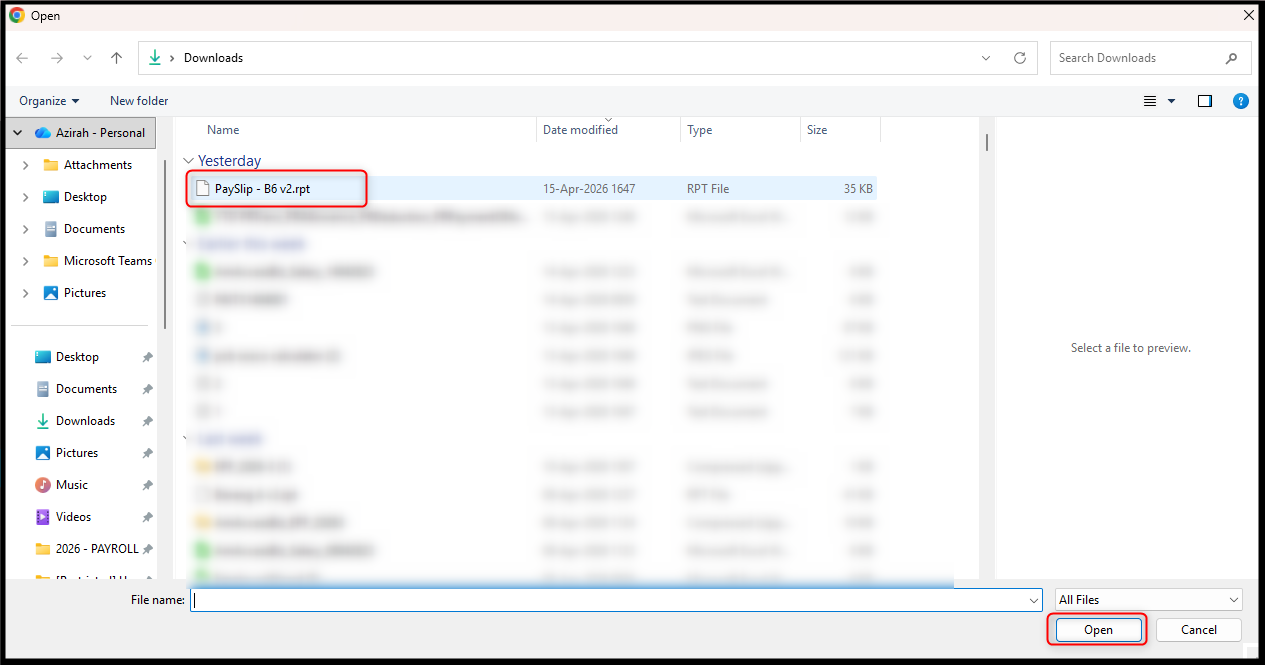
- Choose the report file, then click Open.
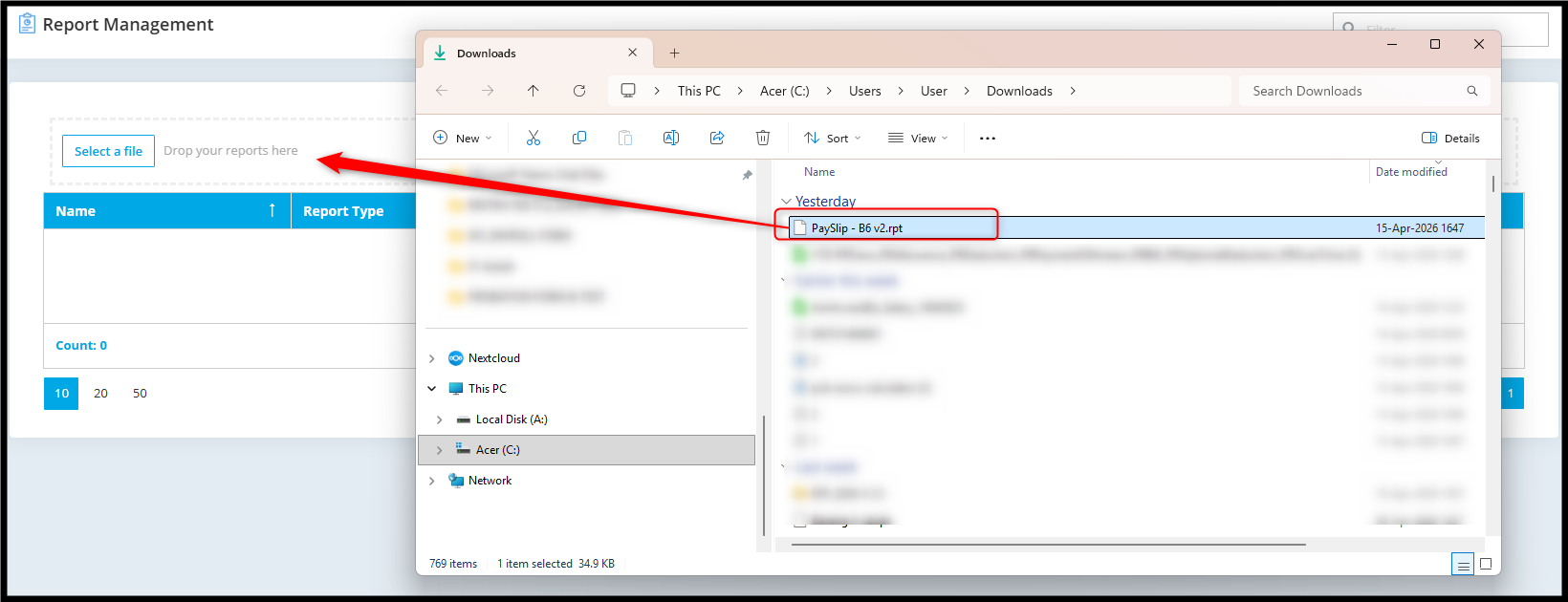
- Alternatively, you can drag and drop the report file into the upload box.
- Once the file is loaded, click Upload.
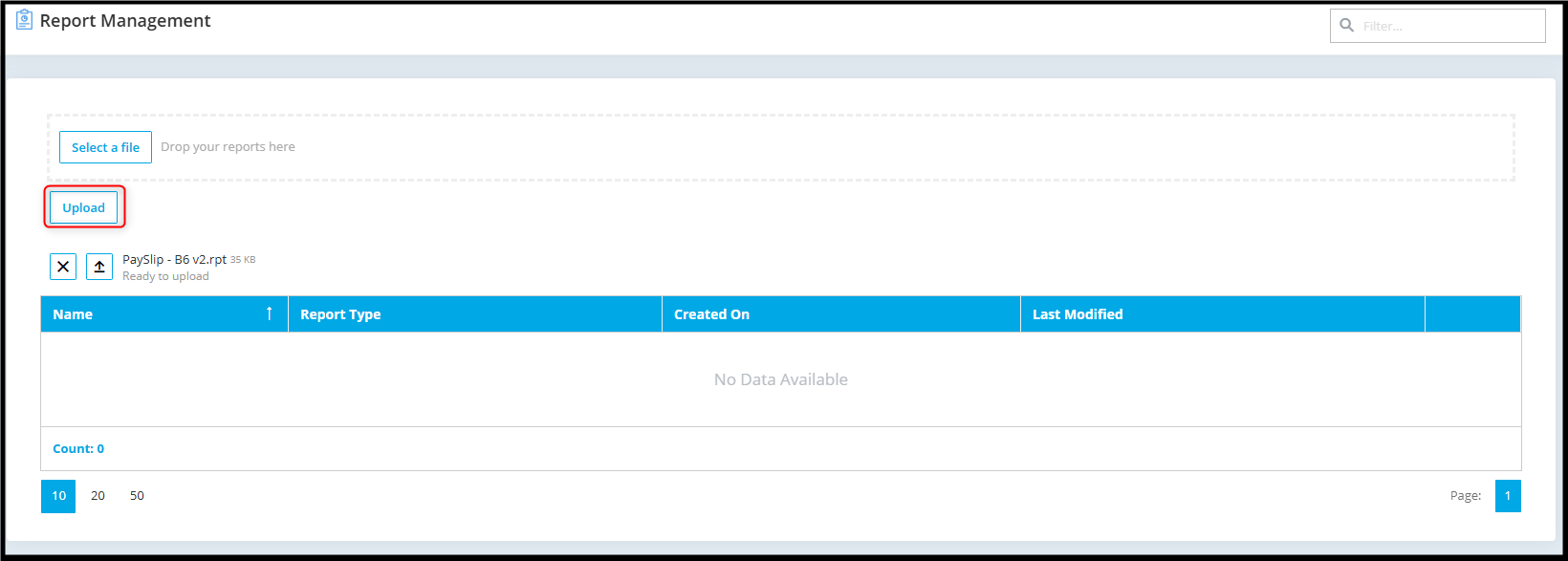
- The file will appear in the available list after successful upload.
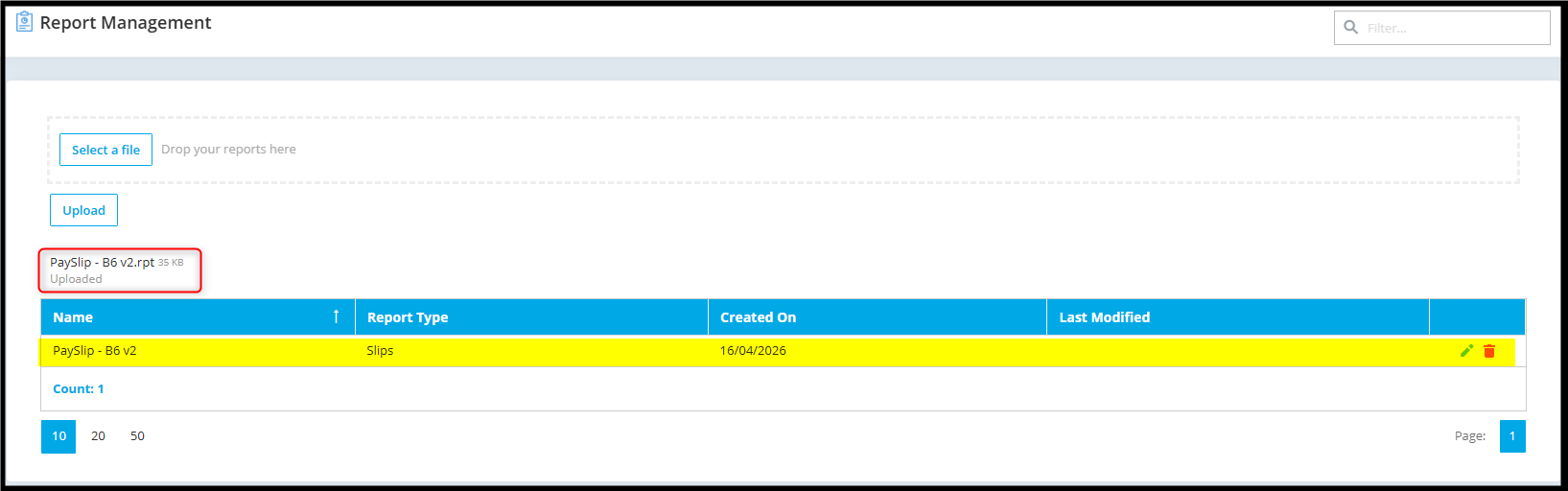
- you can now access the report in the system.
Example:
If the uploaded file is Payslip B6, go to:
Report > Payslip Report > Payslip B6 > Preview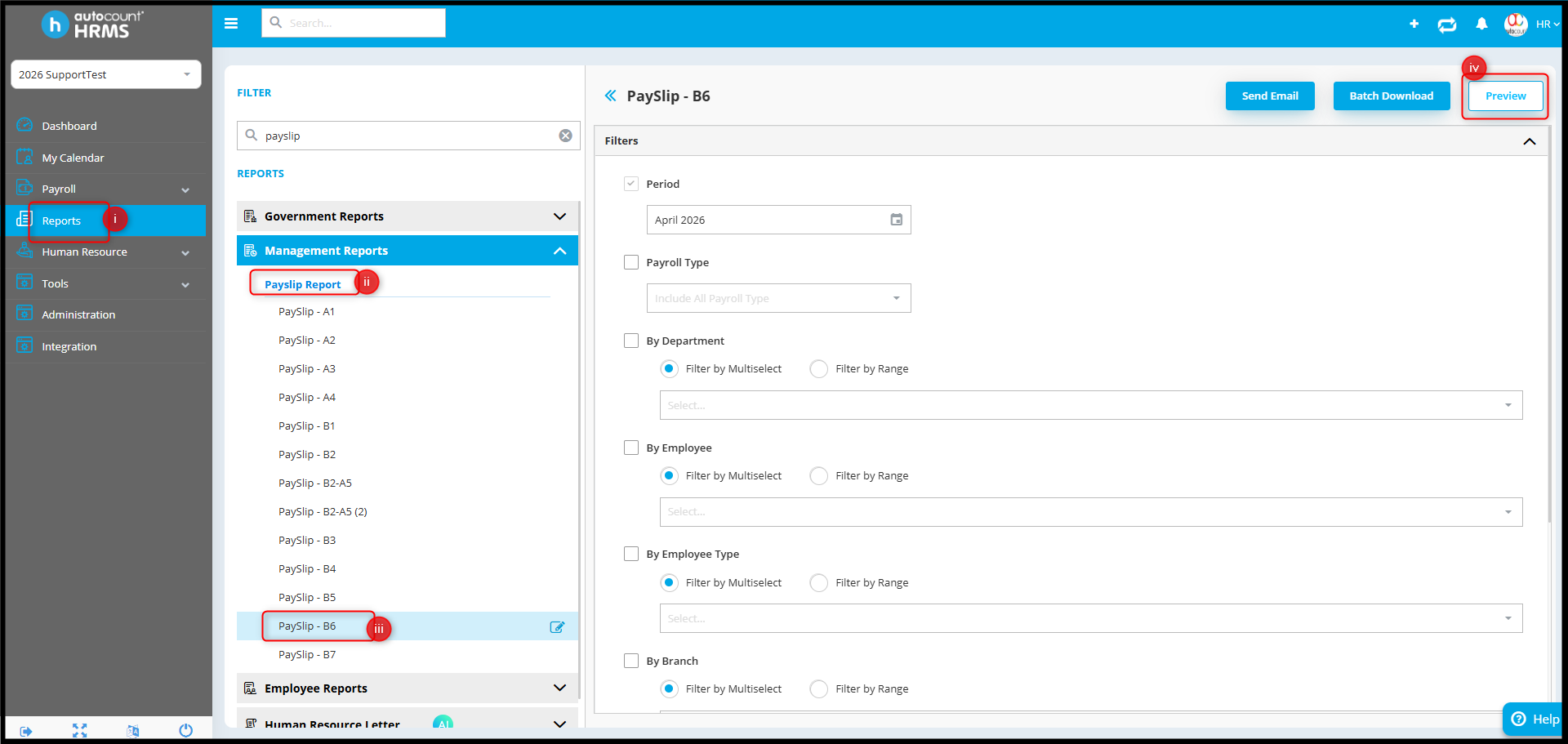
Then, you can preview the uploaded format.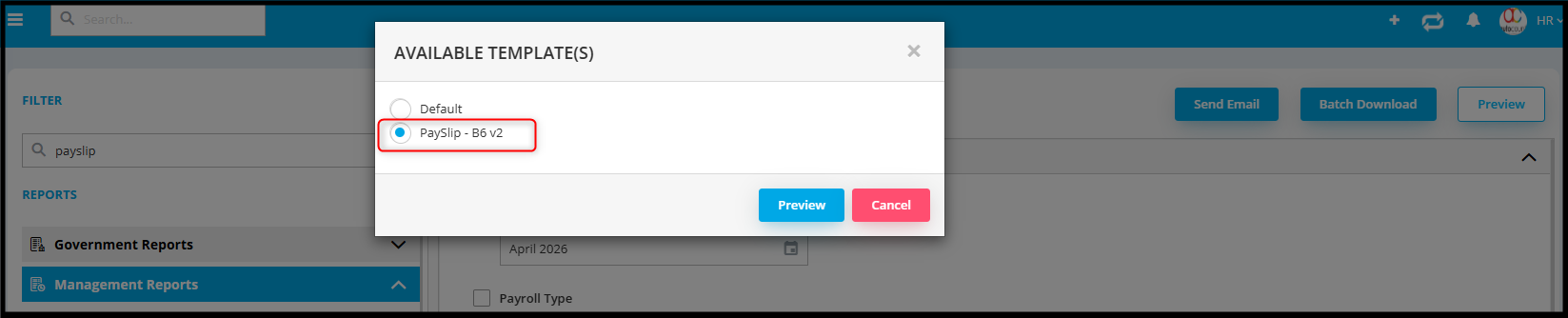
By Azirah 260416