
Scenario:
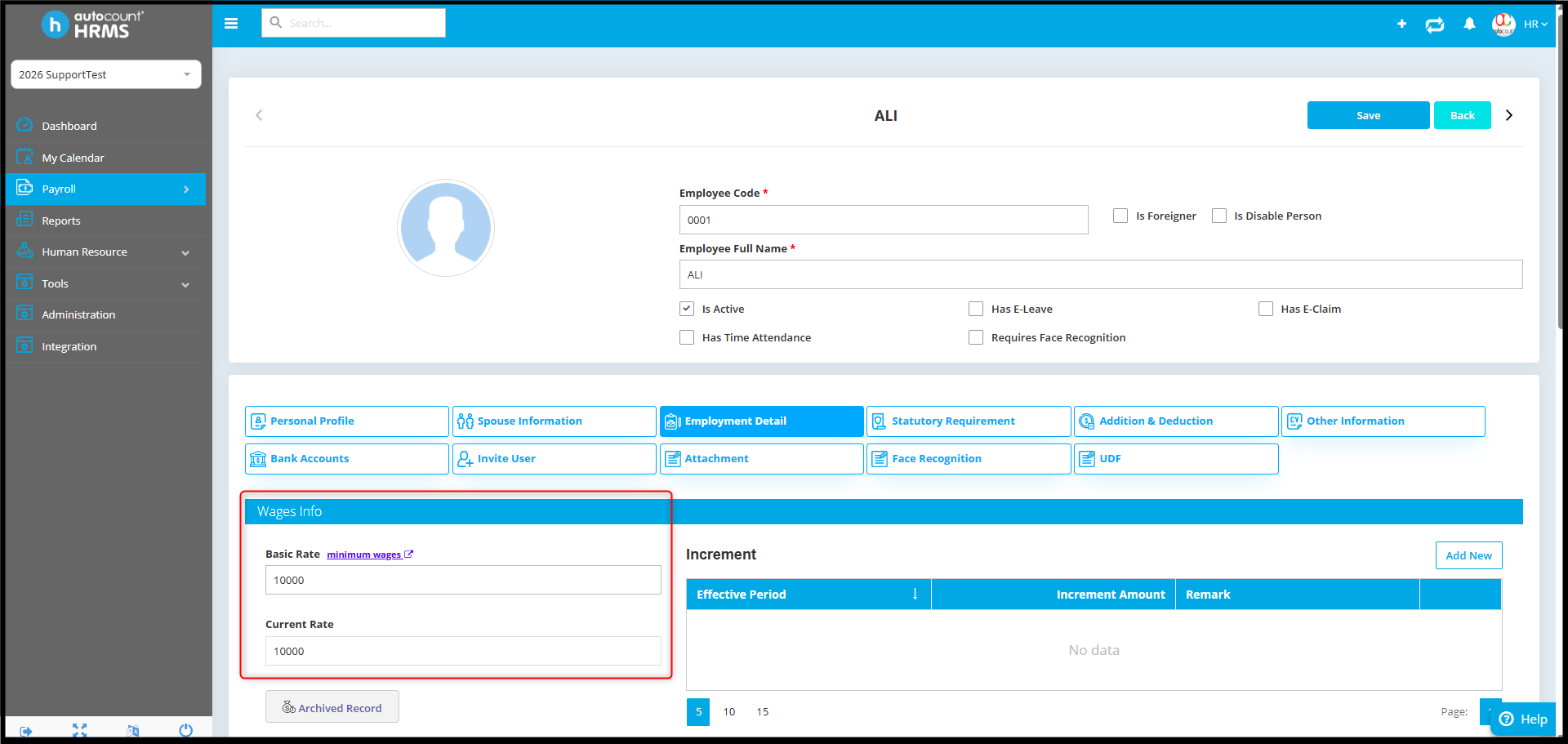
Adam has a new HR Employee and wants the new joiner to manage employee records, except for access to the Basic Rate.
Answer:
Yes, you can restrict a payroll user from viewing the Basic Rate by adjusting user authorization settings.
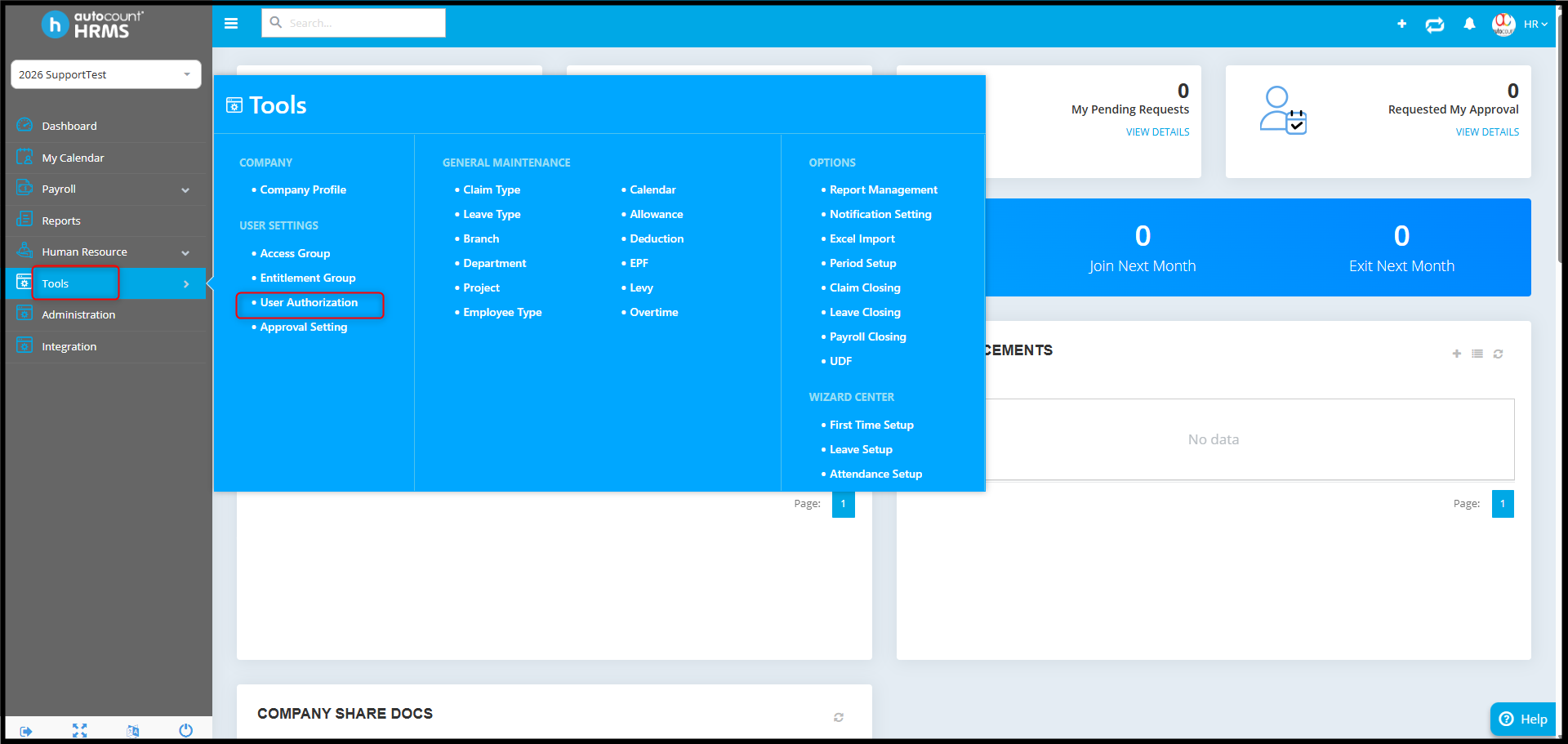
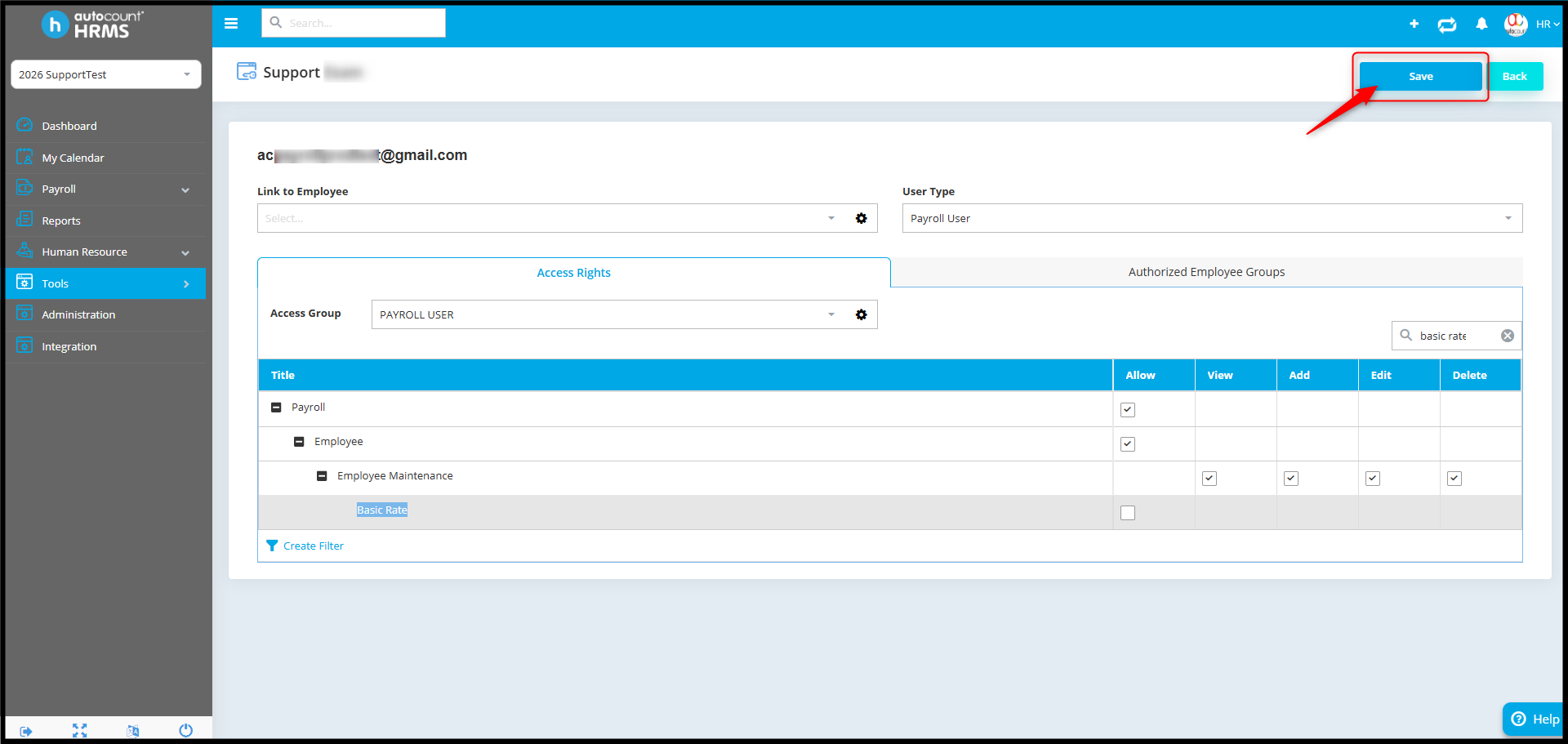
- Go to Tools > User Authorization.
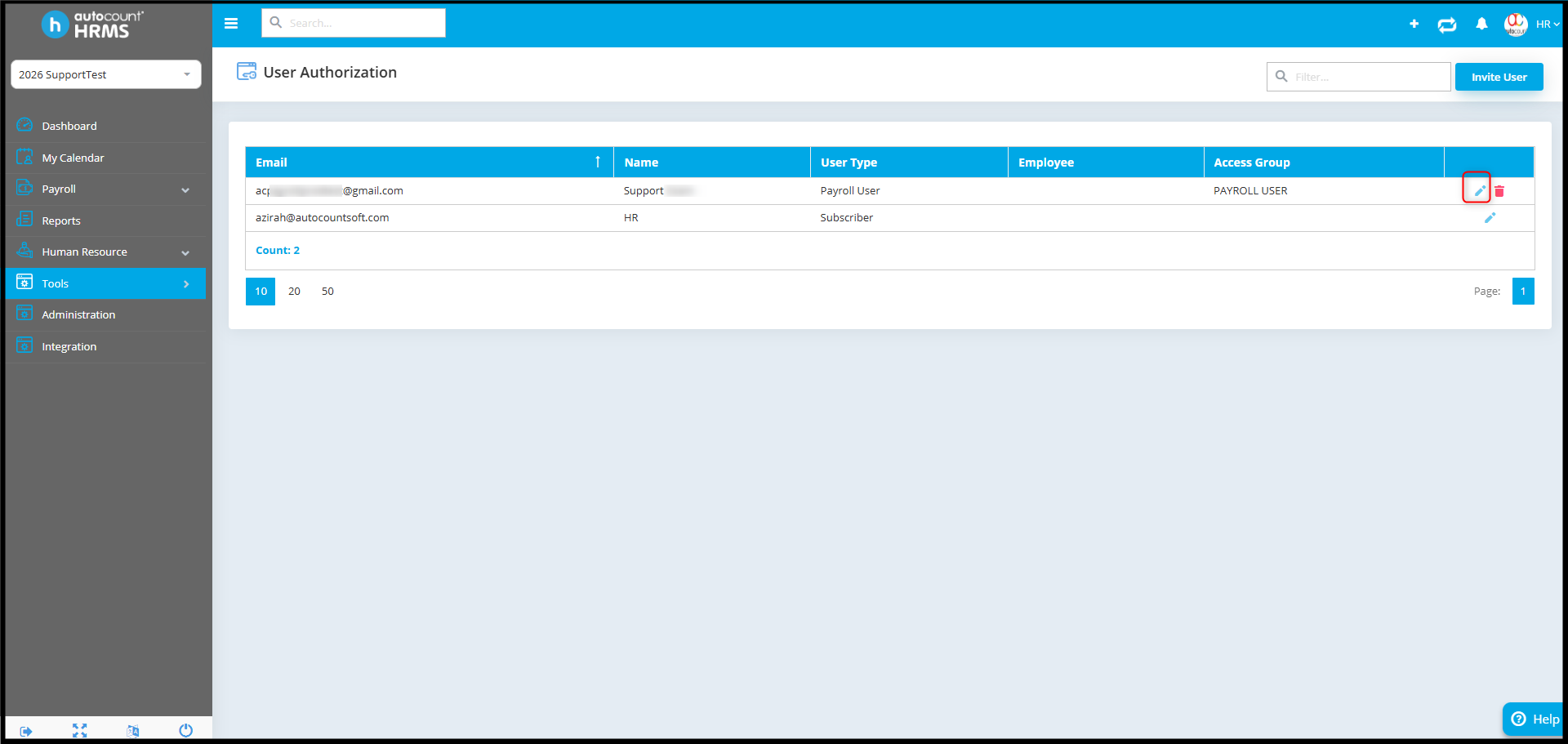
- Select and edit the relevant user (email).
- In the access right settings:
- search for "Basic Rate"
- or navigate to: Payroll > Employee > Employee Maintenance > Basic Rate
- Untick the "Allow" checkbox.
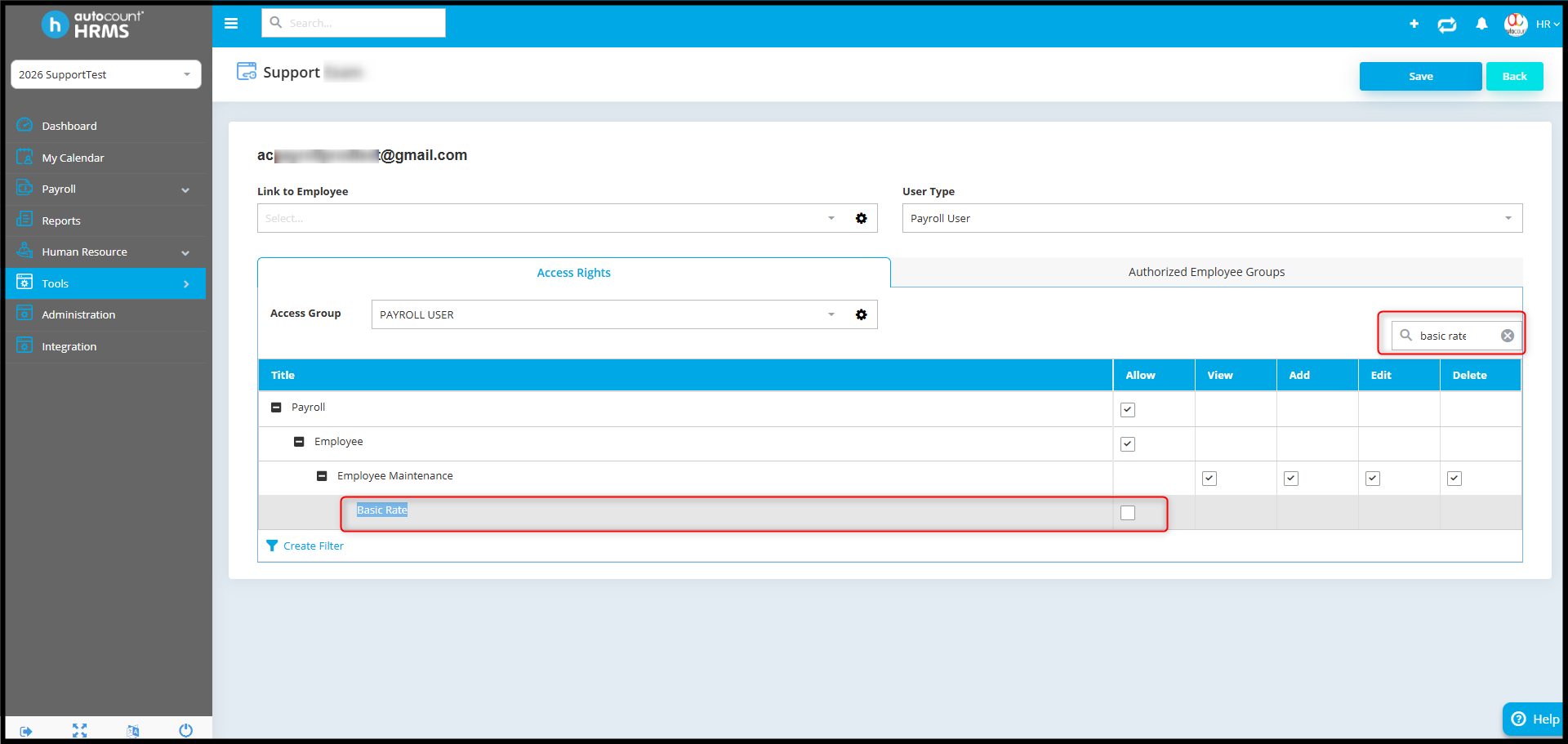
- Then click Save.
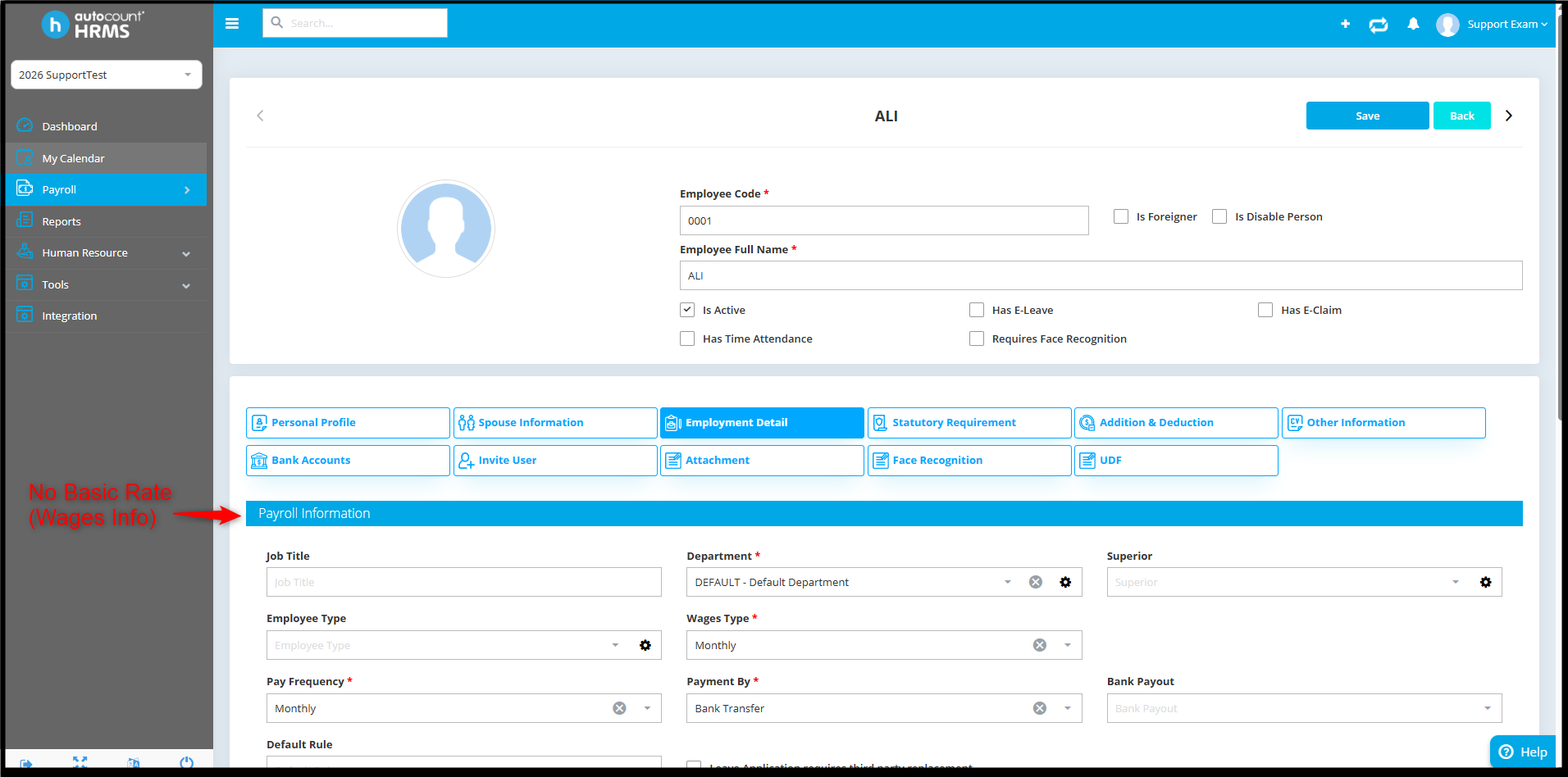
- As result, the payroll user will still be able to access and maintain employee information, but the Basic Rate field under Wages Info will be hidden.
By Azirah 260421