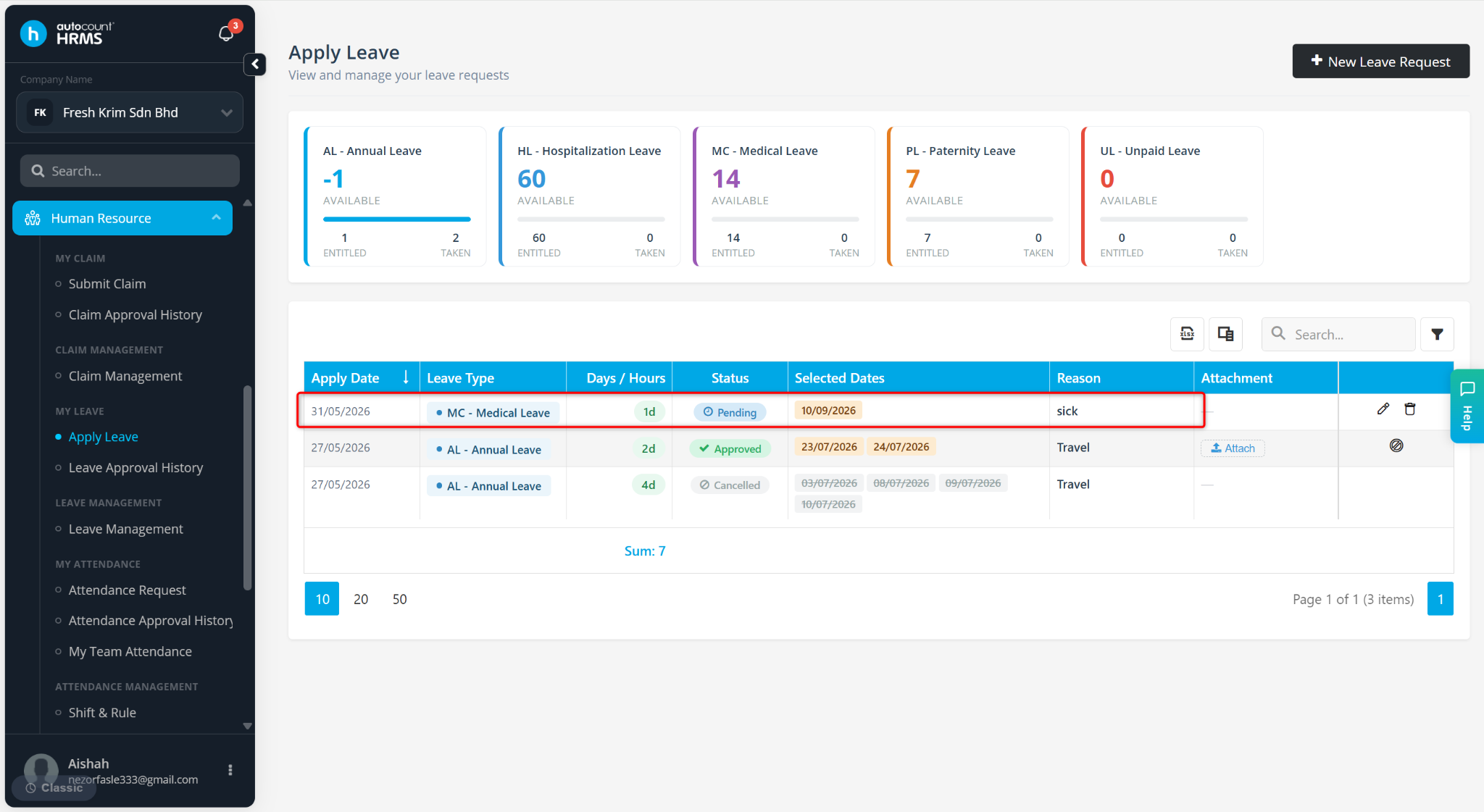
Employees can submit leave requests through the Employee Self Service (ESS) module. Leave applications will be routed through the configured approval workflow and remain in Pending status until approved or rejected by the designated approver(s).
Steps to Apply for Leave:
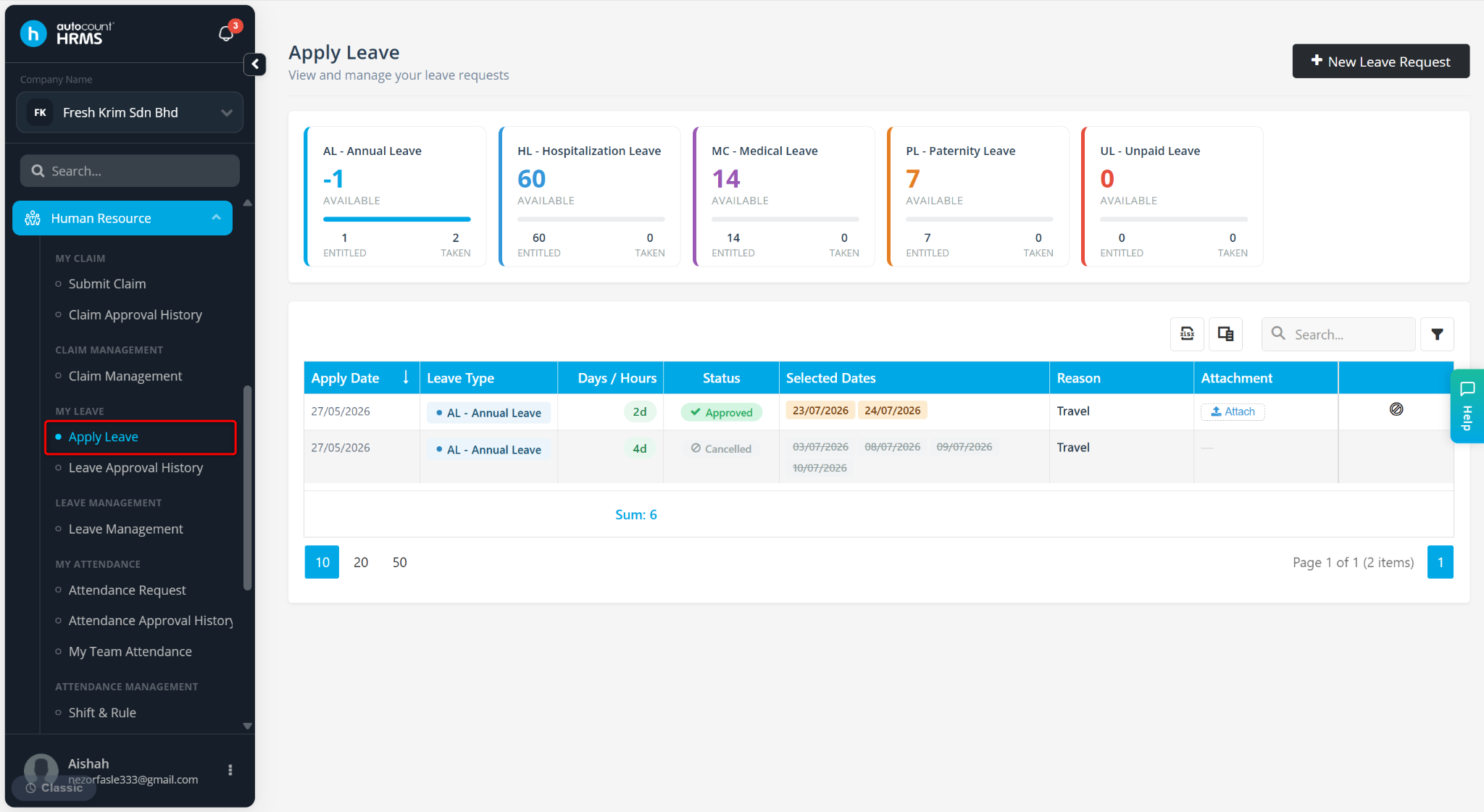
Go to Apply Leave.
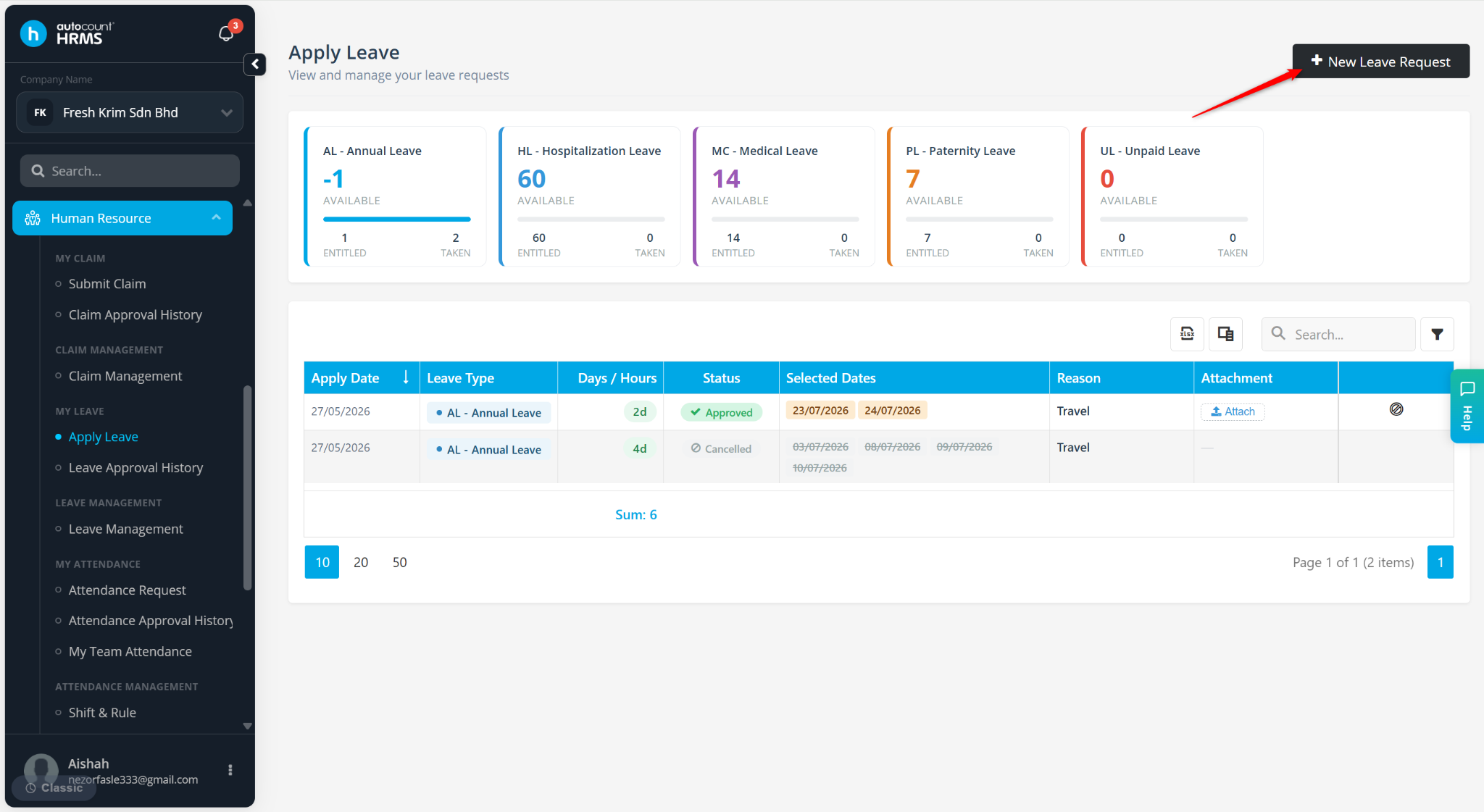
Click + New Leave Request.
Select the Leave Type.
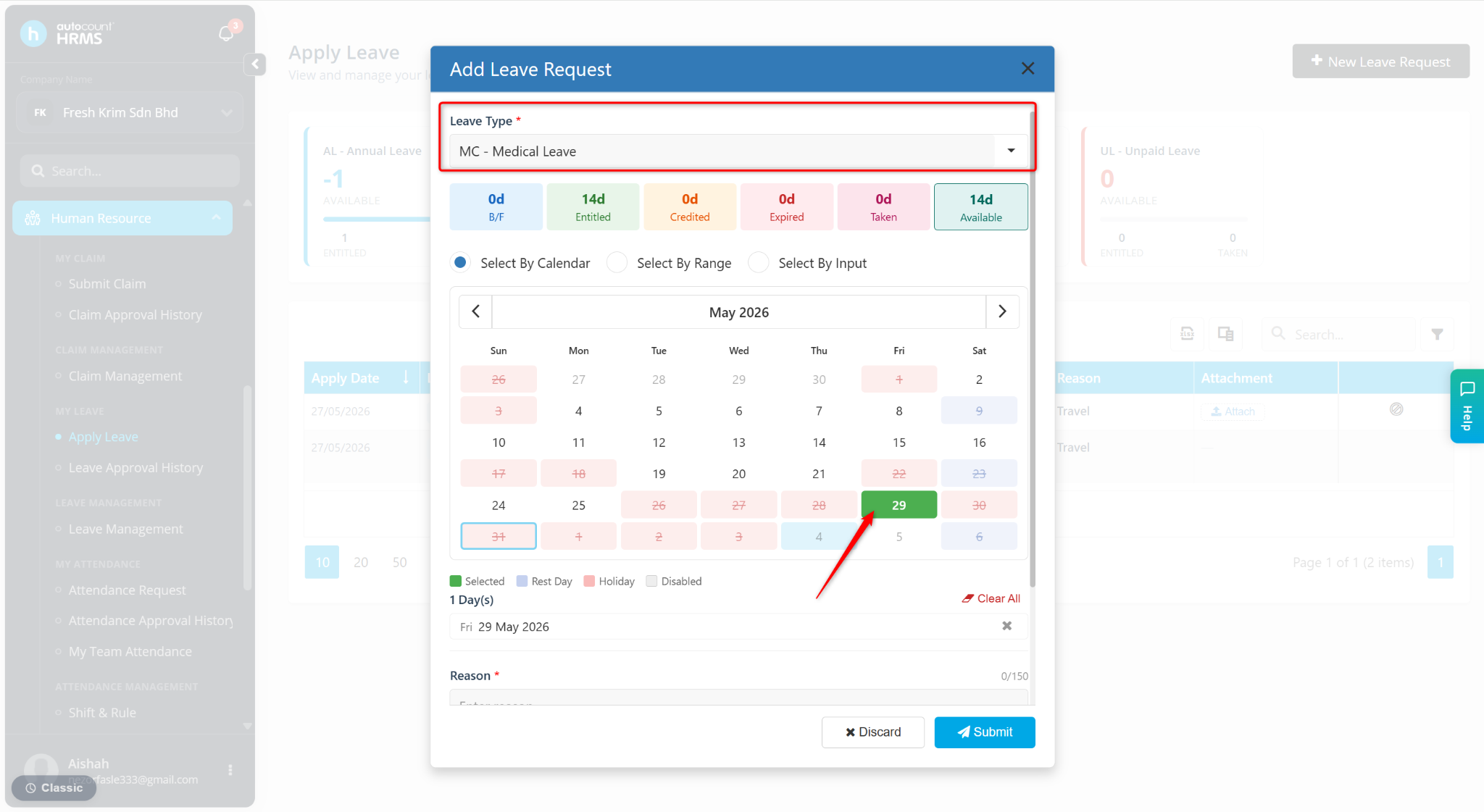
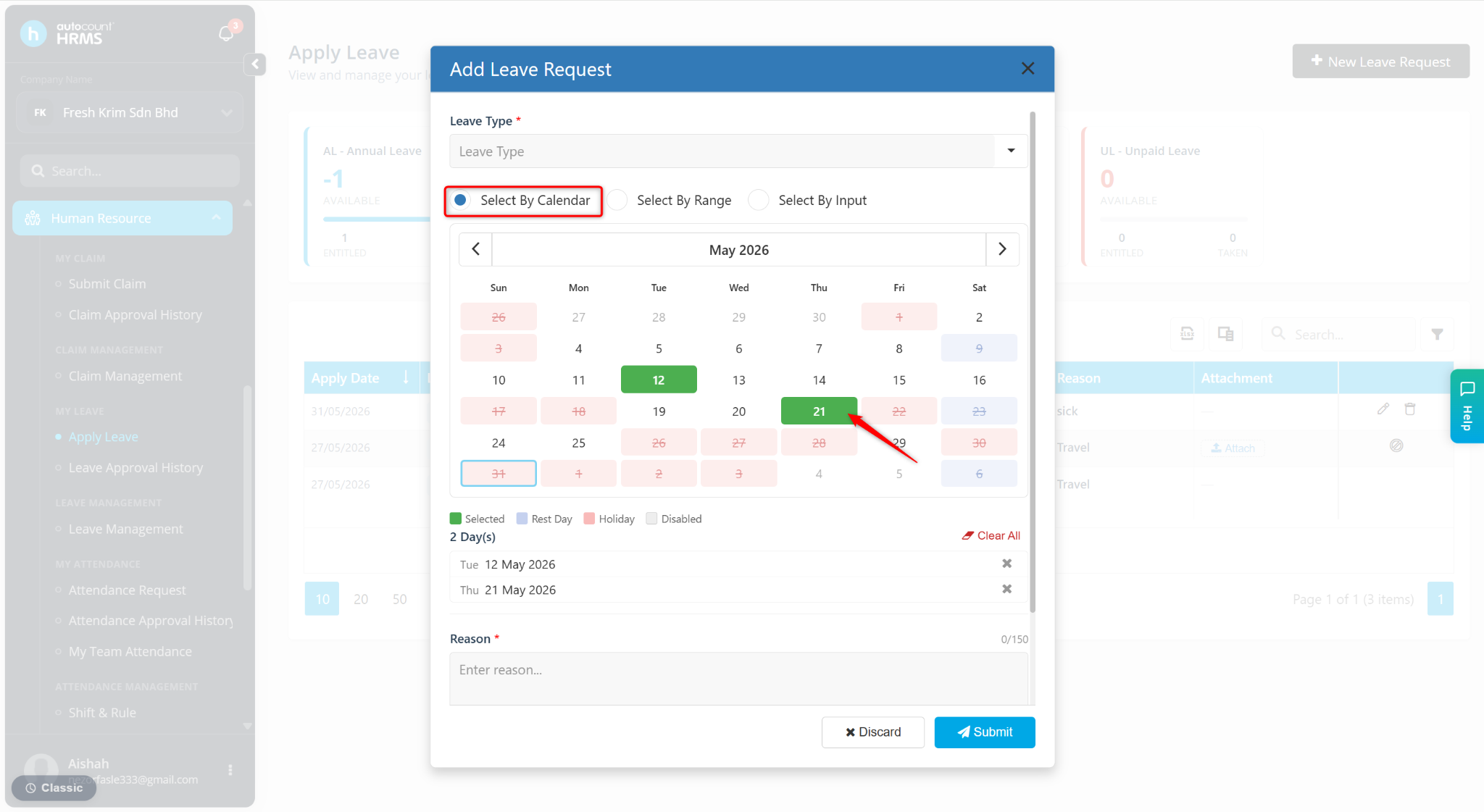
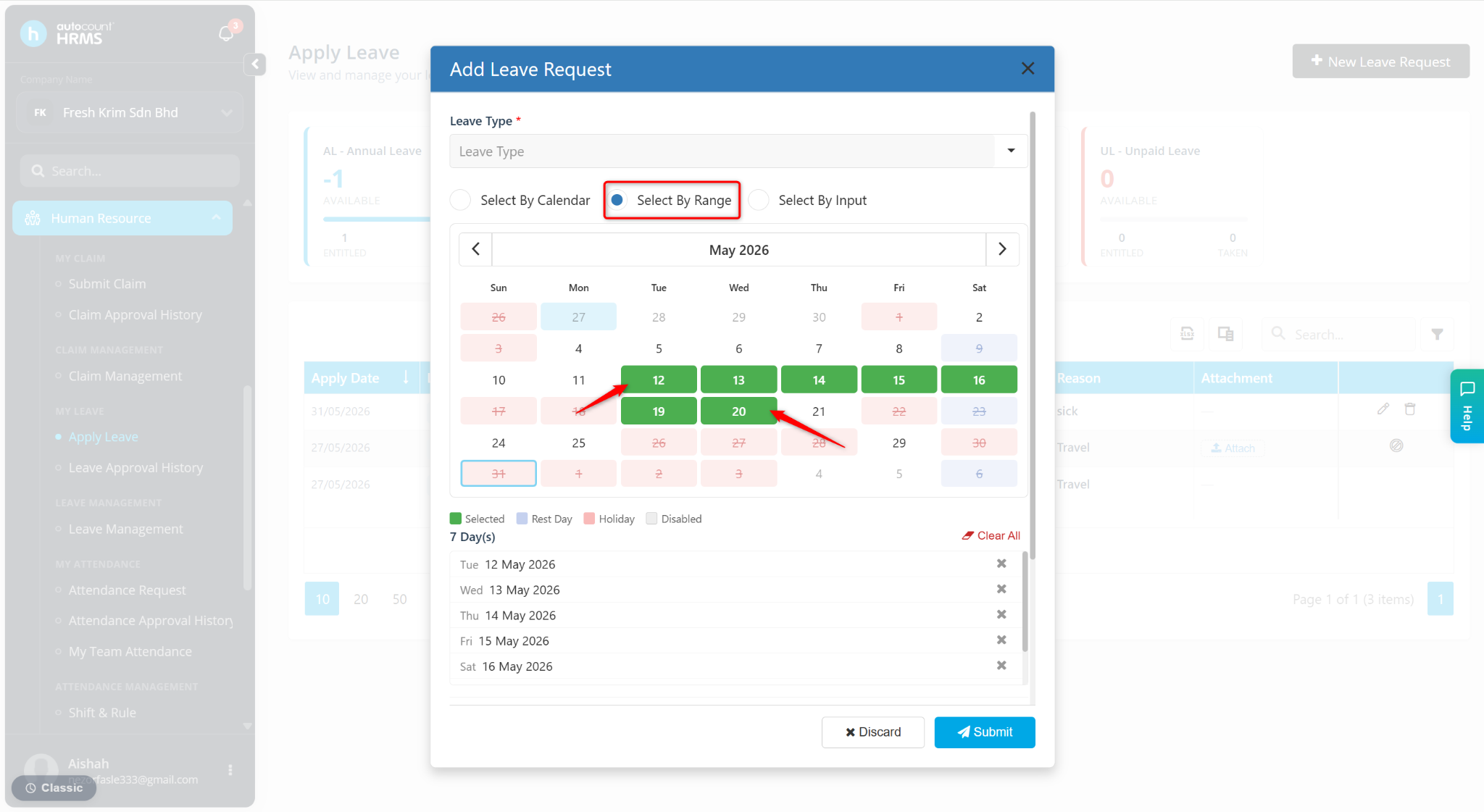
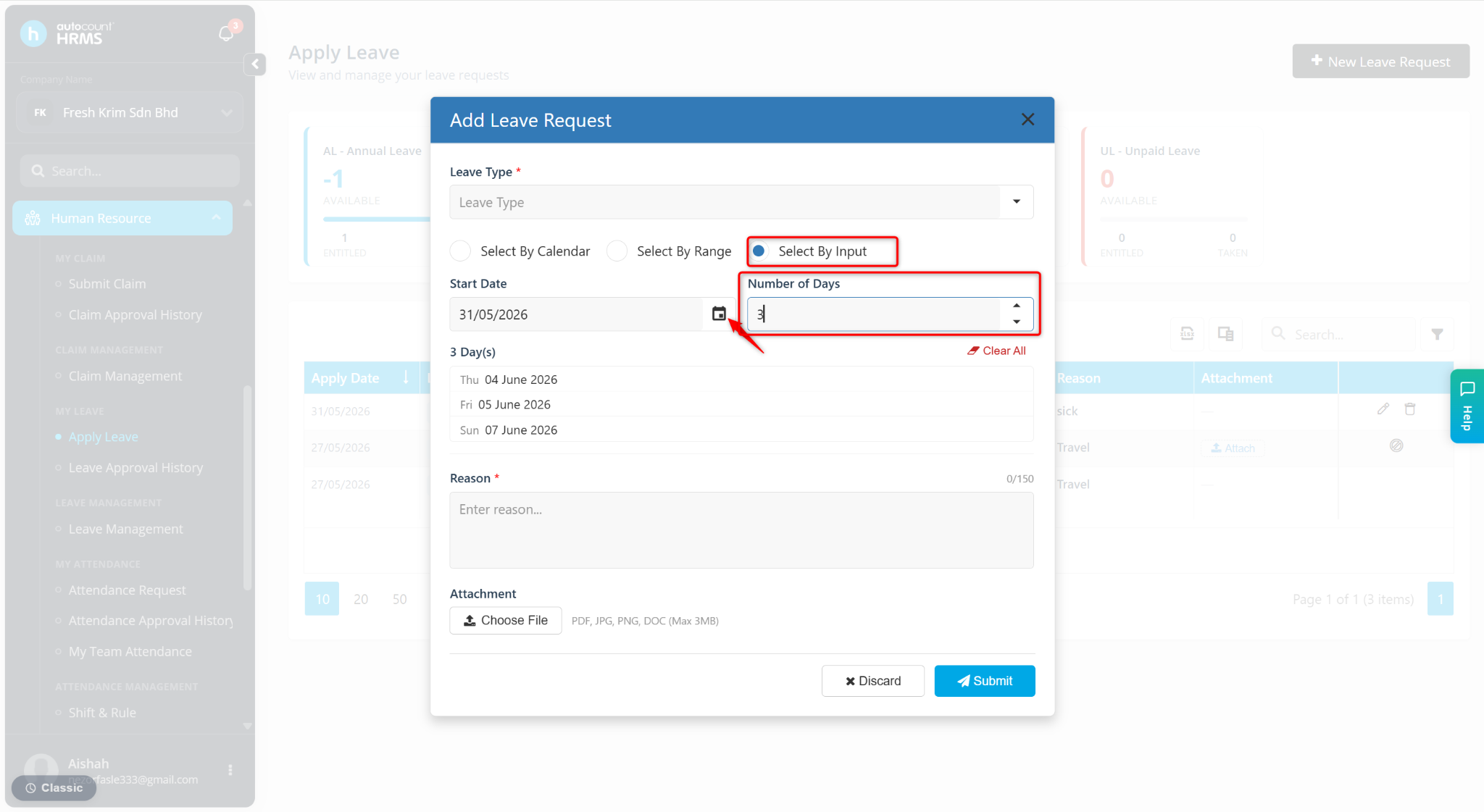
Select the date via the following methods:
Select By Calendar – Click the required date(s) on the calendar.
Select By Range – Click the start and end date.
Select By Input – Select the start date and enter the number of leave days; the system will auto-generate the dates.
Enter the Reason for the leave.
Click Submit.
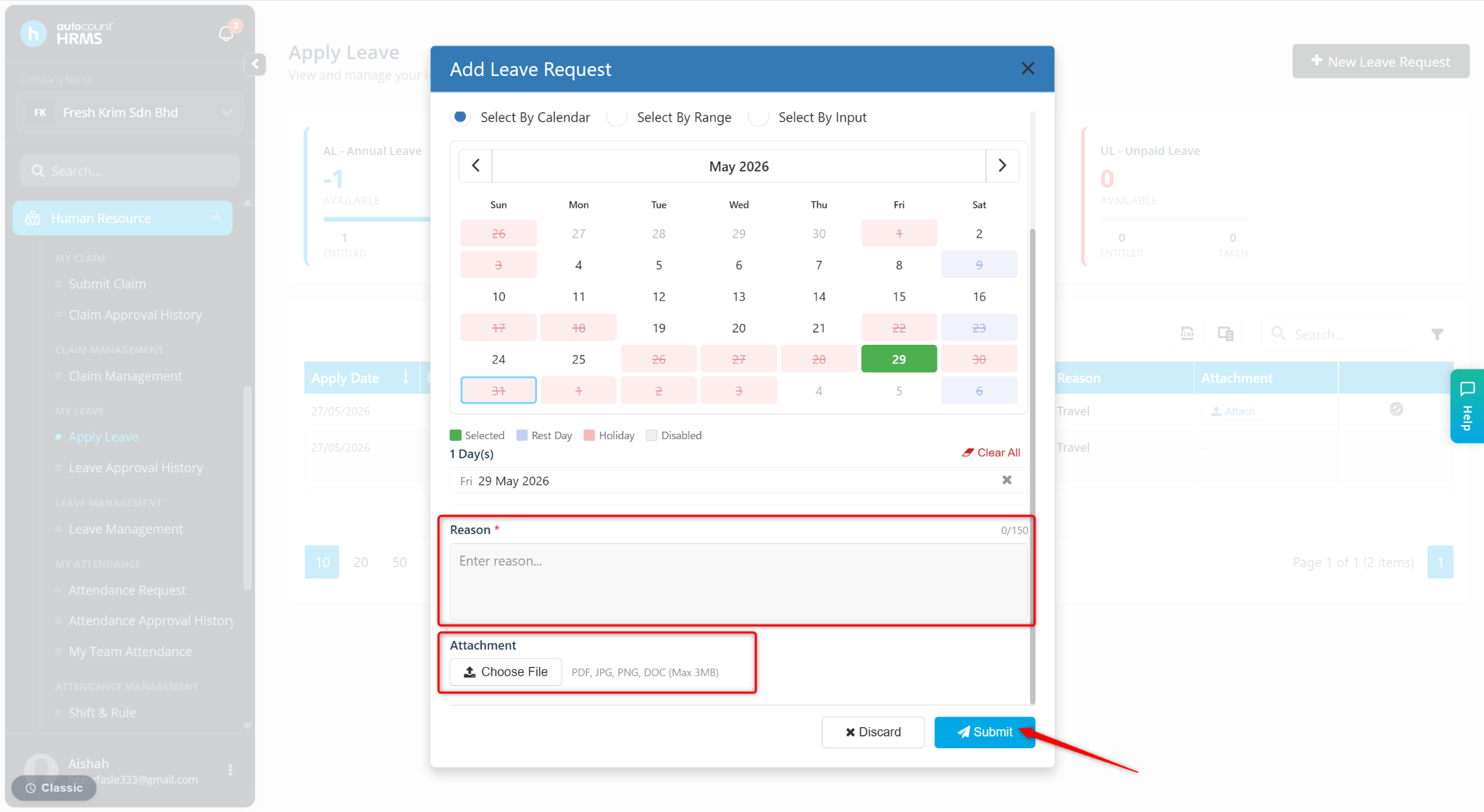
The leave application will be submitted successfully and the status will be shown as Pending.