Employees may cancel an approved leave application if the leave is no longer required or if they are able to return to work as planned. Cancelling leave helps ensure leave balances, attendance records, and payroll calculations remain accurate.
Steps to Cancel Approved Leave via ESS:
Go to Apply Leave.
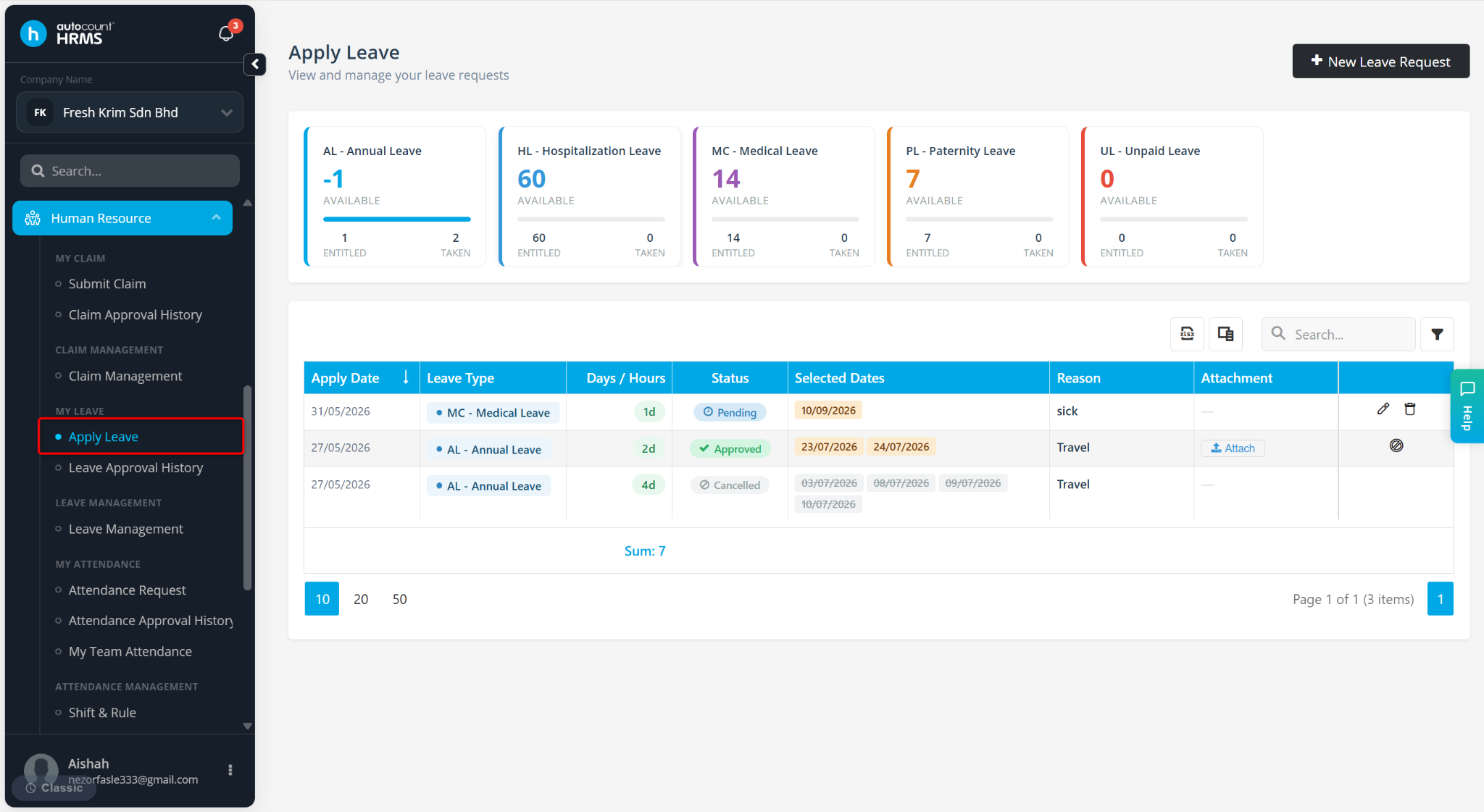
Locate the leave you wish to cancel and click the cancel icon.
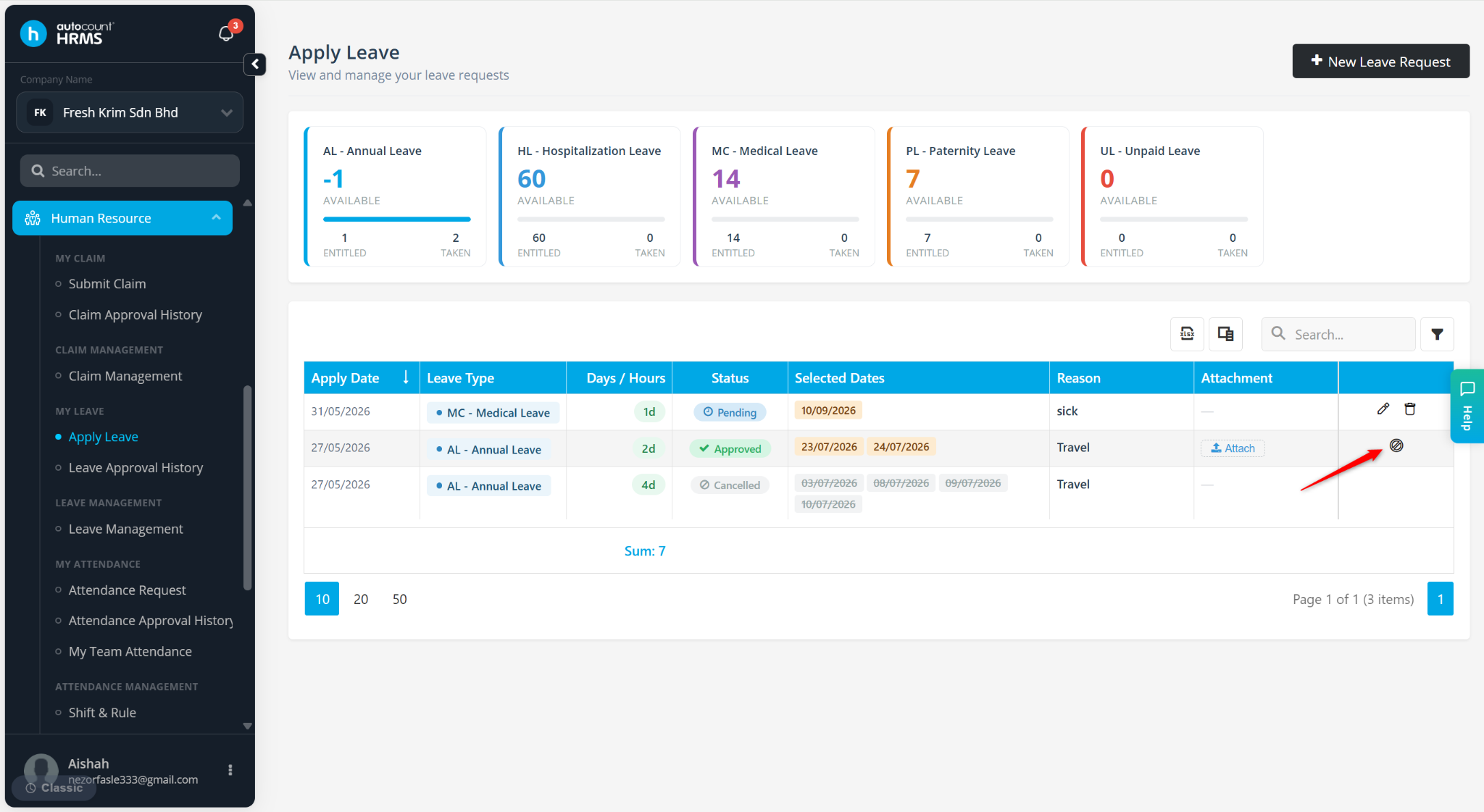
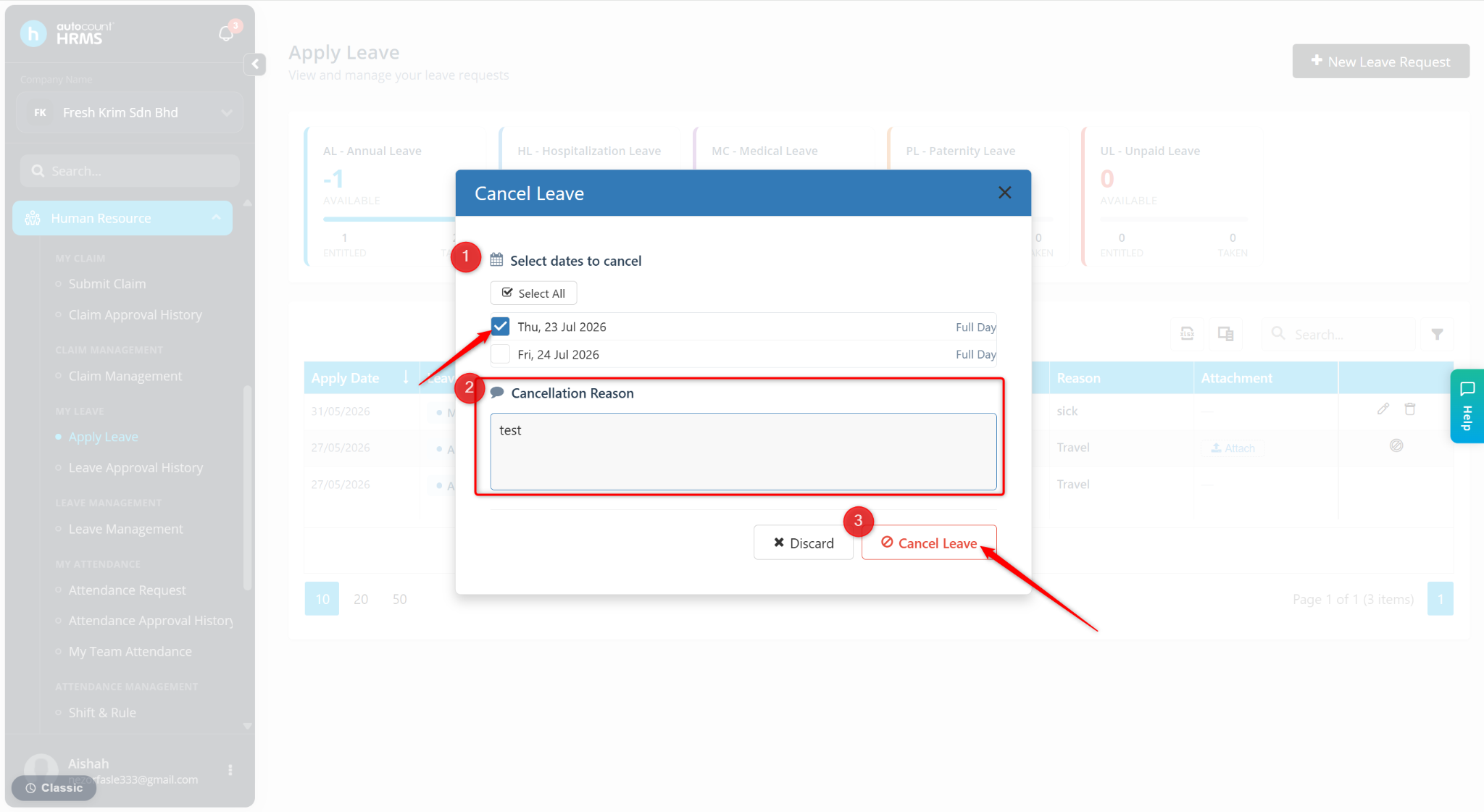
Select the applicable days(s) and enter the Cancellation Reason.
Click Cancel Leave.