
Scenario:
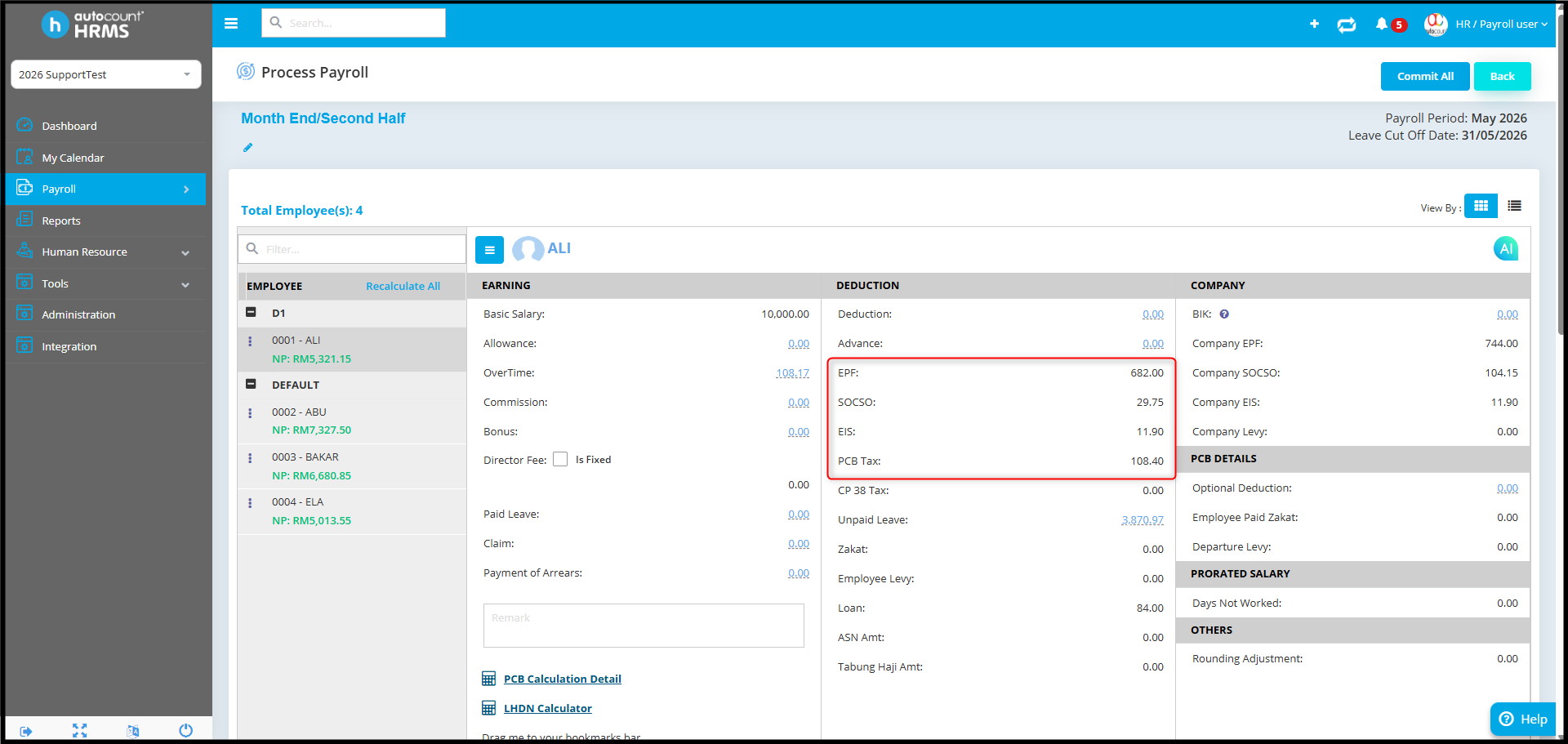
Month End process:
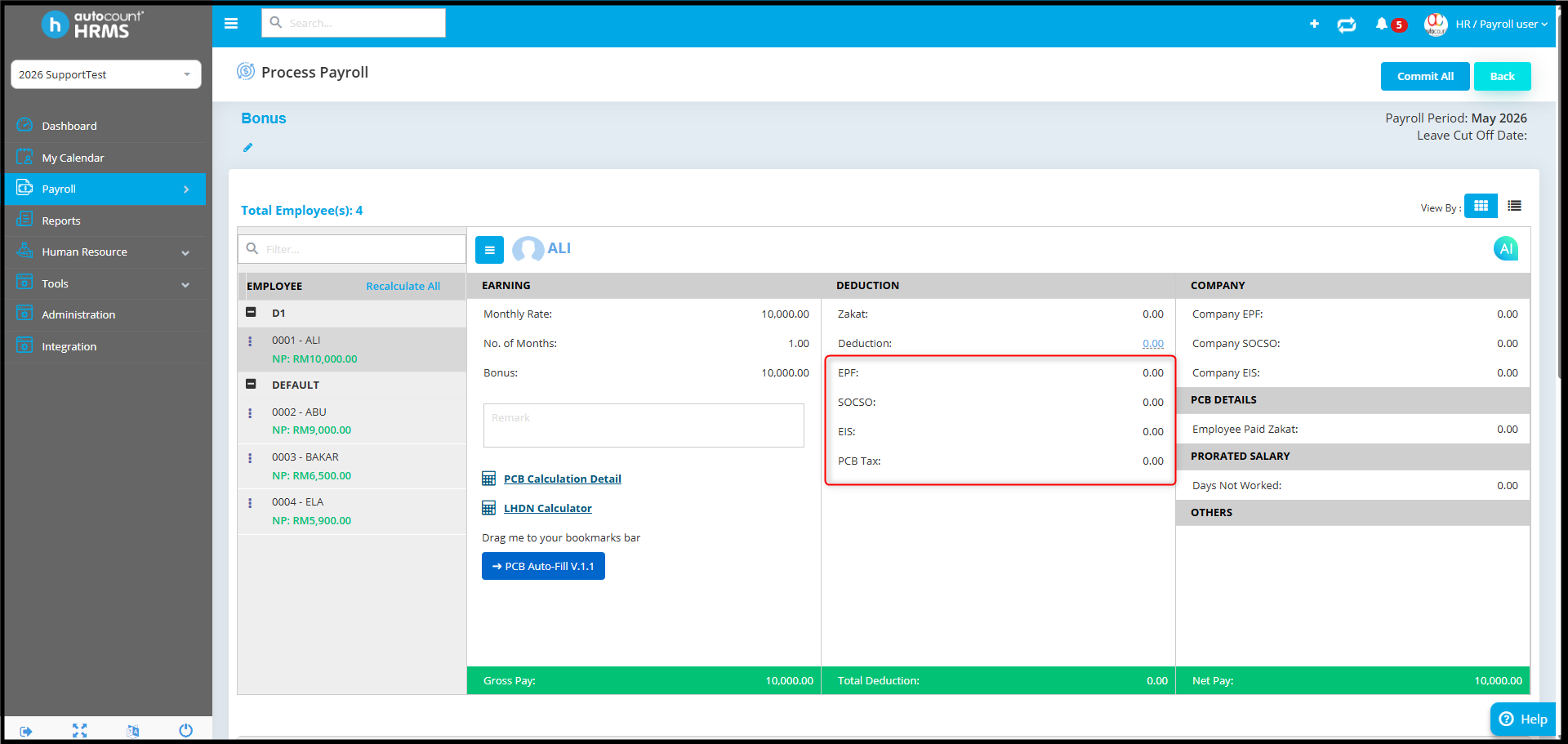
Bonus process:
Possible reason:
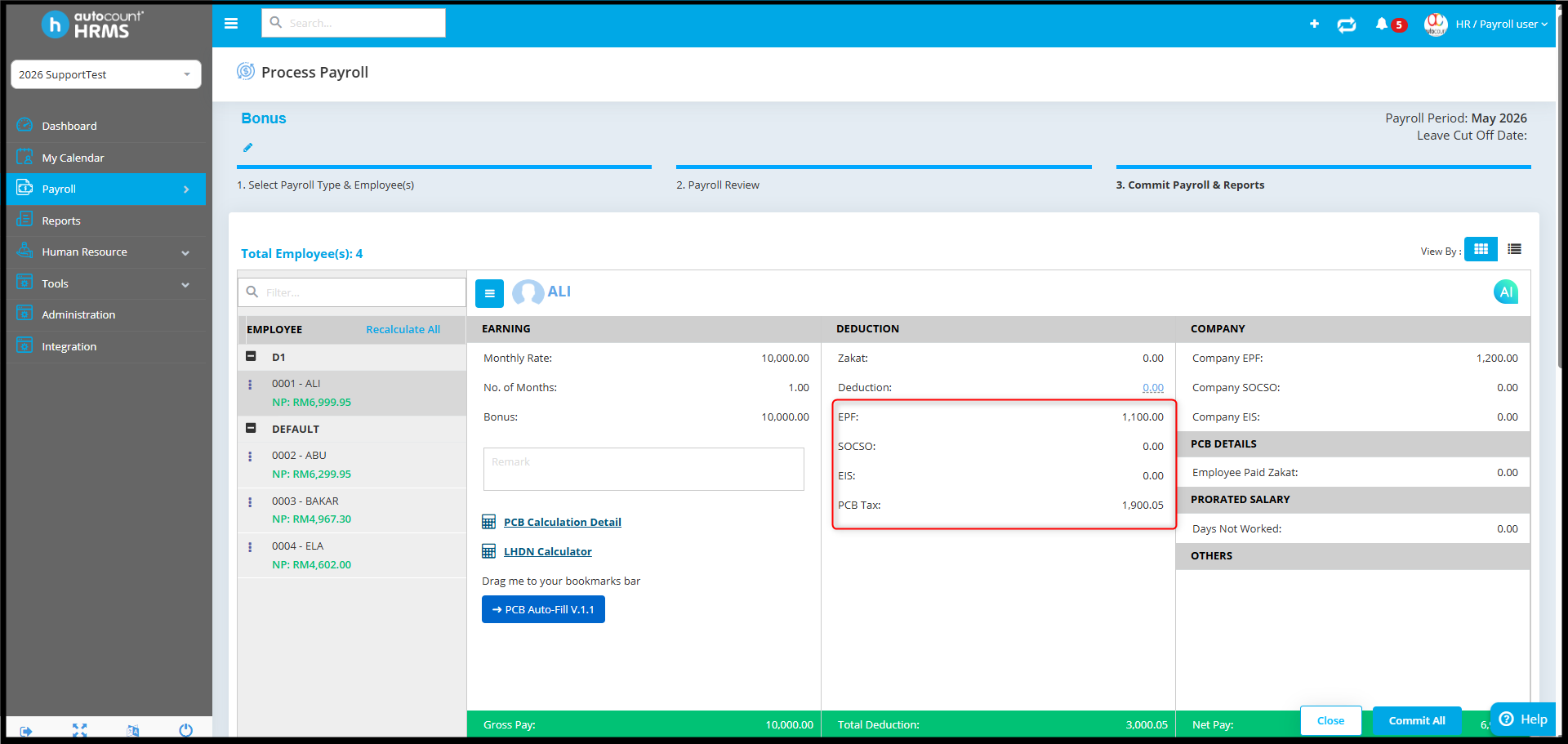
The statutory deduction setting for the Bonus payroll process is not enabled in the company contribution settings. Because of this, statutory contributions are calculated for Month End payroll but not for Bonus payroll.
Answer:
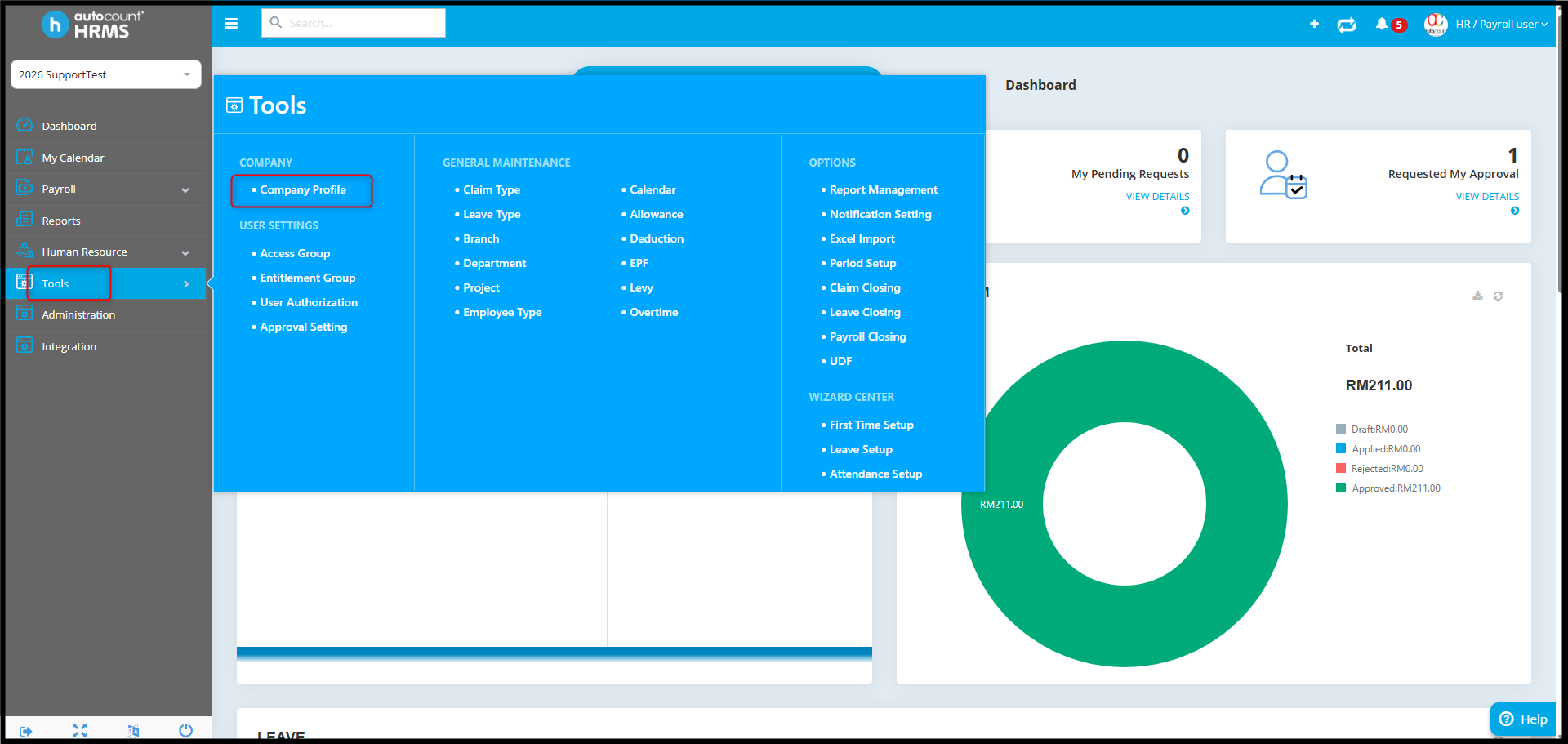
1. Go to Tools > Company Profile.
2. Navigate to Contribution / Payout Setting.
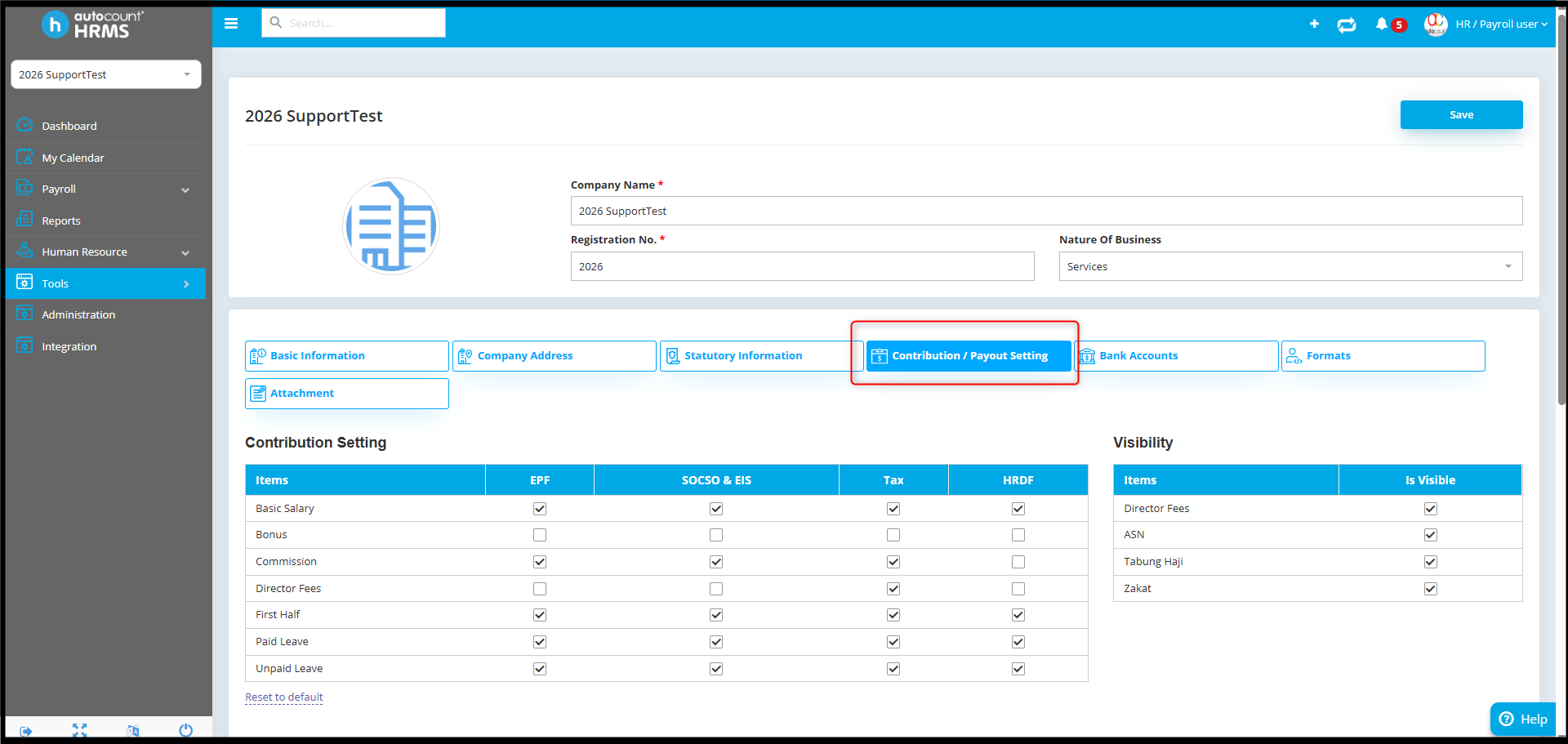
3. Under the Contribution Setting table, check the Bonus column. Verify whether the required statutory items are ticked.
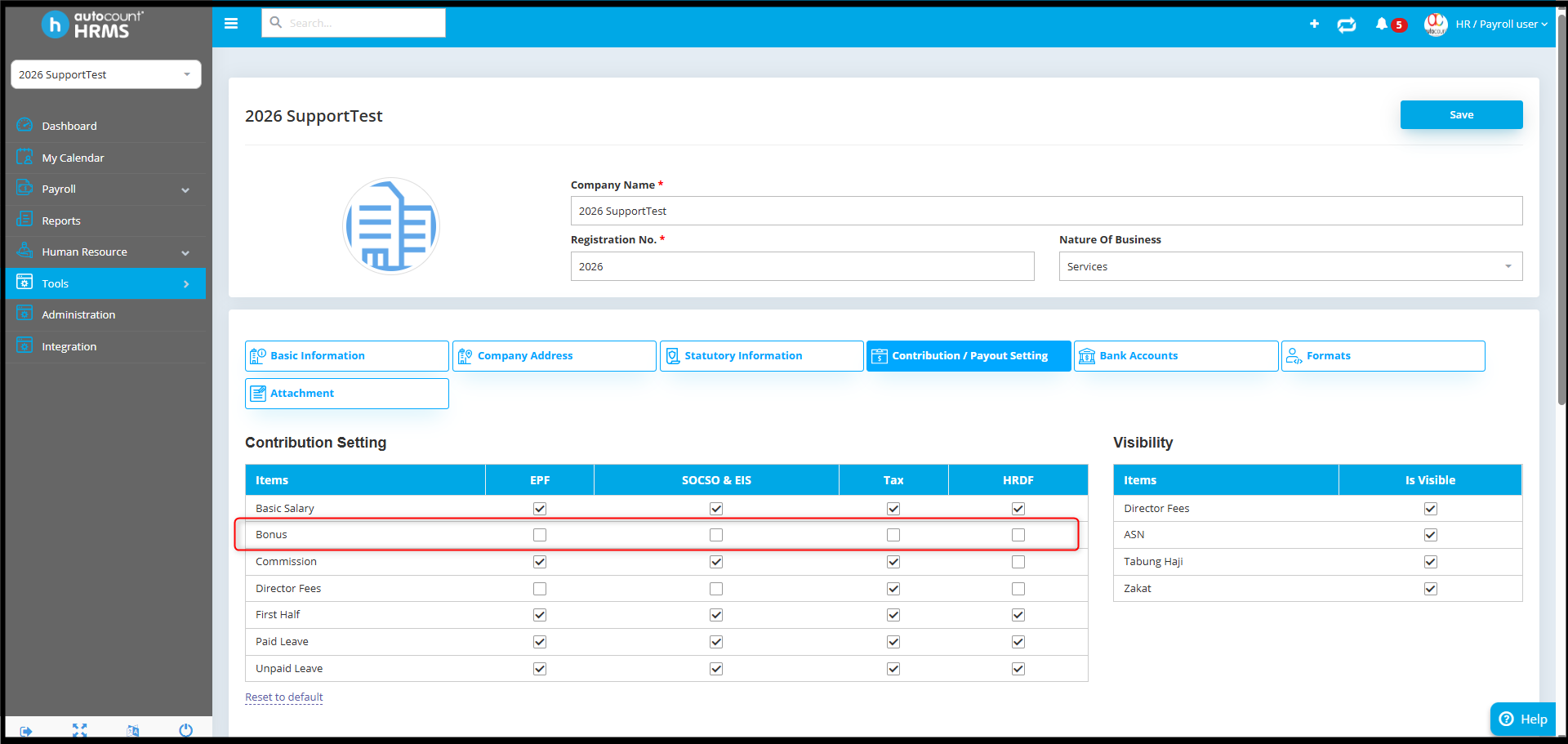
4. If not enabled, tick the related statutory items and click Save.
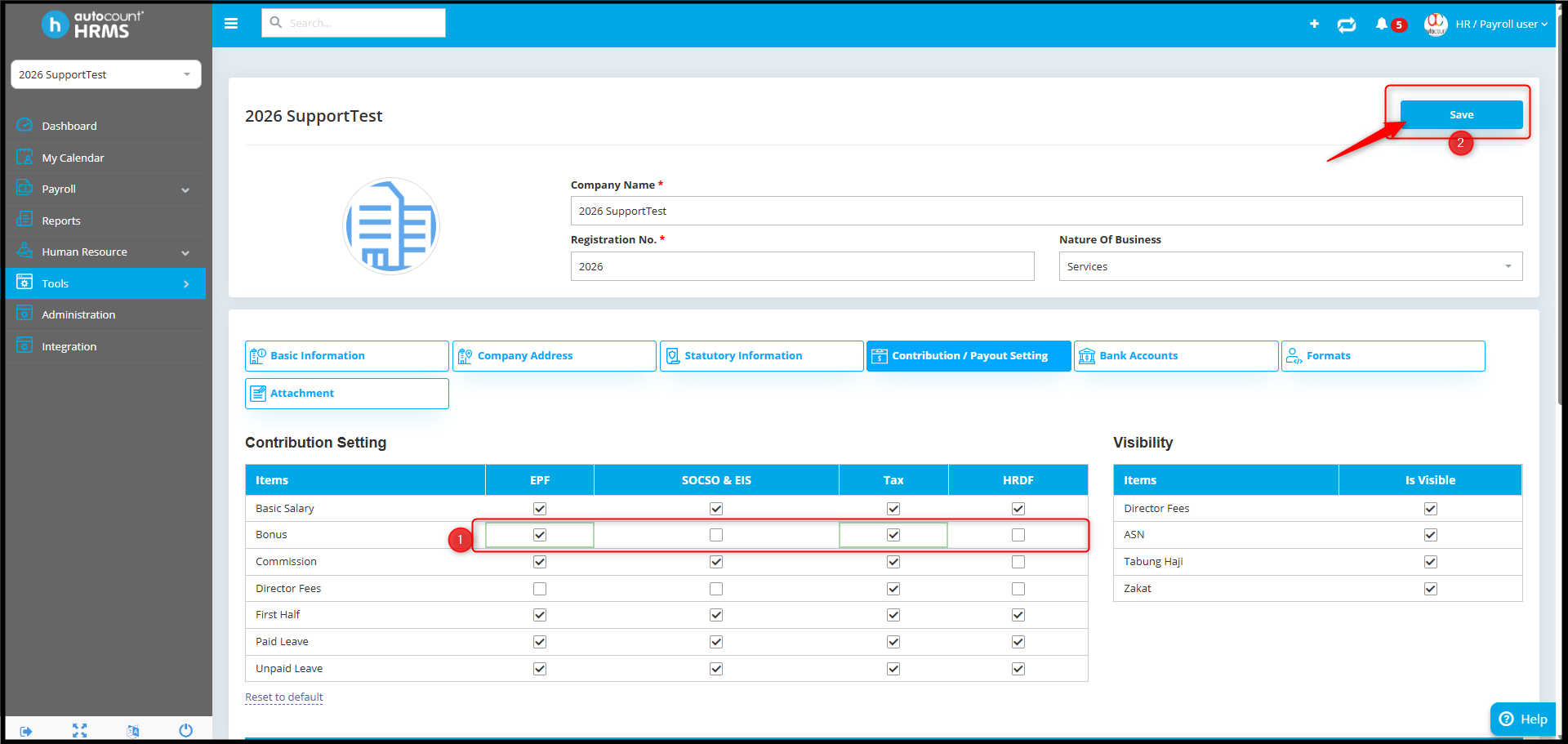
5. Go back to Payroll Process. Since the setting was updated after the payroll was created, delete and re-run the Bonus payroll process
6. The new Bonus payroll process should now reflect the statutory contribution correctly.
By Azirah 260522