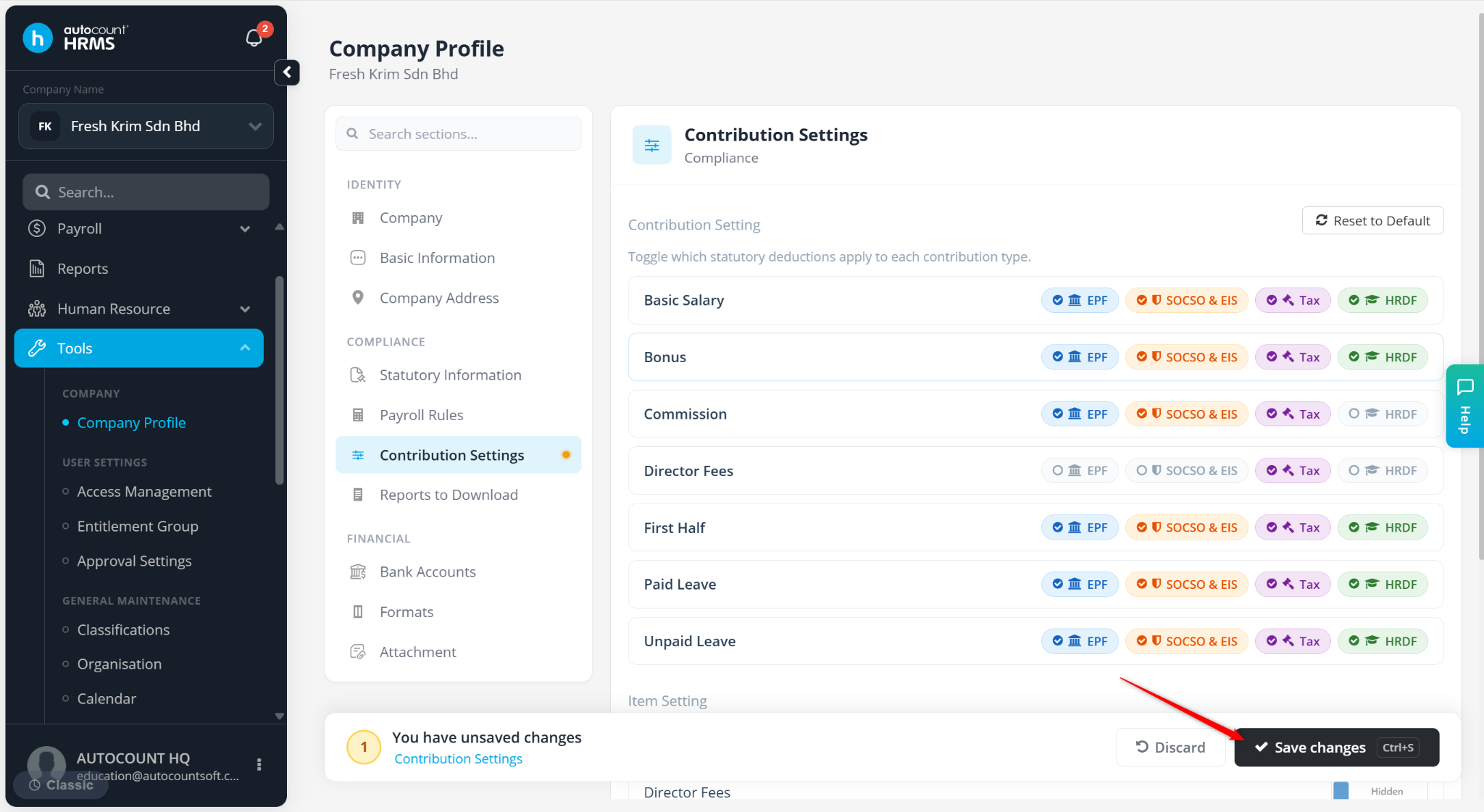
You can control whether specific payroll items are included in statutory contribution calculations such as EPF, SOCSO, EIS, and PCB (Tax). This allows payroll calculations to align with your company's policies and statutory requirements.
Steps to Control Statutory Contributions for different Payroll Items:
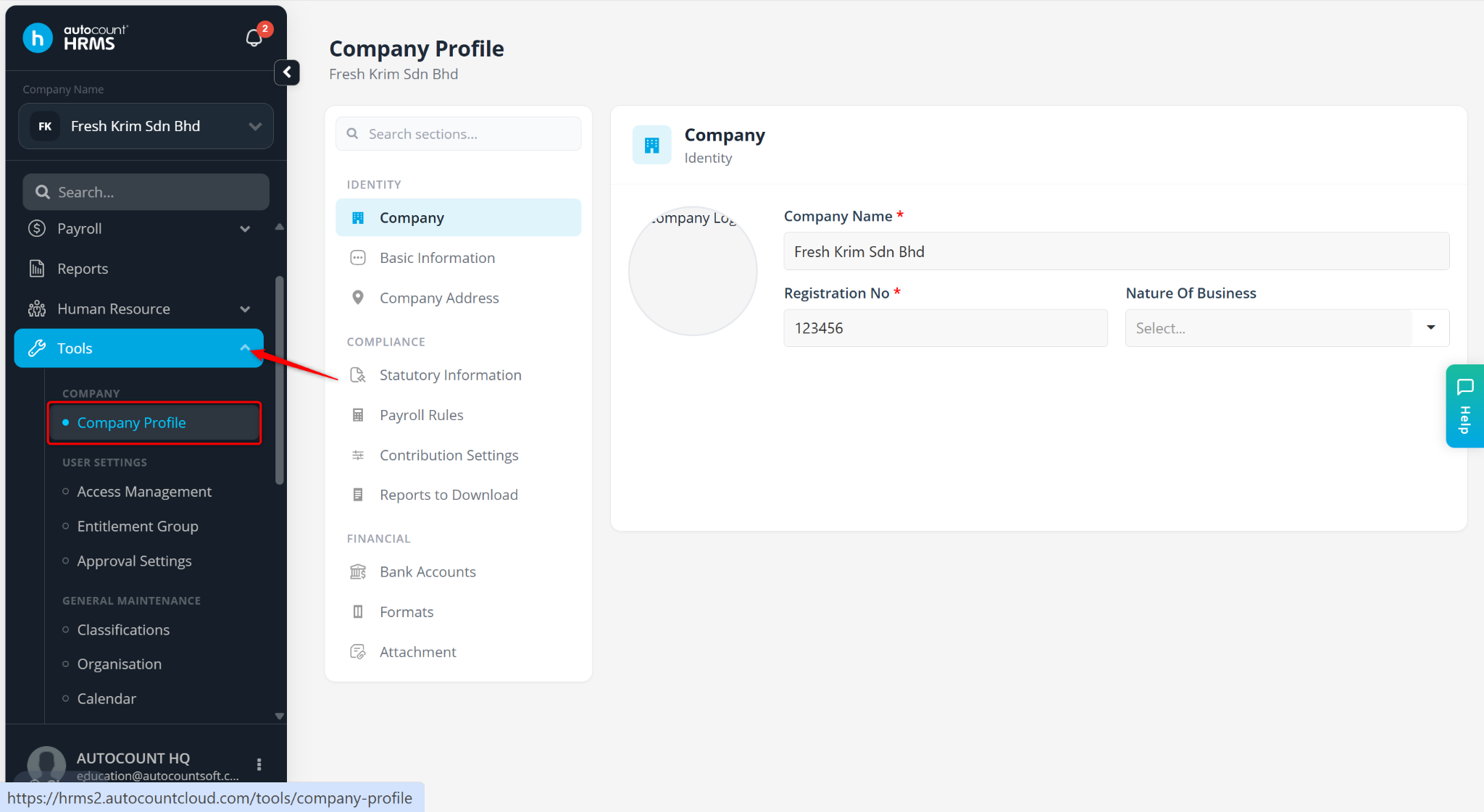
Go to Tools > Company Profile.
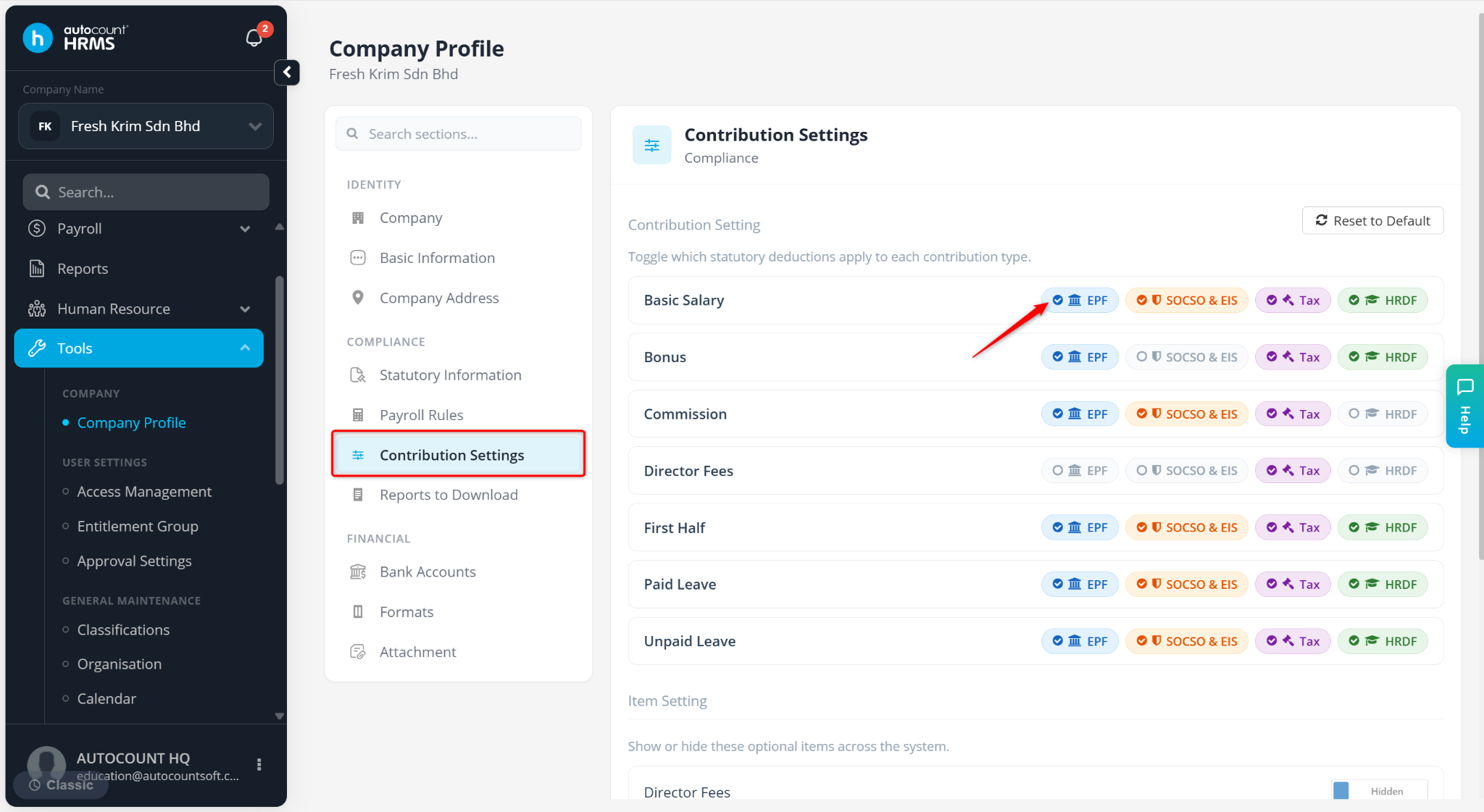
Go to Contribution Settings.
Tick or untick the relevant checkboxes based on whether each payroll item should be included in the respective statutory contribution calculation.
Click Save changes to apply the changes.