
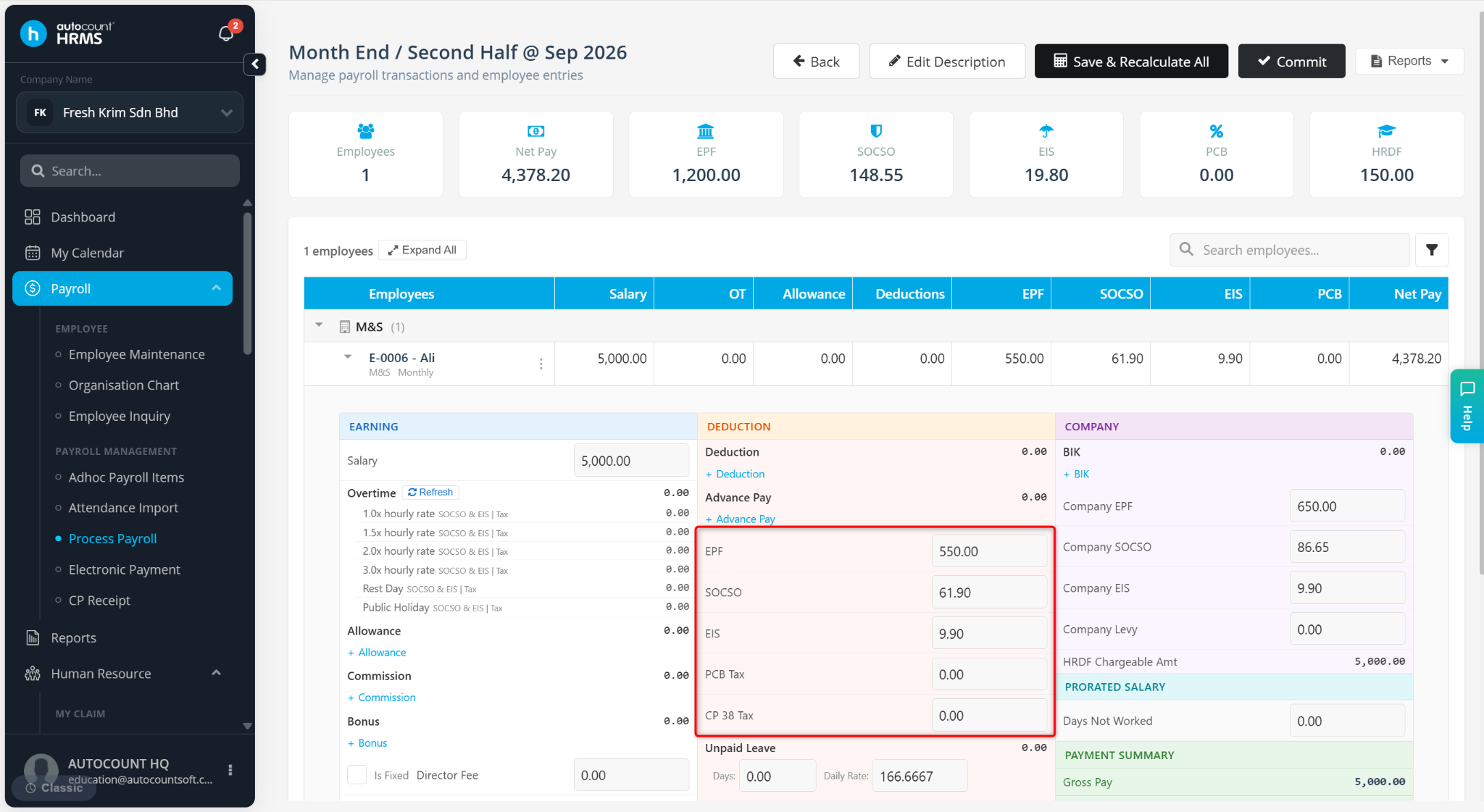
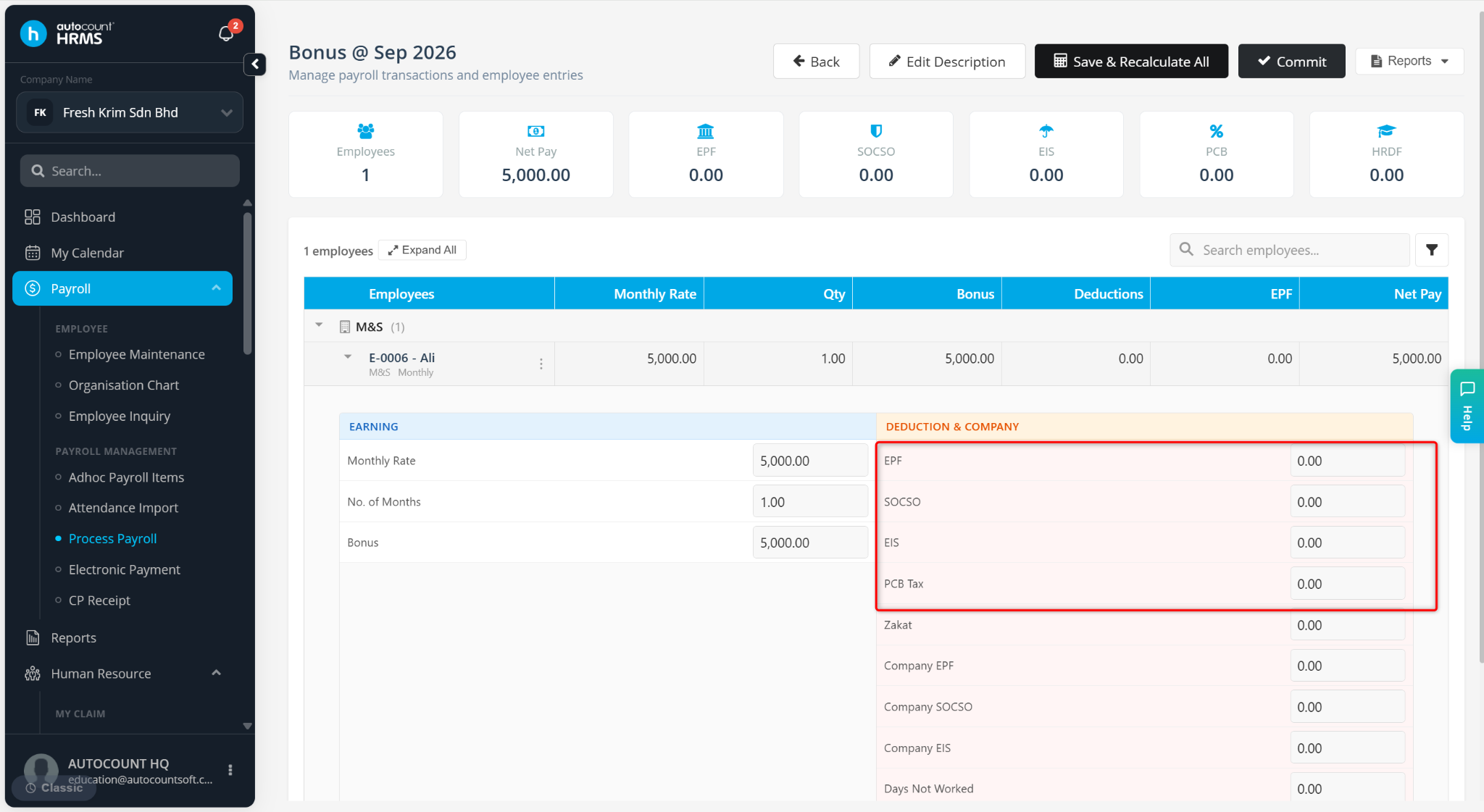
This issue usually occurs because the statutory contribution settings for Bonus Payroll are not enabled in the company's contribution settings. As a result, statutory deductions may be calculated for Month End Payroll but not for Bonus Payroll.
Month end process:
Bonus process:
Steps to Resolve the Issue:
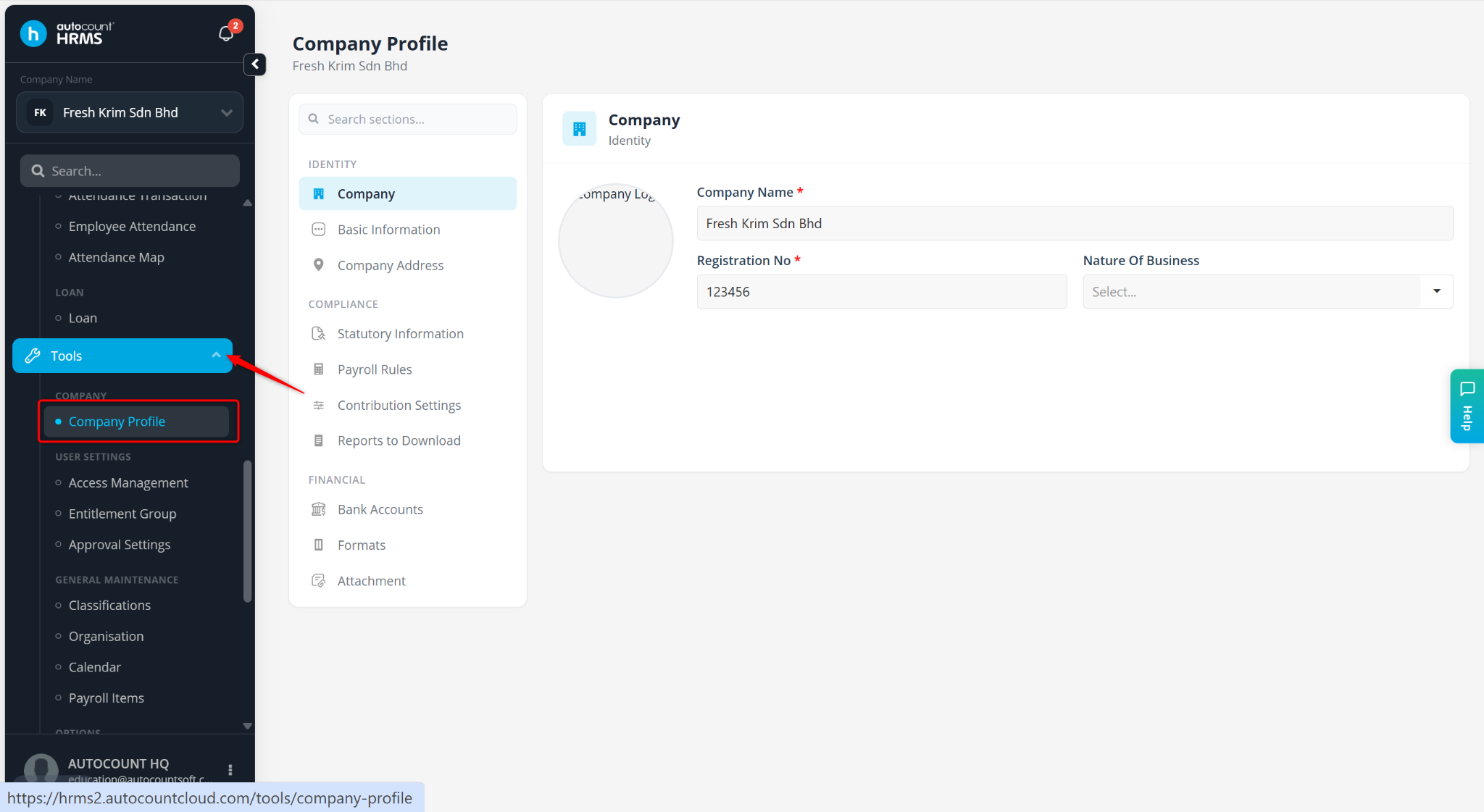
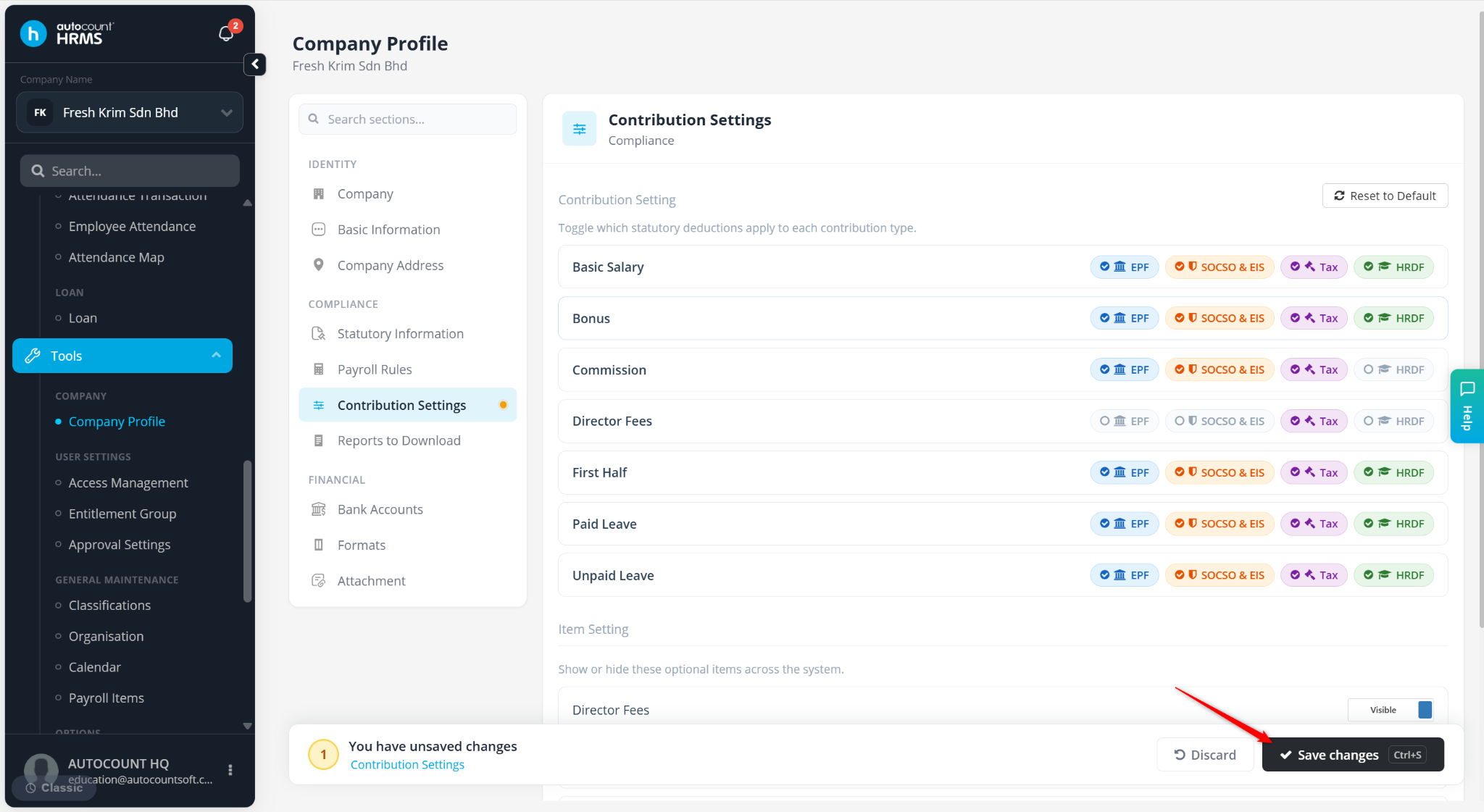
Go to Tools > Company Profile.
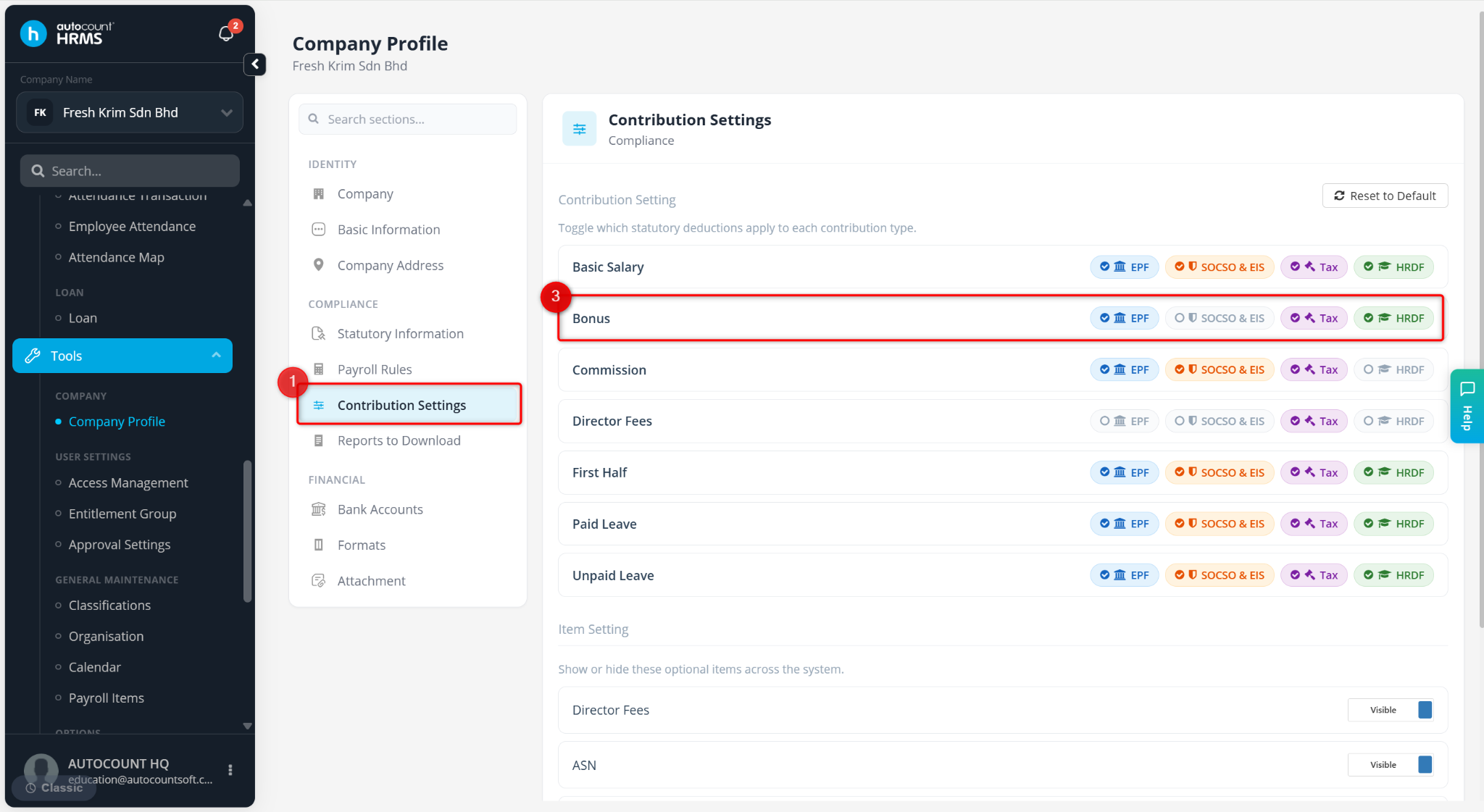
Navigate to Contribution Settings.
Under the Bonus column, verify that the required statutory contributions (e.g., EPF, SOCSO, EIS, PCB) are enabled.
Click Save changes.
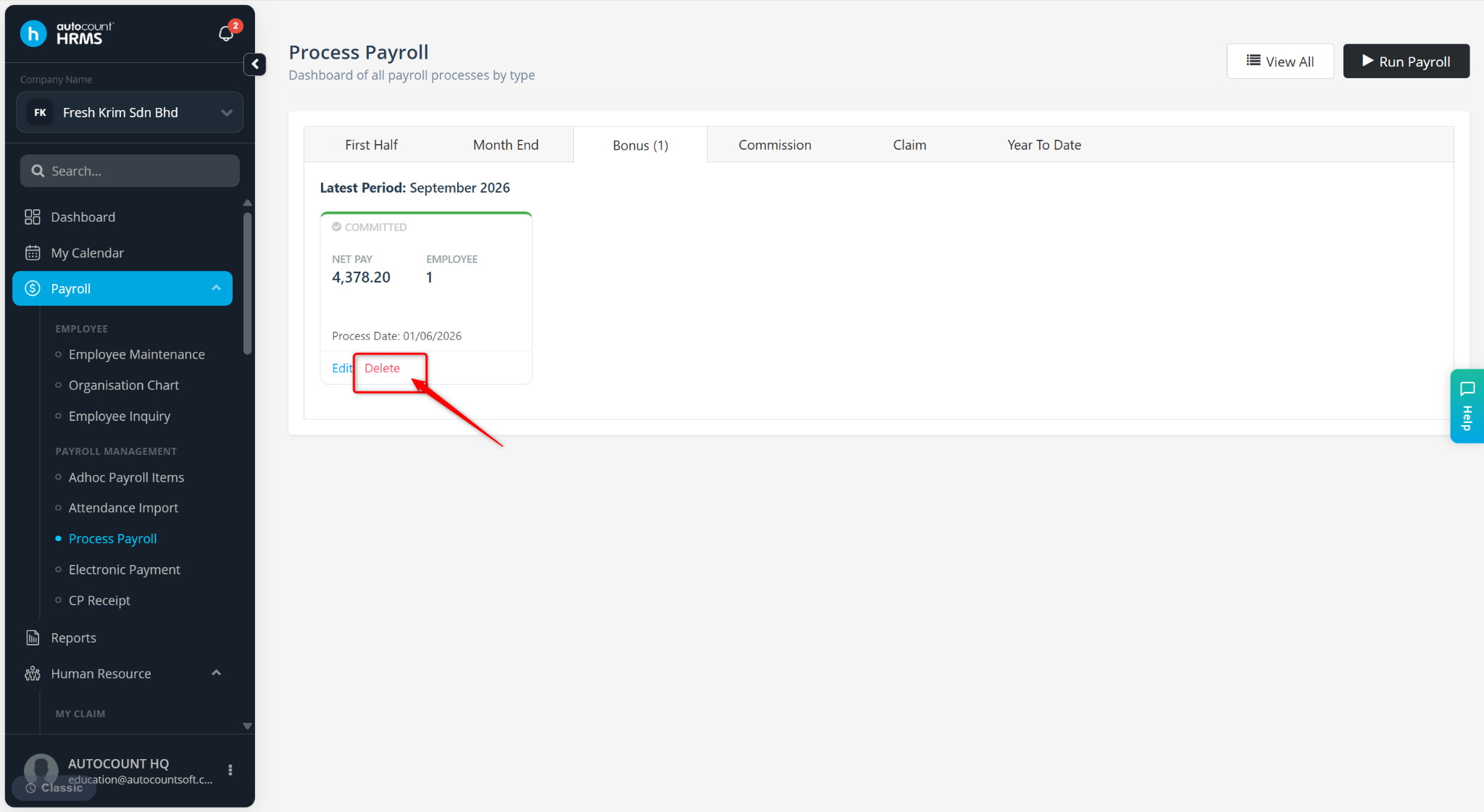
Return to Payroll > Process Payroll. Since the settings were changed after the payroll was created, delete the existing bonus payroll process.
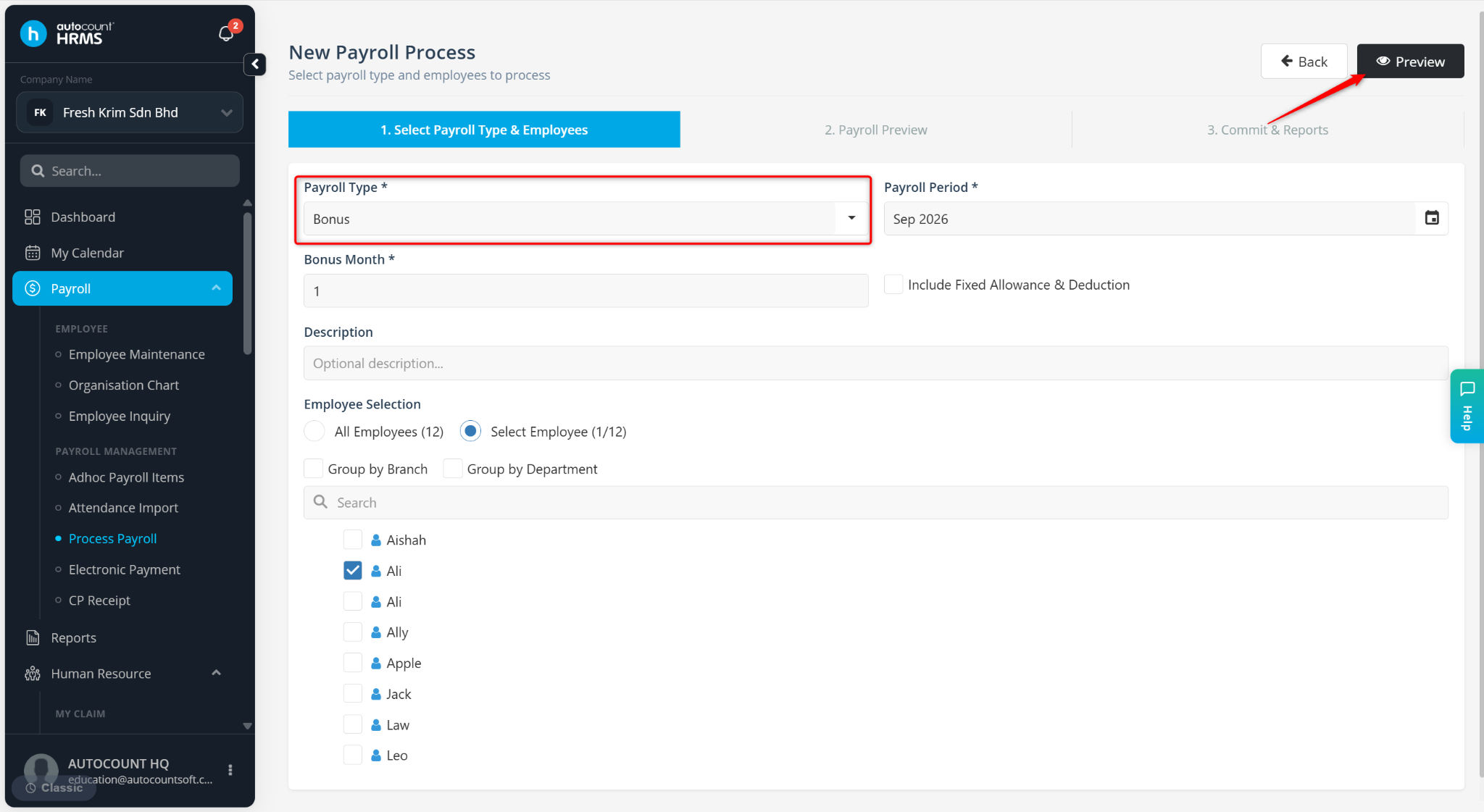
Recreate and run the Bonus Payroll process.
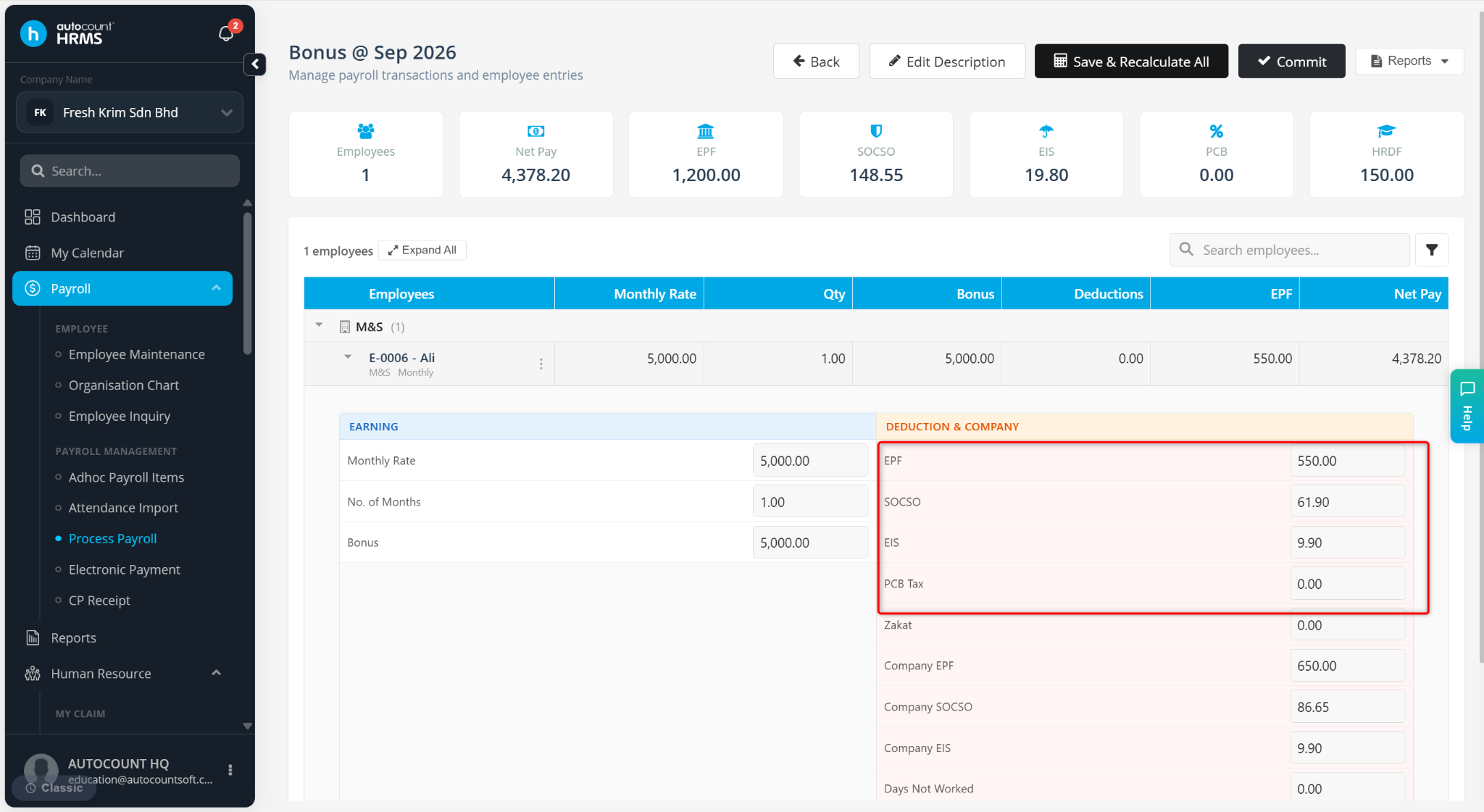
The newly generated Bonus Payroll process will calculate and display the statutory contributions according to the updated contribution settings.
Written by: Azirah (20260522)