The API Key is used to integrate AutoCount HRMS with other systems, including AutoCount Accounting, allowing data to be synchronised between the applications.
Steps to Create a New API Key for Open API:
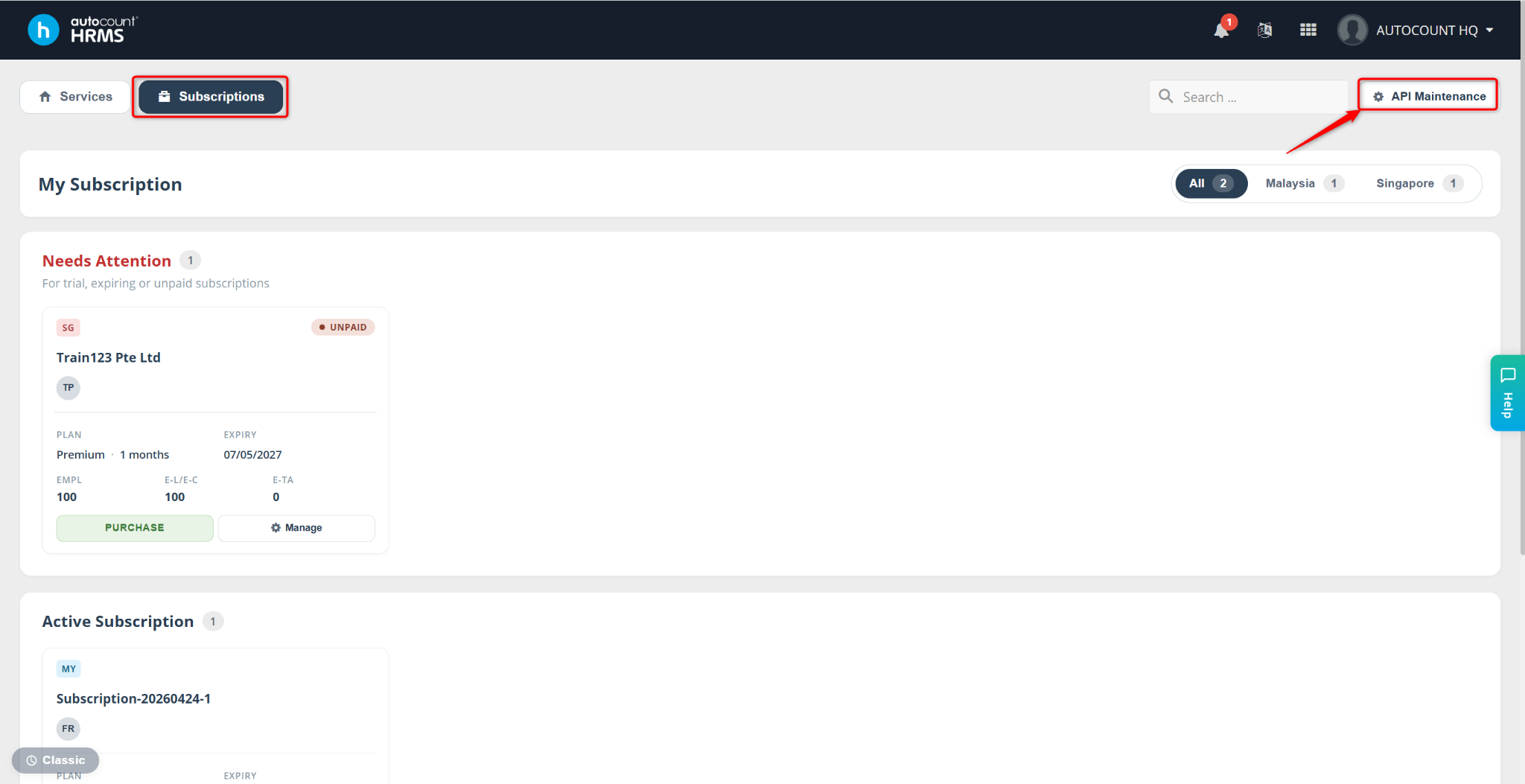
Go to Subscriptions > API Maintenance.
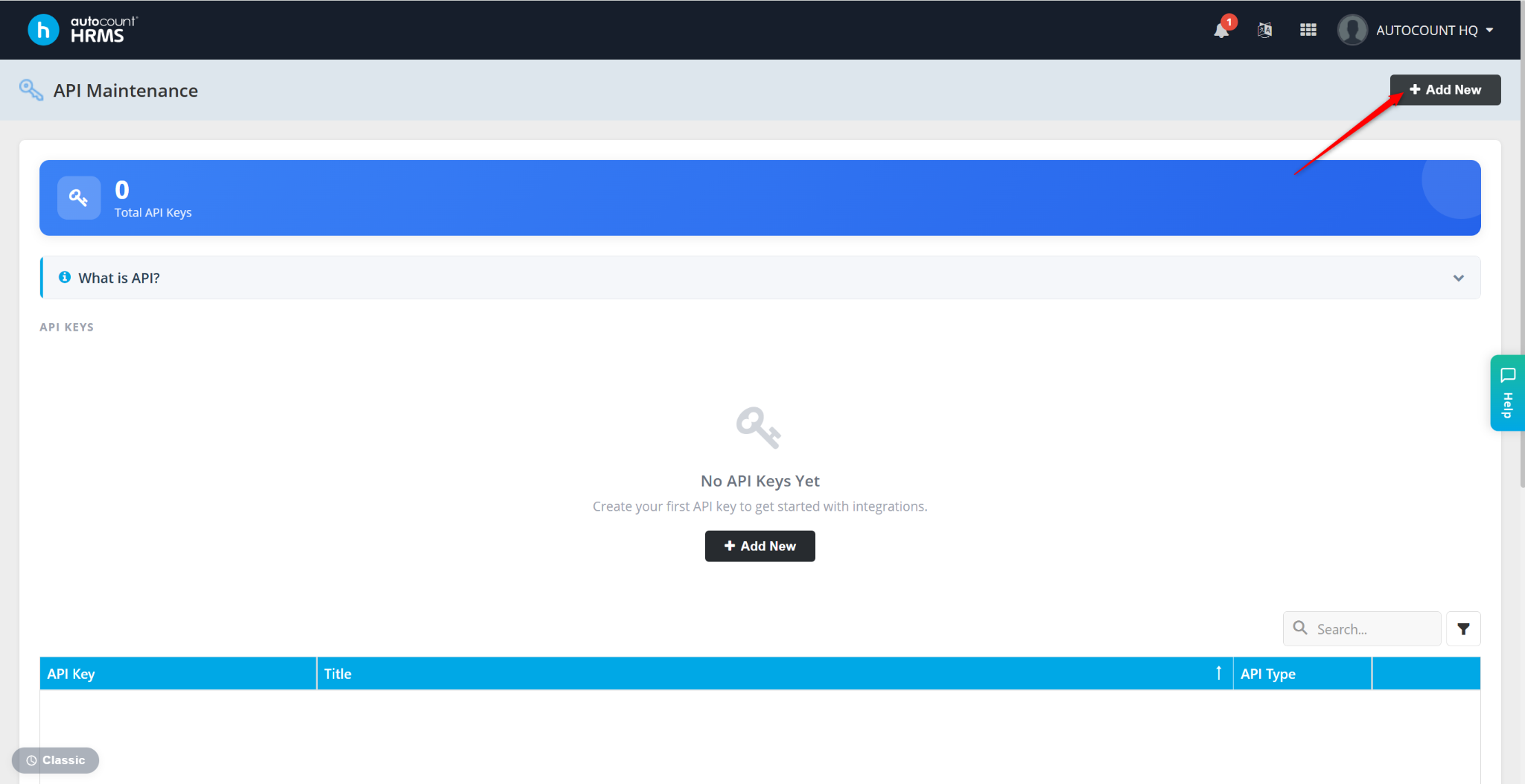
Click Add New to set up a new API Key.
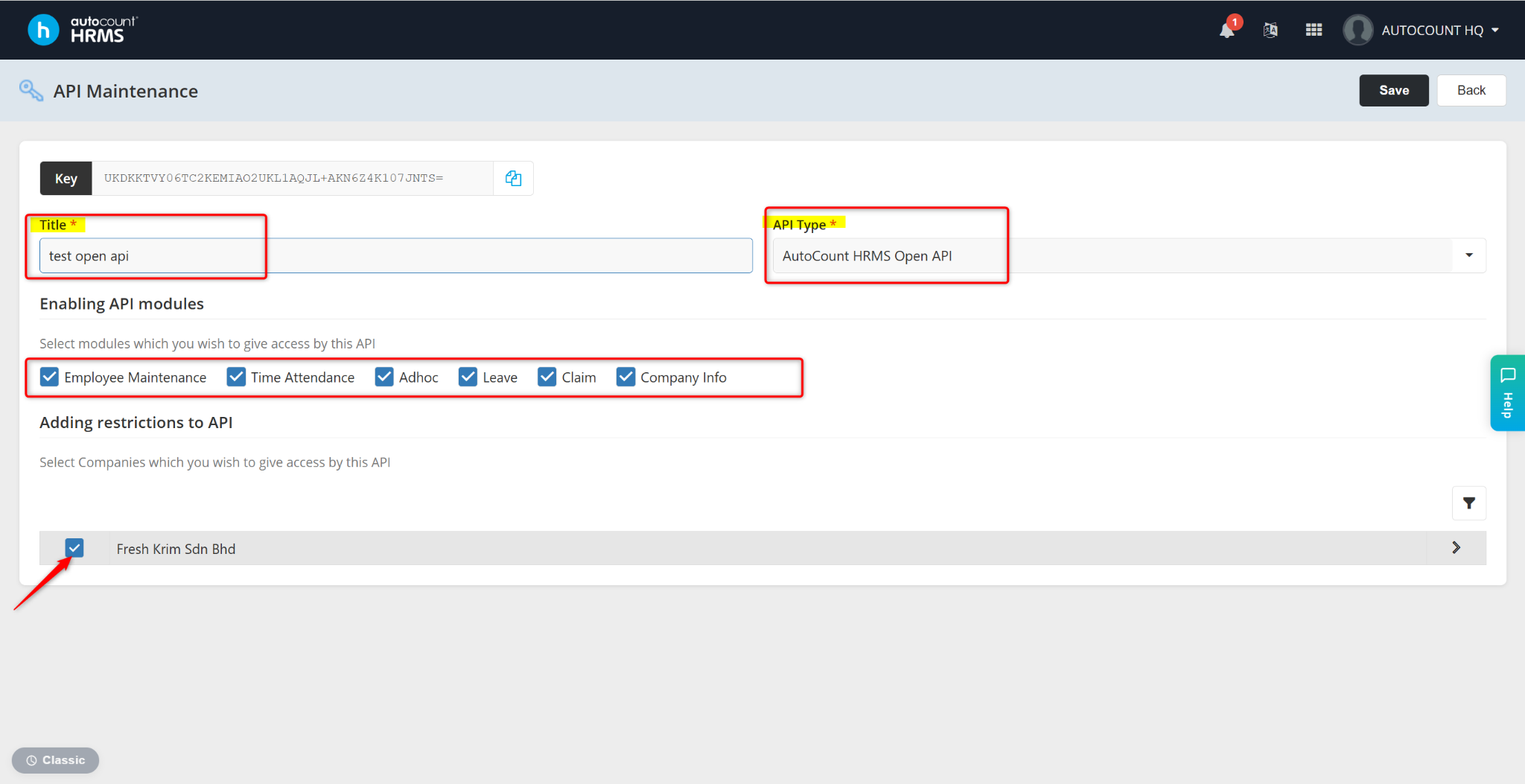
Enter the Title of the API and select Autocount HRMS Open API at the API Type field, then enable the API modules.
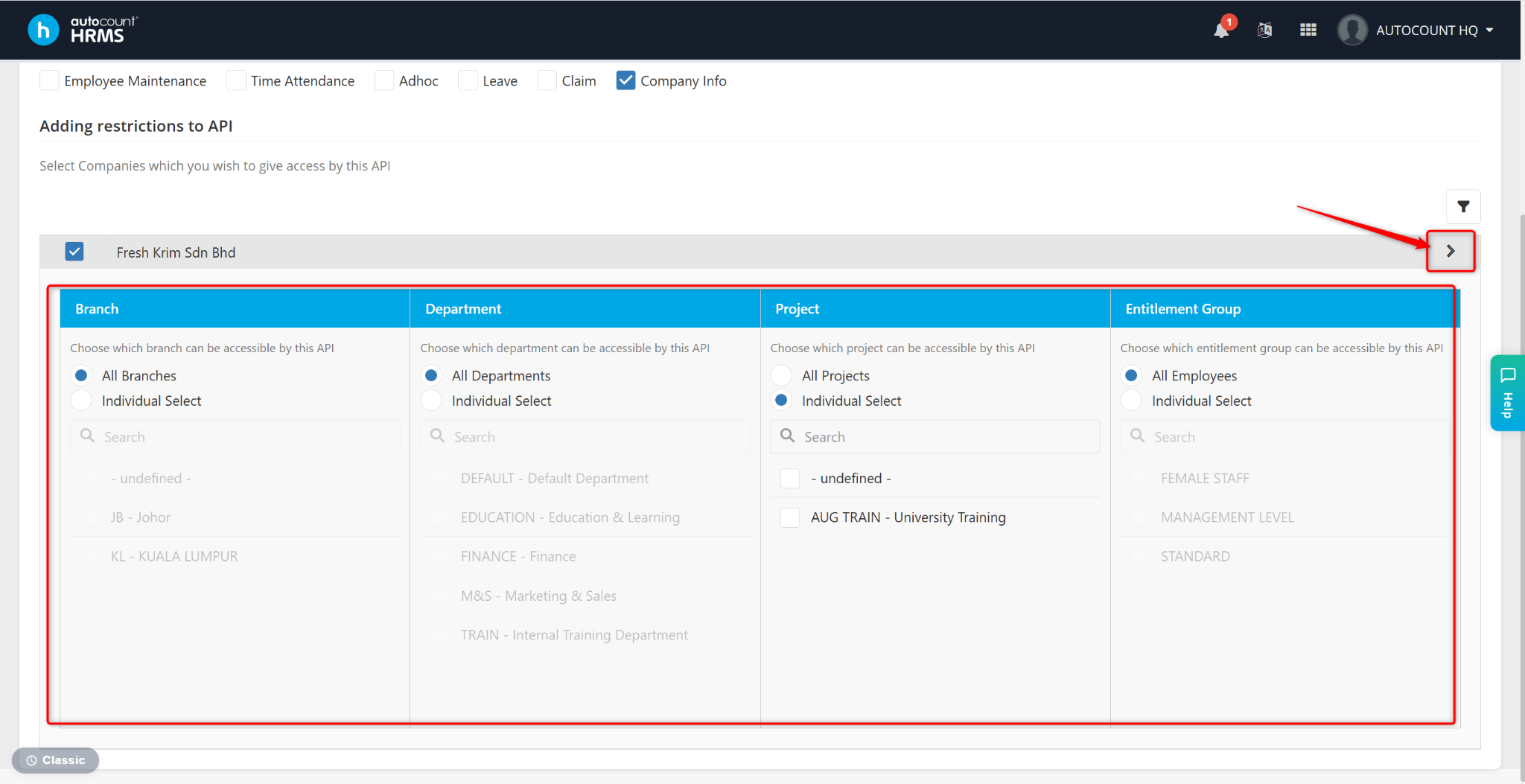
Select the company which has access to the API.
Within the same company, select the branch, department, project or entitlement group that can be accessed by the API.
Click Save.
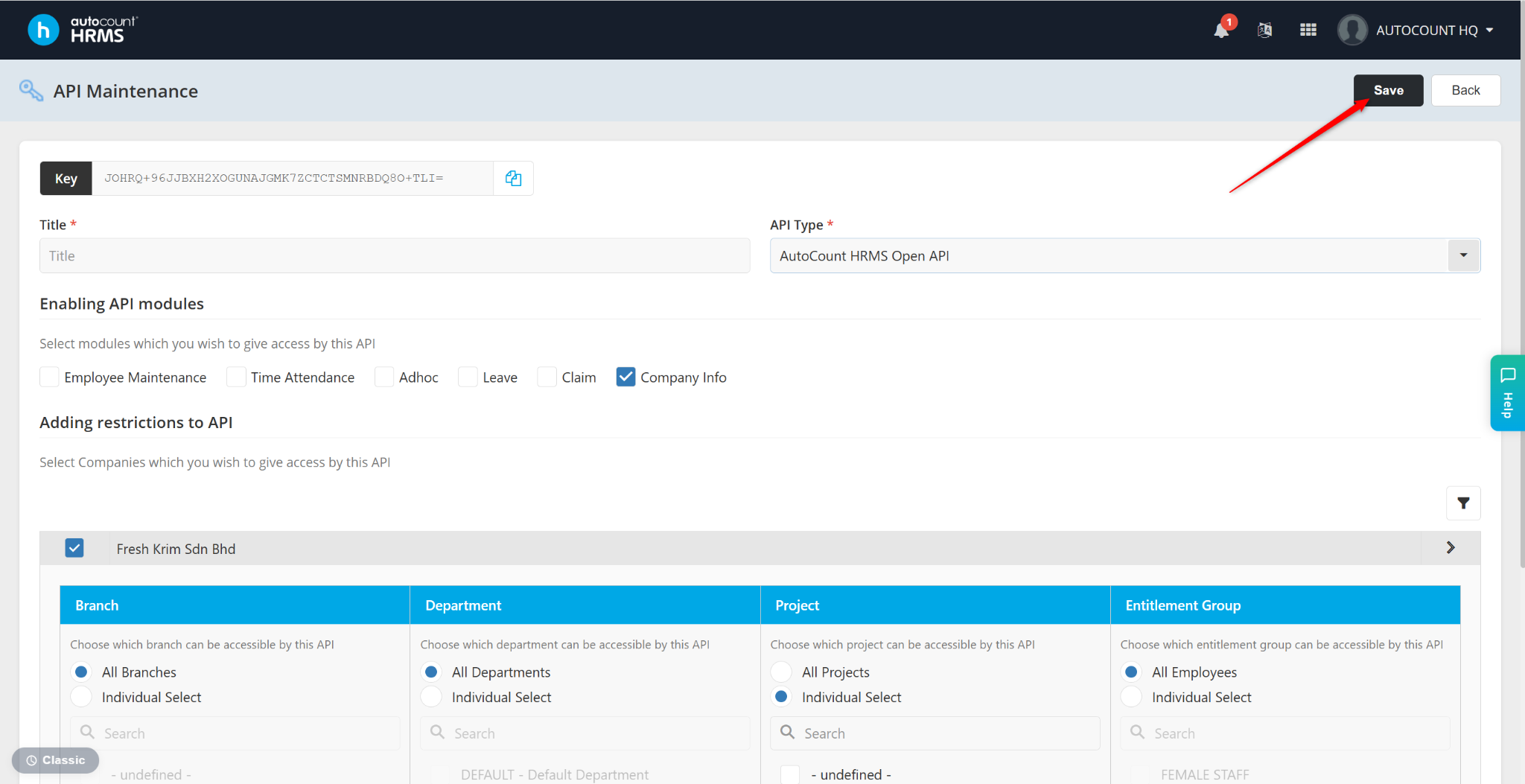
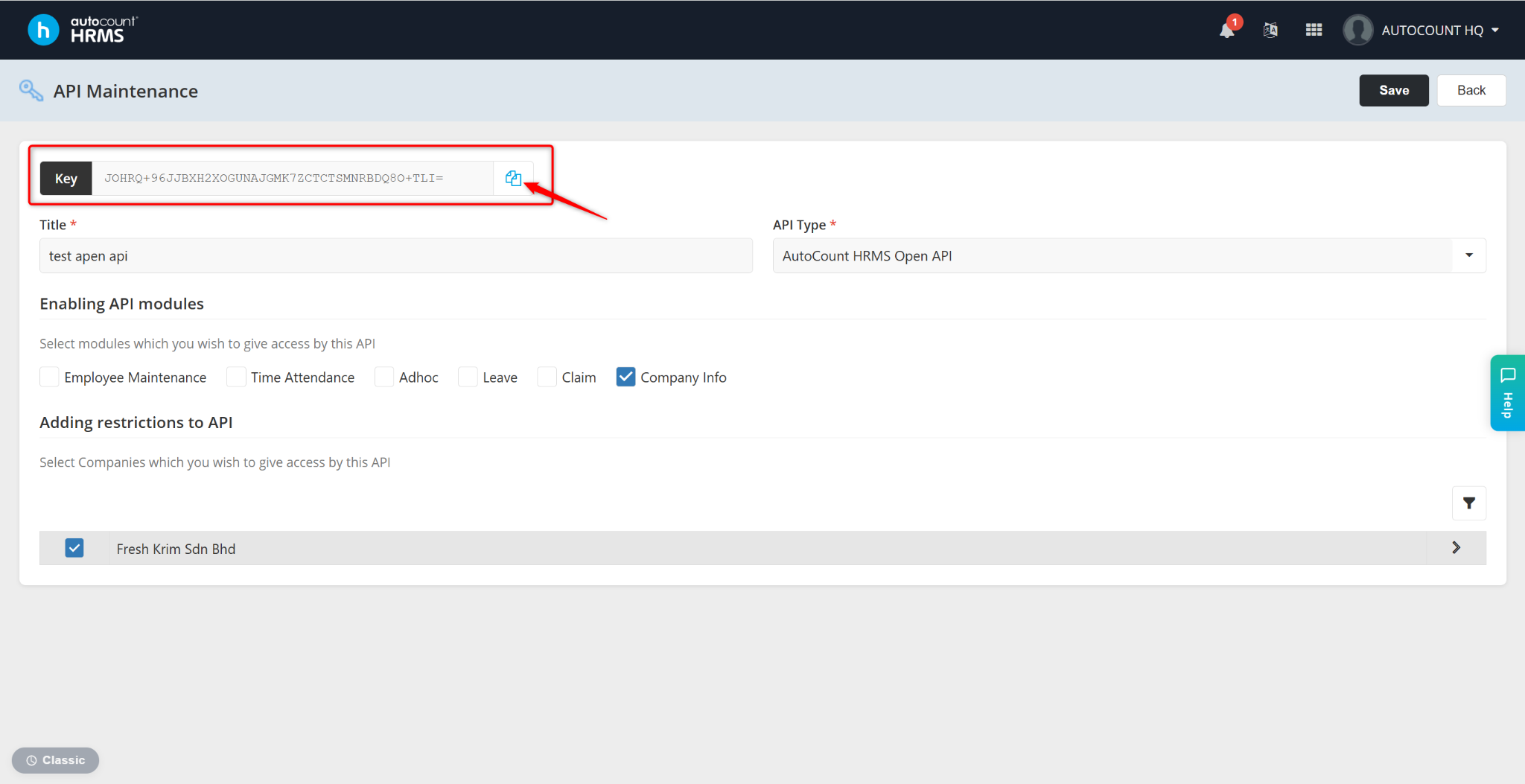
Retrieve or copy the API Key generated.