Users may delete customised report templates that are no longer needed to keep the report list organised.
Steps to Delete Unwanted Report:
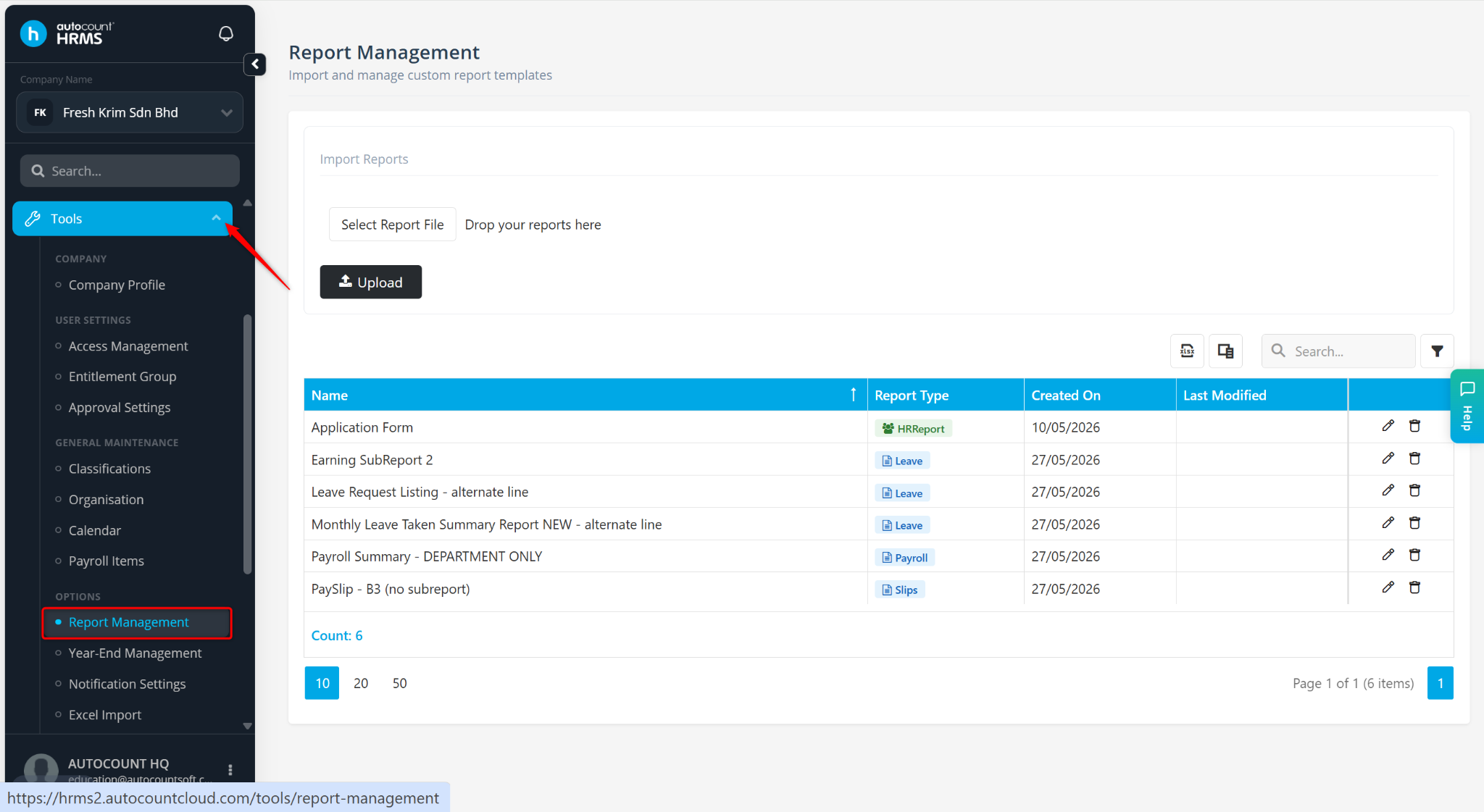
Go to Tools > Report Management.
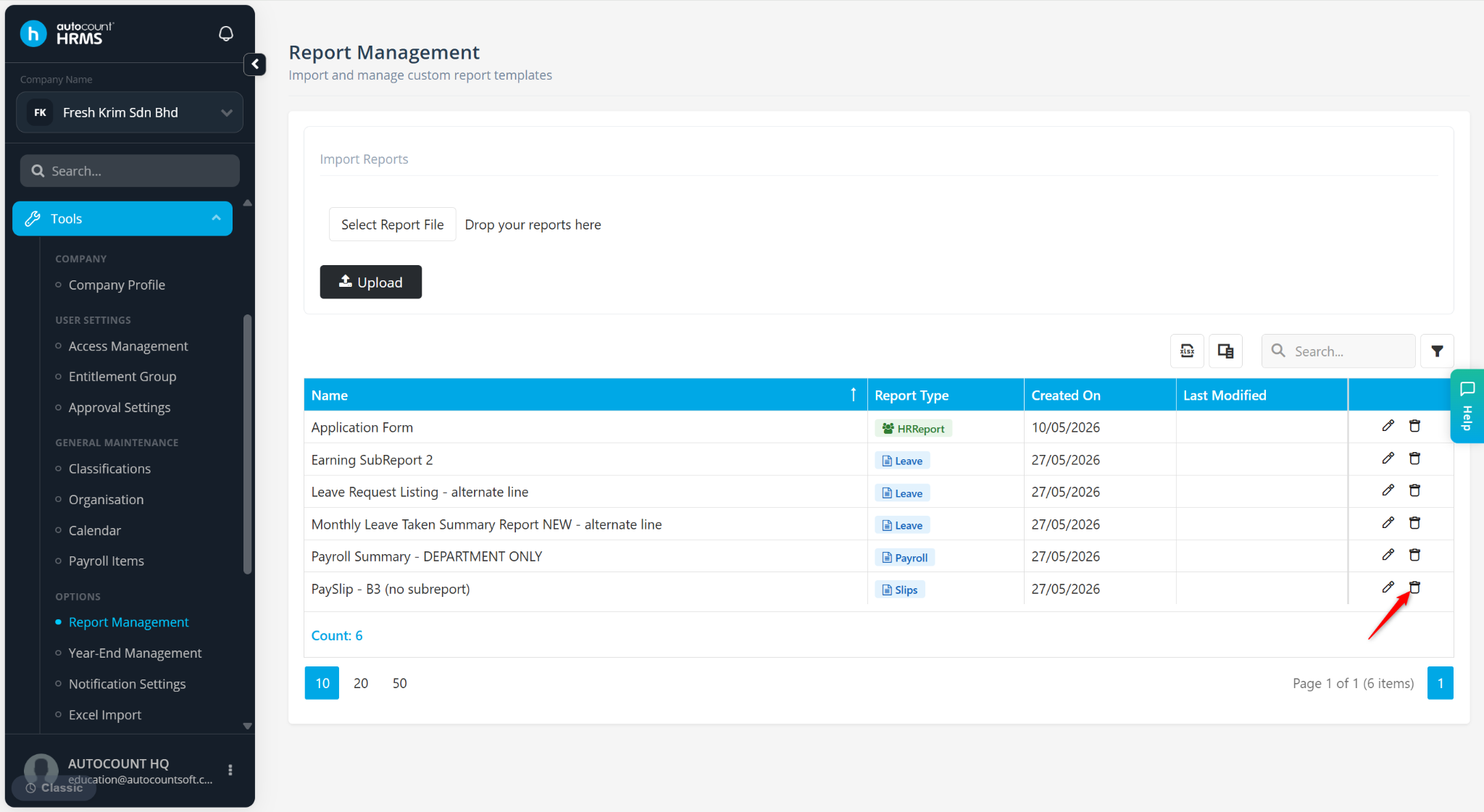
Locate the customised report template and click the trash bin icon.
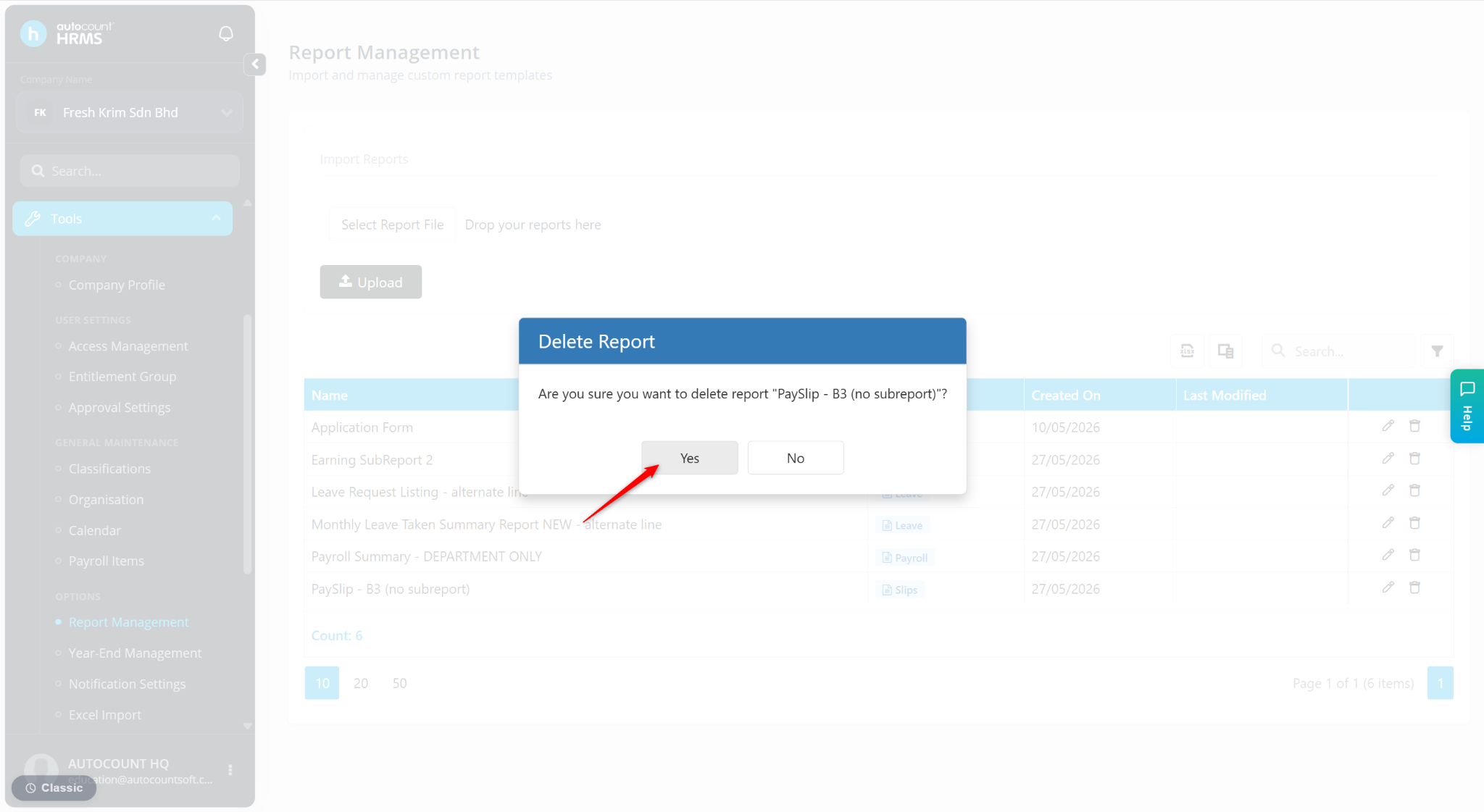
Click Yes to confirm deletion.