
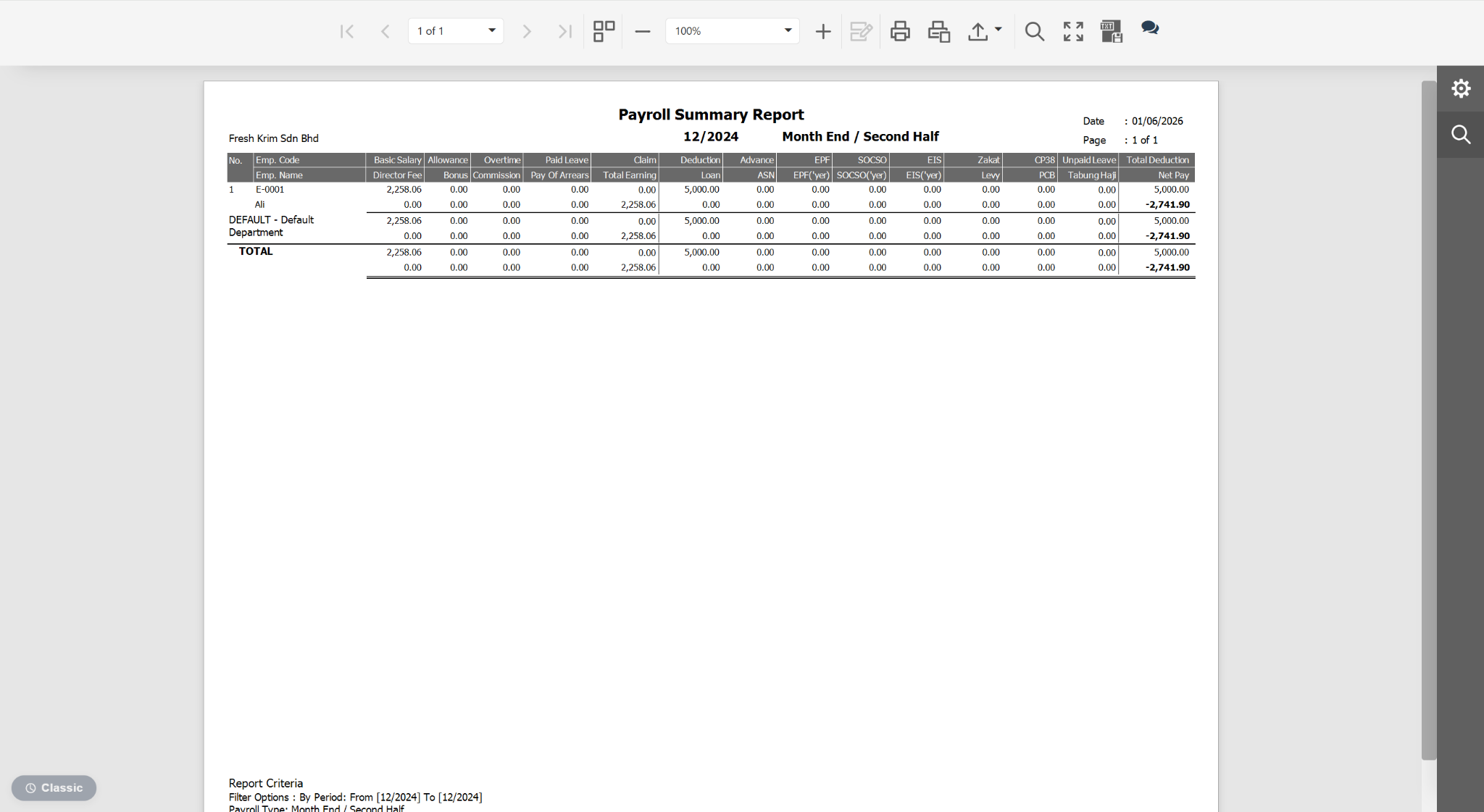
This issue usually occurs when there are duplicate payroll entries for the same period, most commonly because both a Month End Payroll and a Year-to-Date (YTD) Payroll have been processed. Since both payroll runs may contain the same data, the report counts the amounts twice, resulting in duplicated figures. Example:
Payroll > Process Payroll > Report > Payroll Summary Report
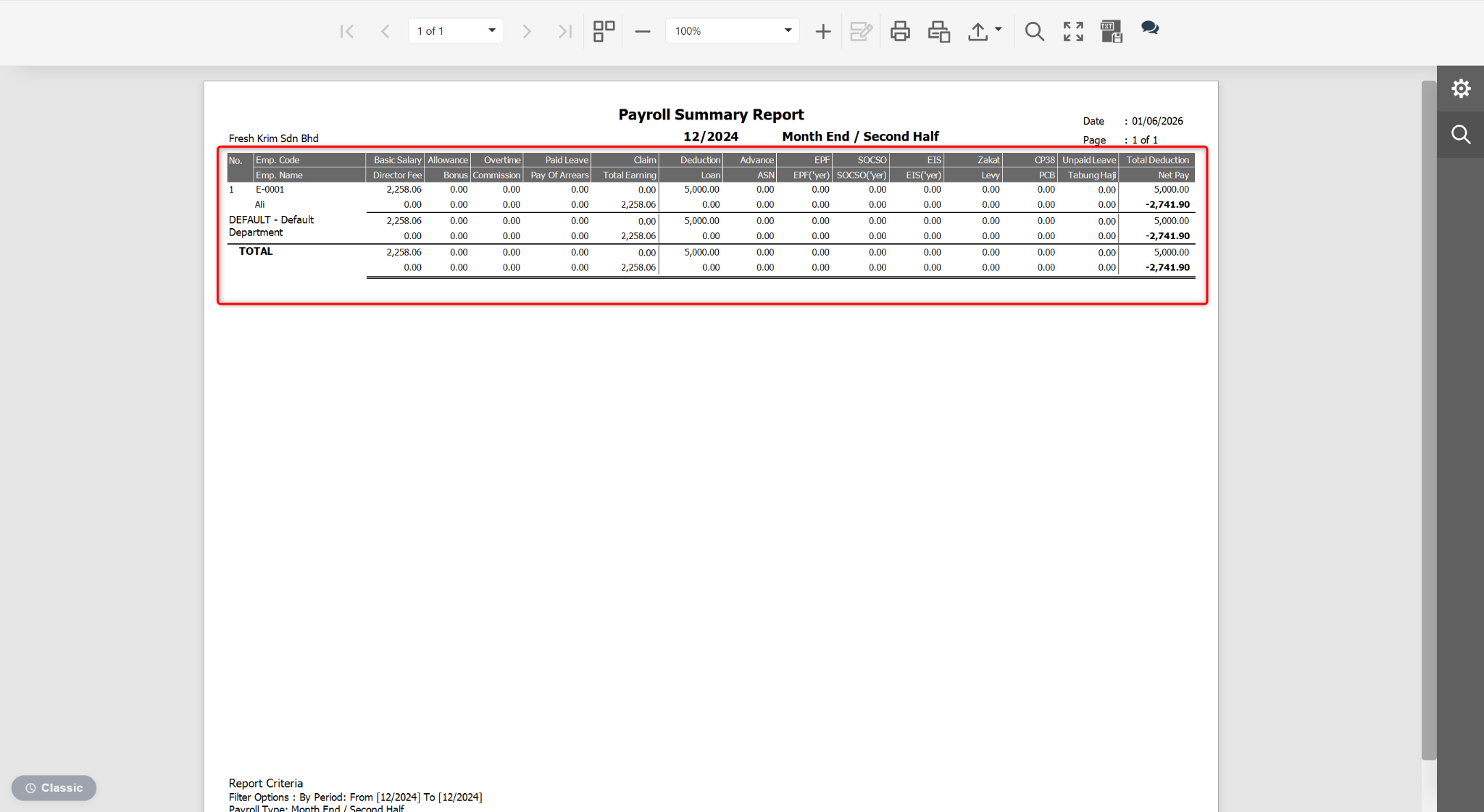
Reports > Payroll Summary Report
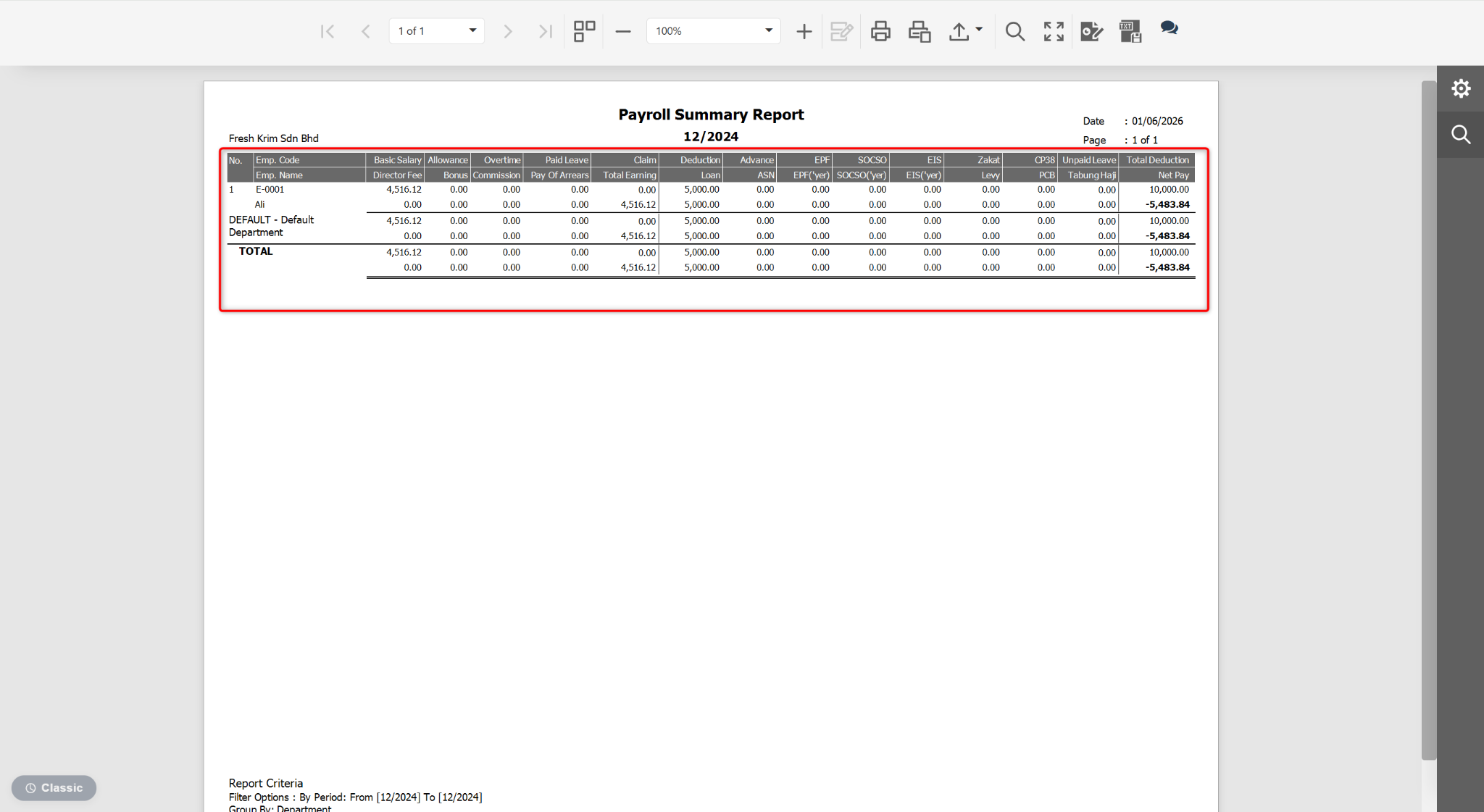
Steps to Resolve the Issue:
Go to Payroll > Process Payroll.
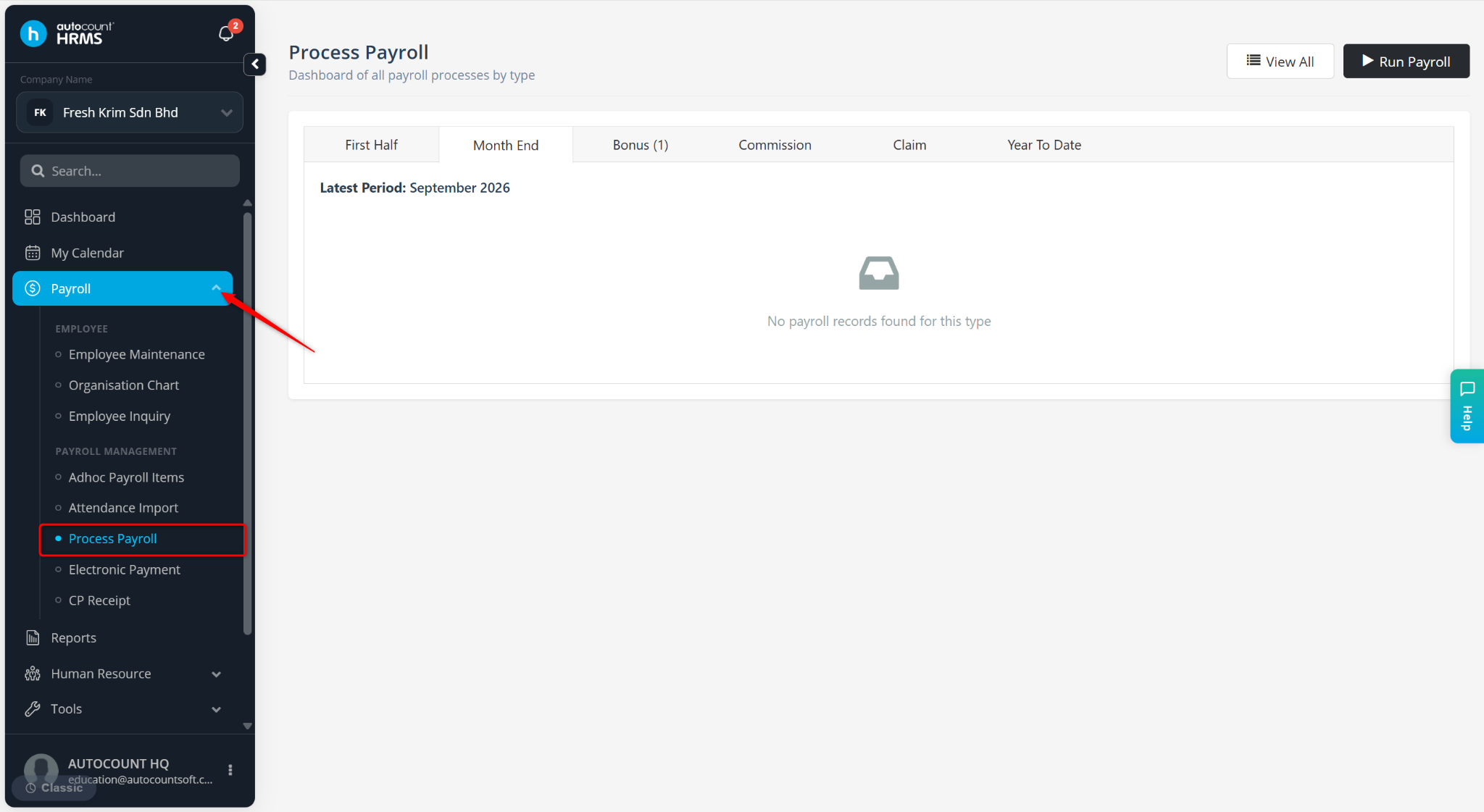
Check whether multiple payroll types exist for the same payroll period (e.g., Month End and Year-to-Date).
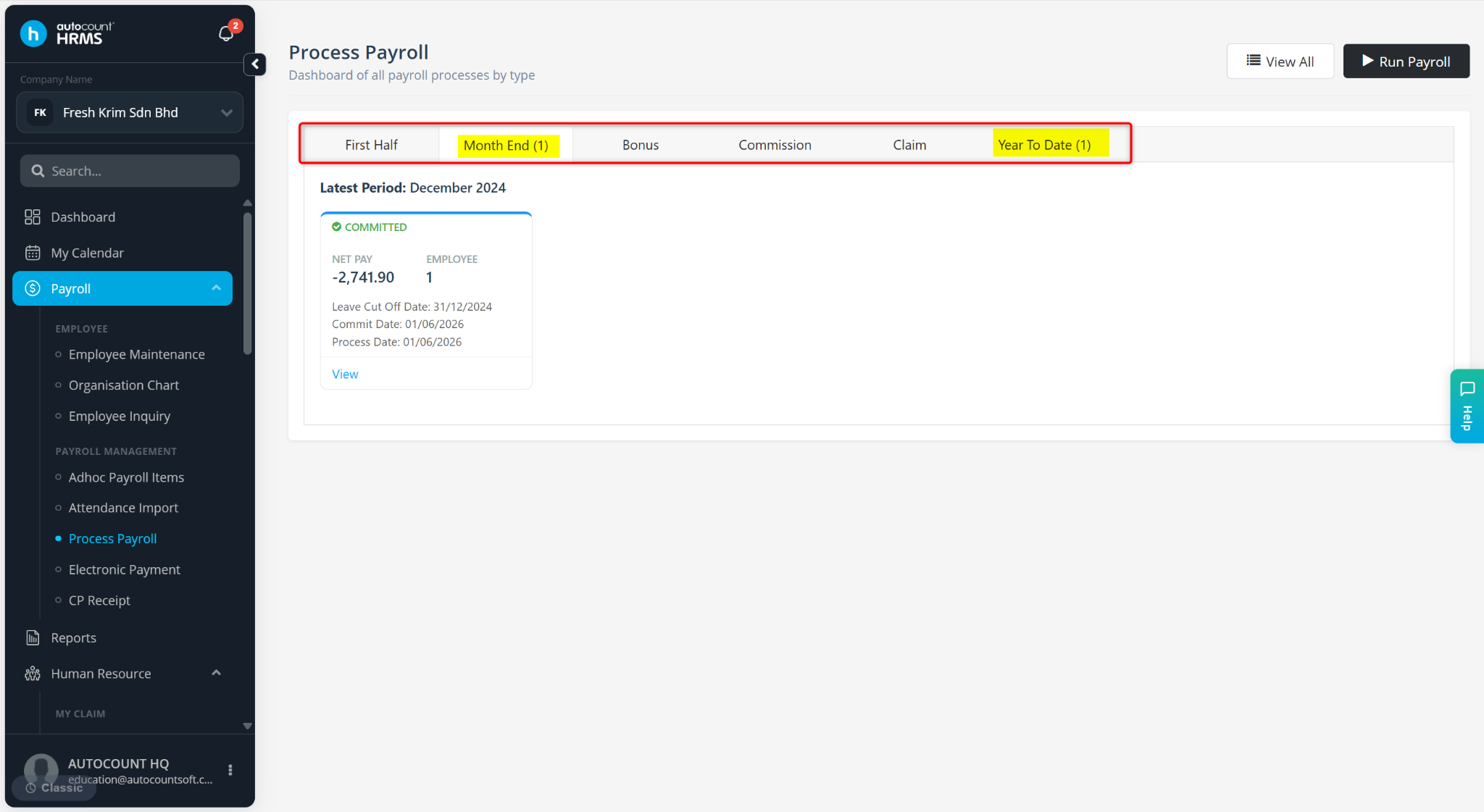
Open each payroll run using View and review the details.
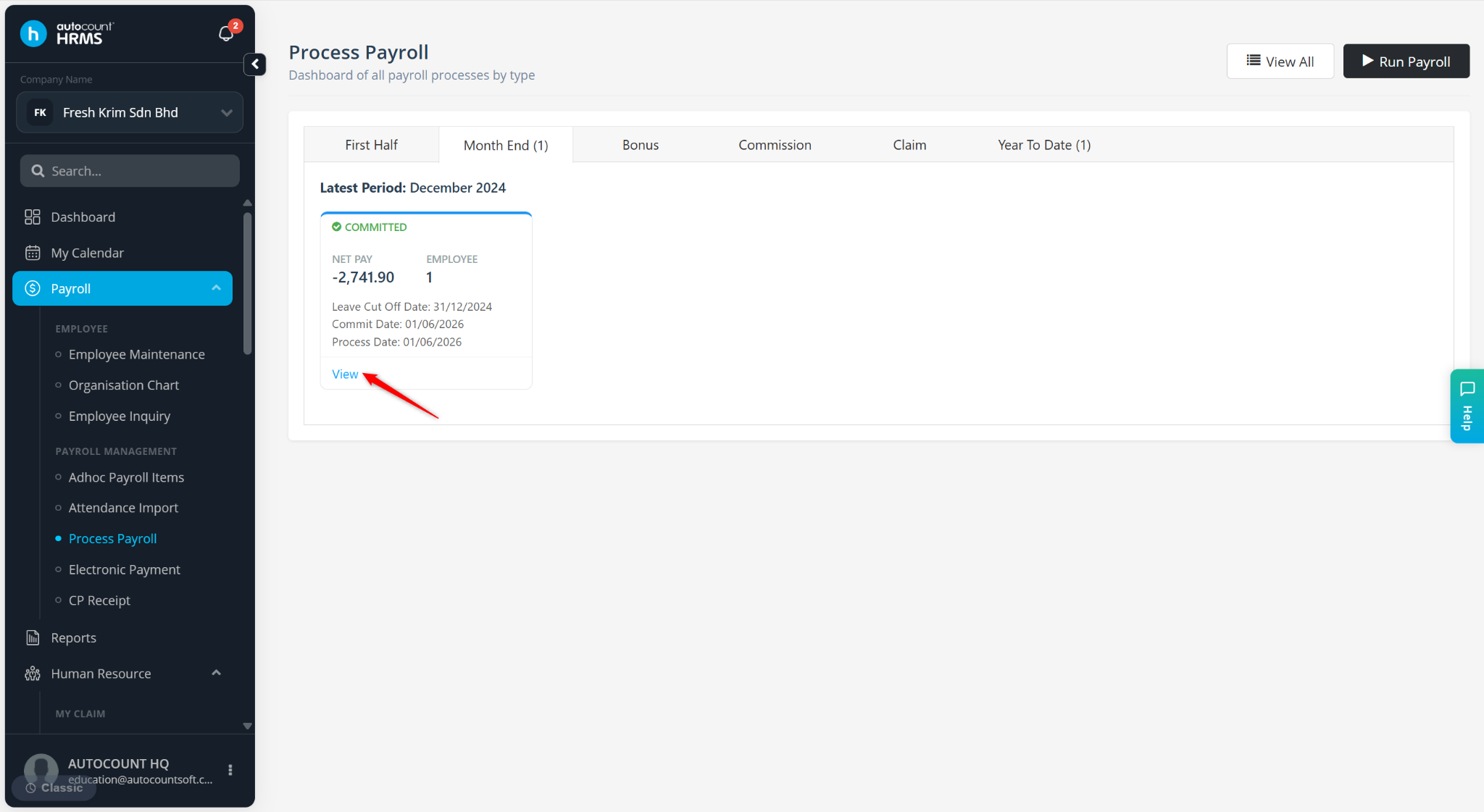
Confirm whether the data in both payroll runs is identical or overlapping.
If both payroll runs contain the same information, determine which payroll run should be retained:
If the Year-to-Date Payroll should be kept, uncommit and delete the Month End Payroll.
If the Month End Payroll should be kept, uncommit and delete both the Month End Payroll and Year-to-Date Payroll, then reprocess the Month End Payroll.
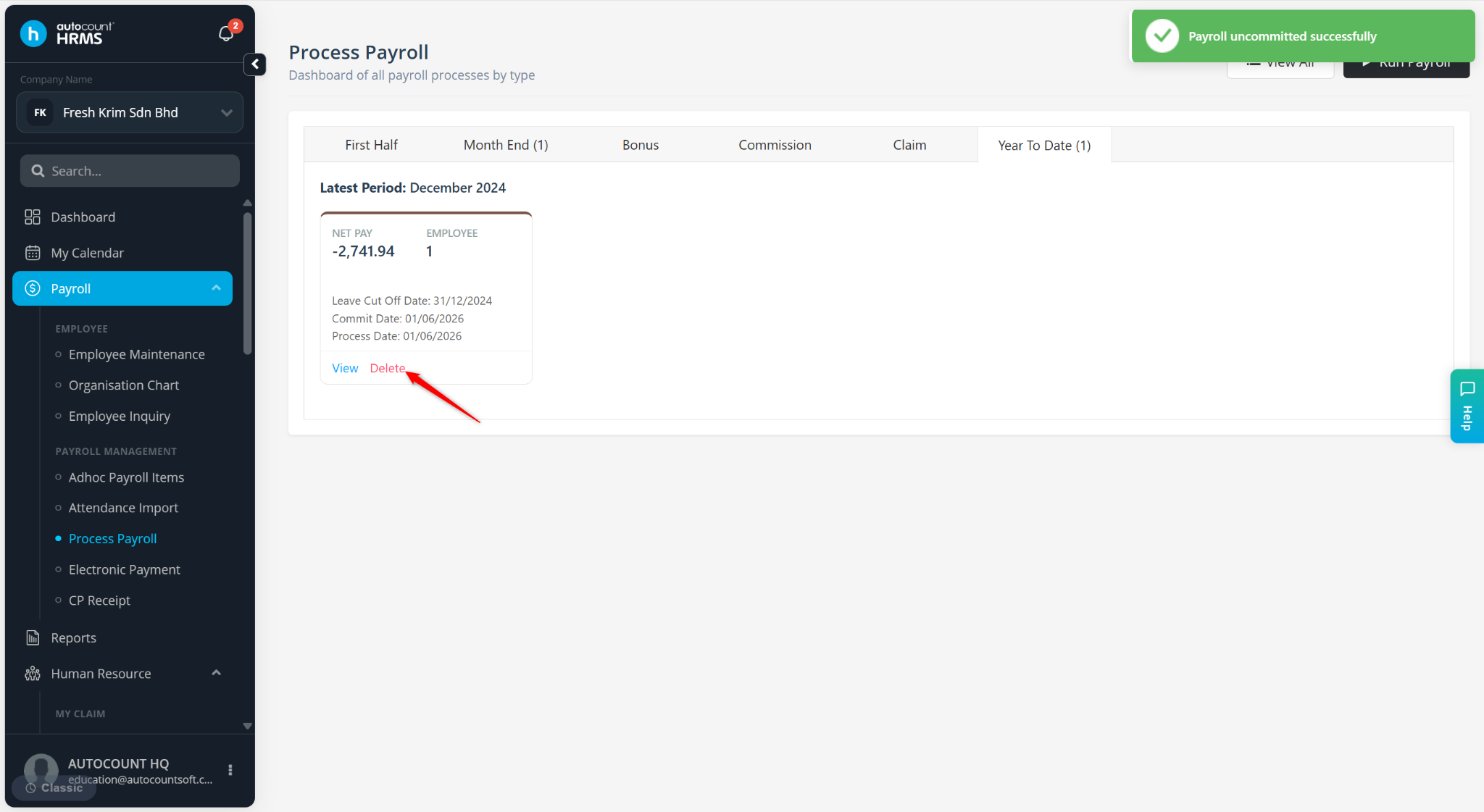
Ensure that only one valid payroll run exists for the payroll period.
Regenerate the Payroll Summary Report to verify the results.
The Payroll Summary Report will display accurate figures without duplication across all report preview methods.
Written by: Azirah (20260522)