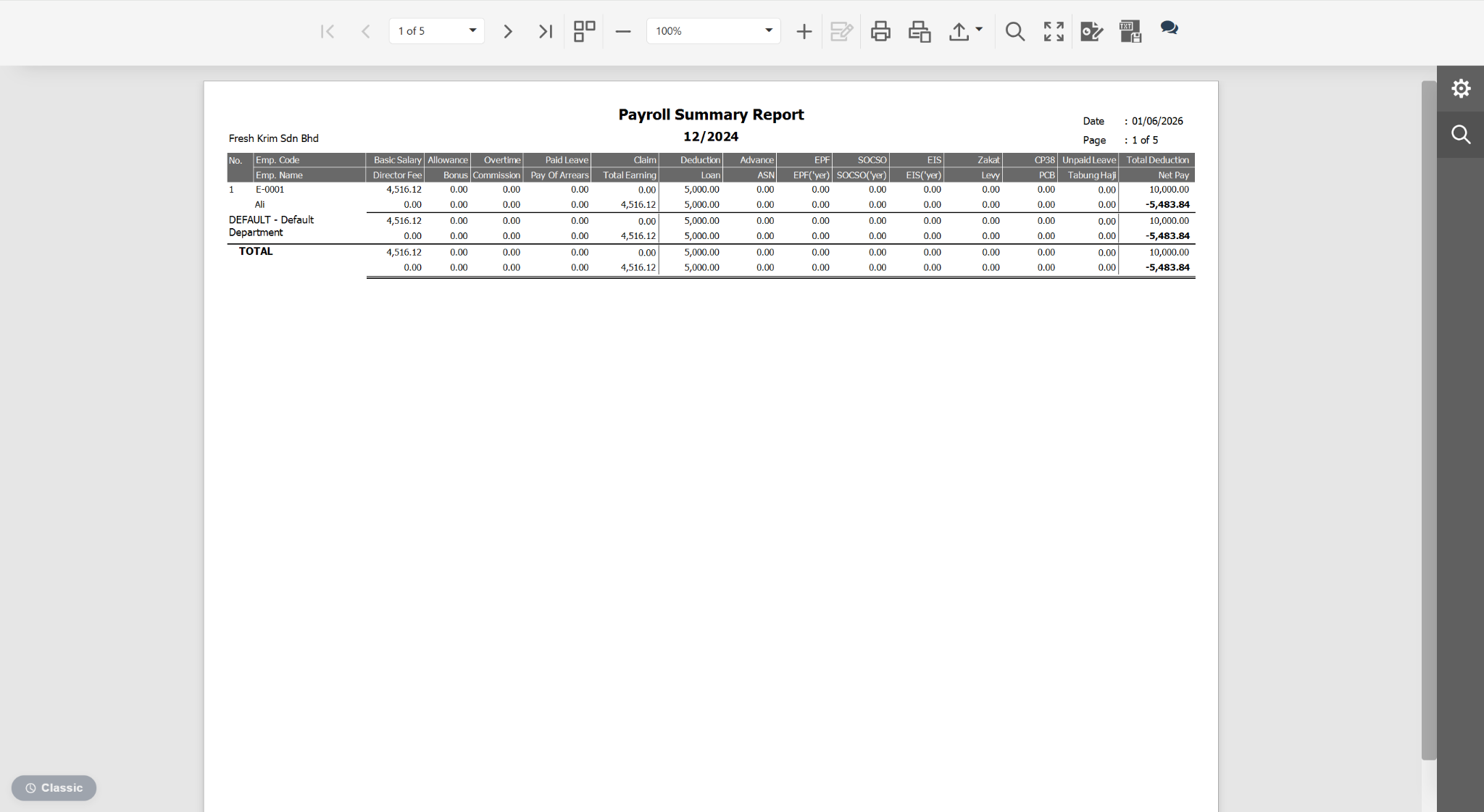
Users can group the Payroll Summary Report by Department or Branch to analyse payroll costs and employee earnings based on organisational structure.
Steps to Preview Payroll Summary Report Grouped by Department or Branch:
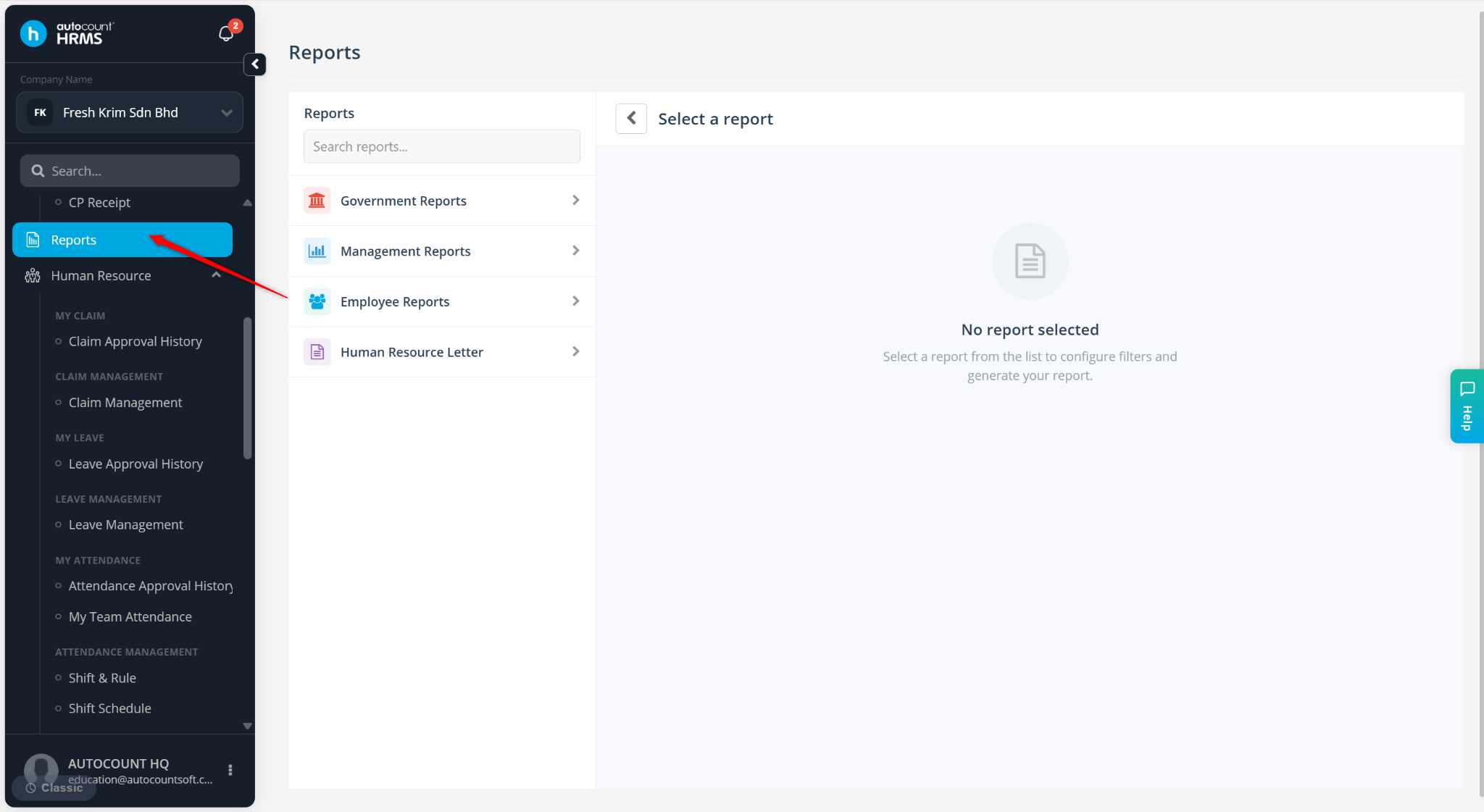
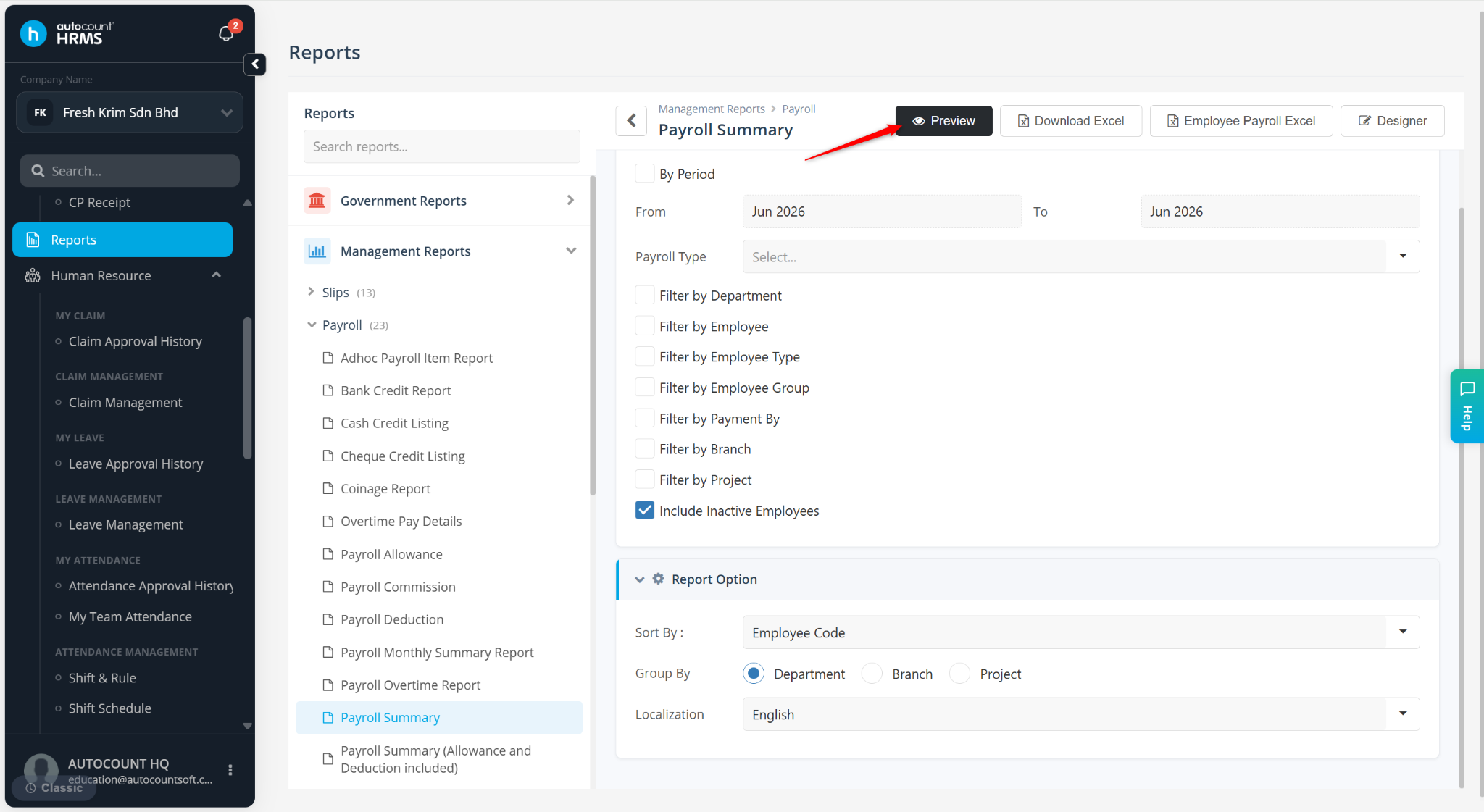
Go to Reports.
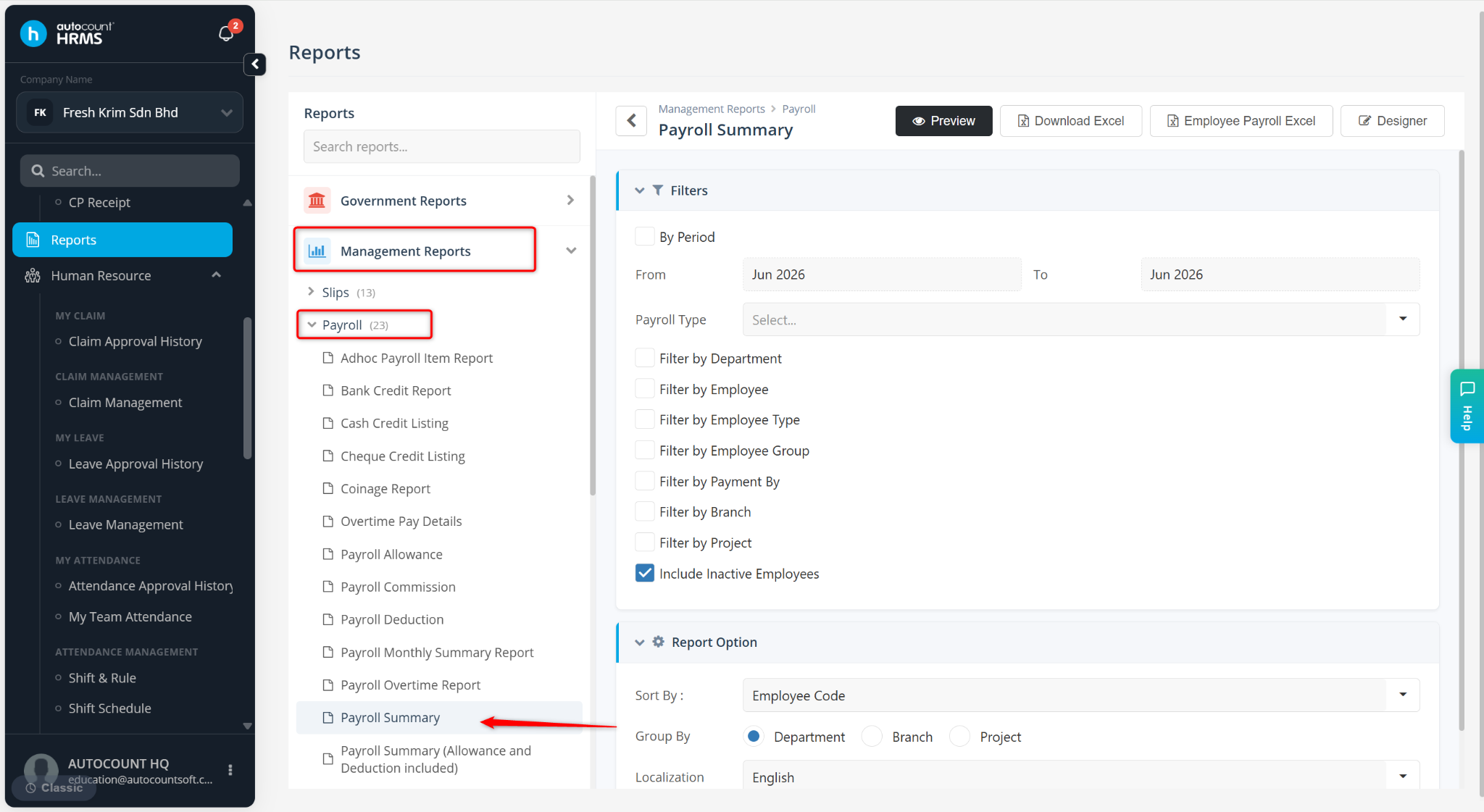
Expand Management Reports > Payroll and select Payroll Summary Report.
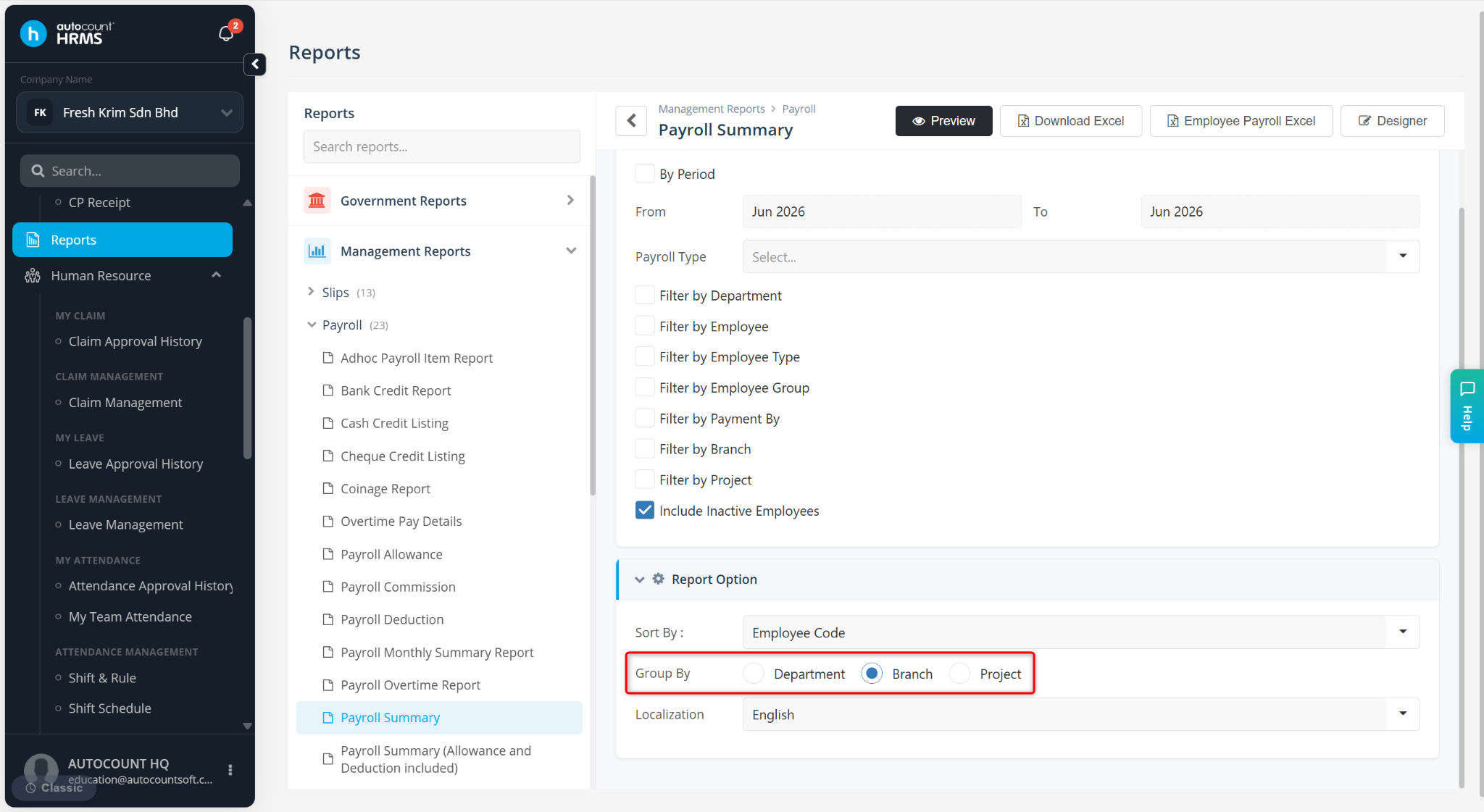
Under Report Options, select Branch or Department at the Group By field.
Click Preview.
The Payroll Summary Report will be displayed and grouped according to the selected Department or Branch for easier comparison and review.