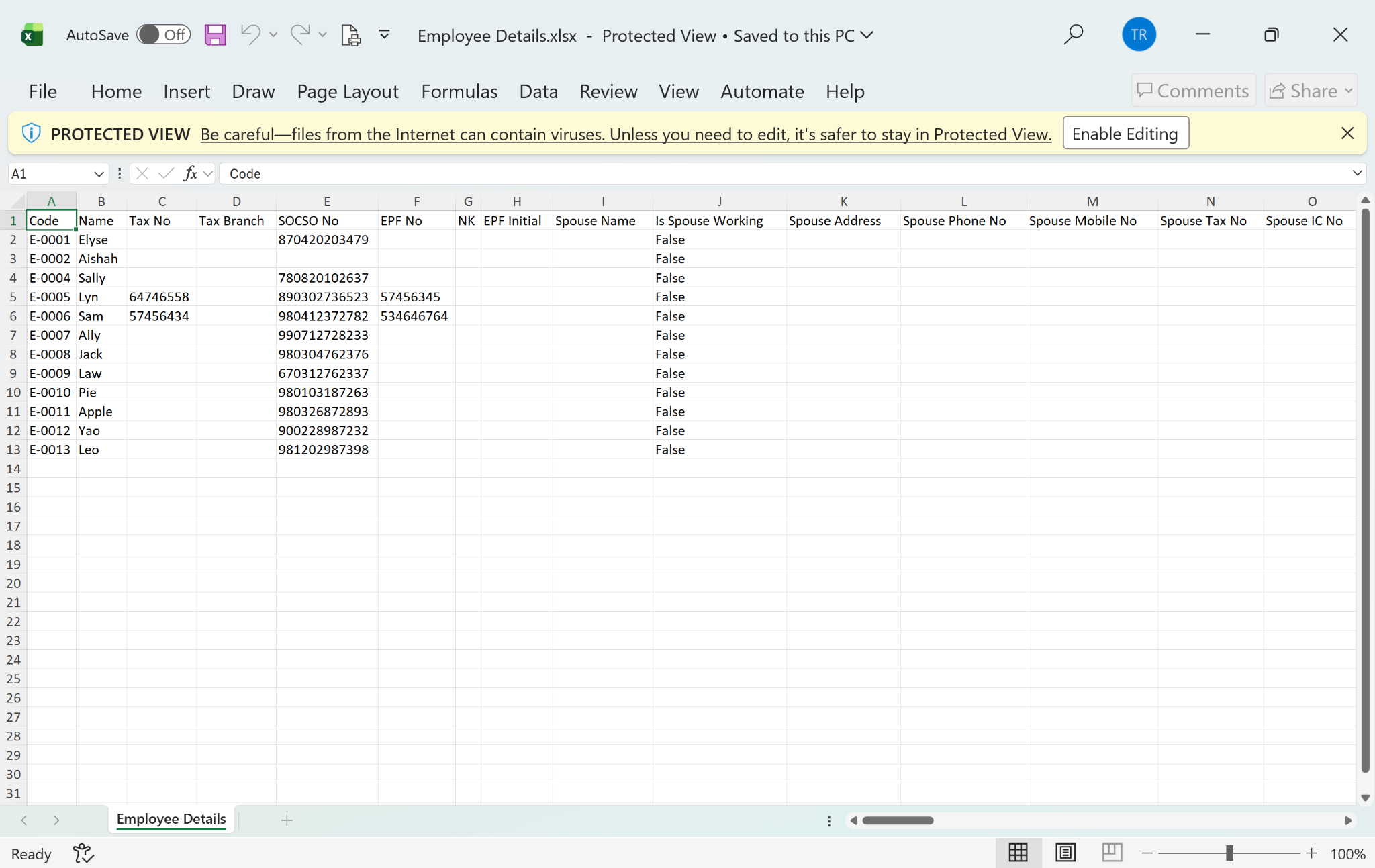
Users may extract employee information into an Excel file for reporting, analysis, or record-keeping purposes. The Employee Details Report allows users to select specific fields and customise the layout before exporting.
Steps to Extract Employee's Info:
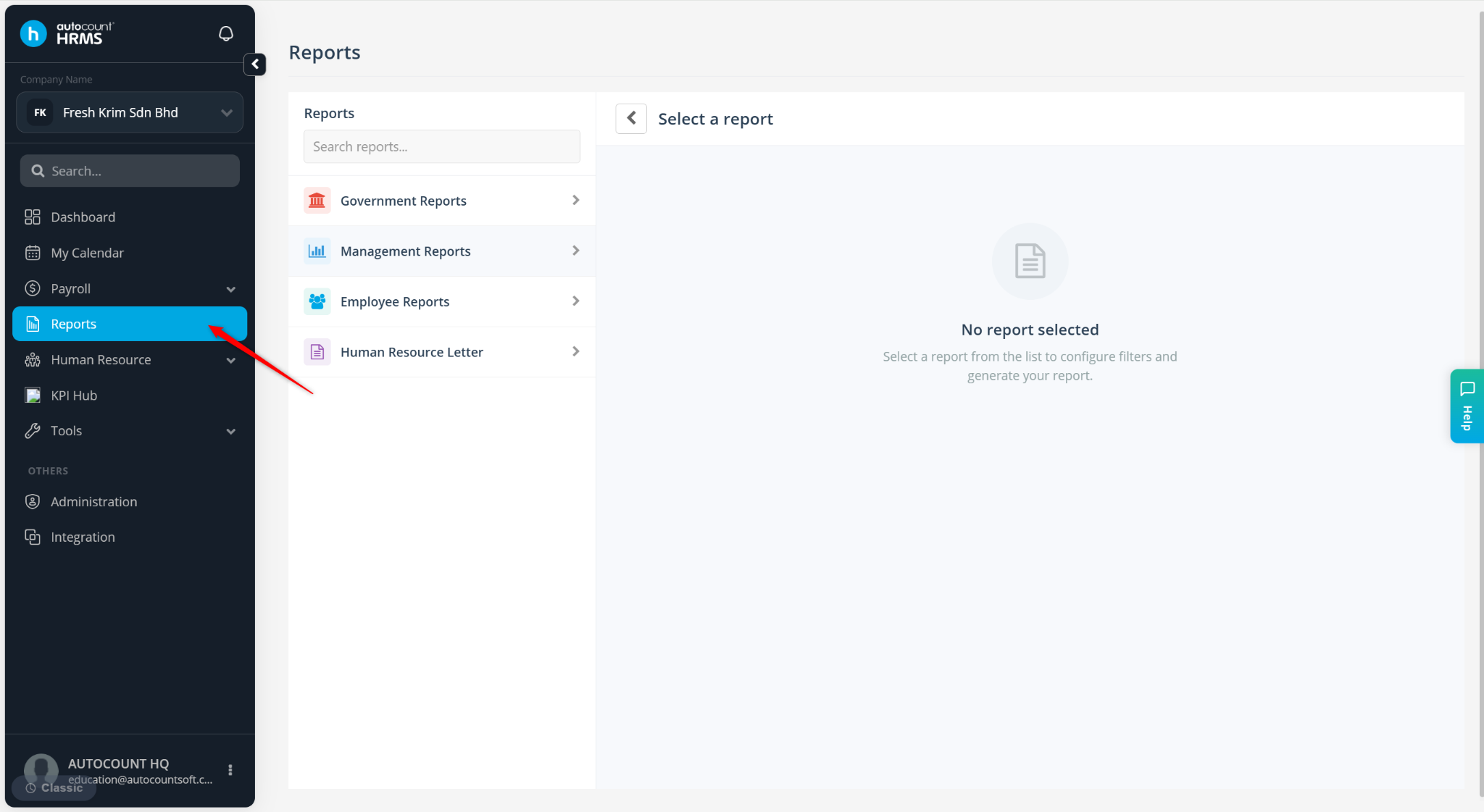
Go to Reports.
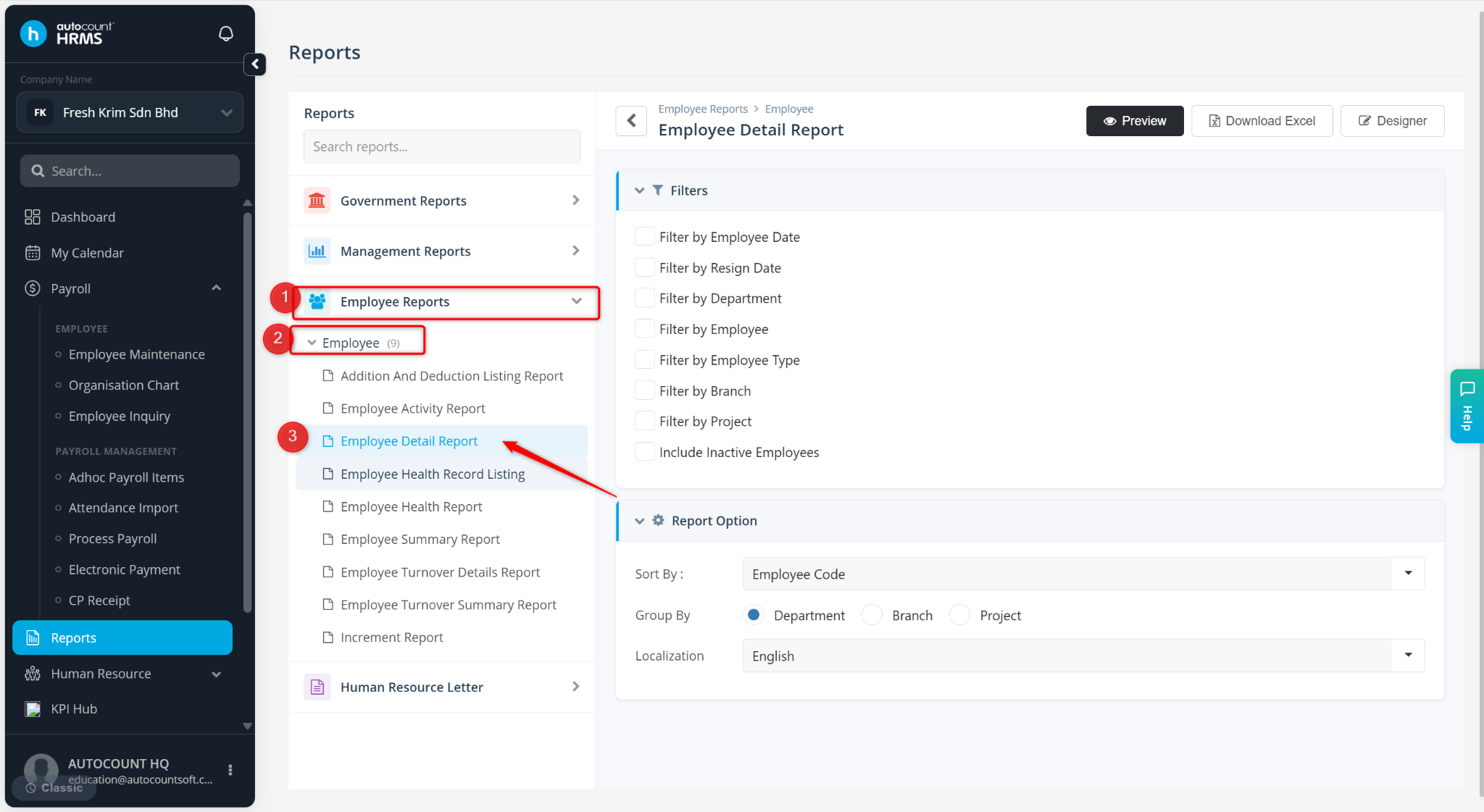
Expand Employee Reports > Employee, select Employee Details Report.
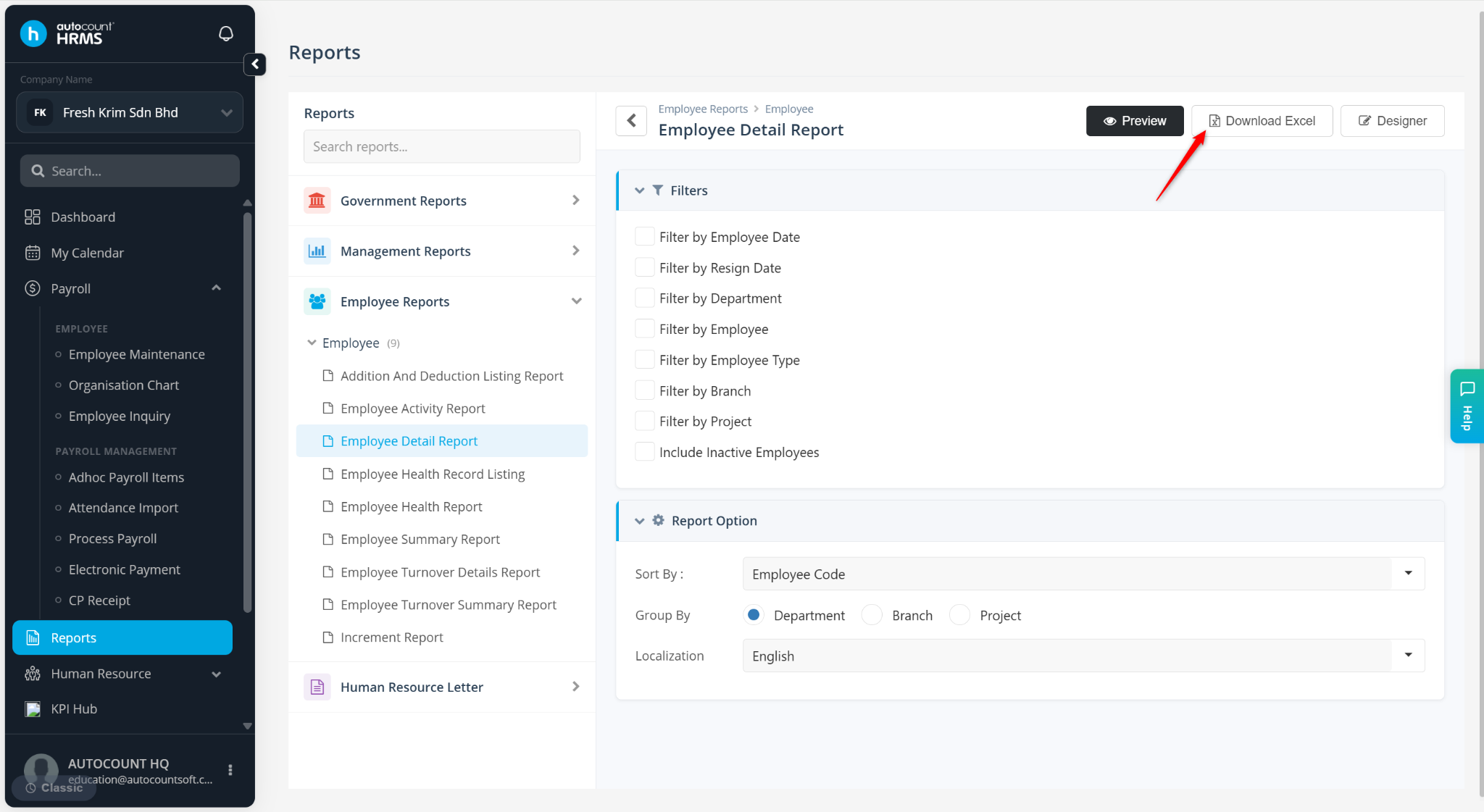
Click Download Excel.
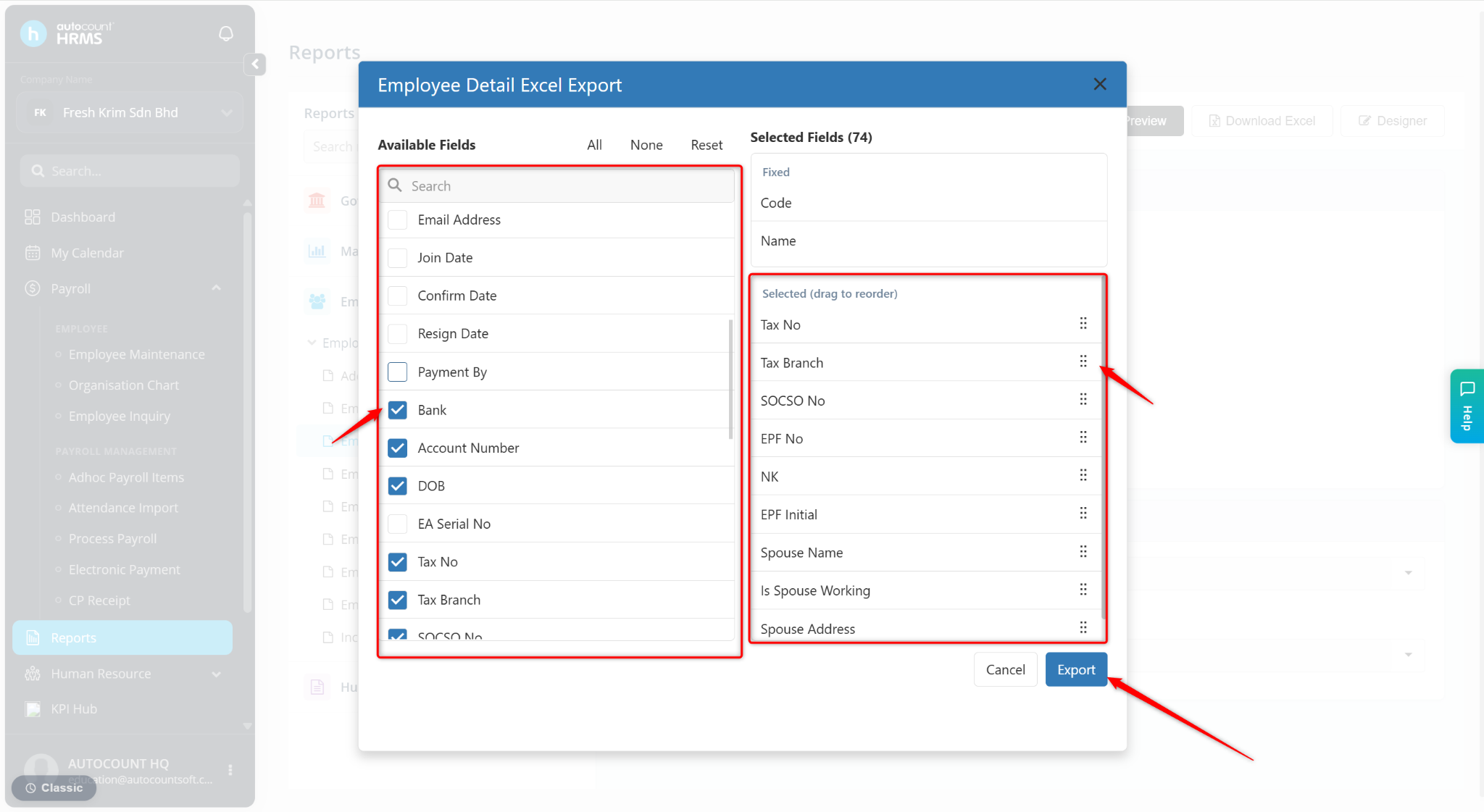
Check the fields to be included in the excel file. Drag and rearrange the sequence at the right column.
Click Export.
The system will generate and download an Excel file containing the selected employee information.