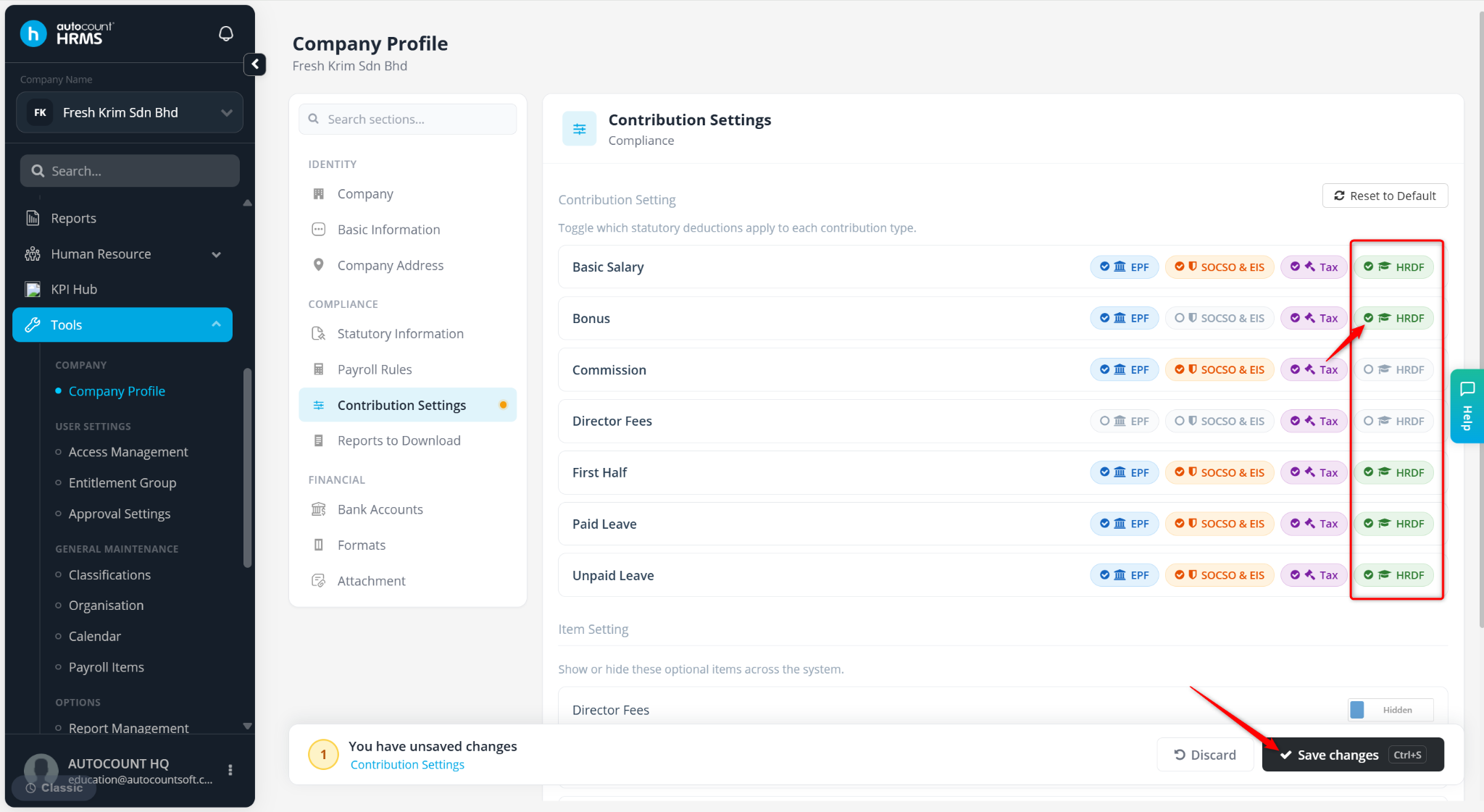
The Human Resources Development Fund (HRDF) is a mandatory levy-based training fund in Malaysia under the Ministry of Human Resources. It is contributed by employers to support employee training and upskilling, improving workforce skills, productivity, and overall industry development.
To ensure accurate payroll calculation, HRDF settings must be enabled at both company and employee levels, and the applicable payroll items must be included in contribution settings.
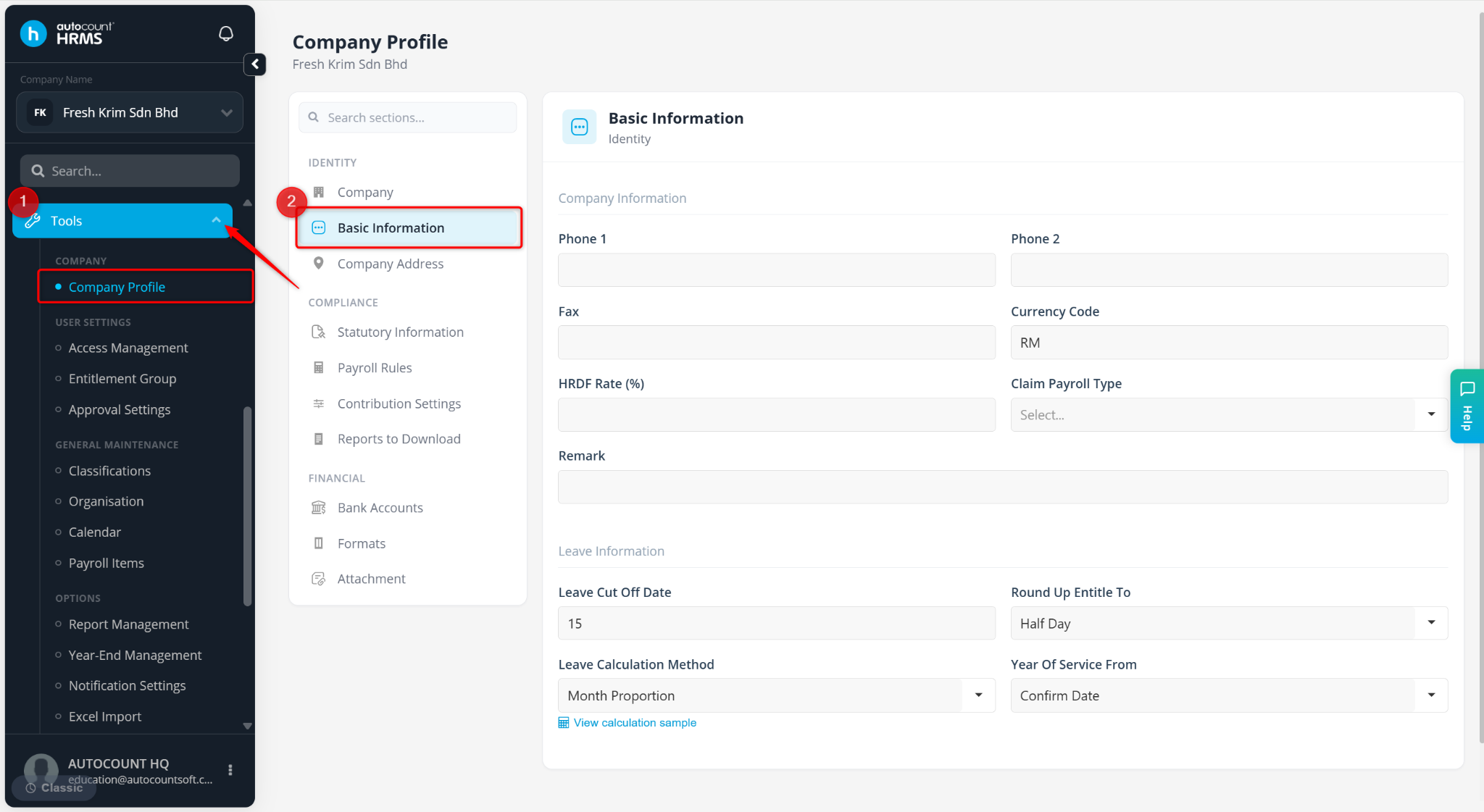
Steps to Maintain HRDF Contribution Percentage:
Go to Tools > Company Profile.
Go to Basic Information.
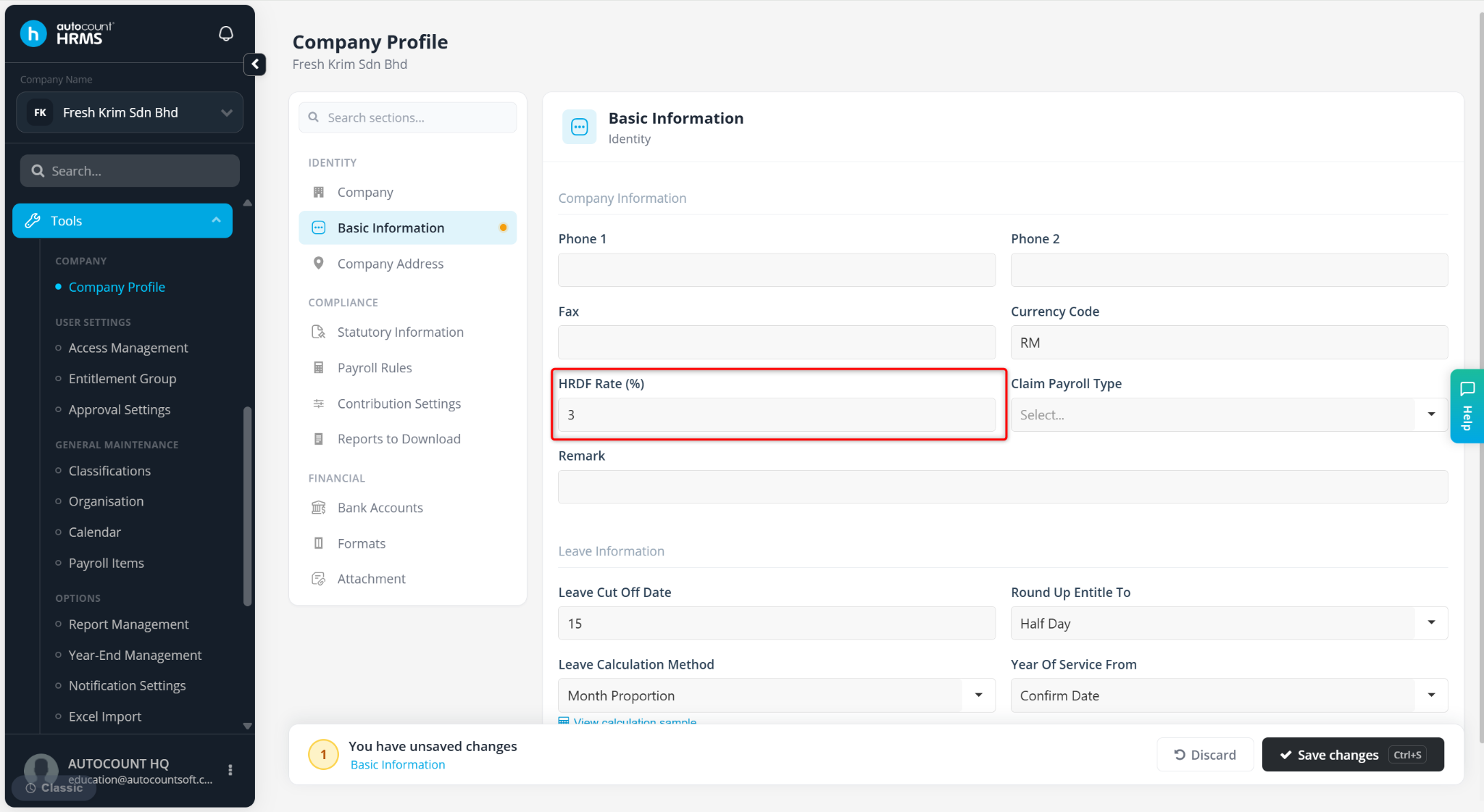
Enter the HRDF Rate (%) without the % symbol.
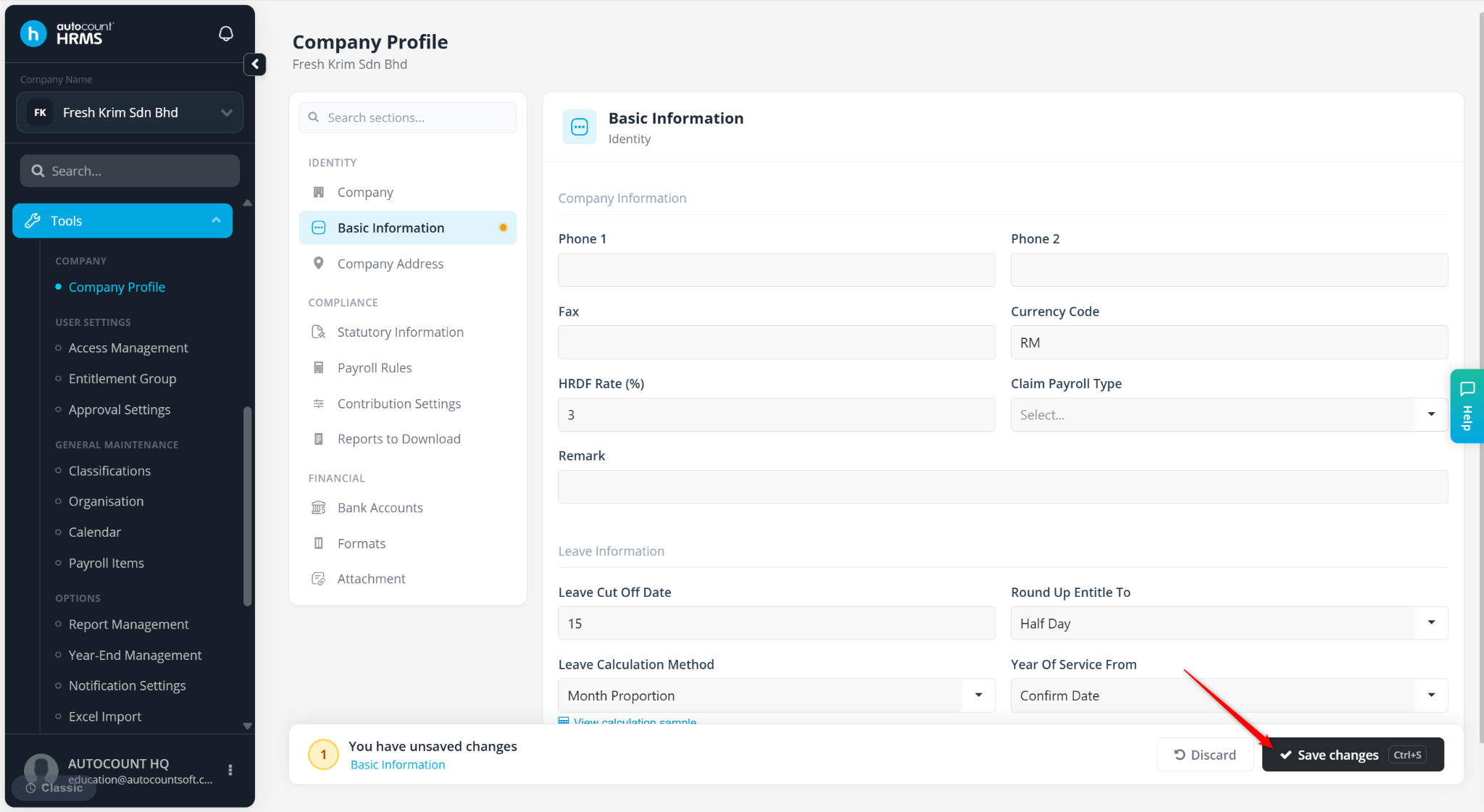
Click Save changes to apply.
Steps to Maintain Employee’s HRDF Contribution:
Go to Payroll > Employee Maintenance.
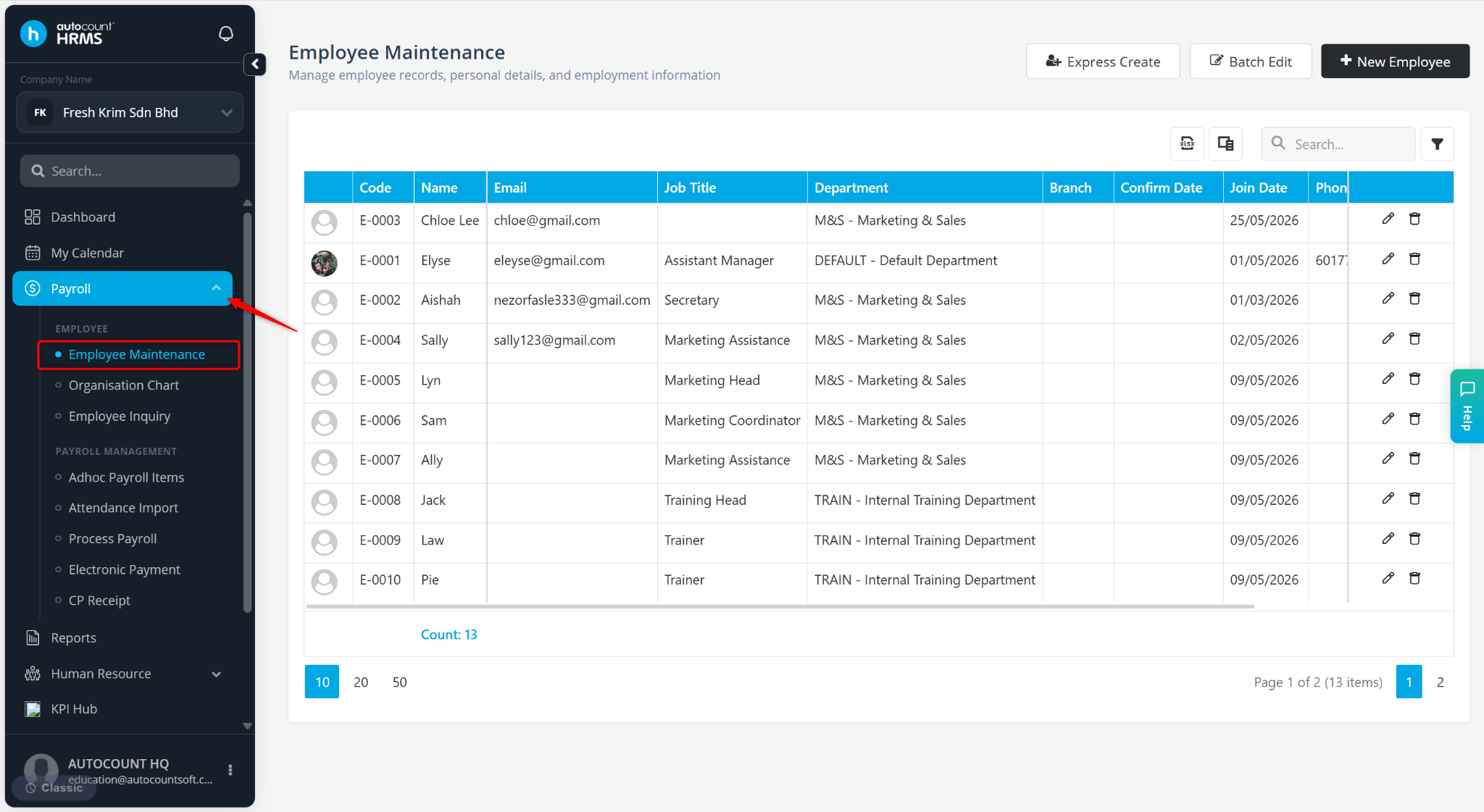
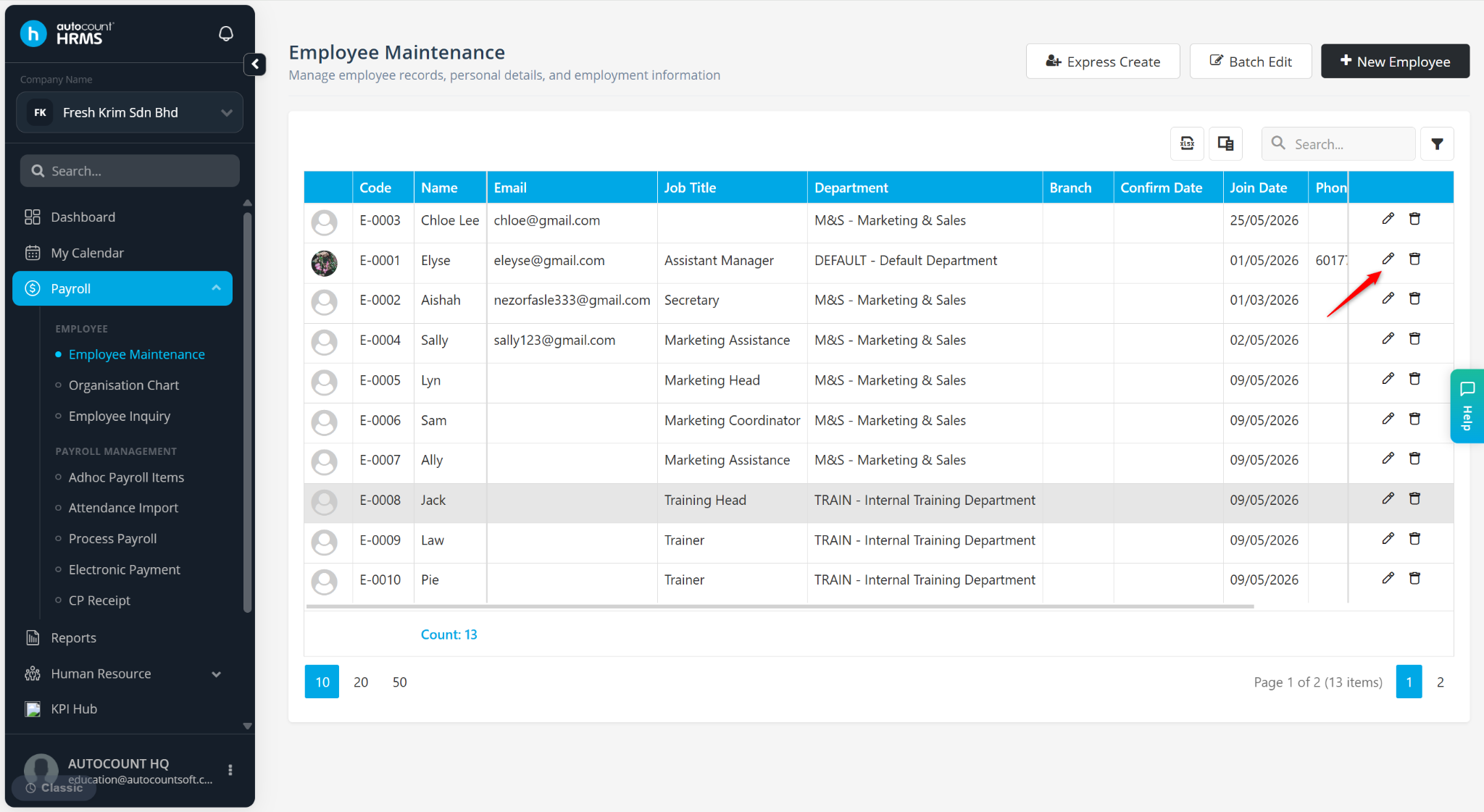
Locate the employee and click the pencil icon next to the employee.
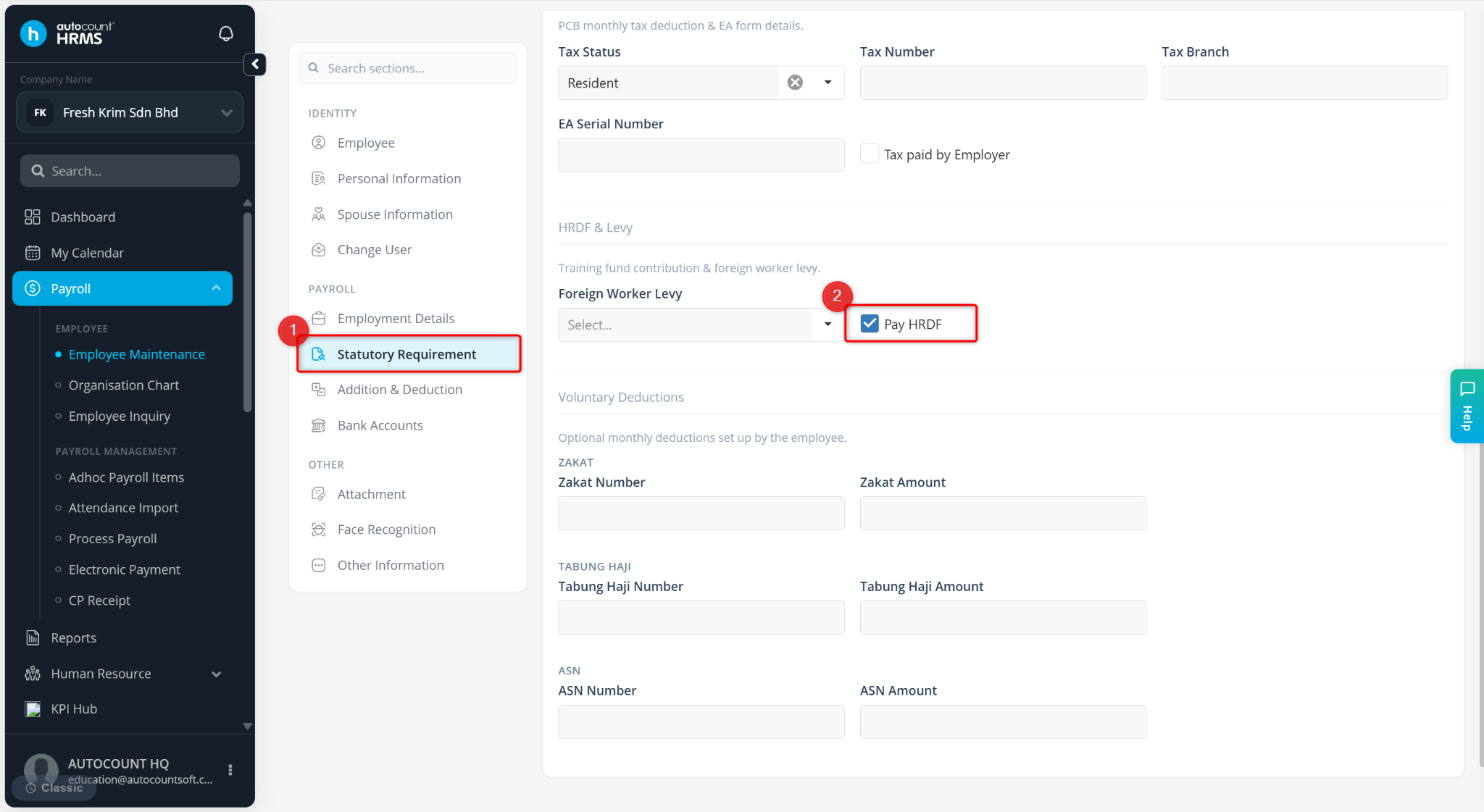
Go to Statutory Requirement, scroll down and enable Pay HRDF.
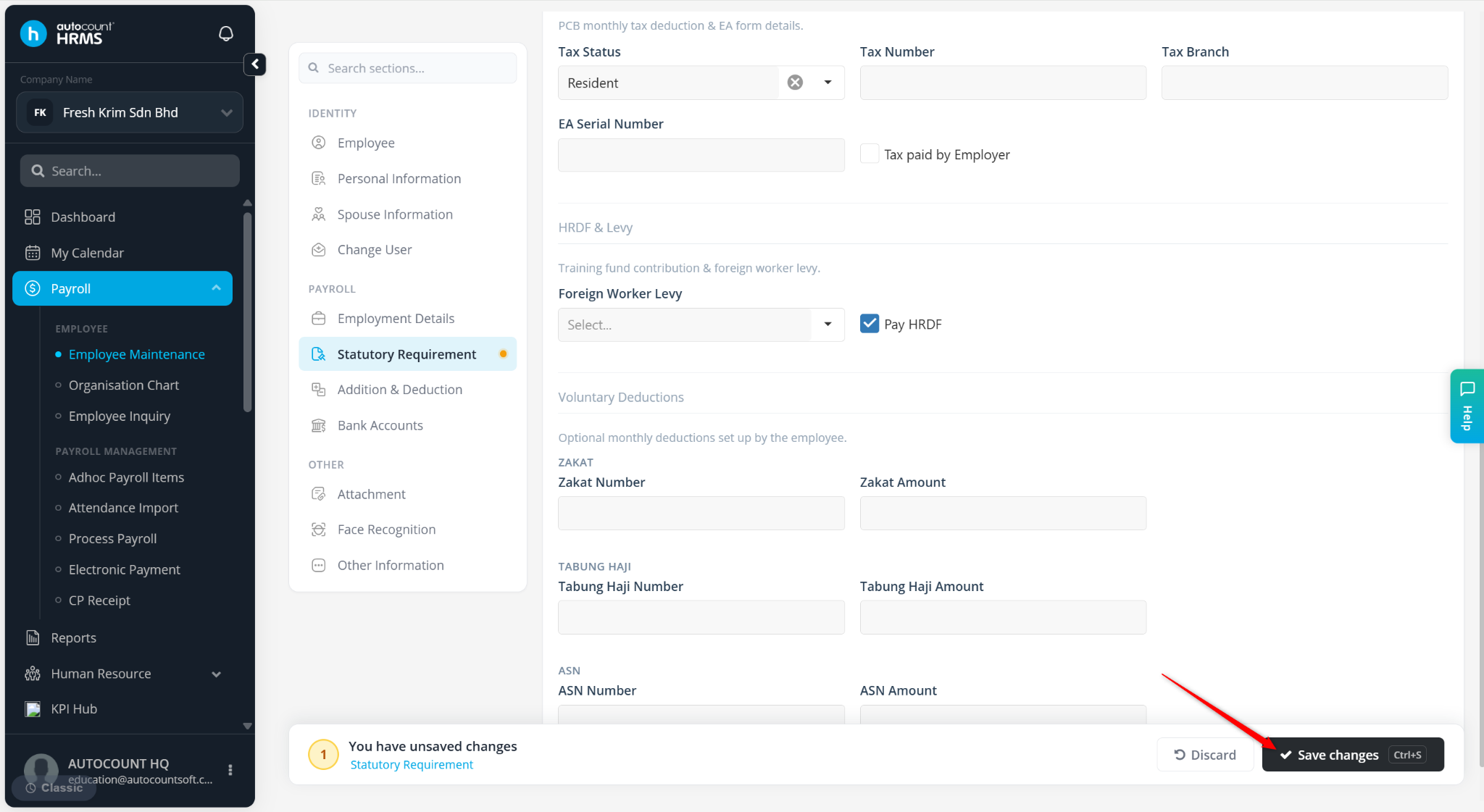
Click Save changes.
Go to Tools > Company Profile.
Go to Contribution Settings.
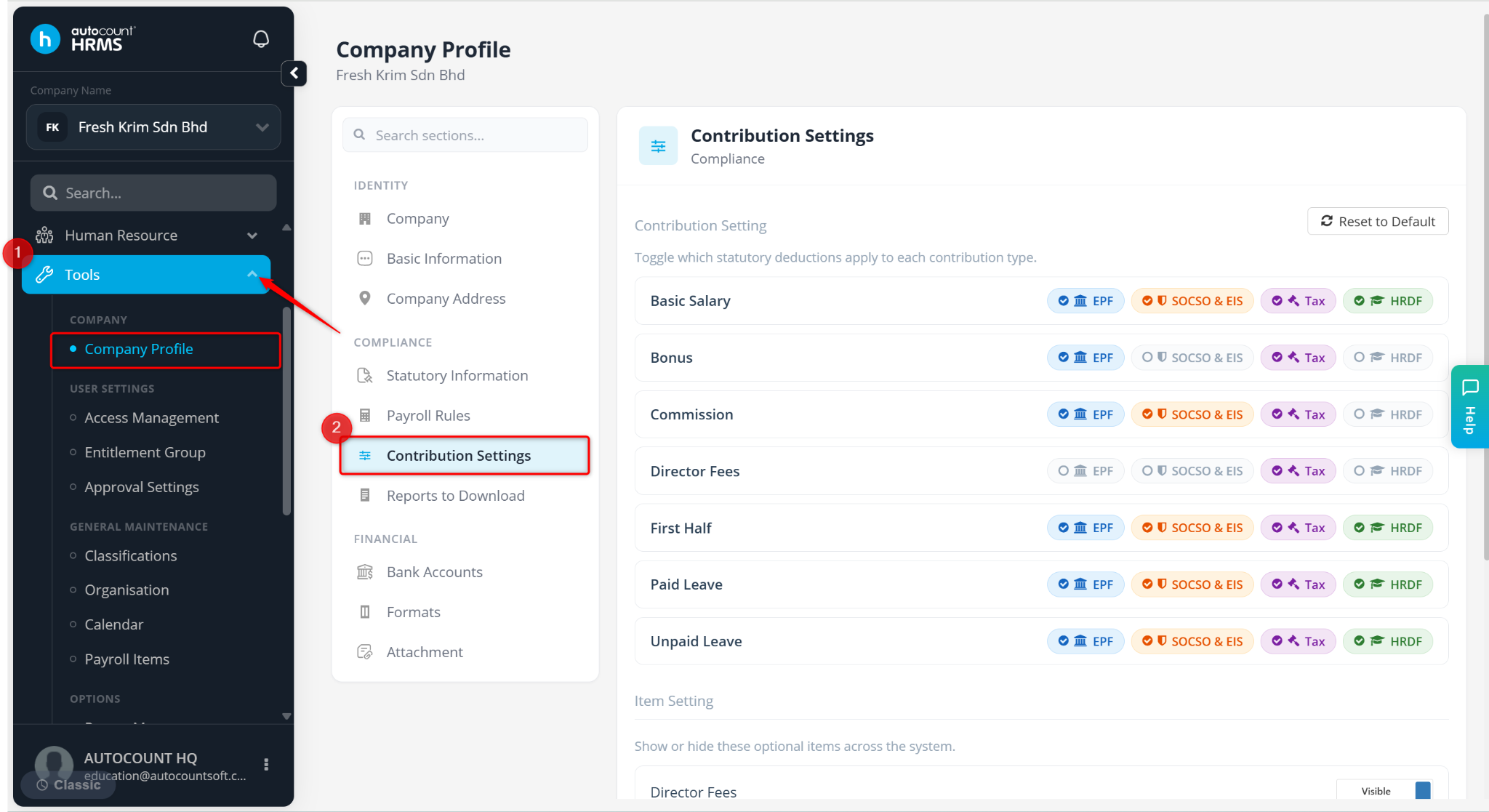
Ensure the payroll items you wish to contribute to HRDF are checked.
Click Save changes to apply.