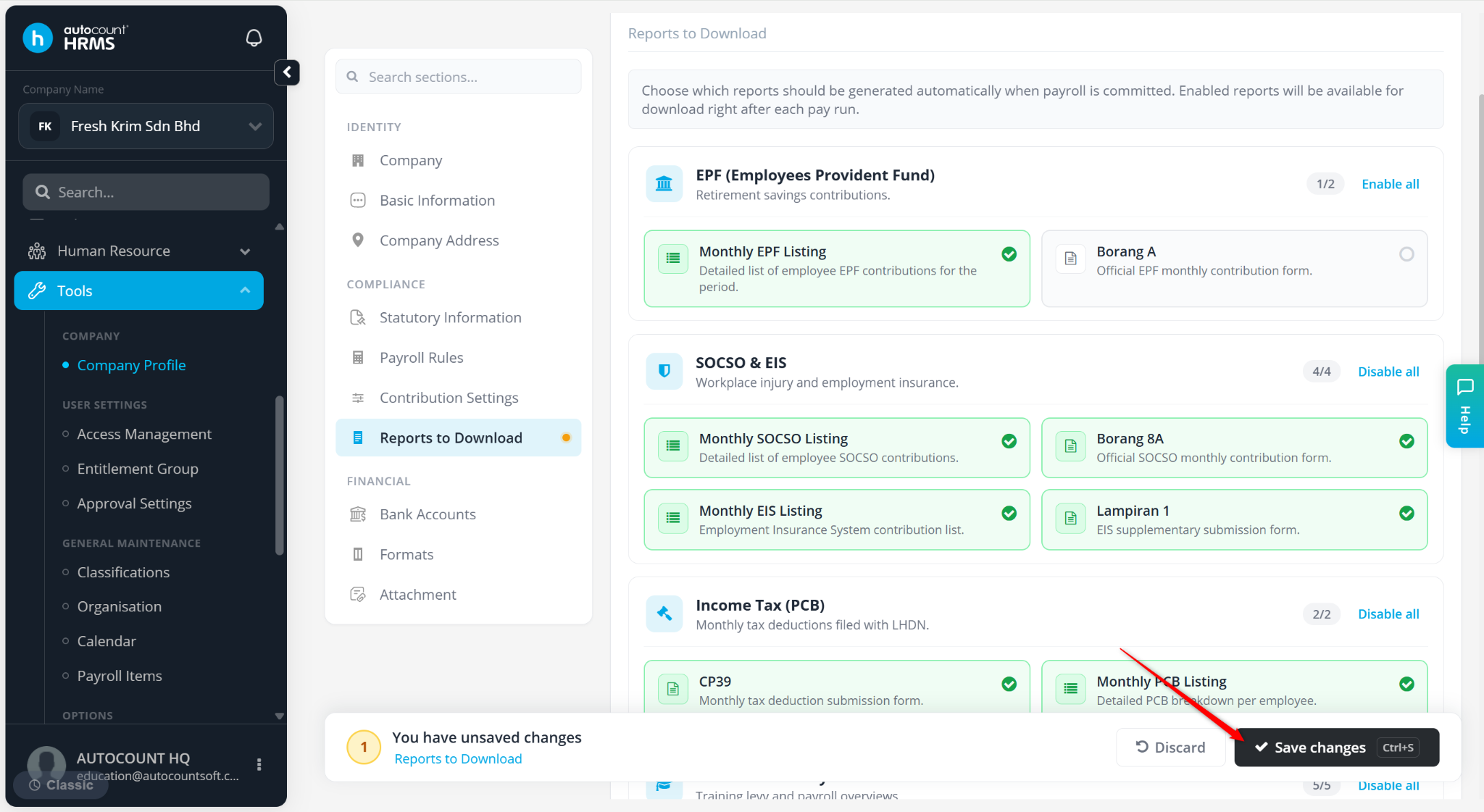
This feature allows users to configure statutory and payroll reports that will be automatically generated and made available for download after each payroll run. The supported report options are related to EPF, SOCSO & EIS, Income Tax (PCB), HRDF & Summary, Bank Payment Listing and Payslip.
For example, Monthly EPF Listing, Borang A, Borang 8A, and other statutory submissions.
Steps to Configure Report to Download:
Go to Tools > Company Profile.
Go to Reports to Download.
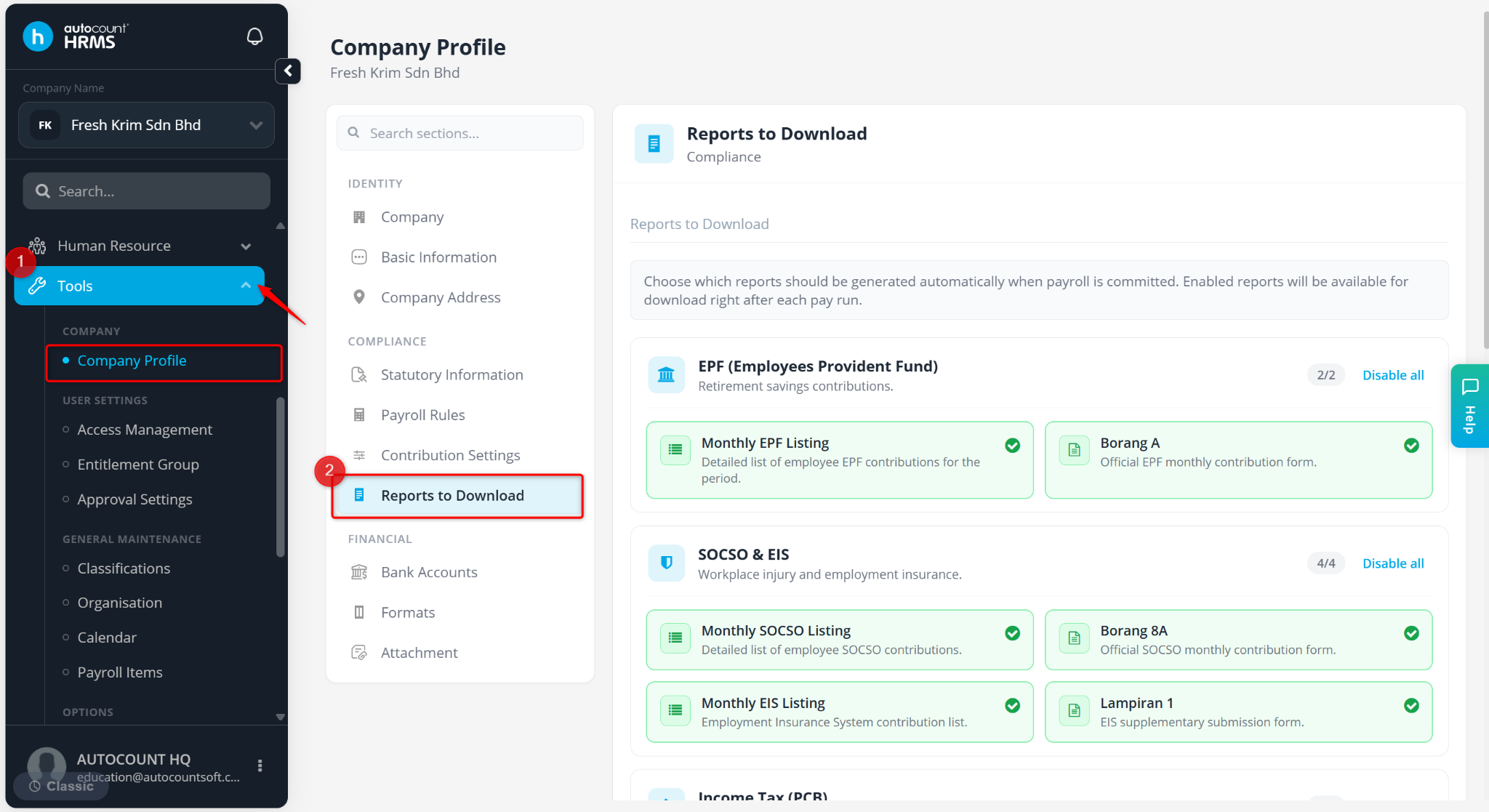
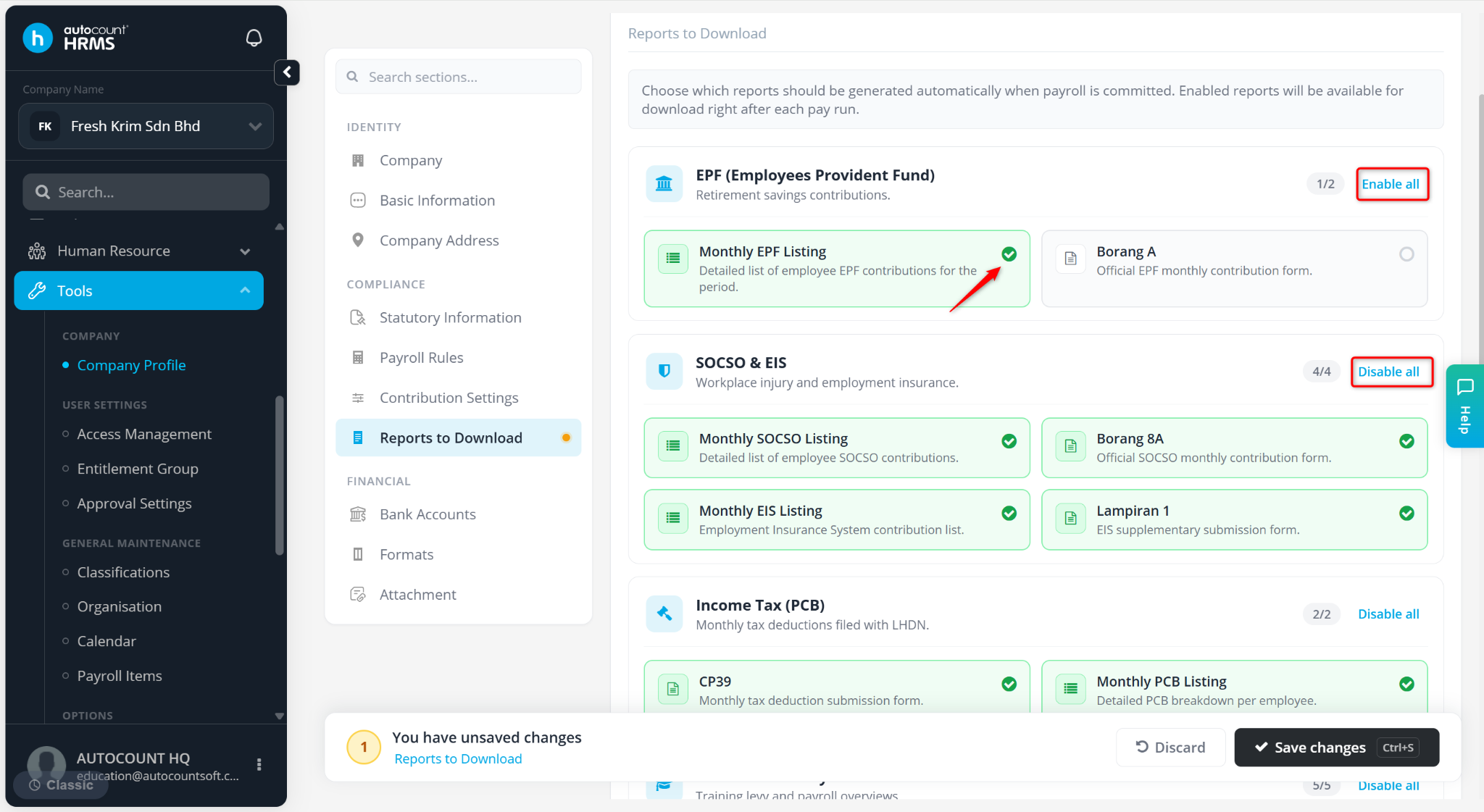
Tick or untick the reports. You may use:
Enable All – Select all reports.
Disable All – Deselect all reports.
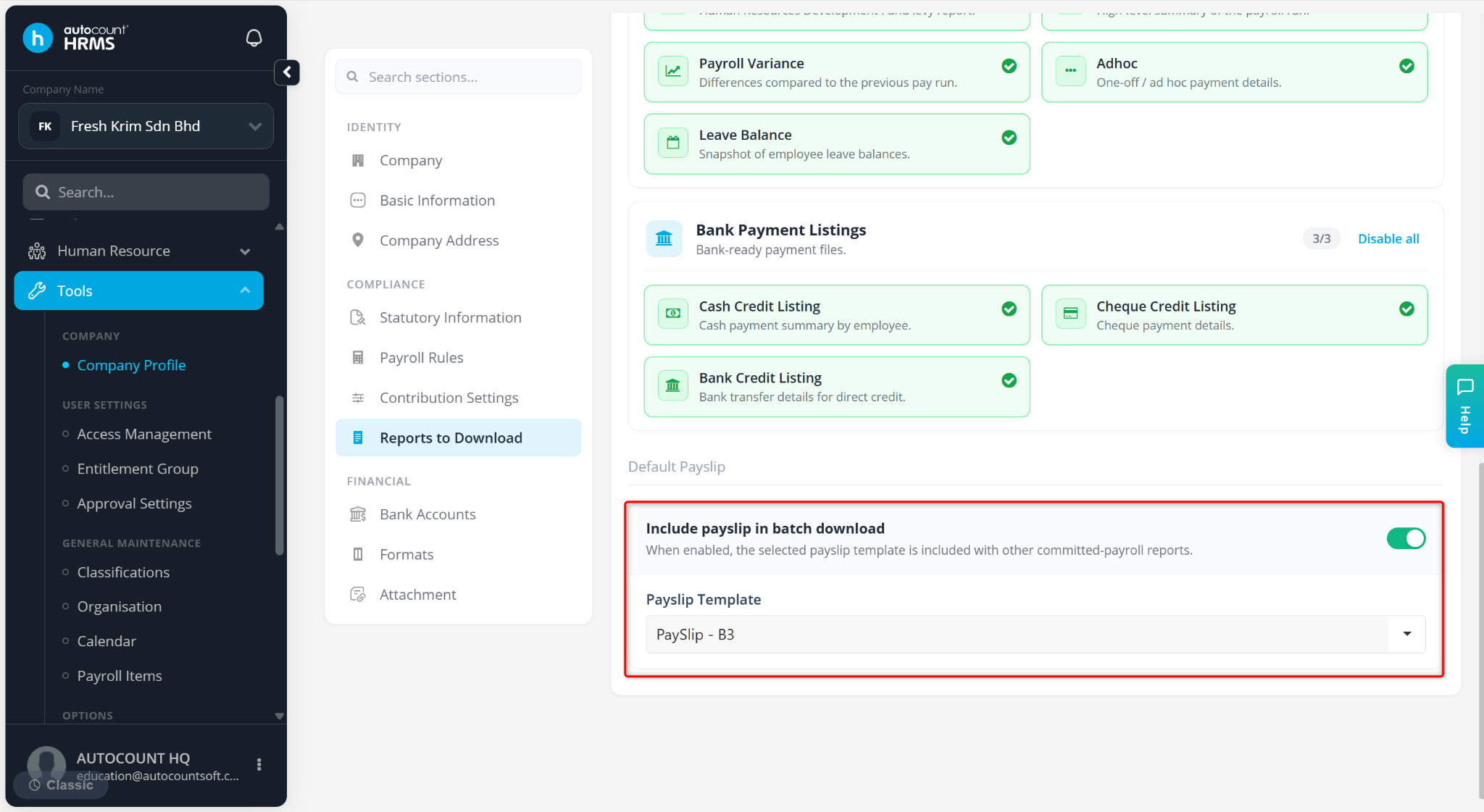
Scroll down to Default Payslip. Enable Include payslip in batch download and select the Payslip Template include the payslip download with other payroll reports.
Click Save changes to apply.