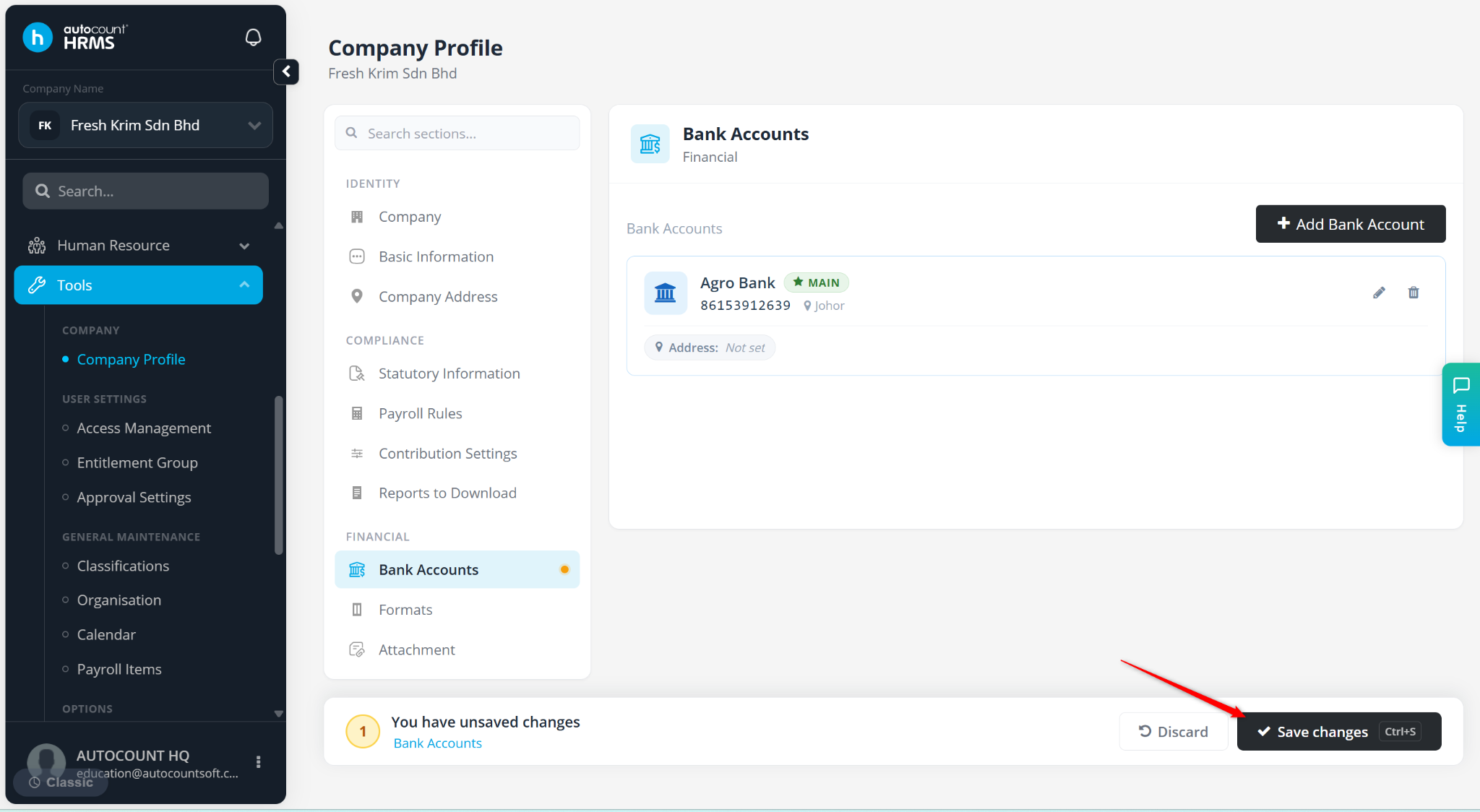
The Bank Accounts feature is used to maintain company bank account details for payroll processing and claim payments.
Steps to Maintain Company Bank Accounts:
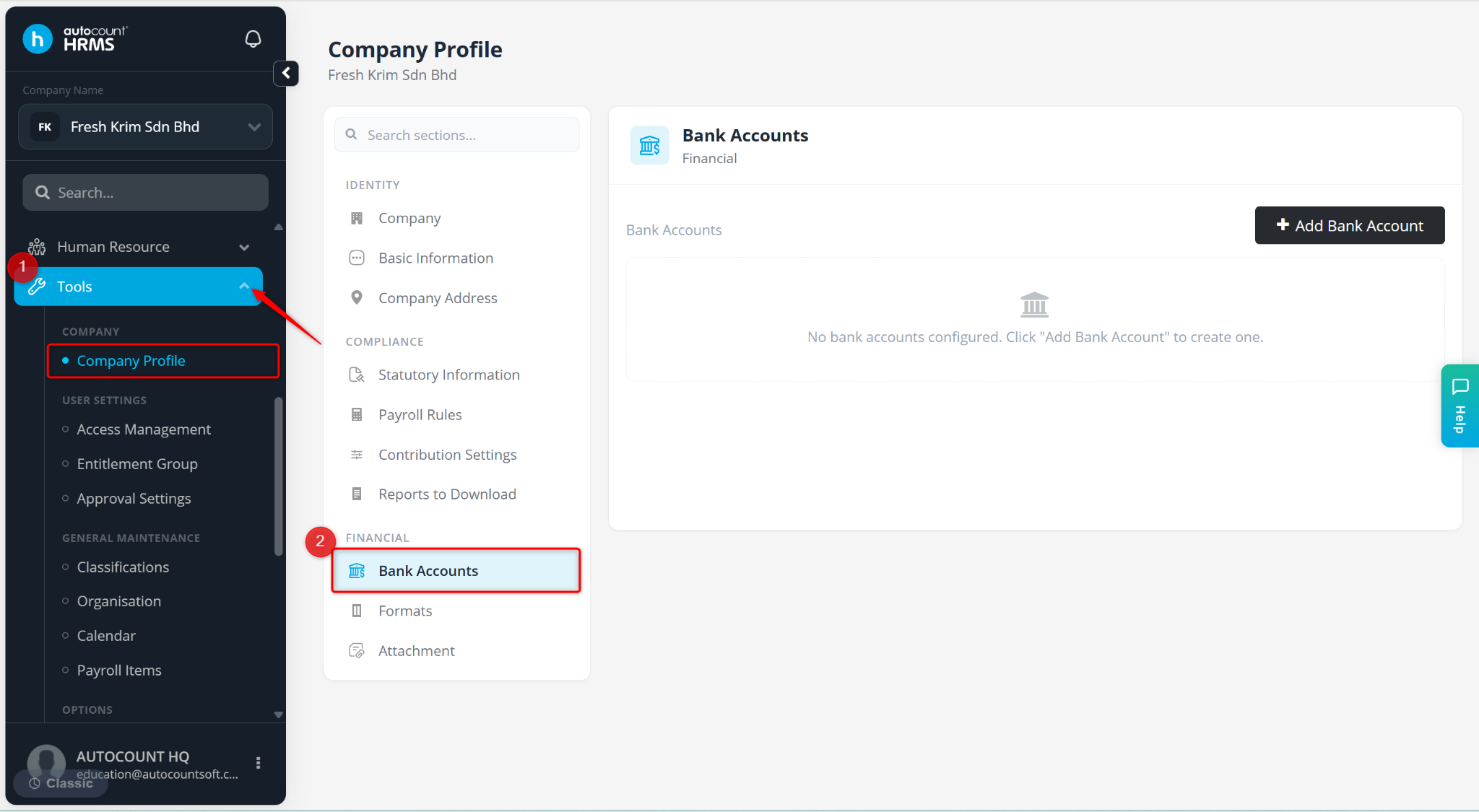
Go to Tools > Company Profile.
Go to Bank Accounts.
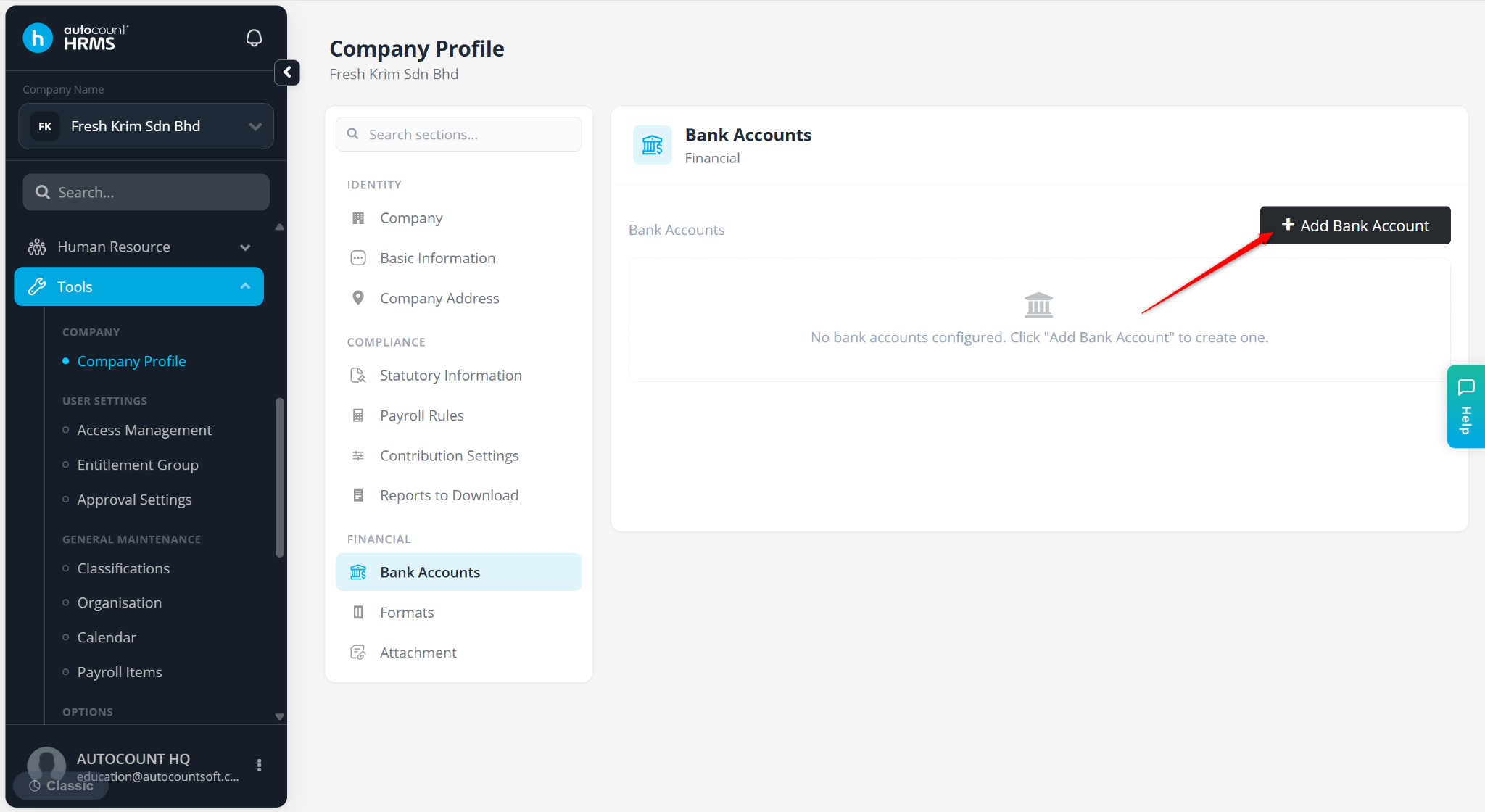
Click Add Bank Account.
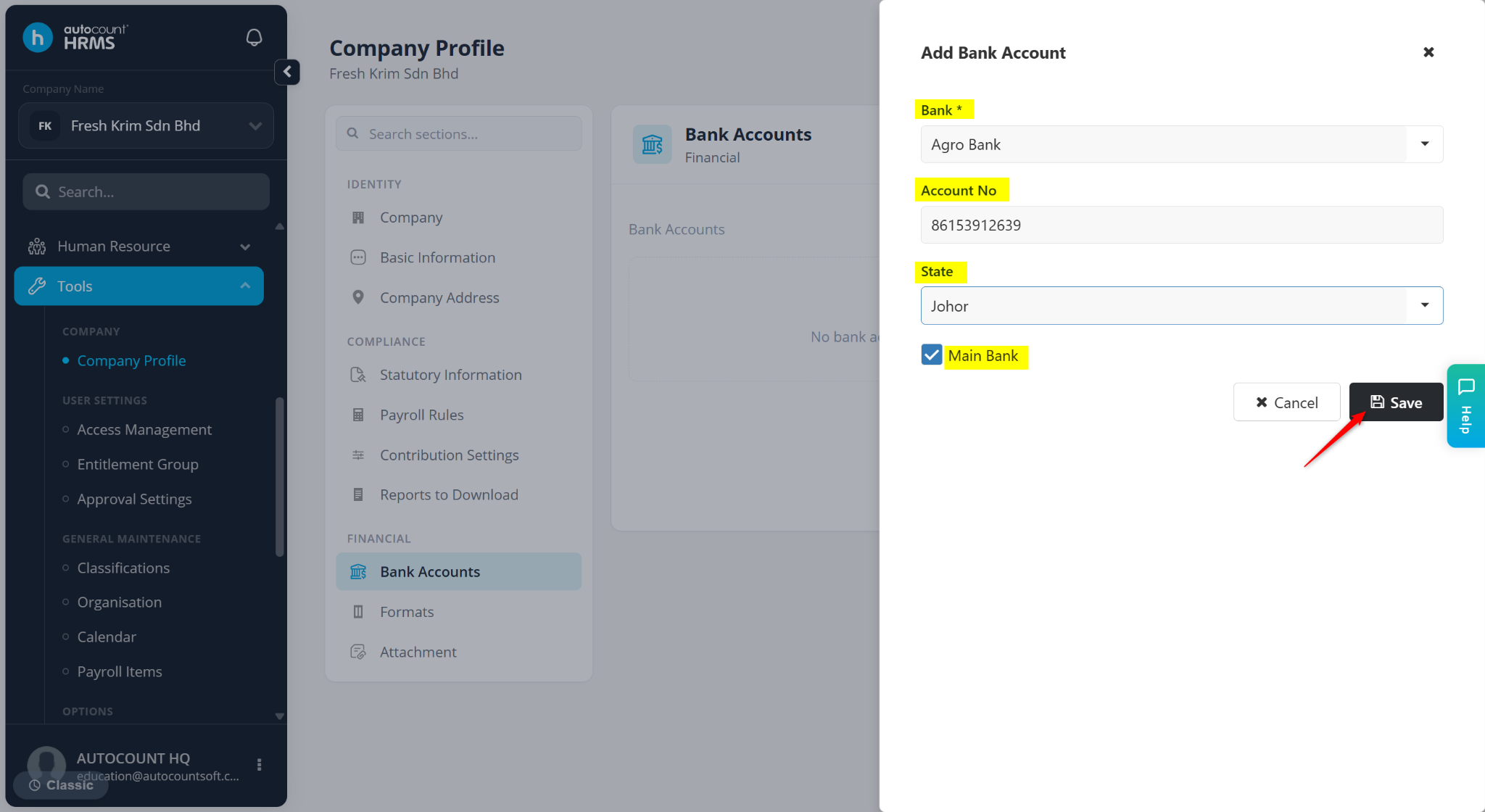
Enter the details:
Bank – Select the name of the bank.
Account No – Enter the bank account number.
State – Select the state in which the bank branch is located.
Main Bank – Tick if it is the primary bank account used for transaction.
Click Save.
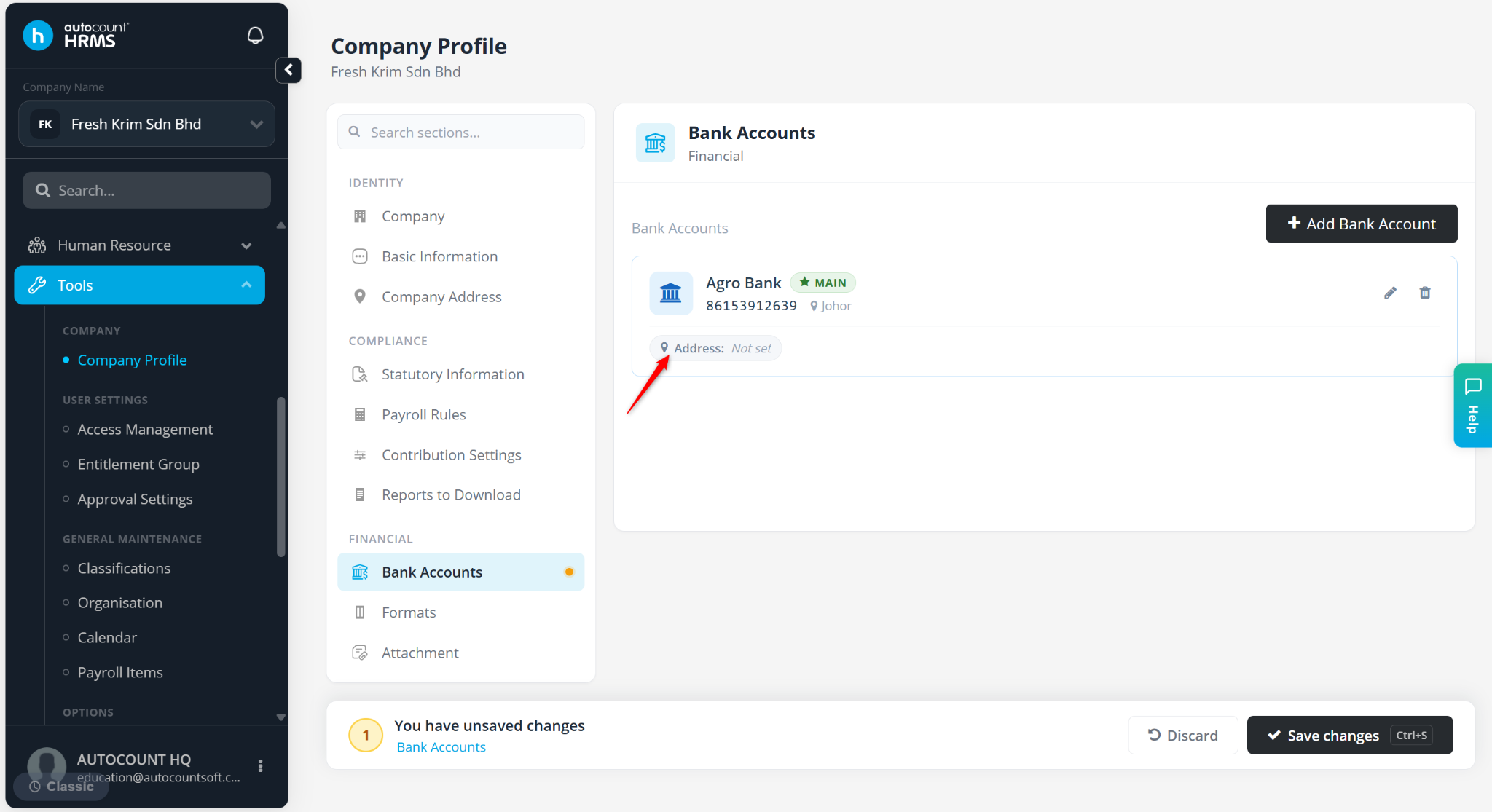
Click Address: Not set below the bank details to maintain the bank location.
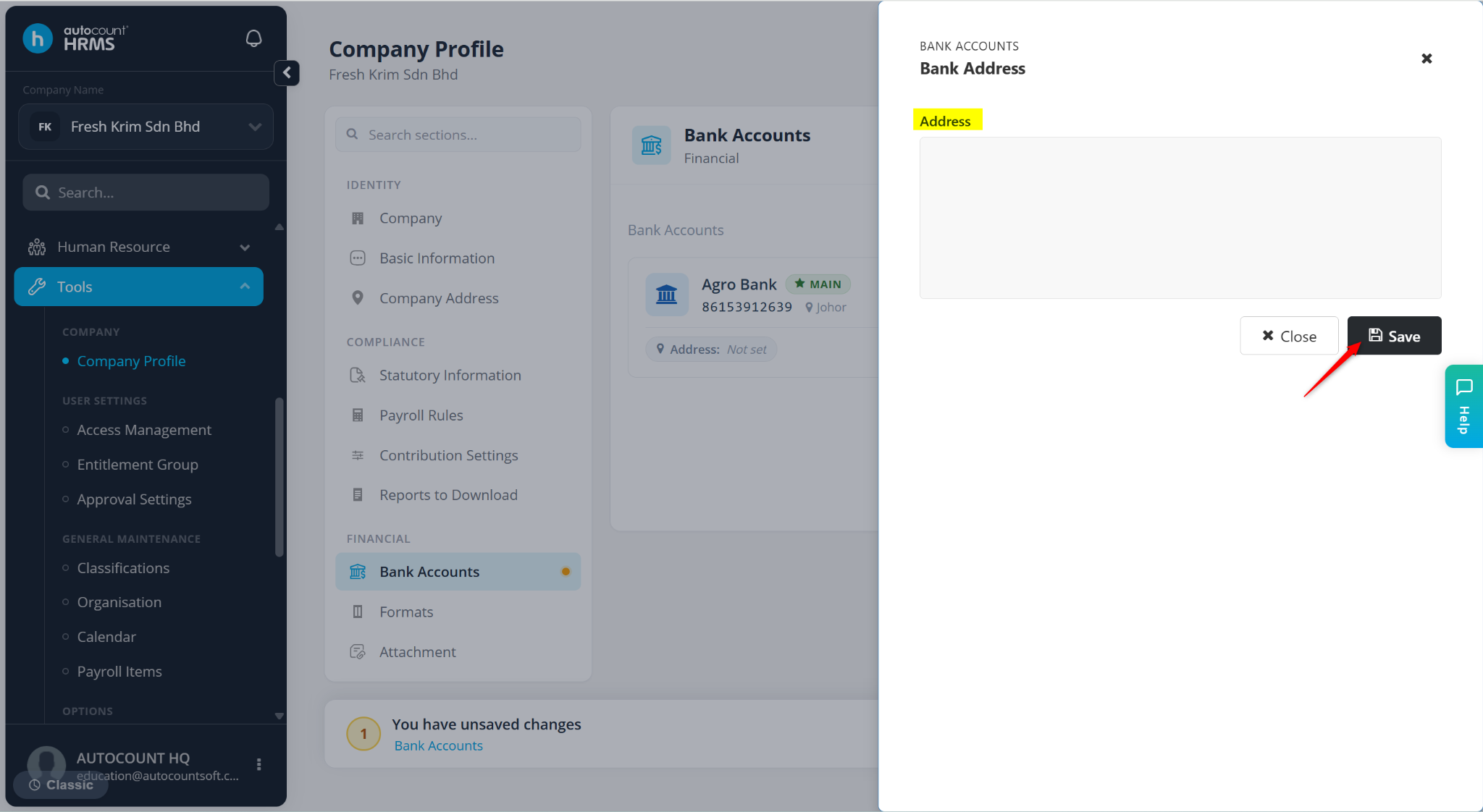
Enter the address of the bank branch and click Save.
Click Save changes.