The Open API allows users to integrate AutoCount HRMS with external systems for data retrieval and posting. All available API will be listed in the page: https://payroll.autocountcloud.com/swagger/index.html.
Steps to Use AutoCount HRMS Open API:
Open the Swagger API page (link above).
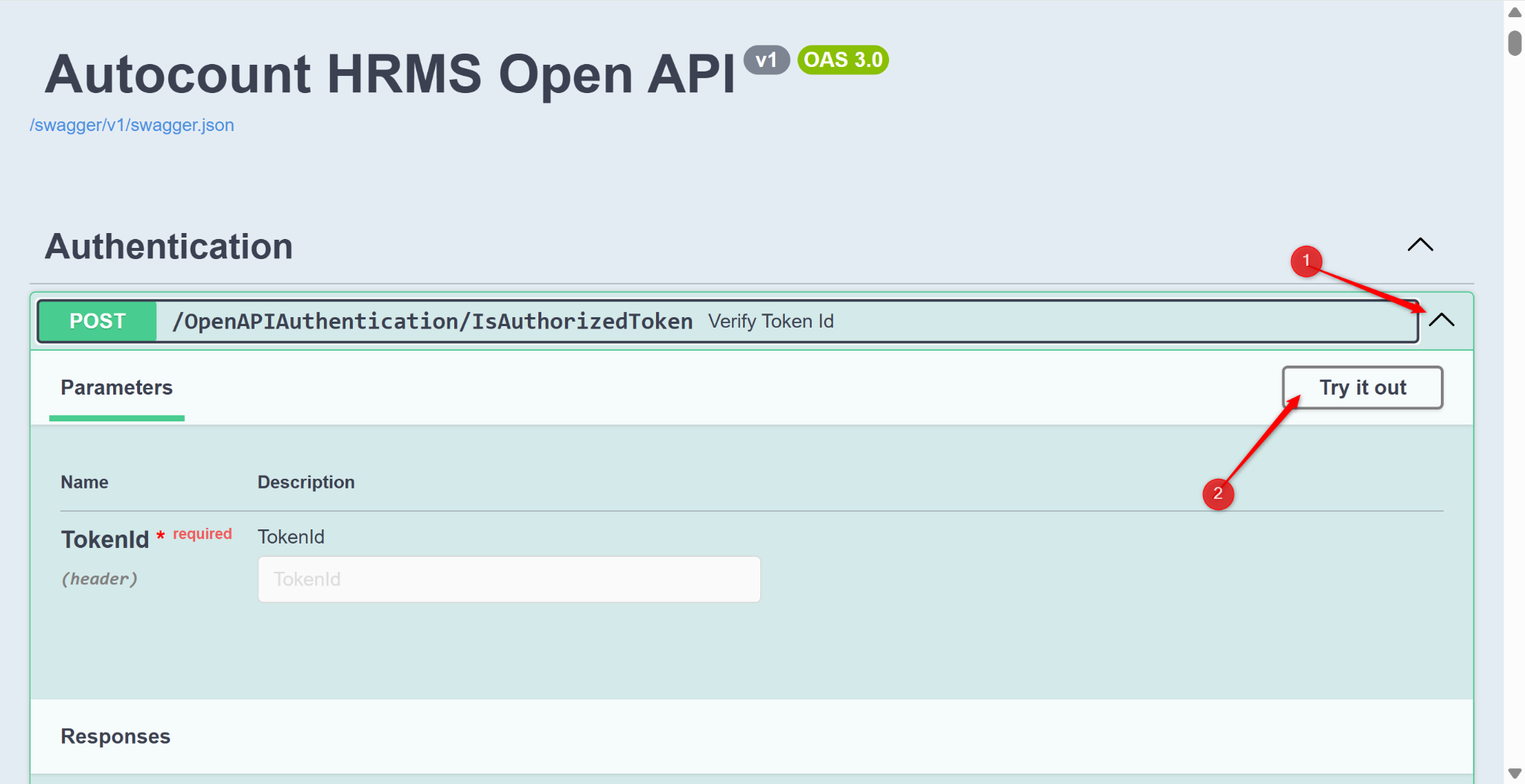
Verify Token ID:
Expand POST.
Click Try it Out.
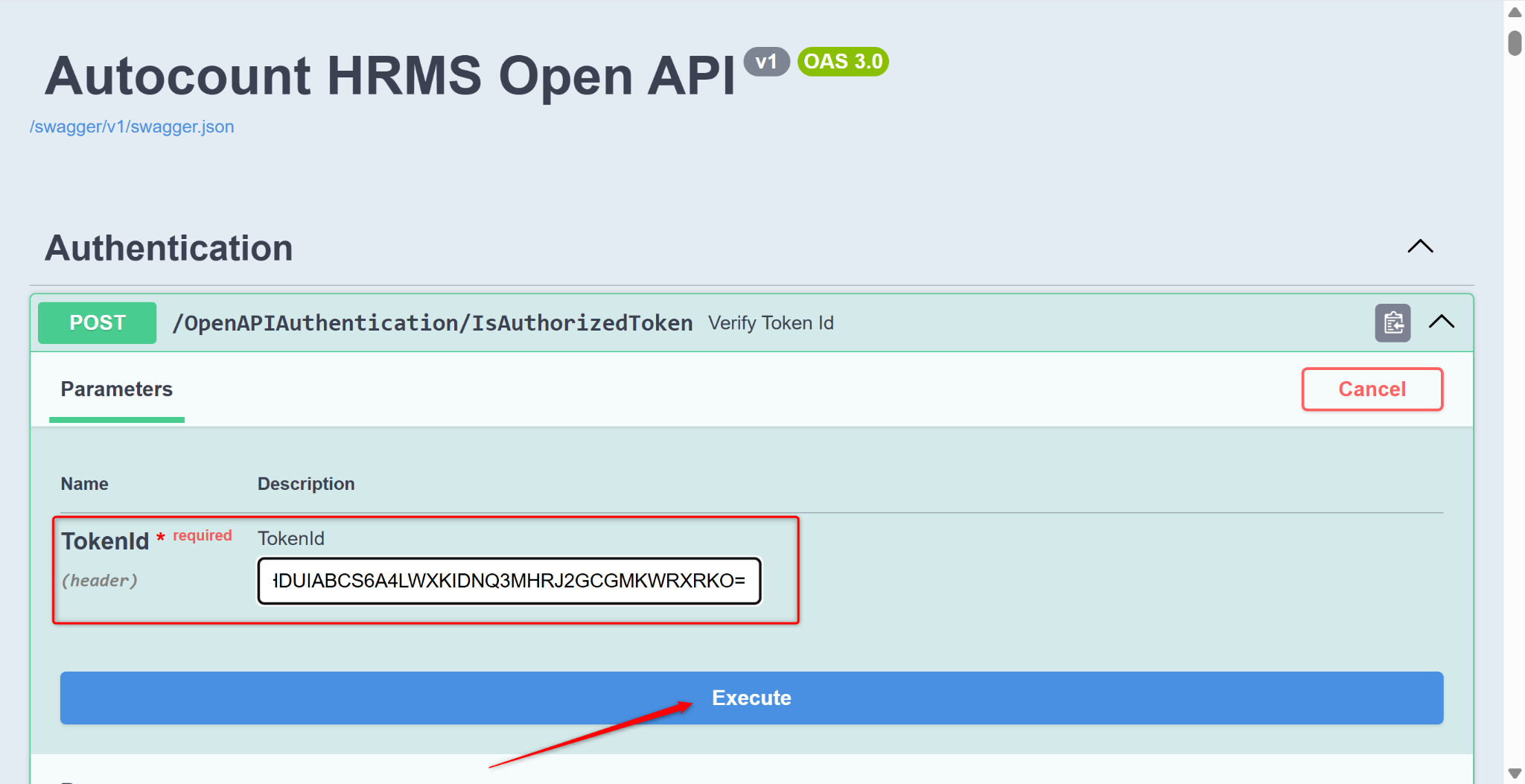
Copy and paste the API Key from AutoCount HRMS into Token ID.
Click Execute.
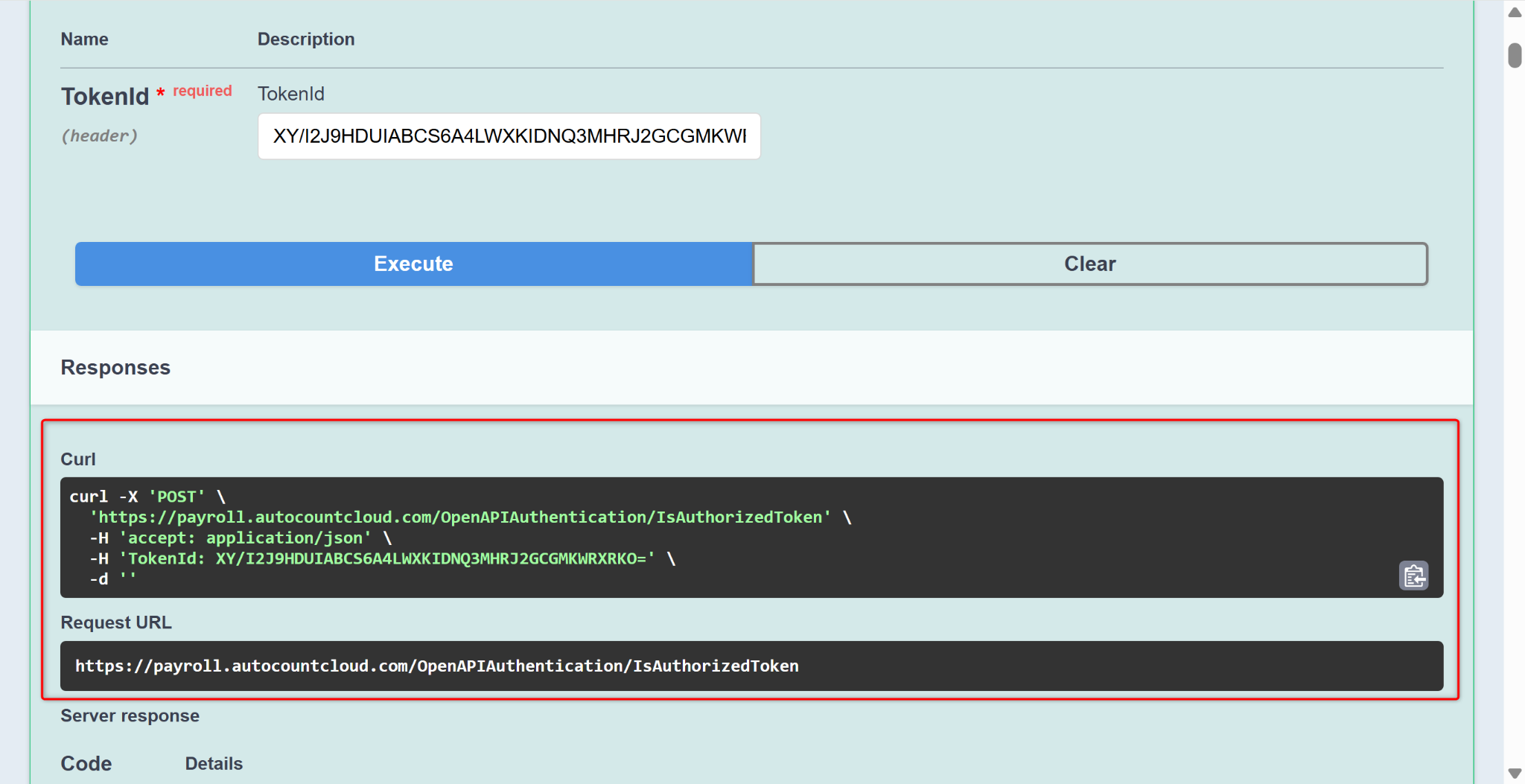
Scroll down to retrieve the Token ID.
Get Authenticated Company List:
Expand POST.
Click Try it Out.
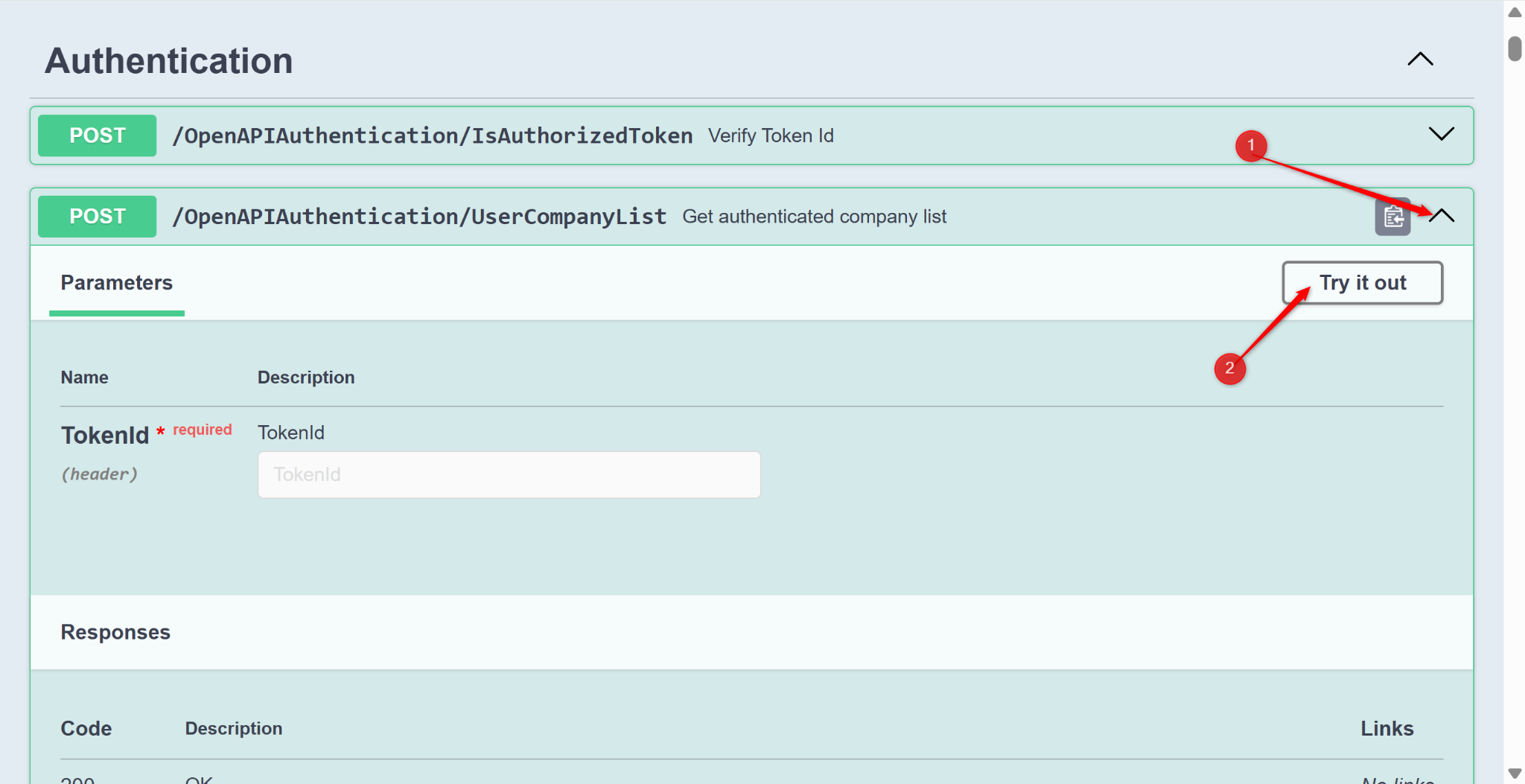
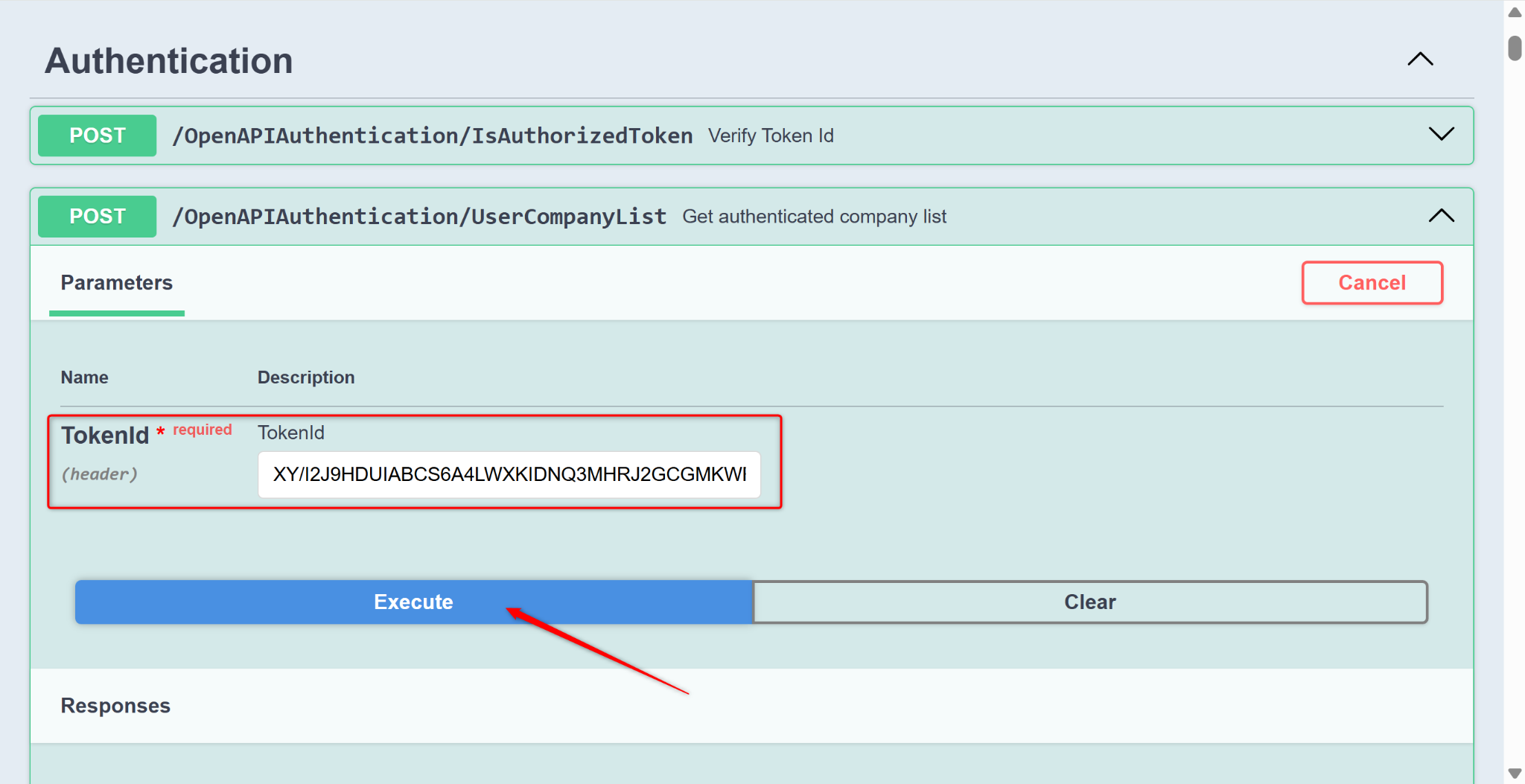
Copy and paste the API Key retrieved from AutoCount HRMS into Token ID.
Click Execute.
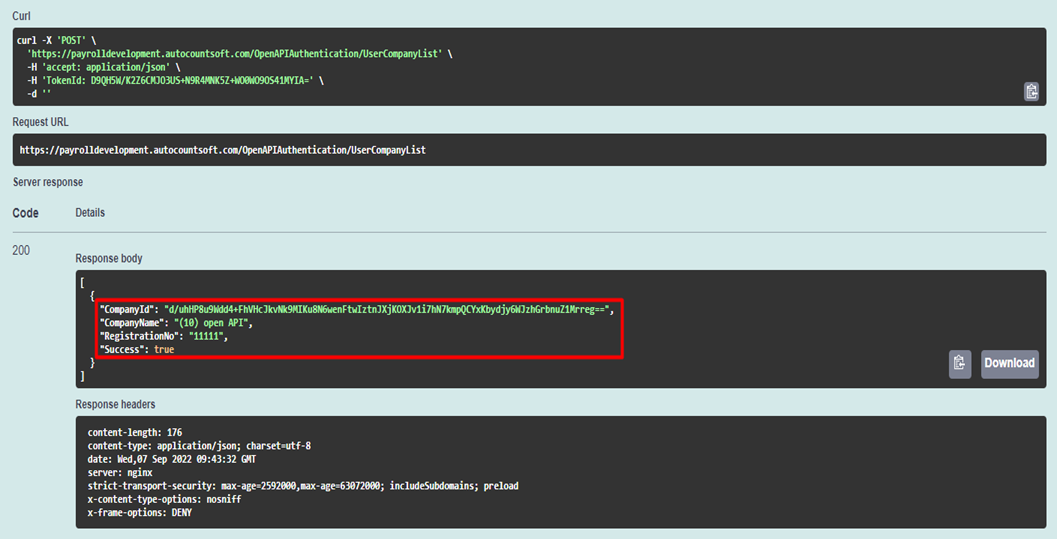
Scroll down to retrieve the company ID.
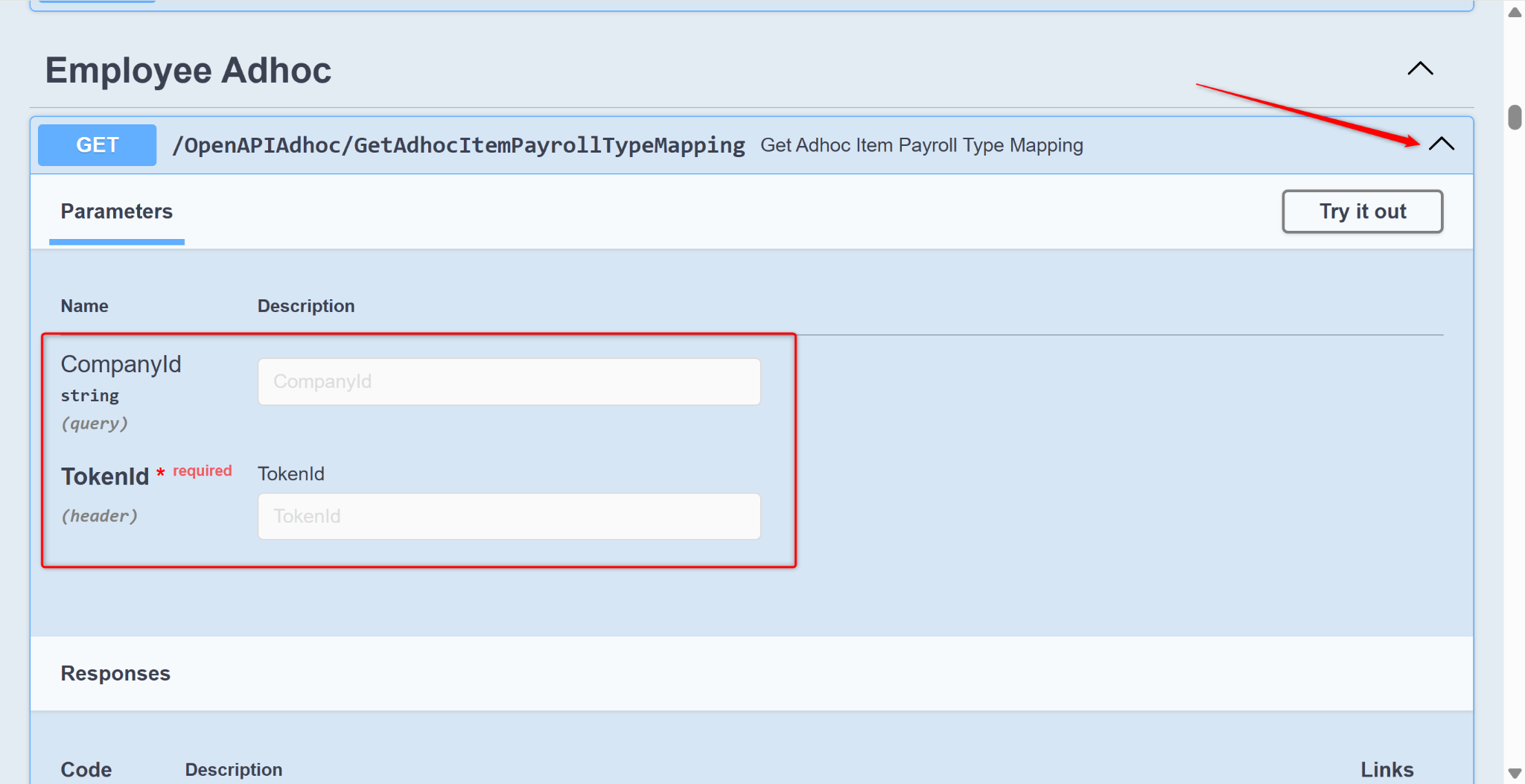
Click GET at the required items.
Enter the company ID and Token ID.