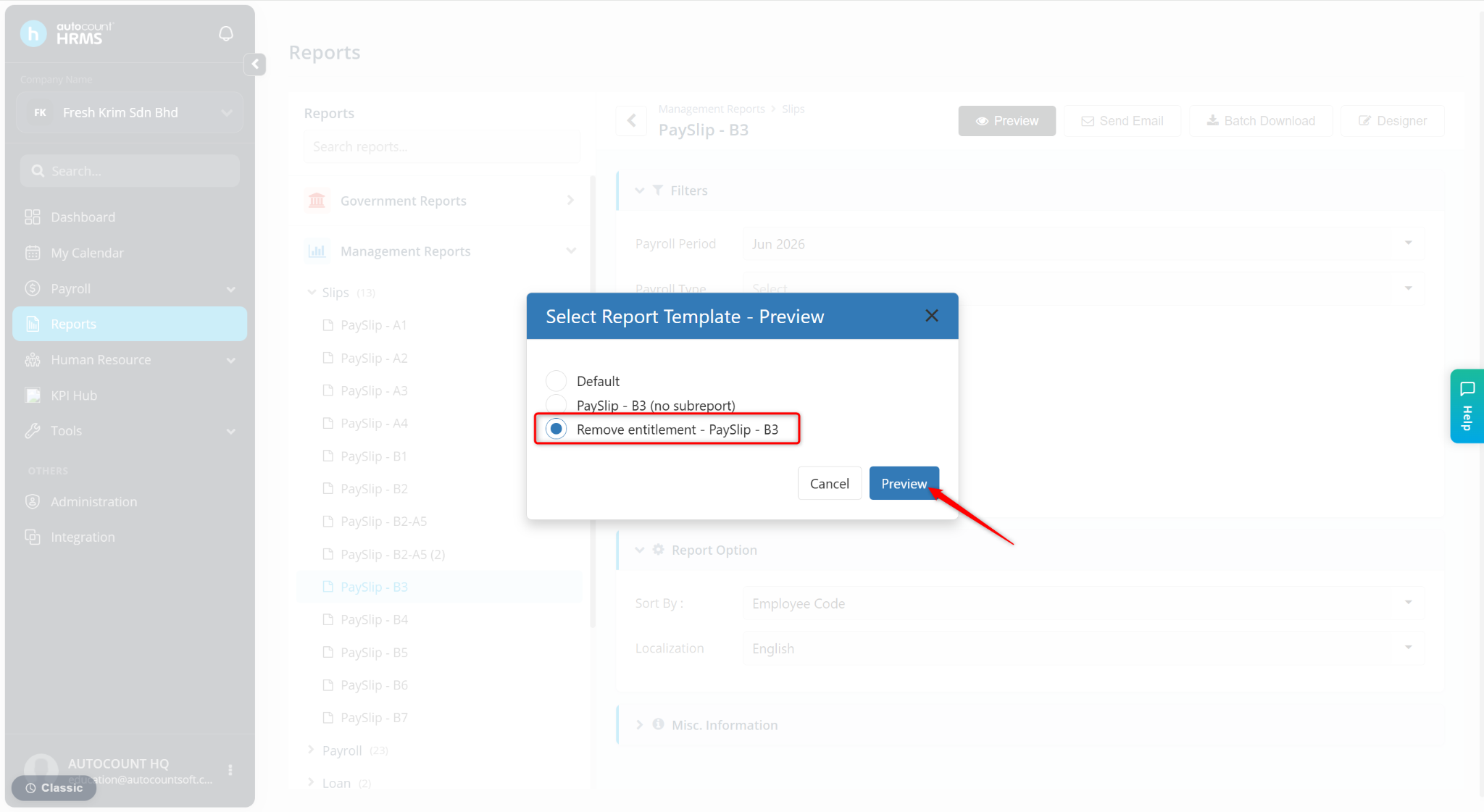
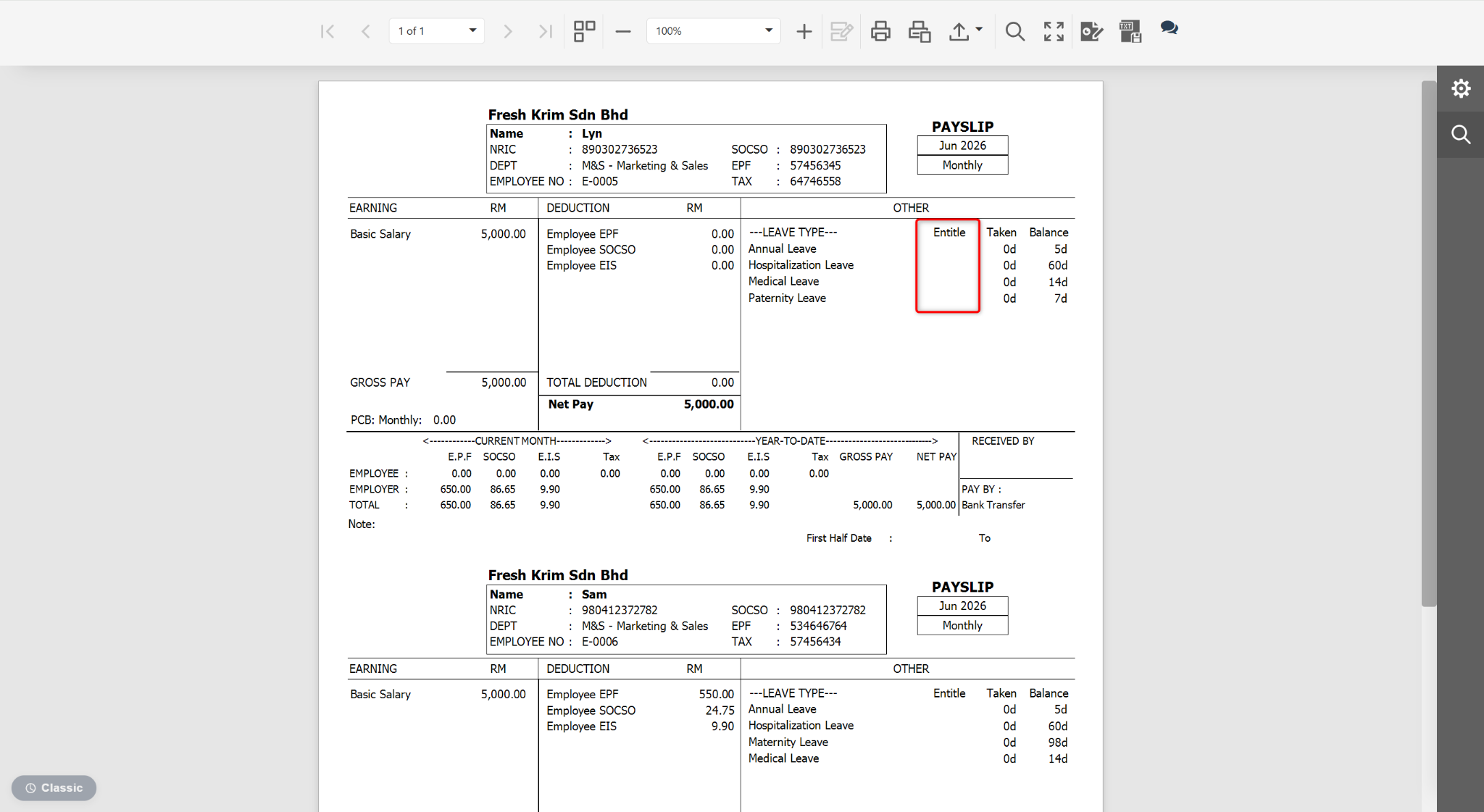
Users may edit subreport fields within a main report (such as payslips) to customise the data displayed.
Steps to Edit a Subreport Field:
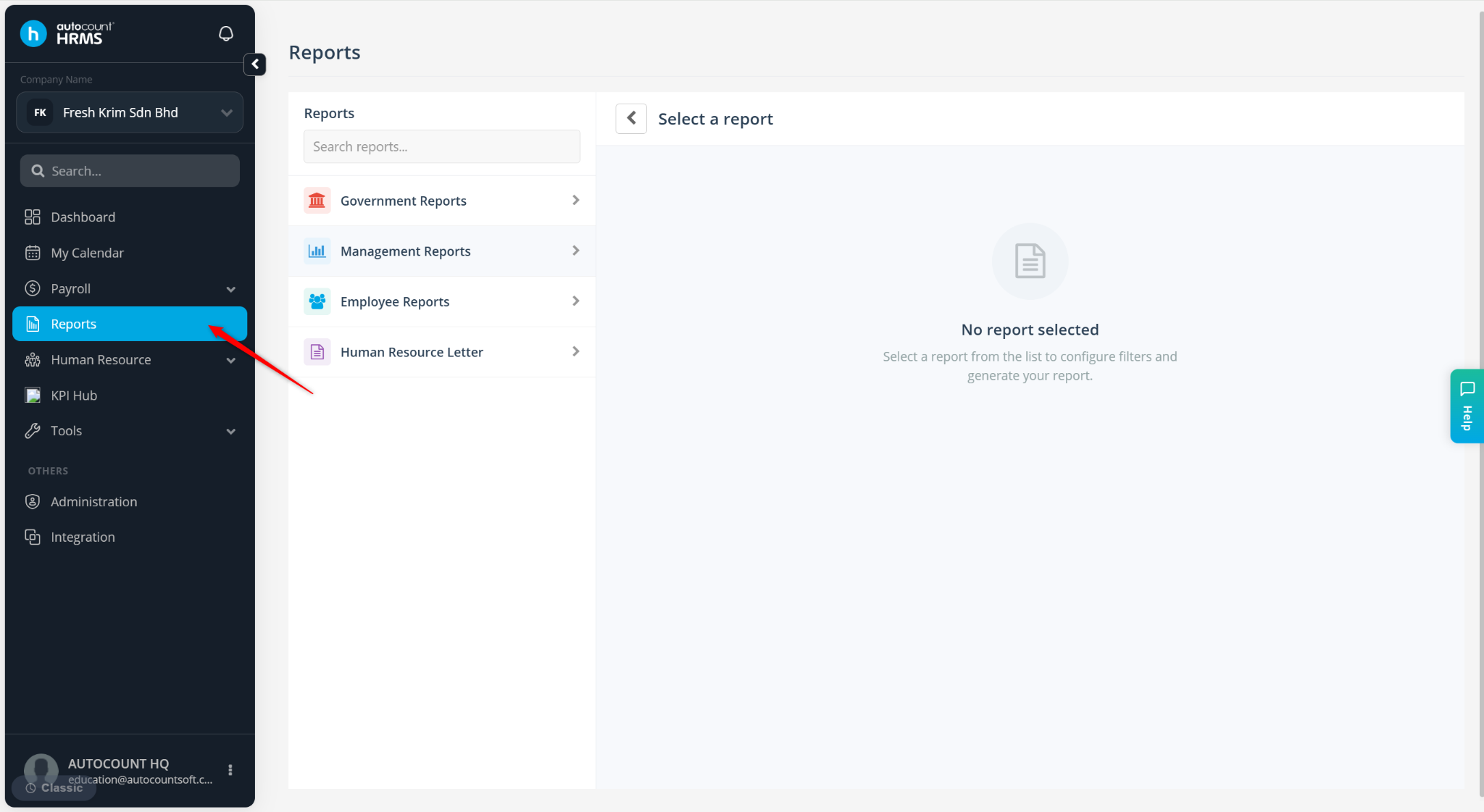
Go to Reports.
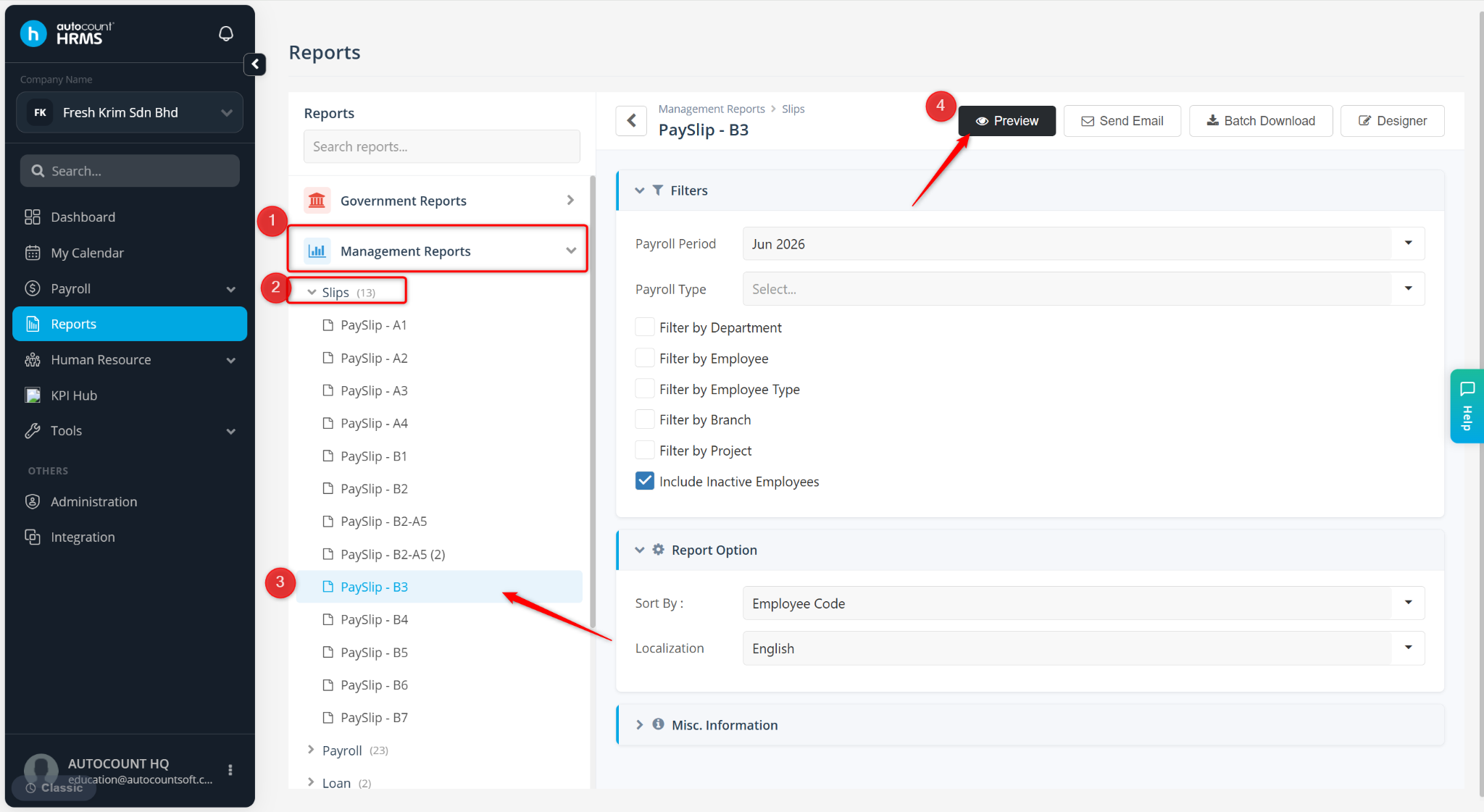
Expand Management Reports > Slips, select the desired payslip format.
Click Preview.
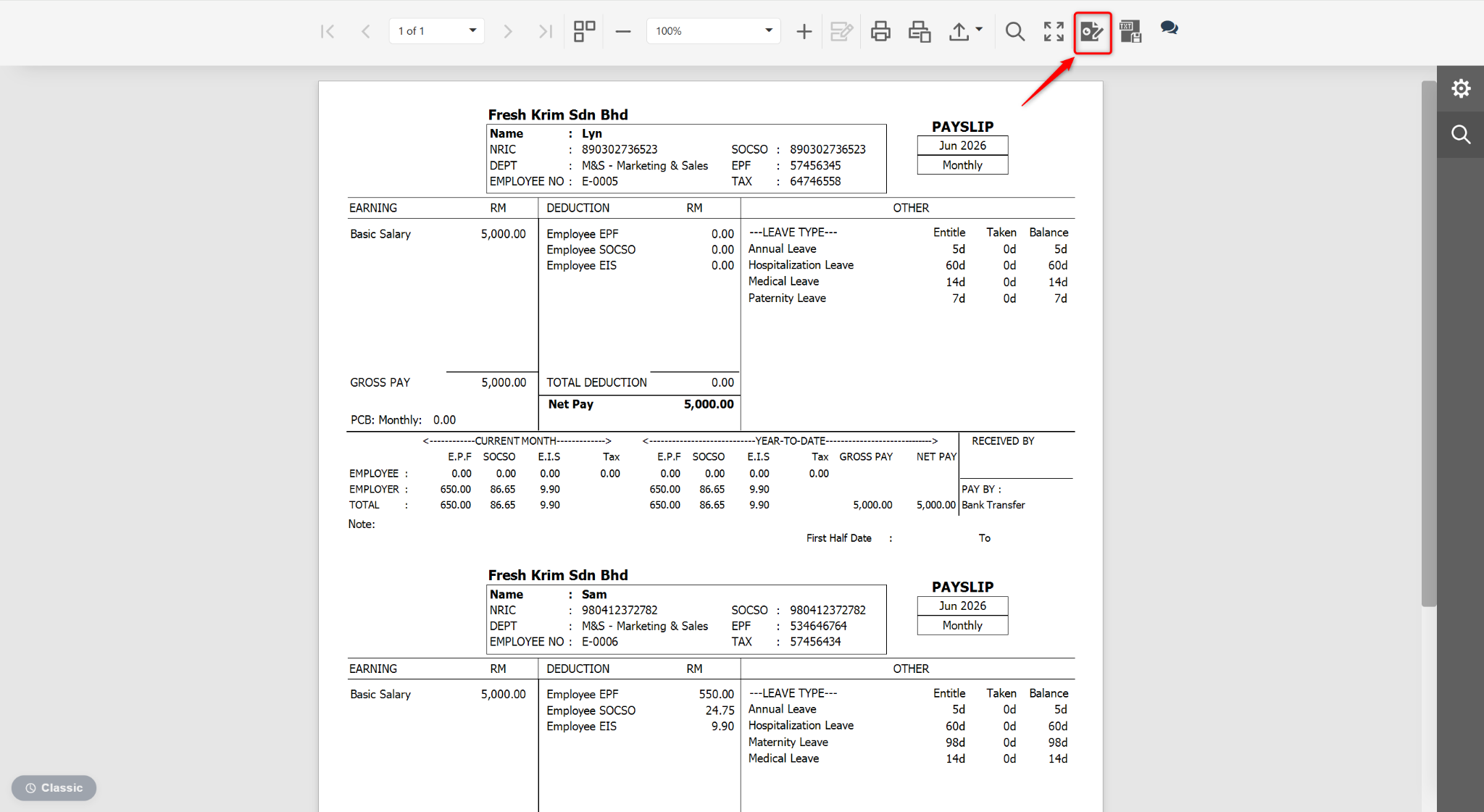
At the Preview page, click the edit icon.
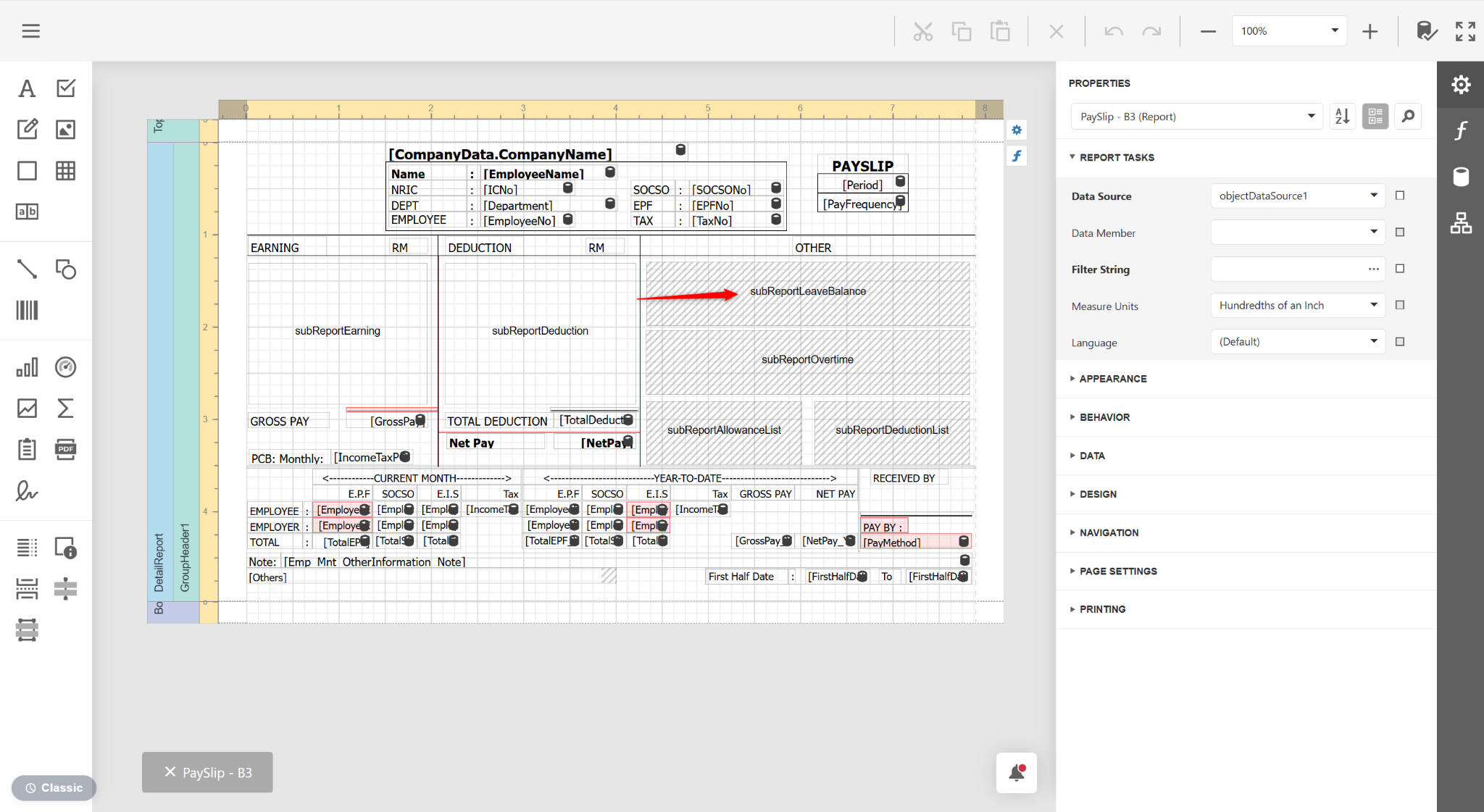
Double click on a subReport field.
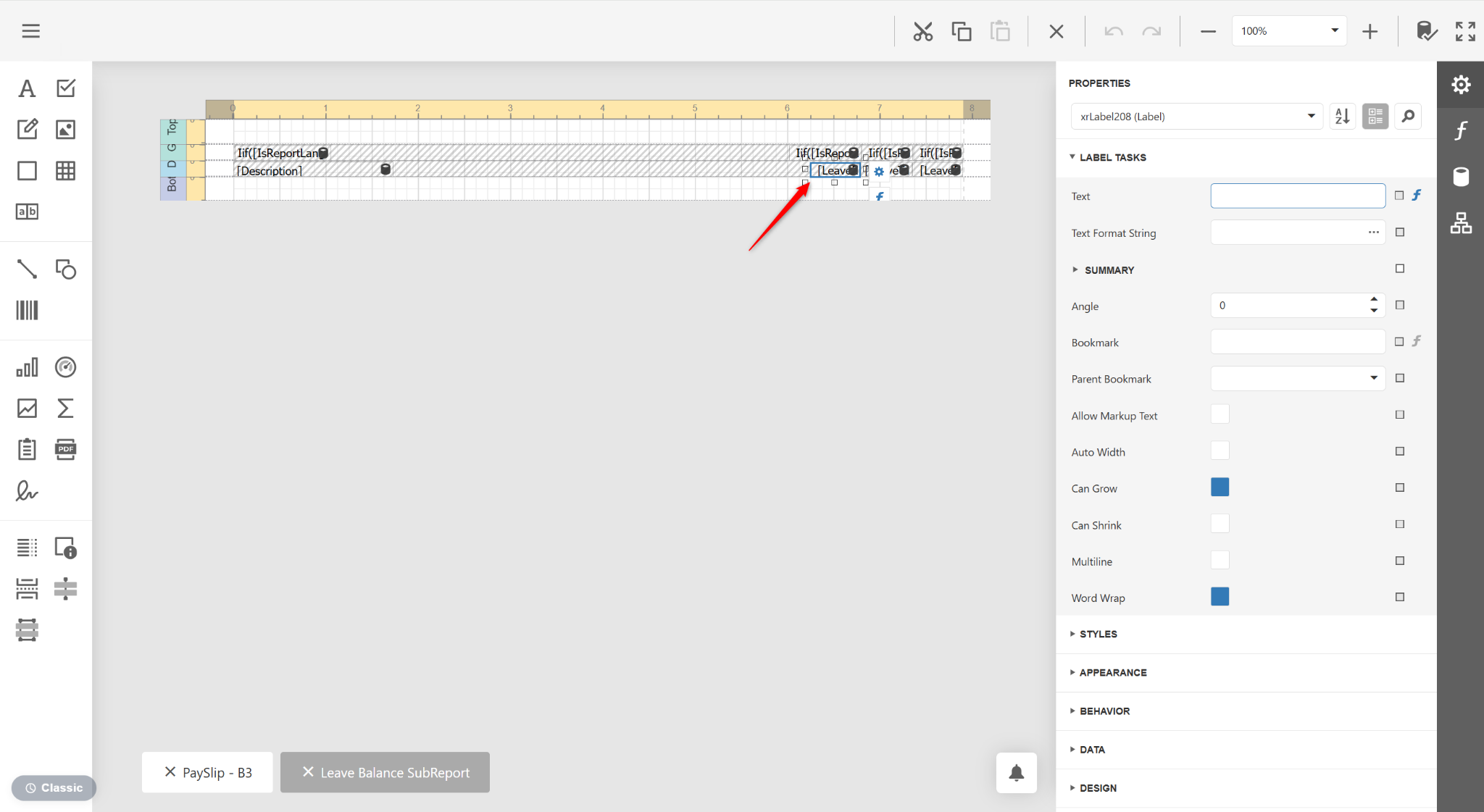
A new Subreport tab will be prompted. Click the LeaveEntitled field and click del on your keyboard.
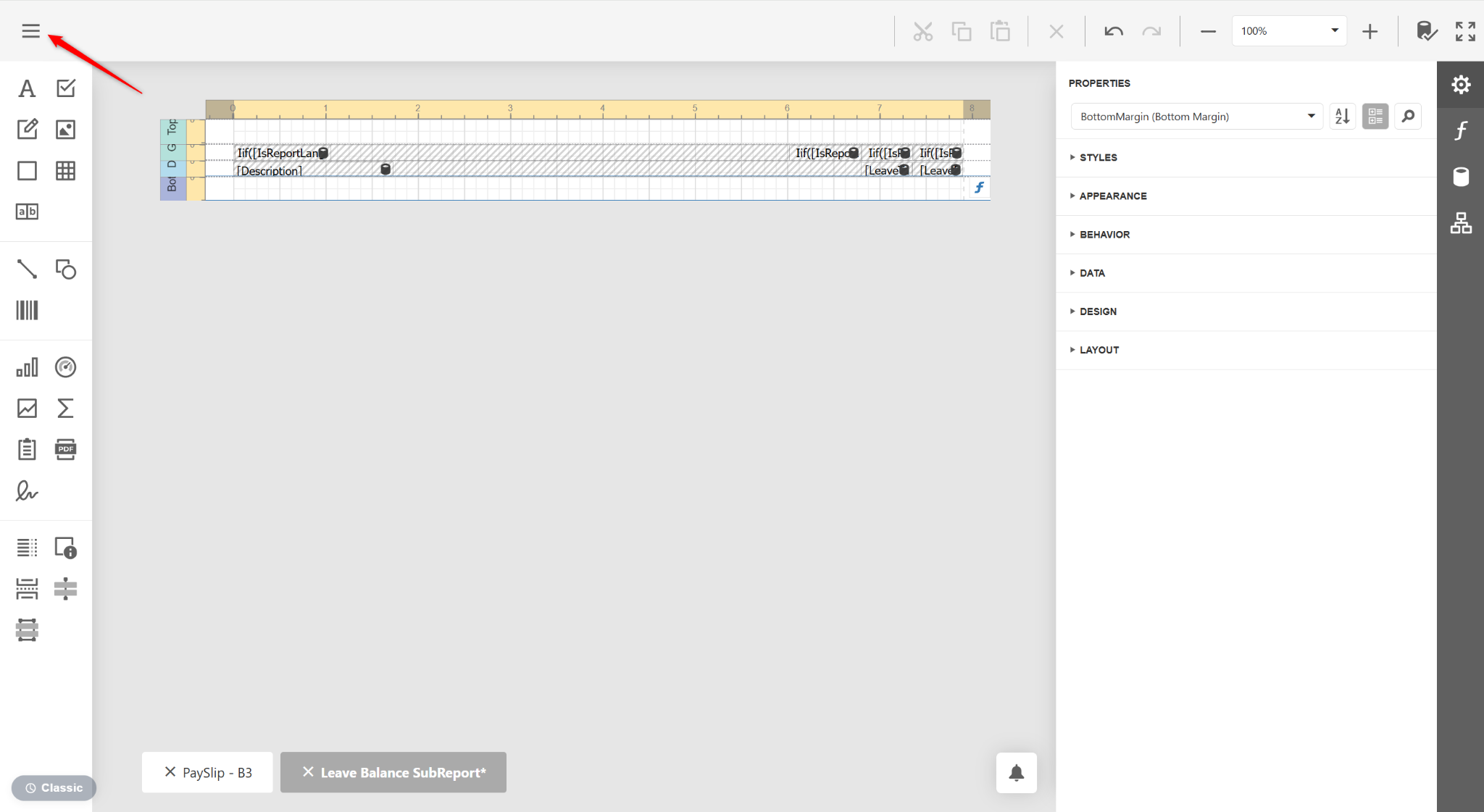
Click the three horizontal lines icon.
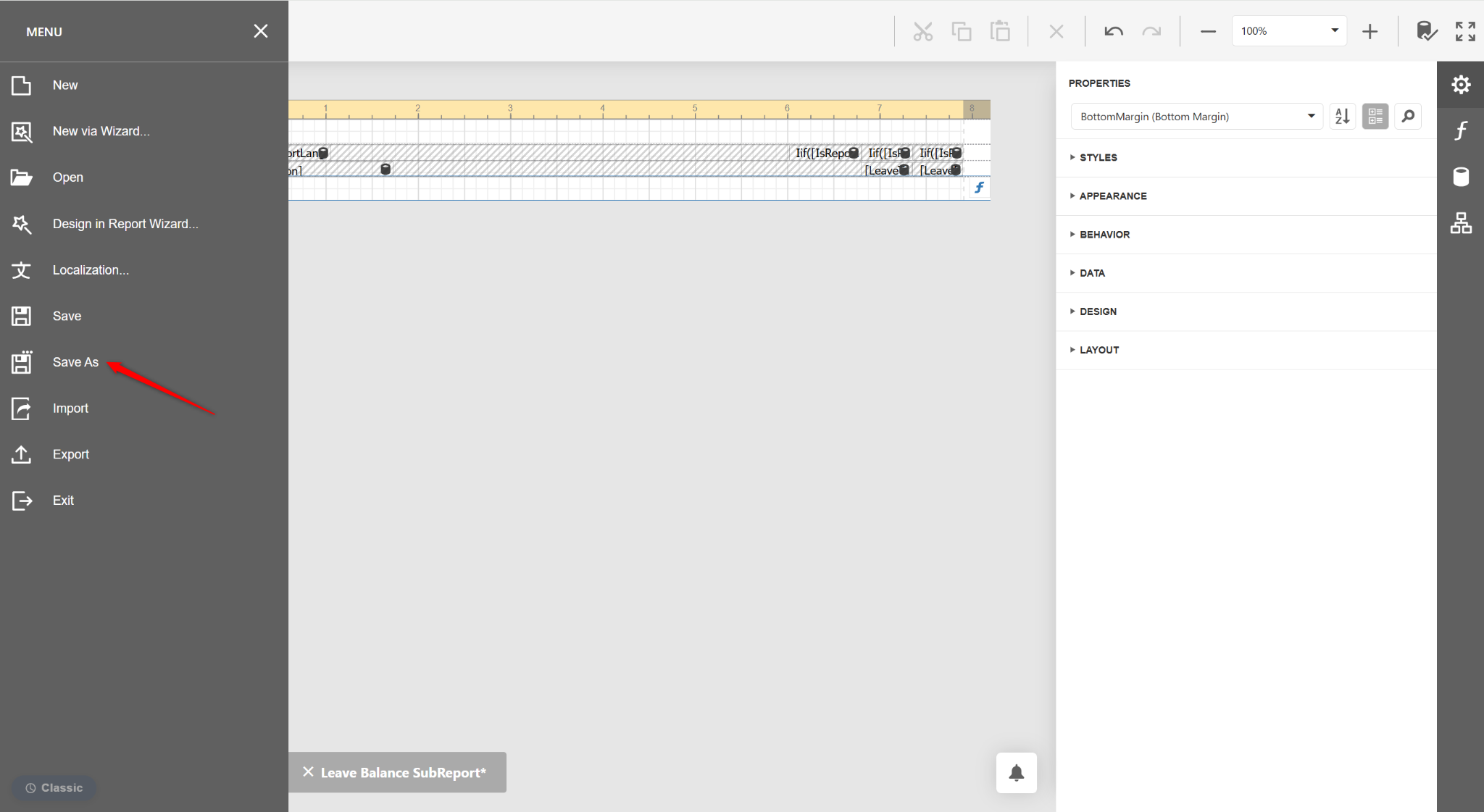
Click Save As.
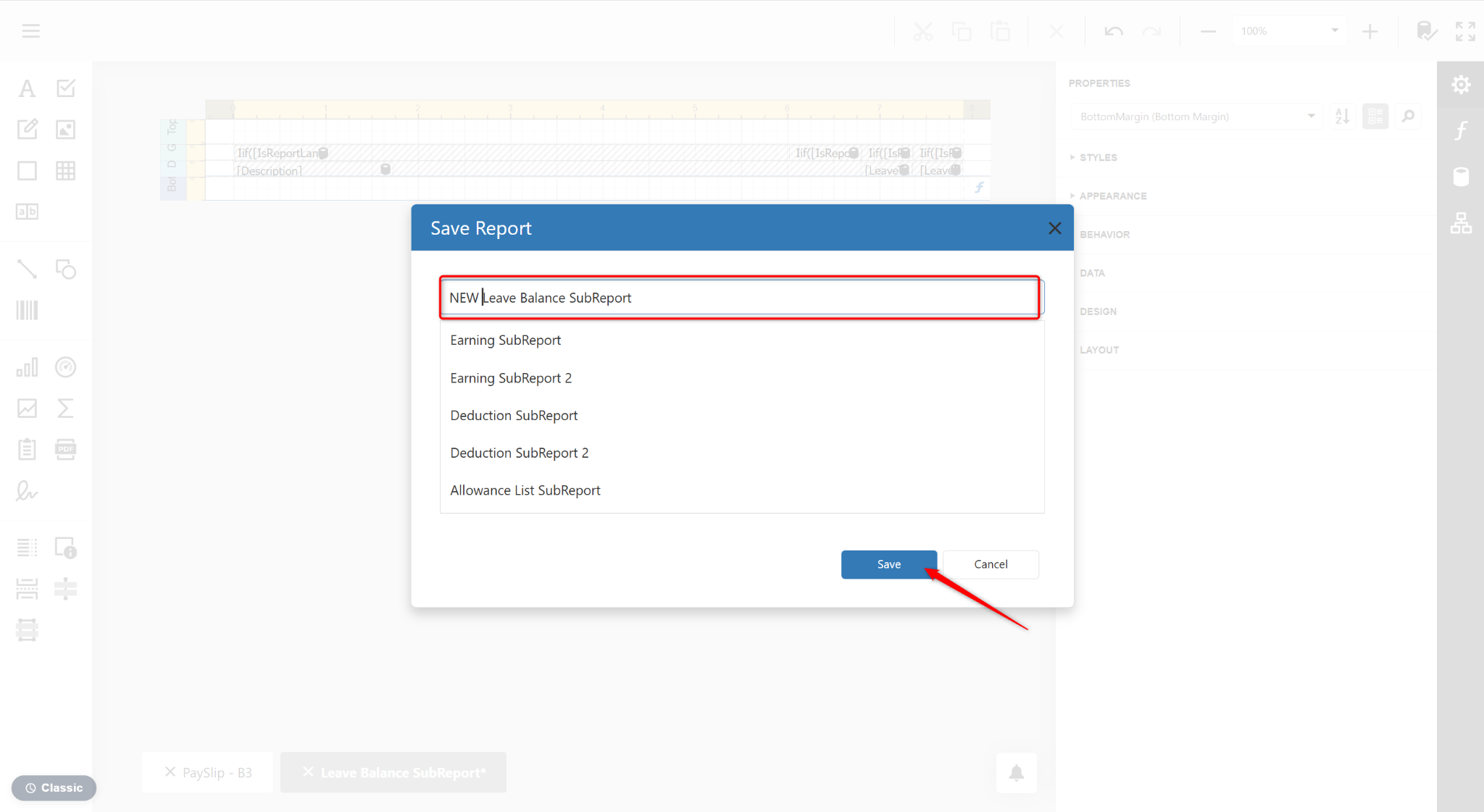
Enter a name for the subreport and click Save.
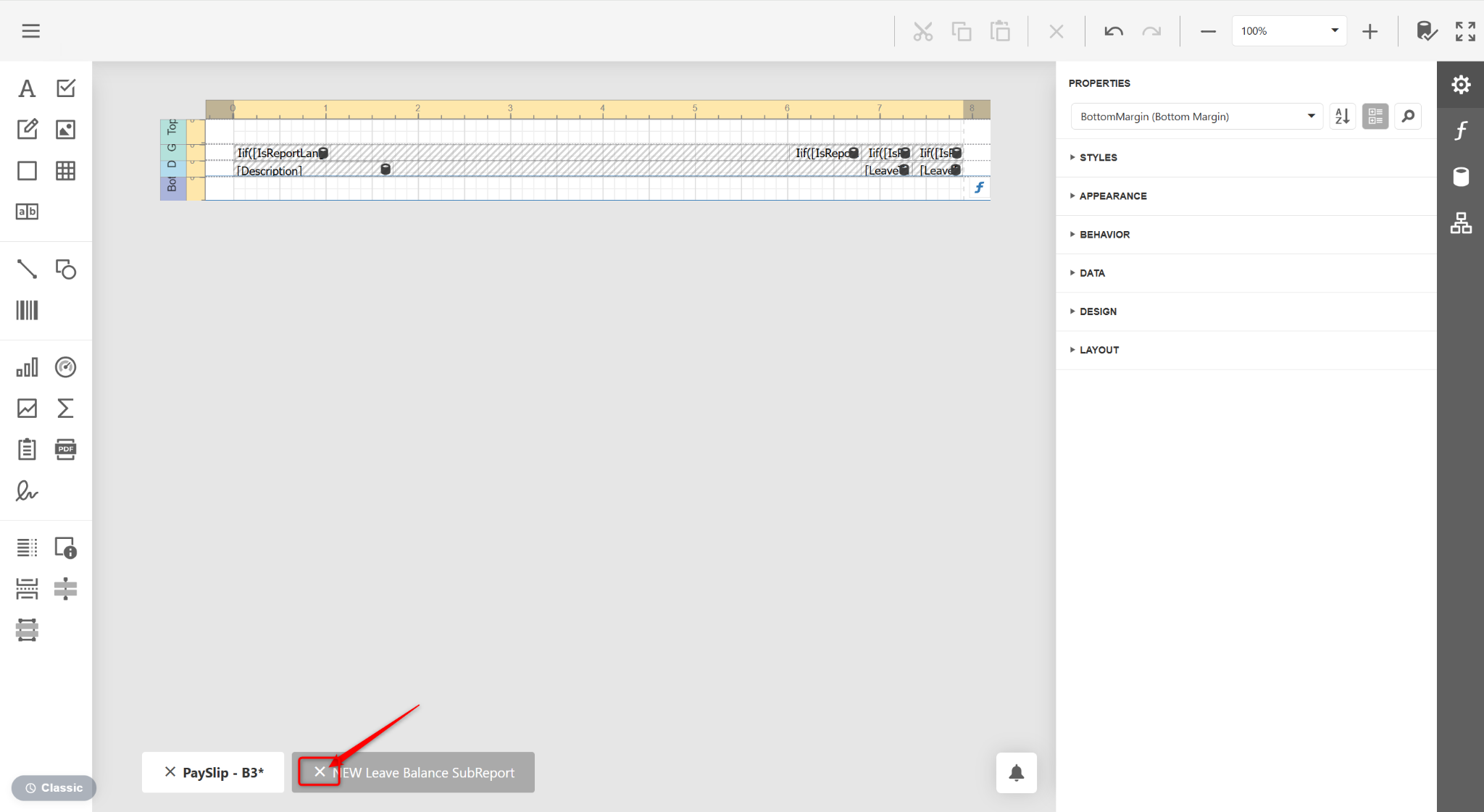
Click the x icon on the subreport tab at the bottom of the screen to close the tab. Return to the main report design page.
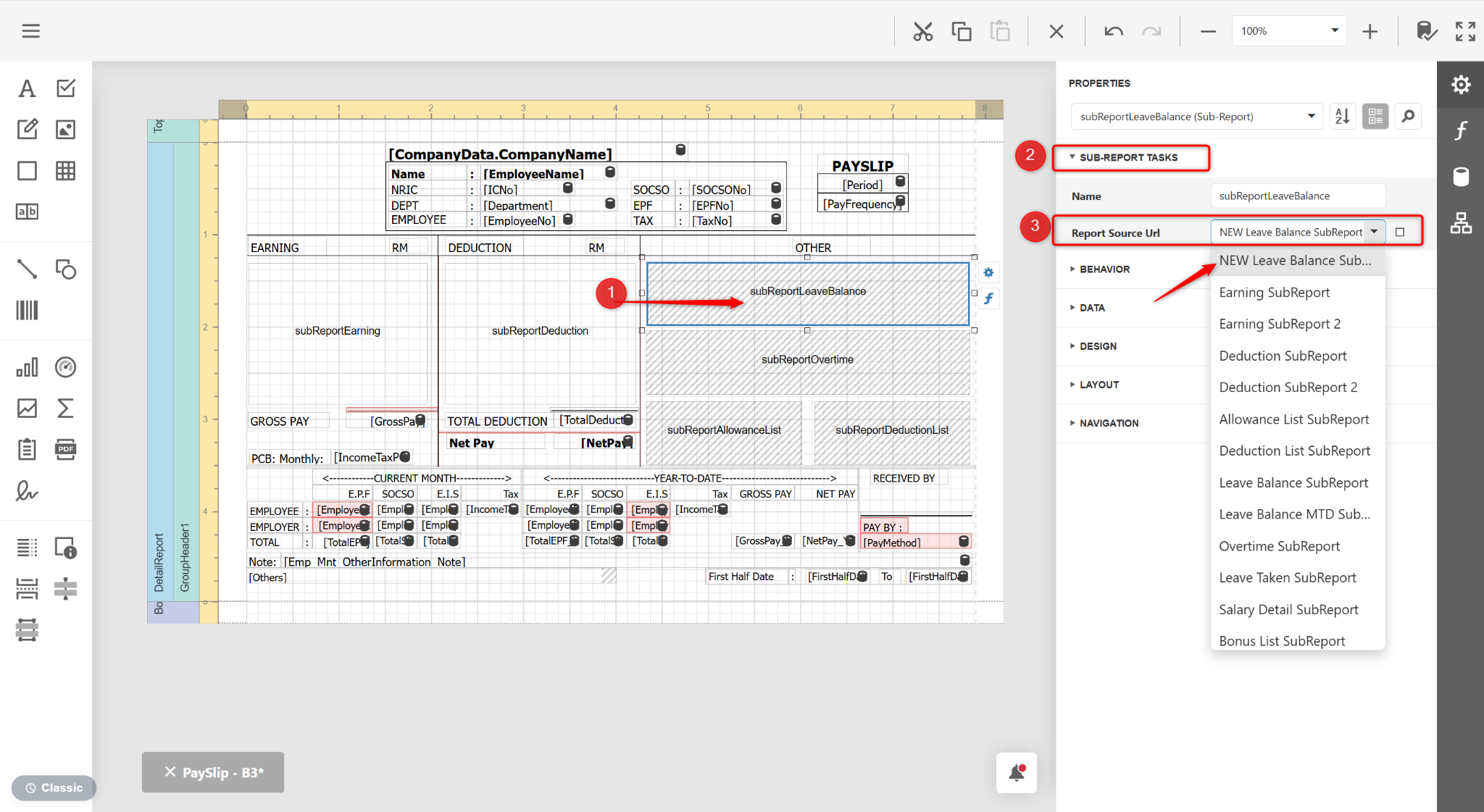
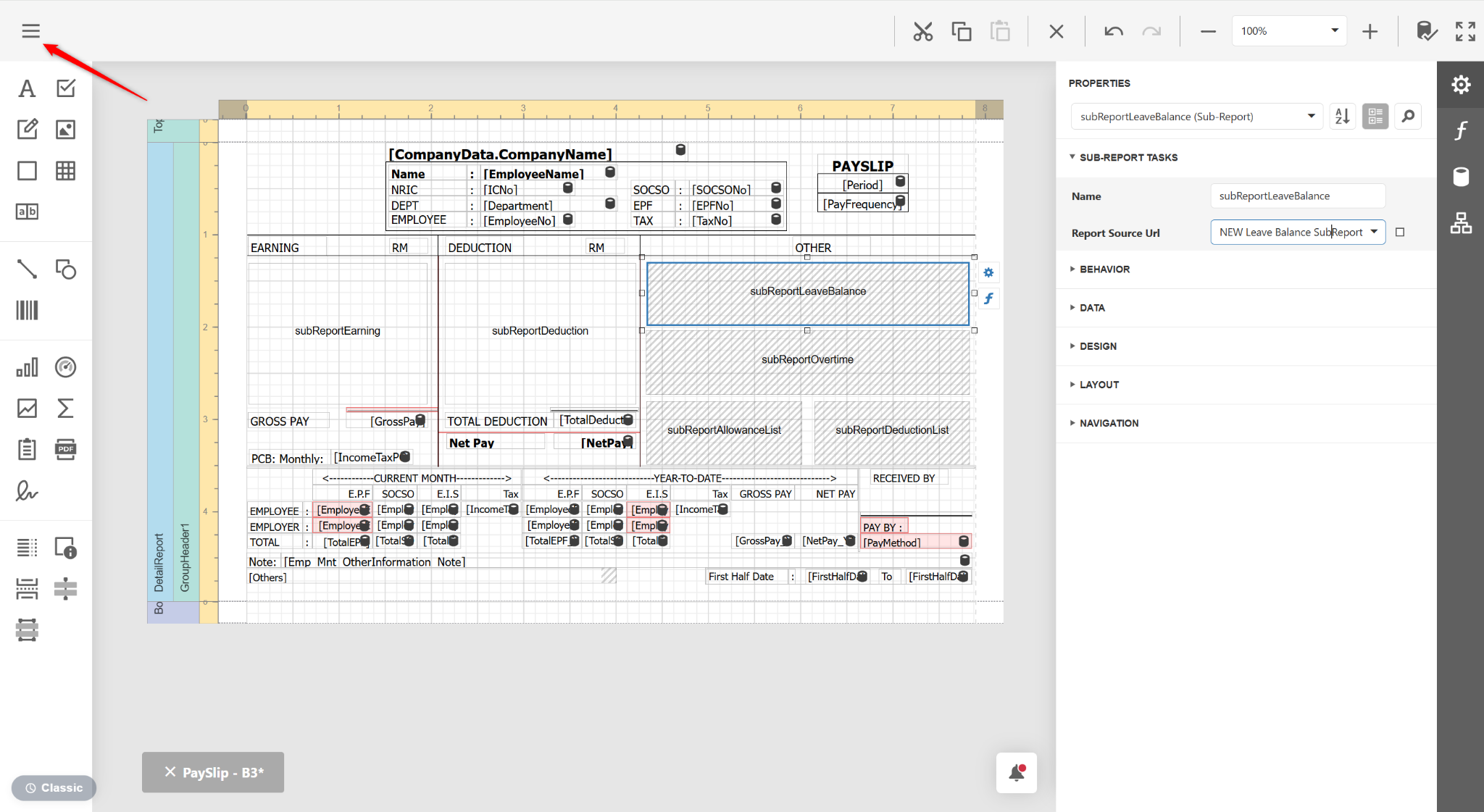
Click on the subreport, expand SUB-REPORT TASKS and select the new subreport design you designed earlier at the Report Source URL field.
Click the three horizontal lines icon.
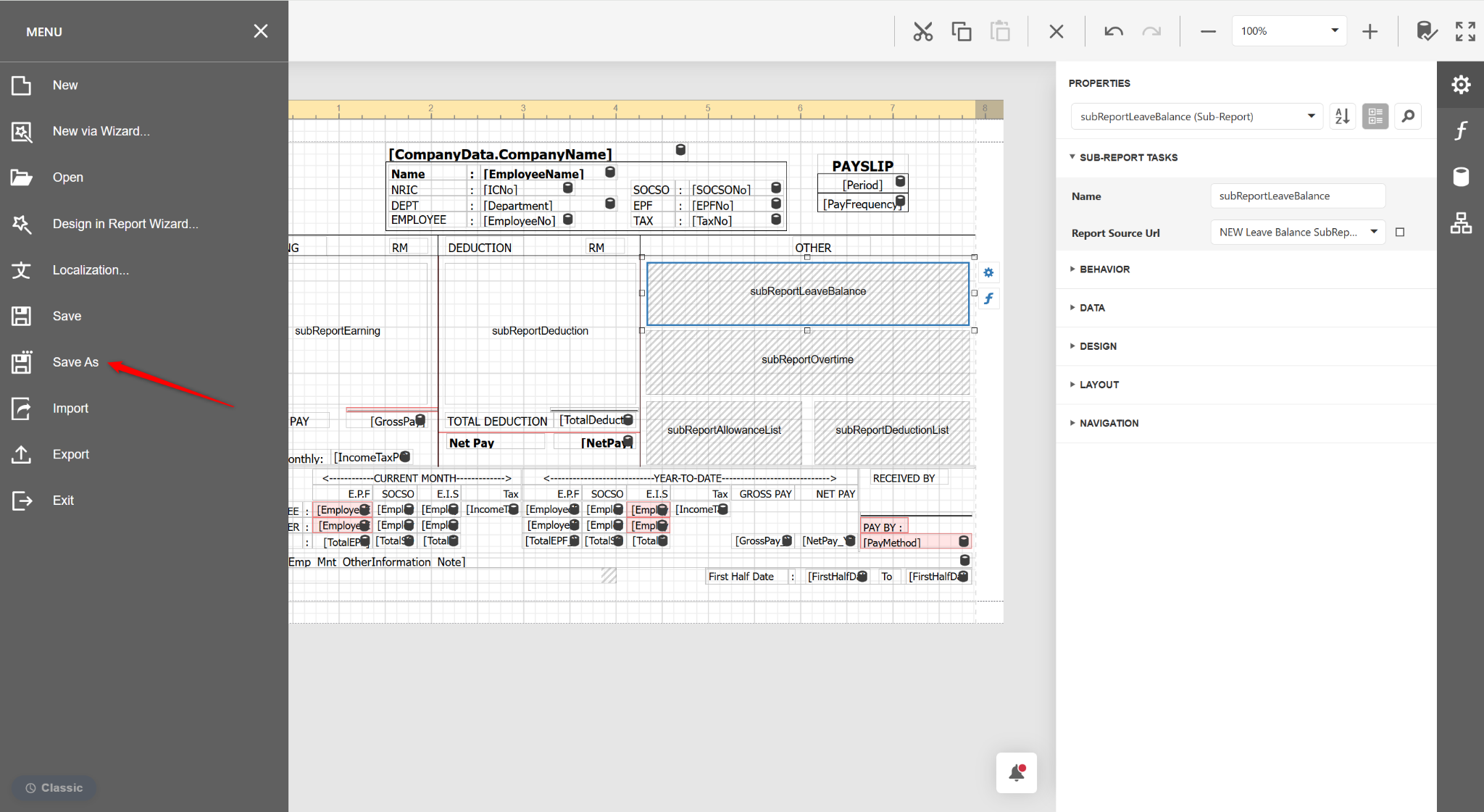
Select Save As.
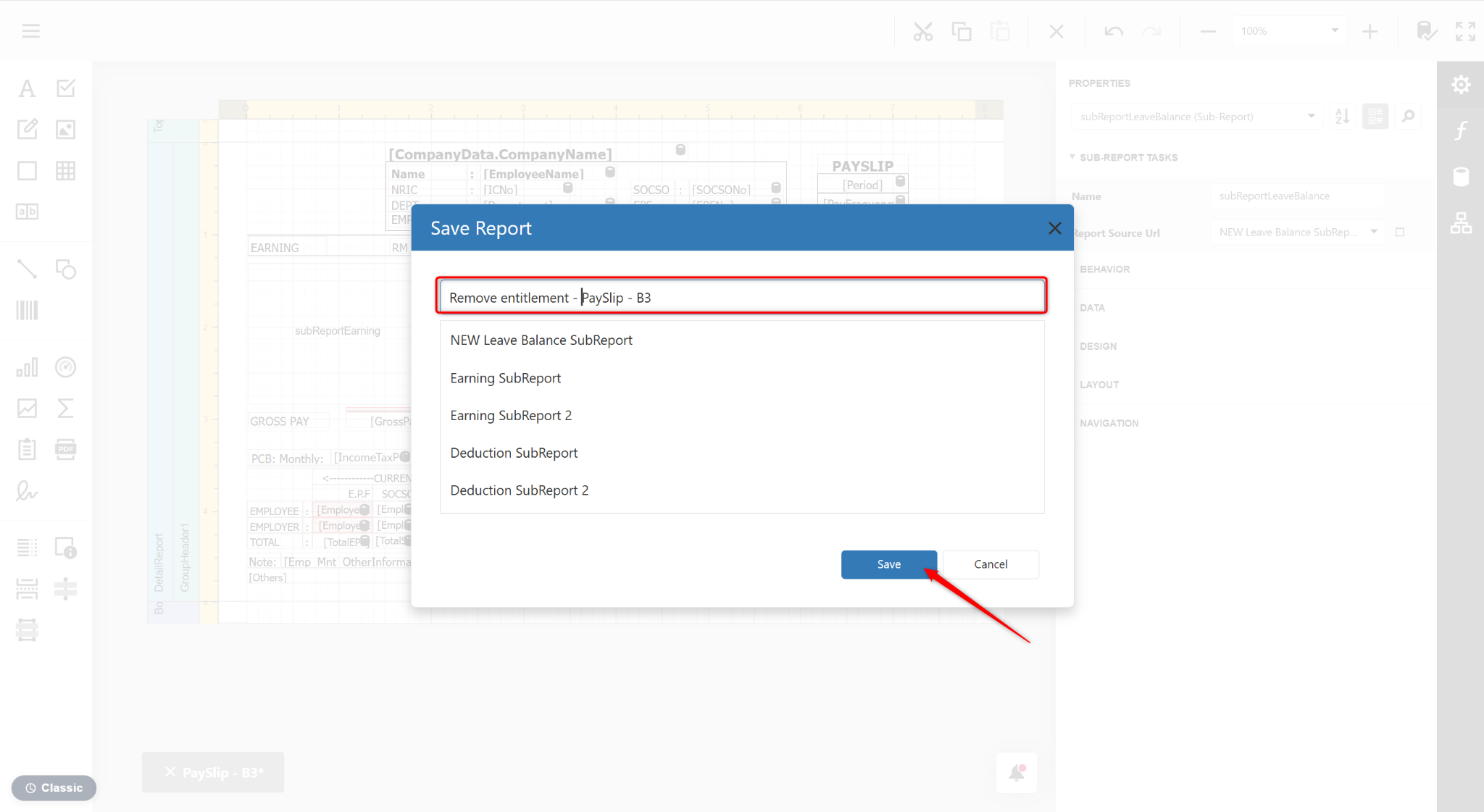
Enter a new report name and click Save.
Return to the report page and click Preview.
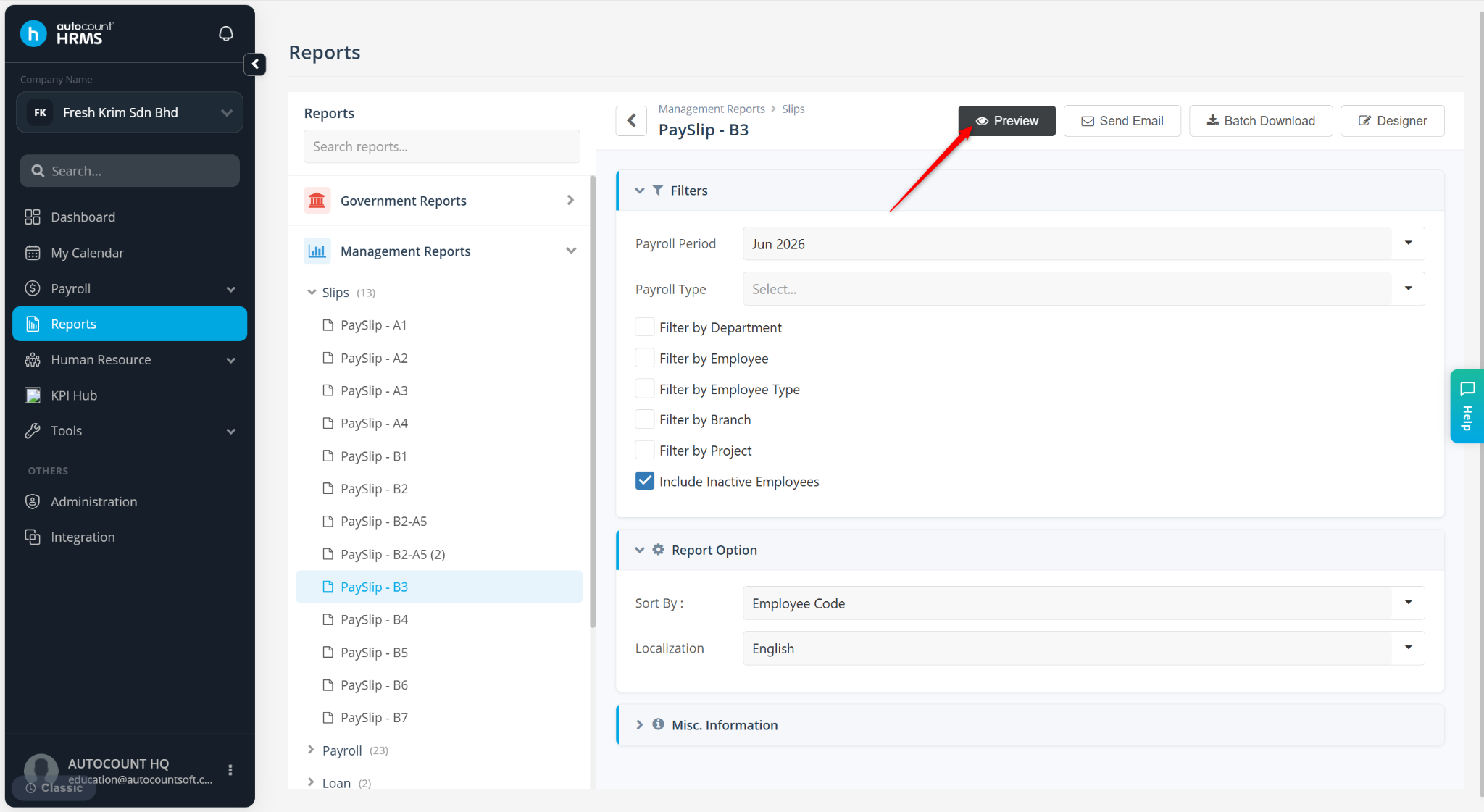
Select the report and click Preview.