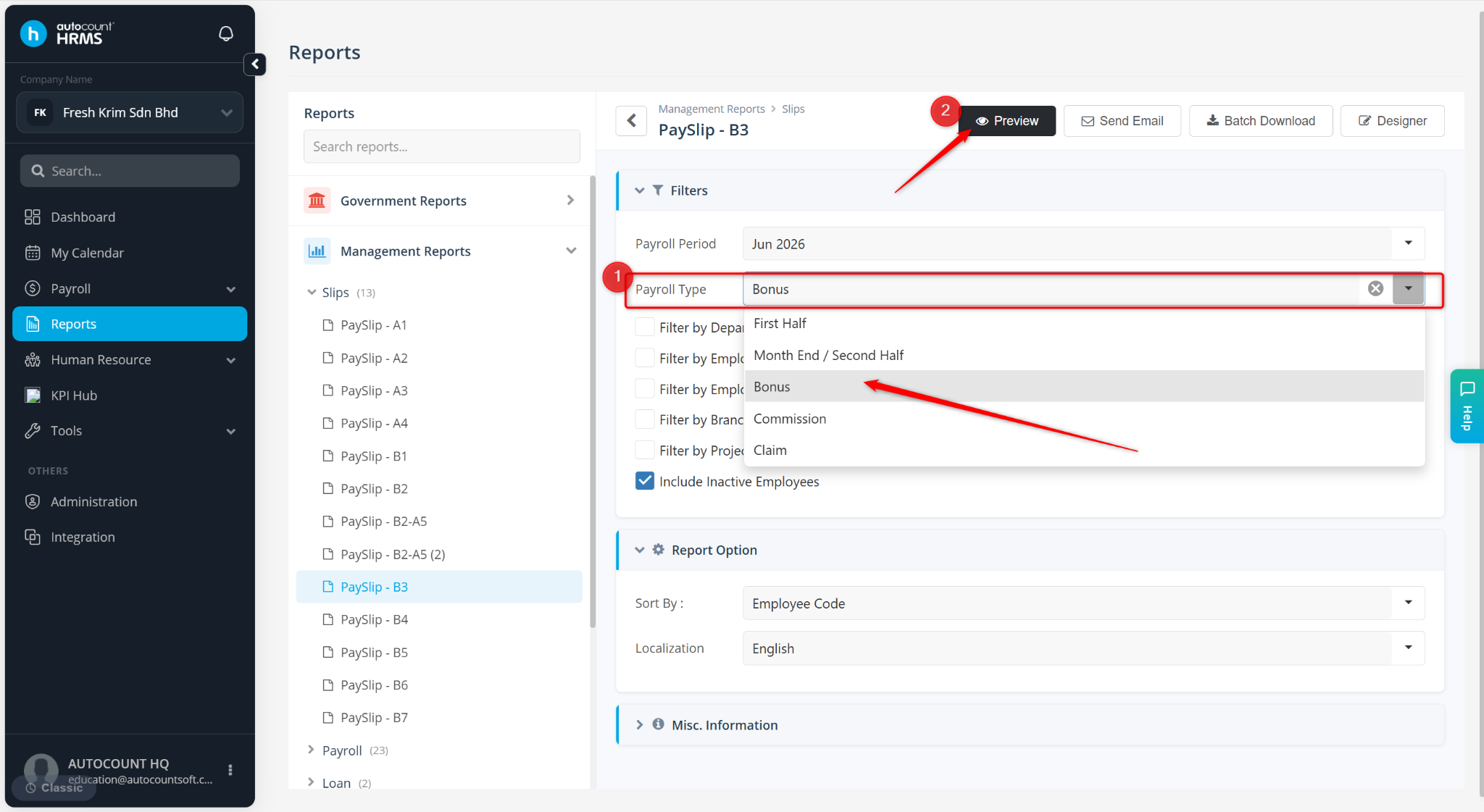
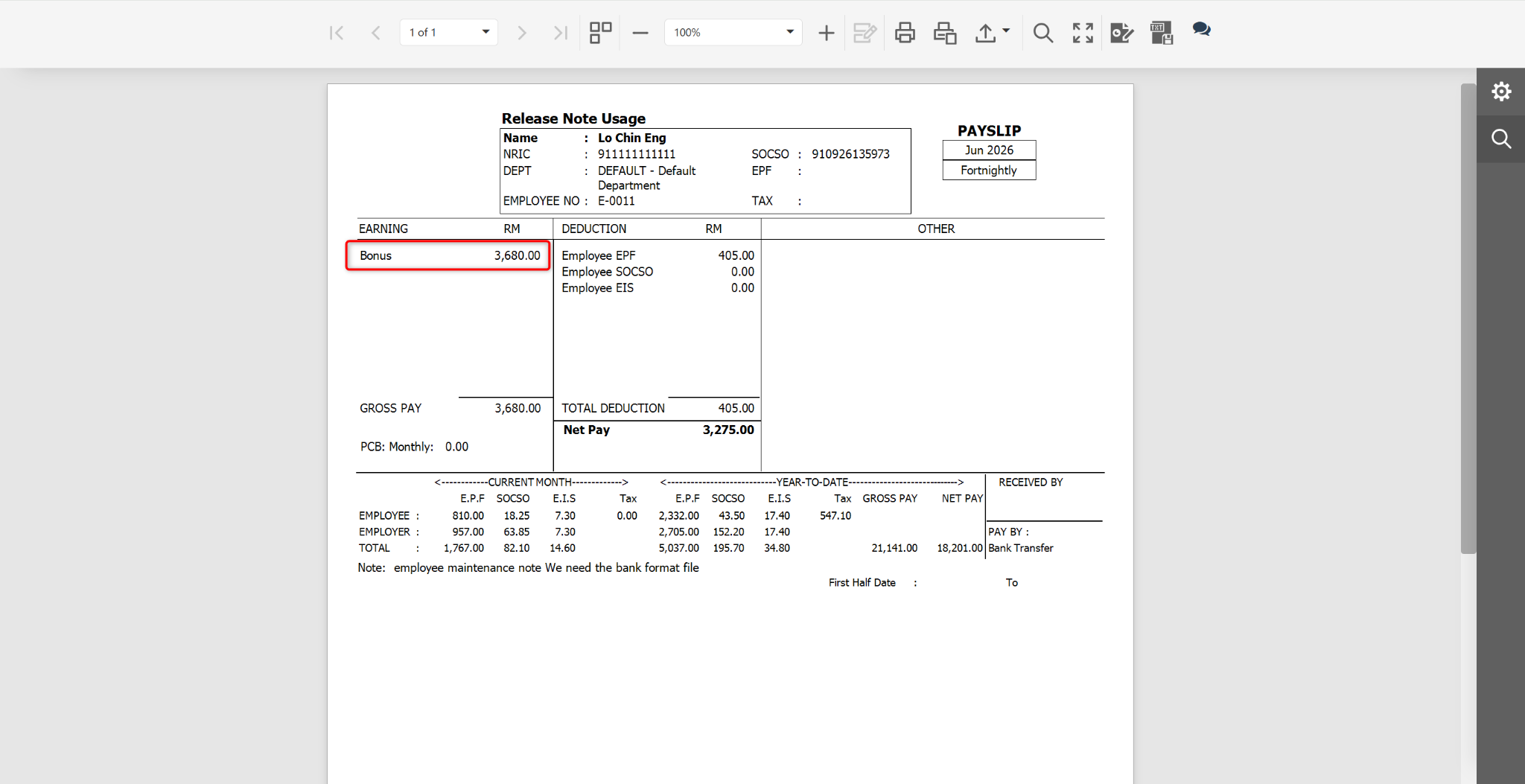
Users may preview payroll and bonus payslips separately by selecting different payroll types in the report filter.
Steps to Preview a Bonus and Payroll Separately:
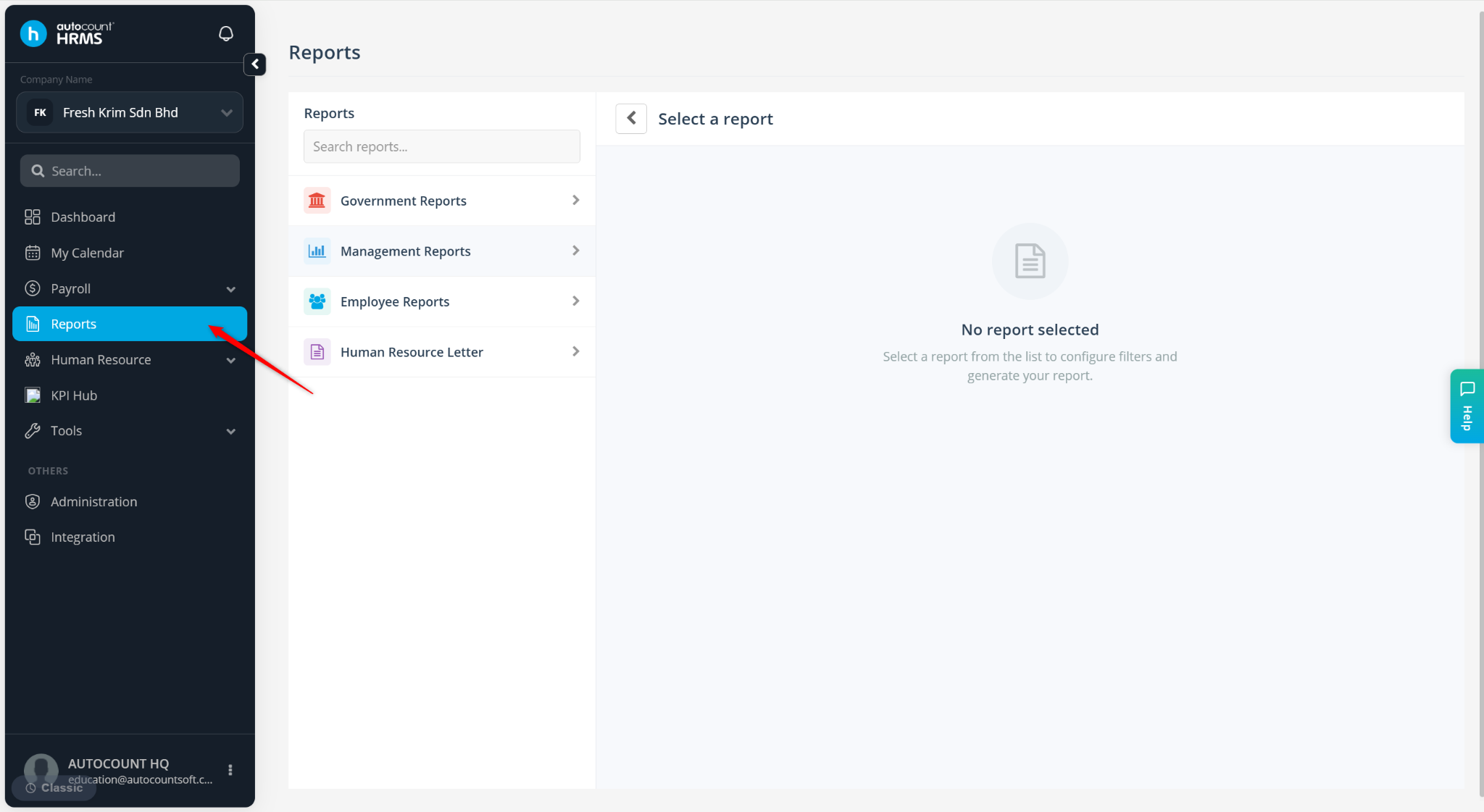
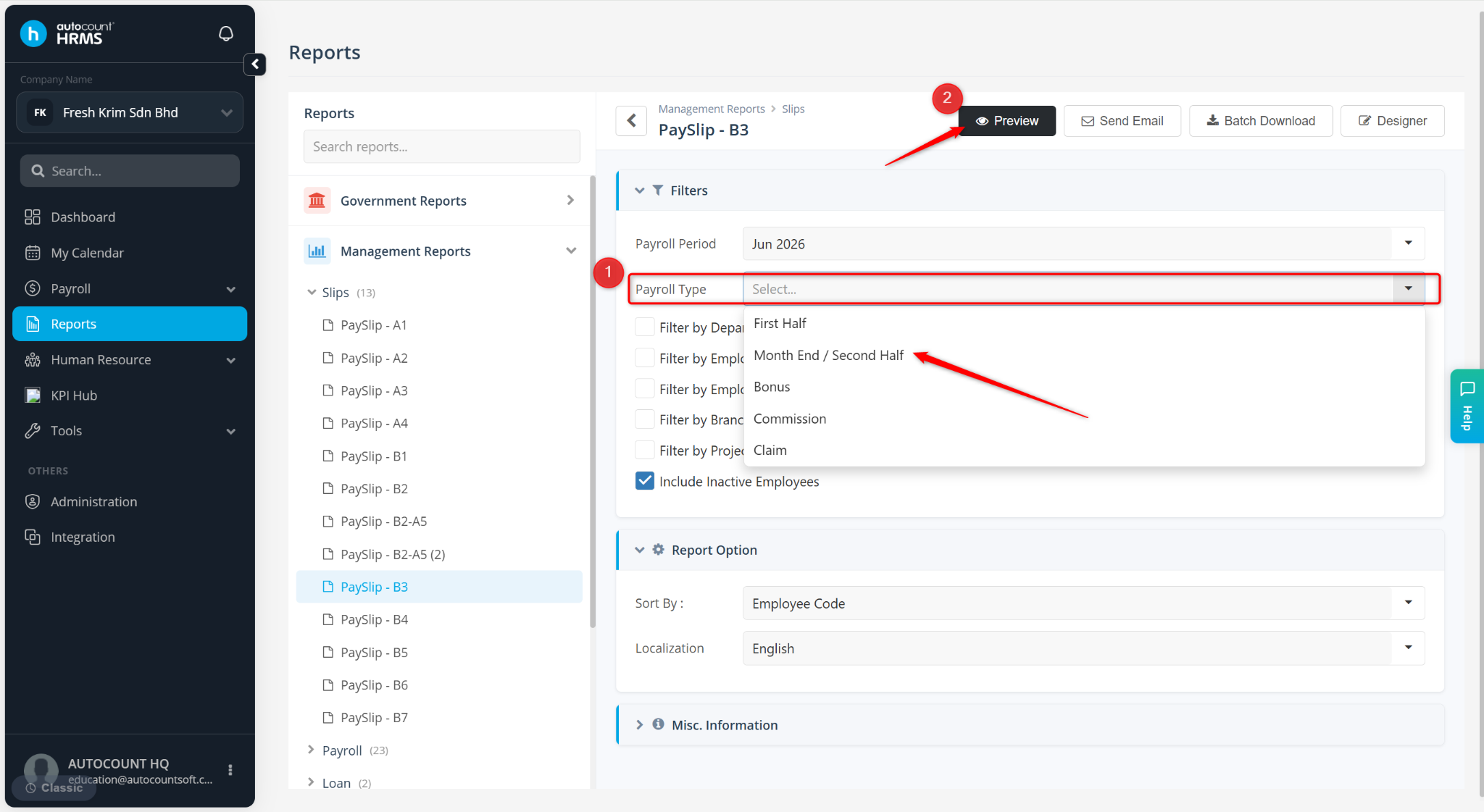
Go to Reports.
Expand Management Reports > Slips, select a payslip template.
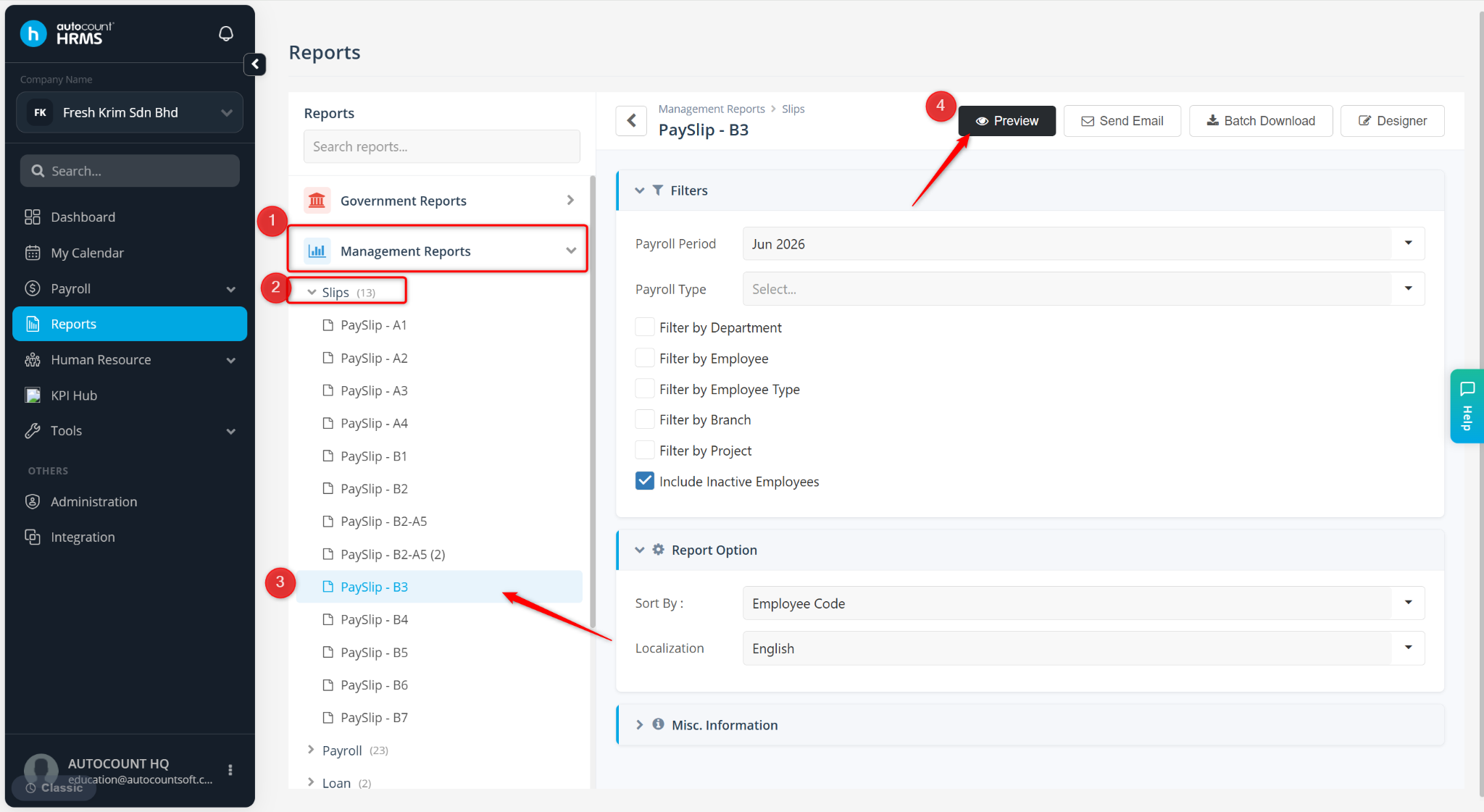
Select Month End / Second Half at the Payroll Type field.
Click Preview.
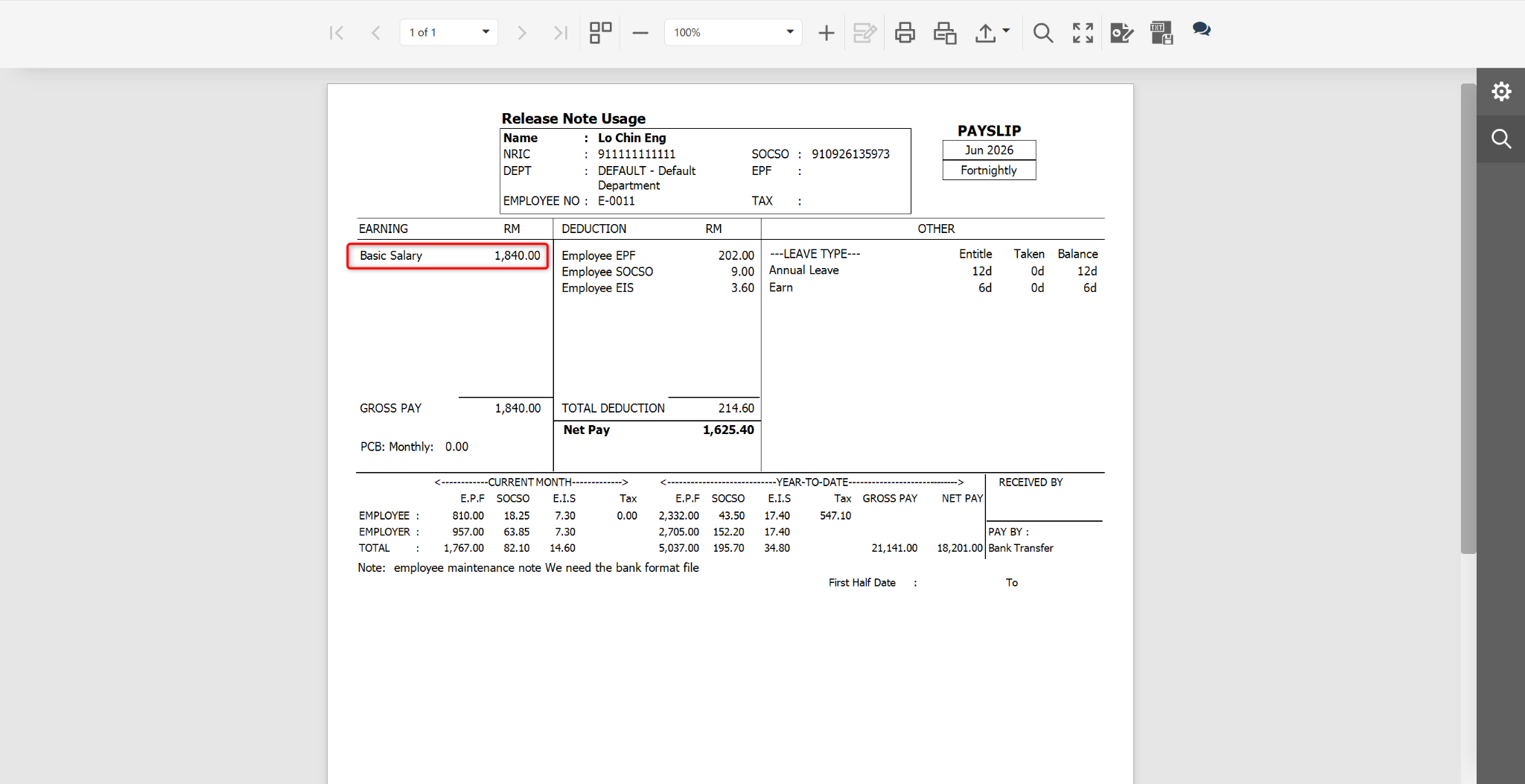
Return to the Reports page. Select Bonus at the Payroll Type field.
Click Preview.