
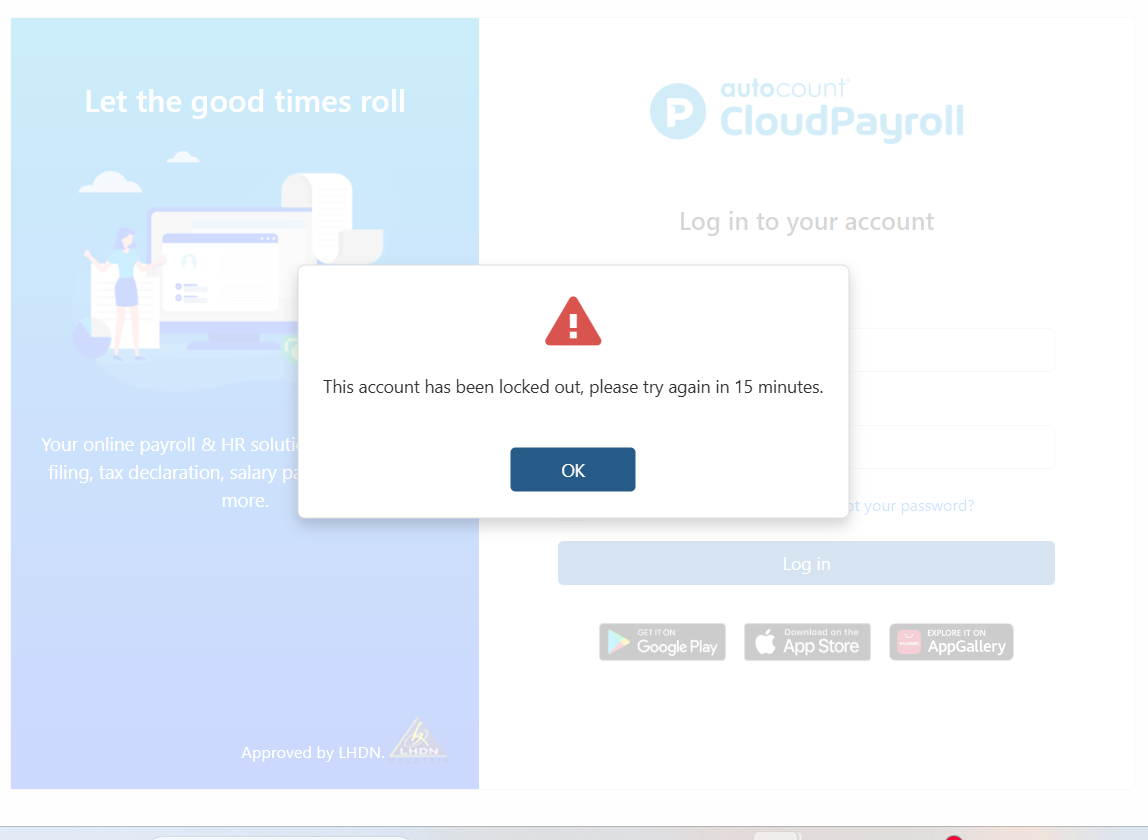
When the wrong password is entered more than three times, the system will display the message:
“This account has been locked out, please try again in 15 minutes.”
Users can resolve this issue by resetting their password using the steps below.
Steps to Resolve the Issue:
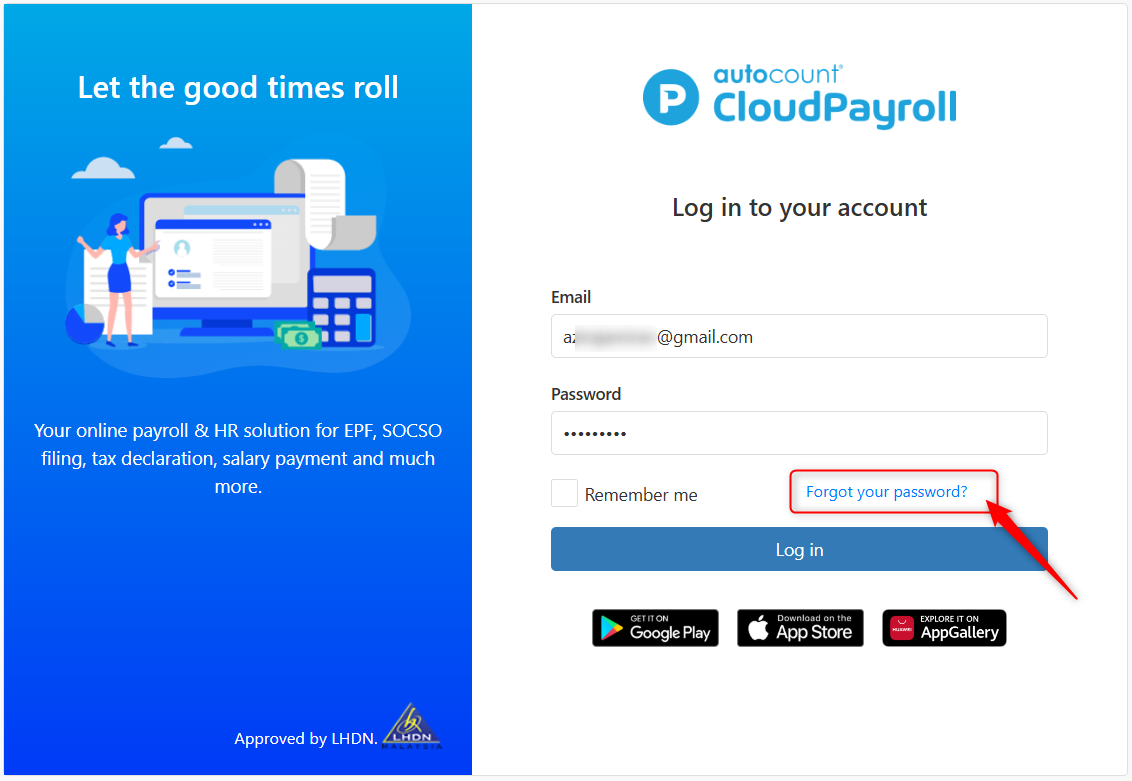
At the Login page, click Forgot Password.
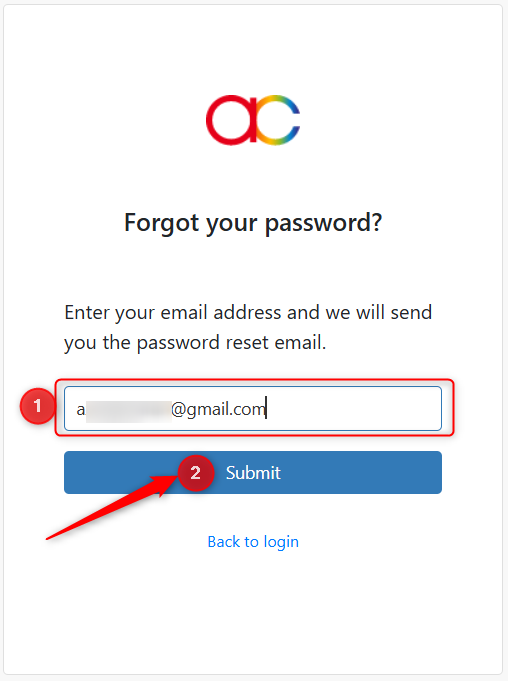
Enter your Email address and click Submit.
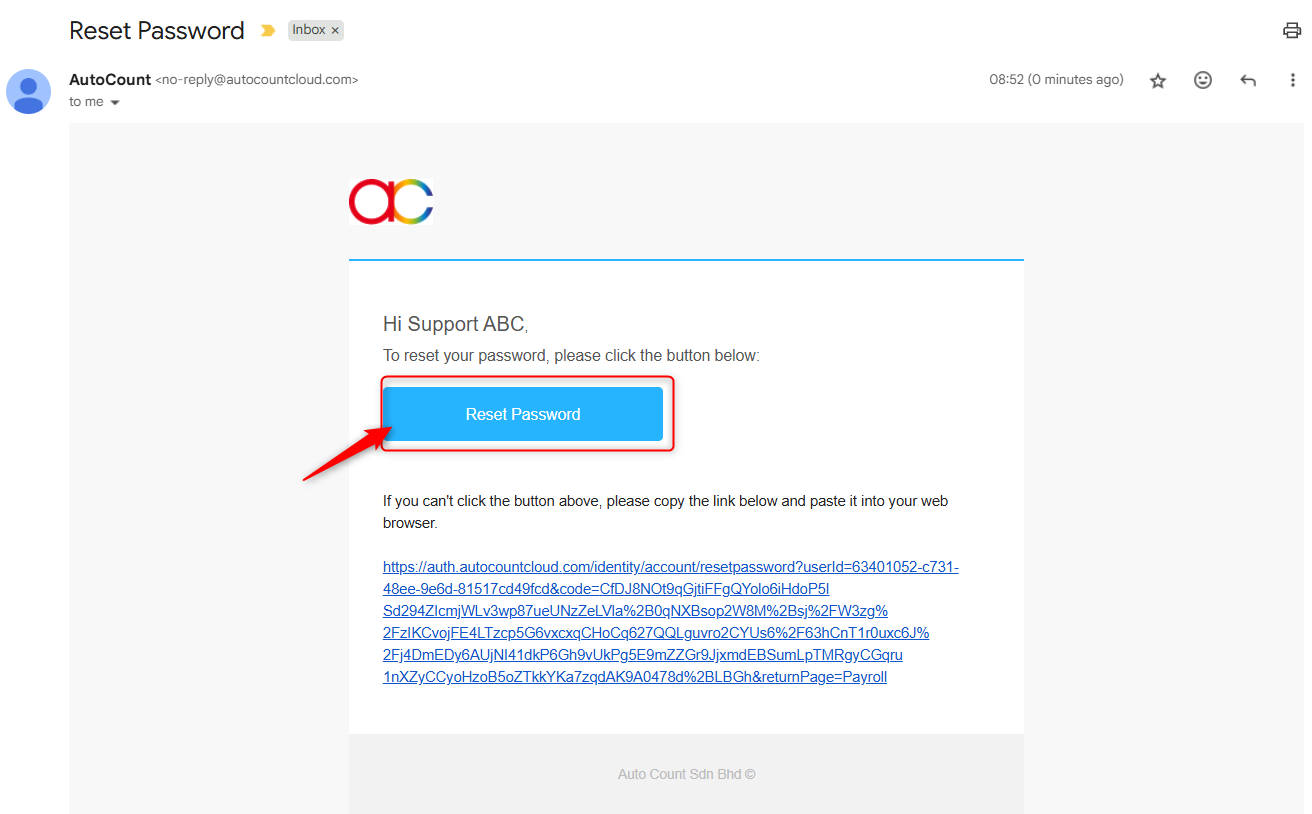
The system will send a Reset Password email. Click Reset Password in the email.
Set your new password, then re-enter it to confirm. Click Submit.
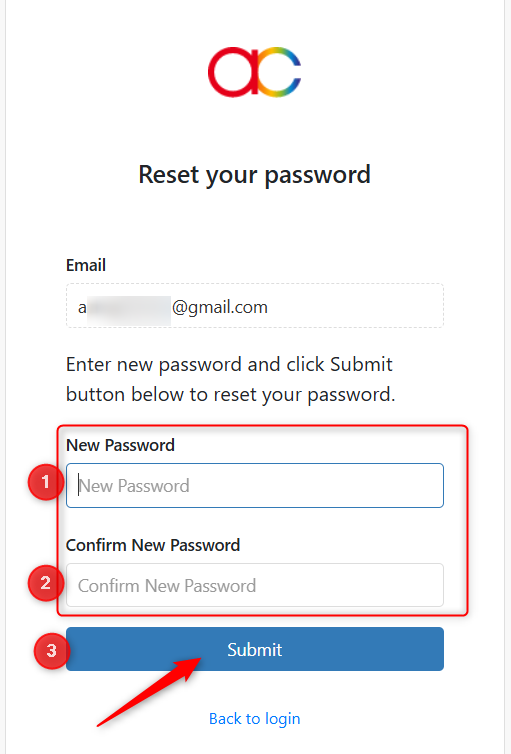
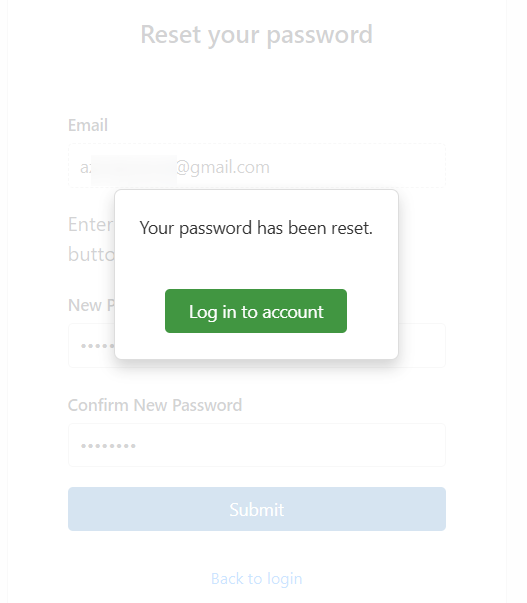
Once submitted, the system will display: “Your password has been reset.”
Click Log in to account and sign in using your new password.
Written by: Azirah (20250811)