
Users can delete a company that is no longer required. Please proceed with caution, as this action is permanent.
Warning: Once a company is deleted, all associated data, including employee records, payroll transactions, leave records, claims, attendance records, and company settings, will be permanently removed and cannot be recovered.
Steps to Delete a Company:
Go to the Subscriptions page.
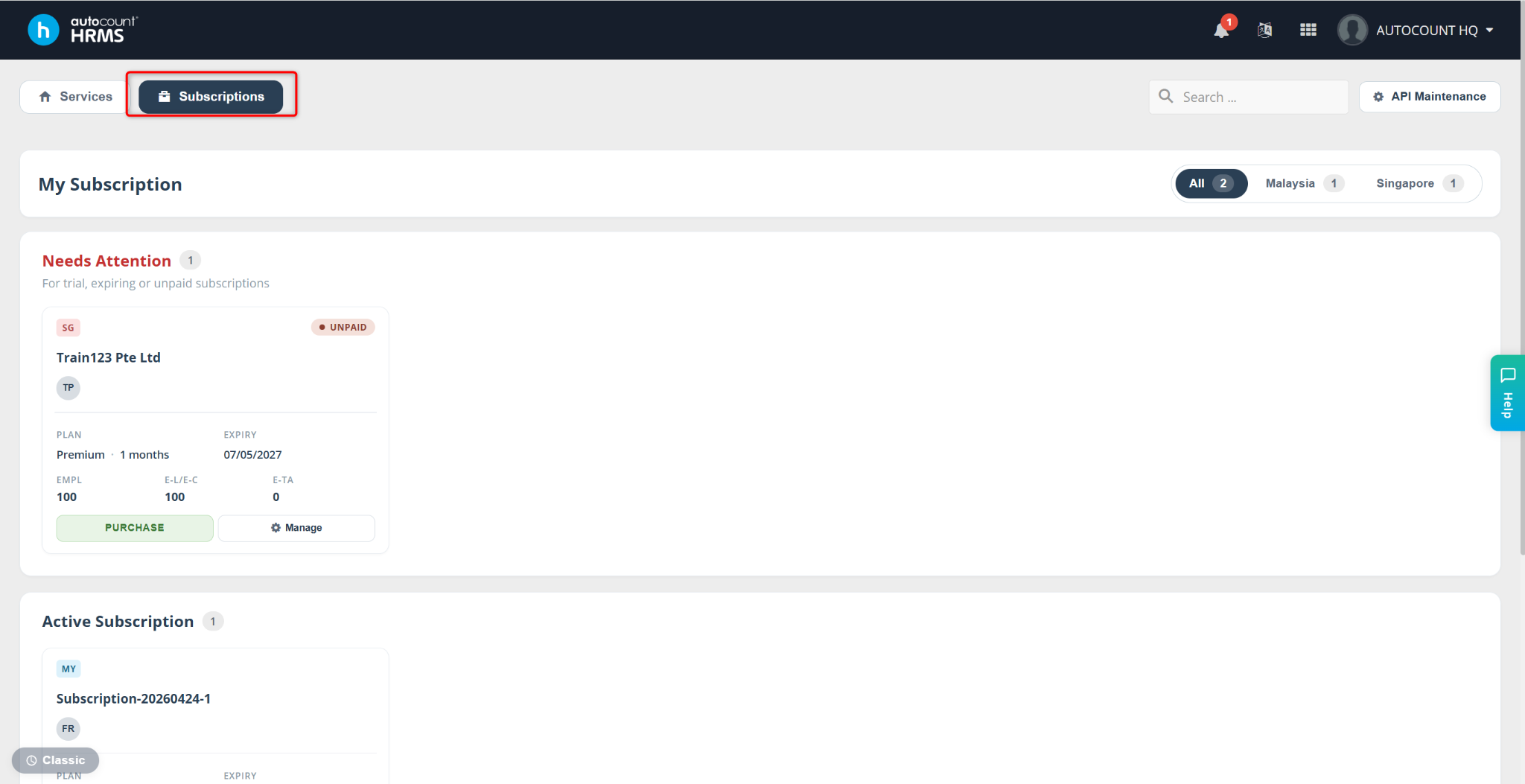
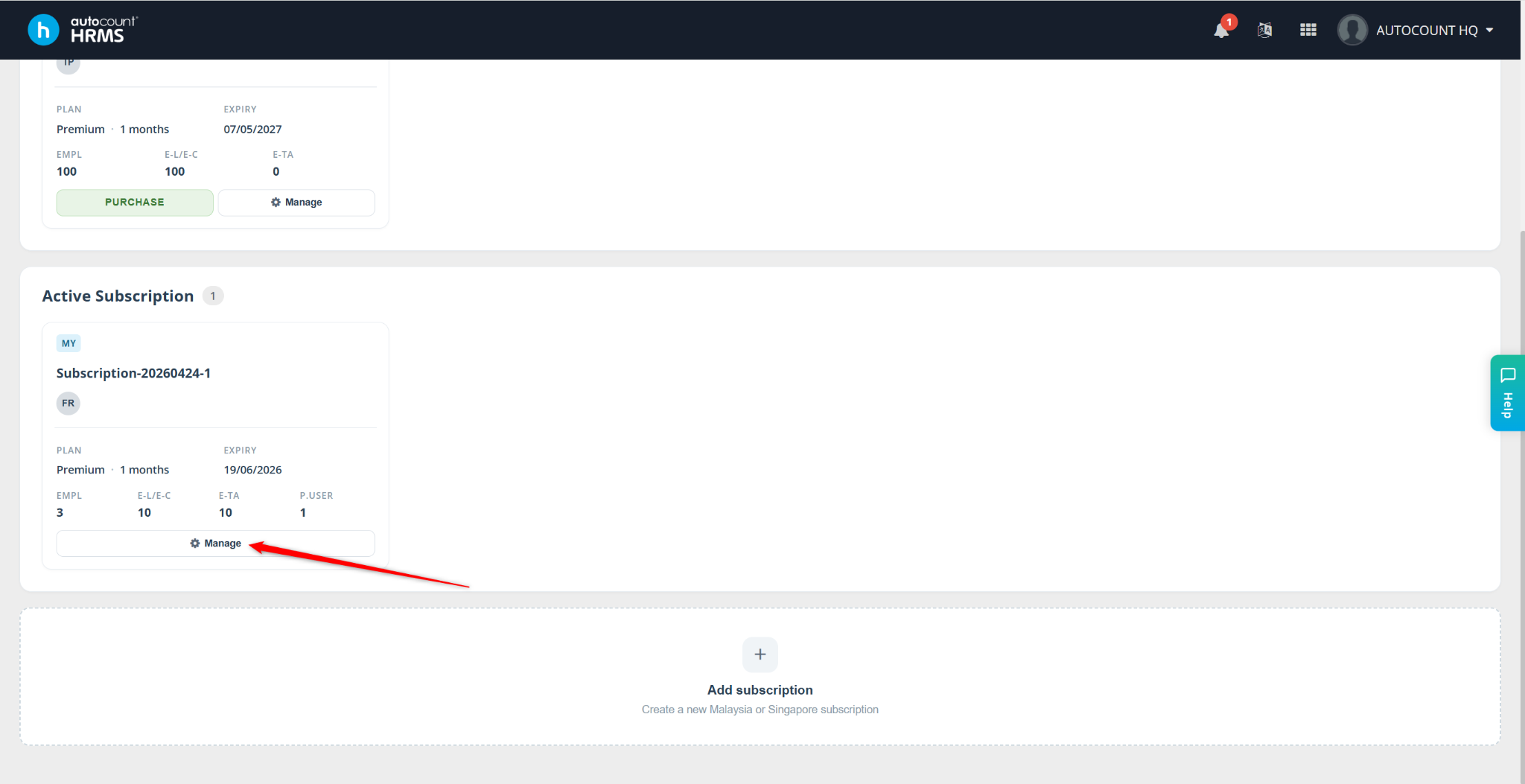
Click Manage to view and manage the companies under that subscription.
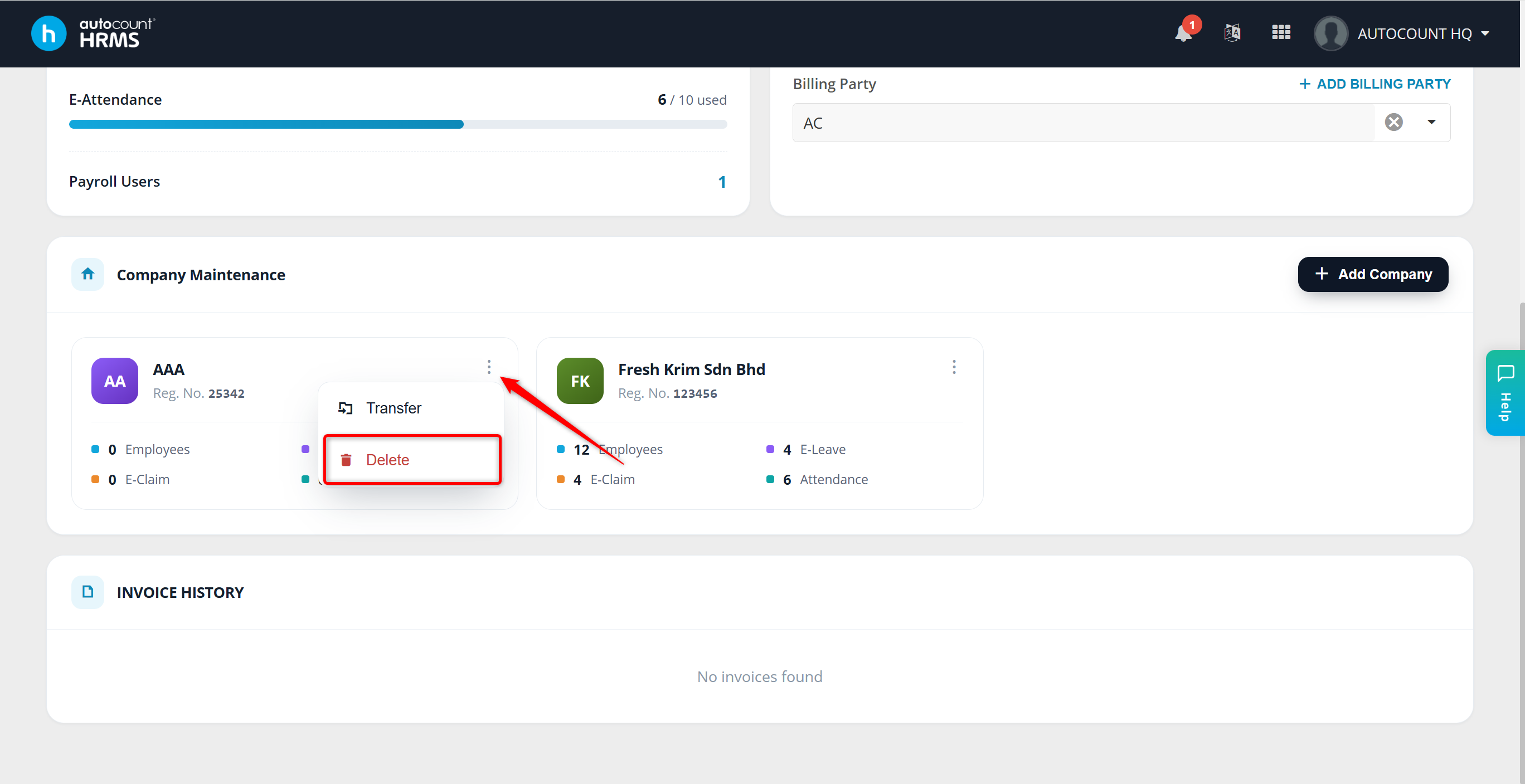
Locate the company you wish to delete, click the menu icon, then click Delete.
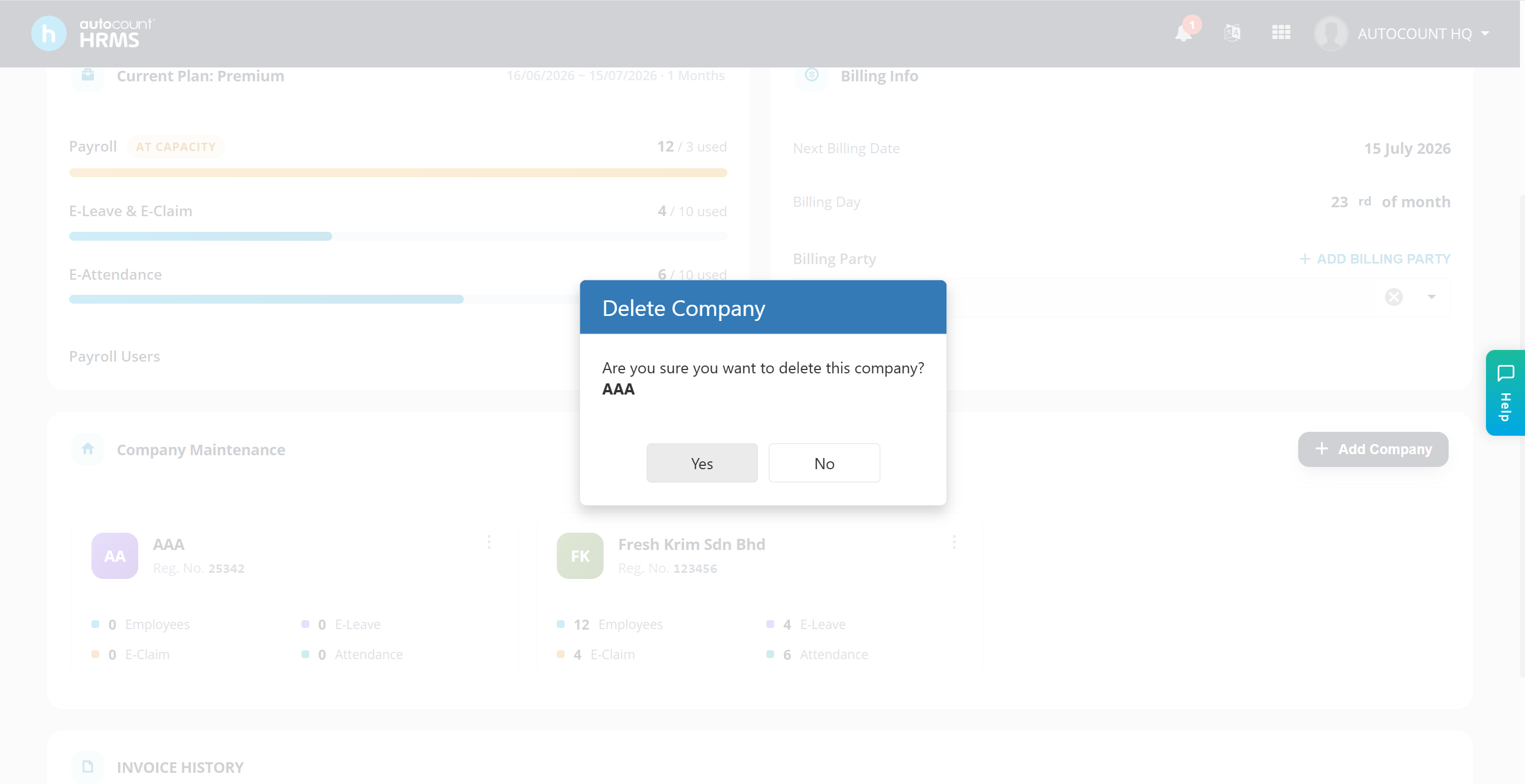
A confirmation pop-up will appear. Click Yes to proceed with the removal.
Updated by: Azirah (20250909)