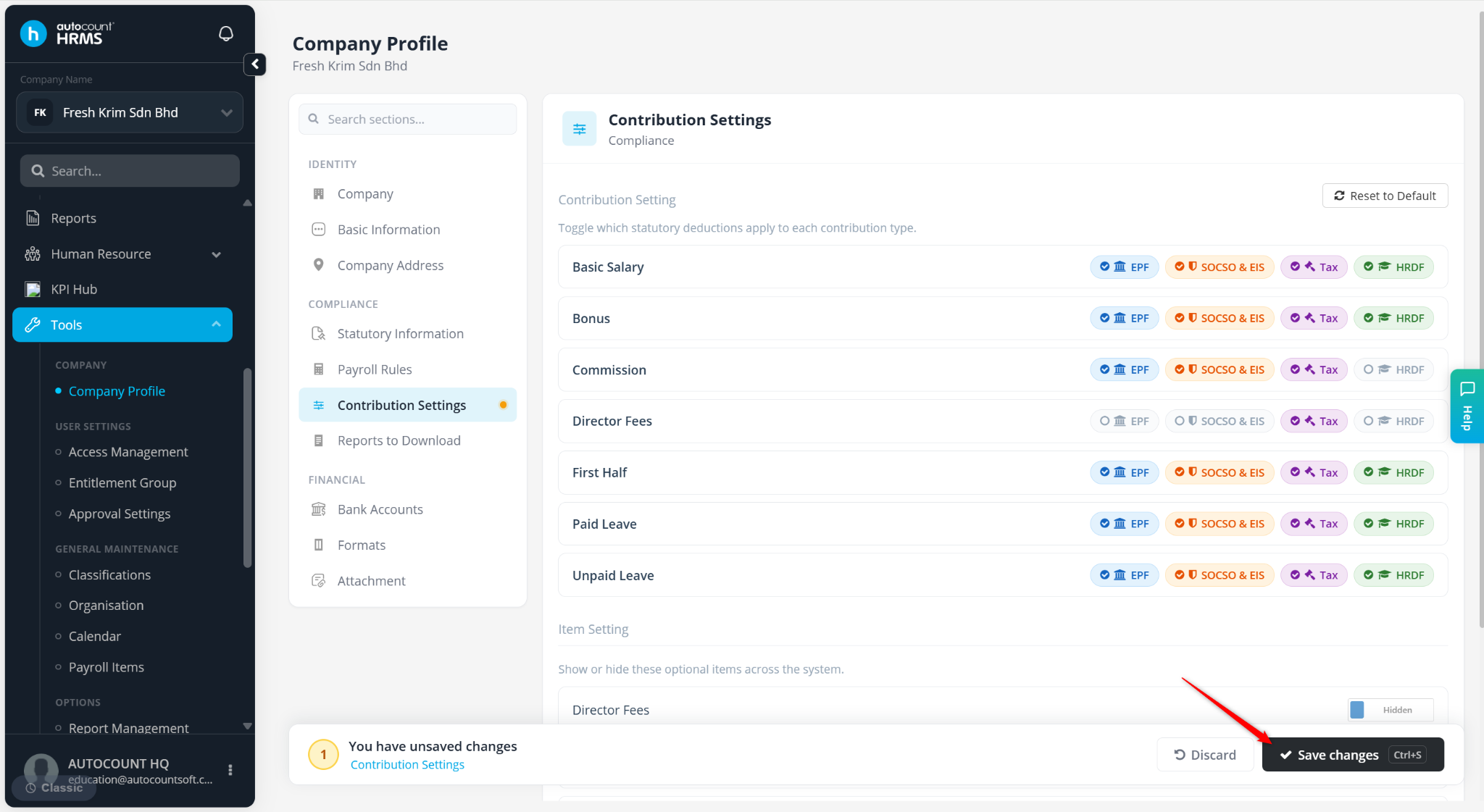
This feature is used to configure payroll contributions such as EPF, SOCSO & EIS, Income Tax (PCB), and HRDF for all employees. It determines which payroll items are subject to statutory deductions and ensures accurate payroll and compliance reporting.
Steps to Setup Employees’ Contribution Settings:
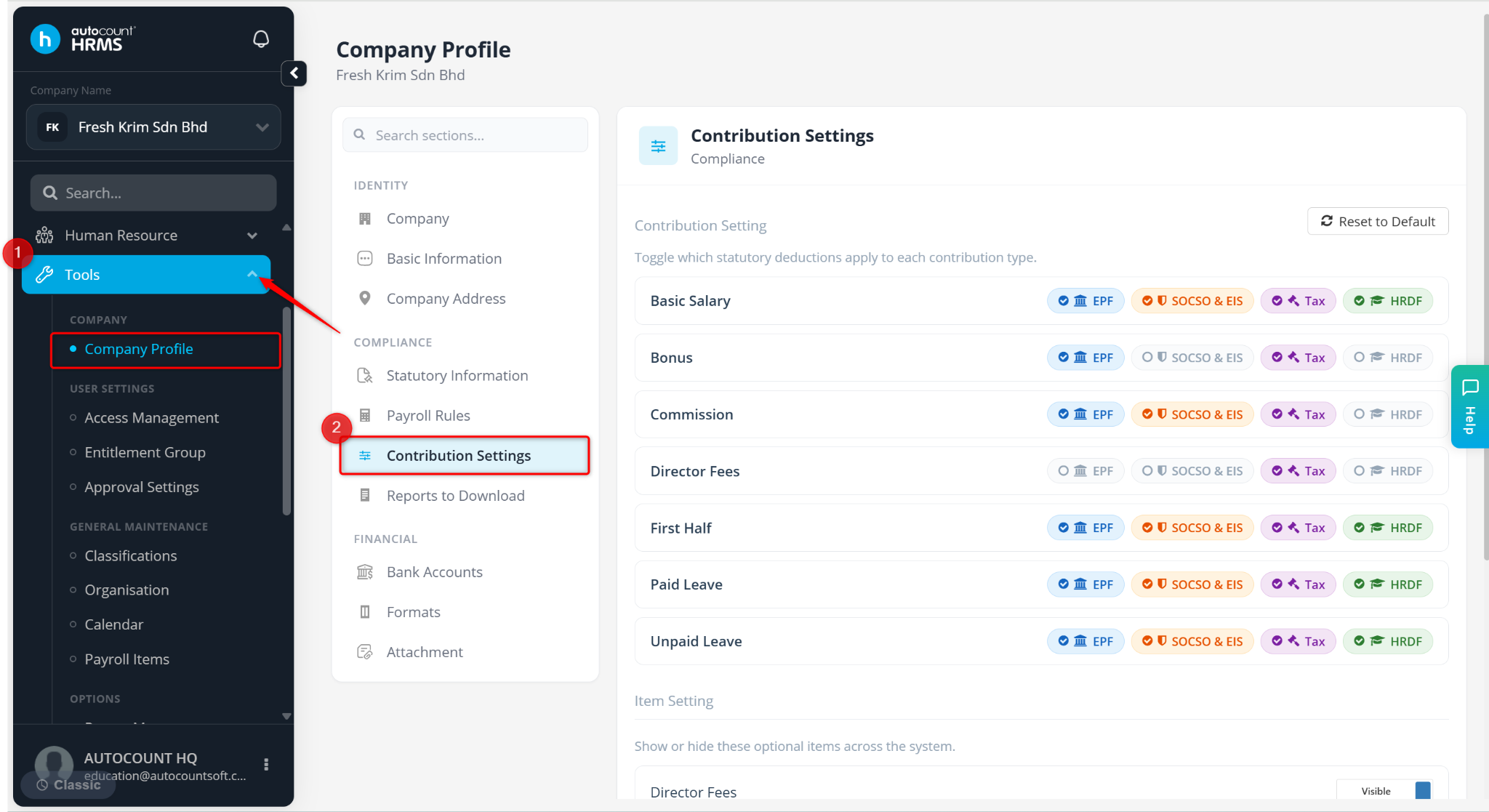
Go to Tools > Company Profile.
Go to Contribution Settings.
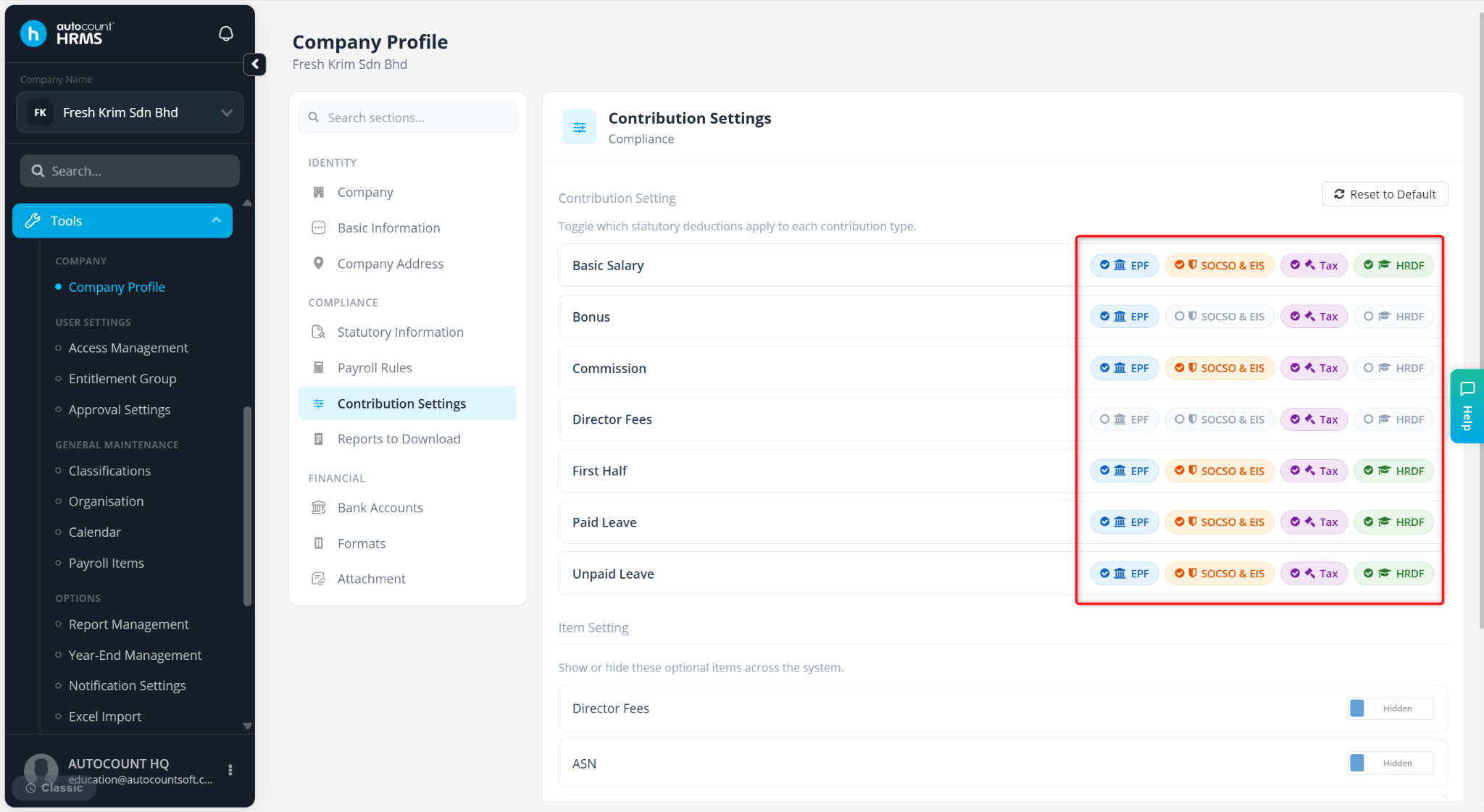
Enable the relevant contributions (EPF, SOCSO & EIS, Tax, HRDF) for applicable payroll items, including
Basic Salary
Bonus
Commission
Director Fees
First Half Salary
Paid Leave
Unpaid Leave
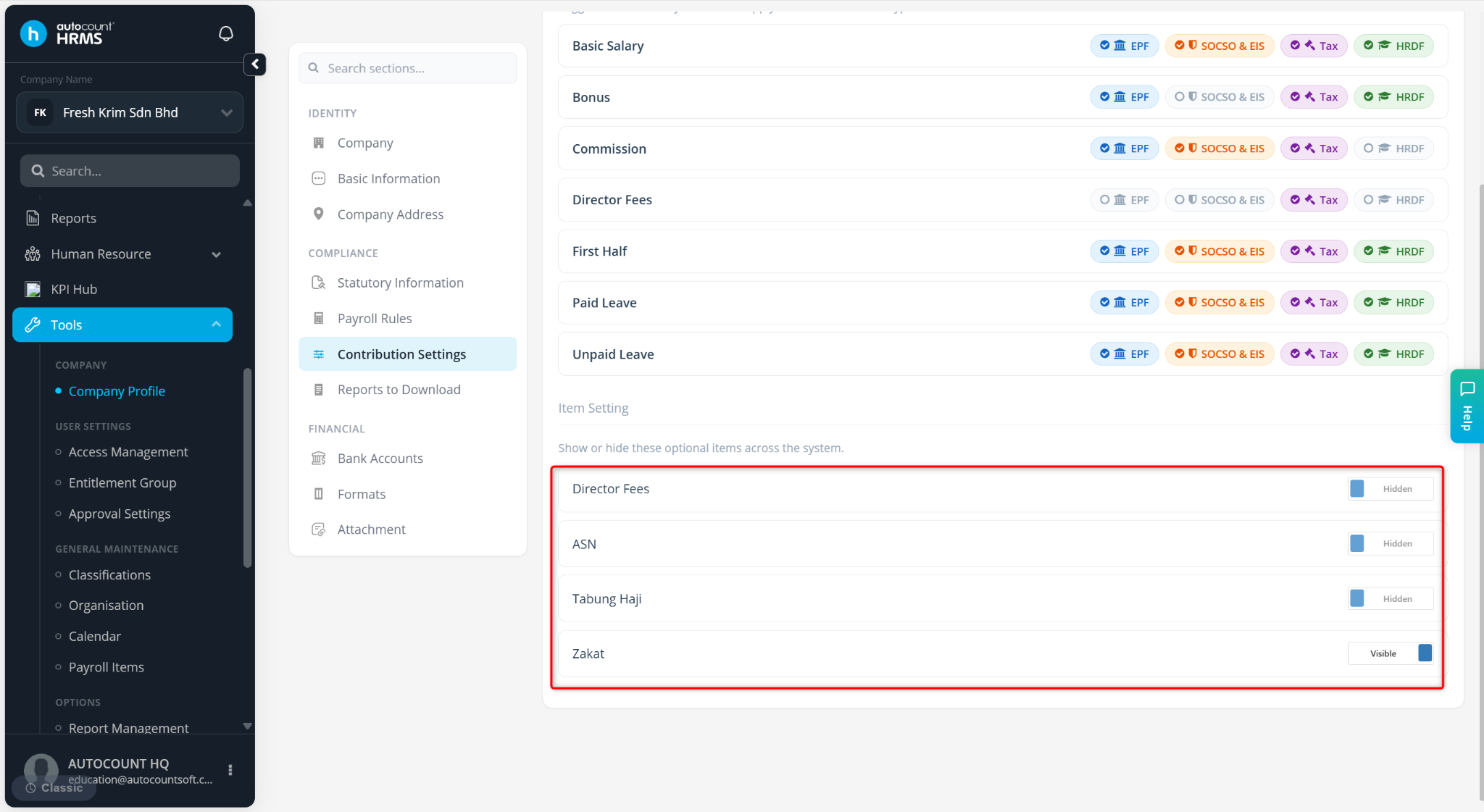
Under Item Setting, toggle the fields Director Fees, ASN, Tabung Haji and Zakat between:
Visible – Field will appear in Employee Maintenance.
Hidden – Field will be hidden from Employee Maintenance.
Click Save changes to apply.